
HSAP Test Coordination Administration and Security ASSESSMENT SECTION
- Slides: 46
HSAP Test Coordination, Administration and Security ASSESSMENT SECTION PRESENTERS: KAREN TOHINAKA/PAUL DUMAS/BRUCE HIROTSU PH: (808)307 -3636 Assessment Section, Assessment & Accountability Branch, Office of Strategy, Innovation and Performance
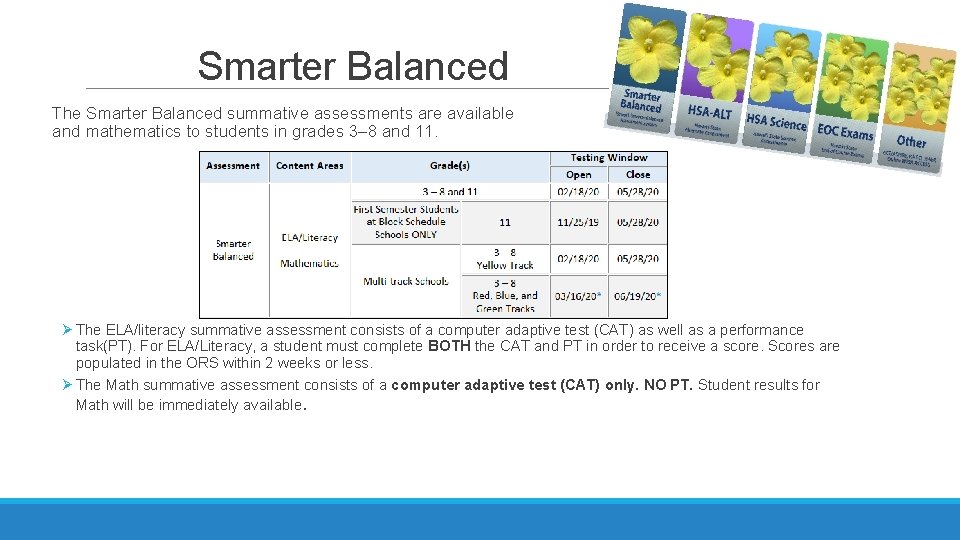
Smarter Balanced The Smarter Balanced summative assessments are available in ELA/literacy and mathematics to students in grades 3– 8 and 11. Ø The ELA/literacy summative assessment consists of a computer adaptive test (CAT) as well as a performance task(PT). For ELA/Literacy, a student must complete BOTH the CAT and PT in order to receive a score. Scores are populated in the ORS within 2 weeks or less. Ø The Math summative assessment consists of a computer adaptive test (CAT) only. NO PT. Student results for Math will be immediately available.
Important Things to Note Ø Updated Interim Assessments will launch on September 24 th. § ICAs have been updated to reflect changes to the Summative blueprint. § There will be ICAs for 9 and 10 and new Focused IABs. § Most constructed response items in the interim assessments will be scored through machine scoring but teachers can review and adjust scores in Air. Ways Reporting. Ø HSA Science (NGSS) § Science Assessments will be “fully NGSS-based”. Revised Blueprints can be found at alohahsap. org. § Elementary Science will be at grade 5 not grade 4. § Elementary and Middle School will have 2 opportunities. Biology EOC students only have 1 opportunity. Ø Test Administrator Certification Course has changed, you will need to pass it with 80% accuracy. Ø 95% participation including SPED and ELL
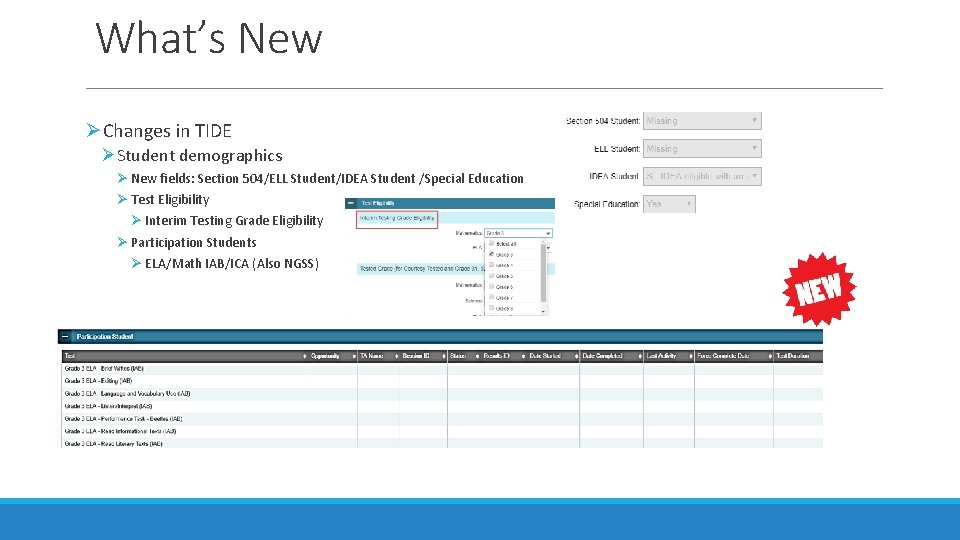
What’s New ØChanges in TIDE ØStudent demographics Ø New fields: Section 504/ELL Student/IDEA Student /Special Education Ø Test Eligibility Ø Interim Testing Grade Eligibility Ø Participation Students Ø ELA/Math IAB/ICA (Also NGSS)
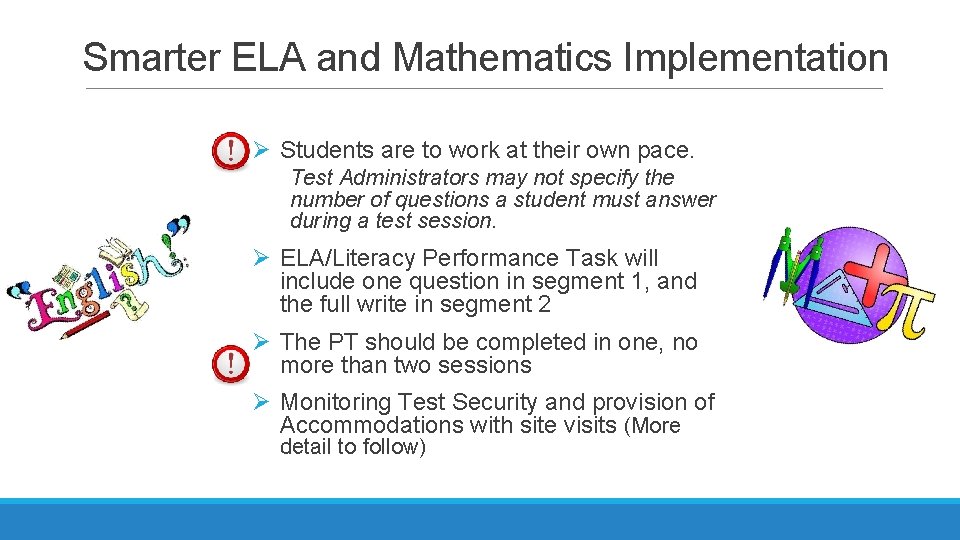
Smarter ELA and Mathematics Implementation Ø Students are to work at their own pace. Test Administrators may not specify the number of questions a student must answer during a test session. Ø ELA/Literacy Performance Task will include one question in segment 1, and the full write in segment 2 Ø The PT should be completed in one, no more than two sessions Ø Monitoring Test Security and provision of Accommodations with site visits (More detail to follow)
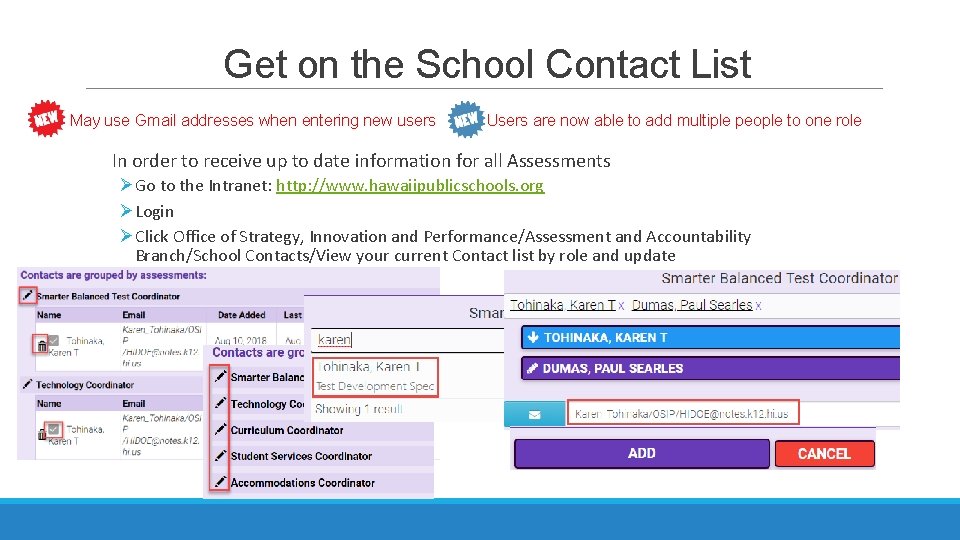
Get on the School Contact List May use Gmail addresses when entering new users Users are now able to add multiple people to one role In order to receive up to date information for all Assessments ØGo to the Intranet: http: //www. hawaiipublicschools. org ØLogin ØClick Office of Strategy, Innovation and Performance/Assessment and Accountability Branch/School Contacts/View your current Contact list by role and update
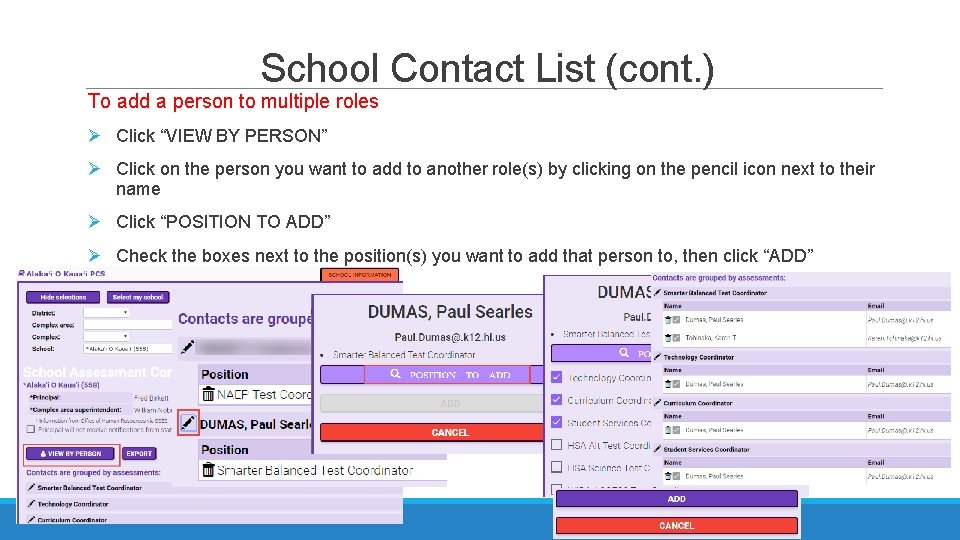
School Contact List (cont. ) To add a person to multiple roles Ø Click “VIEW BY PERSON” Ø Click on the person you want to add to another role(s) by clicking on the pencil icon next to their name Ø Click “POSITION TO ADD” Ø Check the boxes next to the position(s) you want to add that person to, then click “ADD”
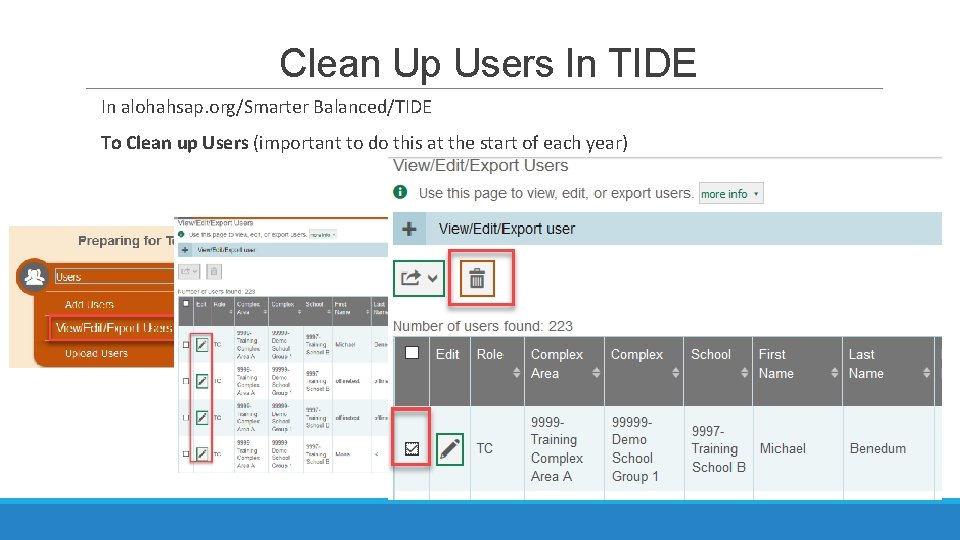
Clean Up Users In TIDE In alohahsap. org/Smarter Balanced/TIDE To Clean up Users (important to do this at the start of each year)
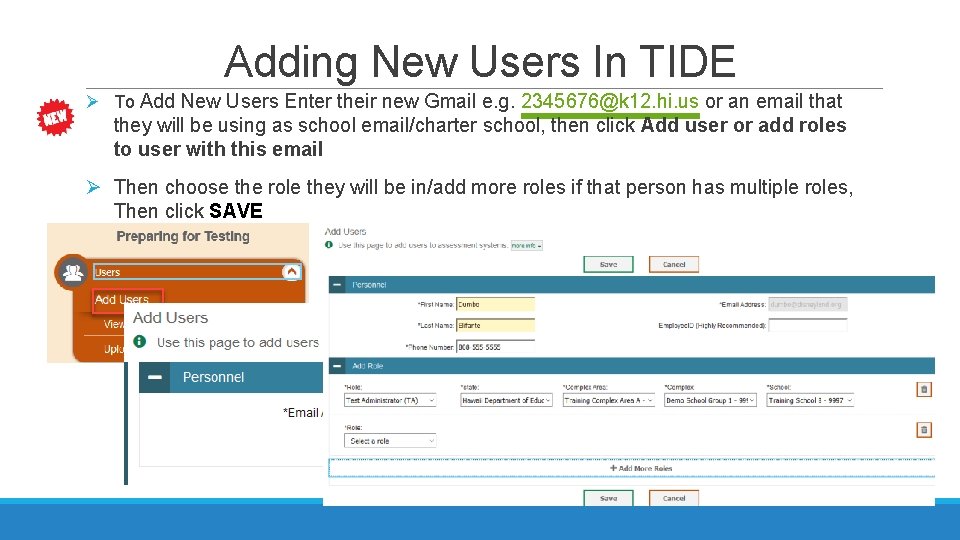
Adding New Users In TIDE Ø To Add New Users Enter their new Gmail e. g. 2345676@k 12. hi. us or an email that they will be using as school email/charter school, then click Add user or add roles to user with this email Ø Then choose the role they will be in/add more roles if that person has multiple roles, Then click SAVE
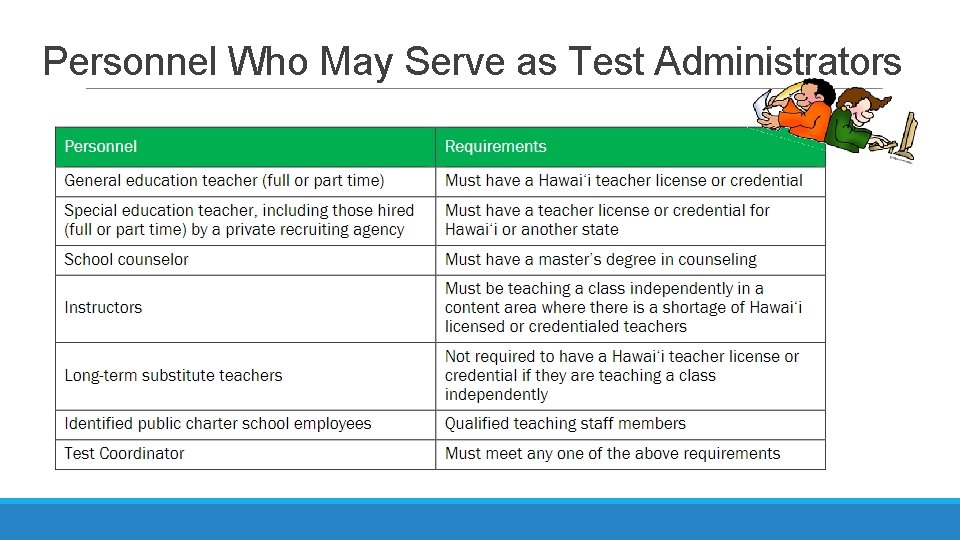
Personnel Who May Serve as Test Administrators
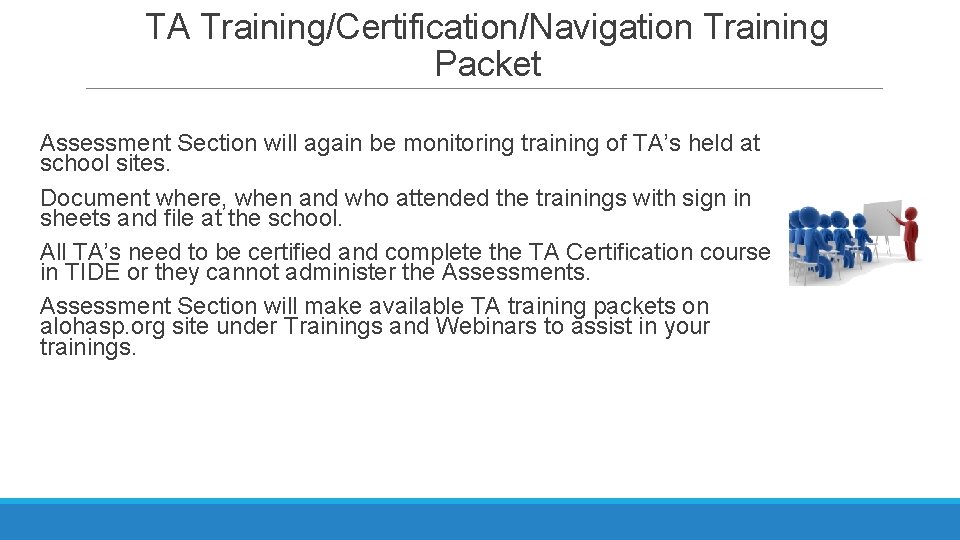
TA Training/Certification/Navigation Training Packet Assessment Section will again be monitoring training of TA’s held at school sites. Document where, when and who attended the trainings with sign in sheets and file at the school. All TA’s need to be certified and complete the TA Certification course in TIDE or they cannot administer the Assessments. Assessment Section will make available TA training packets on alohasp. org site under Trainings and Webinars to assist in your trainings.
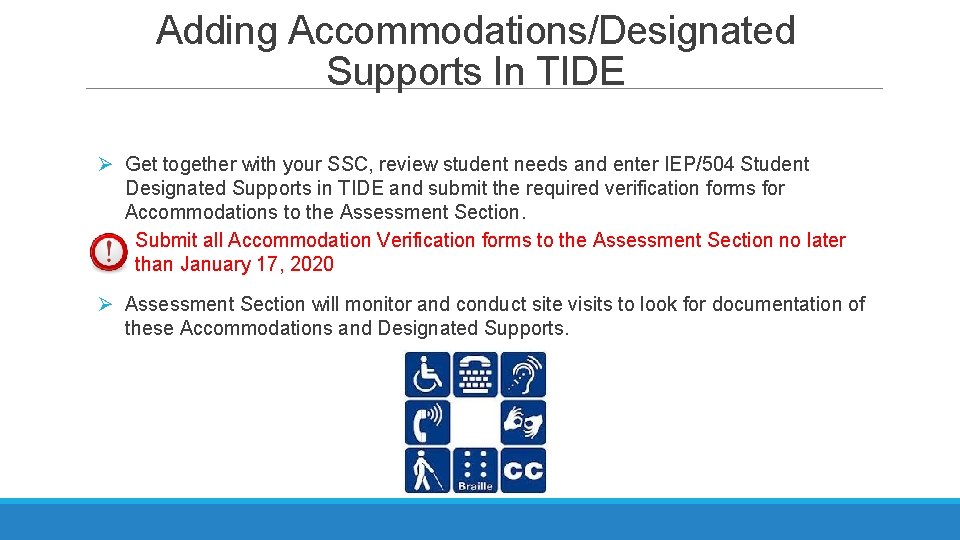
Adding Accommodations/Designated Supports In TIDE Ø Get together with your SSC, review student needs and enter IEP/504 Student Designated Supports in TIDE and submit the required verification forms for Accommodations to the Assessment Section. Submit all Accommodation Verification forms to the Assessment Section no later than January 17, 2020 Ø Assessment Section will monitor and conduct site visits to look for documentation of these Accommodations and Designated Supports.
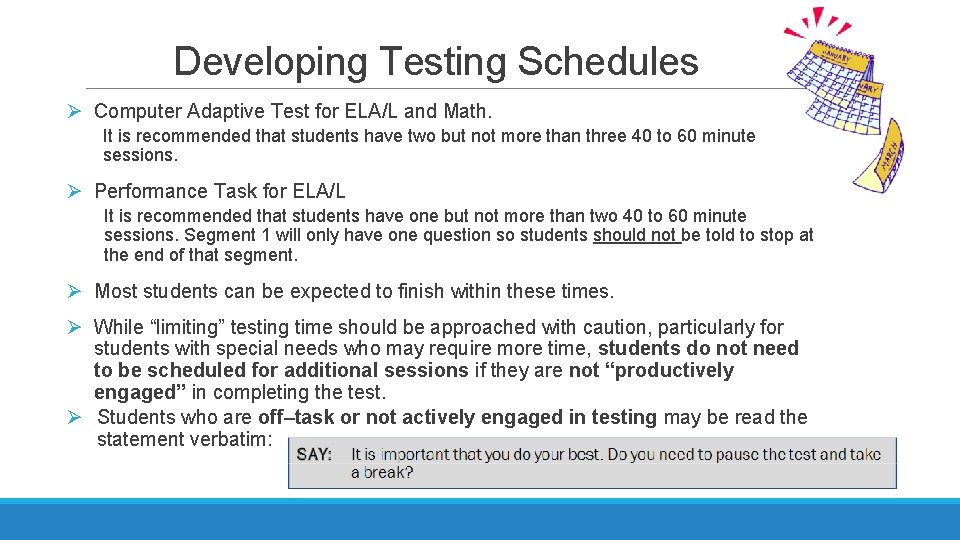
Developing Testing Schedules Ø Computer Adaptive Test for ELA/L and Math. It is recommended that students have two but not more than three 40 to 60 minute sessions. Ø Performance Task for ELA/L It is recommended that students have one but not more than two 40 to 60 minute sessions. Segment 1 will only have one question so students should not be told to stop at the end of that segment. Ø Most students can be expected to finish within these times. Ø While “limiting” testing time should be approached with caution, particularly for students with special needs who may require more time, students do not need to be scheduled for additional sessions if they are not “productively engaged” in completing the test. Ø Students who are off–task or not actively engaged in testing may be read the statement verbatim:
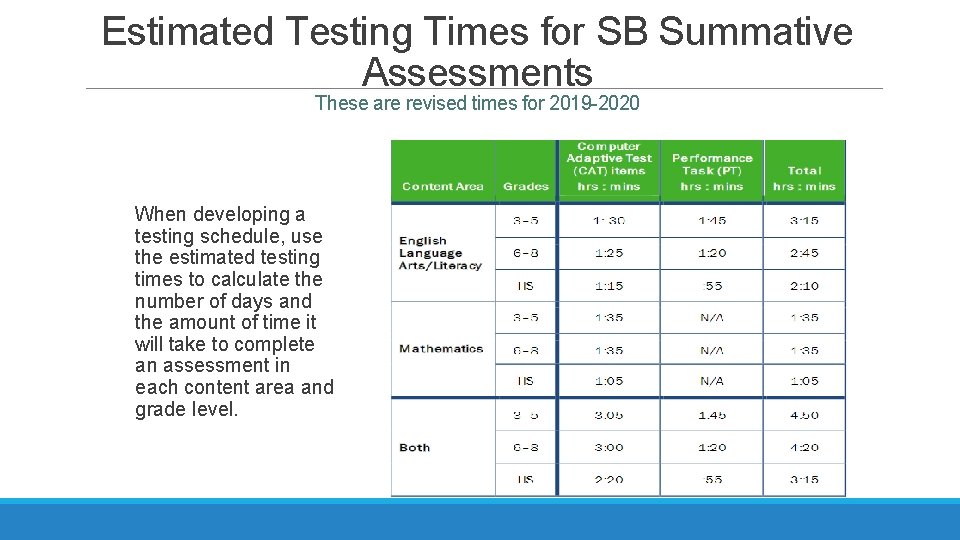
Estimated Testing Times for SB Summative Assessments These are revised times for 2019 -2020 When developing a testing schedule, use the estimated testing times to calculate the number of days and the amount of time it will take to complete an assessment in each content area and grade level.
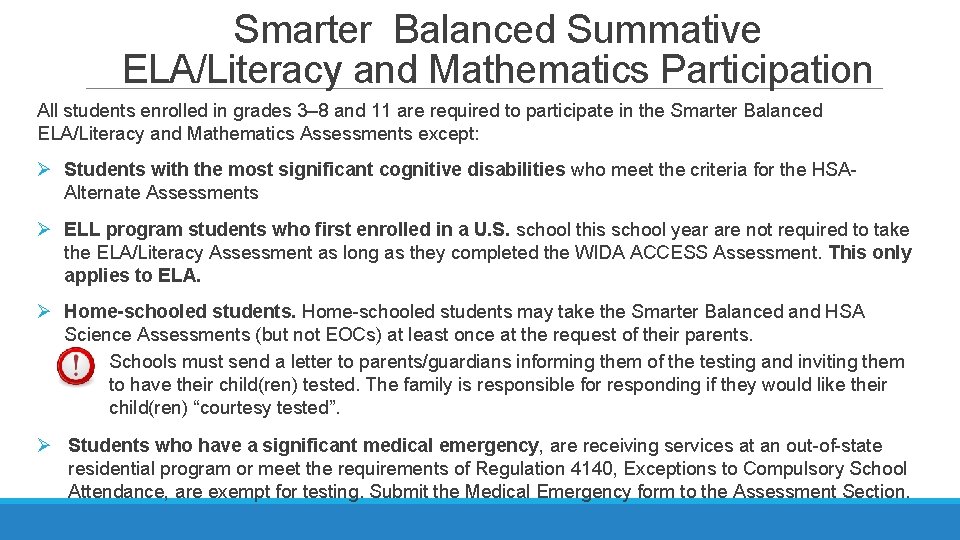
Smarter Balanced Summative ELA/Literacy and Mathematics Participation All students enrolled in grades 3– 8 and 11 are required to participate in the Smarter Balanced ELA/Literacy and Mathematics Assessments except: Ø Students with the most significant cognitive disabilities who meet the criteria for the HSAAlternate Assessments Ø ELL program students who first enrolled in a U. S. school this school year are not required to take the ELA/Literacy Assessment as long as they completed the WIDA ACCESS Assessment. This only applies to ELA. Ø Home-schooled students may take the Smarter Balanced and HSA Science Assessments (but not EOCs) at least once at the request of their parents. Schools must send a letter to parents/guardians informing them of the testing and inviting them to have their child(ren) tested. The family is responsible for responding if they would like their child(ren) “courtesy tested”. Ø Students who have a significant medical emergency, are receiving services at an out-of-state residential program or meet the requirements of Regulation 4140, Exceptions to Compulsory School Attendance, are exempt for testing. Submit the Medical Emergency form to the Assessment Section.
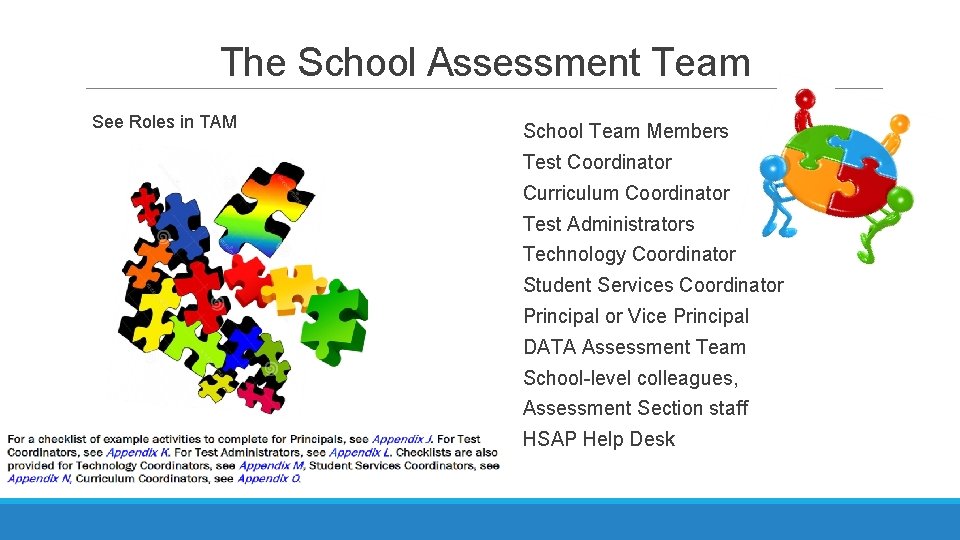
The School Assessment Team See Roles in TAM School Team Members Test Coordinator Curriculum Coordinator Test Administrators Technology Coordinator Student Services Coordinator Principal or Vice Principal DATA Assessment Team School-level colleagues, Assessment Section staff HSAP Help Desk
Test Coordinator Role and Responsibilities Key Responsibilities: Ø Complete the online TA Certification Course and review all relevant manuals and guides. Ø Identify Test Administrators, Teachers, Proctors and Interim Scorers (as needed) and ensure that they are properly trained and certified. Ø Work with the School Assessment Team to create testing schedules and procedures for the school. Ø Work with Technology Coordinator to ensure that the current secure browser is installed on all computers to be used for testing and any other technical issues are resolved. See Appendix K of the TAM for the Test Coordinator Checklist
Test Coordinator Role and Responsibilities Key Responsibilities (continued): Ø Work with the Student Services Coordinator to ensure that the appropriate designated supports and accommodations are set in TIDE for all students. * For SPED and EL students these also need to be entered in e. CSSS. Ø Monitor testing sessions and progress and ensure that all students participate as appropriate. Ø Collaborate with the Curriculum Coordinator to oversee the Smarter Balanced training and practice tests as well as the Interim Assessments. Ø Disseminate information about testing to families, including Parent Information Booklets and appropriate parent letters. *In order to be provided accommodations on the state-wide assessments students must meet the guidelines in the UAAG.
Key Tasks for the Test Administrators Ø Complete the updated online TA Certification Course and review all relevant manuals and guides Ø Attend TA training given by the TC at the school along with a TA Packet Ø Prepare the assessment environment. Ø Administer assessments or exams following the directions for administration, including test security-esp. related to electronic devices, and monitor progress. Ø Report testing incidents. Ø Shred scratch paper and other handouts in a secure manner if written on by students. See Appendix L of the TAM for the Test Administrator Checklist
Key Tasks for the Technology Coordinator Ensure that the computer setup for the Interim and Summative Assessments is completed in a timely manner. This includes: Ø Verify that your school’s networks and computers meet the minimum technology requirements. Ø Conduct network tests and diagnostics. Ø Download the latest version of the secure browser on all computers. Ø Ensure that other technical issues are resolved before testing. Ø Work with the School Assessment Team to develop a testing schedule for the Summative Assessment. Ø Be available during each day of testing to provide technical support as needed. Ø See the HSAP Quick Guide for Setting Up Your Online Testing Technology 2019 -2020 and the HSAP Systems Requirements See Appendix M of the TAM for the Technology Coordinator Checklist
Smarter Balanced Administration Tips Ø Schools may test students at any time during school hours. Ø Students may take the interim assessments multiple times but may take the summative assessments only once! Interim results will only be found in AIRWays Reporting. Past results are in the ORS. Ø Ensure that each student receives their own test ticket and verify prior to the student logging in. Ø Assessments are not timed, however students who are not making an effort to complete the test do not need to be offered additional testing sessions.
Smarter Balanced Administration Tips Ø Students can be tested in any room that provides a quiet environment, free of distractions where other students are not participating in learning activities including not doing homework or accessing the internet. Ø Remember that the script must be followed exactly and used each time a test is administered except when students are assigned the Simplified Directions. Ø Collect or ensure that all electronic devices are put away in backpacks and placed in a corner of the testing environment. Ø Remember to write the Test Session ID on a spread sheet daily in case you need to refer to it. Ø No food or drink allowed in the Testing environment.
Smarter Balanced Summative Assessments: Test Expiration Computer Adaptive Test (CAT) A student’s CAT remains active until the student completes and submits the test or 45 calendar days after the student has begun the test. ELA Performance Task (PT) The PT is a separate test that remains active only for 10 calendar days after the student has begun the PT. If a student was absent and exceeded the 10 day window, you can request a reopen. The 10 day count down will start again from the day it is reopened. Only one reopen per student is allowed, so it is important to let the Assessment Section know what day you want to have the test reopened.
SB Summative Assessments: Pause Rules All Tests Except the ELA/Literacy PT During the CAT portion of the test if a test is paused for more than 20 minutes, when the student logs back in he/she is: Ø Presented with the page containing the item(s) he or she was working on; Ø NOT permitted to review or change any previously answered items, Ø Any highlighted text will be saved but notes on the digital notepad which is an embedded universal tool will not be saved when a test is paused. Smarter Balanced ELA/Literacy Performance Task Ø There are no pause restrictions. If a test is paused for 20 minutes or more, the student can return to the section and continue entering his or her responses. Ø Any highlighted text will be saved but notes on the digital notepad which is an embedded universal tool will not be saved when a test is paused. Ø Performance Tasks expire in 10 calendar days so students must complete it within that timeframe. The ELA PTs have two segments and once a student moves from Section 1 to Section 2 they cannot return to Section 1.
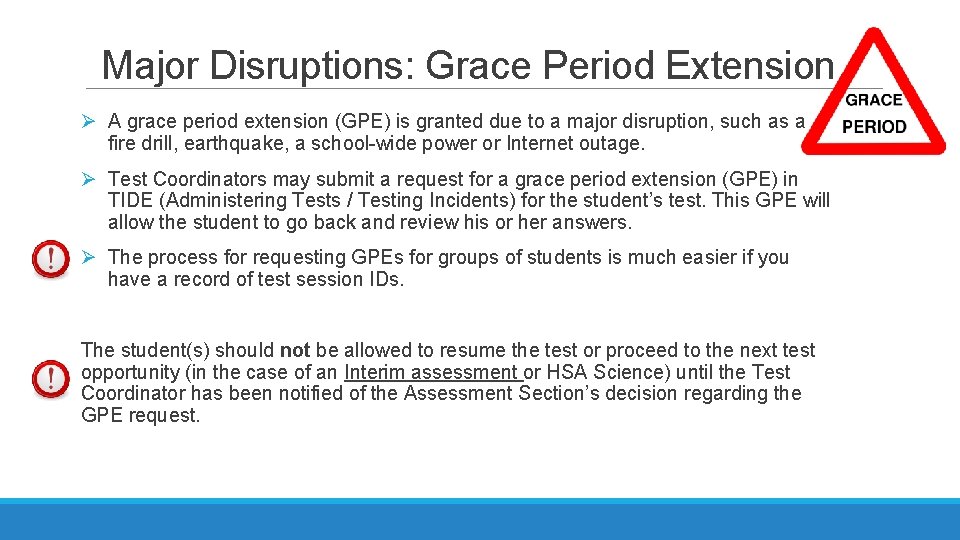
Major Disruptions: Grace Period Extension Ø A grace period extension (GPE) is granted due to a major disruption, such as a fire drill, earthquake, a school-wide power or Internet outage. Ø Test Coordinators may submit a request for a grace period extension (GPE) in TIDE (Administering Tests / Testing Incidents) for the student’s test. This GPE will allow the student to go back and review his or her answers. Ø The process for requesting GPEs for groups of students is much easier if you have a record of test session IDs. The student(s) should not be allowed to resume the test or proceed to the next test opportunity (in the case of an Interim assessment or HSA Science) until the Test Coordinator has been notified of the Assessment Section’s decision regarding the GPE request.
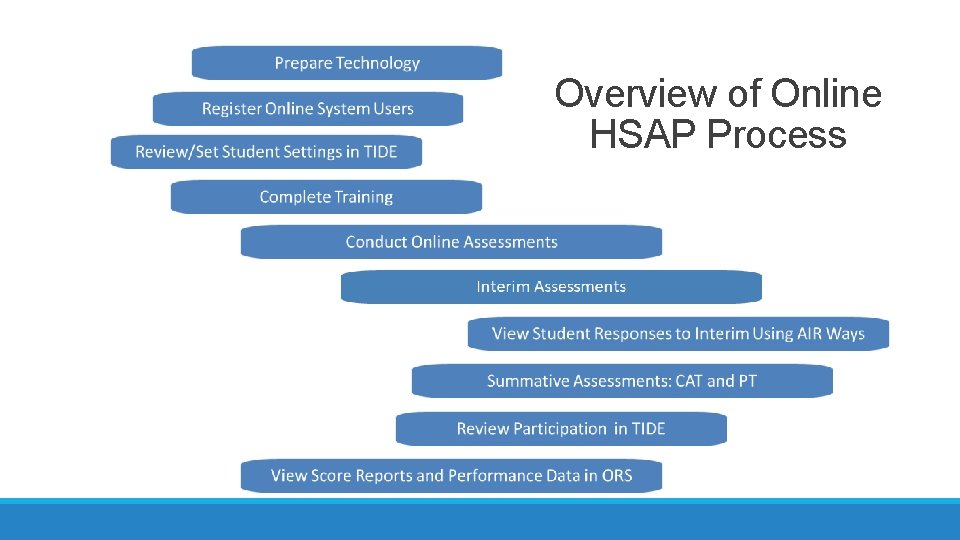
Overview of Online HSAP Process
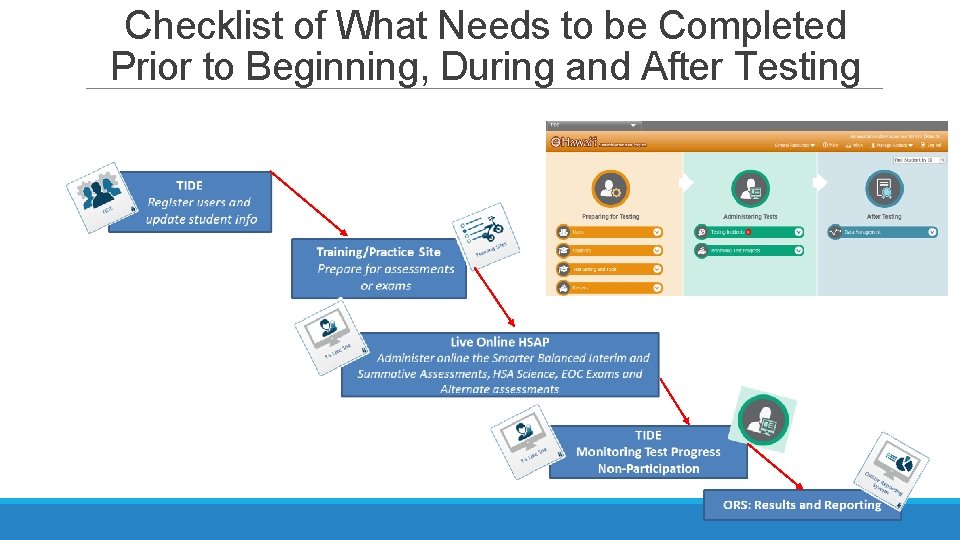
Checklist of What Needs to be Completed Prior to Beginning, During and After Testing
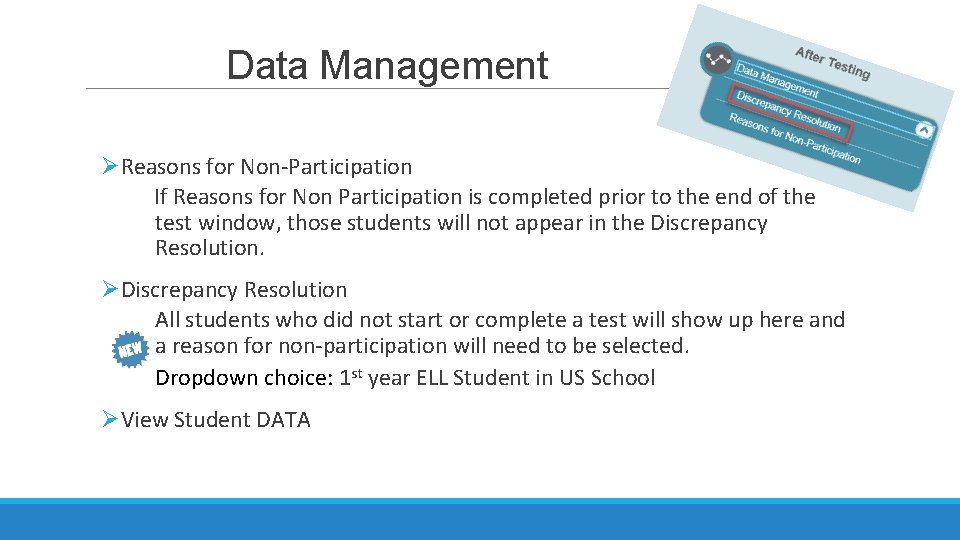
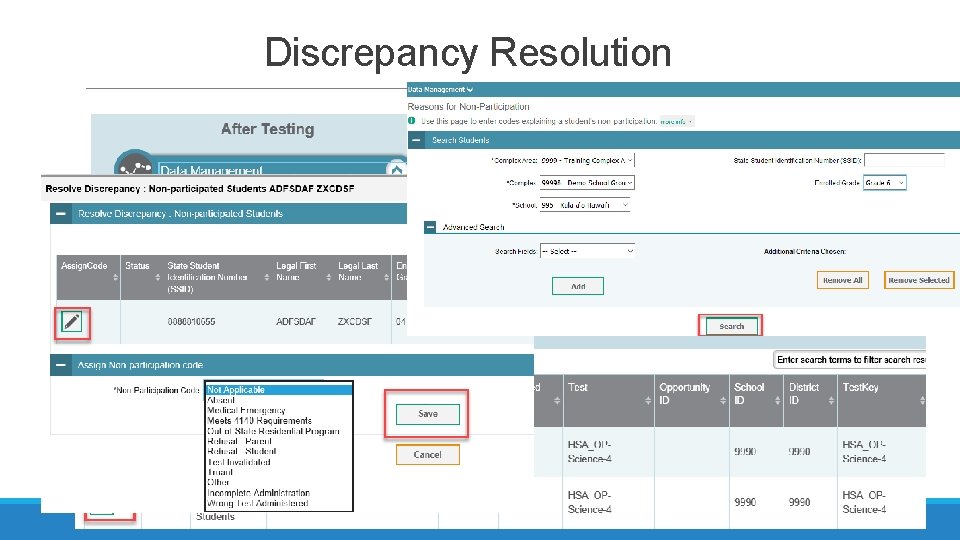
Data Management ØReasons for Non-Participation If Reasons for Non Participation is completed prior to the end of the test window, those students will not appear in the Discrepancy Resolution. ØDiscrepancy Resolution All students who did not start or complete a test will show up here and a reason for non-participation will need to be selected. Dropdown choice: 1 st year ELL Student in US School ØView Student DATA
Discrepancy Resolution
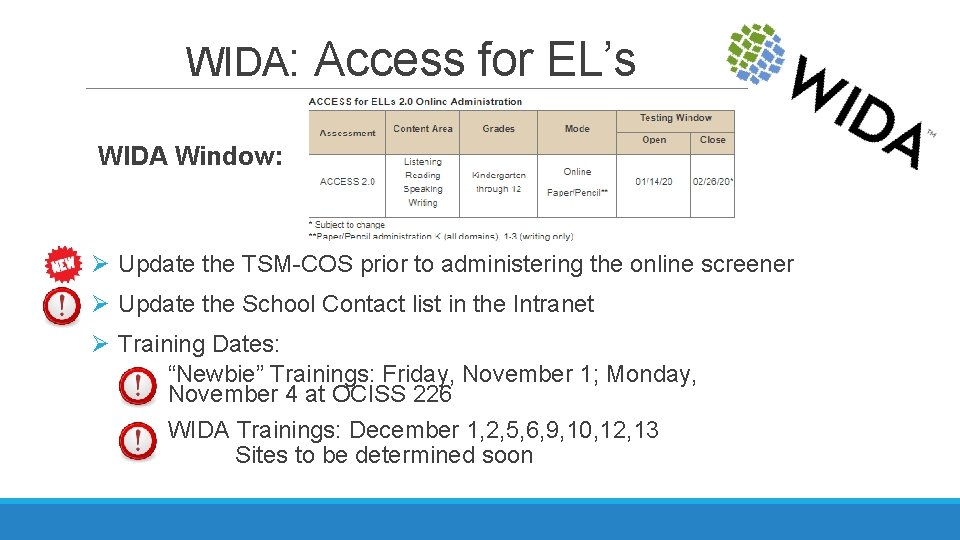
WIDA: Access for EL’s WIDA Window: Ø Update the TSM-COS prior to administering the online screener Ø Update the School Contact list in the Intranet Ø Training Dates: “Newbie” Trainings: Friday, November 1; Monday, November 4 at OCISS 226 WIDA Trainings: December 1, 2, 5, 6, 9, 10, 12, 13 Sites to be determined soon
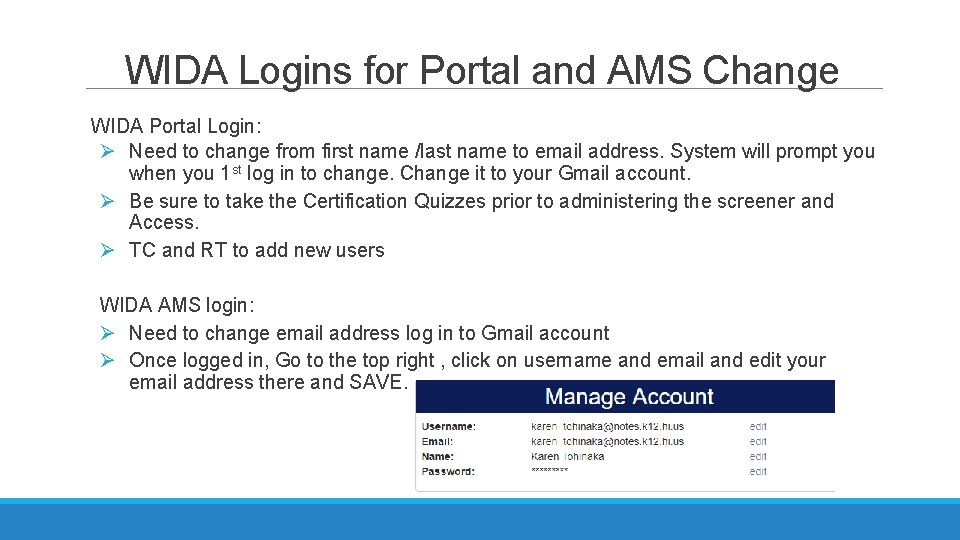
WIDA Logins for Portal and AMS Change WIDA Portal Login: Ø Need to change from first name /last name to email address. System will prompt you when you 1 st log in to change. Change it to your Gmail account. Ø Be sure to take the Certification Quizzes prior to administering the screener and Access. Ø TC and RT to add new users WIDA AMS login: Ø Need to change email address log in to Gmail account Ø Once logged in, Go to the top right , click on username and email and edit your email address there and SAVE.
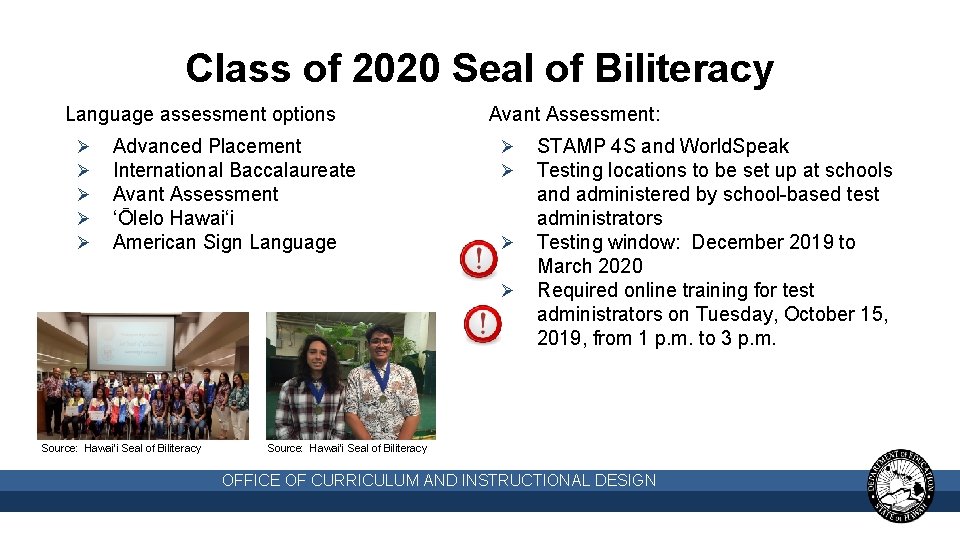
Class of 2020 Seal of Biliteracy Language assessment options Ø Ø Ø Advanced Placement International Baccalaureate Avant Assessment ‘Ōlelo Hawai‘i American Sign Language Avant Assessment: Ø Ø Source: Hawai‘i Seal of Biliteracy STAMP 4 S and World. Speak Testing locations to be set up at schools and administered by school-based test administrators Testing window: December 2019 to March 2020 Required online training for test administrators on Tuesday, October 15, 2019, from 1 p. m. to 3 p. m. Source: Hawai‘i Seal of Biliteracy OFFICE OF CURRICULUM AND INSTRUCTIONAL DESIGN
K-2 Assessment Teaching Strategies GOLD (TS GOLD) Ø TS GOLD aims to provide early learning educators with the resources they need in order to bring improved instruction and alignment of curriculum to the Hawai’i Common Core. HIDOE may implement a TS GOLD Assessment and continue support for K-2 assessment in the future. Ø Currently being implemented in some Kindergarten SPED/EOEL/ Headstart programs Ø PD will be provided for those participating. Ø Vendor supported curriculum kits can be provided to Kindergarten teachers who would like to receive these kits Ø In the future DOE, may be looking for schools/teachers interested in joining the implementation of this assessment.
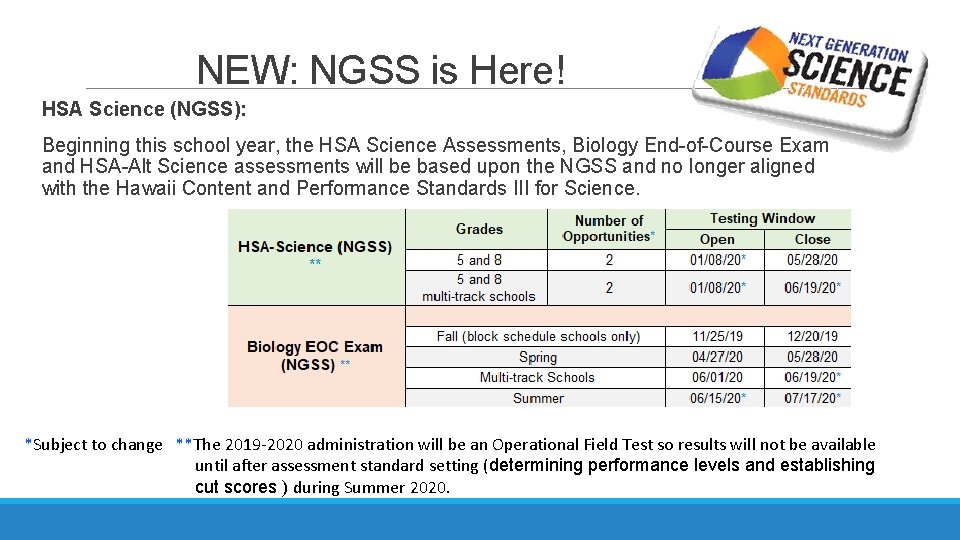
NEW: NGSS is Here! HSA Science (NGSS): Beginning this school year, the HSA Science Assessments, Biology End-of-Course Exam and HSA-Alt Science assessments will be based upon the NGSS and no longer aligned with the Hawaii Content and Performance Standards III for Science. *Subject to change **The 2019 -2020 administration will be an Operational Field Test so results will not be available until after assessment standard setting (determining performance levels and establishing cut scores ) during Summer 2020.
NGSS (cont. ) Ø These tests will be referred to as HSA Science (NGSS), Biology EOC Exam (NGSS), and HSA-Alt Science (NGSS) respectively. The new science assessments are designed to measure students’ attainment the performance expectations (PEs) laid out in the NGSS and will be quite different from the past assessments. Ø The NGSS assessments at each grade include 6 item clusters and 12 stand-alone items. Item clusters include a stimulus and a series of questions that generally take students about 6 to 12 minutes to complete. Stand-alone items are shorter and generally take students 2 to 3 minutes to complete. Ø NGSS is administered in Grade 5 covering the NGSS PEs for grades 3 through 5 and Grade 8 covering NGSS PEs for grades 6 through 8. Students are required to take this test once but will have an optional second opportunity. Ø The Biology EOC will cover the NGSS high school NGSS Life Science PEs as well as Earth Space Science PEs HS-ESS 2 -6, HS-ESS 2 -7, and HS-ESS 3 -3. Students will have 1 opportunity to take the Biology EOC during the last four weeks of the course through which they are meeting the biology graduation requirement.
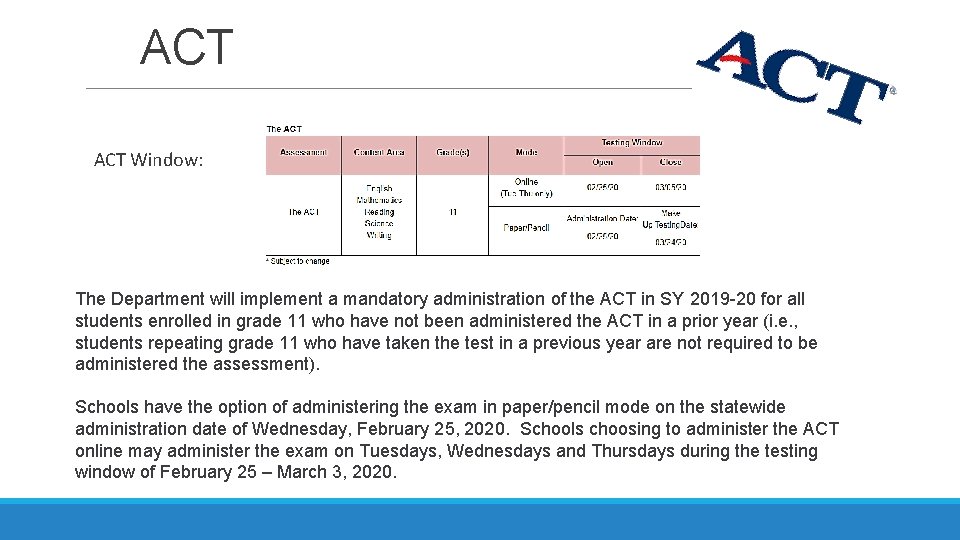
ACT Window: The Department will implement a mandatory administration of the ACT in SY 2019 -20 for all students enrolled in grade 11 who have not been administered the ACT in a prior year (i. e. , students repeating grade 11 who have taken the test in a previous year are not required to be administered the assessment). Schools have the option of administering the exam in paper/pencil mode on the statewide administration date of Wednesday, February 25, 2020. Schools choosing to administer the ACT online may administer the exam on Tuesdays, Wednesdays and Thursdays during the testing window of February 25 – March 3, 2020.
Test Security Ensuring Test Security Ø All summative test items and test materials, including student test tickets and scratch paper, are secure and must be appropriately handled. Ø Security requirements for the test environment before, during, and after testing includes all aspects of the testing situation while students are testing. Ø If you have witnessed, been informed of or suspect a Test Security Incident, follow the steps outlined in section Responding to Testing Improprieties, Irregularities, and Breaches in the TAM. When in doubt, all testing incidents (or suspected incidents) should be reported immediately to the Assessment Section. The Assessment Section will decide the level of the Incident and the response.
Definitions of Test Security Impropriety, Irregularity, Breach When a Test Security Incident occurs, you must first determine the severity of the incident. Ø Does the incident threaten the VALIDITY of the assessment? Ø What is the scope of the validity threat? Ø Categorize the incident: Impropriety : has a low impact on the individual or group of students who are testing and has a low risk of potentially affecting student performance. Ø Student(s) making distracting gestures/sounds or talking during the test session that creates a disruption in the test session for other students. (This can be dealt with at the school level) Ø Student(s) leave the test room without authorization. (This can be dealt with at the school level) Ø Administrator or Coordinator leaving related instructional materials on the walls in the testing room
Definitions of Test Security Irregularity: impacts an individual or group of students who are testing and potentially affect student performance. Ø Student(s) cheating or providing answers to each other, including passing notes, giving help to other students during testing, or using hand-held electronic devices to exchange information. Ø Student(s) accessing the Internet or any unauthorized software or applications during a testing event. i. e access to internet after student has completed testing. Ø Student(s) accessing or using unauthorized electronic equipment (e. g. , cell phones, PDAs, i. Pods, or electronic translators) during testing. Breach: poses a threat to the validity of the test. Examples may include such situations as exposure and/or release of secure materials or a security/system risk. These circumstances have external implications. Ø Administrator or Coordinator modifying student responses or records at any time. Ø Adult or student posting items or test materials on social media (Twitter, Facebook, etc. ). Ø Adult or student copying, discussing, or otherwise retaining test items, reading passages, writing prompts, or answers for any reason. This includes the use of photocopiers or digital, electronic, or manual devices to record or communicate a test item.
Test Security Incident Response Essentials Whenever an Incident occurs, get the facts straight. Ø Record date, time and location (school and room identifier) of incident. Ø Identify grade level and specific test component(s) at issue (i. e. , Grade 4, ELA Section 1). Ø Identify the Test Administrator (and Proctor) assigned to the testing room. Ø Determine key facts/allegations as quickly as possible. Ø List all persons with knowledge of incident (i. e. , school staff and students). Ø Briefly summarize knowledge of each participant and witness. Ø Identify and preserve relevant evidence (may include seating charts, social media posts, text messages, photographs). Ø Include all facts in reports to District and State. Submit the Testing Incident Report Form Appendix P found in the TAM pg 107
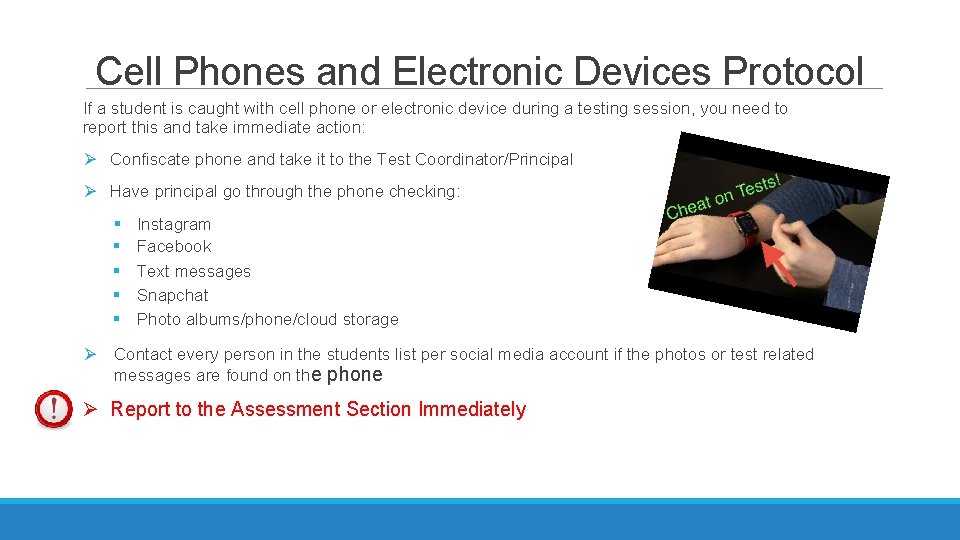
Cell Phones and Electronic Devices Protocol If a student is caught with cell phone or electronic device during a testing session, you need to report this and take immediate action: Ø Confiscate phone and take it to the Test Coordinator/Principal Ø Have principal go through the phone checking: § § § Instagram Facebook Text messages Snapchat Photo albums/phone/cloud storage Ø Contact every person in the students list per social media account if the photos or test related messages are found on the phone Ø Report to the Assessment Section Immediately
Assessment Section Site Monitoring The Assessment Section will regularly conduct school visits during statewide assessment windows to observe test administration and to gather information from school test coordinators about TA face-toface assessment administration training, and the school’s management and assessment practices. Ø The feedback and information obtained from these visits will be used to guide and improve the quality of materials, such as user guides, trainings for schools and test coordinators, and ensure that validity and reliability of the assessments. Ø These will include Quality Assurance visits in the Fall semester, as well as Site Monitoring visits during test windows (ACT, ACCESS For ELLs, and Smarter Balanced/H. S. A. Science)
Site Monitoring – To Prepare Ø Ensure that your assessment team has carefully read the appropriate Test Administration Manuals (TAM) for all assessments administered at your school and are aware of test administration policy and procedures, including how to identify and respond to testing incidents. Ø Ensure that your test coordinator and any assessment team members in your school Ensure that IDEA, 504, and ELL students are provided the specific accessibility supports found in their e. CSSS records. Ø Ensure that all designated supports and accommodations designated in TIDE are provided during testing.
What Can You Expect? Monitoring is focused on collecting information about test administration and identifying areas of strength. In order to conduct a reliable or “true” observation of test administration, monitors are unable to alert schools more than a day in advance. Schools will receive an initial request for a testing schedule. Please respond in a timely manner, as this will help ensure that we can best accommodate your testing schedules. Ø If there are days that will not work for you, please let us know on your response so we do not schedule a visit on those days Ø Please let your teachers know NOT to worry, these visits are not a “gotcha”. Monitors will normally not intervene or interact with students during testing. A monitor will be a “fly on the wall”. Monitors will notify the test administrator if they see something significant occur, e. g. , a breach such as a student attempting to capture a test item on their phone.
Questions
Being a Cohesive Unit = Successful Administration of All HSAP Assessments The secret is to work less as individuals and more as a team. If there is cohesion within a society, organization, or group, the different members fit together well and form a united whole. We cannot accomplish all that we need to do without working together! We need to gather united as one cohesive unit within our teams, schools, and State to accomplish our goal, for our keiki, together as a team! Thank you for standing together this year as one big cohesive unit, our Assessment OHANA! Good luck to you all this year!