
HPMS Vehicle Summary Data 1 Part 2 Processes

- Slides: 20
HPMS Vehicle Summary Data 1 Part 2 Processes and approaches associated with the FHWA method 1
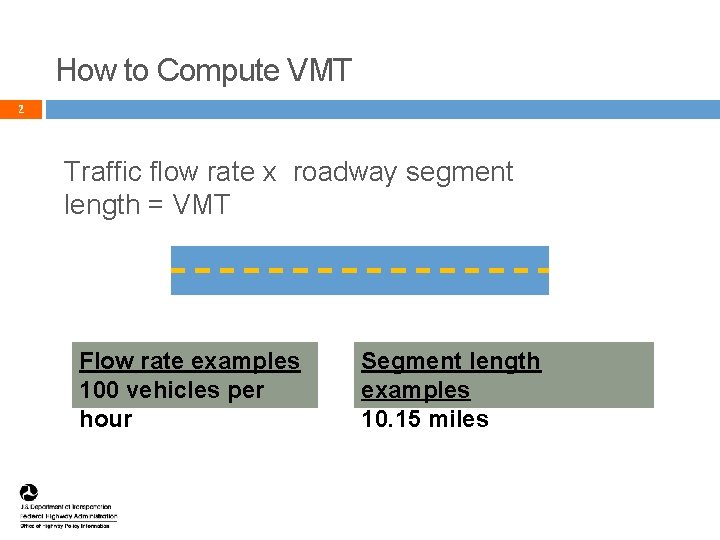
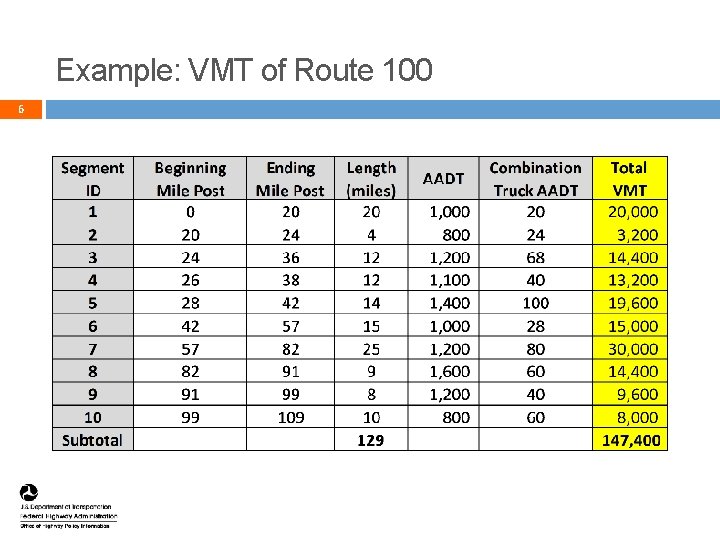
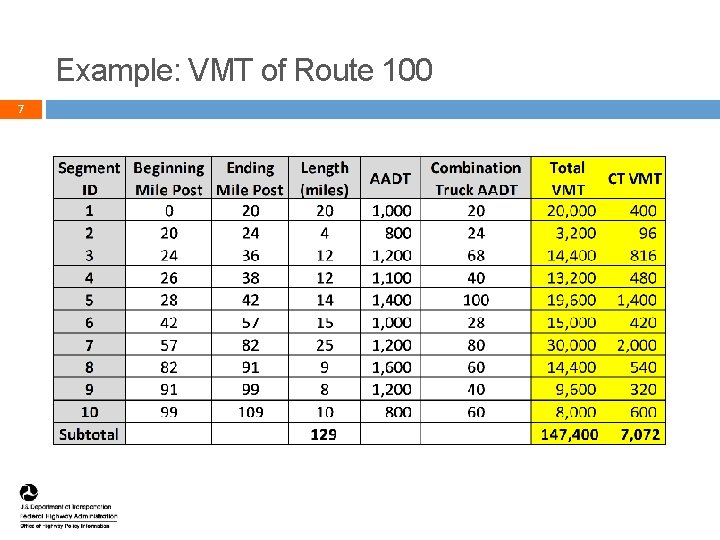
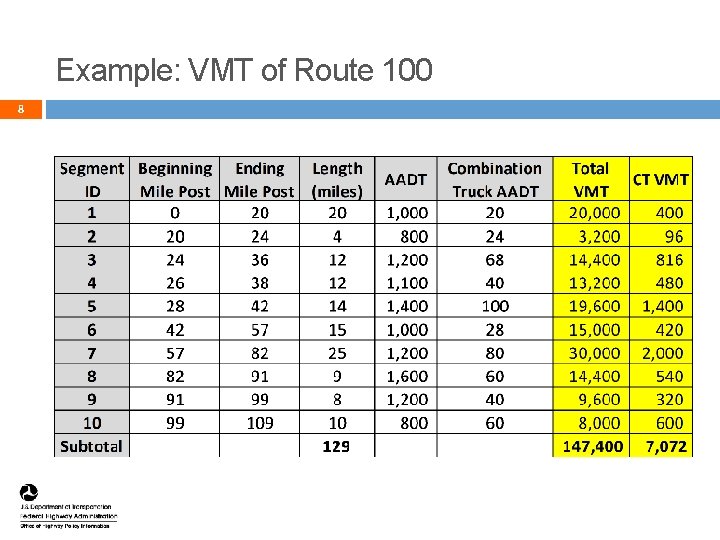
How to Compute VMT 2 Traffic flow rate x roadway segment length = VMT Flow rate examples 100 vehicles per hour Segment length examples 10. 15 miles 2
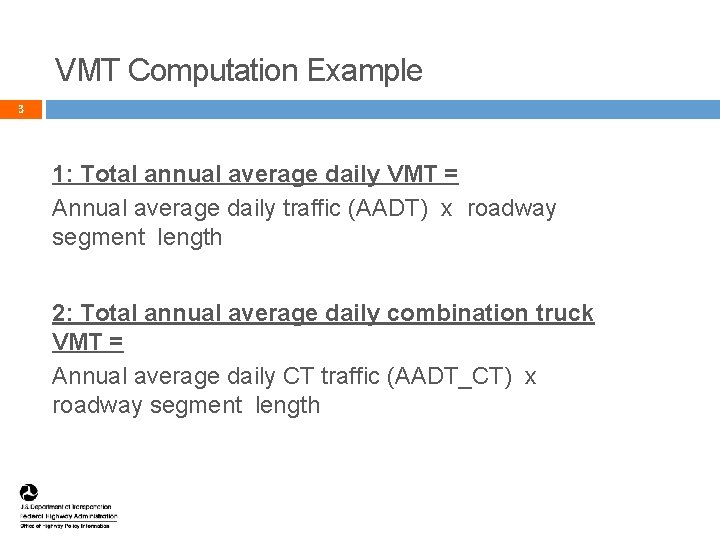
VMT Computation Example 3 1: Total annual average daily VMT = Annual average daily traffic (AADT) x roadway segment length 2: Total annual average daily combination truck VMT = Annual average daily CT traffic (AADT_CT) x roadway segment length 3
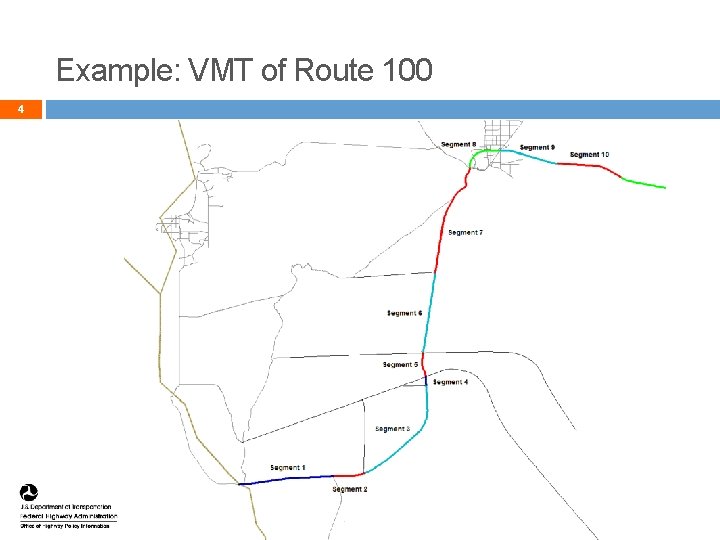
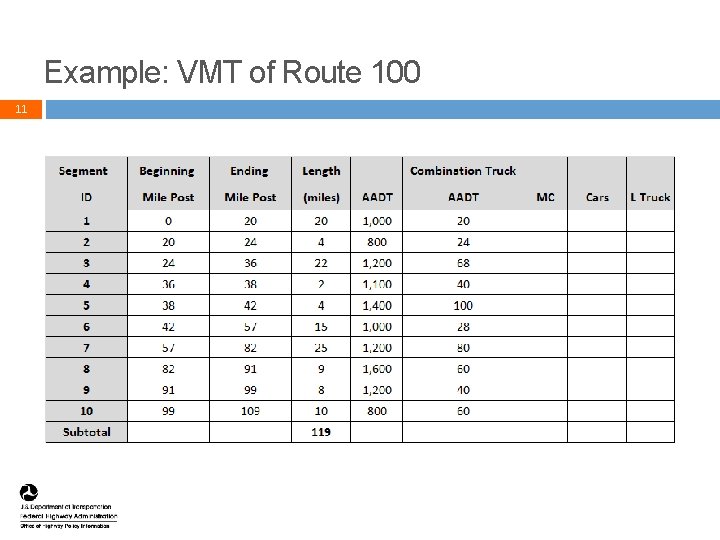
Example: VMT of Route 100 4 4
Example: VMT of Route 100 5 5
Example: VMT of Route 100 6 6
Example: VMT of Route 100 7 7
Example: VMT of Route 100 8 8
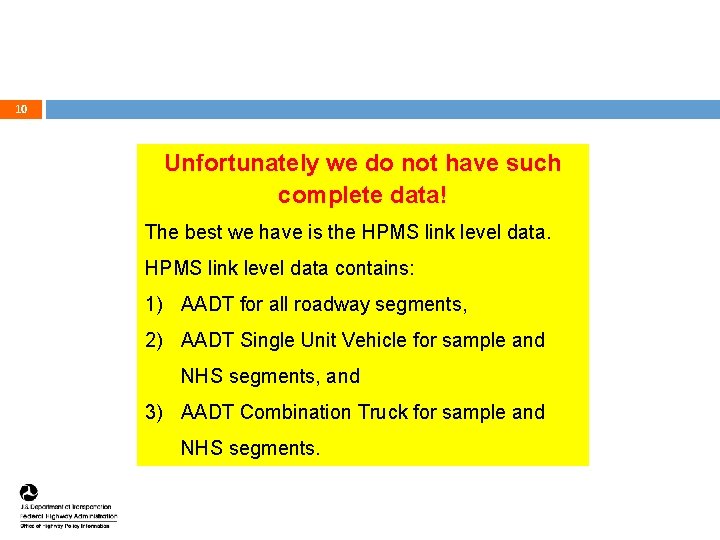
9 VMT computation is straightforward if AADT data for MC, Car, Light Truck, Bus, SUT, and CT are known for every segment of a roadway 9
10 Unfortunately we do not have such complete data! The best we have is the HPMS link level data contains: 1) AADT for all roadway segments, 2) AADT Single Unit Vehicle for sample and NHS segments, and 3) AADT Combination Truck for sample and NHS segments. 10
Example: VMT of Route 100 11 11
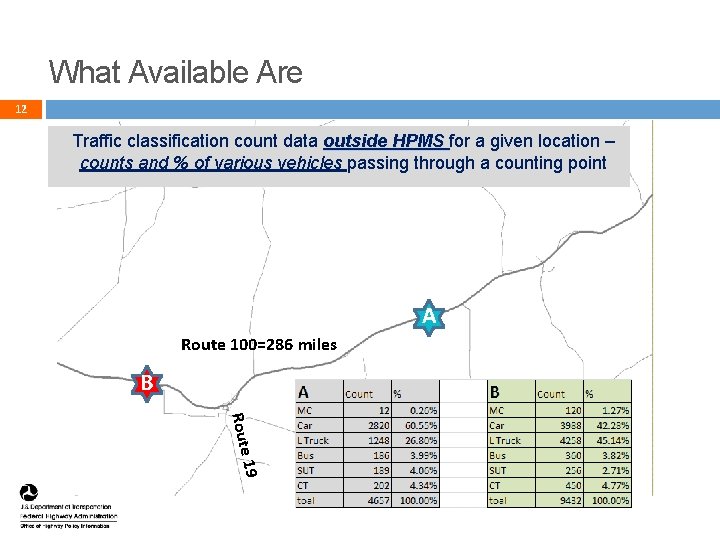
What Available Are 12 Traffic classification count data outside HPMS for a given location – counts and % of various vehicles passing through a counting point A Route 100=286 miles B Route 19 12
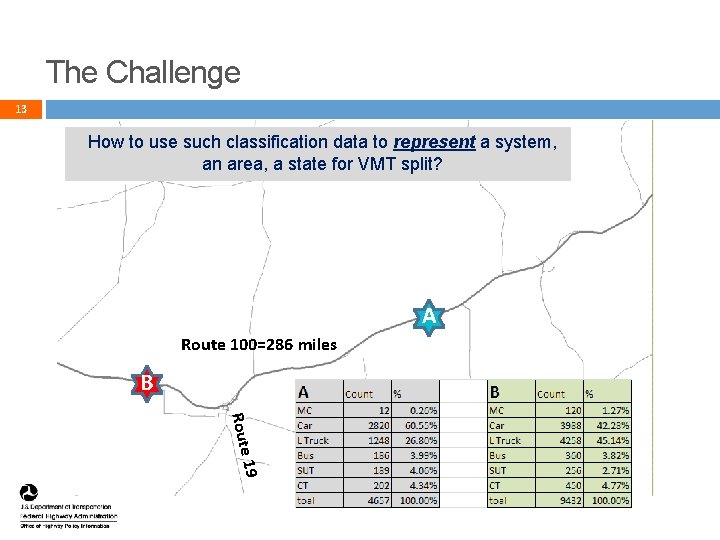
The Challenge 13 How to use such classification data to represent a system, an area, a state for VMT split? A Route 100=286 miles B Route 19 13
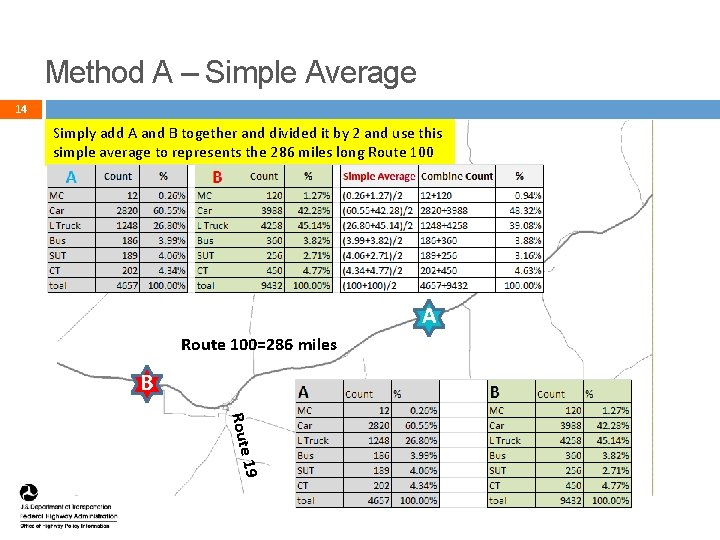
Method A – Simple Average 14 Simply add A and B together and divided it by 2 and use this simple average to represents the 286 miles long Route 100 A Route 100=286 miles B Route 19 14
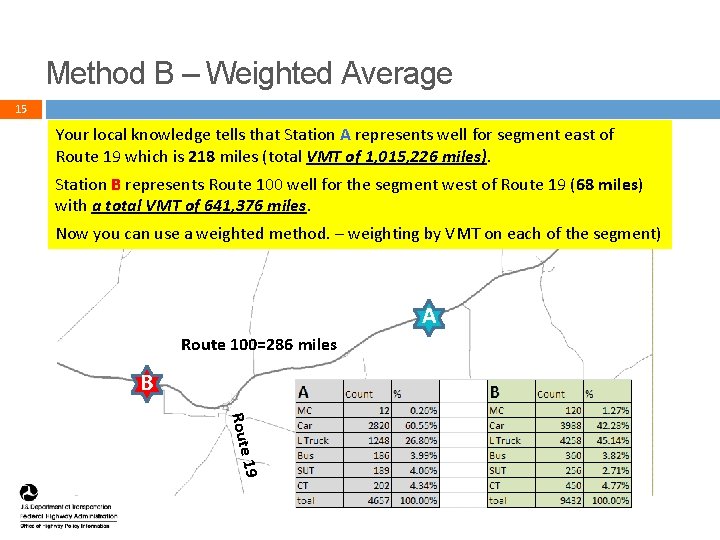
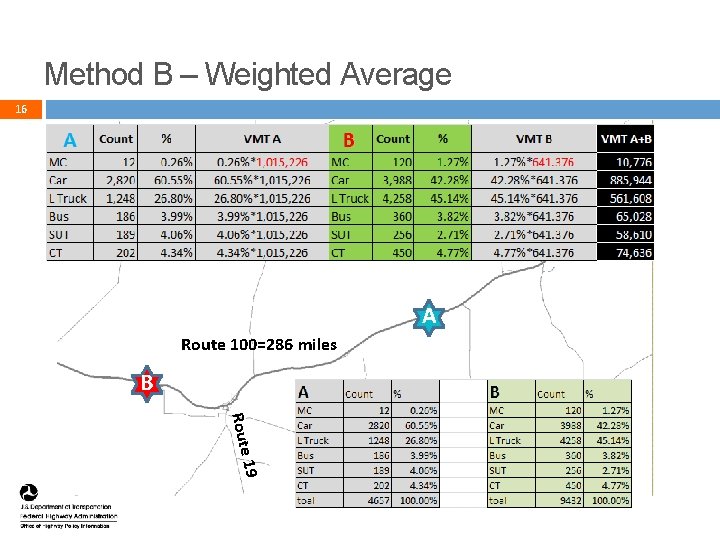
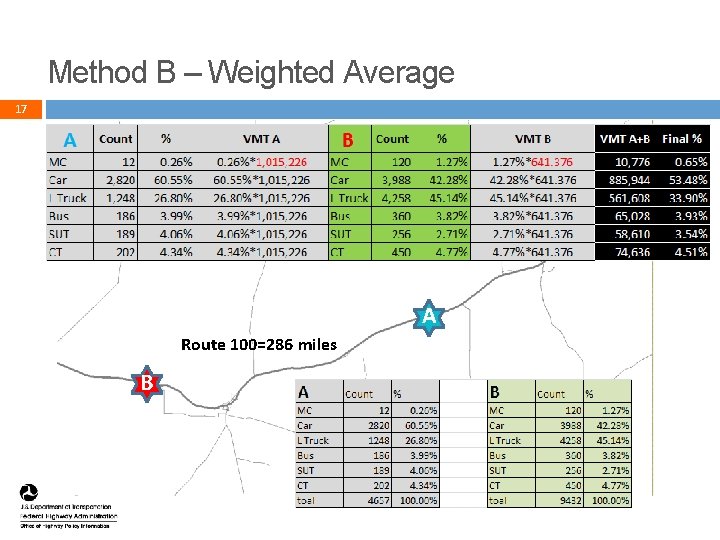
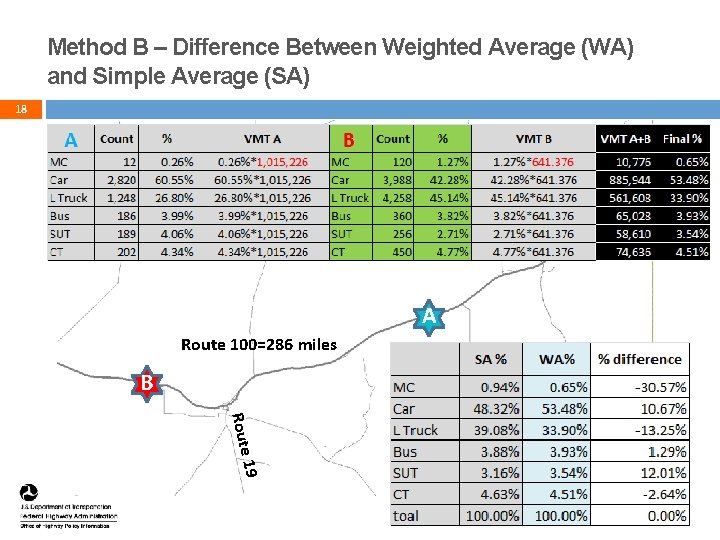
Method B – Weighted Average 15 Your local knowledge tells that Station A represents well for segment east of Route 19 which is 218 miles (total VMT of 1, 015, 226 miles). Station B represents Route 100 well for the segment west of Route 19 (68 miles) with a total VMT of 641, 376 miles. Now you can use a weighted method. – weighting by VMT on each of the segment) A Route 100=286 miles B Route 19 15
Method B – Weighted Average 16 A Route 100=286 miles B Route 19 16
Method B – Weighted Average 17 A Route 100=286 miles B 17
Method B – Difference Between Weighted Average (WA) and Simple Average (SA) 18 A Route 100=286 miles B A Route 19 18
The Importance of a Weighted Average 19 Weighted Average represents population more precise than Simple Average. 1: The more segments, the more precise of the weighting 2: The smaller the geography, the more precise of the weighting FHWA defers to States on specific weighting segments, weighting VMT and geography. 19
Summary 20 Simple Average Weighted Average FHWA recommends Weighted Average 20