
HPE Office Connect OC 20 Wireless Solution June

- Slides: 19
HPE Office. Connect OC 20 Wireless Solution June , 2017
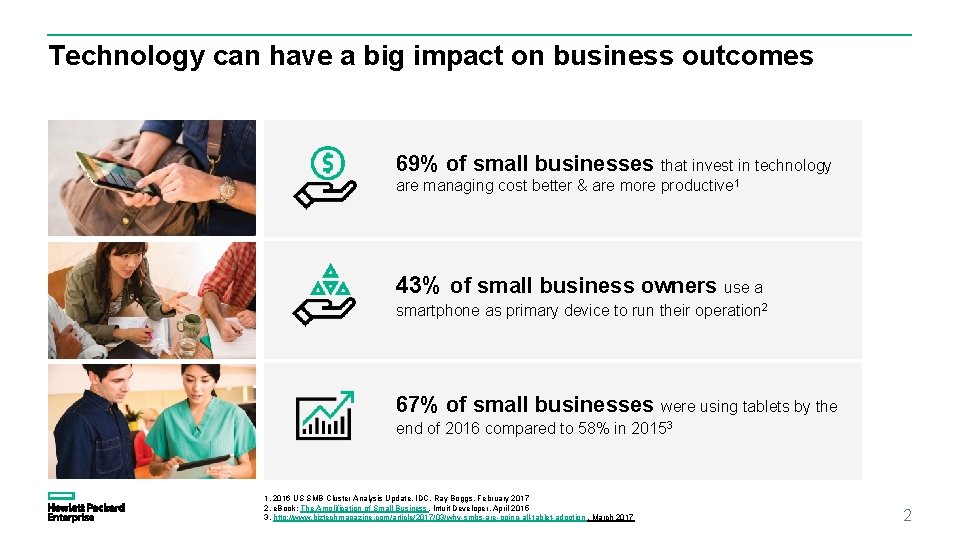
Technology can have a big impact on business outcomes 69% of small businesses that invest in technology are managing cost better & are more productive 1 43% of small business owners use a smartphone as primary device to run their operation 2 67% of small businesses were using tablets by the end of 2016 compared to 58% in 20153 1. 2016 US SMB Cluster Analysis Update, IDC, Ray Boggs, February 2017 2. e. Book: The Amplification of Small Business, Intuit Developer, April 2015 3. http: //www. biztechmagazine. com/article/2017/03/why-smbs-are-going-all-tablet-adoption , March 2017 2
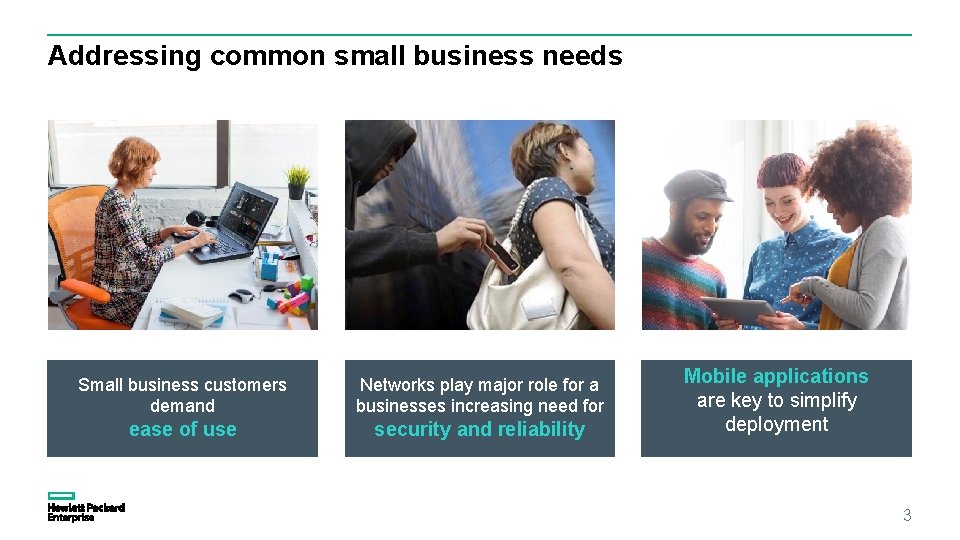
Addressing common small business needs Small business customers demand Networks play major role for a businesses increasing need for ease of use security and reliability Mobile applications are key to simplify deployment 3
Introducing HPE Office. Connect OC 20 Wireless Solution 4
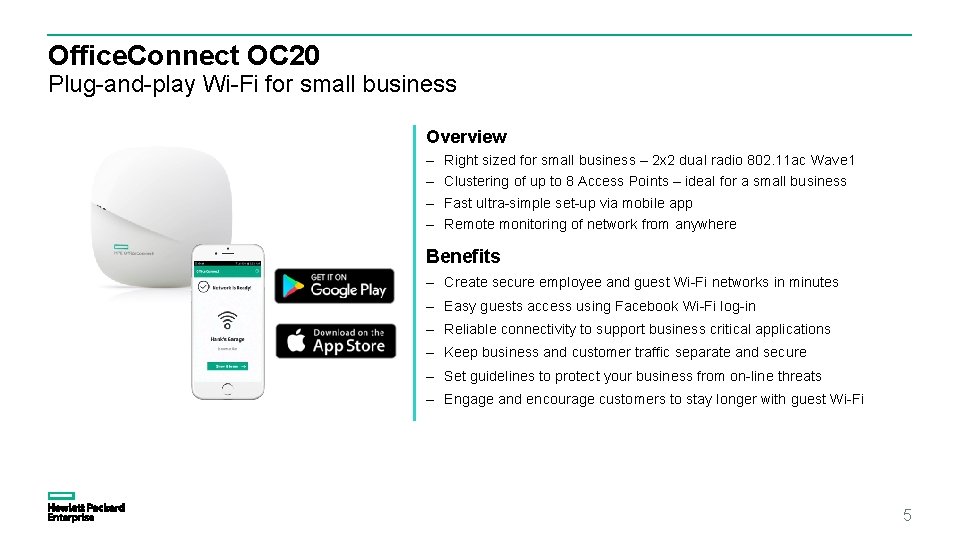
Office. Connect OC 20 Plug-and-play Wi-Fi for small business Overview – – Right sized for small business – 2 x 2 dual radio 802. 11 ac Wave 1 Clustering of up to 8 Access Points – ideal for a small business Fast ultra-simple set-up via mobile app Remote monitoring of network from anywhere Benefits – Create secure employee and guest Wi-Fi networks in minutes – Easy guests access using Facebook Wi-Fi log-in – Reliable connectivity to support business critical applications – Keep business and customer traffic separate and secure – Set guidelines to protect your business from on-line threats – Engage and encourage customers to stay longer with guest Wi-Fi 5
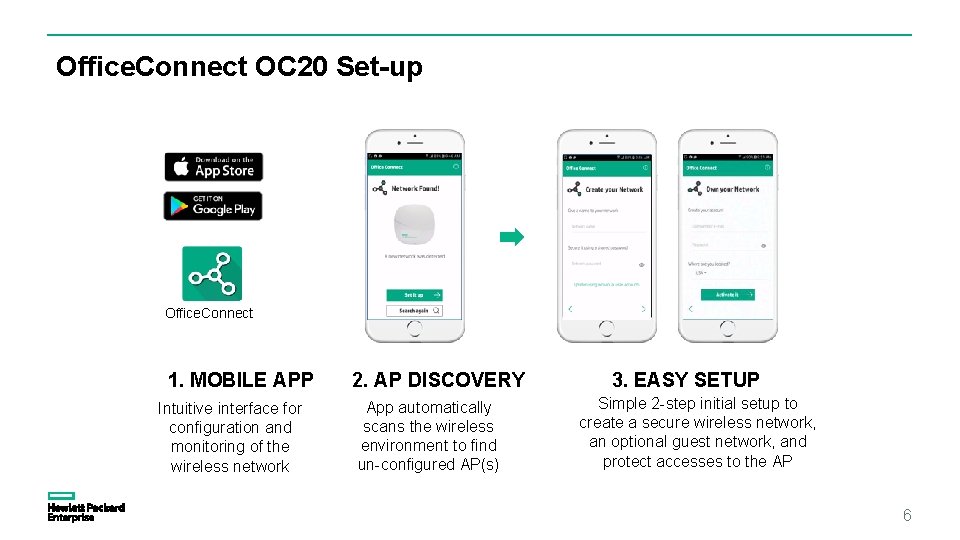
Office. Connect OC 20 Set-up Office. Connect 1. MOBILE APP Intuitive interface for configuration and monitoring of the wireless network 2. AP DISCOVERY App automatically scans the wireless environment to find un-configured AP(s) 3. EASY SETUP Simple 2 -step initial setup to create a secure wireless network, an optional guest network, and protect accesses to the AP 6
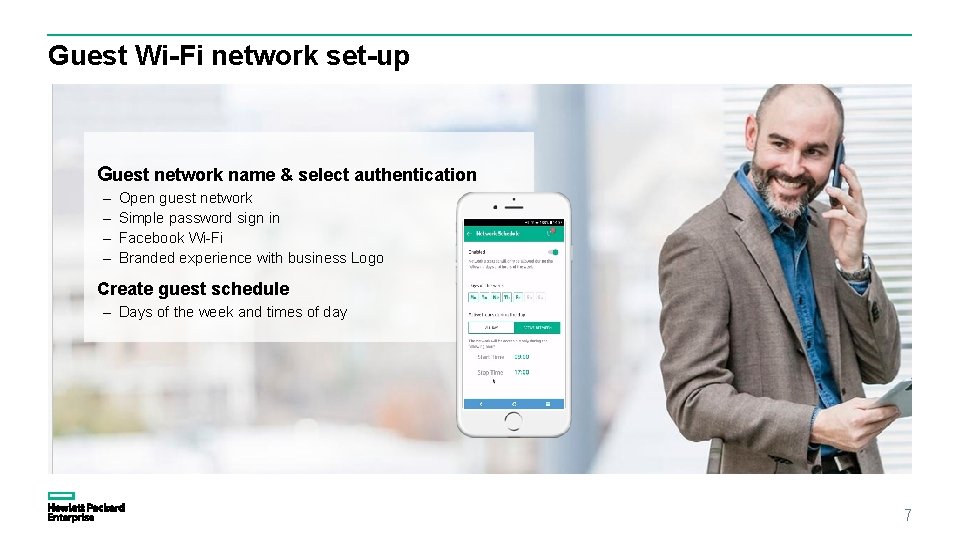
Guest Wi-Fi network set-up Guest network name & select authentication – – Open guest network Simple password sign in Facebook Wi-Fi Branded experience with business Logo Create guest schedule – Days of the week and times of day 7
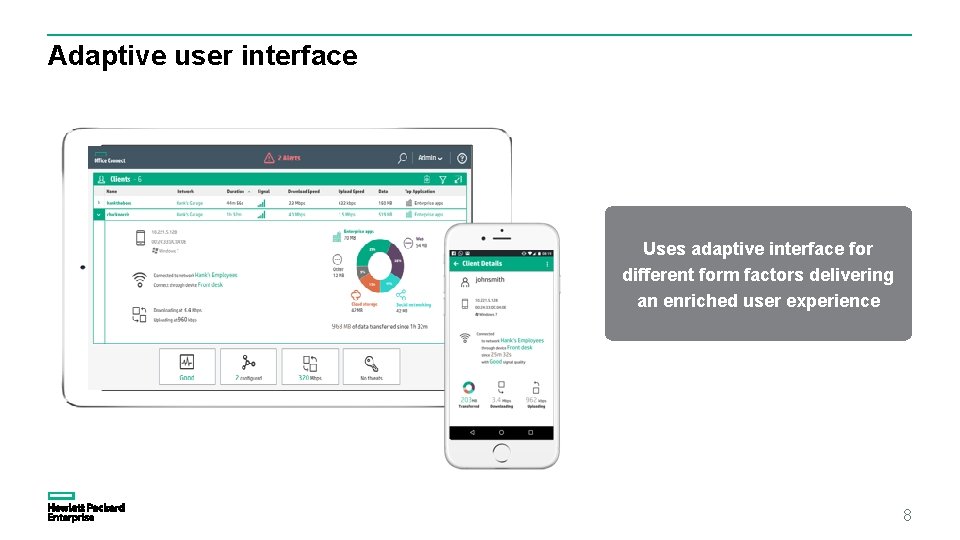
Adaptive user interface Uses adaptive interface for different form factors delivering an enriched user experience 8
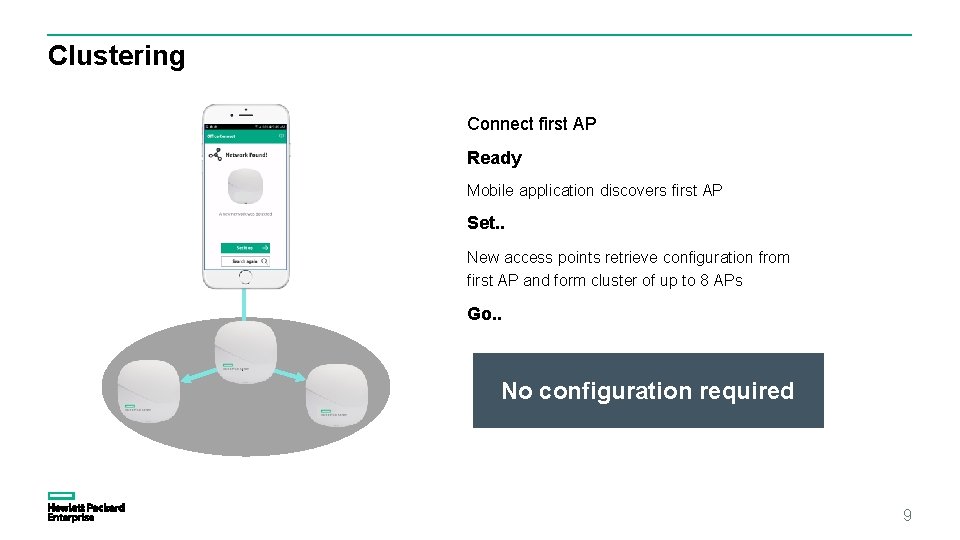
Clustering Connect first AP Ready Mobile application discovers first AP Set. . New access points retrieve configuration from first AP and form cluster of up to 8 APs Go. . No configuration required 9
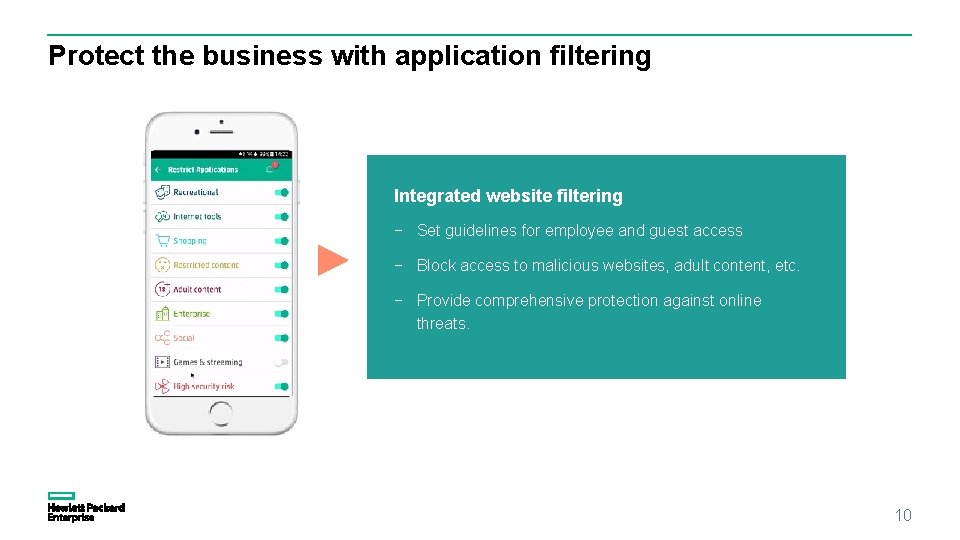
Protect the business with application filtering Integrated website filtering − Set guidelines for employee and guest access − Block access to malicious websites, adult content, etc. − Provide comprehensive protection against online threats. 10
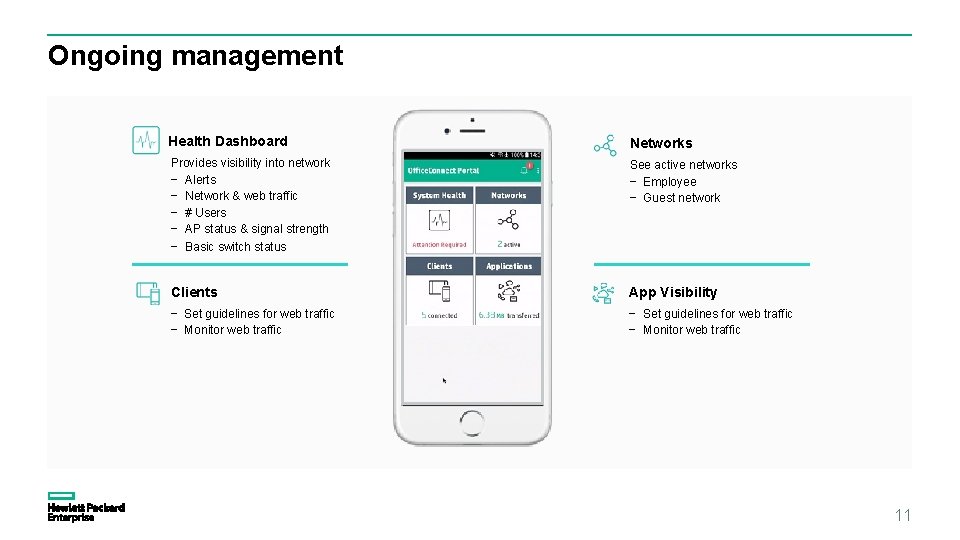
Ongoing management Health Dashboard Networks Provides visibility into network − Alerts − Network & web traffic − # Users − AP status & signal strength See active networks − Employee − Guest network − Basic switch status Clients App Visibility − Set guidelines for web traffic − Monitor web traffic 11
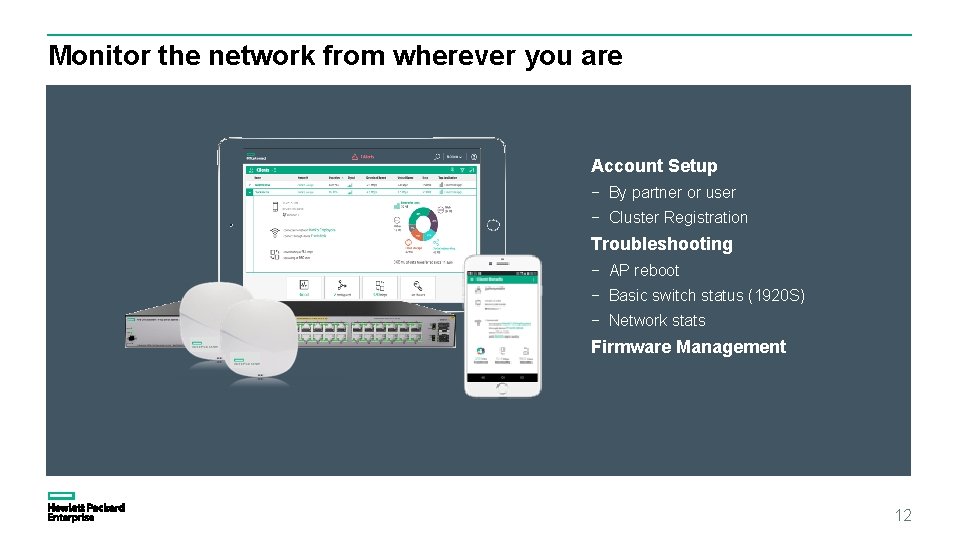
Monitor the network from wherever you are Account Setup − By partner or user − Cluster Registration Troubleshooting − AP reboot − Basic switch status (1920 S) − Network stats Firmware Management 12
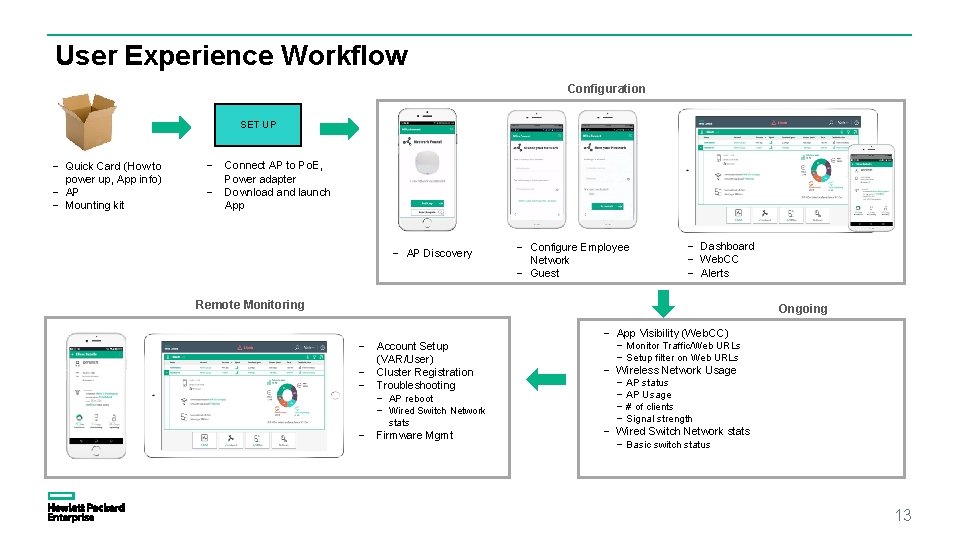
User Experience Workflow Configuration SET UP − Quick Card (How to power up, App info) − AP − Mounting kit − Connect AP to Po. E, Power adapter − Download and launch App − AP Discovery − Configure Employee Network − Guest − Dashboard − Web. CC − Alerts Remote Monitoring Ongoing − Account Setup (VAR/User) − Cluster Registration − Troubleshooting − − AP reboot − Wired Switch Network stats Firmware Mgmt − App Visibility (Web. CC) − Monitor Traffic/Web URLs − Setup filter on Web URLs − Wireless Network Usage − AP status − AP Usage − # of clients − Signal strength − Wired Switch Network stats − Basic switch status 13
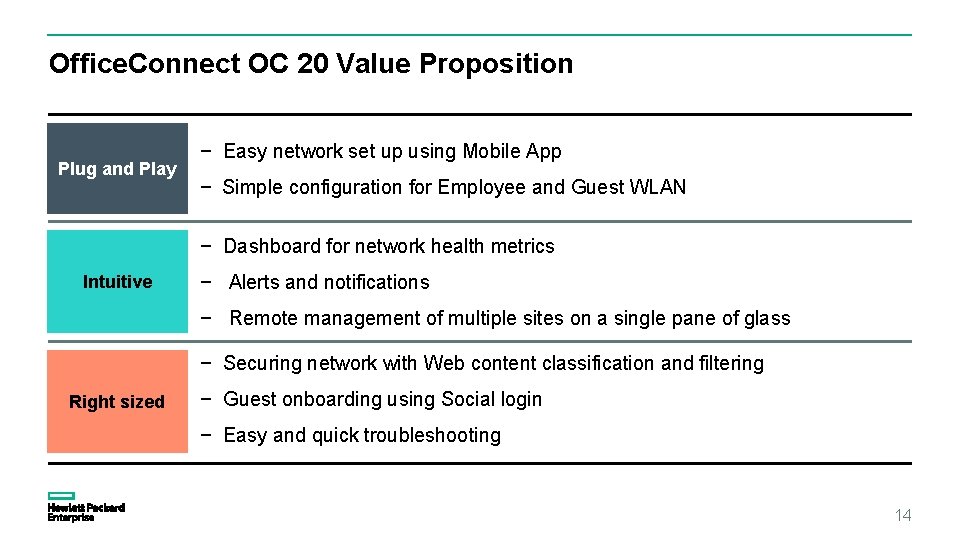
Office. Connect OC 20 Value Proposition Plug and Play − Easy network set up using Mobile App − Simple configuration for Employee and Guest WLAN − Dashboard for network health metrics Intuitive − Alerts and notifications − Remote management of multiple sites on a single pane of glass − Securing network with Web content classification and filtering Right sized − Guest onboarding using Social login − Easy and quick troubleshooting 14
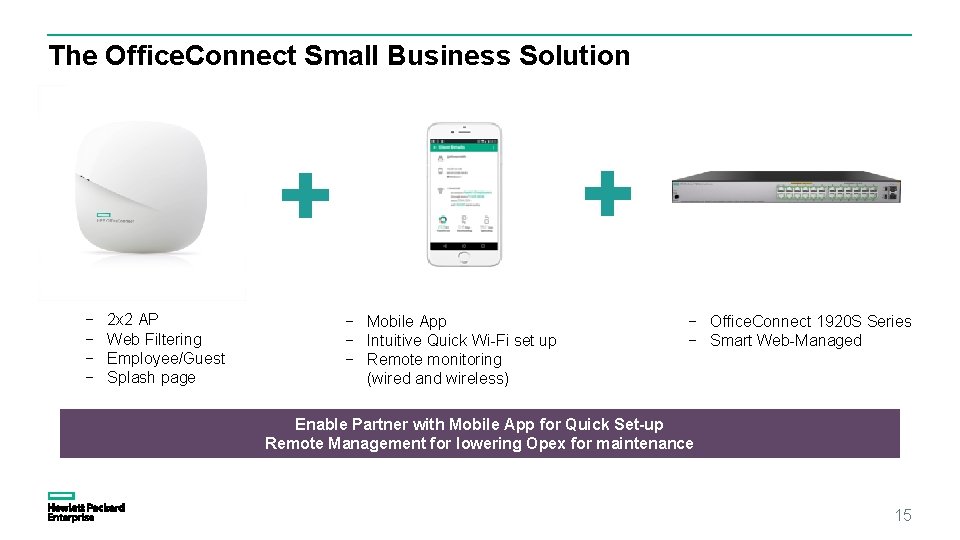
The Office. Connect Small Business Solution − − 2 x 2 AP Web Filtering Employee/Guest Splash page − Mobile App − Intuitive Quick Wi-Fi set up − Remote monitoring (wired and wireless) − Office. Connect 1920 S Series − Smart Web-Managed Enable Partner with Mobile App for Quick Set-up Remote Management for lowering Opex for maintenance 15
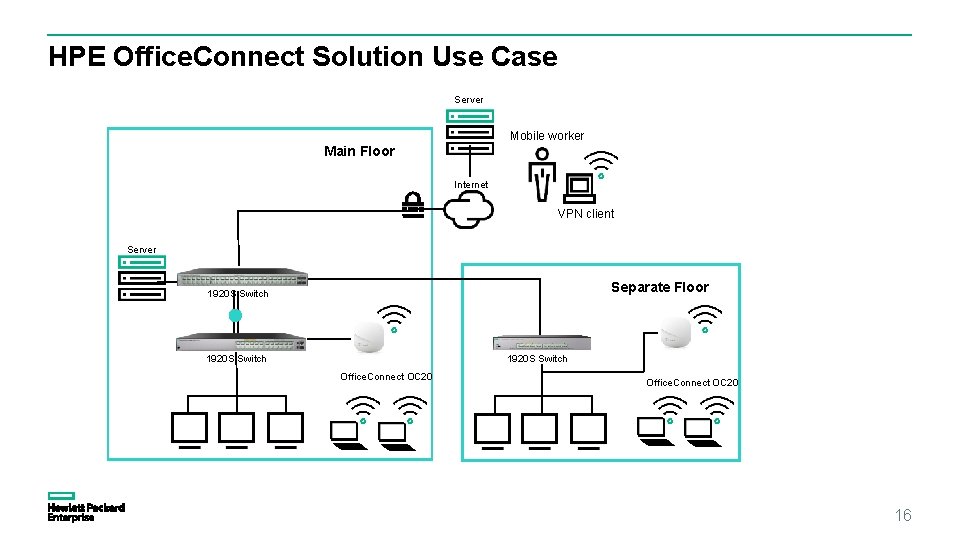
HPE Office. Connect Solution Use Case Server Mobile worker Main Floor Internet VPN client Server Separate Floor 1920 S Switch Office. Connect OC 20 16
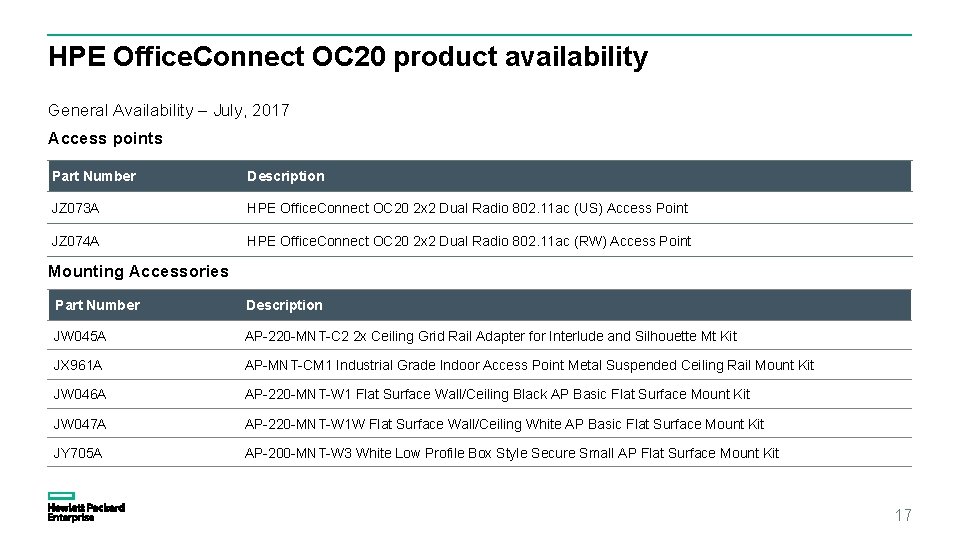
HPE Office. Connect OC 20 product availability General Availability – July, 2017 Access points Part Number Description JZ 073 A HPE Office. Connect OC 20 2 x 2 Dual Radio 802. 11 ac (US) Access Point JZ 074 A HPE Office. Connect OC 20 2 x 2 Dual Radio 802. 11 ac (RW) Access Point Mounting Accessories Part Number Description JW 045 A AP-220 -MNT-C 2 2 x Ceiling Grid Rail Adapter for Interlude and Silhouette Mt Kit JX 961 A AP-MNT-CM 1 Industrial Grade Indoor Access Point Metal Suspended Ceiling Rail Mount Kit JW 046 A AP-220 -MNT-W 1 Flat Surface Wall/Ceiling Black AP Basic Flat Surface Mount Kit JW 047 A AP-220 -MNT-W 1 W Flat Surface Wall/Ceiling White AP Basic Flat Surface Mount Kit JY 705 A AP-200 -MNT-W 3 White Low Profile Box Style Secure Small AP Flat Surface Mount Kit 17
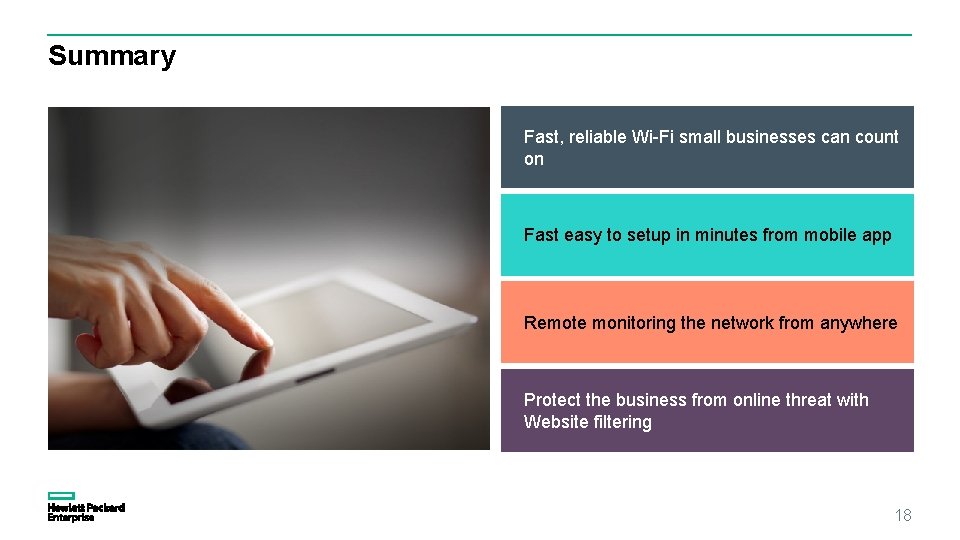
Summary Fast, reliable Wi-Fi small businesses can count on Fast easy to setup in minutes from mobile app Remote monitoring the network from anywhere Protect the business from online threat with Website filtering 18
Thank you 19