
HP Open VMS Common Internet File System CIFS

![Installation Procedure • Run the command $ PRODUCT INSTALL SAMBA [/DESTINATION=<location>] <location> = device](https://slidetodoc.com/presentation_image_h/0e2b4809f19690cb87431fef13a1d374/image-14.jpg "Installation Procedure • Run the command $ PRODUCT INSTALL SAMBA [/DESTINATION=<location>] <location> = device")
![Questions 16 [26 -sept-2008] – HP Open. VMS Technical Update Days](https://slidetodoc.com/presentation_image_h/0e2b4809f19690cb87431fef13a1d374/image-16.jpg "Questions 16 [26 -sept-2008] – HP Open. VMS Technical Update Days")
![Managing File/Dir shares 19 [26 -sept-2008] – HP Open. VMS Technical Update Days](https://slidetodoc.com/presentation_image_h/0e2b4809f19690cb87431fef13a1d374/image-19.jpg "Managing File/Dir shares 19 [26 -sept-2008] – HP Open. VMS Technical Update Days")
![Managing File/Dir share - Adding share • Edit the SAMBA$ROOT: [LIB]SMB. CONF file and](https://slidetodoc.com/presentation_image_h/0e2b4809f19690cb87431fef13a1d374/image-20.jpg "Managing File/Dir share - Adding share • Edit the SAMBA$ROOT: [LIB]SMB. CONF file and")
![Managing Users and Groups 23 [26 -sept-2008] – HP Open. VMS Technical Update Days](https://slidetodoc.com/presentation_image_h/0e2b4809f19690cb87431fef13a1d374/image-23.jpg "Managing Users and Groups 23 [26 -sept-2008] – HP Open. VMS Technical Update Days")
![Managing Security in CIFS 30 [26 -sept-2008] – HP Open. VMS Technical Update Days](https://slidetodoc.com/presentation_image_h/0e2b4809f19690cb87431fef13a1d374/image-30.jpg "Managing Security in CIFS 30 [26 -sept-2008] – HP Open. VMS Technical Update Days")
![Questions 35 [26 -sept-2008] – HP Open. VMS Technical Update Days](https://slidetodoc.com/presentation_image_h/0e2b4809f19690cb87431fef13a1d374/image-35.jpg "Questions 35 [26 -sept-2008] – HP Open. VMS Technical Update Days")
![Debug Logging Samba logging features can prove extremely useful • $ @samba$root: [bin]samba$gatherinfo. com](https://slidetodoc.com/presentation_image_h/0e2b4809f19690cb87431fef13a1d374/image-41.jpg "Debug Logging Samba logging features can prove extremely useful • $ @samba$root: [bin]samba$gatherinfo. com")
![Questions 45 [26 -sept-2008] – HP Open. VMS Technical Update Days](https://slidetodoc.com/presentation_image_h/0e2b4809f19690cb87431fef13a1d374/image-45.jpg "Questions 45 [26 -sept-2008] – HP Open. VMS Technical Update Days")
![SAM database migration — MS (3 of 4) Migrate groups $ @SAMBA$ROOT: [BIN]PWRK$GROUP_MIGRATION When](https://slidetodoc.com/presentation_image_h/0e2b4809f19690cb87431fef13a1d374/image-60.jpg "SAM database migration — MS (3 of 4) Migrate groups $ @SAMBA$ROOT: [BIN]PWRK$GROUP_MIGRATION When")
![Questions 66 [26 -sept-2008] – HP Open. VMS Technical Update Days](https://slidetodoc.com/presentation_image_h/0e2b4809f19690cb87431fef13a1d374/image-66.jpg "Questions 66 [26 -sept-2008] – HP Open. VMS Technical Update Days")
![Thanks 67 [26 -sept-2008] – HP Open. VMS Technical Update Days](https://slidetodoc.com/presentation_image_h/0e2b4809f19690cb87431fef13a1d374/image-67.jpg "Thanks 67 [26 -sept-2008] – HP Open. VMS Technical Update Days")
- Slides: 67
HP Open. VMS Common Internet File System CIFS v 1. 1 Training Seminar Open. VMS Technical Update Days, September 2008 Hans Hosang – HP services HP Restricted © 2008 Hewlett-Packard Development Company, L. P. The information contained herein is subject to change without notice
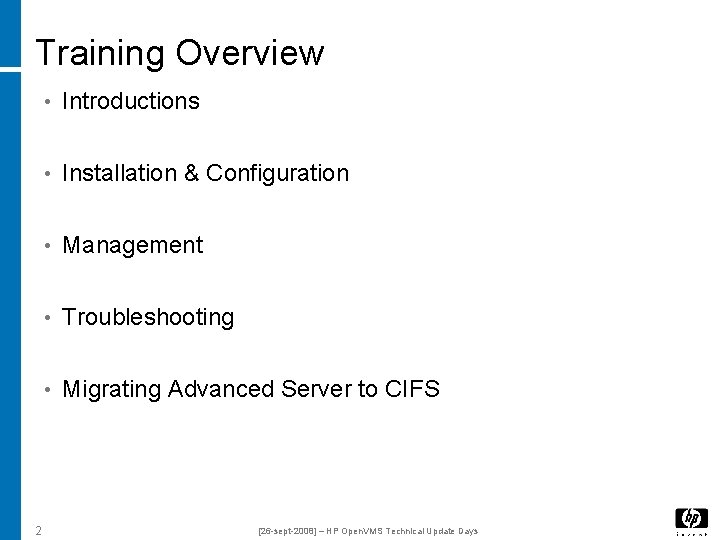
Training Overview • Introductions • Installation & Configuration • Management • Troubleshooting • Migrating Advanced Server to CIFS 2 [26 -sept-2008] – HP Open. VMS Technical Update Days
Introductions
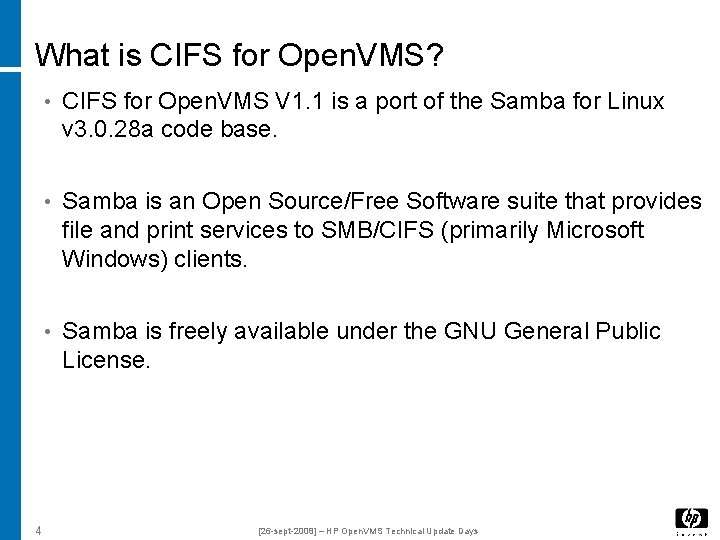
What is CIFS for Open. VMS? • CIFS for Open. VMS V 1. 1 is a port of the Samba for Linux v 3. 0. 28 a code base. • Samba is an Open Source/Free Software suite that provides file and print services to SMB/CIFS (primarily Microsoft Windows) clients. • Samba is freely available under the GNU General Public License. 4 [26 -sept-2008] – HP Open. VMS Technical Update Days
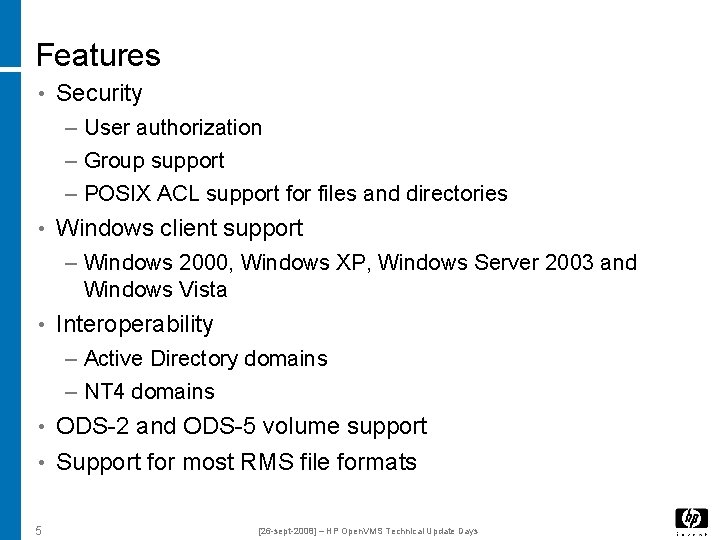
Features • Security – User authorization – Group support – POSIX ACL support for files and directories • Windows client support – Windows 2000, Windows XP, Windows Server 2003 and Windows Vista • Interoperability – Active Directory domains – NT 4 domains • ODS-2 and ODS-5 volume support • Support for most RMS file formats 5 [26 -sept-2008] – HP Open. VMS Technical Update Days
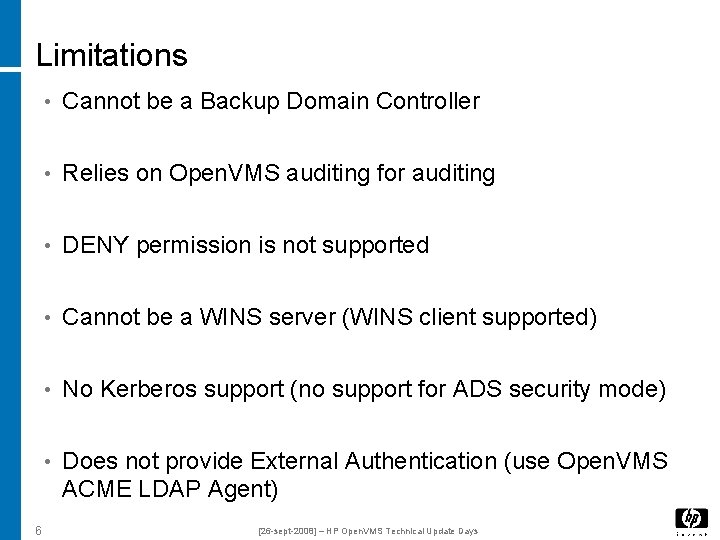
Limitations • Cannot be a Backup Domain Controller • Relies on Open. VMS auditing for auditing • DENY permission is not supported • Cannot be a WINS server (WINS client supported) • No Kerberos support (no support for ADS security mode) • Does not provide External Authentication (use Open. VMS ACME LDAP Agent) 6 [26 -sept-2008] – HP Open. VMS Technical Update Days
Installation & Configuration
Installation & Configuration Objectives • Describe where to find resources. • Describe pre-installation considerations. • Describe the post-installation steps. 8 [26 -sept-2008] – HP Open. VMS Technical Update Days
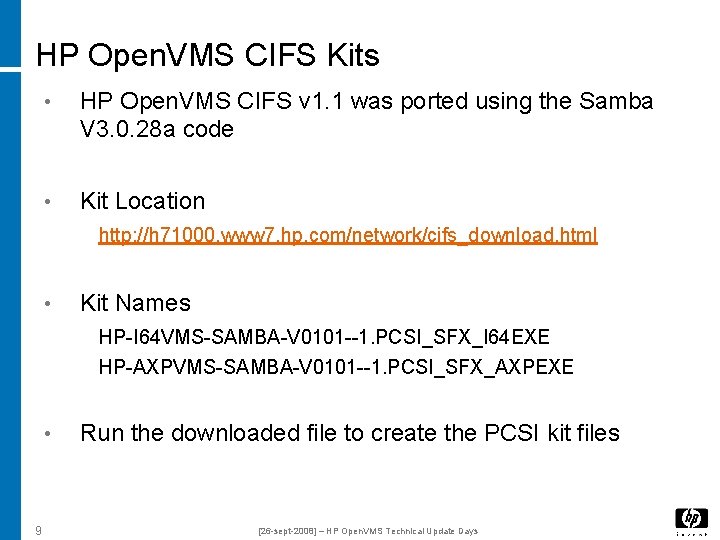
HP Open. VMS CIFS Kits • HP Open. VMS CIFS v 1. 1 was ported using the Samba V 3. 0. 28 a code • Kit Location http: //h 71000. www 7. hp. com/network/cifs_download. html • Kit Names HP-I 64 VMS-SAMBA-V 0101 --1. PCSI_SFX_I 64 EXE HP-AXPVMS-SAMBA-V 0101 --1. PCSI_SFX_AXPEXE • 9 Run the downloaded file to create the PCSI kit files [26 -sept-2008] – HP Open. VMS Technical Update Days
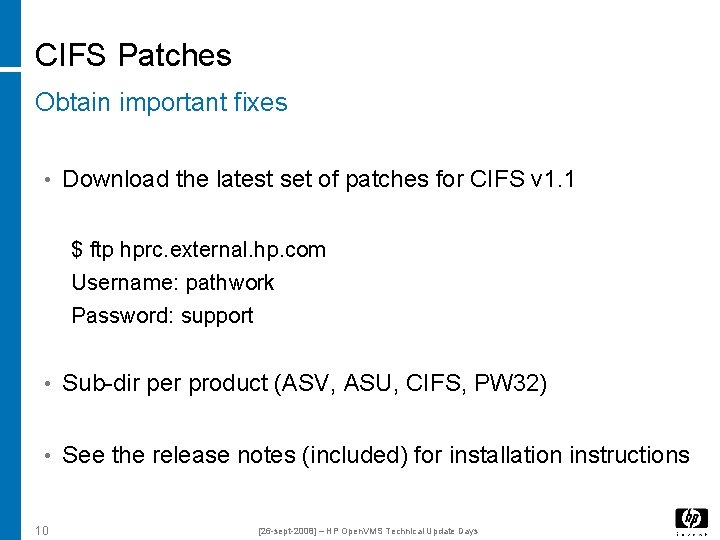
CIFS Patches Obtain important fixes • Download the latest set of patches for CIFS v 1. 1 $ ftp hprc. external. hp. com Username: pathwork Password: support • Sub-dir per product (ASV, ASU, CIFS, PW 32) • See the release notes (included) for installation instructions 10 [26 -sept-2008] – HP Open. VMS Technical Update Days
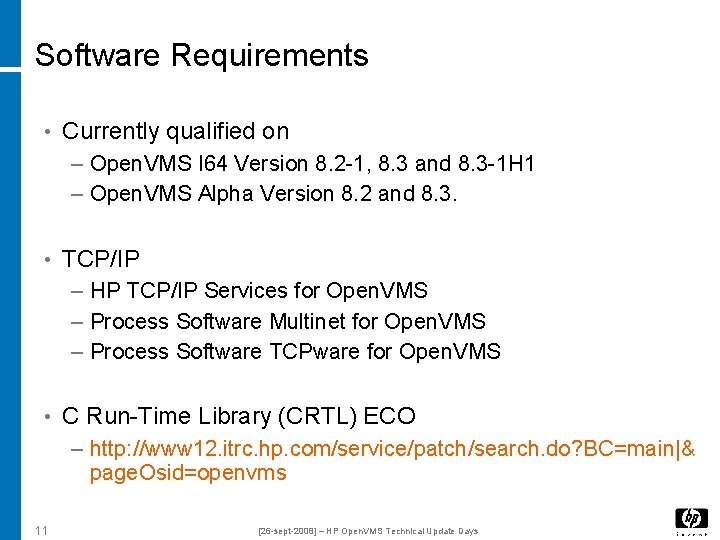
Software Requirements • Currently qualified on – Open. VMS I 64 Version 8. 2 -1, 8. 3 and 8. 3 -1 H 1 – Open. VMS Alpha Version 8. 2 and 8. 3. • TCP/IP – HP TCP/IP Services for Open. VMS – Process Software Multinet for Open. VMS – Process Software TCPware for Open. VMS • C Run-Time Library (CRTL) ECO – http: //www 12. itrc. hp. com/service/patch/search. do? BC=main|& page. Osid=openvms 11 [26 -sept-2008] – HP Open. VMS Technical Update Days
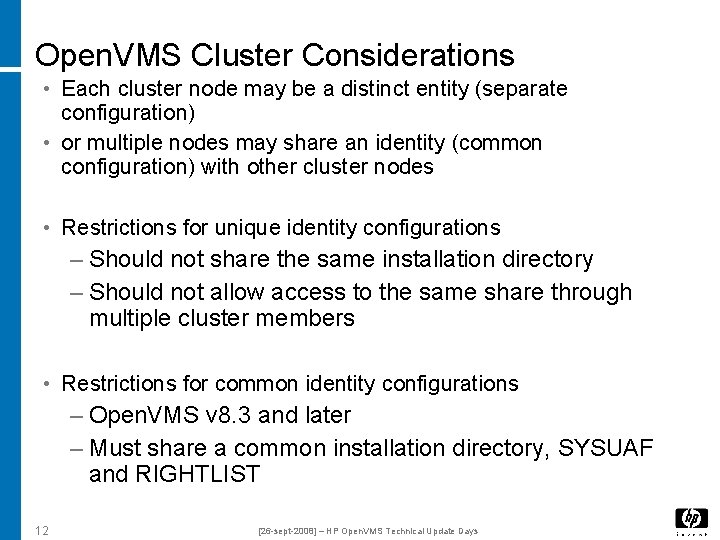
Open. VMS Cluster Considerations • Each cluster node may be a distinct entity (separate configuration) • or multiple nodes may share an identity (common configuration) with other cluster nodes • Restrictions for unique identity configurations – Should not share the same installation directory – Should not allow access to the same share through multiple cluster members • Restrictions for common identity configurations – Open. VMS v 8. 3 and later – Must share a common installation directory, SYSUAF and RIGHTLIST 12 [26 -sept-2008] – HP Open. VMS Technical Update Days
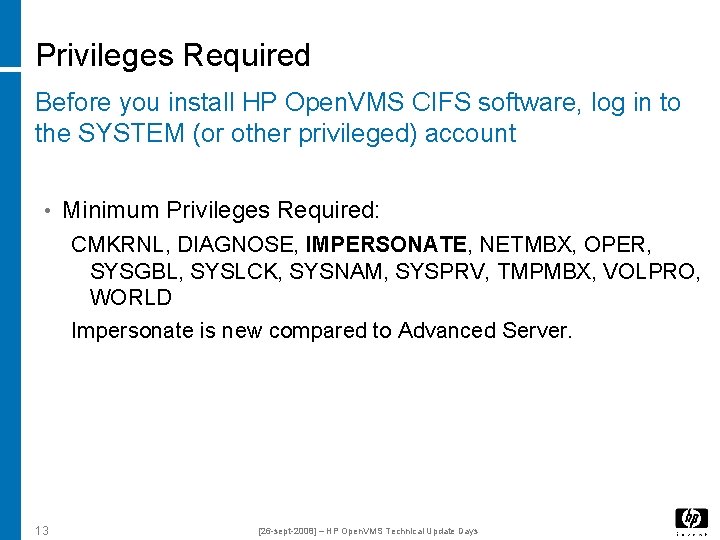
Privileges Required Before you install HP Open. VMS CIFS software, log in to the SYSTEM (or other privileged) account • Minimum Privileges Required: CMKRNL, DIAGNOSE, IMPERSONATE, NETMBX, OPER, SYSGBL, SYSLCK, SYSNAM, SYSPRV, TMPMBX, VOLPRO, WORLD Impersonate is new compared to Advanced Server. 13 [26 -sept-2008] – HP Open. VMS Technical Update Days
Installation Procedure • Run the command $ PRODUCT INSTALL SAMBA [/DESTINATION=<location>] <location> = device and directory name, like: /DESTINATION = DISK$APP 1: [000000] • No reboot necessary Install latest CIFS patches • $ @samba$root: [bin]samba$config • $ @samba$root: [bin]samba$define_commands • 14 [26 -sept-2008] – HP Open. VMS Technical Update Days
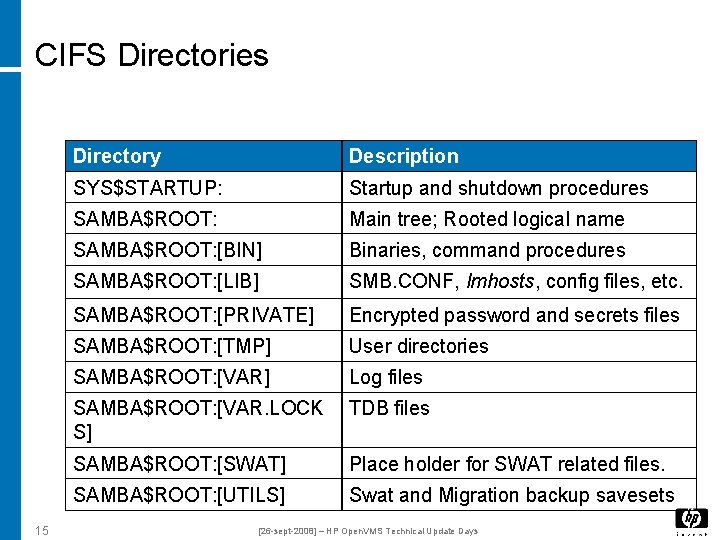
CIFS Directories 15 Directory Description SYS$STARTUP: Startup and shutdown procedures SAMBA$ROOT: Main tree; Rooted logical name SAMBA$ROOT: [BIN] Binaries, command procedures SAMBA$ROOT: [LIB] SMB. CONF, lmhosts, config files, etc. SAMBA$ROOT: [PRIVATE] Encrypted password and secrets files SAMBA$ROOT: [TMP] User directories SAMBA$ROOT: [VAR] Log files SAMBA$ROOT: [VAR. LOCK S] TDB files SAMBA$ROOT: [SWAT] Place holder for SWAT related files. SAMBA$ROOT: [UTILS] Swat and Migration backup savesets [26 -sept-2008] – HP Open. VMS Technical Update Days
Questions 16 [26 -sept-2008] – HP Open. VMS Technical Update Days
Management and Controlling access to Resources
Agenda • Managing File shares and VFS modules • User/Group management (including winbind, username mapping) • Controlling Access (permissions/protections/ACL's and inheritance) • Tools and Utilities to Manage the CIFS server 18 [26 -sept-2008] – HP Open. VMS Technical Update Days
Managing File/Dir shares 19 [26 -sept-2008] – HP Open. VMS Technical Update Days
Managing File/Dir share - Adding share • Edit the SAMBA$ROOT: [LIB]SMB. CONF file and add the share as a section with appropriate parameters. Example: To create the share “test” with path DKA 100: [TEST] add the following lines in SMB. CONF file. [test] comment = my directory test folder path = /dka 100/test read only = No valid users = user 1, user 2 inherit permissions = yes inherit acls = yes 20 [26 -sept-2008] – HP Open. VMS Technical Update Days
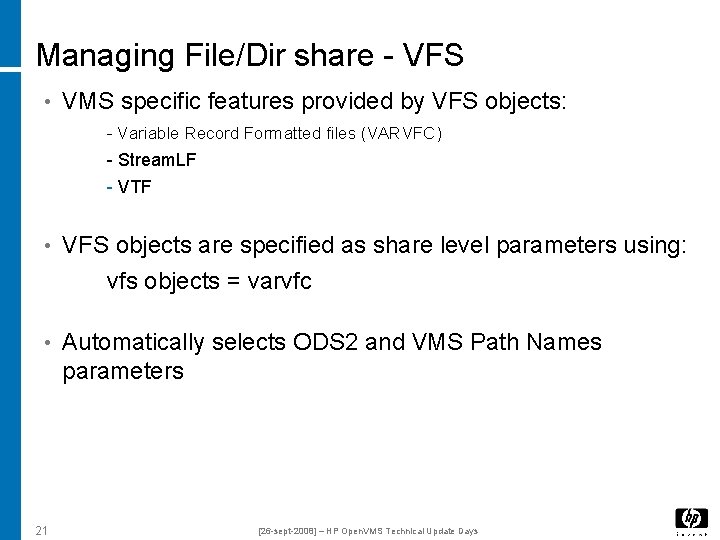
Managing File/Dir share - VFS • VMS specific features provided by VFS objects: - Variable Record Formatted files (VARVFC) - Stream. LF - VTF • VFS objects are specified as share level parameters using: vfs objects = varvfc • Automatically selects ODS 2 and VMS Path Names parameters 21 [26 -sept-2008] – HP Open. VMS Technical Update Days
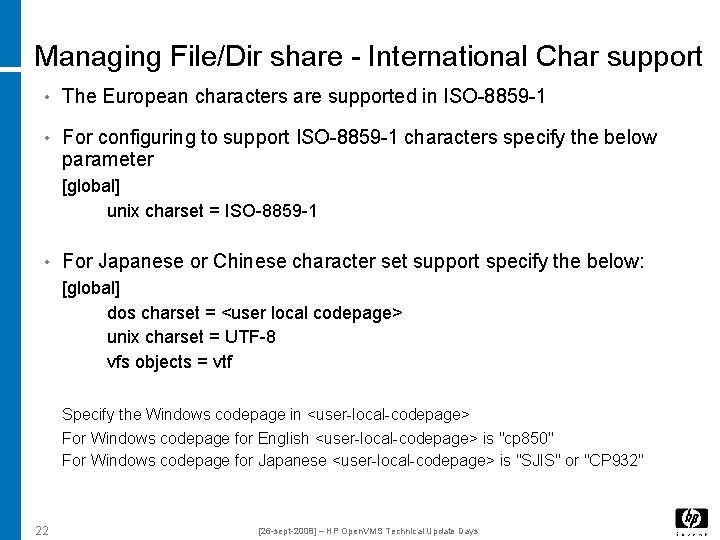
Managing File/Dir share - International Char support • The European characters are supported in ISO-8859 -1 • For configuring to support ISO-8859 -1 characters specify the below parameter [global] unix charset = ISO-8859 -1 • For Japanese or Chinese character set support specify the below: [global] dos charset = <user local codepage> unix charset = UTF-8 vfs objects = vtf Specify the Windows codepage in <user-local-codepage> For Windows codepage for English <user-local-codepage> is "cp 850" For Windows codepage for Japanese <user-local-codepage> is "SJIS" or "CP 932" 22 [26 -sept-2008] – HP Open. VMS Technical Update Days
Managing Users and Groups 23 [26 -sept-2008] – HP Open. VMS Technical Update Days
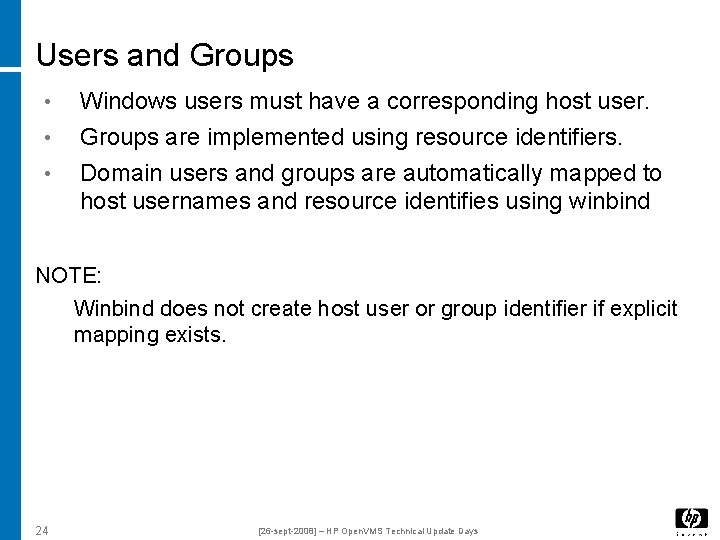
Users and Groups • • • Windows users must have a corresponding host user. Groups are implemented using resource identifiers. Domain users and groups are automatically mapped to host usernames and resource identifies using winbind NOTE: Winbind does not create host user or group identifier if explicit mapping exists. 24 [26 -sept-2008] – HP Open. VMS Technical Update Days
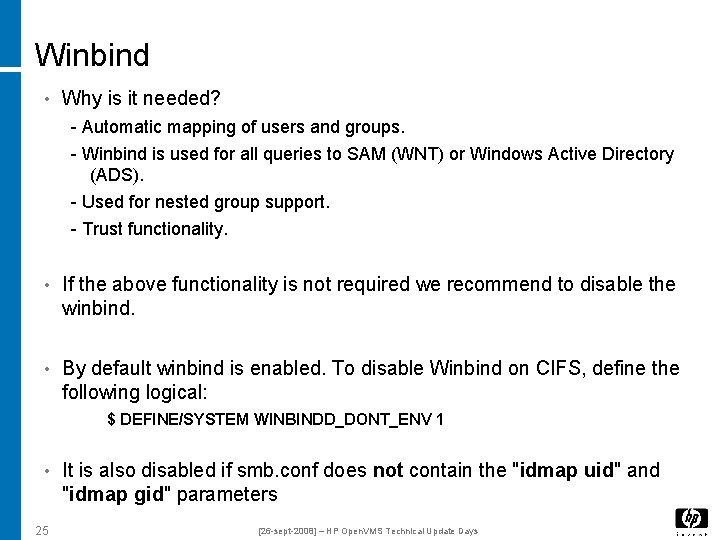
Winbind • Why is it needed? - Automatic mapping of users and groups. - Winbind is used for all queries to SAM (WNT) or Windows Active Directory (ADS). - Used for nested group support. - Trust functionality. • If the above functionality is not required we recommend to disable the winbind. • By default winbind is enabled. To disable Winbind on CIFS, define the following logical: $ DEFINE/SYSTEM WINBINDD_DONT_ENV 1 • It is also disabled if smb. conf does not contain the "idmap uid" and "idmap gid" parameters 25 [26 -sept-2008] – HP Open. VMS Technical Update Days
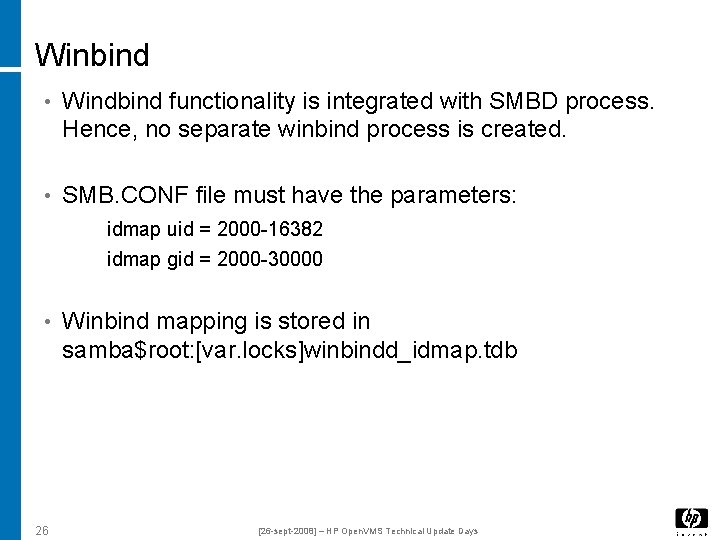
Winbind • Windbind functionality is integrated with SMBD process. Hence, no separate winbind process is created. • SMB. CONF file must have the parameters: idmap uid = 2000 -16382 idmap gid = 2000 -30000 • Winbind mapping is stored in samba$root: [var. locks]winbindd_idmap. tdb 26 [26 -sept-2008] – HP Open. VMS Technical Update Days
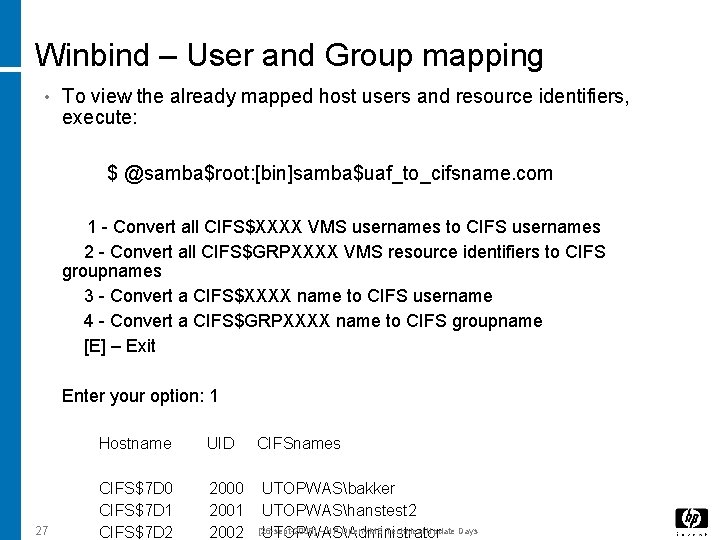
Winbind – User and Group mapping • To view the already mapped host users and resource identifiers, execute: $ @samba$root: [bin]samba$uaf_to_cifsname. com 1 - Convert all CIFS$XXXX VMS usernames to CIFS usernames 2 - Convert all CIFS$GRPXXXX VMS resource identifiers to CIFS groupnames 3 - Convert a CIFS$XXXX name to CIFS username 4 - Convert a CIFS$GRPXXXX name to CIFS groupname [E] – Exit Enter your option: 1 27 Hostname UID CIFSnames CIFS$7 D 0 CIFS$7 D 1 CIFS$7 D 2 2000 2001 2002 UTOPWASbakker UTOPWAShanstest 2 [26 -sept-2008] – HP Open. VMS Technical Update Days UTOPWASAdministrator
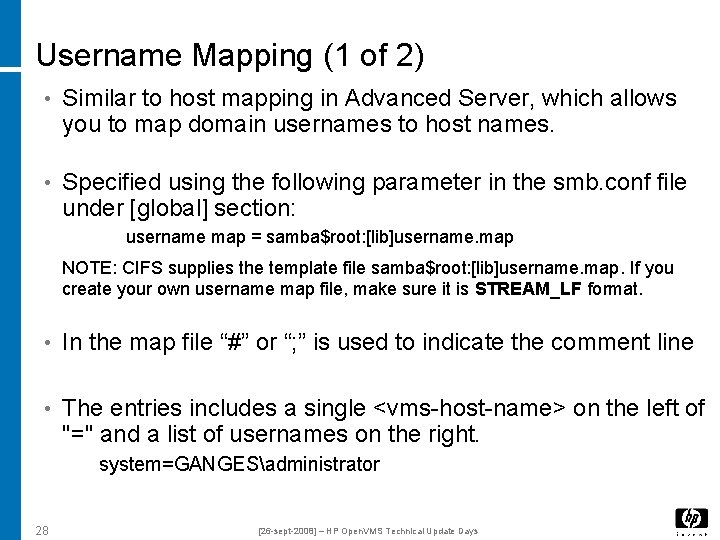
Username Mapping (1 of 2) • Similar to host mapping in Advanced Server, which allows you to map domain usernames to host names. • Specified using the following parameter in the smb. conf file under [global] section: username map = samba$root: [lib]username. map NOTE: CIFS supplies the template file samba$root: [lib]username. map. If you create your own username map file, make sure it is STREAM_LF format. • In the map file “#” or “; ” is used to indicate the comment line • The entries includes a single <vms-host-name> on the left of "=" and a list of usernames on the right. system=GANGESadministrator 28 [26 -sept-2008] – HP Open. VMS Technical Update Days
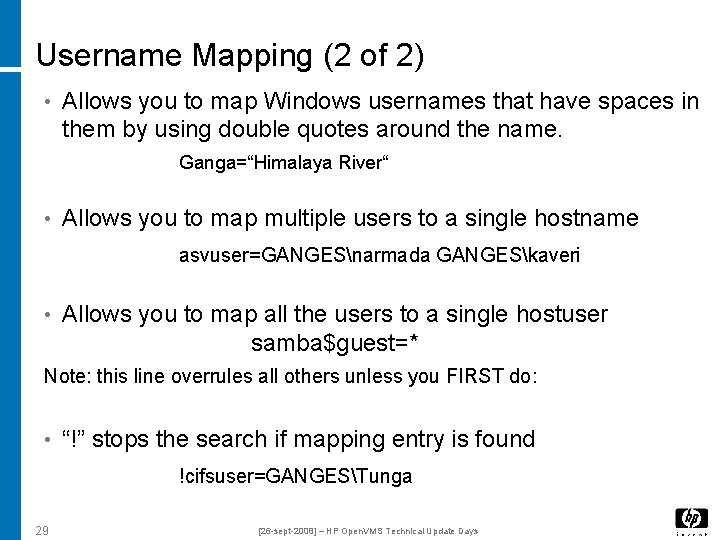
Username Mapping (2 of 2) • Allows you to map Windows usernames that have spaces in them by using double quotes around the name. Ganga=“Himalaya River“ • Allows you to map multiple users to a single hostname asvuser=GANGESnarmada GANGESkaveri • Allows you to map all the users to a single hostuser samba$guest=* Note: this line overrules all others unless you FIRST do: • “!” stops the search if mapping entry is found !cifsuser=GANGESTunga 29 [26 -sept-2008] – HP Open. VMS Technical Update Days
Managing Security in CIFS 30 [26 -sept-2008] – HP Open. VMS Technical Update Days
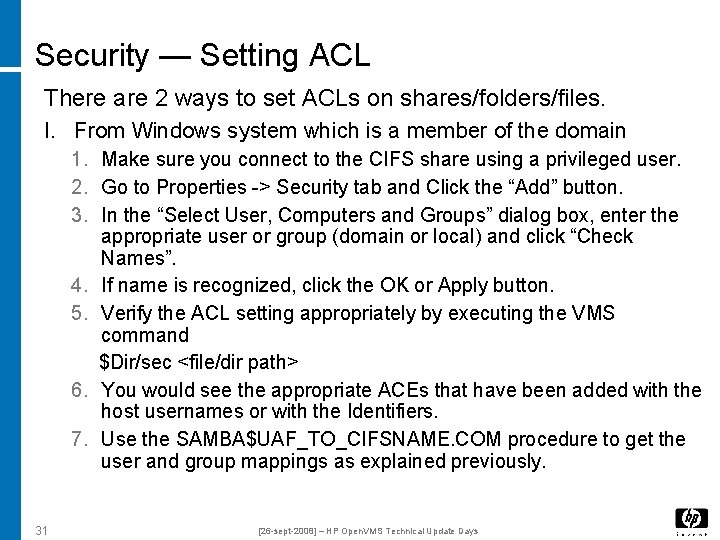
Security — Setting ACL There are 2 ways to set ACLs on shares/folders/files. I. From Windows system which is a member of the domain 1. Make sure you connect to the CIFS share using a privileged user. 2. Go to Properties -> Security tab and Click the “Add” button. 3. In the “Select User, Computers and Groups” dialog box, enter the appropriate user or group (domain or local) and click “Check Names”. 4. If name is recognized, click the OK or Apply button. 5. Verify the ACL setting appropriately by executing the VMS command $Dir/sec <file/dir path> 6. You would see the appropriate ACEs that have been added with the host usernames or with the Identifiers. 7. Use the SAMBA$UAF_TO_CIFSNAME. COM procedure to get the user and group mappings as explained previously. 31 [26 -sept-2008] – HP Open. VMS Technical Update Days
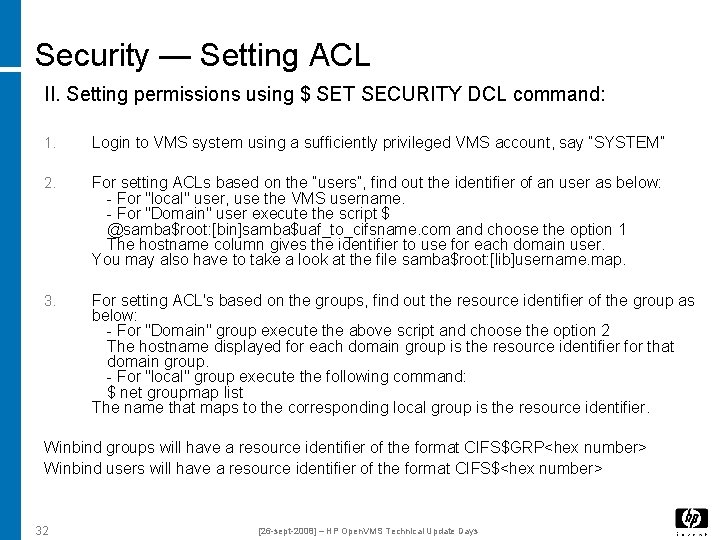
Security — Setting ACL II. Setting permissions using $ SET SECURITY DCL command: 1. Login to VMS system using a sufficiently privileged VMS account, say “SYSTEM” 2. For setting ACLs based on the “users”, find out the identifier of an user as below: - For "local" user, use the VMS username. - For "Domain" user execute the script $ @samba$root: [bin]samba$uaf_to_cifsname. com and choose the option 1 The hostname column gives the identifier to use for each domain user. You may also have to take a look at the file samba$root: [lib]username. map. 3. For setting ACL's based on the groups, find out the resource identifier of the group as below: - For "Domain" group execute the above script and choose the option 2 The hostname displayed for each domain group is the resource identifier for that domain group. - For "local" group execute the following command: $ net groupmap list The name that maps to the corresponding local group is the resource identifier. Winbind groups will have a resource identifier of the format CIFS$GRP<hex number> Winbind users will have a resource identifier of the format CIFS$<hex number> 32 [26 -sept-2008] – HP Open. VMS Technical Update Days
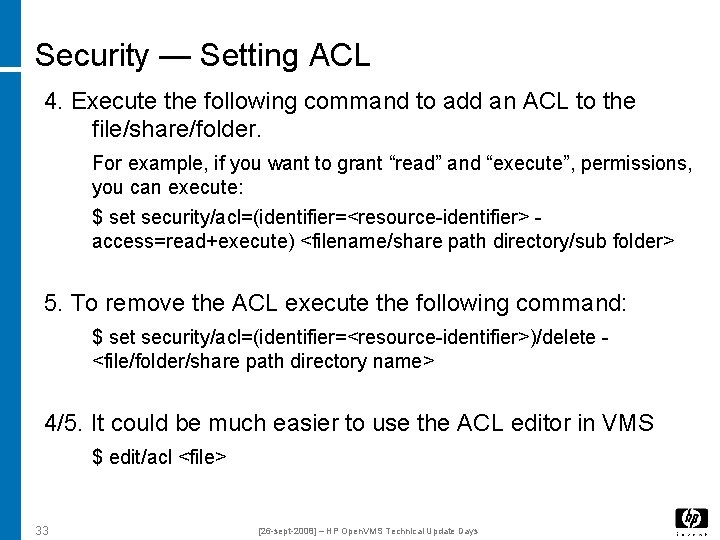
Security — Setting ACL 4. Execute the following command to add an ACL to the file/share/folder. For example, if you want to grant “read” and “execute”, permissions, you can execute: $ set security/acl=(identifier=<resource-identifier> access=read+execute) <filename/share path directory/sub folder> 5. To remove the ACL execute the following command: $ set security/acl=(identifier=<resource-identifier>)/delete <file/folder/share path directory name> 4/5. It could be much easier to use the ACL editor in VMS $ edit/acl <file> 33 [26 -sept-2008] – HP Open. VMS Technical Update Days
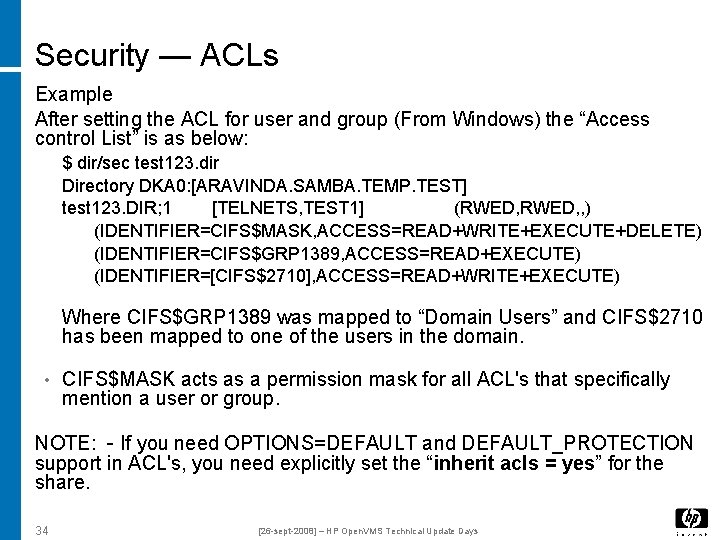
Security — ACLs Example After setting the ACL for user and group (From Windows) the “Access control List” is as below: $ dir/sec test 123. dir Directory DKA 0: [ARAVINDA. SAMBA. TEMP. TEST] test 123. DIR; 1 [TELNETS, TEST 1] (RWED, , ) (IDENTIFIER=CIFS$MASK, ACCESS=READ+WRITE+EXECUTE+DELETE) (IDENTIFIER=CIFS$GRP 1389, ACCESS=READ+EXECUTE) (IDENTIFIER=[CIFS$2710], ACCESS=READ+WRITE+EXECUTE) Where CIFS$GRP 1389 was mapped to “Domain Users” and CIFS$2710 has been mapped to one of the users in the domain. • CIFS$MASK acts as a permission mask for all ACL's that specifically mention a user or group. NOTE: - If you need OPTIONS=DEFAULT and DEFAULT_PROTECTION support in ACL's, you need explicitly set the “inherit acls = yes” for the share. 34 [26 -sept-2008] – HP Open. VMS Technical Update Days
Questions 35 [26 -sept-2008] – HP Open. VMS Technical Update Days
Troubleshooting
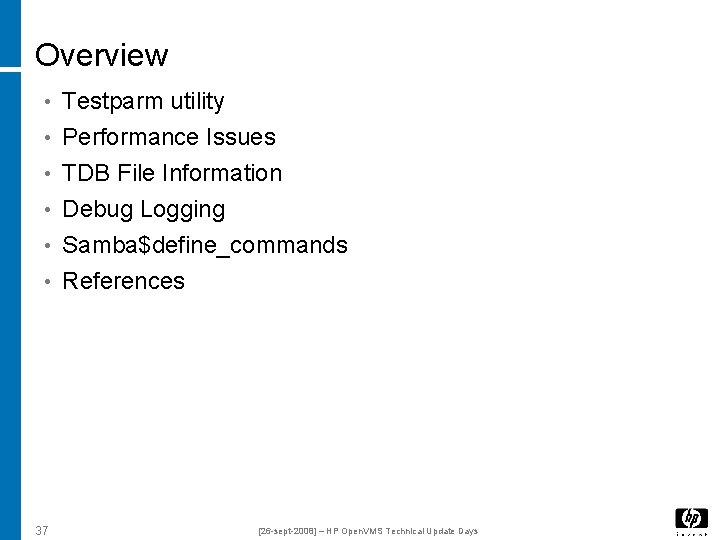
Overview • Testparm utility • Performance Issues • TDB File Information • Debug Logging • Samba$define_commands • References 37 [26 -sept-2008] – HP Open. VMS Technical Update Days
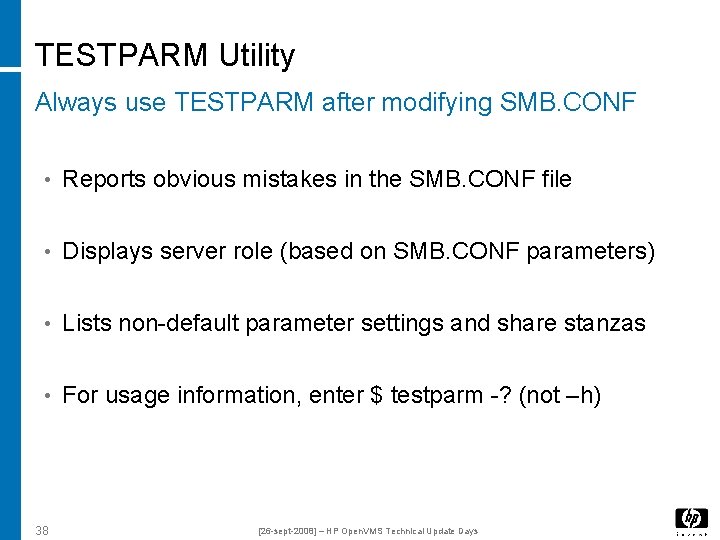
TESTPARM Utility Always use TESTPARM after modifying SMB. CONF • Reports obvious mistakes in the SMB. CONF file • Displays server role (based on SMB. CONF parameters) • Lists non-default parameter settings and share stanzas • For usage information, enter $ testparm -? (not –h) 38 [26 -sept-2008] – HP Open. VMS Technical Update Days
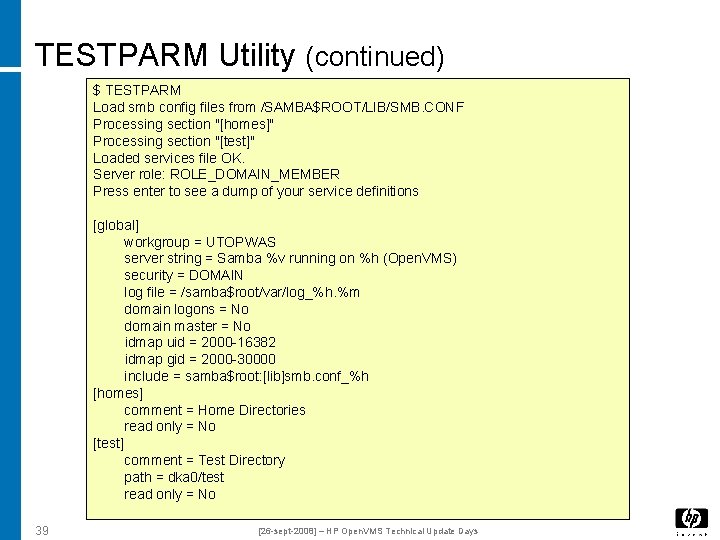
TESTPARM Utility (continued) $ TESTPARM Load smb config files from /SAMBA$ROOT/LIB/SMB. CONF Processing section "[homes]" Processing section "[test]" Loaded services file OK. Server role: ROLE_DOMAIN_MEMBER Press enter to see a dump of your service definitions [global] workgroup = UTOPWAS server string = Samba %v running on %h (Open. VMS) security = DOMAIN log file = /samba$root/var/log_%h. %m domain logons = No domain master = No idmap uid = 2000 -16382 idmap gid = 2000 -30000 include = samba$root: [lib]smb. conf_%h [homes] comment = Home Directories read only = No [test] comment = Test Directory path = dka 0/test read only = No 39 [26 -sept-2008] – HP Open. VMS Technical Update Days
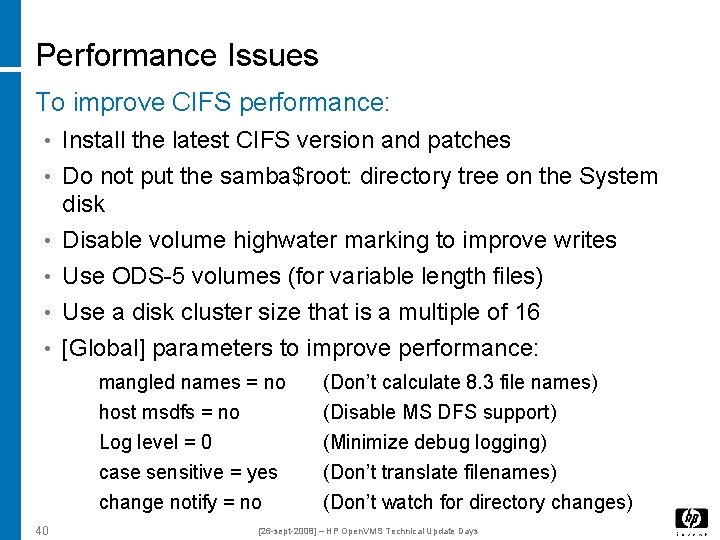
Performance Issues To improve CIFS performance: • Install the latest CIFS version and patches • Do not put the samba$root: directory tree on the System disk • Disable volume highwater marking to improve writes • Use ODS-5 volumes (for variable length files) • Use a disk cluster size that is a multiple of 16 • [Global] parameters to improve performance: mangled names = no host msdfs = no Log level = 0 case sensitive = yes change notify = no 40 (Don’t calculate 8. 3 file names) (Disable MS DFS support) (Minimize debug logging) (Don’t translate filenames) (Don’t watch for directory changes) [26 -sept-2008] – HP Open. VMS Technical Update Days
Debug Logging Samba logging features can prove extremely useful • $ @samba$root: [bin]samba$gatherinfo. com • The amount of debug information output is set using “log level” in values between 0 - 10 (10 = most verbose) • The log level may be set in 3 ways: – Using the "log level" global parameter in smb. conf – Using the -d option on the command line (precedence) – Using the SMBCONTROL utility ($ smbcontrol <PID> debug 5) • CIFS utilities output debug information to the standard output device – E. g. $ net rpc testjoin –d 5 41 [26 -sept-2008] – HP Open. VMS Technical Update Days
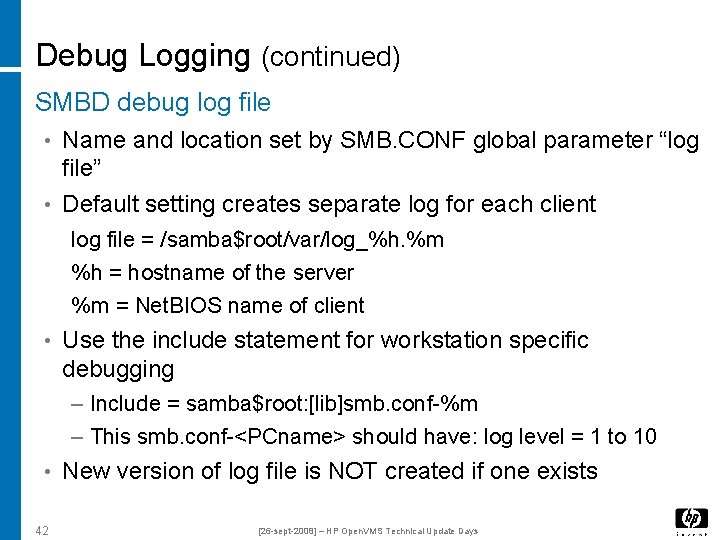
Debug Logging (continued) SMBD debug log file • Name and location set by SMB. CONF global parameter “log file” • Default setting creates separate log for each client log file = /samba$root/var/log_%h. %m %h = hostname of the server %m = Net. BIOS name of client • Use the include statement for workstation specific debugging – Include = samba$root: [lib]smb. conf-%m – This smb. conf-<PCname> should have: log level = 1 to 10 • New version of log file is NOT created if one exists 42 [26 -sept-2008] – HP Open. VMS Technical Update Days
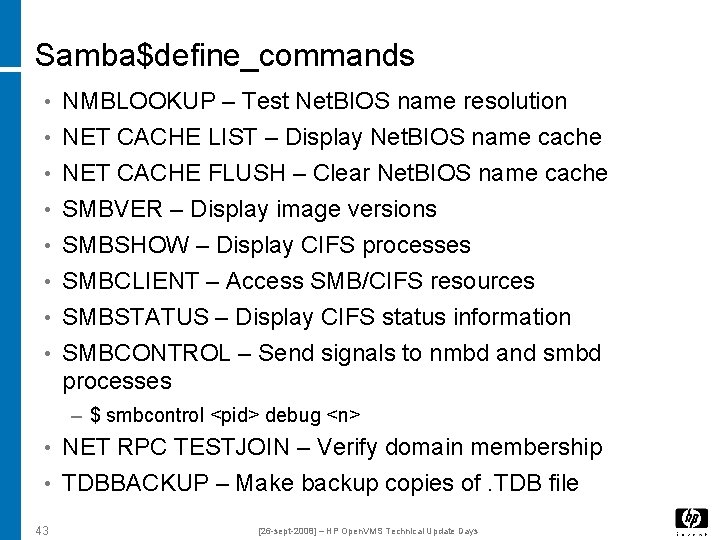
Samba$define_commands • NMBLOOKUP – Test Net. BIOS name resolution • NET CACHE LIST – Display Net. BIOS name cache • NET CACHE FLUSH – Clear Net. BIOS name cache • SMBVER – Display image versions • SMBSHOW – Display CIFS processes • SMBCLIENT – Access SMB/CIFS resources • SMBSTATUS – Display CIFS status information • SMBCONTROL – Send signals to nmbd and smbd processes – $ smbcontrol <pid> debug <n> • NET RPC TESTJOIN – Verify domain membership • TDBBACKUP – Make backup copies of. TDB file 43 [26 -sept-2008] – HP Open. VMS Technical Update Days
References • HP Open. VMS CIFS Home Page http: //h 71000. www 7. hp. com/network/CIFS_for_Samba. html • Samba Home Page http: //www. samba. org 44 [26 -sept-2008] – HP Open. VMS Technical Update Days
Questions 45 [26 -sept-2008] – HP Open. VMS Technical Update Days
Migrating From Advanced Server to CIFS
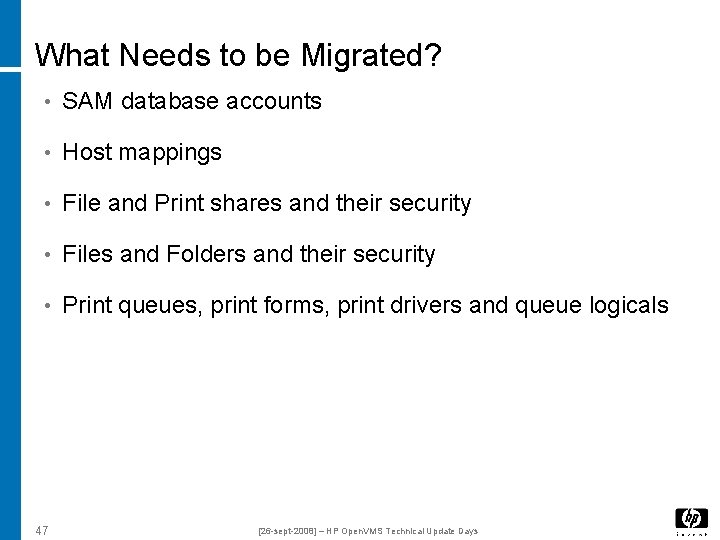
What Needs to be Migrated? • SAM database accounts • Host mappings • File and Print shares and their security • Files and Folders and their security • Print queues, print forms, print drivers and queue logicals 47 [26 -sept-2008] – HP Open. VMS Technical Update Days
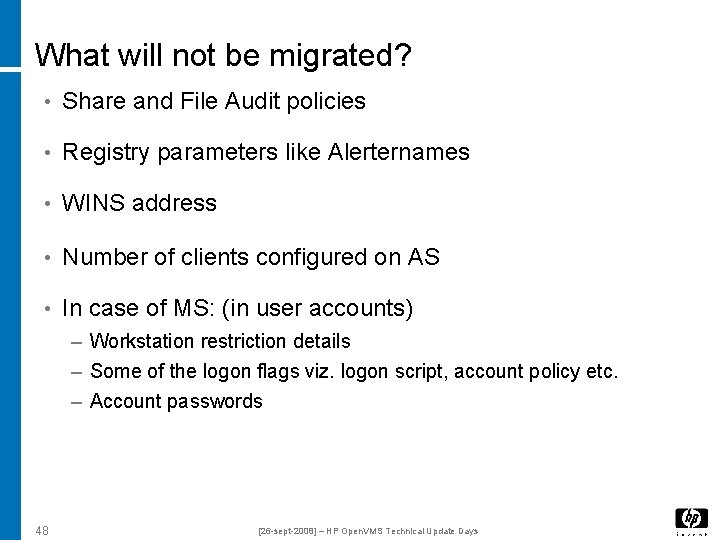
What will not be migrated? • Share and File Audit policies • Registry parameters like Alerternames • WINS address • Number of clients configured on AS • In case of MS: (in user accounts) – Workstation restriction details – Some of the logon flags viz. logon script, account policy etc. – Account passwords 48 [26 -sept-2008] – HP Open. VMS Technical Update Days
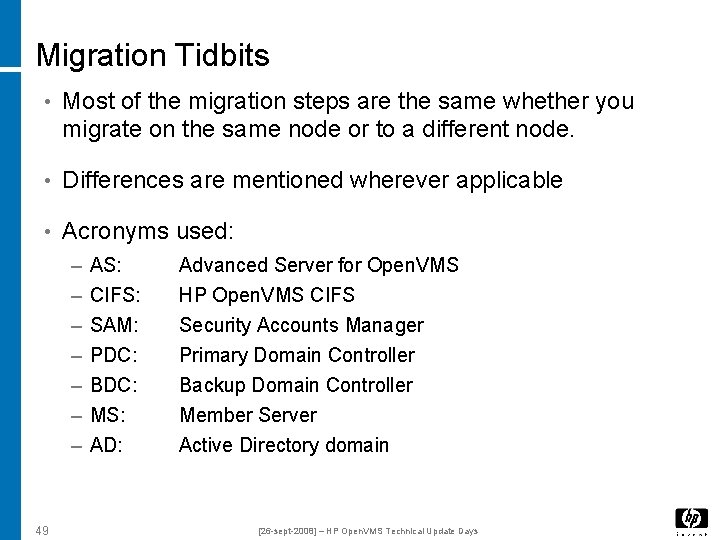
Migration Tidbits • Most of the migration steps are the same whether you migrate on the same node or to a different node. • Differences are mentioned wherever applicable • Acronyms used: – – – – 49 AS: CIFS: SAM: PDC: BDC: MS: AD: Advanced Server for Open. VMS HP Open. VMS CIFS Security Accounts Manager Primary Domain Controller Backup Domain Controller Member Server Active Directory domain [26 -sept-2008] – HP Open. VMS Technical Update Days
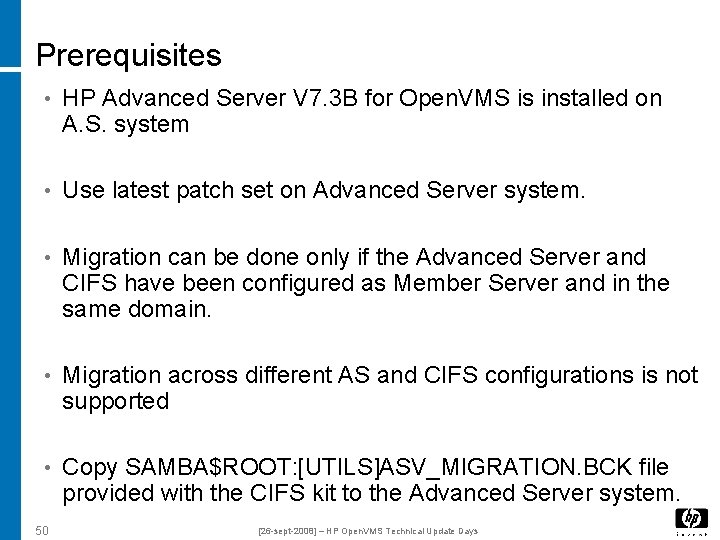
Prerequisites • HP Advanced Server V 7. 3 B for Open. VMS is installed on A. S. system • Use latest patch set on Advanced Server system. • Migration can be done only if the Advanced Server and CIFS have been configured as Member Server and in the same domain. • Migration across different AS and CIFS configurations is not supported • Copy SAMBA$ROOT: [UTILS]ASV_MIGRATION. BCK file provided with the CIFS kit to the Advanced Server system. 50 [26 -sept-2008] – HP Open. VMS Technical Update Days
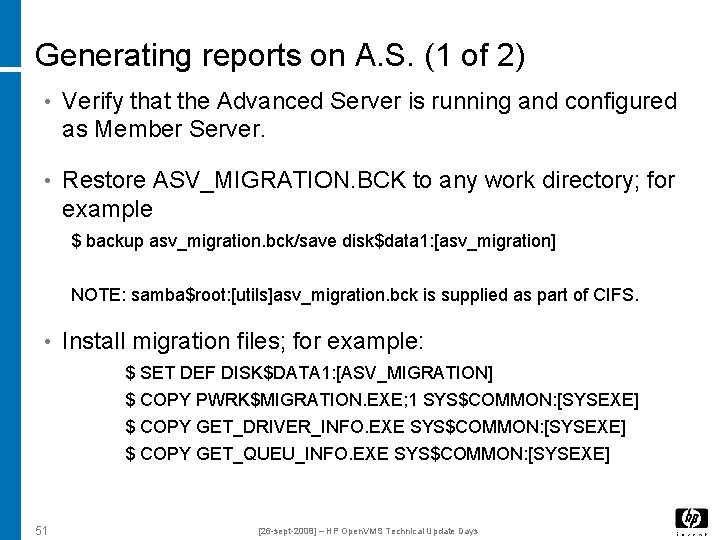
Generating reports on A. S. (1 of 2) • Verify that the Advanced Server is running and configured as Member Server. • Restore ASV_MIGRATION. BCK to any work directory; for example $ backup asv_migration. bck/save disk$data 1: [asv_migration] NOTE: samba$root: [utils]asv_migration. bck is supplied as part of CIFS. • Install migration files; for example: $ SET DEF DISK$DATA 1: [ASV_MIGRATION] $ COPY PWRK$MIGRATION. EXE; 1 SYS$COMMON: [SYSEXE] $ COPY GET_DRIVER_INFO. EXE SYS$COMMON: [SYSEXE] $ COPY GET_QUEU_INFO. EXE SYS$COMMON: [SYSEXE] 51 [26 -sept-2008] – HP Open. VMS Technical Update Days
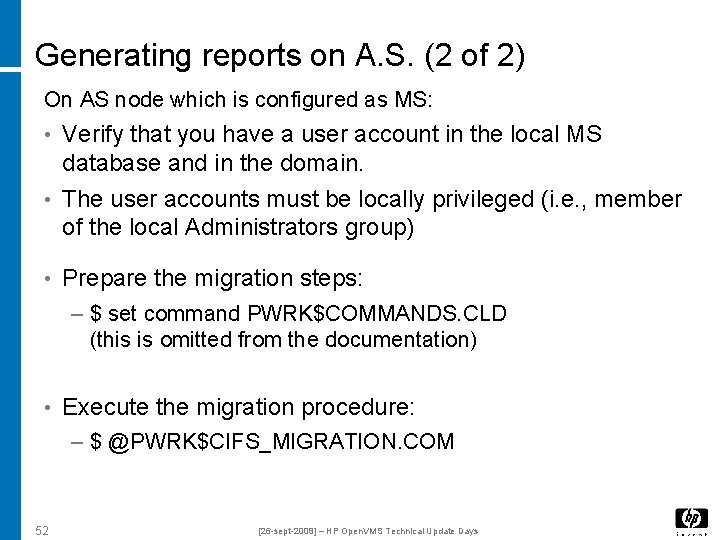
Generating reports on A. S. (2 of 2) On AS node which is configured as MS: • Verify that you have a user account in the local MS database and in the domain. • The user accounts must be locally privileged (i. e. , member of the local Administrators group) • Prepare the migration steps: – $ set command PWRK$COMMANDS. CLD (this is omitted from the documentation) • Execute the migration procedure: – $ @PWRK$CIFS_MIGRATION. COM 52 [26 -sept-2008] – HP Open. VMS Technical Update Days
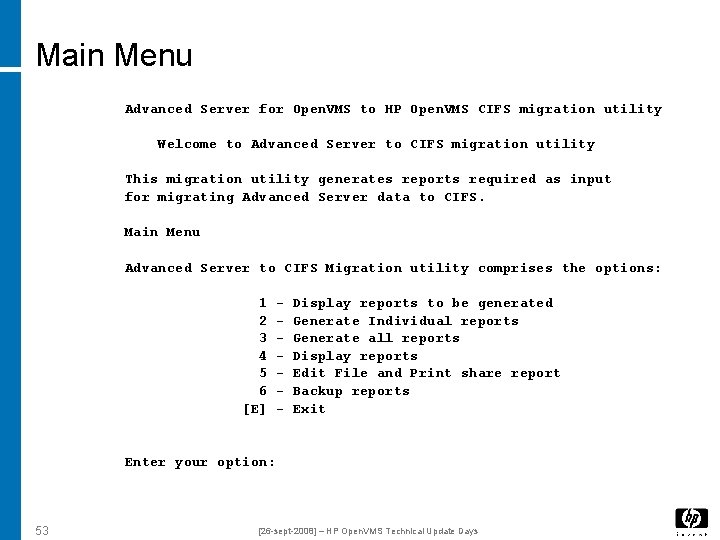
Main Menu Advanced Server for Open. VMS to HP Open. VMS CIFS migration utility Welcome to Advanced Server to CIFS migration utility This migration utility generates reports required as input for migrating Advanced Server data to CIFS. Main Menu Advanced Server to CIFS Migration utility comprises the options: 1 2 3 4 5 6 [E] - Display reports to be generated Generate Individual reports Generate all reports Display reports Edit File and Print share report Backup reports Exit Enter your option: 53 [26 -sept-2008] – HP Open. VMS Technical Update Days
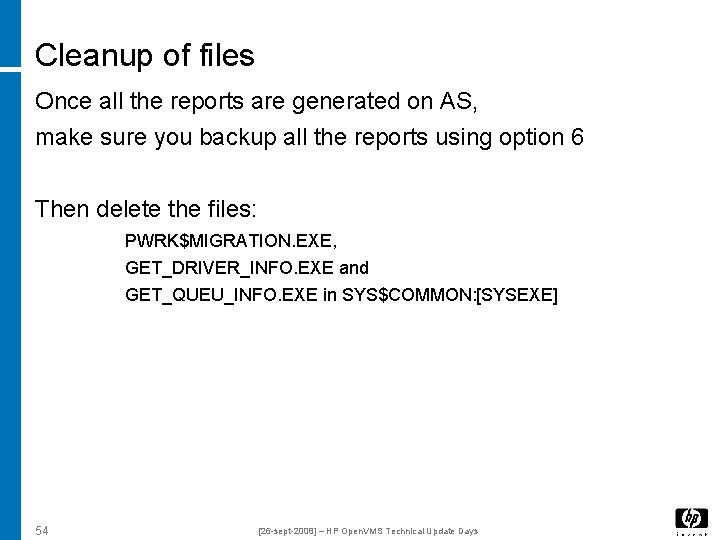
Cleanup of files Once all the reports are generated on AS, make sure you backup all the reports using option 6 Then delete the files: PWRK$MIGRATION. EXE, GET_DRIVER_INFO. EXE and GET_QUEU_INFO. EXE in SYS$COMMON: [SYSEXE] 54 [26 -sept-2008] – HP Open. VMS Technical Update Days
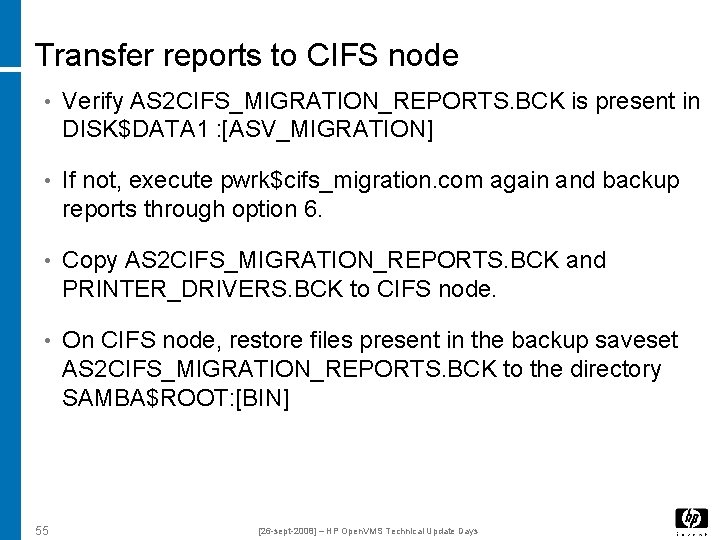
Transfer reports to CIFS node • Verify AS 2 CIFS_MIGRATION_REPORTS. BCK is present in DISK$DATA 1 : [ASV_MIGRATION] • If not, execute pwrk$cifs_migration. com again and backup reports through option 6. • Copy AS 2 CIFS_MIGRATION_REPORTS. BCK and PRINTER_DRIVERS. BCK to CIFS node. • On CIFS node, restore files present in the backup saveset AS 2 CIFS_MIGRATION_REPORTS. BCK to the directory SAMBA$ROOT: [BIN] 55 [26 -sept-2008] – HP Open. VMS Technical Update Days
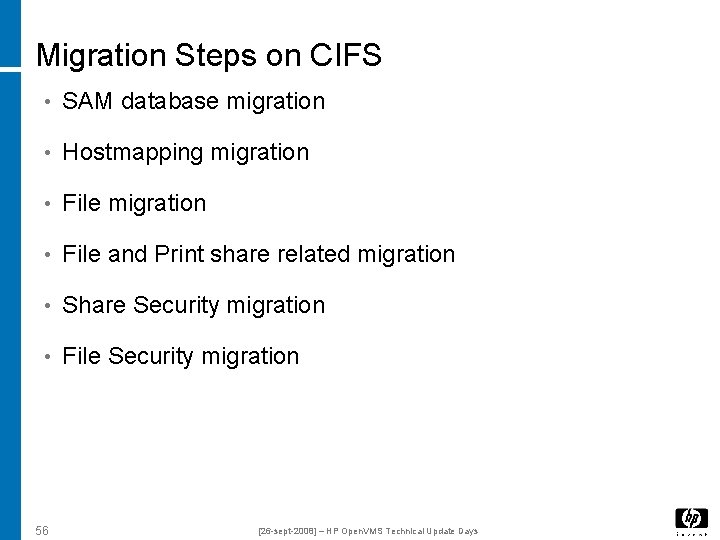
Migration Steps on CIFS • SAM database migration • Hostmapping migration • File and Print share related migration • Share Security migration • File Security migration 56 [26 -sept-2008] – HP Open. VMS Technical Update Days
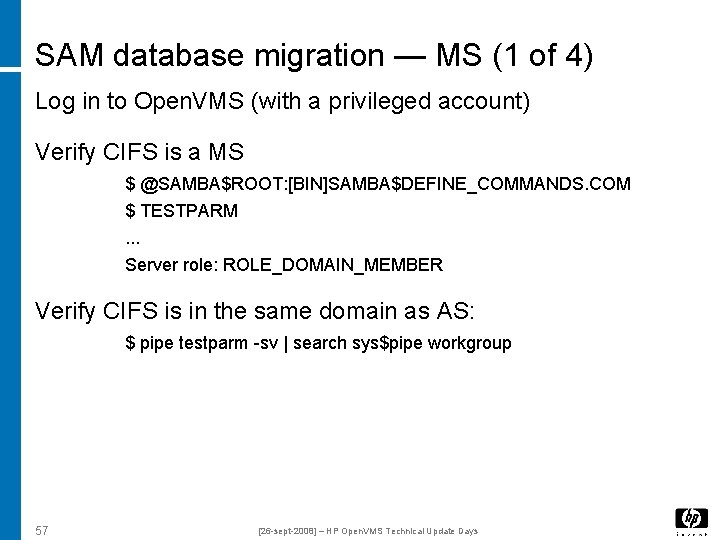
SAM database migration — MS (1 of 4) Log in to Open. VMS (with a privileged account) Verify CIFS is a MS $ @SAMBA$ROOT: [BIN]SAMBA$DEFINE_COMMANDS. COM $ TESTPARM. . . Server role: ROLE_DOMAIN_MEMBER Verify CIFS is in the same domain as AS: $ pipe testparm -sv | search sys$pipe workgroup 57 [26 -sept-2008] – HP Open. VMS Technical Update Days
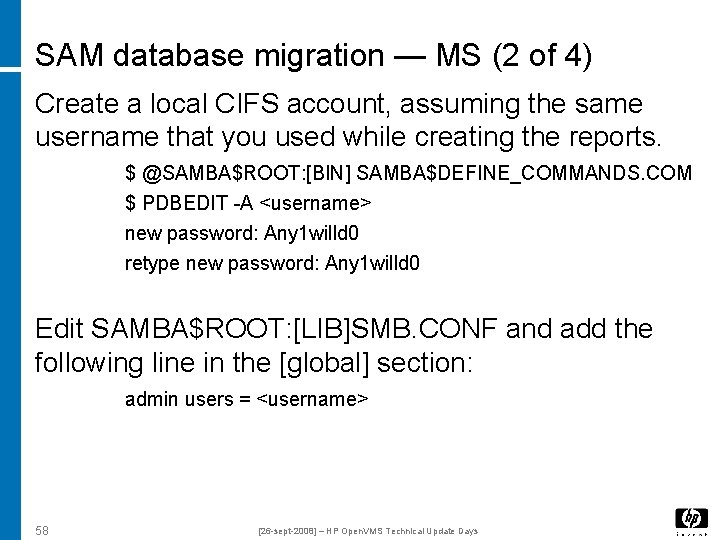
SAM database migration — MS (2 of 4) Create a local CIFS account, assuming the same username that you used while creating the reports. $ @SAMBA$ROOT: [BIN] SAMBA$DEFINE_COMMANDS. COM $ PDBEDIT -A <username> new password: Any 1 willd 0 retype new password: Any 1 willd 0 Edit SAMBA$ROOT: [LIB]SMB. CONF and add the following line in the [global] section: admin users = <username> 58 [26 -sept-2008] – HP Open. VMS Technical Update Days
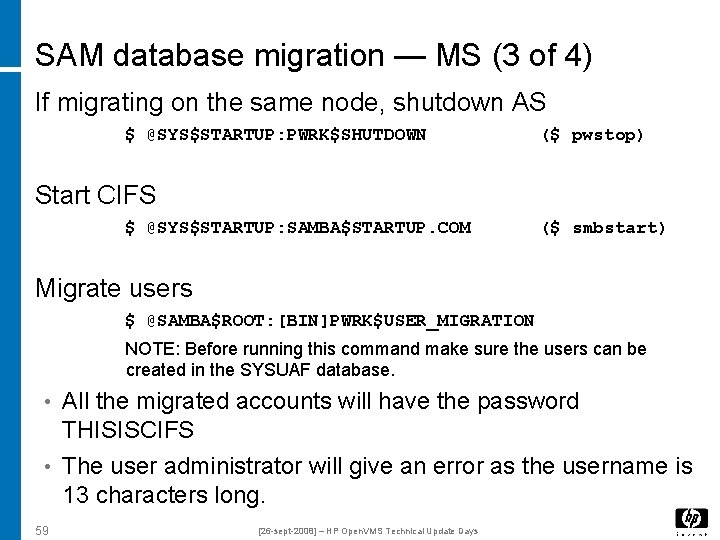
SAM database migration — MS (3 of 4) If migrating on the same node, shutdown AS $ @SYS$STARTUP: PWRK$SHUTDOWN ($ pwstop) Start CIFS $ @SYS$STARTUP: SAMBA$STARTUP. COM ($ smbstart) Migrate users $ @SAMBA$ROOT: [BIN]PWRK$USER_MIGRATION NOTE: Before running this command make sure the users can be created in the SYSUAF database. • All the migrated accounts will have the password THISISCIFS • The user administrator will give an error as the username is 13 characters long. 59 [26 -sept-2008] – HP Open. VMS Technical Update Days
SAM database migration — MS (3 of 4) Migrate groups $ @SAMBA$ROOT: [BIN]PWRK$GROUP_MIGRATION When prompted, specify privileged username/password 60 [26 -sept-2008] – HP Open. VMS Technical Update Days
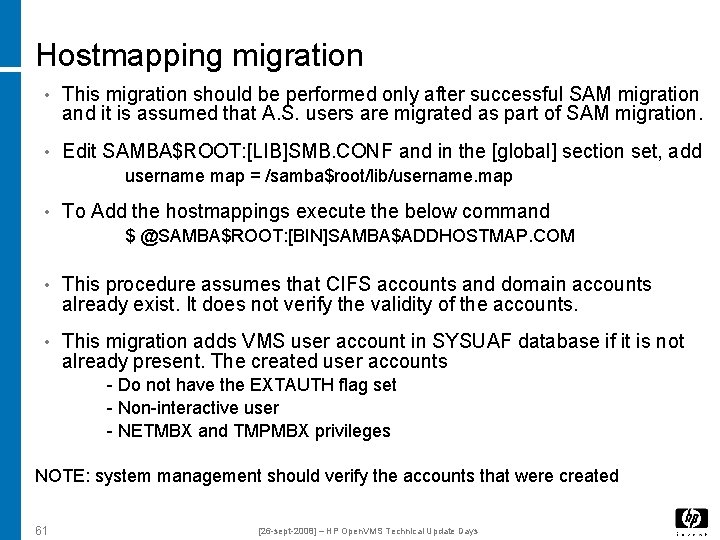
Hostmapping migration • This migration should be performed only after successful SAM migration and it is assumed that A. S. users are migrated as part of SAM migration. • Edit SAMBA$ROOT: [LIB]SMB. CONF and in the [global] section set, add username map = /samba$root/lib/username. map • To Add the hostmappings execute the below command $ @SAMBA$ROOT: [BIN]SAMBA$ADDHOSTMAP. COM • This procedure assumes that CIFS accounts and domain accounts already exist. It does not verify the validity of the accounts. • This migration adds VMS user account in SYSUAF database if it is not already present. The created user accounts - Do not have the EXTAUTH flag set - Non-interactive user - NETMBX and TMPMBX privileges NOTE: system management should verify the accounts that were created 61 [26 -sept-2008] – HP Open. VMS Technical Update Days
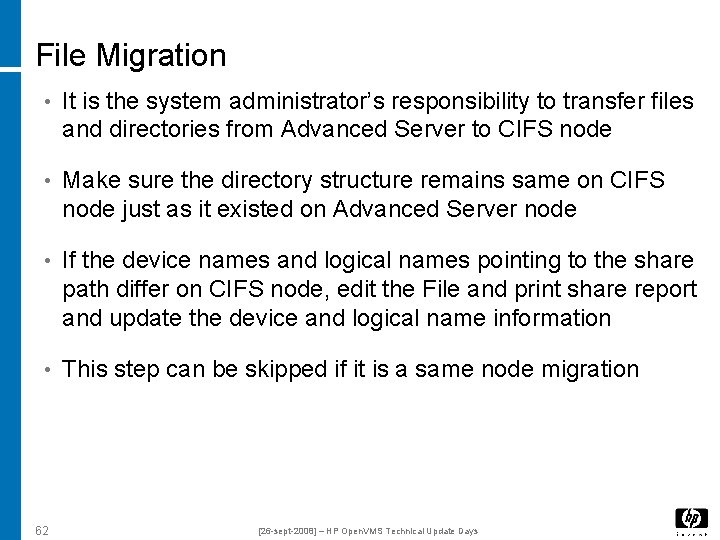
File Migration • It is the system administrator’s responsibility to transfer files and directories from Advanced Server to CIFS node • Make sure the directory structure remains same on CIFS node just as it existed on Advanced Server node • If the device names and logical names pointing to the share path differ on CIFS node, edit the File and print share report and update the device and logical name information • This step can be skipped if it is a same node migration 62 [26 -sept-2008] – HP Open. VMS Technical Update Days
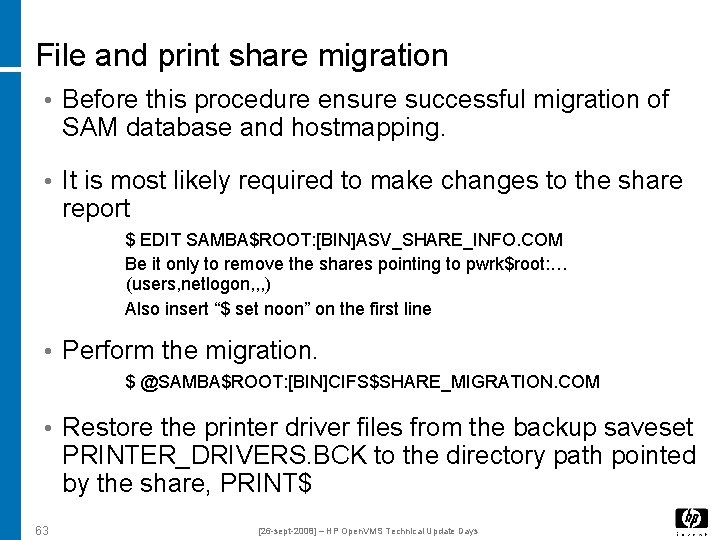
File and print share migration • Before this procedure ensure successful migration of SAM database and hostmapping. • It is most likely required to make changes to the share report $ EDIT SAMBA$ROOT: [BIN]ASV_SHARE_INFO. COM Be it only to remove the shares pointing to pwrk$root: … (users, netlogon, , , ) Also insert “$ set noon” on the first line • Perform the migration. $ @SAMBA$ROOT: [BIN]CIFS$SHARE_MIGRATION. COM • Restore the printer driver files from the backup saveset PRINTER_DRIVERS. BCK to the directory path pointed by the share, PRINT$ 63 [26 -sept-2008] – HP Open. VMS Technical Update Days
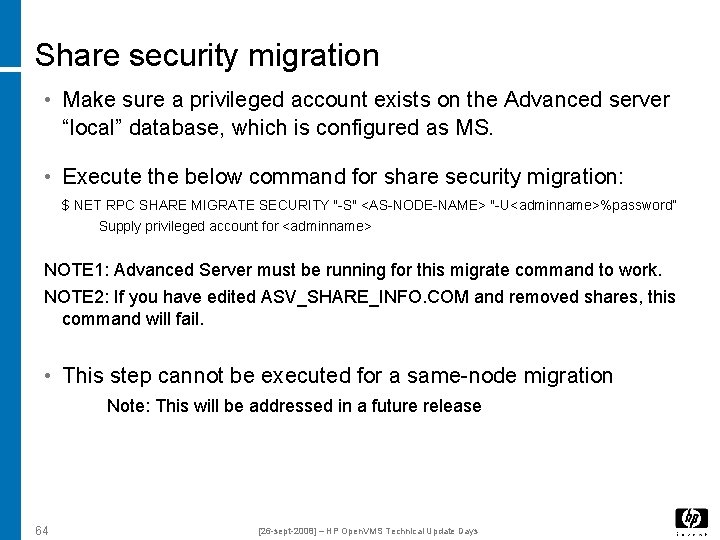
Share security migration • Make sure a privileged account exists on the Advanced server “local” database, which is configured as MS. • Execute the below command for share security migration: $ NET RPC SHARE MIGRATE SECURITY "-S" <AS-NODE-NAME> "-U<adminname>%password” Supply privileged account for <adminname> NOTE 1: Advanced Server must be running for this migrate command to work. NOTE 2: If you have edited ASV_SHARE_INFO. COM and removed shares, this command will fail. • This step cannot be executed for a same-node migration Note: This will be addressed in a future release 64 [26 -sept-2008] – HP Open. VMS Technical Update Days
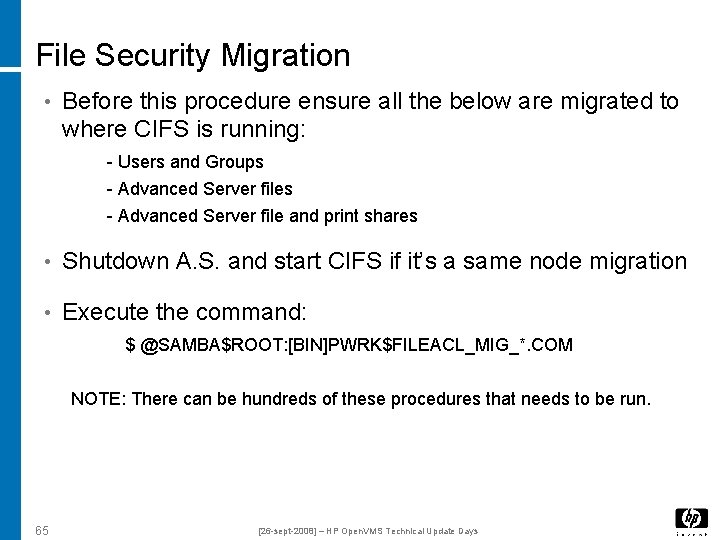
File Security Migration • Before this procedure ensure all the below are migrated to where CIFS is running: - Users and Groups - Advanced Server file and print shares • Shutdown A. S. and start CIFS if it’s a same node migration • Execute the command: $ @SAMBA$ROOT: [BIN]PWRK$FILEACL_MIG_*. COM NOTE: There can be hundreds of these procedures that needs to be run. 65 [26 -sept-2008] – HP Open. VMS Technical Update Days
Questions 66 [26 -sept-2008] – HP Open. VMS Technical Update Days
Thanks 67 [26 -sept-2008] – HP Open. VMS Technical Update Days