
HOWTO Use security domains in STM There are
- Slides: 5
HOW-TO Use security domains in STM There are today three security domains, called environments, in use in MCP: • TEST • STAGING • PRODUCTION Each environment has its own dedicated Root Certificate, hence three different security domains. A service shall always be in either environment, hence if a service need to be accessible in several environments, it need to be deployed for each environment. The Sea. SWIM Connector and the authentication mechanism shall ensure and protect the service, and other services, from cross-use, hence if a service tries to interact e. g. with a service in PRODUCTION using a certificate with STAGING Root Certificate in the trustchain, it shall be stopped.
Use in STM MCP TEST • Dedicated to MCP and development of next version • Governed by MCC • Used by STM in regressions tests to ensure backward compatibility before used in STAGING • Used by STM in tests for new features in the infrastructure before used in STAGING • Can be used as Service Development environment before released in STAGING for integration tests (SMA uses it today as DEV environment) MCP STAGING • Stable version by MCP (normally same as PRODUCTION) • Governed by MCC but coordinated with STM before upgraded • Used by STM for service development and unit tests (preferably in status “provisional”) • Used by STM for service integration (interoperability) tests (preferably in status “released”) before used in PRODUCTION • Used by STM for final technical, operational and security tests before approved for released in PRODUCTION • Used by STM as simulation environment where the service. Status is set to “simulated” MCP PRODUCTION • Stable version by MCP (normally same as STAGING) • Governed by MCC but coordinated with STM before upgraded • Used by STM in Live Testbed • Services based on STM technical design (according to Sea. SWIM) are monitored by STM (availability, interoperability, behaviour)
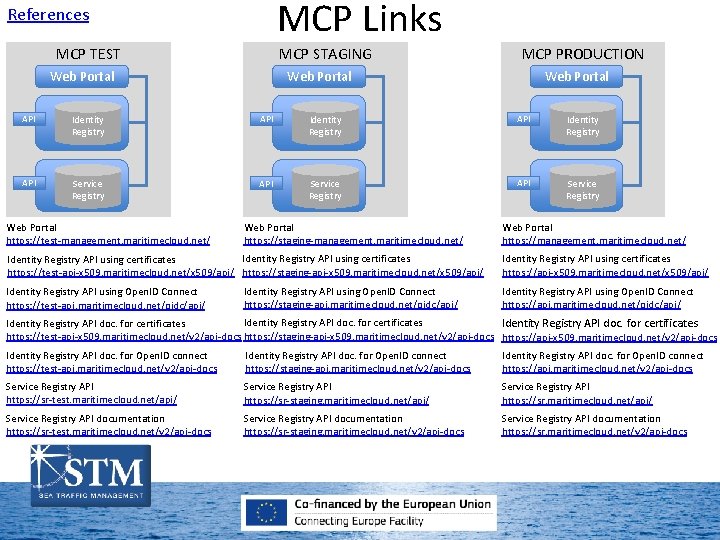
MCP Links References MCP TEST MCP STAGING Web Portal MCP PRODUCTION Web Portal API Identity Registry API Service Registry Web Portal https: //test-management. maritimecloud. net/ Web Portal https: //staging-management. maritimecloud. net/ Identity Registry API using certificates https: //test-api-x 509. maritimecloud. net/x 509/api/ https: //staging-api-x 509. maritimecloud. net/x 509/api/ Identity Registry API using Open. ID Connect https: //test-api. maritimecloud. net/oidc/api/ Identity Registry API using Open. ID Connect https: //staging-api. maritimecloud. net/oidc/api/ Web Portal https: //management. maritimecloud. net/ Identity Registry API using certificates https: //api-x 509. maritimecloud. net/x 509/api/ Identity Registry API using Open. ID Connect https: //api. maritimecloud. net/oidc/api/ Identity Registry API doc. for certificates https: //staging-api-x 509. maritimecloud. net/v 2/api-docs https: //test-api-x 509. maritimecloud. net/v 2/api-docs https: //api-x 509. maritimecloud. net/v 2/api-docs Identity Registry API doc. for Open. ID connect https: //test-api. maritimecloud. net/v 2/api-docs Identity Registry API doc. for Open. ID connect https: //staging-api. maritimecloud. net/v 2/api-docs Identity Registry API doc. for Open. ID connect https: //api. maritimecloud. net/v 2/api-docs Service Registry API https: //sr-test. maritimecloud. net/api/ Service Registry API https: //sr-staging. maritimecloud. net/api/ Service Registry API https: //sr. maritimecloud. net/api/ Service Registry API documentation https: //sr-test. maritimecloud. net/v 2/api-docs Service Registry API documentation https: //sr-staging. maritimecloud. net/v 2/api-docs Service Registry API documentation https: //sr. maritimecloud. net/v 2/api-docs