
Hows My Network HMN A Java approach to


- Slides: 25
How’s My Network (HMN)? A Java approach to Home Network Measurement Alan Ritacco, Craig Wills, and Mark Claypool Computer Science Department Worcester Polytechnic Institute Worcester, MA 01609, USA
• • How’s My Network Outline Motivation What’s important HMN Data Collection Points HMN and Java-Applet based testing Results Conclusions Next Steps
How’s My Network • • Motivation What’s important HMN Data Collection Points HMN and Java-Applet based testing Results Conclusion Next Steps
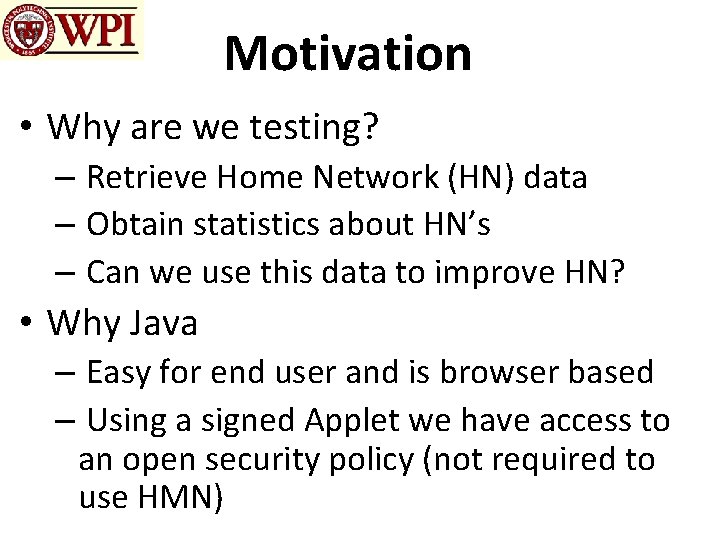
Motivation • Why are we testing? – Retrieve Home Network (HN) data – Obtain statistics about HN’s – Can we use this data to improve HN? • Why Java – Easy for end user and is browser based – Using a signed Applet we have access to an open security policy (not required to use HMN)
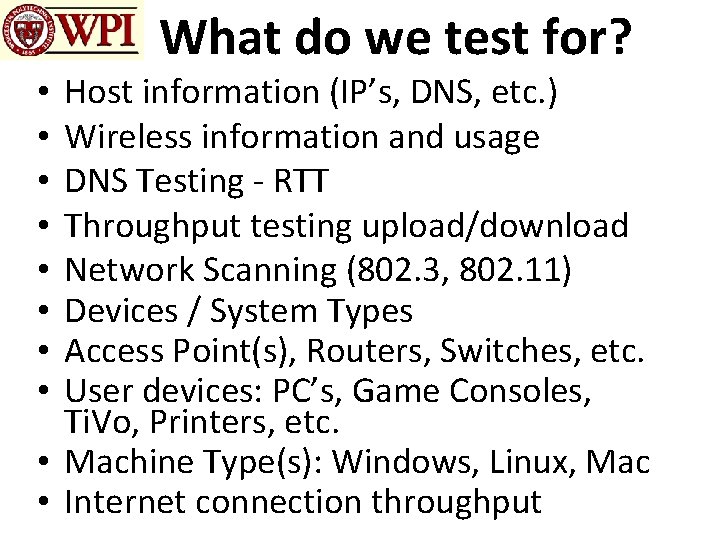
What do we test for? Host information (IP’s, DNS, etc. ) Wireless information and usage DNS Testing - RTT Throughput testing upload/download Network Scanning (802. 3, 802. 11) Devices / System Types Access Point(s), Routers, Switches, etc. User devices: PC’s, Game Consoles, Ti. Vo, Printers, etc. • Machine Type(s): Windows, Linux, Mac • Internet connection throughput • •
How’s My Network • • Motivation What’s important HMN Data Collection Points HMN and Java-Applet based testing Results Conclusions Next Steps
What’s Important? • The ability to obtain network information from a Web browser (in a Home Network) • The discovery of wired and wireless connectivity • The compilation of devices in a user’s HN • The testing of DNS performance • The ability to obtain HN Upload and Download throughput
How’s My Network • • Motivation What’s important HMN Data Collection Points HMN and Java-Applet based testing Results Conclusions Next Steps
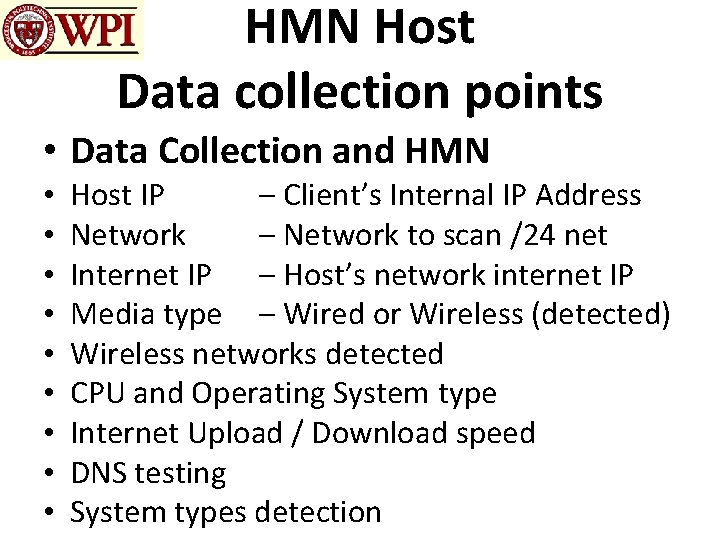
HMN Host Data collection points • Data Collection and HMN • • • Host IP – Client’s Internal IP Address Network – Network to scan /24 net Internet IP – Host’s network internet IP Media type – Wired or Wireless (detected) Wireless networks detected CPU and Operating System type Internet Upload / Download speed DNS testing System types detection
How’s My Network • • Motivation What’s important HMN Data Collection Points HMN and Java-Applet based testing Results Conclusions Next Steps
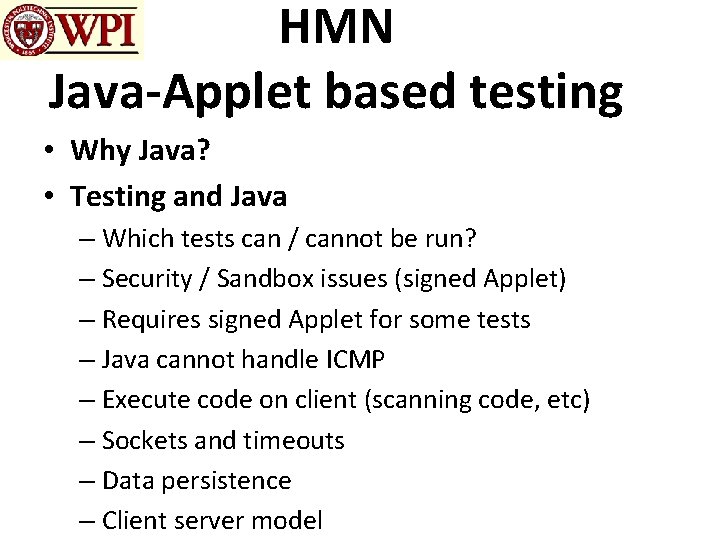
HMN Java-Applet based testing • Why Java? • Testing and Java – Which tests can / cannot be run? – Security / Sandbox issues (signed Applet) – Requires signed Applet for some tests – Java cannot handle ICMP – Execute code on client (scanning code, etc) – Sockets and timeouts – Data persistence – Client server model
How’s My Network • • Motivation What’s important HMN Data Collection Points HMN and Java-Applet based testing Results Conclusions Next Steps
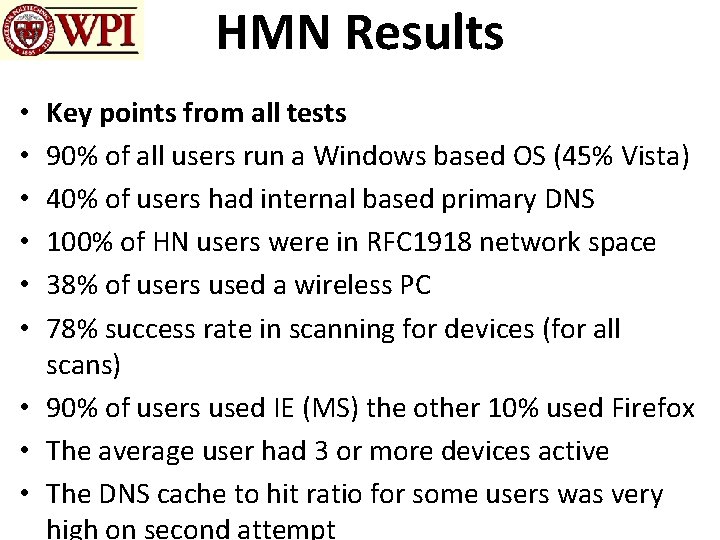
HMN Results Key points from all tests 90% of all users run a Windows based OS (45% Vista) 40% of users had internal based primary DNS 100% of HN users were in RFC 1918 network space 38% of users used a wireless PC 78% success rate in scanning for devices (for all scans) • 90% of users used IE (MS) the other 10% used Firefox • The average user had 3 or more devices active • The DNS cache to hit ratio for some users was very high on second attempt • • •
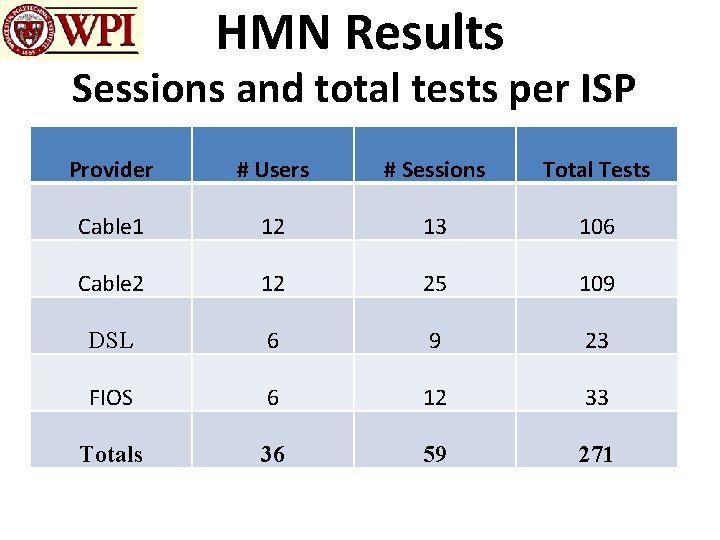
HMN Results Sessions and total tests per ISP Provider # Users # Sessions Total Tests Cable 1 12 13 106 Cable 2 12 25 109 DSL 6 9 23 FIOS 6 12 33 Totals 36 59 271
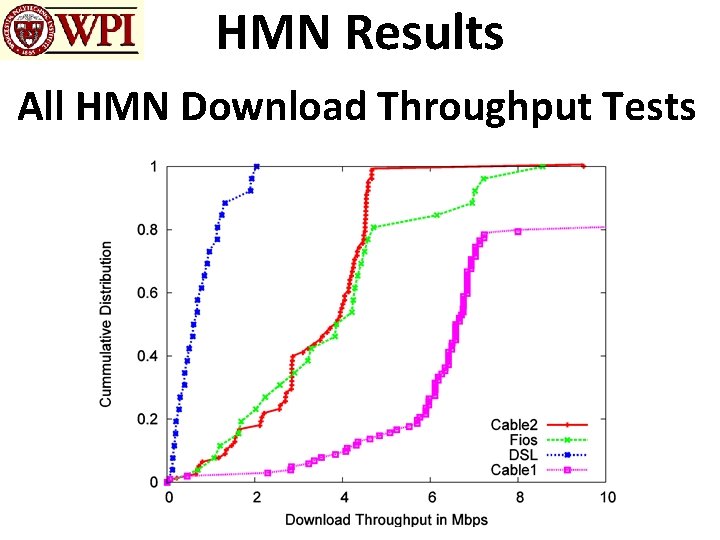
HMN Results All HMN Download Throughput Tests
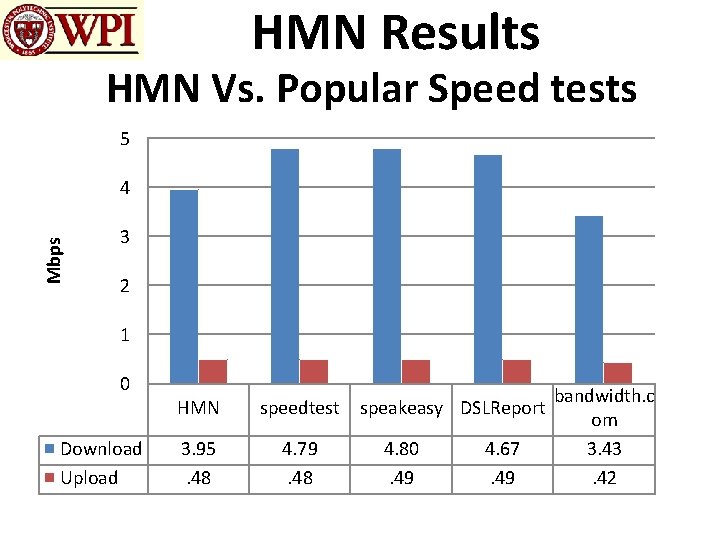
HMN Results HMN Vs. Popular Speed tests 5 Mbps 4 3 2 1 0 Download Upload HMN speedtest 3. 95. 48 4. 79. 48 speakeasy DSLReport 4. 80. 49 4. 67. 49 bandwidth. c om 3. 42
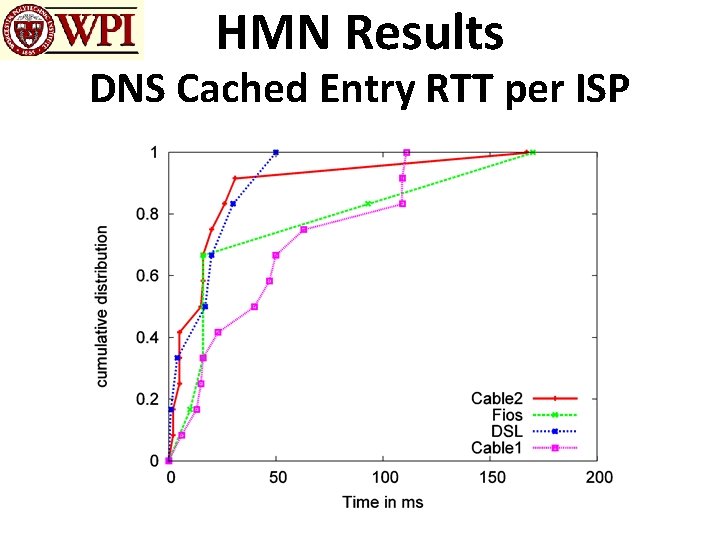
HMN Results DNS Cached Entry RTT per ISP
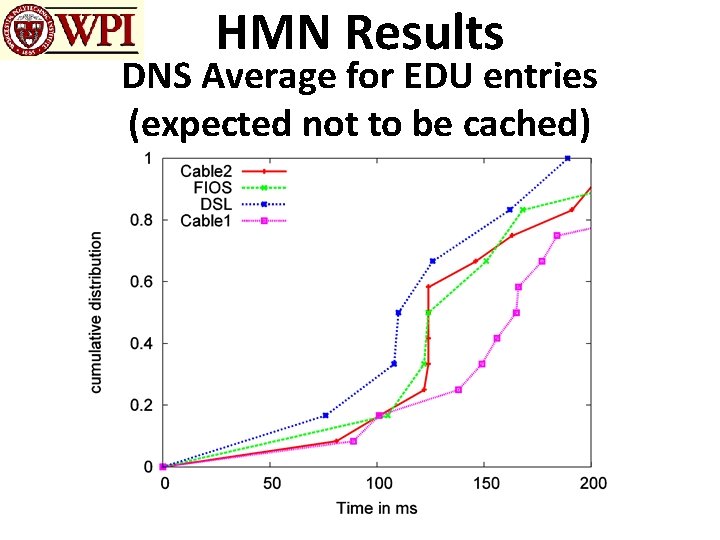
HMN Results DNS Average for EDU entries (expected not to be cached)
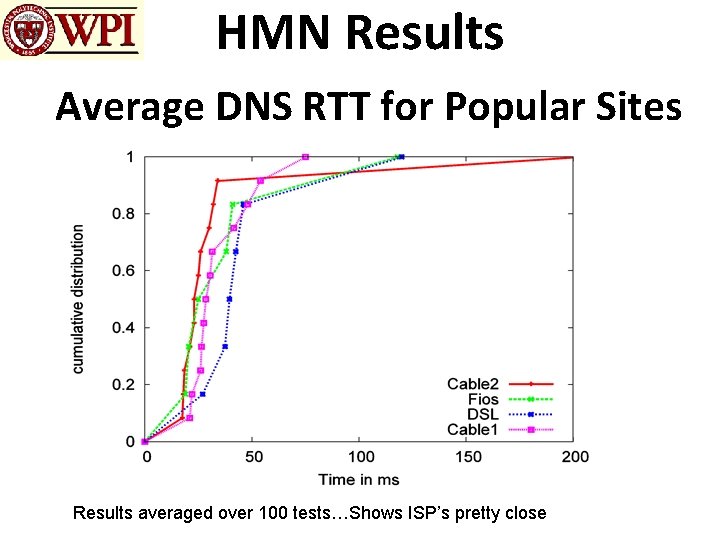
HMN Results Average DNS RTT for Popular Sites Results averaged over 100 tests…Shows ISP’s pretty close
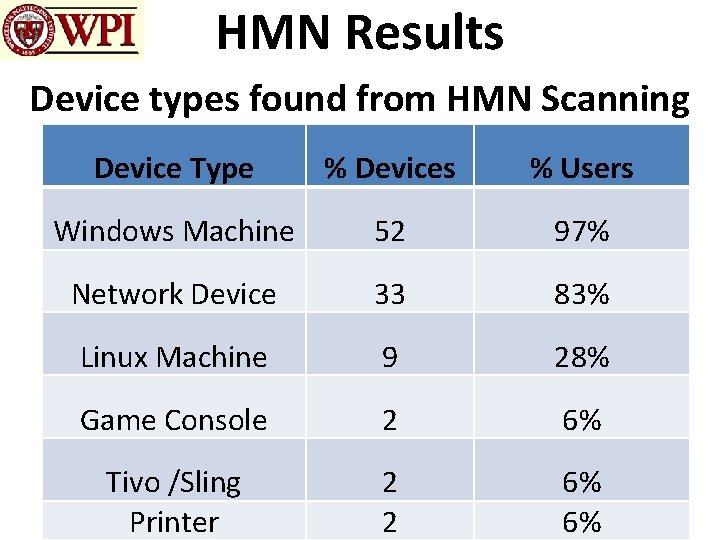
HMN Results Device types found from HMN Scanning Device Type % Devices % Users Windows Machine 52 97% Network Device 33 83% Linux Machine 9 28% Game Console 2 6% Tivo /Sling Printer 2 2 6% 6%
How’s My Network • • Motivation What’s important HMN Data Collection Points HMN and Java-Applet based testing Results Conclusions Next Steps
HMN Conclusions • We have successfully been able to gather the following data from HMN and our Java-Applet: – The fingerprinting of devices, and types, on a HN – The gathering of HN network configuration – The available upload and download throughput – The DNS performance for a HN – Client wireless connectivity • We have also been able to determine that there are possible DNS issues and whether it is better to host DNS services in a user’s HN
How’s My Network • • Motivation What’s important HMN Data Collection Points HMN and Java-Applet based testing Results Conclusions Next Steps
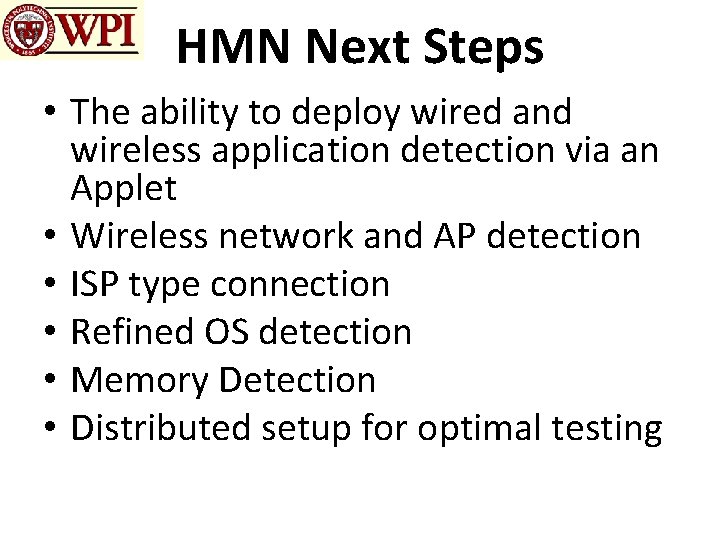
HMN Next Steps • The ability to deploy wired and wireless application detection via an Applet • Wireless network and AP detection • ISP type connection • Refined OS detection • Memory Detection • Distributed setup for optimal testing
How’s My Network (HMN)? A Java approach to Home Network Measurement Alan Ritacco, Craig Wills, and Mark Claypool Computer Science Department Worcester Polytechnic Institute Worcester, MA 01609, USA