
How transactions work A transaction groups a set
- Slides: 32
How transactions work • A transaction groups a set of Transact-SQL statements so that they are treated as a unit. • Either all statements in the group are executed or no statements are executed. • Server automatically manages all data modification commands, including single-step change requests, as transactions. • By default, each insert, update, and delete statement is considered a single transaction.
How transactions work • You can use the following commands to create transactions: • begin transaction – marks the beginning of the transaction block. The syntax is: begin {transaction | tran} [transaction_name] transaction_name is the name assigned to the transaction. It must conform to the rules for identifiers. Use transaction names only on the outermost pair of nested begin/commit or begin/rollback statements.
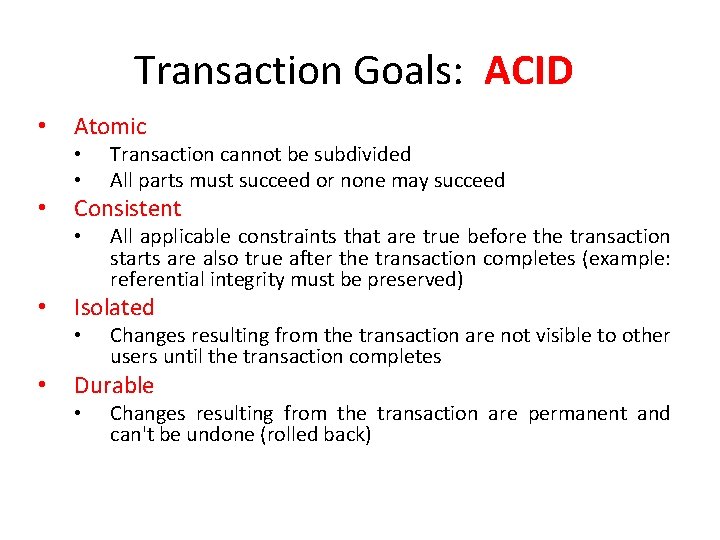
Transaction Goals: ACID • Atomic • • • Consistent • • All applicable constraints that are true before the transaction starts are also true after the transaction completes (example: referential integrity must be preserved) Isolated • • Transaction cannot be subdivided All parts must succeed or none may succeed Changes resulting from the transaction are not visible to other users until the transaction completes Durable • Changes resulting from the transaction are permanent and can't be undone (rolled back)
Transaction Processing Issues • Problems arise when multiple users attempt to read from and write to the same records simultaneously • Problems: • Lost updates • Dirty reads • Nonrepeatable reads • Phantom reads
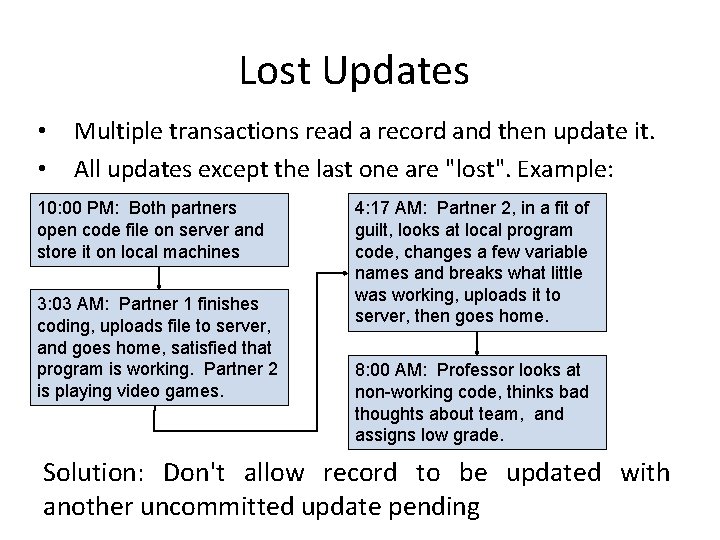
Lost Updates • • Multiple transactions read a record and then update it. All updates except the last one are "lost". Example: 10: 00 PM: Both partners open code file on server and store it on local machines 3: 03 AM: Partner 1 finishes coding, uploads file to server, and goes home, satisfied that program is working. Partner 2 is playing video games. 4: 17 AM: Partner 2, in a fit of guilt, looks at local program code, changes a few variable names and breaks what little was working, uploads it to server, then goes home. 8: 00 AM: Professor looks at non-working code, thinks bad thoughts about team, and assigns low grade. Solution: Don't allow record to be updated with another uncommitted update pending
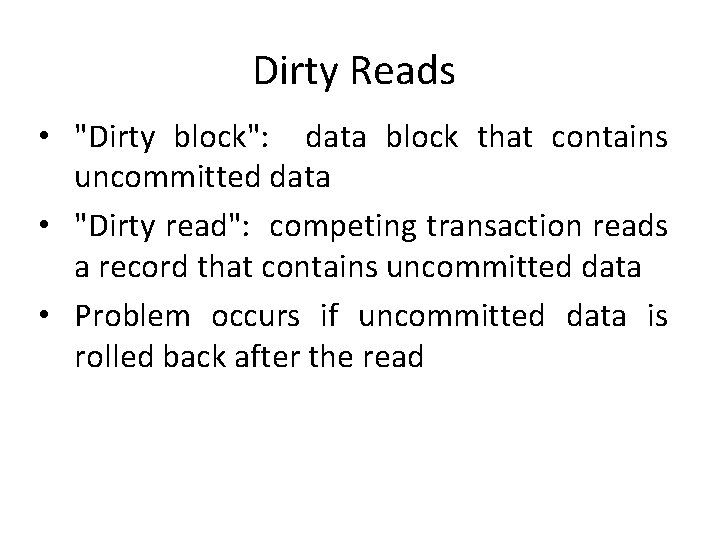
Dirty Reads • "Dirty block": data block that contains uncommitted data • "Dirty read": competing transaction reads a record that contains uncommitted data • Problem occurs if uncommitted data is rolled back after the read
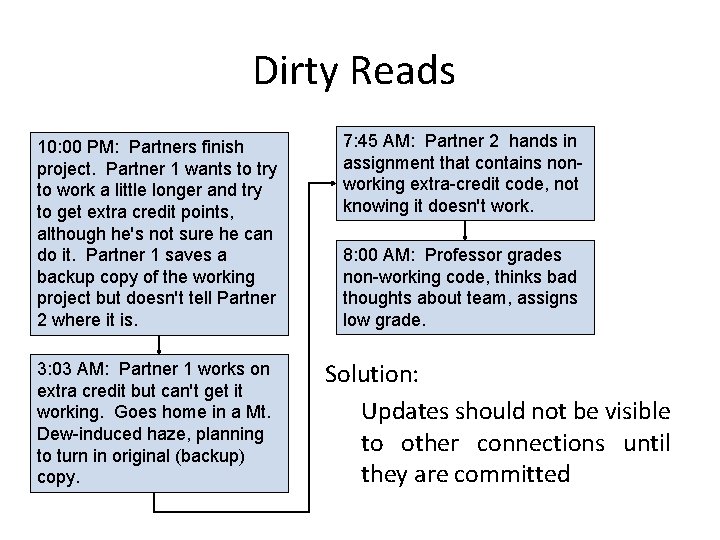
Dirty Reads 10: 00 PM: Partners finish project. Partner 1 wants to try to work a little longer and try to get extra credit points, although he's not sure he can do it. Partner 1 saves a backup copy of the working project but doesn't tell Partner 2 where it is. 3: 03 AM: Partner 1 works on extra credit but can't get it working. Goes home in a Mt. Dew-induced haze, planning to turn in original (backup) copy. 7: 45 AM: Partner 2 hands in assignment that contains nonworking extra-credit code, not knowing it doesn't work. 8: 00 AM: Professor grades non-working code, thinks bad thoughts about team, assigns low grade. Solution: Updates should not be visible to other connections until they are committed
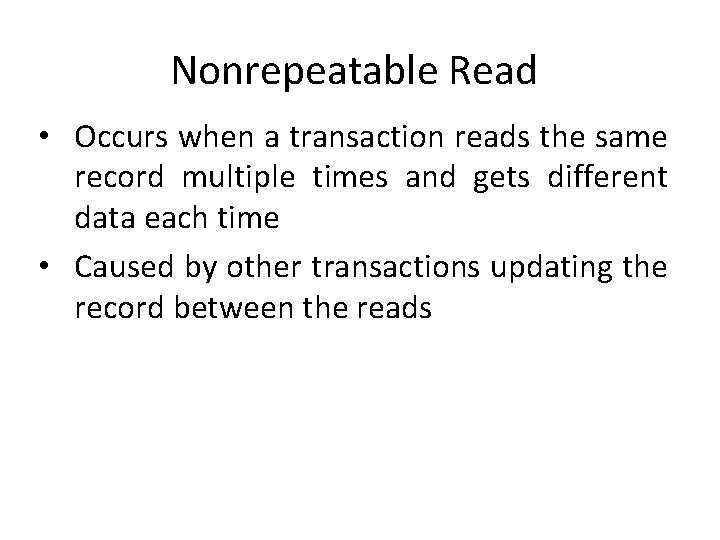
Nonrepeatable Read • Occurs when a transaction reads the same record multiple times and gets different data each time • Caused by other transactions updating the record between the reads
Phantom Reads • Occurs when a query in a transaction reads a group of records multiple times and sees different records • Caused by other transactions simultaneously inserting, updating, or deleting records so they now satisfy the query search condition.
Auto Commit Transactions • By default, each Transact-SQL command is its own transaction. These are known as automatic (or autocommit) transactions. • They are begun and committed by the server automatically. • You can think of an automatic transaction as a Transact-SQL statement that's ensconced between a BEGIN TRAN and a COMMIT TRAN. If the statement succeeds, it's committed. If not, it's rolled back.
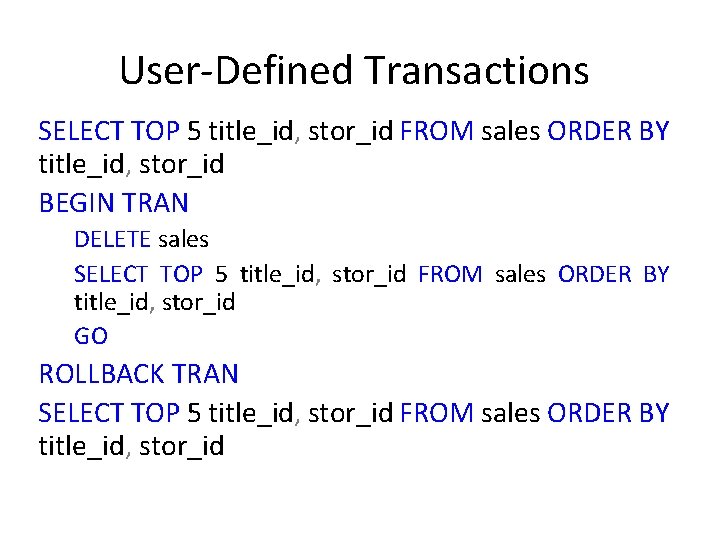
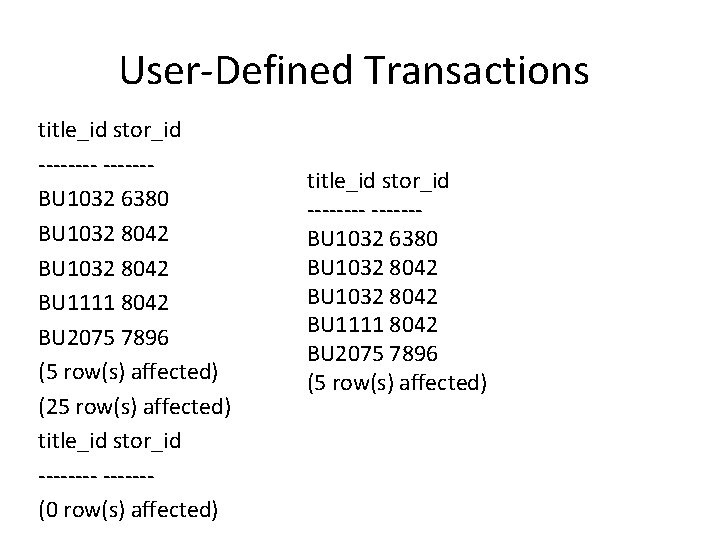
User-Defined Transactions • User-defined transactions are the chief means of managing transactions in SQL Server applications. • A userdefined transaction is user-defined in that you control when it begins and when it ends. The BEGIN TRAN, COMMIT TRAN, and ROLLBACK TRAN commands are used to control user-defined transactions. • Here's an example:
User-Defined Transactions SELECT TOP 5 title_id, stor_id FROM sales ORDER BY title_id, stor_id BEGIN TRAN DELETE sales SELECT TOP 5 title_id, stor_id FROM sales ORDER BY title_id, stor_id GO ROLLBACK TRAN SELECT TOP 5 title_id, stor_id FROM sales ORDER BY title_id, stor_id
User-Defined Transactions title_id stor_id ------BU 1032 6380 BU 1032 8042 BU 1111 8042 BU 2075 7896 (5 row(s) affected) (25 row(s) affected) title_id stor_id ------(0 row(s) affected) title_id stor_id ------BU 1032 6380 BU 1032 8042 BU 1111 8042 BU 2075 7896 (5 row(s) affected)
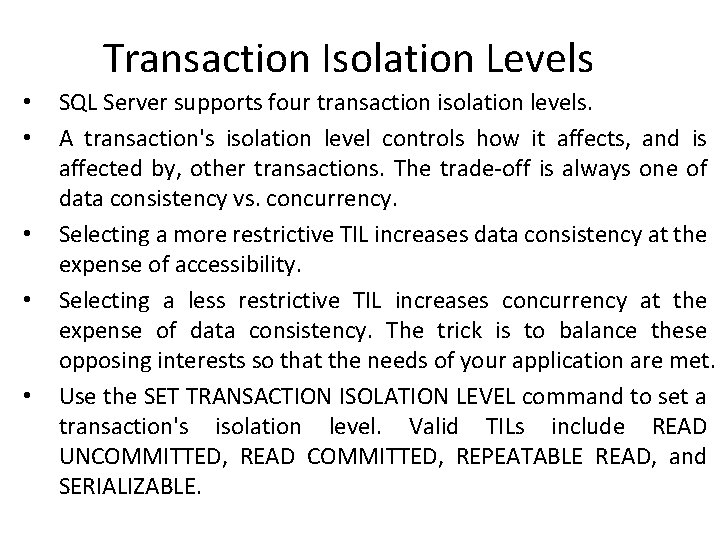
Transaction Isolation Levels • • • SQL Server supports four transaction isolation levels. A transaction's isolation level controls how it affects, and is affected by, other transactions. The trade-off is always one of data consistency vs. concurrency. Selecting a more restrictive TIL increases data consistency at the expense of accessibility. Selecting a less restrictive TIL increases concurrency at the expense of data consistency. The trick is to balance these opposing interests so that the needs of your application are met. Use the SET TRANSACTION ISOLATION LEVEL command to set a transaction's isolation level. Valid TILs include READ UNCOMMITTED, READ COMMITTED, REPEATABLE READ, and SERIALIZABLE.
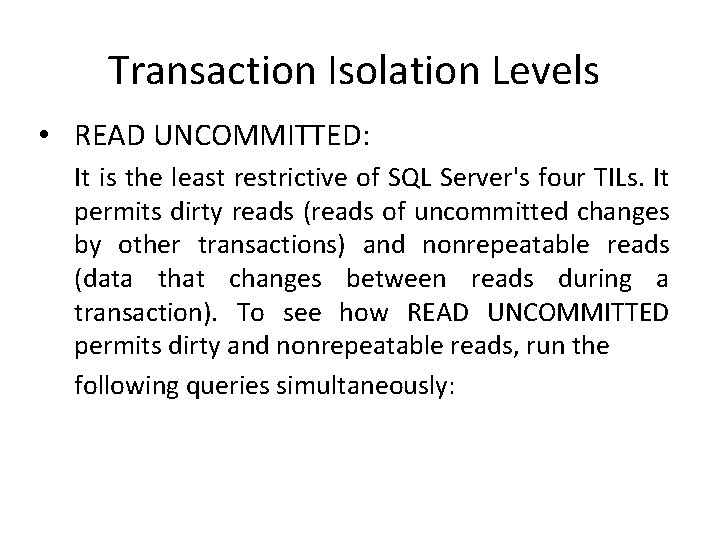
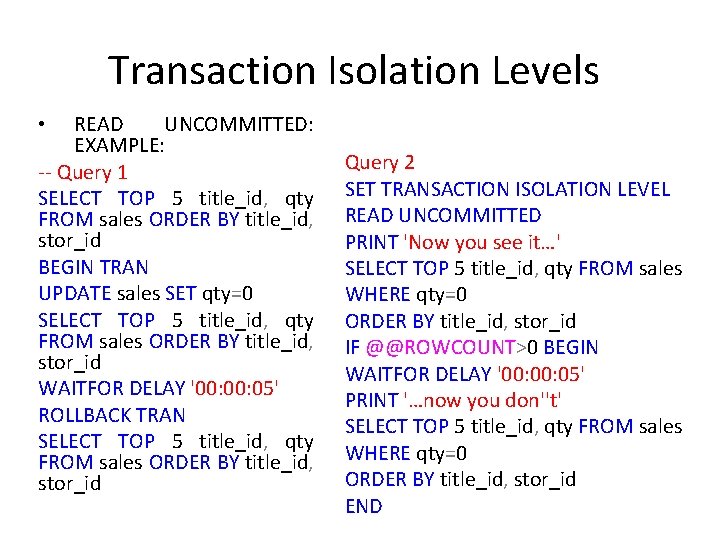
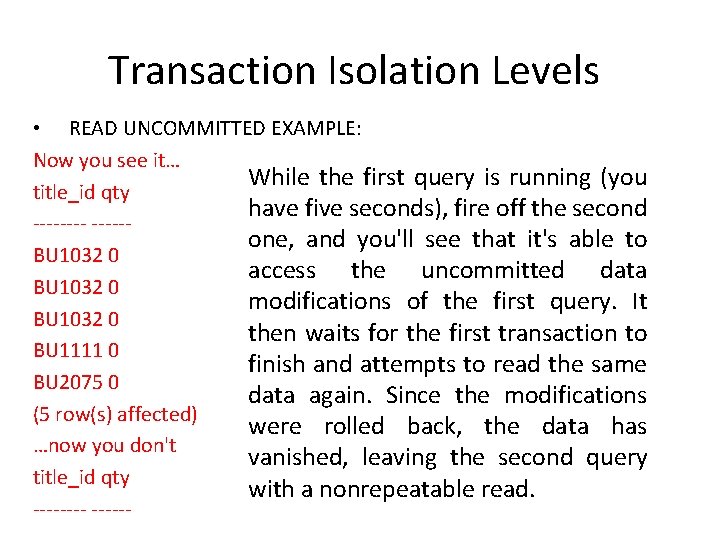
Transaction Isolation Levels • READ UNCOMMITTED: It is the least restrictive of SQL Server's four TILs. It permits dirty reads (reads of uncommitted changes by other transactions) and nonrepeatable reads (data that changes between reads during a transaction). To see how READ UNCOMMITTED permits dirty and nonrepeatable reads, run the following queries simultaneously:
Transaction Isolation Levels READ UNCOMMITTED: EXAMPLE: -- Query 1 SELECT TOP 5 title_id, qty FROM sales ORDER BY title_id, stor_id BEGIN TRAN UPDATE sales SET qty=0 SELECT TOP 5 title_id, qty FROM sales ORDER BY title_id, stor_id WAITFOR DELAY '00: 05' ROLLBACK TRAN SELECT TOP 5 title_id, qty FROM sales ORDER BY title_id, stor_id • Query 2 SET TRANSACTION ISOLATION LEVEL READ UNCOMMITTED PRINT 'Now you see it…' SELECT TOP 5 title_id, qty FROM sales WHERE qty=0 ORDER BY title_id, stor_id IF @@ROWCOUNT>0 BEGIN WAITFOR DELAY '00: 05' PRINT '…now you don''t' SELECT TOP 5 title_id, qty FROM sales WHERE qty=0 ORDER BY title_id, stor_id END
Transaction Isolation Levels • READ UNCOMMITTED EXAMPLE: Now you see it… While the first query is running (you title_id qty have five seconds), fire off the second -----one, and you'll see that it's able to BU 1032 0 access the uncommitted data BU 1032 0 modifications of the first query. It BU 1032 0 then waits for the first transaction to BU 1111 0 finish and attempts to read the same BU 2075 0 data again. Since the modifications (5 row(s) affected) were rolled back, the data has …now you don't vanished, leaving the second query title_id qty with a nonrepeatable read. ------
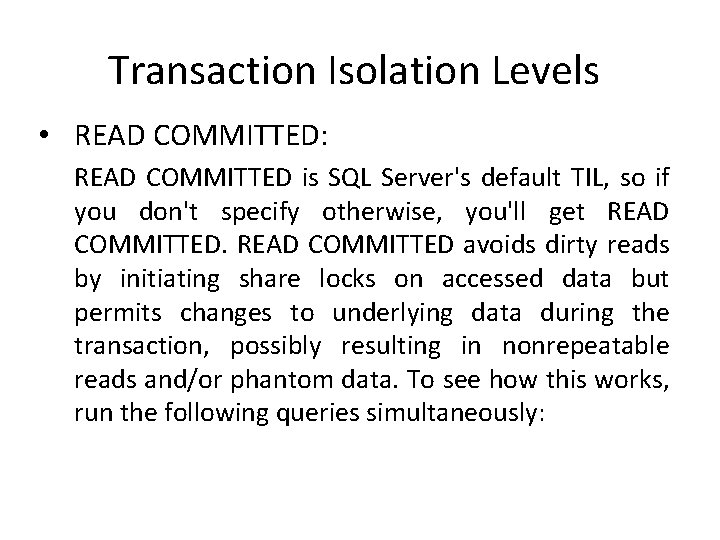
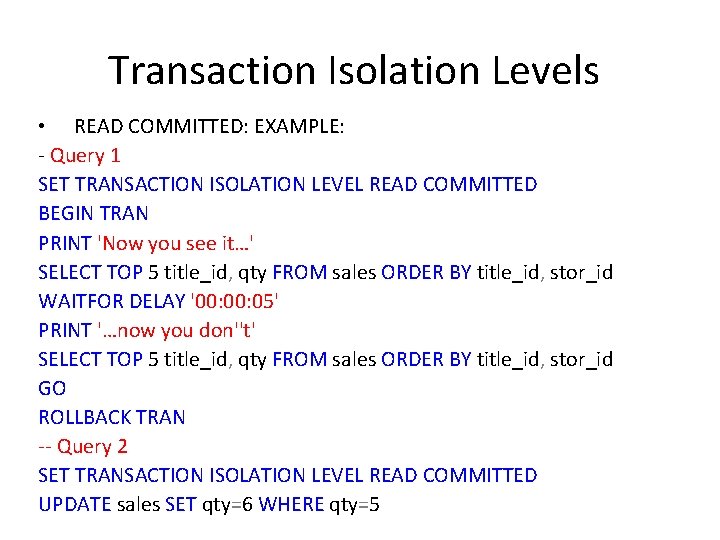
Transaction Isolation Levels • READ COMMITTED: READ COMMITTED is SQL Server's default TIL, so if you don't specify otherwise, you'll get READ COMMITTED avoids dirty reads by initiating share locks on accessed data but permits changes to underlying data during the transaction, possibly resulting in nonrepeatable reads and/or phantom data. To see how this works, run the following queries simultaneously:
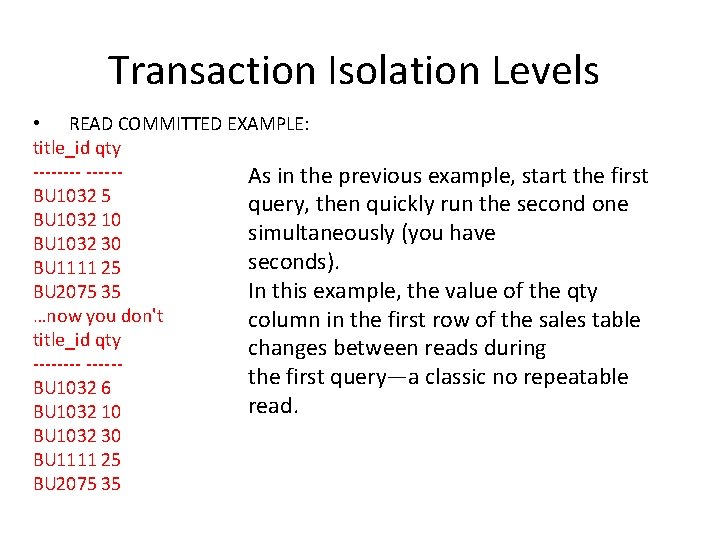
Transaction Isolation Levels • READ COMMITTED: EXAMPLE: - Query 1 SET TRANSACTION ISOLATION LEVEL READ COMMITTED BEGIN TRAN PRINT 'Now you see it…' SELECT TOP 5 title_id, qty FROM sales ORDER BY title_id, stor_id WAITFOR DELAY '00: 05' PRINT '…now you don''t' SELECT TOP 5 title_id, qty FROM sales ORDER BY title_id, stor_id GO ROLLBACK TRAN -- Query 2 SET TRANSACTION ISOLATION LEVEL READ COMMITTED UPDATE sales SET qty=6 WHERE qty=5
Transaction Isolation Levels • READ COMMITTED EXAMPLE: title_id qty -----As in the previous example, start the first BU 1032 5 query, then quickly run the second one BU 1032 10 simultaneously (you have BU 1032 30 seconds). BU 1111 25 BU 2075 35 In this example, the value of the qty …now you don't column in the first row of the sales table title_id qty changes between reads during -----the first query—a classic no repeatable BU 1032 6 read. BU 1032 10 BU 1032 30 BU 1111 25 BU 2075 35
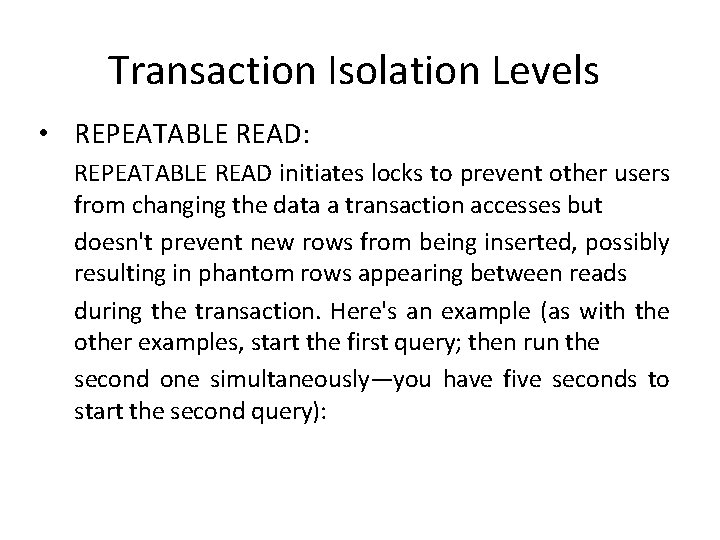
Transaction Isolation Levels • REPEATABLE READ: REPEATABLE READ initiates locks to prevent other users from changing the data a transaction accesses but doesn't prevent new rows from being inserted, possibly resulting in phantom rows appearing between reads during the transaction. Here's an example (as with the other examples, start the first query; then run the second one simultaneously—you have five seconds to start the second query):
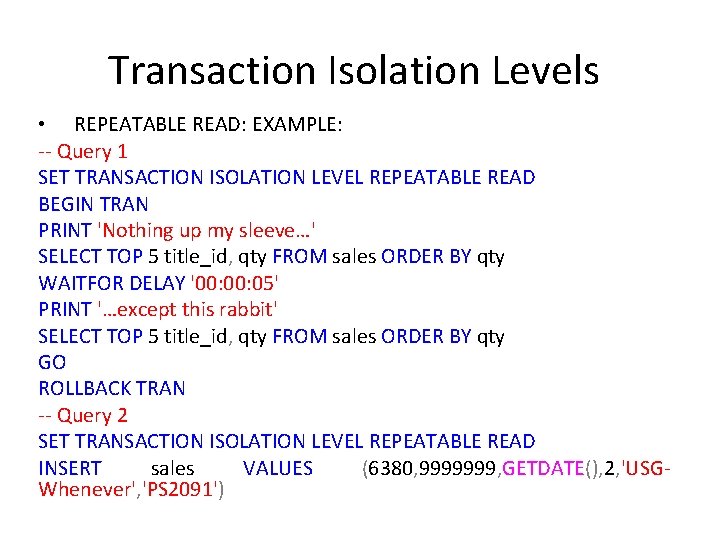
Transaction Isolation Levels • REPEATABLE READ: EXAMPLE: -- Query 1 SET TRANSACTION ISOLATION LEVEL REPEATABLE READ BEGIN TRAN PRINT 'Nothing up my sleeve…' SELECT TOP 5 title_id, qty FROM sales ORDER BY qty WAITFOR DELAY '00: 05' PRINT '…except this rabbit' SELECT TOP 5 title_id, qty FROM sales ORDER BY qty GO ROLLBACK TRAN -- Query 2 SET TRANSACTION ISOLATION LEVEL REPEATABLE READ INSERT sales VALUES (6380, 9999999, GETDATE(), 2, 'USGWhenever', 'PS 2091')
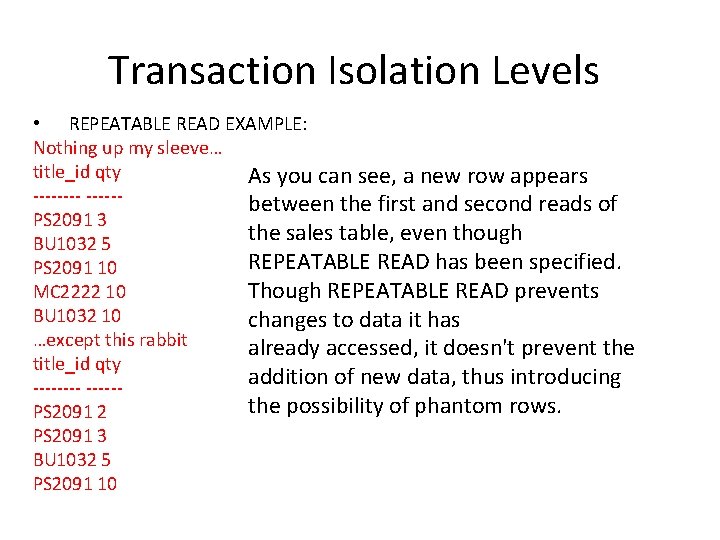
Transaction Isolation Levels • REPEATABLE READ EXAMPLE: Nothing up my sleeve… title_id qty As you can see, a new row appears -----between the first and second reads of PS 2091 3 the sales table, even though BU 1032 5 REPEATABLE READ has been specified. PS 2091 10 MC 2222 10 Though REPEATABLE READ prevents BU 1032 10 changes to data it has …except this rabbit already accessed, it doesn't prevent the title_id qty addition of new data, thus introducing -----the possibility of phantom rows. PS 2091 2 PS 2091 3 BU 1032 5 PS 2091 10
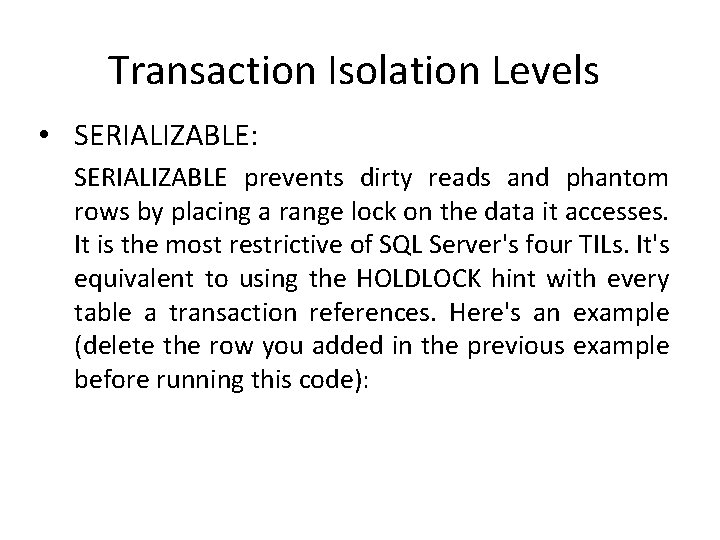
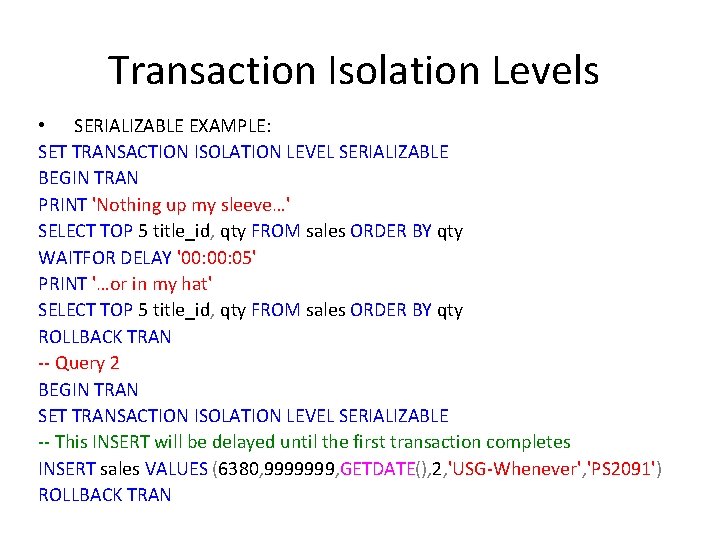
Transaction Isolation Levels • SERIALIZABLE: SERIALIZABLE prevents dirty reads and phantom rows by placing a range lock on the data it accesses. It is the most restrictive of SQL Server's four TILs. It's equivalent to using the HOLDLOCK hint with every table a transaction references. Here's an example (delete the row you added in the previous example before running this code):
Transaction Isolation Levels • SERIALIZABLE EXAMPLE: SET TRANSACTION ISOLATION LEVEL SERIALIZABLE BEGIN TRAN PRINT 'Nothing up my sleeve…' SELECT TOP 5 title_id, qty FROM sales ORDER BY qty WAITFOR DELAY '00: 05' PRINT '…or in my hat' SELECT TOP 5 title_id, qty FROM sales ORDER BY qty ROLLBACK TRAN -- Query 2 BEGIN TRAN SET TRANSACTION ISOLATION LEVEL SERIALIZABLE -- This INSERT will be delayed until the first transaction completes INSERT sales VALUES (6380, 9999999, GETDATE(), 2, 'USG-Whenever', 'PS 2091') ROLLBACK TRAN
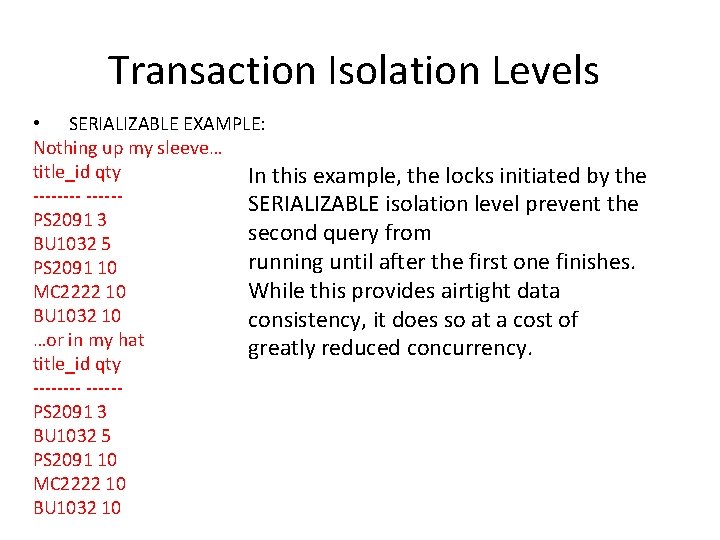
Transaction Isolation Levels • SERIALIZABLE EXAMPLE: Nothing up my sleeve… title_id qty In this example, the locks initiated by the -----SERIALIZABLE isolation level prevent the PS 2091 3 second query from BU 1032 5 running until after the first one finishes. PS 2091 10 MC 2222 10 While this provides airtight data BU 1032 10 consistency, it does so at a cost of …or in my hat greatly reduced concurrency. title_id qty -----PS 2091 3 BU 1032 5 PS 2091 10 MC 2222 10 BU 1032 10
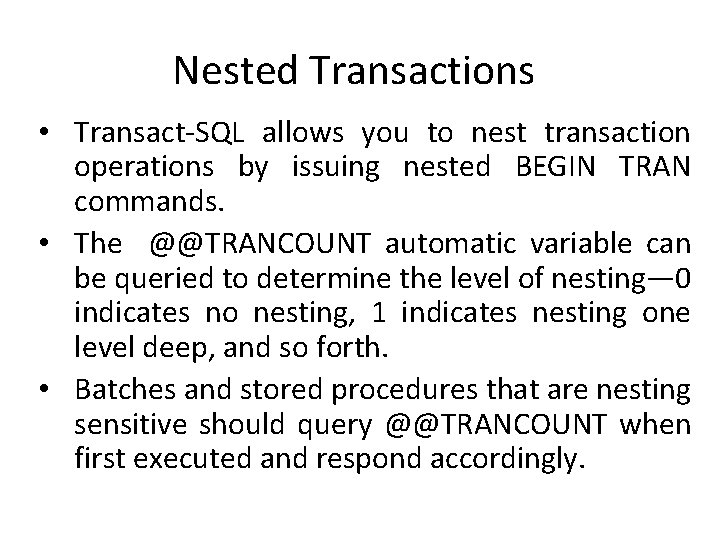
Nested Transactions • Transact-SQL allows you to nest transaction operations by issuing nested BEGIN TRAN commands. • The @@TRANCOUNT automatic variable can be queried to determine the level of nesting— 0 indicates no nesting, 1 indicates nesting one level deep, and so forth. • Batches and stored procedures that are nesting sensitive should query @@TRANCOUNT when first executed and respond accordingly.
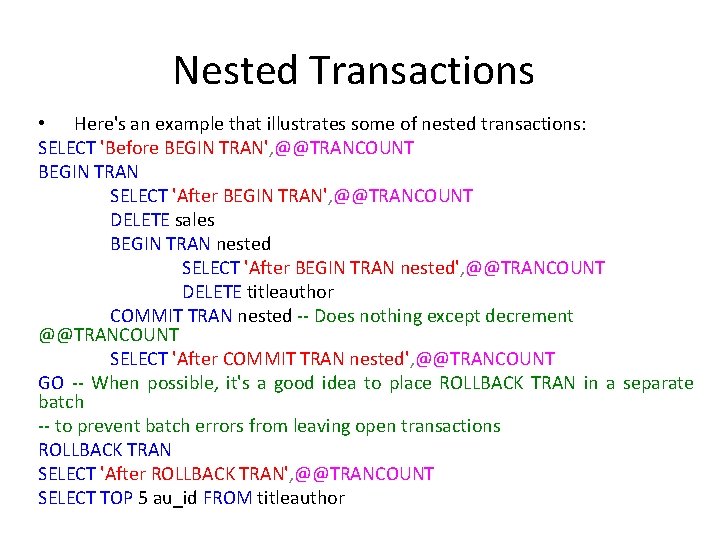
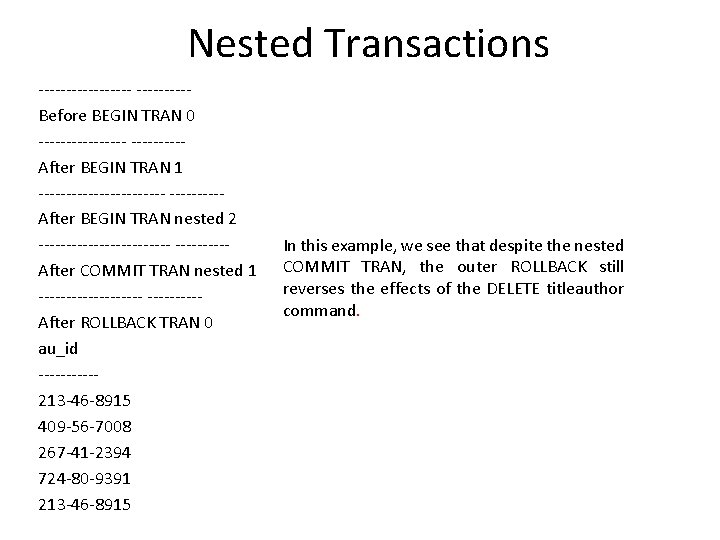
Nested Transactions • Here's an example that illustrates some of nested transactions: SELECT 'Before BEGIN TRAN', @@TRANCOUNT BEGIN TRAN SELECT 'After BEGIN TRAN', @@TRANCOUNT DELETE sales BEGIN TRAN nested SELECT 'After BEGIN TRAN nested', @@TRANCOUNT DELETE titleauthor COMMIT TRAN nested -- Does nothing except decrement @@TRANCOUNT SELECT 'After COMMIT TRAN nested', @@TRANCOUNT GO -- When possible, it's a good idea to place ROLLBACK TRAN in a separate batch -- to prevent batch errors from leaving open transactions ROLLBACK TRAN SELECT 'After ROLLBACK TRAN', @@TRANCOUNT SELECT TOP 5 au_id FROM titleauthor
Nested Transactions ---------Before BEGIN TRAN 0 --------After BEGIN TRAN 1 ------------After BEGIN TRAN nested 2 ------------After COMMIT TRAN nested 1 ----------After ROLLBACK TRAN 0 au_id -----213 -46 -8915 409 -56 -7008 267 -41 -2394 724 -80 -9391 213 -46 -8915 In this example, we see that despite the nested COMMIT TRAN, the outer ROLLBACK still reverses the effects of the DELETE titleauthor command.
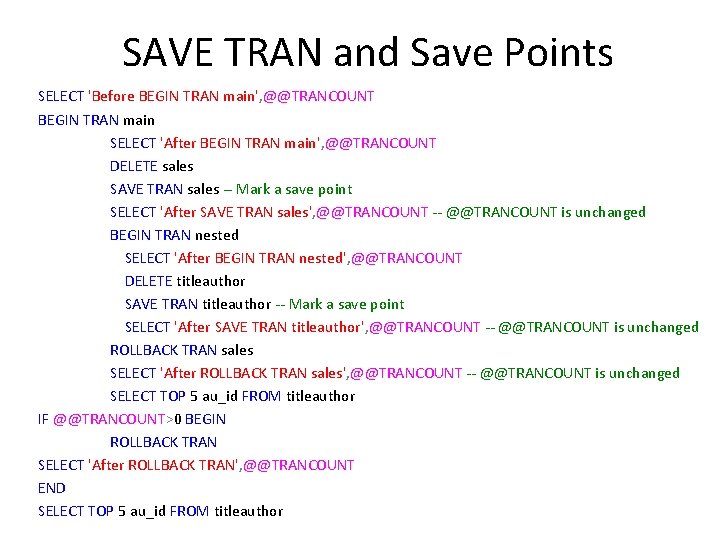
SAVE TRAN and Save Points • You can control how much work ROLLBACK reverses via the SAVE TRAN command. SAVE TRAN creates a save point to which you can roll back if you wish. Syntactically, you just pass the name of the save point to the ROLLBACK TRAN command. • Here's an example:
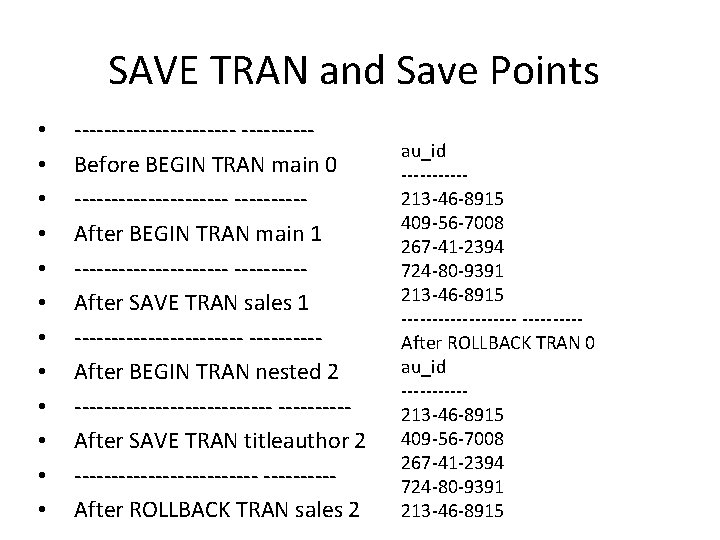
SAVE TRAN and Save Points SELECT 'Before BEGIN TRAN main', @@TRANCOUNT BEGIN TRAN main SELECT 'After BEGIN TRAN main', @@TRANCOUNT DELETE sales SAVE TRAN sales -- Mark a save point SELECT 'After SAVE TRAN sales', @@TRANCOUNT -- @@TRANCOUNT is unchanged BEGIN TRAN nested SELECT 'After BEGIN TRAN nested', @@TRANCOUNT DELETE titleauthor SAVE TRAN titleauthor -- Mark a save point SELECT 'After SAVE TRAN titleauthor', @@TRANCOUNT -- @@TRANCOUNT is unchanged ROLLBACK TRAN sales SELECT 'After ROLLBACK TRAN sales', @@TRANCOUNT -- @@TRANCOUNT is unchanged SELECT TOP 5 au_id FROM titleauthor IF @@TRANCOUNT>0 BEGIN ROLLBACK TRAN SELECT 'After ROLLBACK TRAN', @@TRANCOUNT END SELECT TOP 5 au_id FROM titleauthor
SAVE TRAN and Save Points • • • -----------Before BEGIN TRAN main 0 -----------After BEGIN TRAN main 1 -----------After SAVE TRAN sales 1 ------------After BEGIN TRAN nested 2 --------------After SAVE TRAN titleauthor 2 -------------After ROLLBACK TRAN sales 2 au_id -----213 -46 -8915 409 -56 -7008 267 -41 -2394 724 -80 -9391 213 -46 -8915 ----------After ROLLBACK TRAN 0 au_id -----213 -46 -8915 409 -56 -7008 267 -41 -2394 724 -80 -9391 213 -46 -8915