
How to wire Ethernet Cables Tools Required l
How to wire Ethernet Cables
Tools Required l CAT 5 Cable - bulk Category 5, cable l RJ 45 Ends l Crimper for RJ 45 l Wire Cutters - to cut and strip the cable if necessary l Cable Tester
What is an Ethernet cable? l Inside the cable, there are 8 color coded wires. l Wires are twisted into 4 pairs of wires, each pair has a common color theme. One wire in the pair being a solid or primarily solid colored wire and the other being a primarily white wire with a colored stripe.
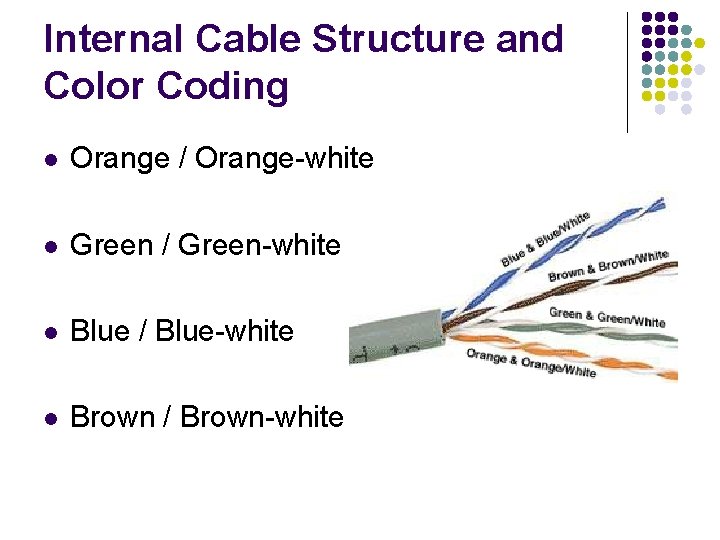
Internal Cable Structure and Color Coding l Orange / Orange-white l Green / Green-white l Blue / Blue-white l Brown / Brown-white

About the RJ 45 Ends: l The RJ 45 end is a 8 -position modular connector RJ 45 Jack and Plug Pinout
Ethernet Cable Pin outs: l A straight through cable Ø l used to connect to a hub or switch, and A cross over cable Ø used to operate in a peer-to-peer fashion without a hub/switch.
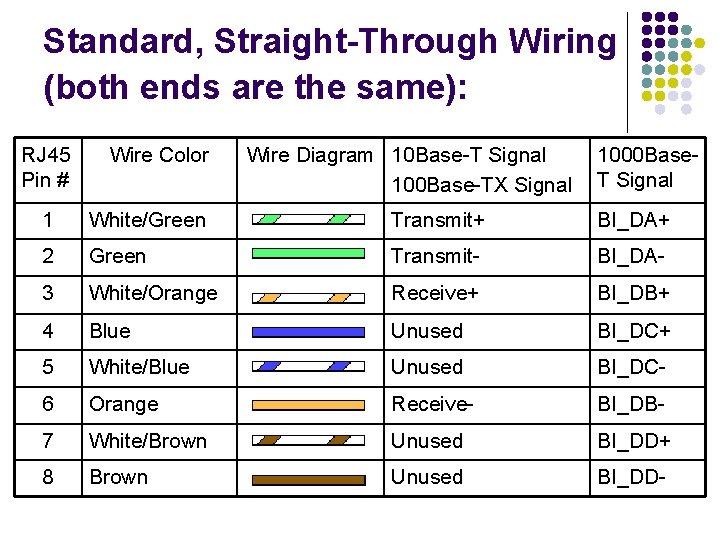
Standard, Straight-Through Wiring (both ends are the same): RJ 45 Pin # Wire Color Wire Diagram 10 Base-T Signal 100 Base-TX Signal 1000 Base. T Signal 1 White/Green Transmit+ BI_DA+ 2 Green Transmit- BI_DA- 3 White/Orange Receive+ BI_DB+ 4 Blue Unused BI_DC+ 5 White/Blue Unused BI_DC- 6 Orange Receive- BI_DB- 7 White/Brown Unused BI_DD+ 8 Brown Unused BI_DD-
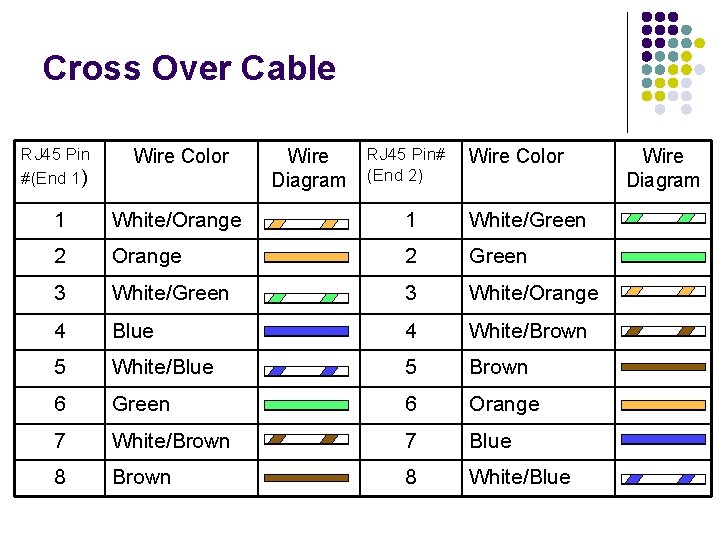
Cross Over Cable RJ 45 Pin #(End 1) Wire Color 1 White/Orange 1 White/Green 2 Orange 2 Green 3 White/Orange 4 Blue 4 White/Brown 5 White/Blue 5 Brown 6 Green 6 Orange 7 White/Brown 7 Blue 8 Brown 8 White/Blue Wire Diagram RJ 45 Pin# (End 2) Wire Color Wire Diagram
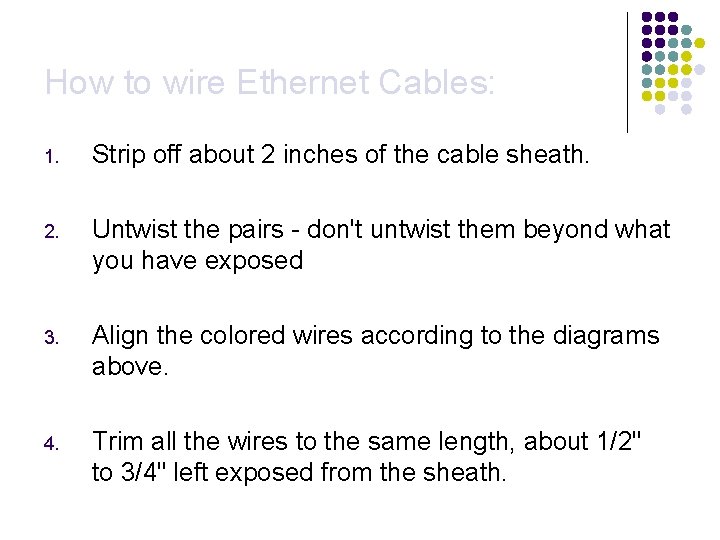
How to wire Ethernet Cables: 1. Strip off about 2 inches of the cable sheath. 2. Untwist the pairs - don't untwist them beyond what you have exposed 3. Align the colored wires according to the diagrams above. 4. Trim all the wires to the same length, about 1/2" to 3/4" left exposed from the sheath.
How to wire Ethernet Cables: 5. Insert the wires into the RJ 45 end - make sure each wire is fully inserted to the front of the RJ 45 end and in the correct order. 6. Verify the wires ended up the right order and that the wires extend to the front of the RJ 45 end and make good contact with the metal contacts in the RJ 45 end. 7. Crimp the RJ 45 end with the crimper tool
How to wire Ethernet Cables: 8. Cut the cable to length - make sure it is more than long enough for your needs 9. Repeat the above steps for the second RJ 45 end. 10. Use a cable tester to verify the proper connectivity of the cable.

~ END ~
- Slides: 12