
How to Use this Document This document includes
- Slides: 9
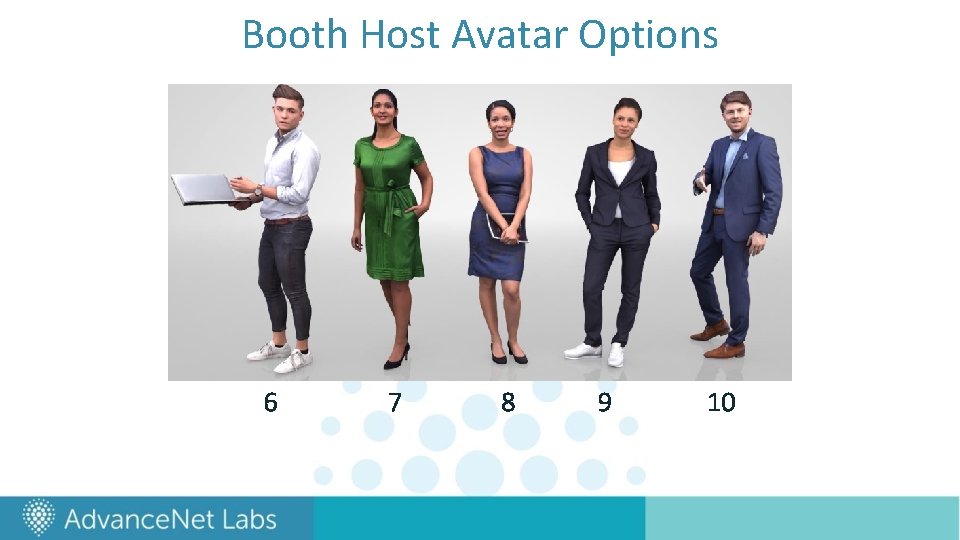
How to Use this Document This document includes all the information you need to set up your virtual booth! Here are some details about the slides that follow: • Slides 2 -5 are specific to Premier booths and include a sample booth/page and template slides for you to fill in • Slides 6 -7 are specific to Standard booths and include a sample booth and template slide for you to fill in • Slides 8 -9 include a set of avatars to choose from that will “host” your booth
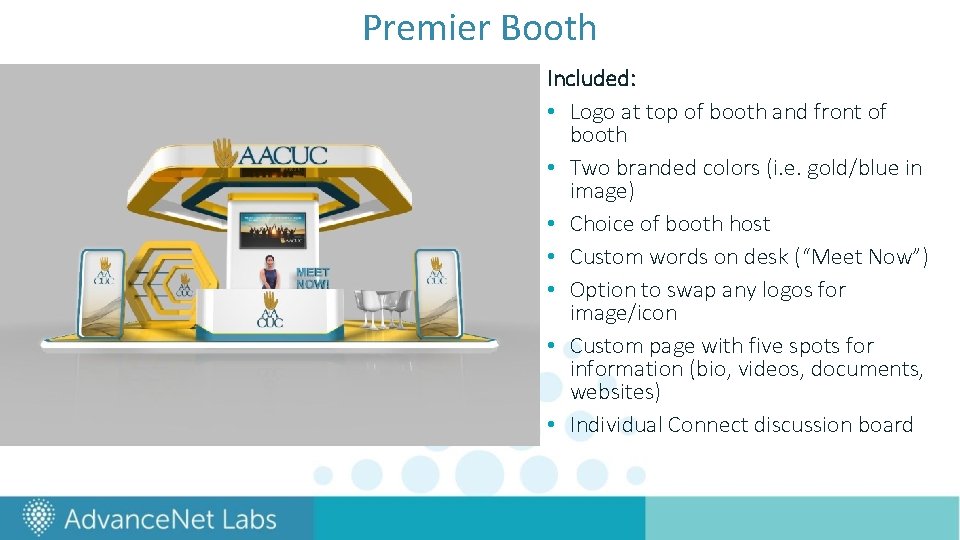
Premier Booth Included: • Logo at top of booth and front of booth • Two branded colors (i. e. gold/blue in image) • Choice of booth host • Custom words on desk (“Meet Now”) • Option to swap any logos for image/icon • Custom page with five spots for information (bio, videos, documents, websites) • Individual Connect discussion board
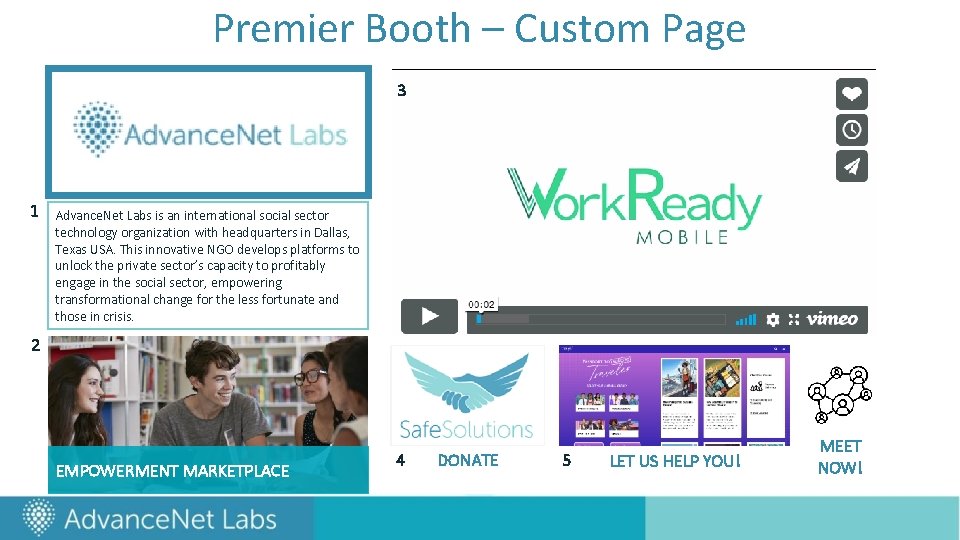
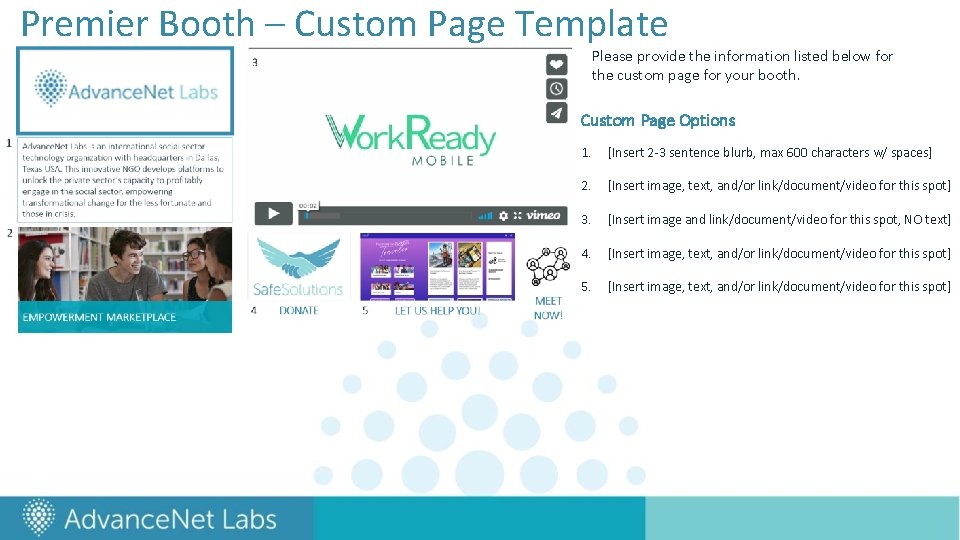
Premier Booth – Custom Page 3 1 Advance. Net Labs is an international social sector technology organization with headquarters in Dallas, Texas USA. This innovative NGO develops platforms to unlock the private sector’s capacity to profitably engage in the social sector, empowering transformational change for the less fortunate and those in crisis. 2 EMPOWERMENT MARKETPLACE 4 DONATE 5 LET US HELP YOU! MEET NOW!
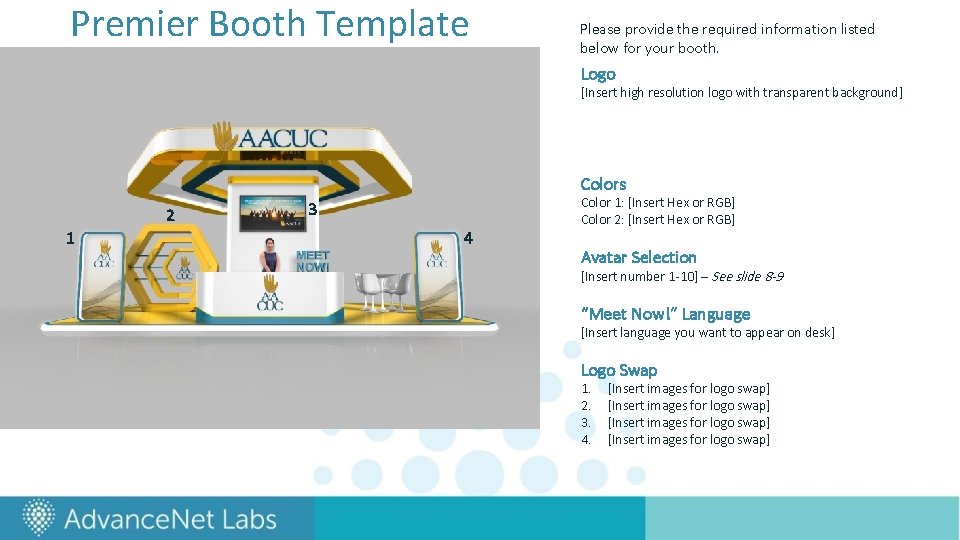
Premier Booth Template Please provide the required information listed below for your booth. Logo [Insert high resolution logo with transparent background] Colors 2 1 3 4 Color 1: [Insert Hex or RGB] Color 2: [Insert Hex or RGB] Avatar Selection [Insert number 1 -10] – See slide 8 -9 “Meet Now!” Language [Insert language you want to appear on desk] Logo Swap 1. 2. 3. 4. [Insert images for logo swap]
Premier Booth – Custom Page Template Please provide the information listed below for the custom page for your booth. Custom Page Options 1. [Insert 2 -3 sentence blurb, max 600 characters w/ spaces] 2. [Insert image, text, and/or link/document/video for this spot] 3. [Insert image and link/document/video for this spot, NO text] 4. [Insert image, text, and/or link/document/video for this spot] 5. [Insert image, text, and/or link/document/video for this spot]
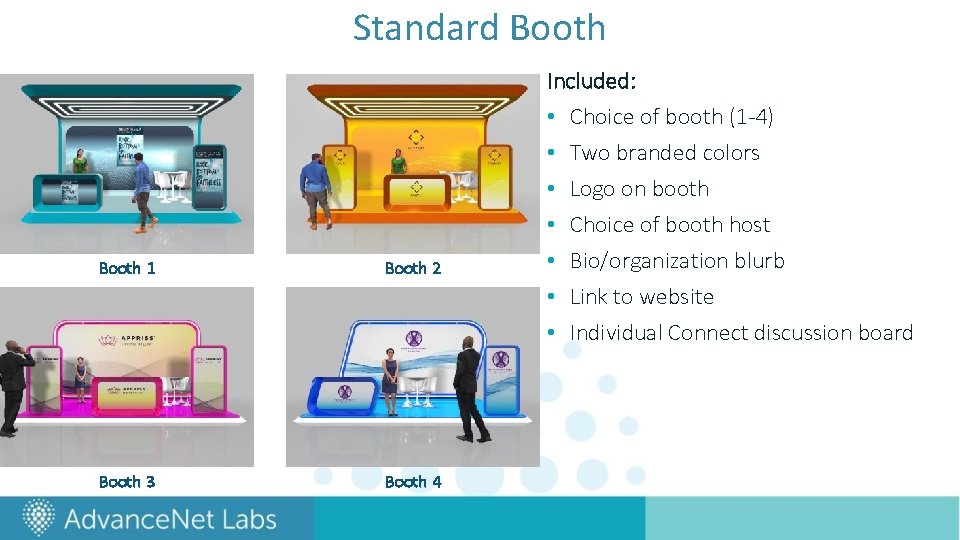
Standard Booth 1 Booth 2 Booth 3 Booth 4 Included: • Choice of booth (1 -4) • Two branded colors • Logo on booth • Choice of booth host • Bio/organization blurb • Link to website • Individual Connect discussion board
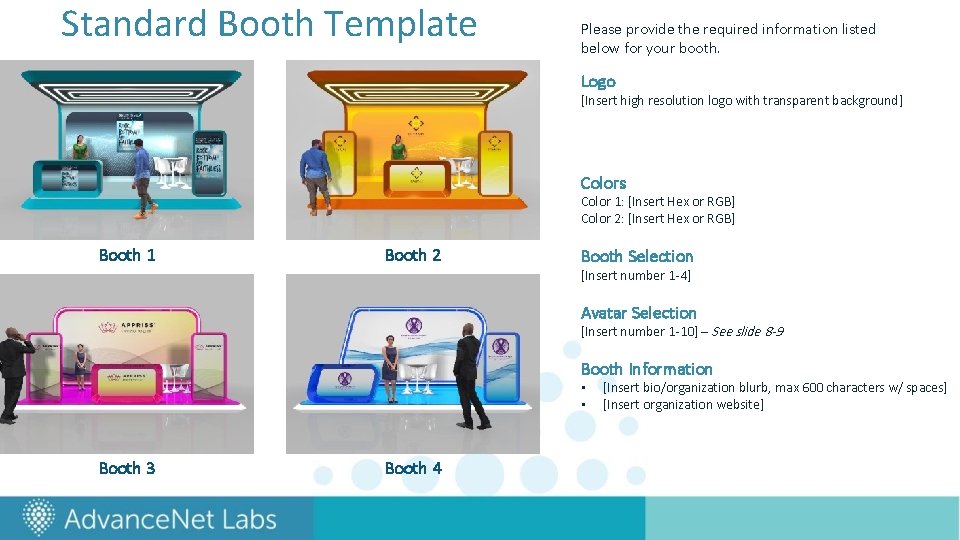
Standard Booth Template Please provide the required information listed below for your booth. Logo [Insert high resolution logo with transparent background] Colors Color 1: [Insert Hex or RGB] Color 2: [Insert Hex or RGB] Booth 1 Booth 2 Booth Selection [Insert number 1 -4] Avatar Selection [Insert number 1 -10] – See slide 8 -9 Booth Information • • Booth 3 Booth 4 [Insert bio/organization blurb, max 600 characters w/ spaces] [Insert organization website]
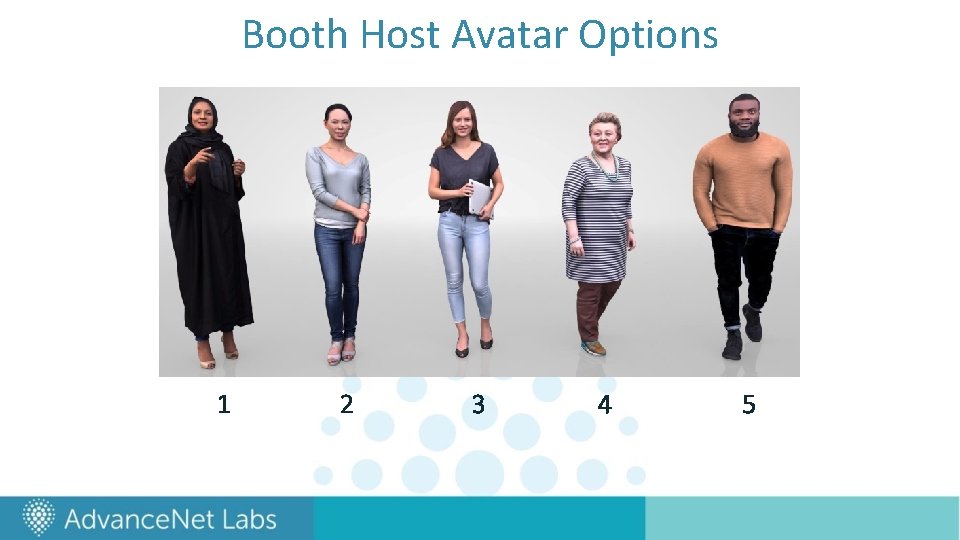
Booth Host Avatar Options 1 2 3 4 5
Booth Host Avatar Options 6 7 8 9 10