
How to use JSTOR A Resource Introduction Sarah

- Slides: 9
How to use JSTOR: A Resource Introduction Sarah Clemons LIS 620
What is JSTOR? JSTOR is an online database that contains scholarly content for a wide variety of subject areas, with a focus on the social sciences and humanities. JSTOR is a helpful resource for those hoping to find sources for historical research, or in our case, finding information about Raleigh’s history.
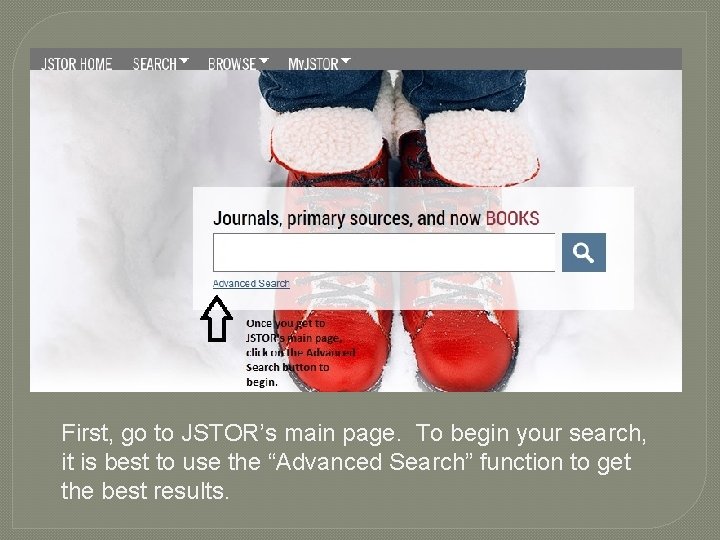
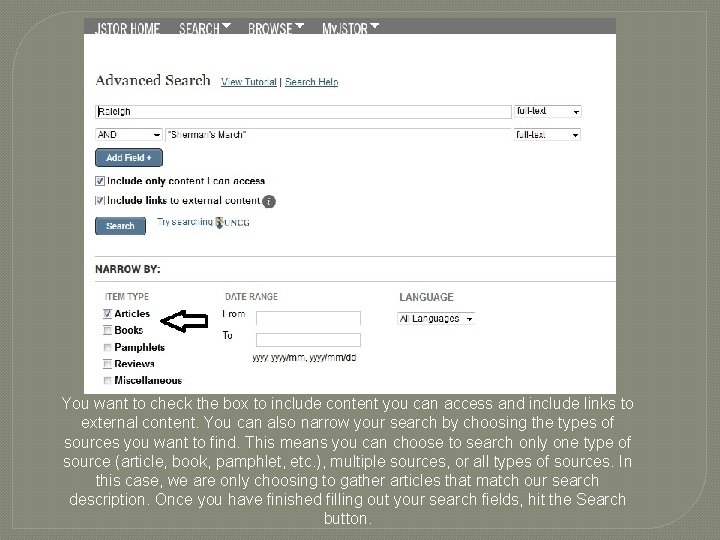
First, go to JSTOR’s main page. To begin your search, it is best to use the “Advanced Search” function to get the best results.
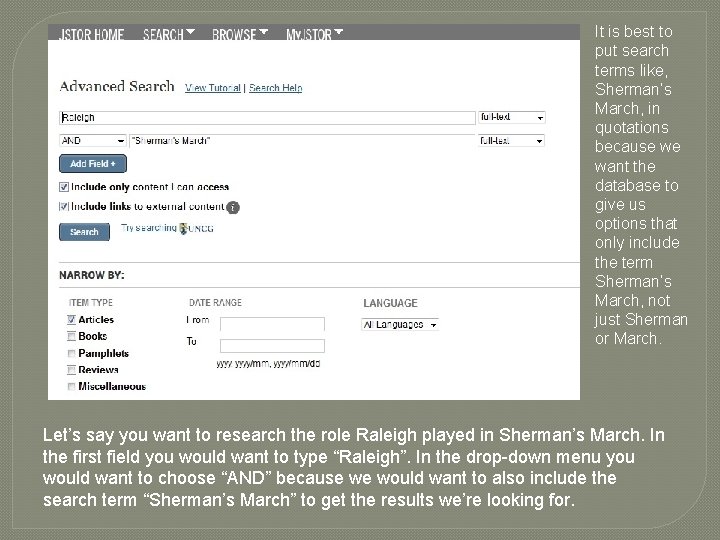
It is best to put search terms like, Sherman’s March, in quotations because we want the database to give us options that only include the term Sherman’s March, not just Sherman or March. Let’s say you want to research the role Raleigh played in Sherman’s March. In the first field you would want to type “Raleigh”. In the drop-down menu you would want to choose “AND” because we would want to also include the search term “Sherman’s March” to get the results we’re looking for.
You want to check the box to include content you can access and include links to external content. You can also narrow your search by choosing the types of sources you want to find. This means you can choose to search only one type of source (article, book, pamphlet, etc. ), multiple sources, or all types of sources. In this case, we are only choosing to gather articles that match our search description. Once you have finished filling out your search fields, hit the Search button.
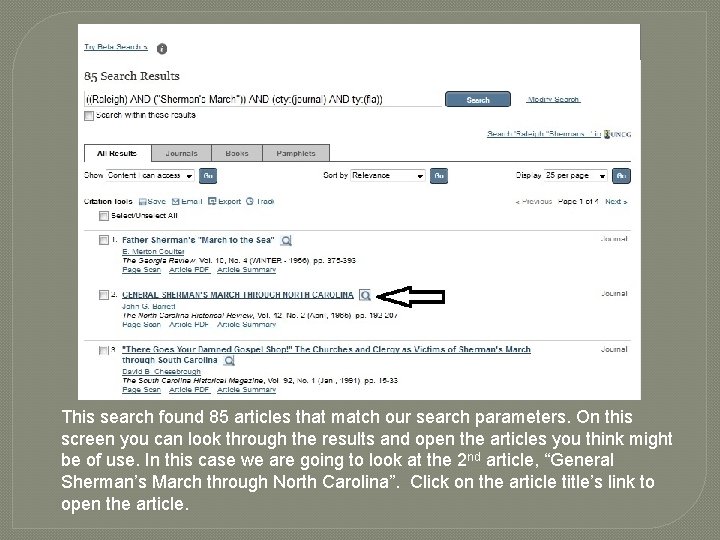
This search found 85 articles that match our search parameters. On this screen you can look through the results and open the articles you think might be of use. In this case we are going to look at the 2 nd article, “General Sherman’s March through North Carolina”. Click on the article title’s link to open the article.
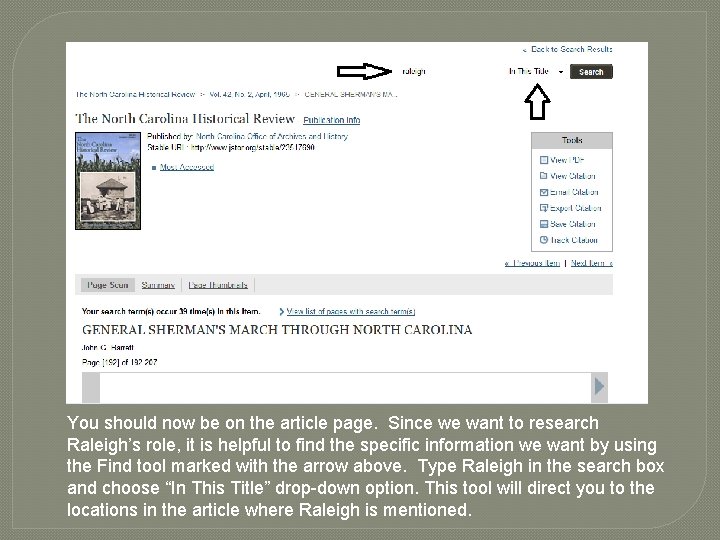
You should now be on the article page. Since we want to research Raleigh’s role, it is helpful to find the specific information we want by using the Find tool marked with the arrow above. Type Raleigh in the search box and choose “In This Title” drop-down option. This tool will direct you to the locations in the article where Raleigh is mentioned.
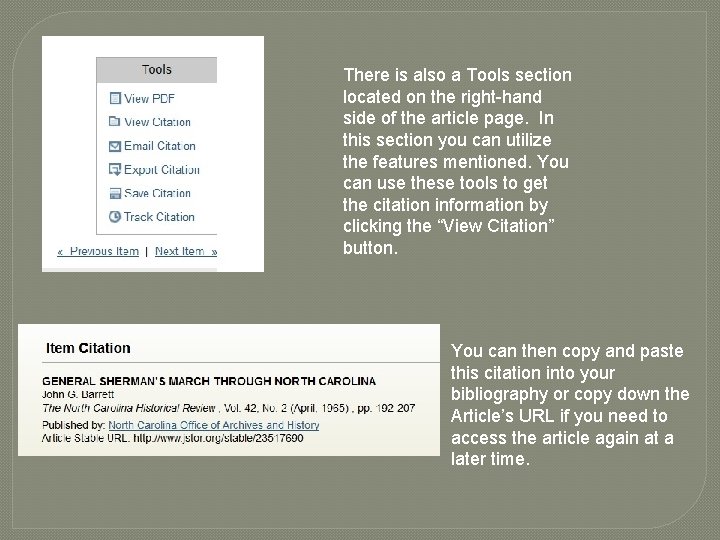
There is also a Tools section located on the right-hand side of the article page. In this section you can utilize the features mentioned. You can use these tools to get the citation information by clicking the “View Citation” button. You can then copy and paste this citation into your bibliography or copy down the Article’s URL if you need to access the article again at a later time.
Happy Searching!