
HOW TO USE HISD CONNECT To Make a

- Slides: 8
HOW TO USE HISD CONNECT To Make a Decision on Returning to School
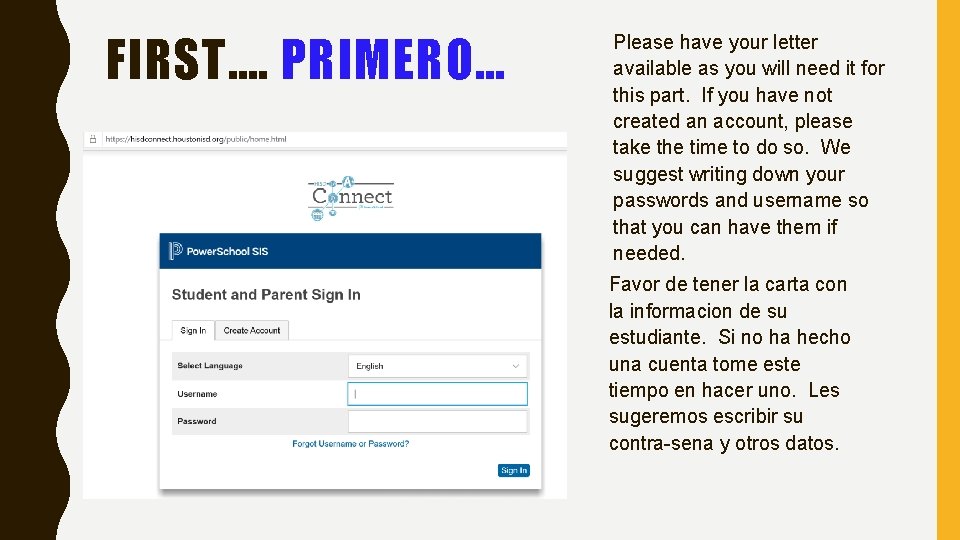
FIRST…. PRIMERO… • Enter what you learned here Please have your letter available as you will need it for this part. If you have not created an account, please take the time to do so. We suggest writing down your passwords and username so that you can have them if needed. Favor de tener la carta con la informacion de su estudiante. Si no ha hecho una cuenta tome este tiempo en hacer uno. Les sugeremos escribir su contra-sena y otros datos.
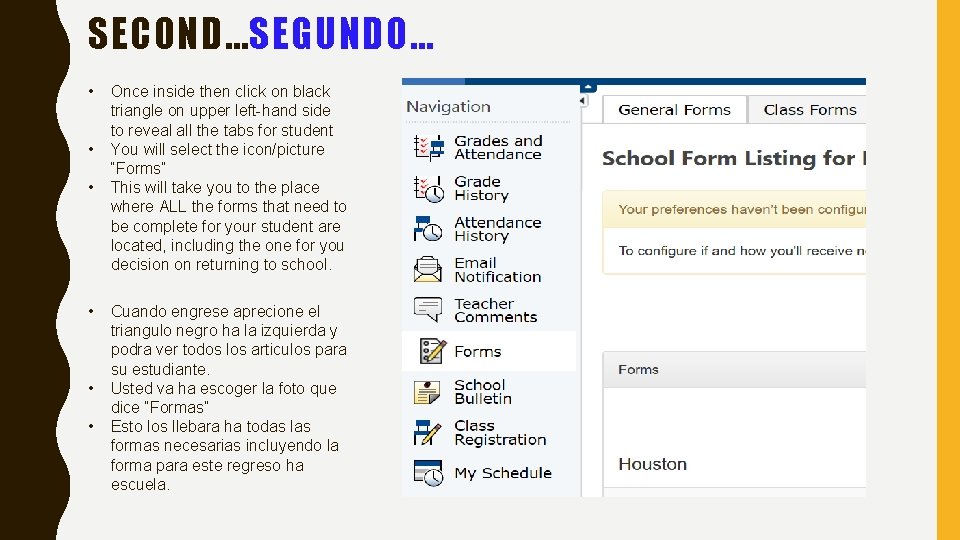
SECOND…SEGUNDO… • • • Once inside then click on black triangle on upper left-hand side to reveal all the tabs for student You will select the icon/picture “Forms” This will take you to the place where ALL the forms that need to be complete for your student are located, including the one for you decision on returning to school. Cuando engrese aprecione el triangulo negro ha la izquierda y podra ver todos los articulos para su estudiante. Usted va ha escoger la foto que dice “Formas” Esto los llebara ha todas las formas necesarias incluyendo la forma para este regreso ha escuela.
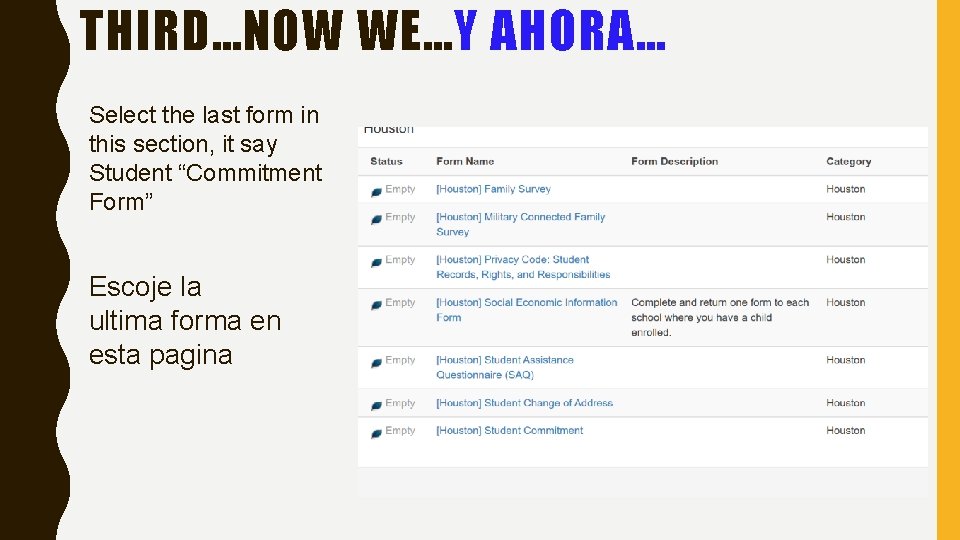
THIRD…NOW WE…Y AHORA… Select the last form in this section, it say Student “Commitment Form” Escoje la ultima forma en esta pagina
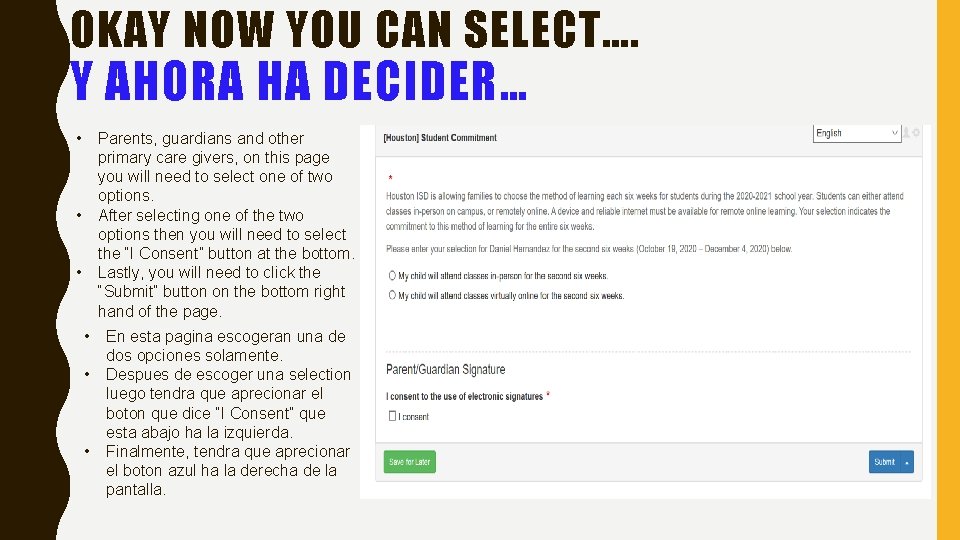
OKAY NOW YOU CAN SELECT…. Y AHORA HA DECIDER… • Parents, guardians and other primary care givers, on this page you will need to select one of two options. After selecting one of the two options then you will need to select the “I Consent” button at the bottom. Lastly, you will need to click the “Submit” button on the bottom right hand of the page. • • • En esta pagina escogeran una de dos opciones solamente. Despues de escoger una selection luego tendra que aprecionar el boton que dice “I Consent” que esta abajo ha la izquierda. Finalmente, tendra que aprecionar el boton azul ha la derecha de la pantalla.
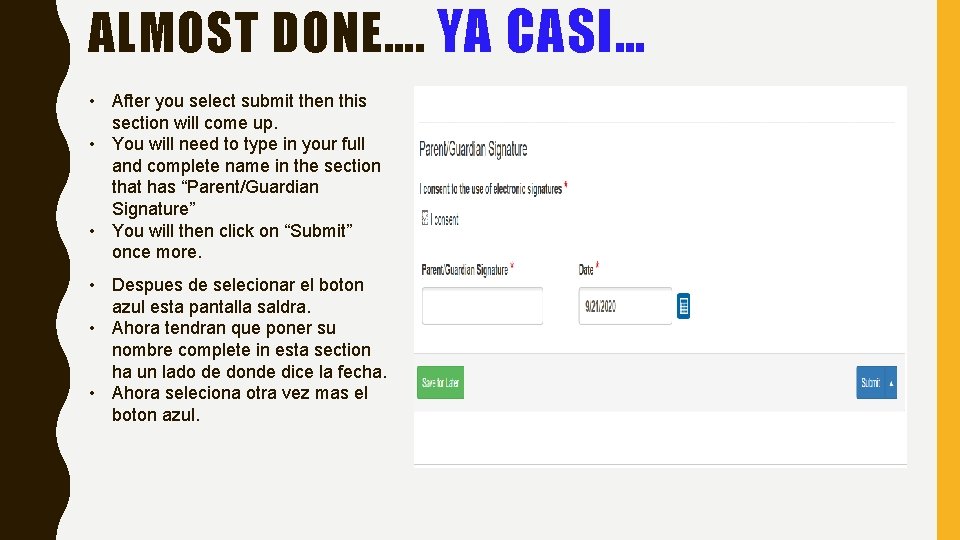
ALMOST DONE…. YA CASI… • After you select submit then this section will come up. • You will need to type in your full and complete name in the section that has “Parent/Guardian Signature” • You will then click on “Submit” once more. • Despues de selecionar el boton azul esta pantalla saldra. • Ahora tendran que poner su nombre complete in esta section ha un lado de donde dice la fecha. • Ahora seleciona otra vez mas el boton azul.
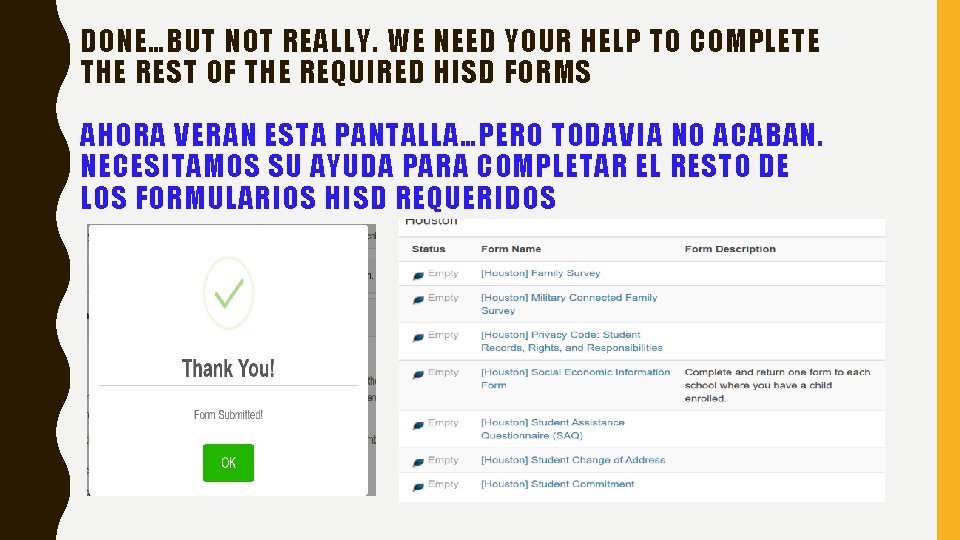
DONE…BUT NOT REALLY. WE NEED YOUR HELP TO COMPLETE THE REST OF THE REQUIRED HISD FORMS AHORA VERAN ESTA PANTALLA…PERO TODAVIA NO ACABAN. NECESITAMOS SU AYUDA PARA COMPLETAR EL RESTO DE LOS FORMULARIOS HISD REQUERIDOS
THANK YOU AND PLEASE COMPLETE ALL FORMS GRACIAS Y FAVOR DE COMPLETAR TODOS LOS FORMULARIOS https: //hisdconnect. houstonisd. org/public/home. html