
How to Use Google Slides What is Google
- Slides: 14
How to Use Google Slides
What is Google Slides? Google slides is basically Power. Point, but is accessible through Google
What do I need to have Google Slides? All you need is a gmail account, which you all have Google Slides is located in your Google Drive
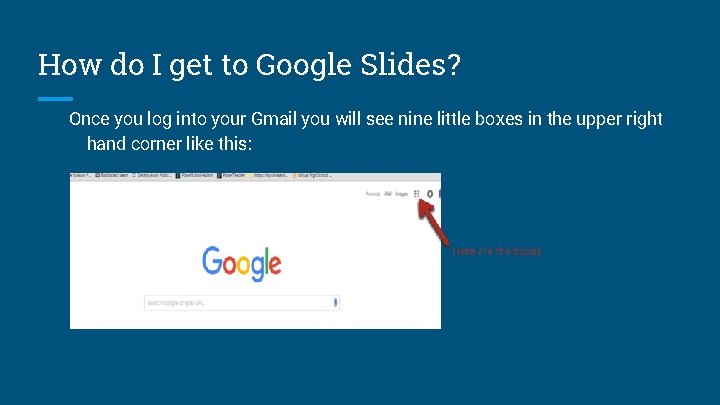
How do I get to Google Slides? Once you log into your Gmail you will see nine little boxes in the upper right hand corner like this:
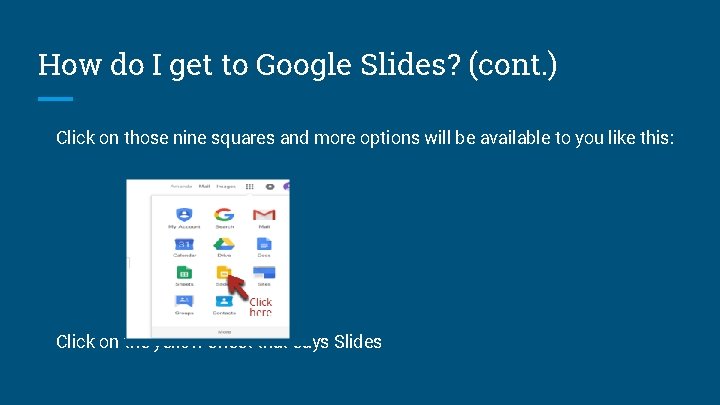
How do I get to Google Slides? (cont. ) Click on those nine squares and more options will be available to you like this: Click on the yellow sheet that says Slides
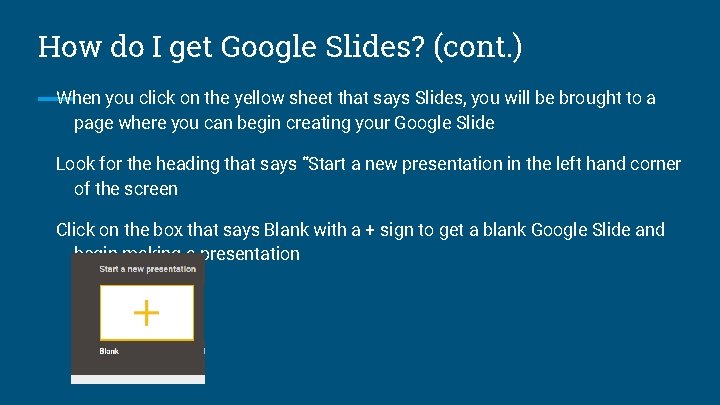
How do I get Google Slides? (cont. ) When you click on the yellow sheet that says Slides, you will be brought to a page where you can begin creating your Google Slide Look for the heading that says “Start a new presentation in the left hand corner of the screen Click on the box that says Blank with a + sign to get a blank Google Slide and begin making a presentation
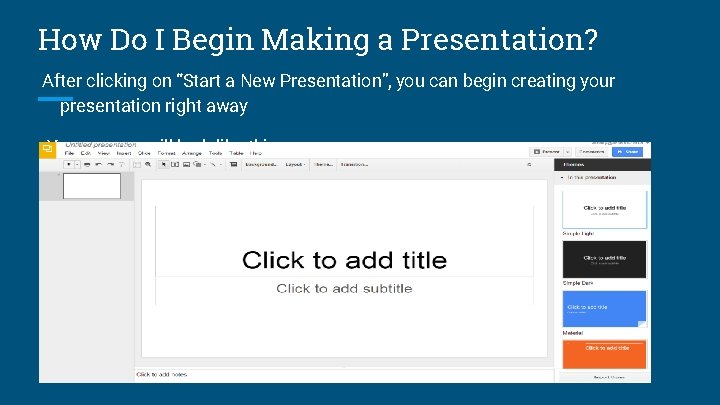
How Do I Begin Making a Presentation? After clicking on “Start a New Presentation”, you can begin creating your presentation right away Your screen will look like this:
How Do I Begin Making a Presentation? (cont. ) You can choose your theme, color, and/or background for your Presentation and begin typing on the slides Once again this will look very similar to Microsoft Power. Point So why do I have to use Google Slides for this presentation? ?
Why Use Google Slides? Since this is a collaborative assignment, Google Slides will allow you to work on this from anywhere, anytime as long as you have access to the Internet In fact both people can be working on the assignment at the same time, and you can see what the other person is typing as he/she is going it
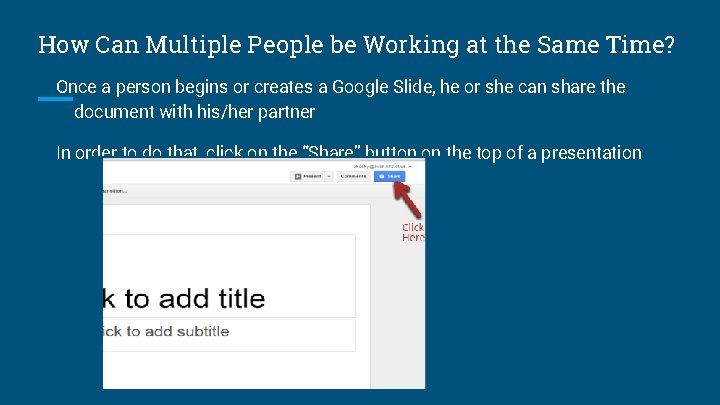
How Can Multiple People be Working at the Same Time? Once a person begins or creates a Google Slide, he or she can share the document with his/her partner In order to do that, click on the “Share” button on the top of a presentation
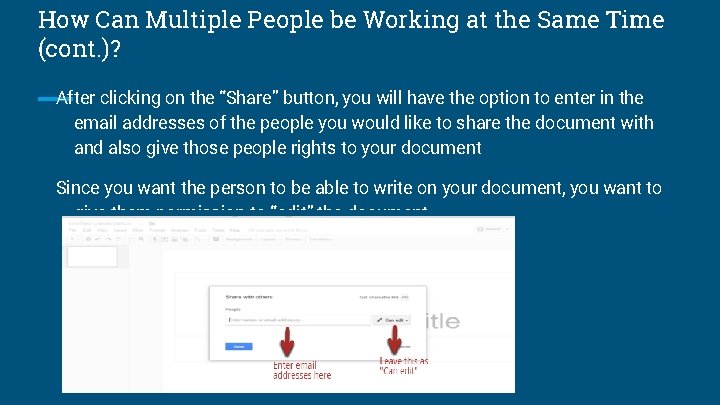
How Can Multiple People be Working at the Same Time (cont. )? After clicking on the “Share” button, you will have the option to enter in the email addresses of the people you would like to share the document with and also give those people rights to your document Since you want the person to be able to write on your document, you want to give them permission to “edit” the document
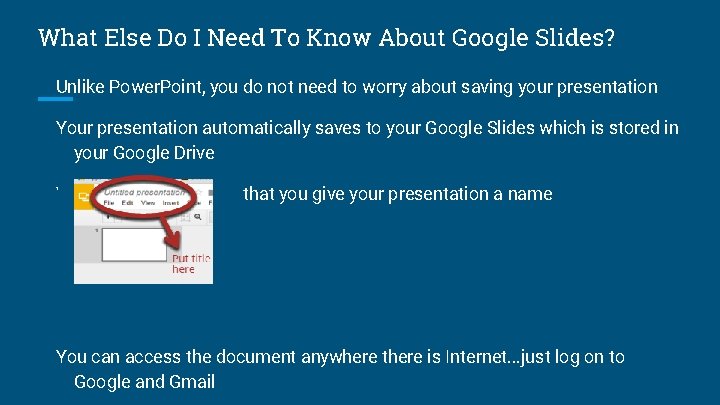
What Else Do I Need To Know About Google Slides? Unlike Power. Point, you do not need to worry about saving your presentation Your presentation automatically saves to your Google Slides which is stored in your Google Drive You want to make sure that you give your presentation a name You can access the document anywhere there is Internet. . . just log on to Google and Gmail
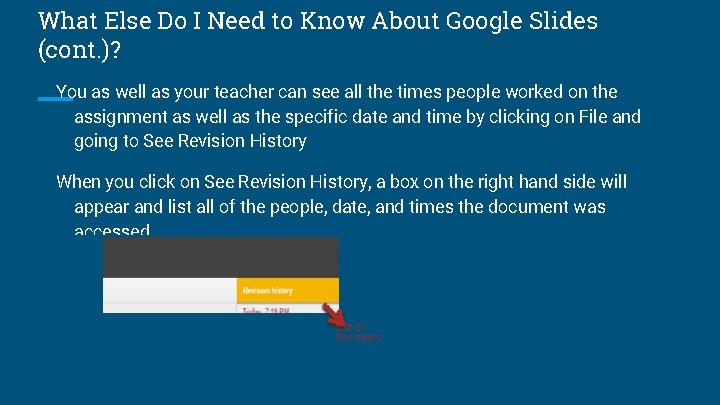
What Else Do I Need to Know About Google Slides (cont. )? You as well as your teacher can see all the times people worked on the assignment as well as the specific date and time by clicking on File and going to See Revision History When you click on See Revision History, a box on the right hand side will appear and list all of the people, date, and times the document was accessed
Any Questions? Now it is your turn to use Google Slides You will be completing your assignment for The Crucible using Google Slides