
How To Use Google Earth Randall Gregory Demonstration
- Slides: 8
How To Use Google Earth Randall Gregory Demonstration Checkpoint
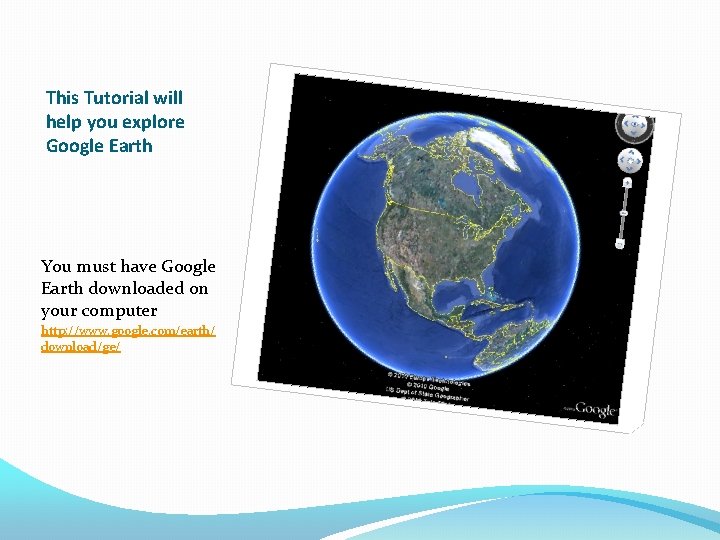
This Tutorial will help you explore Google Earth You must have Google Earth downloaded on your computer http: //www. google. com/earth/ download/ge/
Power Point Tutorial Google Earth has tools that will help you learn how to use the program. Here are the links to some of the tutorials that I believe will help you get started This link will take you to an overview of all the tutorials available, from beginner to advanced. http: //www. google. com/earth/learn/index. html This is a beginner tutorial on how to navigate the 3 -dimensional globe http: //www. google. com/earth/learn/beginner. html#navigation Here is a tutorial to help you find businesses and other locations. You will also learn how to save preferred locations, businesses or directional http: //www. google. com/earth/learn/beginner. html#searchingfor-placesoutes
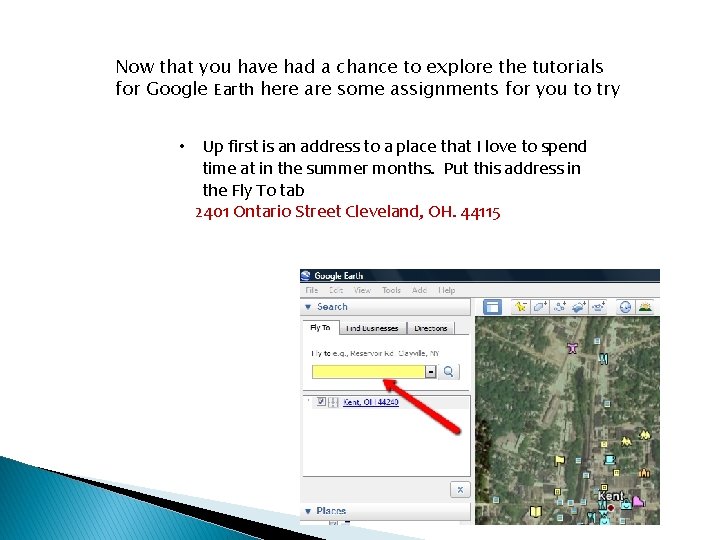
Now that you have had a chance to explore the tutorials for Google Earth here are some assignments for you to try • Up first is an address to a place that I love to spend time at in the summer months. Put this address in the Fly To tab 2401 Ontario Street Cleveland, OH. 44115
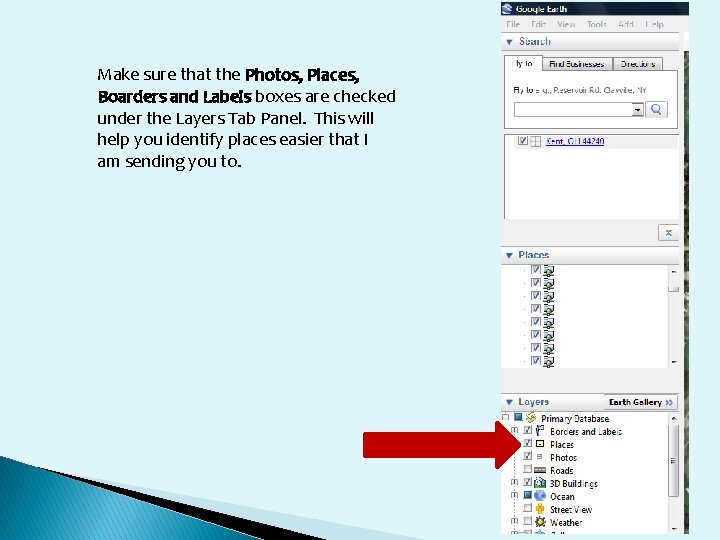
Make sure that the Photos, Places, Boarders and Labels boxes are checked under the Layers Tab Panel. This will help you identify places easier that I am sending you to.
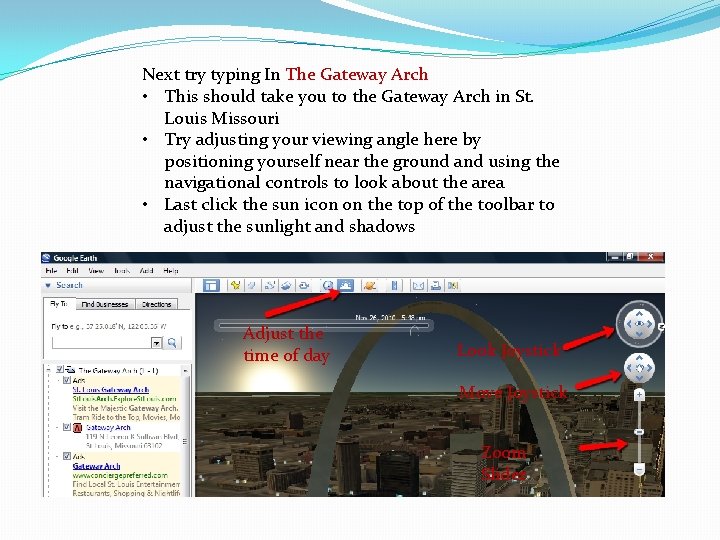
Next try typing In The Gateway Arch • This should take you to the Gateway Arch in St. Louis Missouri • Try adjusting your viewing angle here by positioning yourself near the ground and using the navigational controls to look about the area • Last click the sun icon on the top of the toolbar to adjust the sunlight and shadows Adjust the time of day Look Joystick Move Joystick Zoom Slider
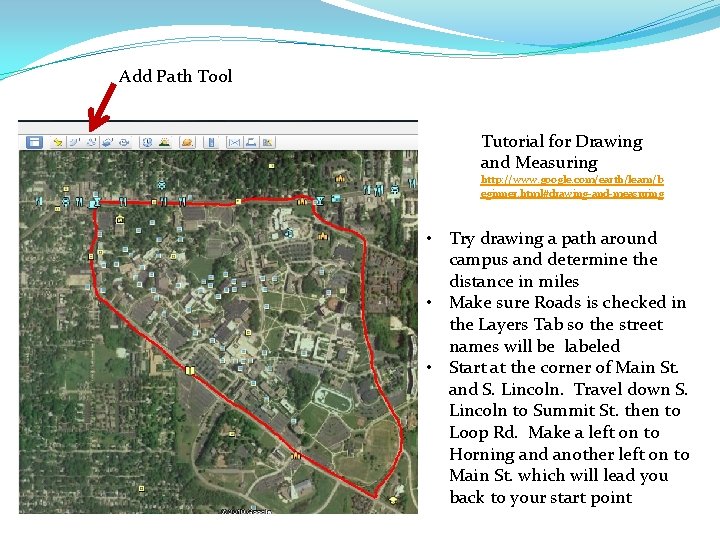
Add Path Tool Tutorial for Drawing and Measuring http: //www. google. com/earth/learn/b eginner. html#drawing-and-measuring • Try drawing a path around campus and determine the distance in miles • Make sure Roads is checked in the Layers Tab so the street names will be labeled • Start at the corner of Main St. and S. Lincoln. Travel down S. Lincoln to Summit St. then to Loop Rd. Make a left on to Horning and another left on to Main St. which will lead you back to your start point
Tutorial for Placemarks and Tours http: //www. google. com/earth/learn/beginner. html# placemarks-and-tours Last you can create a tour or check out the tour I created of a few of the places I would like to visit someday C: UsersRandallDocumentsPlaces I must see. kmz After completing the tutorial leave me a message on the Vista Blackboard site with your answers to where I like to spend time in the summer and the distance in miles around campus