
How to use CBMS 25 th Feb 2021
How to use CBMS ü 25 th Feb 2021 ü Made by : Dr. Hoyun Kang (Korea Hydrography and Research Association) Mr. Peter YOU (Korea Hydrographic and Oceanographic Agency) 1
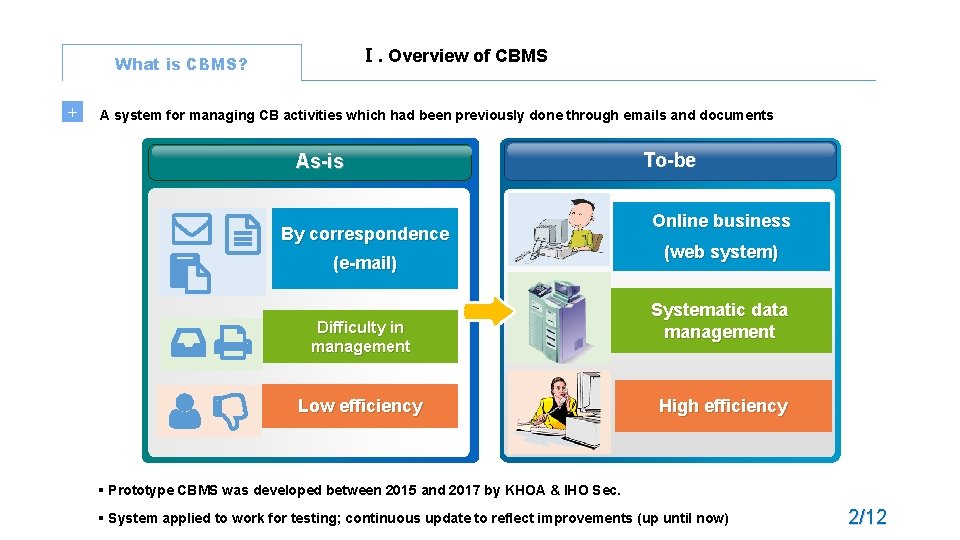
Ⅰ. Overview of CBMS What is CBMS? + A system for managing CB activities which had been previously done through emails and documents As-is By correspondence (e-mail) Difficulty in management Low efficiency To-be Online business (web system) Systematic data management High efficiency § Prototype CBMS was developed between 2015 and 2017 by KHOA & IHO Sec. § System applied to work for testing; continuous update to reflect improvements (up until now) 2/12
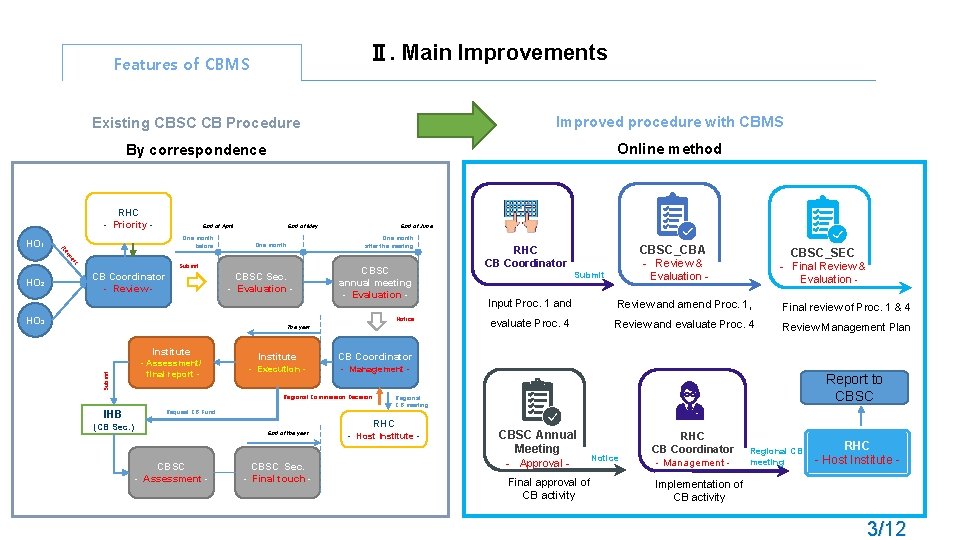
Ⅱ. Main Improvements Features of CBMS Existing CBSC CB Procedure Improved procedure with CBMS By correspondence Online method RHC - Priority - One month before t es qu Re HO 1 End of April HO 2 End of May One month after the meeting One month Submit CB Coordinator - Review - HO 3 End of June CBSC Sec. - Evaluation - CBSC annual meeting - Evaluation Notice The year Submit Institute - Assessment/ final report - Institute - Execution - Submit CBSC_SEC - Final Review & Evaluation - Input Proc. 1 and Review and amend Proc. 1, Final review of Proc. 1 & 4 evaluate Proc. 4 Review and evaluate Proc. 4 Review Management Plan CB Coordinator - Management - Regional Commission Decision IHB CBSC_CBA - Review & RHC CB Coordinator Report to CBSC Regional CB meeting Request CB Fund (CB Sec. ) End of the year CBSC - Assessment - CBSC Sec. - Final touch - RHC - Host Institute - CBSC Annual Meeting - Approval Final approval of CB activity Notice RHC CB Coordinator - Management - Regional CB meeting RHC - Host Institute - Implementation of CB activity 3/12
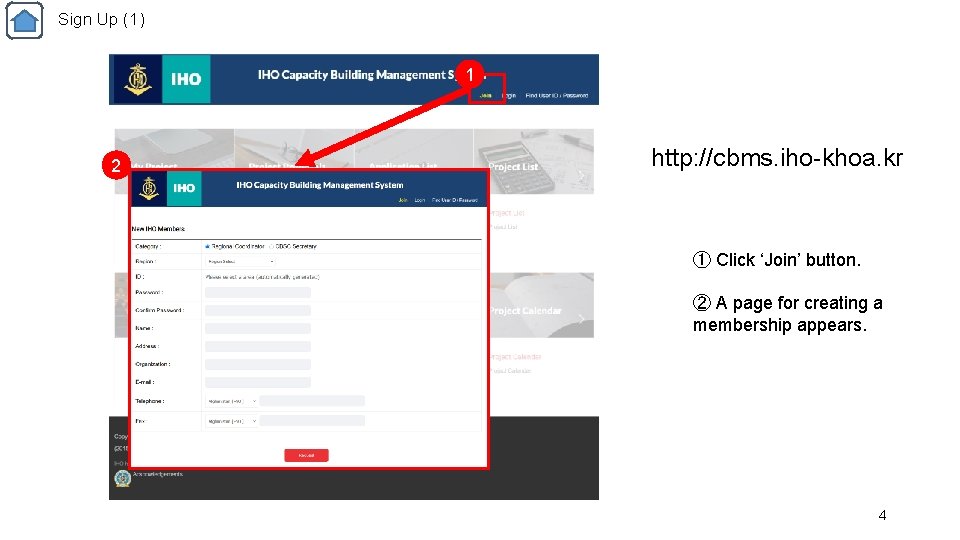
Sign Up (1) 1 2 http: //cbms. iho-khoa. kr ① Click ‘Join’ button. ② A page for creating a membership appears. 4
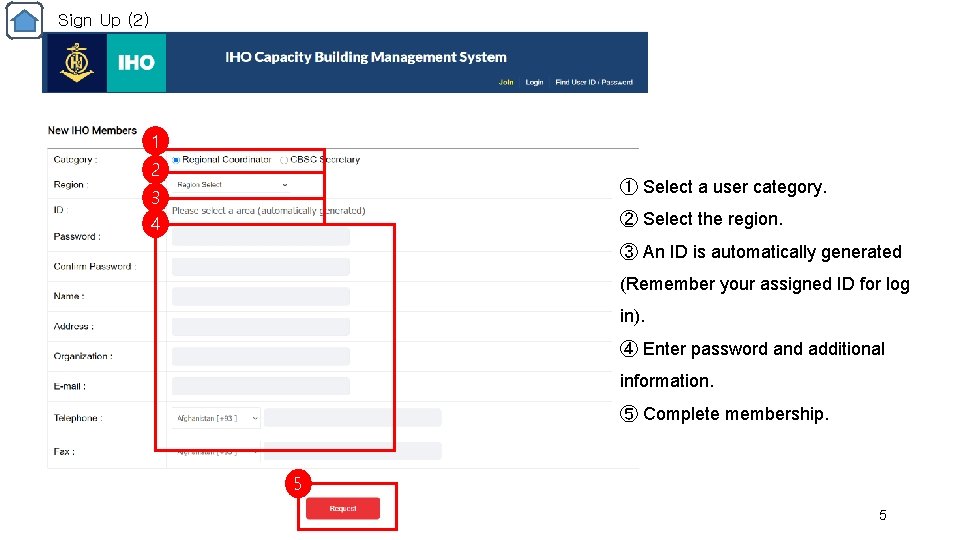
Sign Up (2) 1 2 ① Select a user category. 3 4 ② Select the region. ③ An ID is automatically generated (Remember your assigned ID for log in). ④ Enter password and additional information. ⑤ Complete membership. 5 5
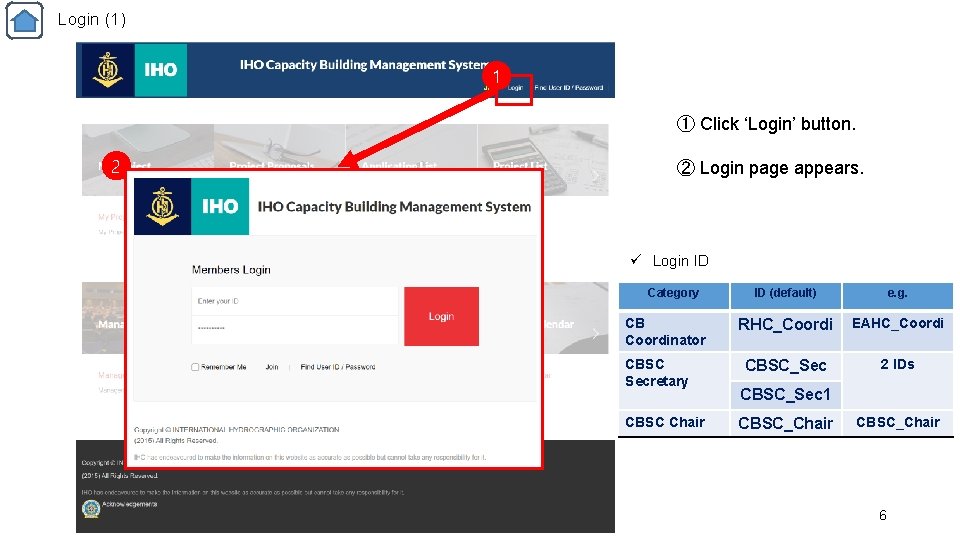
Login (1) 1 ① Click ‘Login’ button. 2 ② Login page appears. ü Login ID Category CB Coordinator CBSC Secretary CBSC Chair ID (default) e. g. RHC_Coordi EAHC_Coordi CBSC_Sec 2 IDs CBSC_Sec 1 CBSC_Chair 6
Local user 7
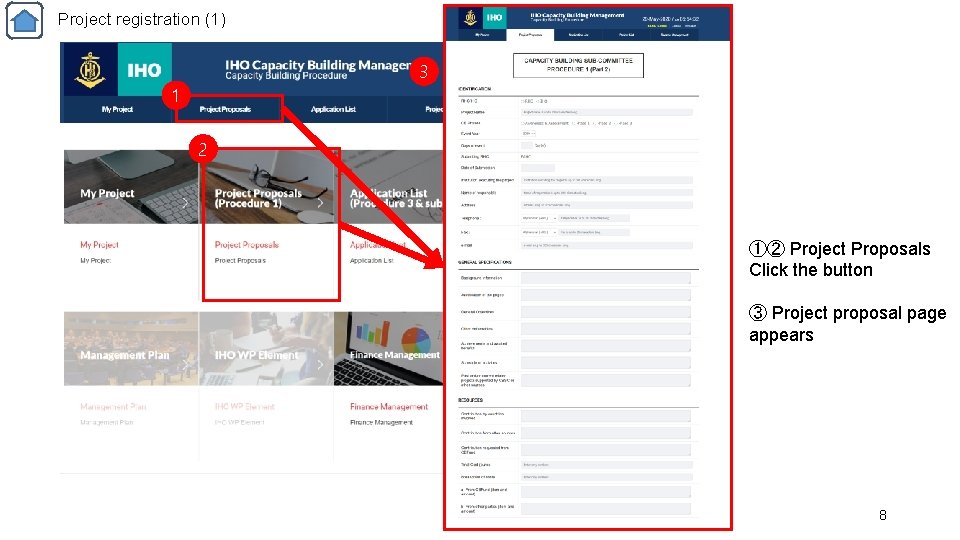
Project registration (1) 3 1 2 ①② Project Proposals Click the button ③ Project proposal page appears 8
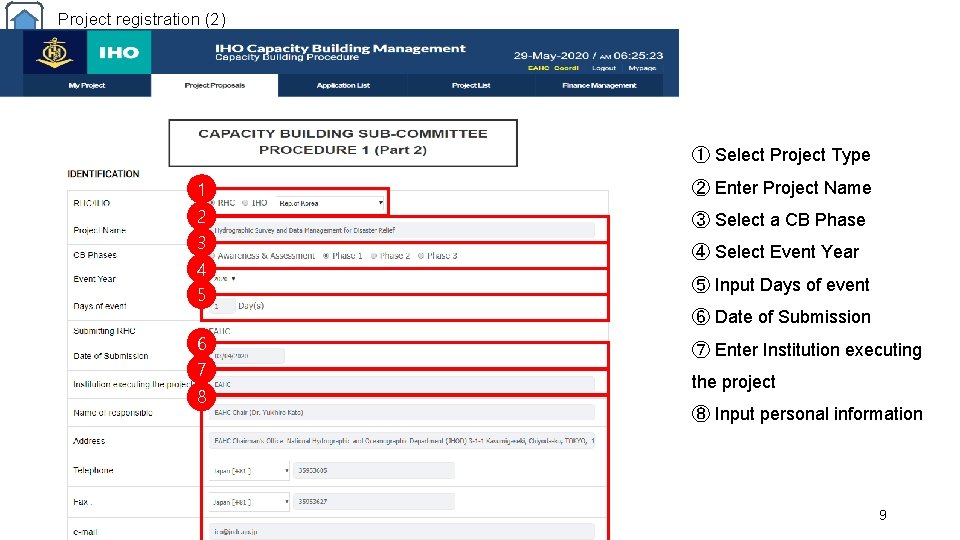
Project registration (2) ① Select Project Type 1 ② Enter Project Name 2 3 4 5 ③ Select a CB Phase ④ Select Event Year ⑤ Input Days of event ⑥ Date of Submission 6 7 8 ⑦ Enter Institution executing the project ⑧ Input personal information 9
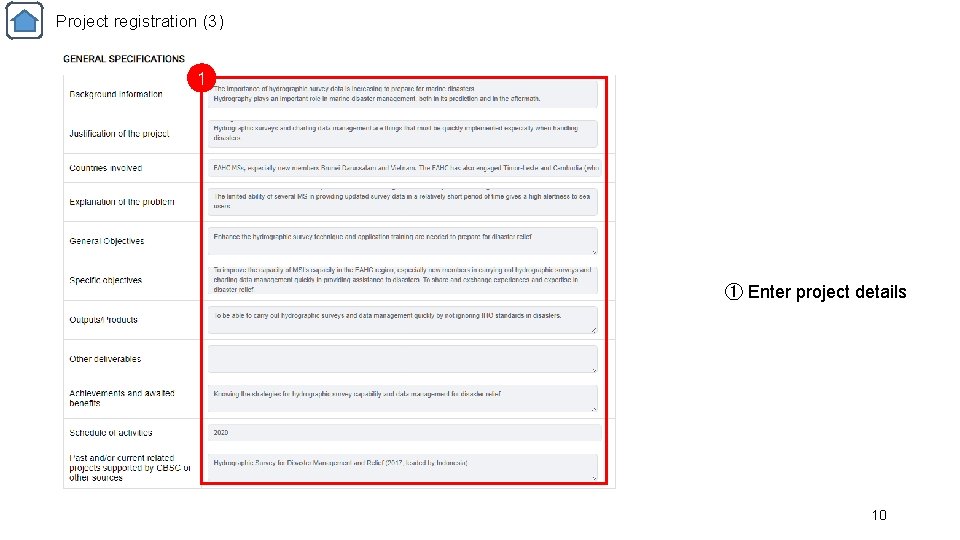
Project registration (3) 1 ① Enter project details 10
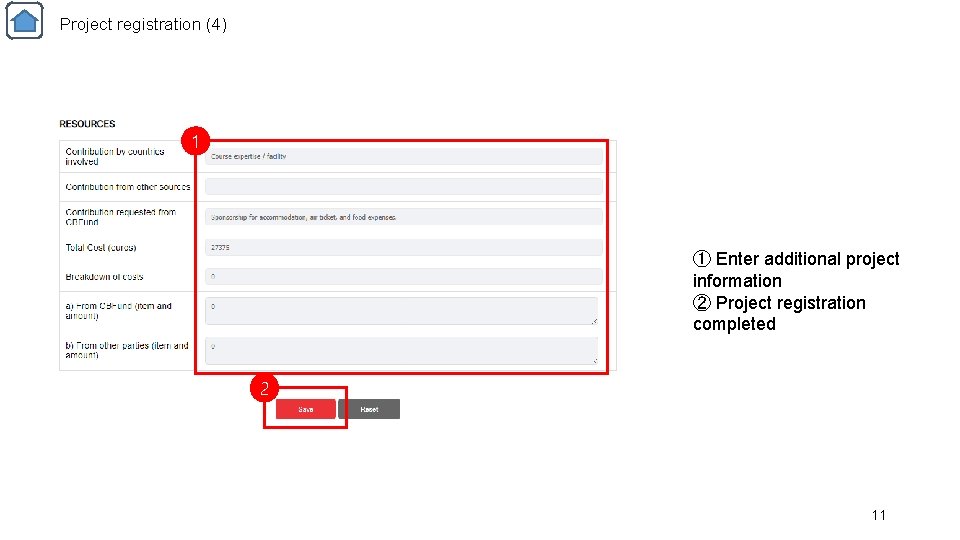
Project registration (4) 1 ① Enter additional project information ② Project registration completed 2 11
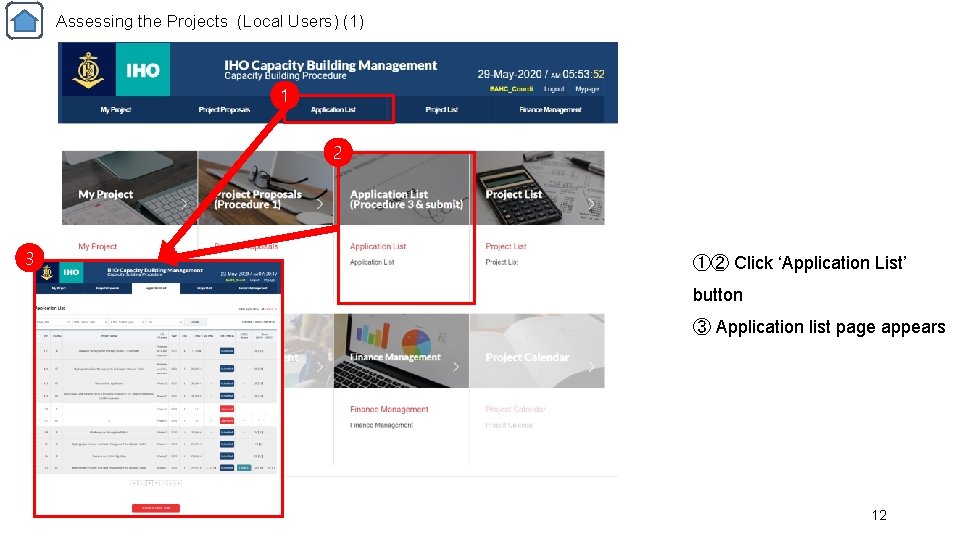
Assessing the Projects (Local Users) (1) 1 2 3 ①② Click ‘Application List’ button ③ Application list page appears 12
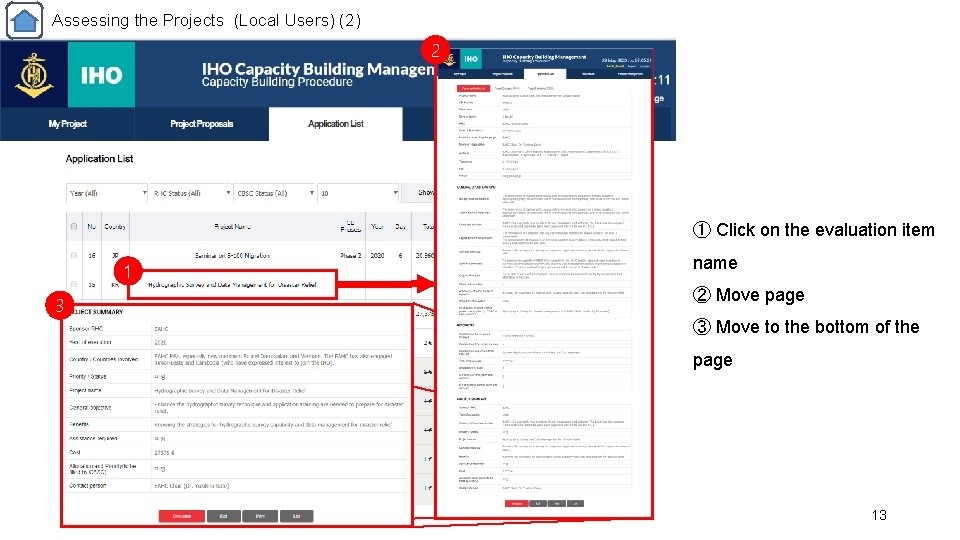
Assessing the Projects (Local Users) (2) 2 ① Click on the evaluation item 1 3 name ② Move page ③ Move to the bottom of the page 13
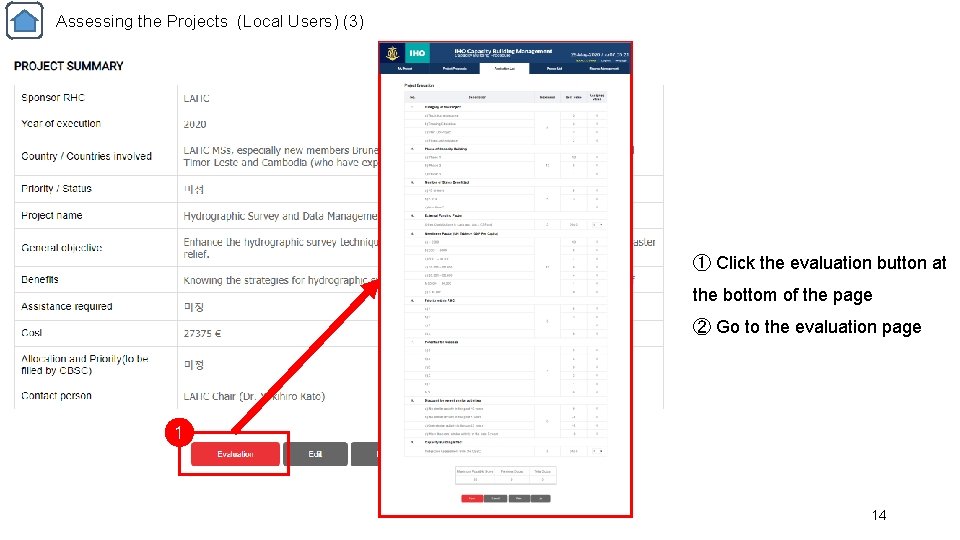
Assessing the Projects (Local Users) (3) ① Click the evaluation button at the bottom of the page ② Go to the evaluation page 1 14
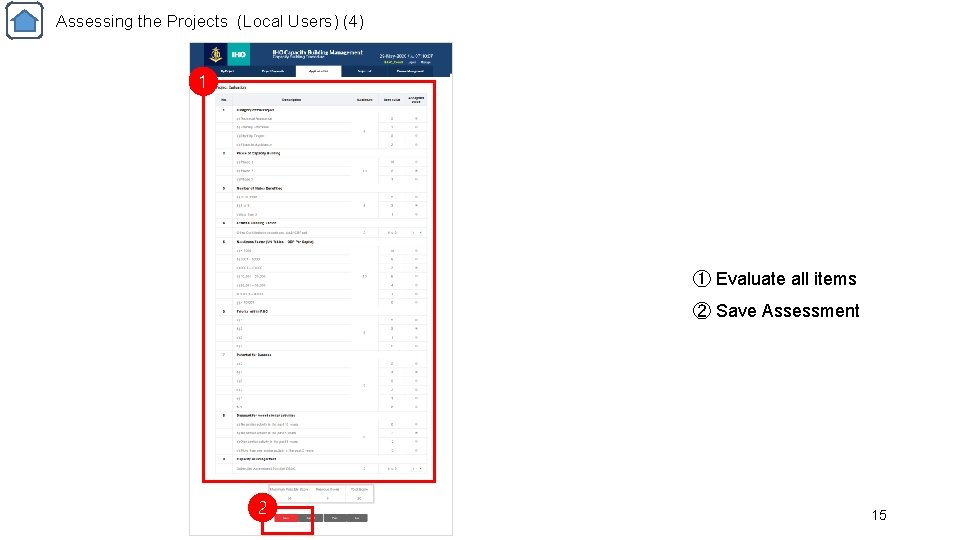
Assessing the Projects (Local Users) (4) 1 ① Evaluate all items ② Save Assessment 2 15
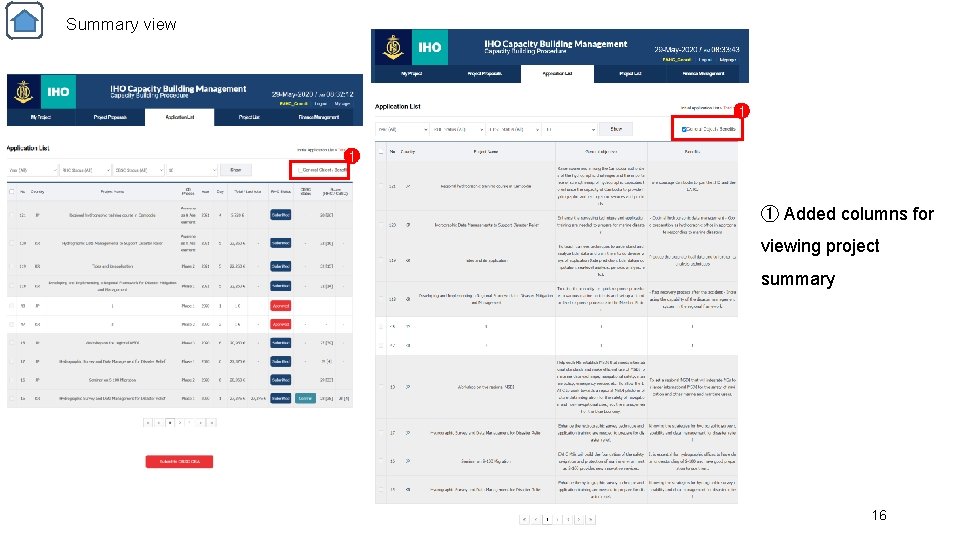
Summary view 1 1 ① Added columns for viewing project summary 16
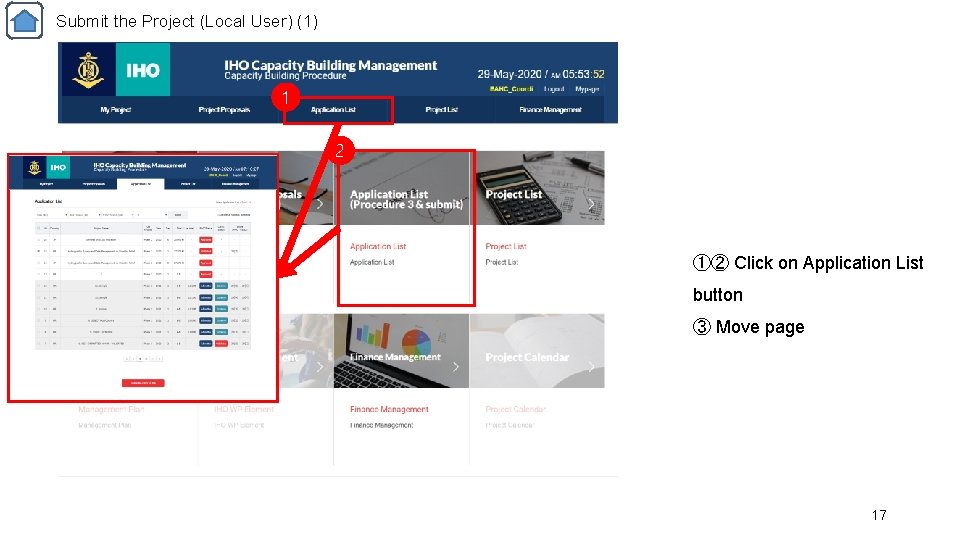
Submit the Project (Local User) (1) 1 2 ①② Click on Application List button ③ Move page 17
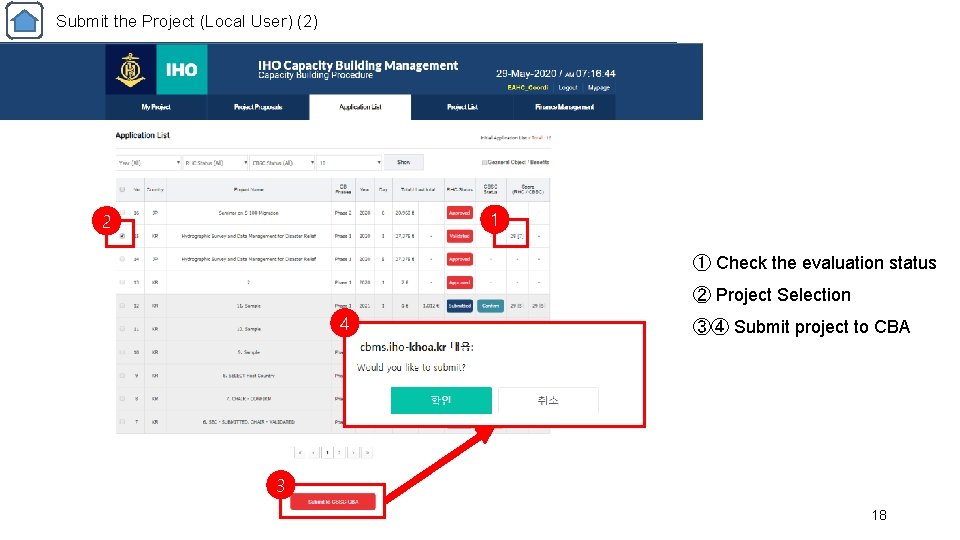
Submit the Project (Local User) (2) 1 2 ① Check the evaluation status ② Project Selection 4 ③④ Submit project to CBA 3 18
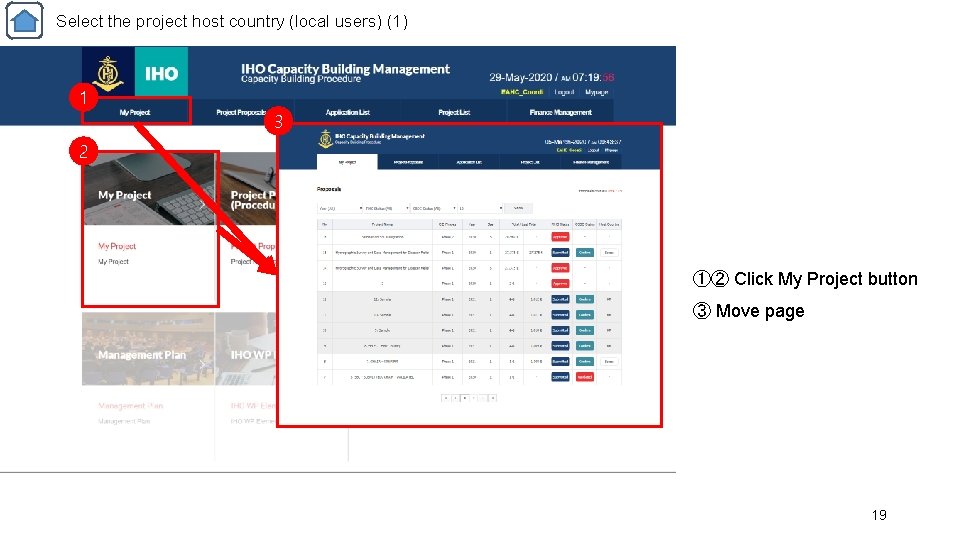
Select the project host country (local users) (1) 1 3 2 ①② Click My Project button ③ Move page 19
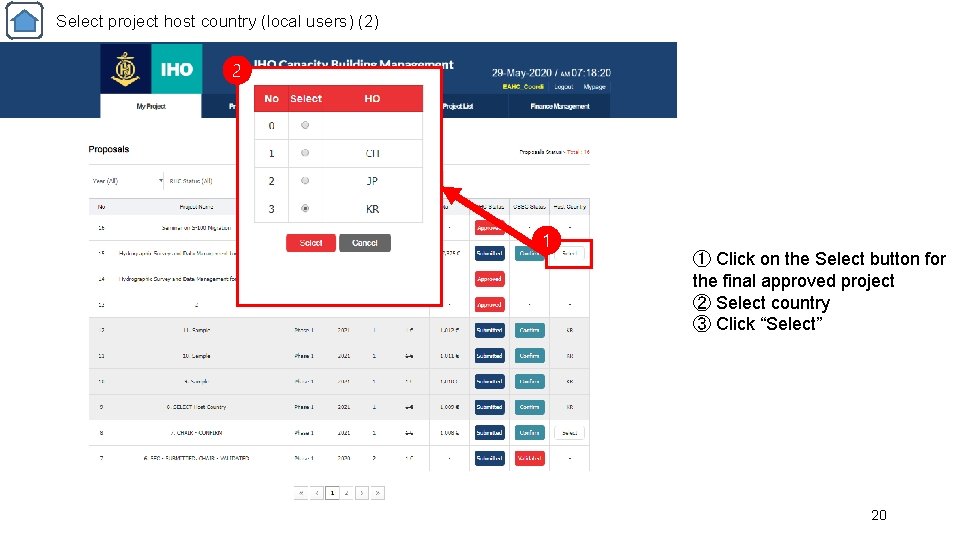
Select project host country (local users) (2) 2 3 1 ① Click on the Select button for the final approved project ② Select country ③ Click “Select” 20
If you…. • If it has any problem to use CBMS system, please check this manual first and send it to me by screen capture if it is not solved, which help us understand take action. Please notice to Peter You (peterhak@korea. kr), and Hoyun Kang (hykang@khra. kr) 21

Thank you 22
- Slides: 22