
How to use Borland C with DOSBox in
How to use Borland C with DOSBox in Window 7 (64 -bit)
Install Borland C++ • Download Borland C++ from LMS – http: //vulms. vu. edu. pk/Courses/CS 609/Downl oads/BORLANDC. rar
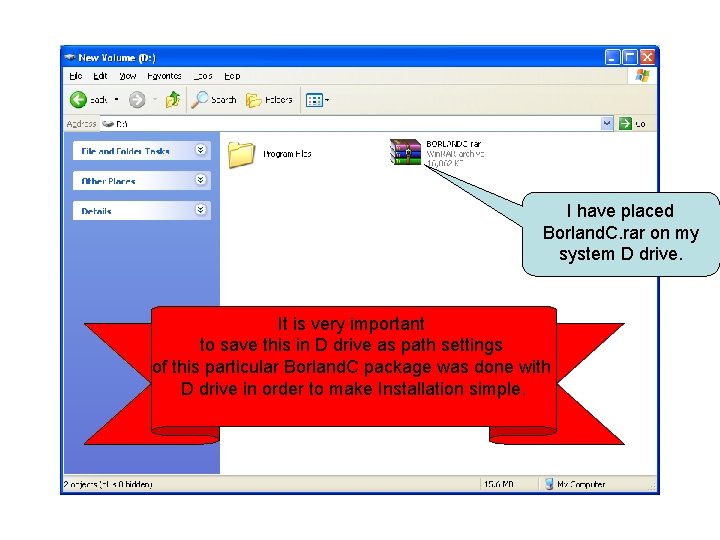
I have placed Borland. C. rar on my system D drive. It is very important to save this in D drive as path settings of this particular Borland. C package was done with D drive in order to make Installation simple.
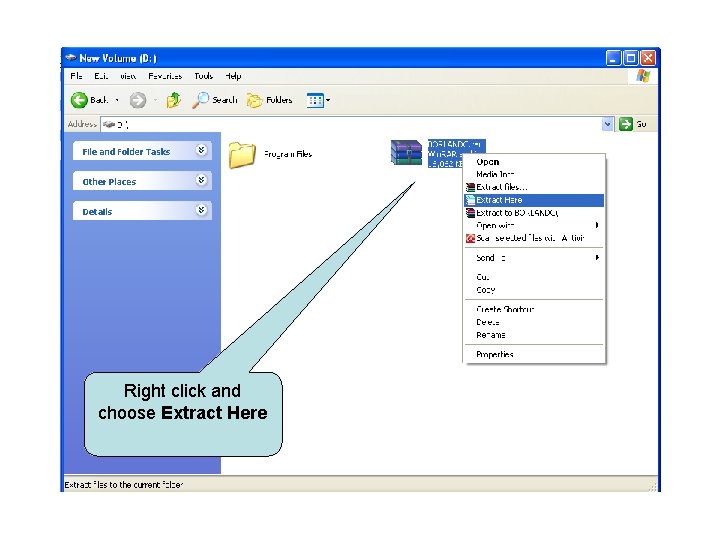
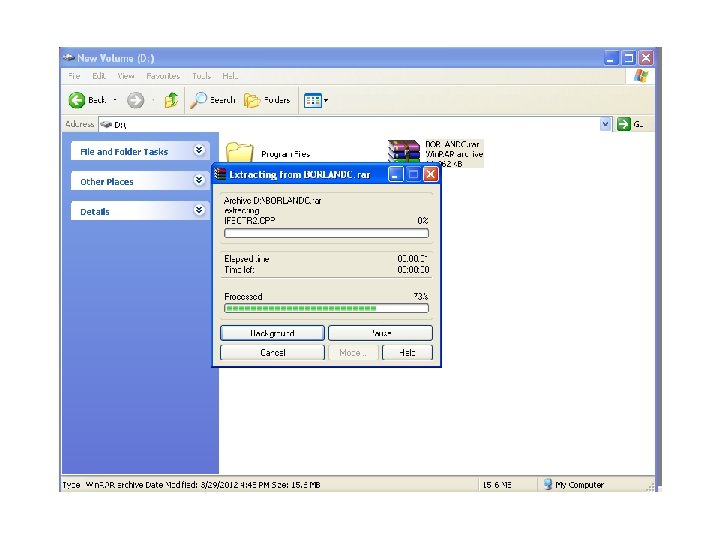
Right click and choose Extract Here
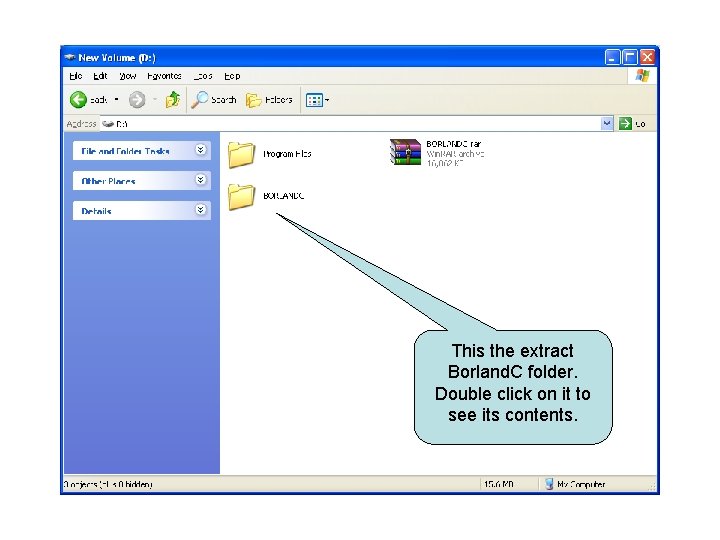
This the extract Borland. C folder. Double click on it to see its contents.
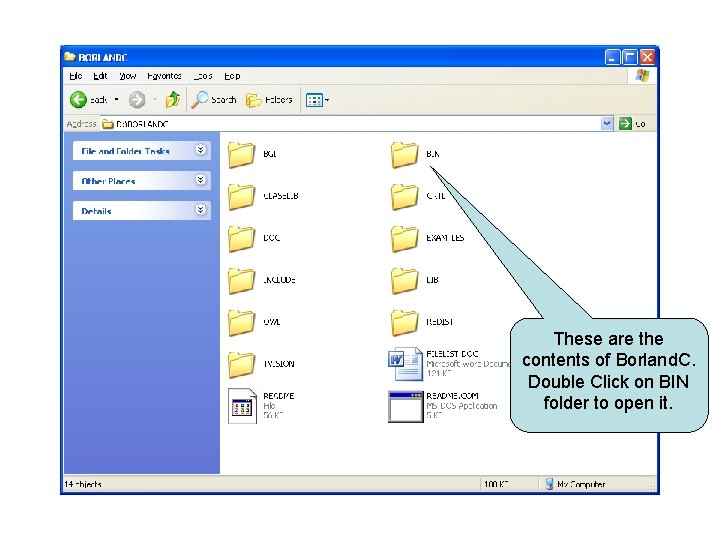
These are the contents of Borland. C. Double Click on BIN folder to open it.
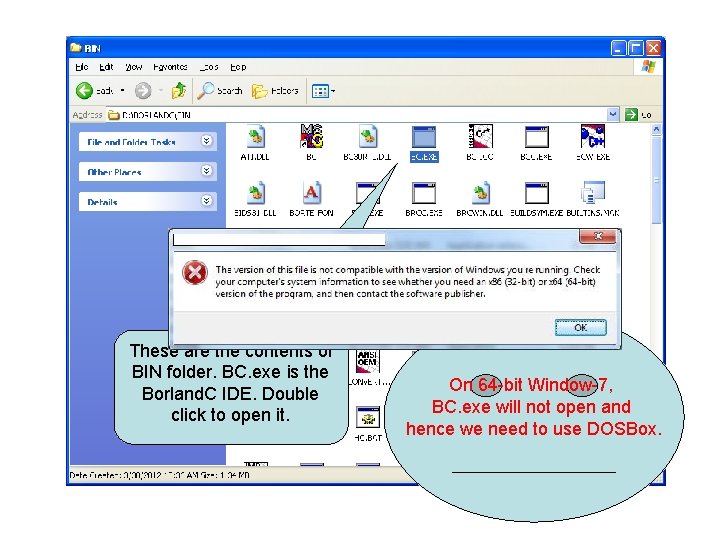
These are the contents of BIN folder. BC. exe is the Borland. C IDE. Double click to open it. On 64 -bit Window-7, BC. exe will not open and hence we need to use DOSBox.
Install DOSBox • Download DOSBox from LMS – http: //vulms. vu. edu. pk/Courses/CS 609/Downl oads/DOSBox. rar • Extract any where and Install. . – DOSBox installation is very easy…the installation wizard will guide you step by step…just click next…
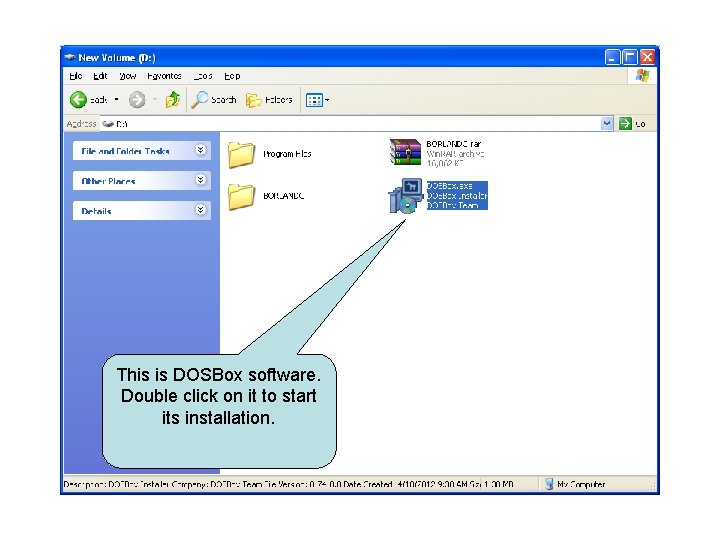
This is DOSBox software. Double click on it to start its installation.
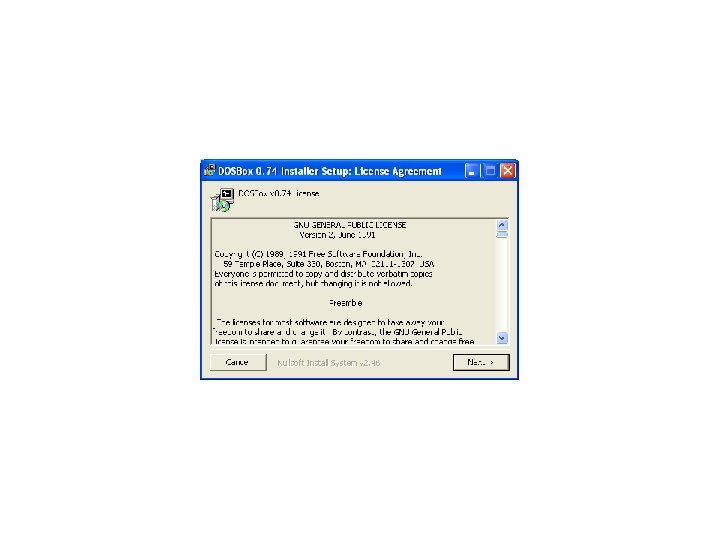
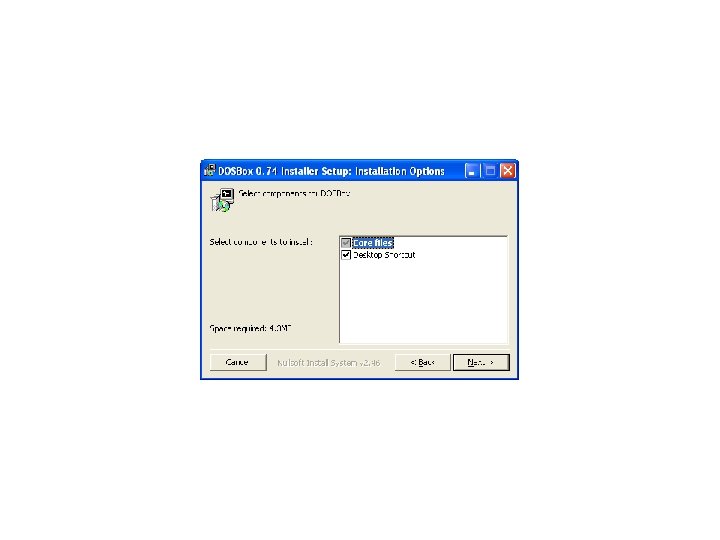
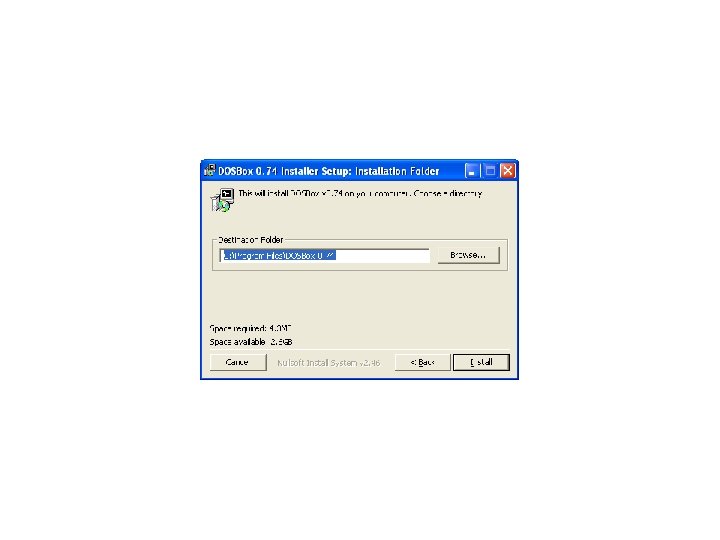
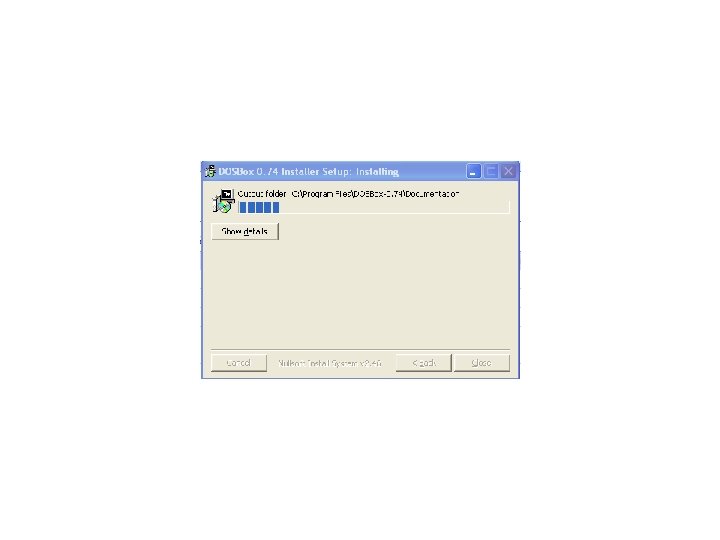
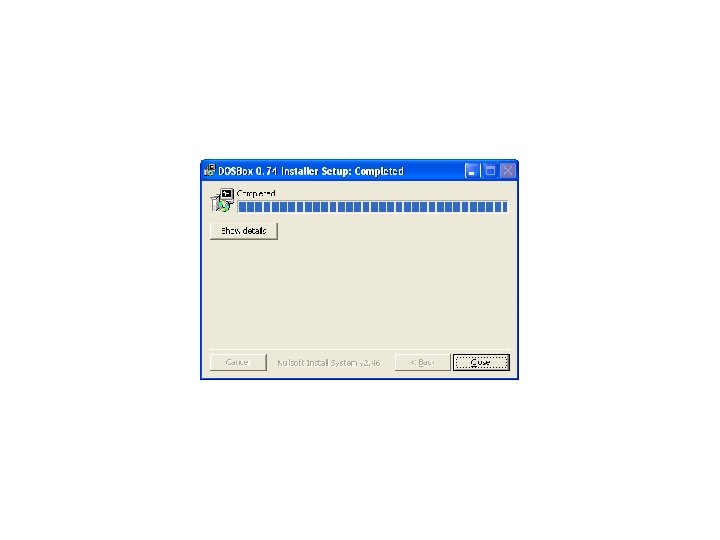
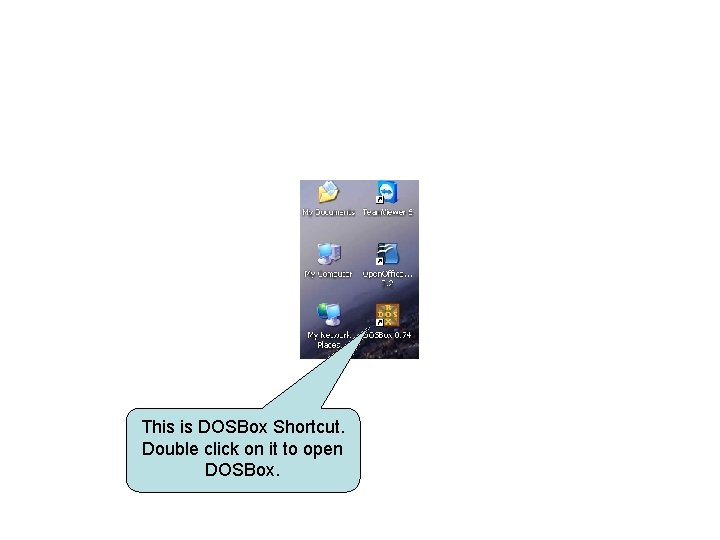
This is DOSBox Shortcut. Double click on it to open DOSBox.
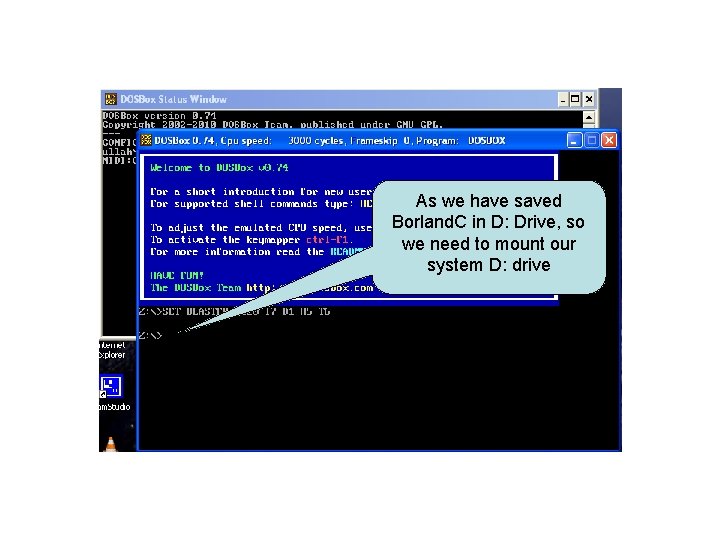
As we have saved Borland. C in D: Drive, so we need to mount our system D: drive
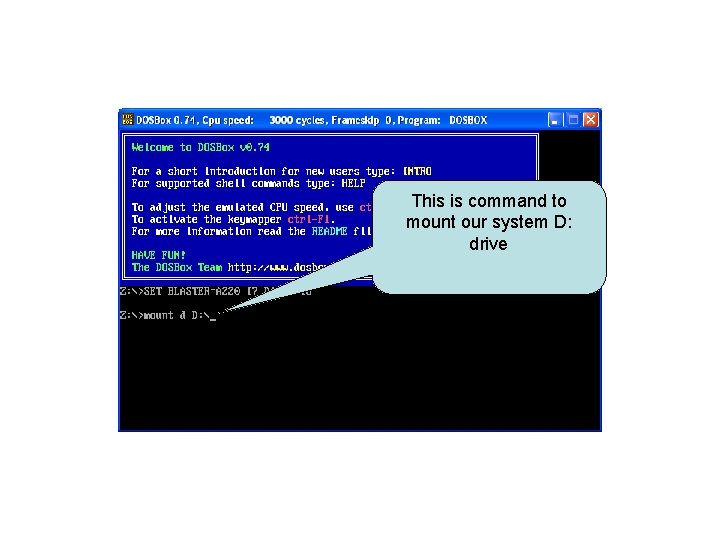
This is command to mount our system D: drive
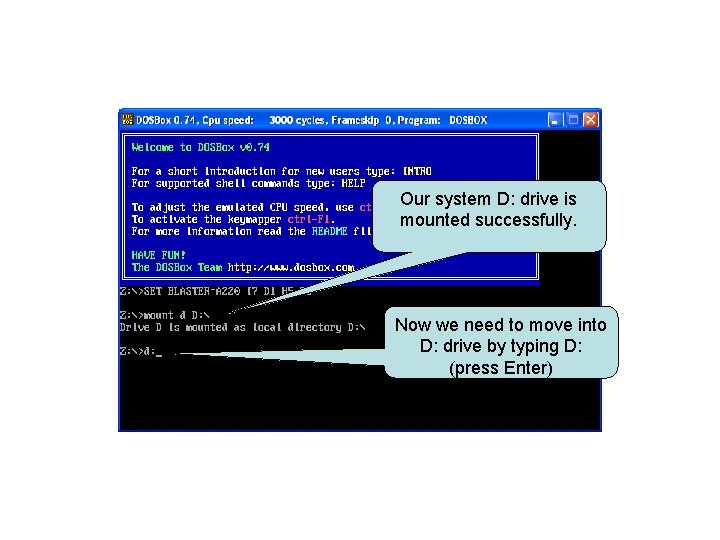
Our system D: drive is mounted successfully. Now we need to move into D: drive by typing D: (press Enter)
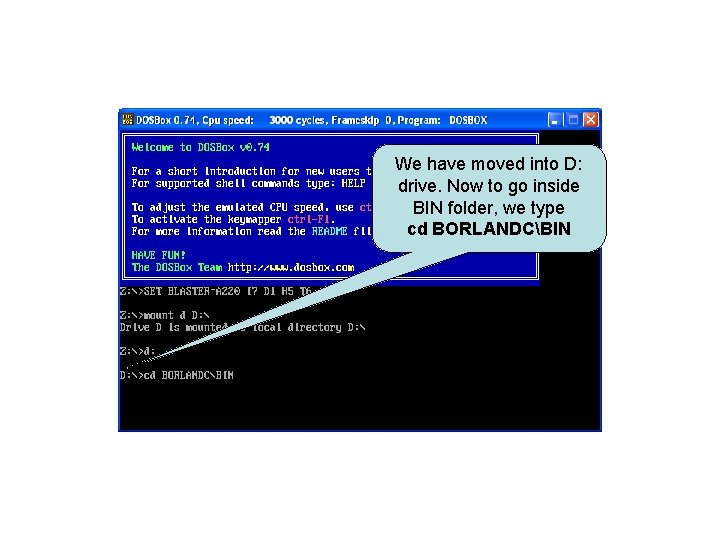
We have moved into D: drive. Now to go inside BIN folder, we type cd BORLANDCBIN
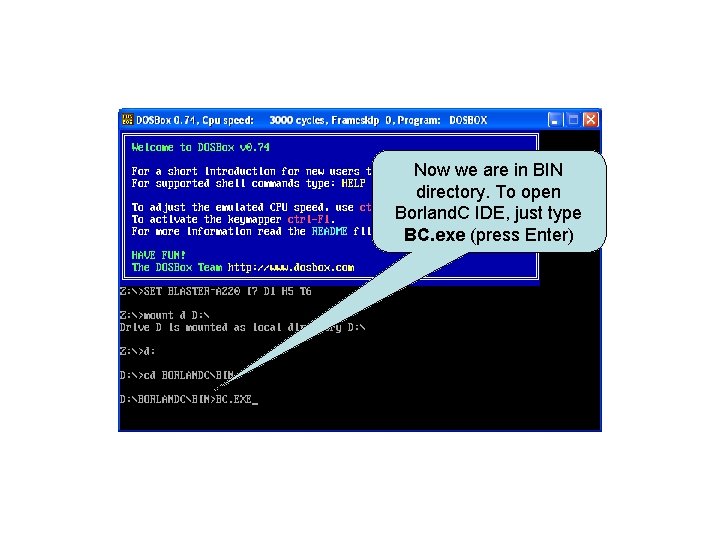
Now we are in BIN directory. To open Borland. C IDE, just type BC. exe (press Enter)
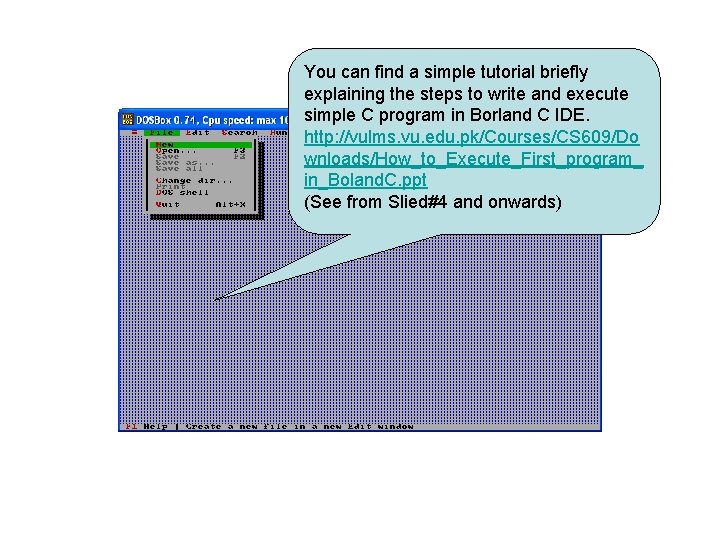
You can find a simple tutorial briefly explaining the steps to write and execute simple C program in Borland C IDE. http: //vulms. vu. edu. pk/Courses/CS 609/Do wnloads/How_to_Execute_First_program_ in_Boland. C. ppt (See from Slied#4 and onwards)
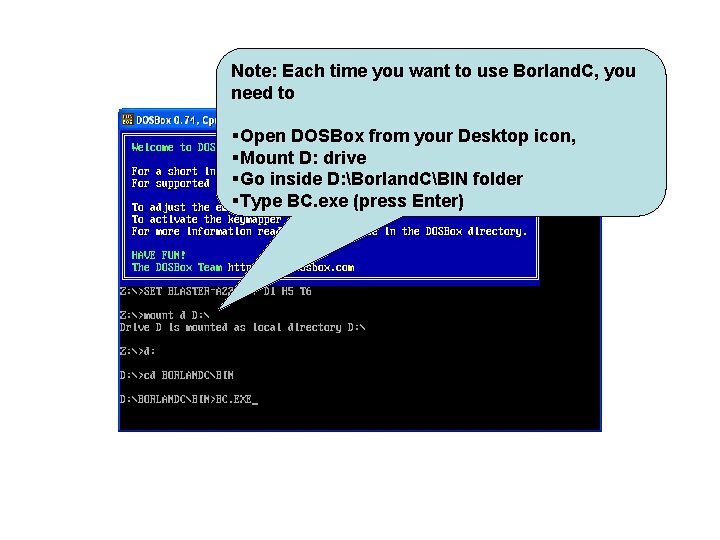
Note: Each time you want to use Borland. C, you need to §Open DOSBox from your Desktop icon, §Mount D: drive §Go inside D: Borland. CBIN folder §Type BC. exe (press Enter)
The End Send your feedback and queries cs 609@vu. edu. pk
- Slides: 24