
How to use an indication rule to retrieve



- Slides: 30
How to use an indication rule to retrieve all records which do or do not have a 336 and a 337 and a 338 field Yoel Kortick – Senior Librarian © 2020 Ex Libris | Confidential & Proprietary
• Introduction • The specific indication rules to create • Create a set to filter with the indication rules • Filter the set using the indication rules • Viewing the results © 2020 Ex Libris | Confidential & Proprietary 2
Introduction © 2020 Ex Libris | Confidential & Proprietary 3
Introduction • In this presentation we will use an indication rule to get all records which A. Do have fields 336 and 337 and 338 B. Do not have fields 336 and 337 and 338 • This presentation assumes that the user already knows how to create and test an indication rule. • For information on creating and testing indication rules see: • Creating Indication Rules • Testing Indication Rules © 2020 Ex Libris | Confidential & Proprietary 4
The specific indication rules to create © 2020 Ex Libris | Confidential & Proprietary 5
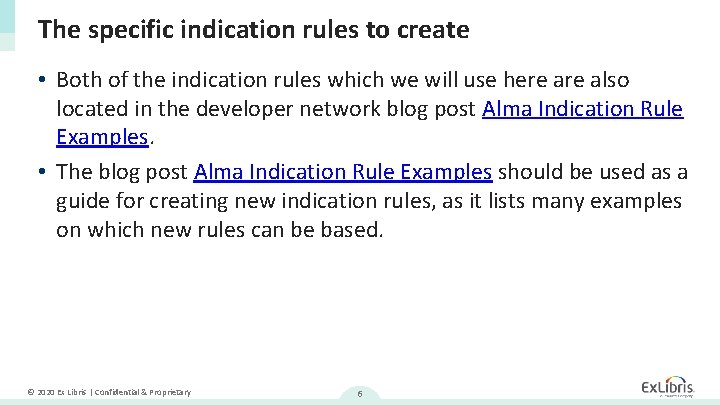
The specific indication rules to create • Both of the indication rules which we will use here also located in the developer network blog post Alma Indication Rule Examples. • The blog post Alma Indication Rule Examples should be used as a guide for creating new indication rules, as it lists many examples on which new rules can be based. © 2020 Ex Libris | Confidential & Proprietary 6
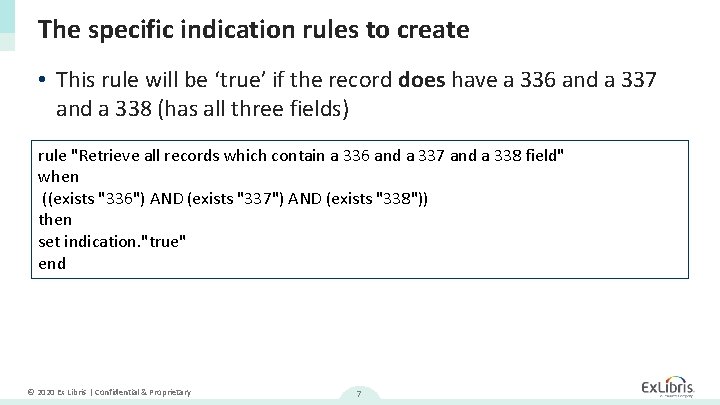
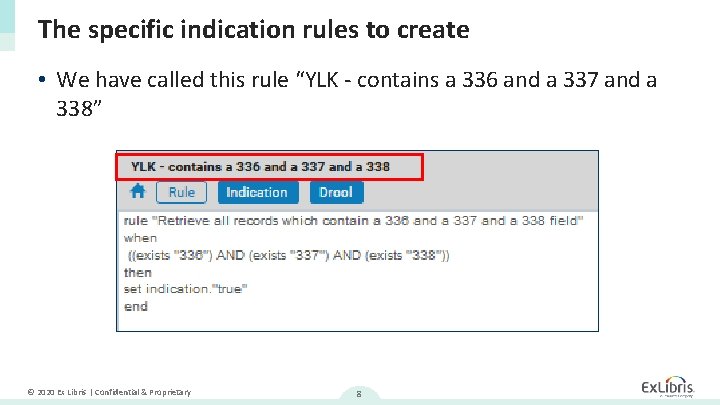
The specific indication rules to create • This rule will be ‘true’ if the record does have a 336 and a 337 and a 338 (has all three fields) rule "Retrieve all records which contain a 336 and a 337 and a 338 field" when ((exists "336") AND (exists "337") AND (exists "338")) then set indication. "true" end © 2020 Ex Libris | Confidential & Proprietary 7
The specific indication rules to create • We have called this rule “YLK - contains a 336 and a 337 and a 338” © 2020 Ex Libris | Confidential & Proprietary 8
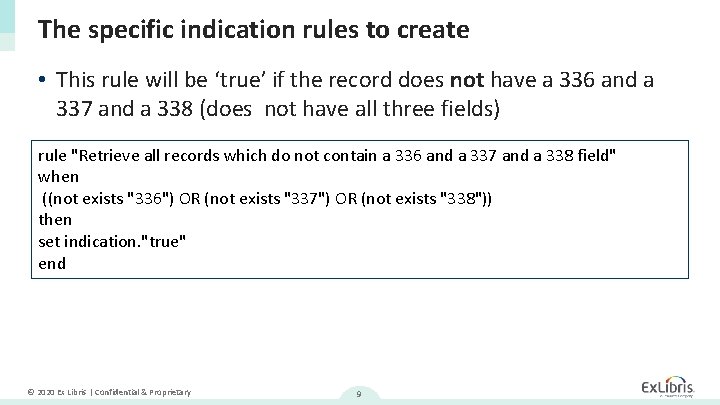
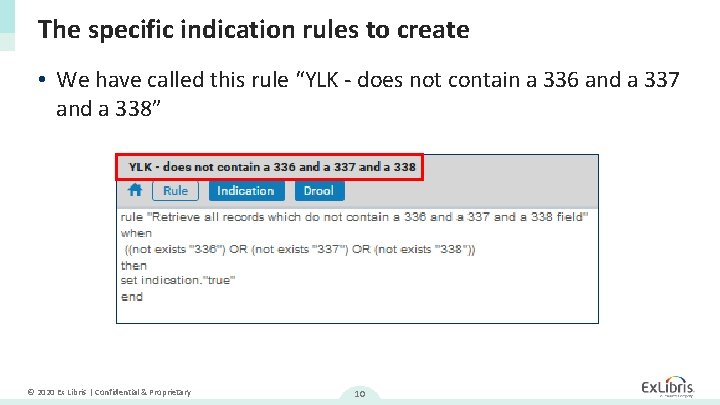
The specific indication rules to create • This rule will be ‘true’ if the record does not have a 336 and a 337 and a 338 (does not have all three fields) rule "Retrieve all records which do not contain a 336 and a 337 and a 338 field" when ((not exists "336") OR (not exists "337") OR (not exists "338")) then set indication. "true" end © 2020 Ex Libris | Confidential & Proprietary 9
The specific indication rules to create • We have called this rule “YLK - does not contain a 336 and a 337 and a 338” © 2020 Ex Libris | Confidential & Proprietary 10
Create a set to filter with the indication rules © 2020 Ex Libris | Confidential & Proprietary 11
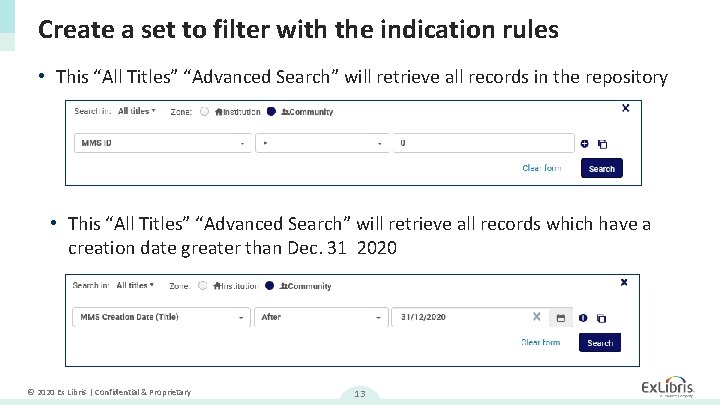
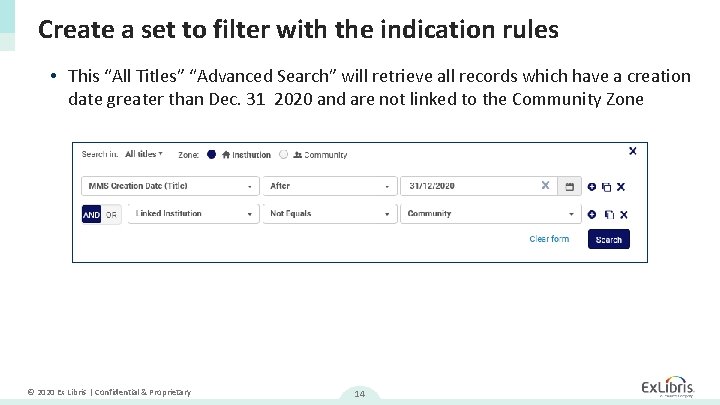
Create a set to filter with the indication rules • We will now create a set to filter with the indication rules. • For example • If we want to check all records in the repository which do or do not have a 336 and a 337 and a 388 then we can create a set based on a search of all records which have an MMSID > 0 • If we want to check all records created in 2021 or later which do or do not have a 336 and a 337 and a 388 then we can create a set based on a search of all records which have a creation date greater than Dec. 31 2020 © 2020 Ex Libris | Confidential & Proprietary 12
Create a set to filter with the indication rules • This “All Titles” “Advanced Search” will retrieve all records in the repository • This “All Titles” “Advanced Search” will retrieve all records which have a creation date greater than Dec. 31 2020 © 2020 Ex Libris | Confidential & Proprietary 13
Create a set to filter with the indication rules • This “All Titles” “Advanced Search” will retrieve all records which have a creation date greater than Dec. 31 2020 and are not linked to the Community Zone © 2020 Ex Libris | Confidential & Proprietary 14
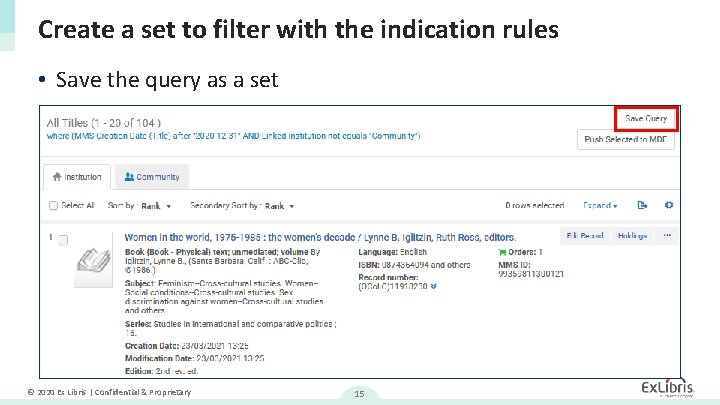
Create a set to filter with the indication rules • Save the query as a set © 2020 Ex Libris | Confidential & Proprietary 15
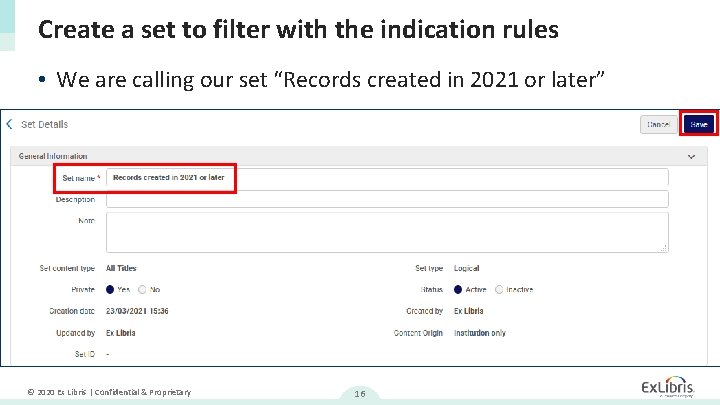
Create a set to filter with the indication rules • We are calling our set “Records created in 2021 or later” © 2020 Ex Libris | Confidential & Proprietary 16
Filter the set using the indication rules © 2020 Ex Libris | Confidential & Proprietary 17
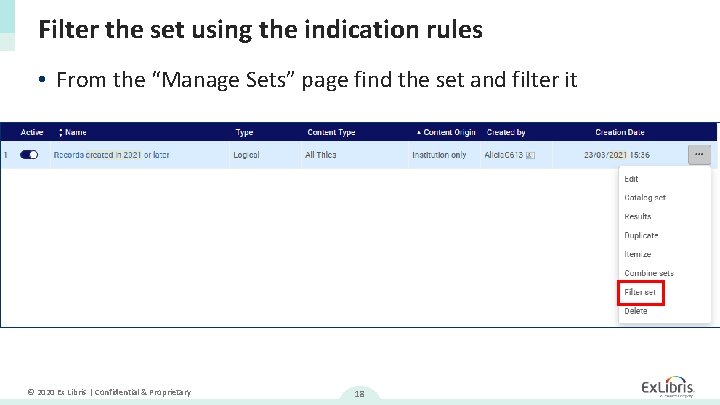
Filter the set using the indication rules • From the “Manage Sets” page find the set and filter it © 2020 Ex Libris | Confidential & Proprietary 18
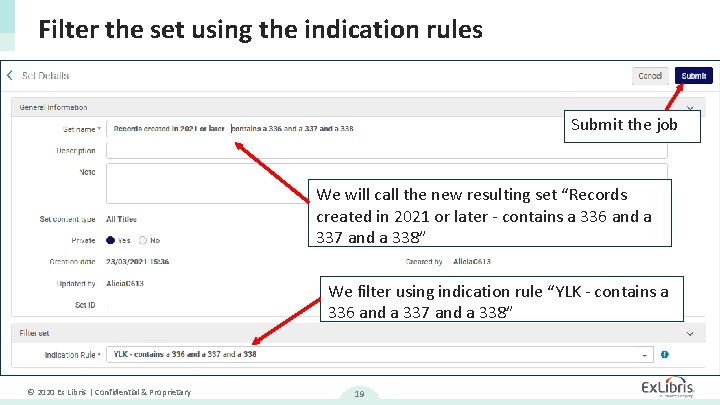
Filter the set using the indication rules Submit the job We will call the new resulting set “Records created in 2021 or later - contains a 336 and a 337 and a 338” We filter using indication rule “YLK - contains a 336 and a 337 and a 338” © 2020 Ex Libris | Confidential & Proprietary 19
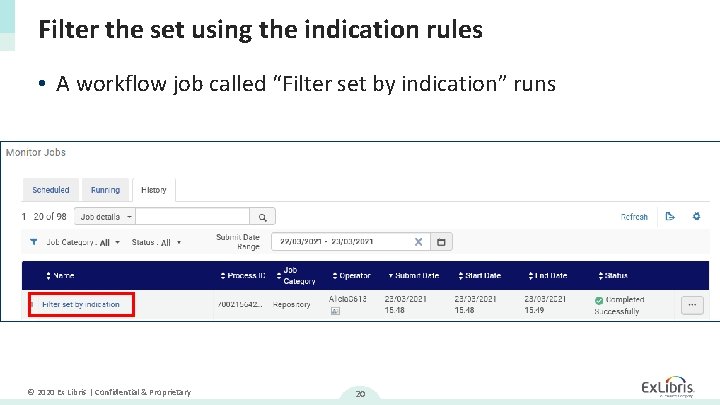
Filter the set using the indication rules • A workflow job called “Filter set by indication” runs © 2020 Ex Libris | Confidential & Proprietary 20
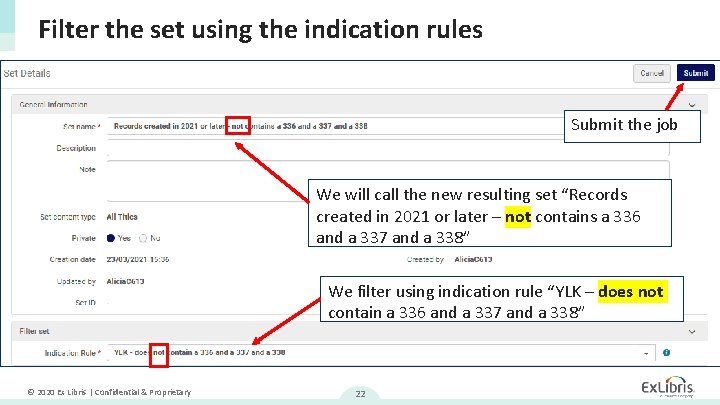
Filter the set using the indication rules • On the next slide we see that we will now again filter the set, but this time we will filter to get all records which do not have a 336 and a 337 and a 338. © 2020 Ex Libris | Confidential & Proprietary 21
Filter the set using the indication rules Submit the job We will call the new resulting set “Records created in 2021 or later – not contains a 336 and a 337 and a 338” We filter using indication rule “YLK – does not contain a 336 and a 337 and a 338” © 2020 Ex Libris | Confidential & Proprietary 22
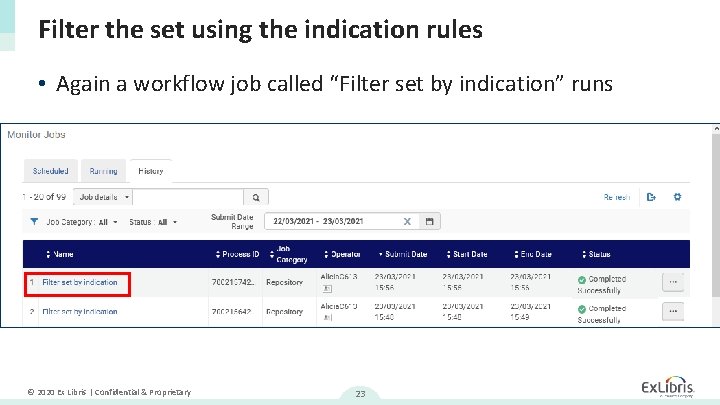
Filter the set using the indication rules • Again a workflow job called “Filter set by indication” runs © 2020 Ex Libris | Confidential & Proprietary 23
Viewing the results © 2020 Ex Libris | Confidential & Proprietary 24
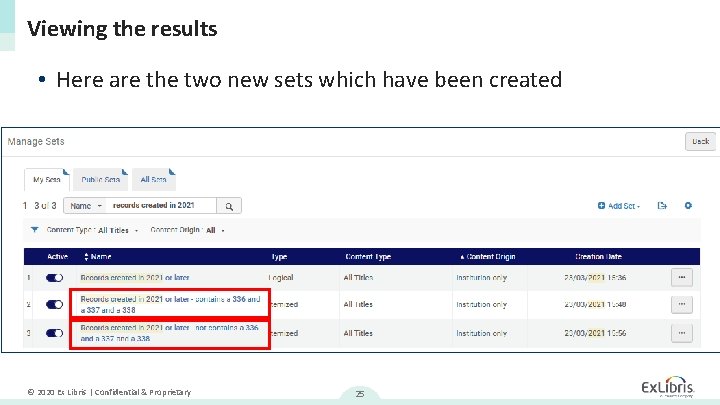
Viewing the results • Here are the two new sets which have been created © 2020 Ex Libris | Confidential & Proprietary 25
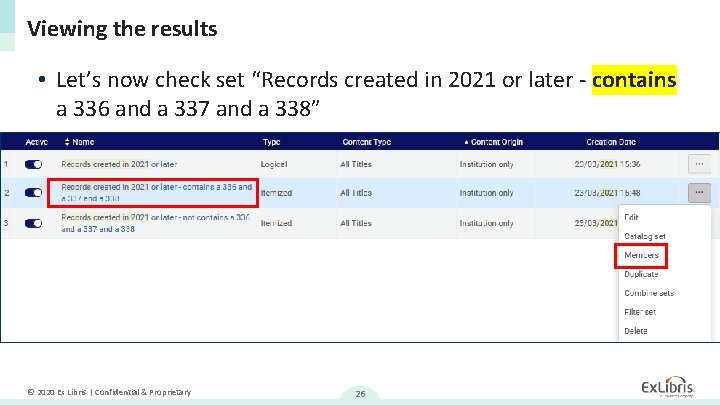
Viewing the results • Let’s now check set “Records created in 2021 or later - contains a 336 and a 337 and a 338” © 2020 Ex Libris | Confidential & Proprietary 26
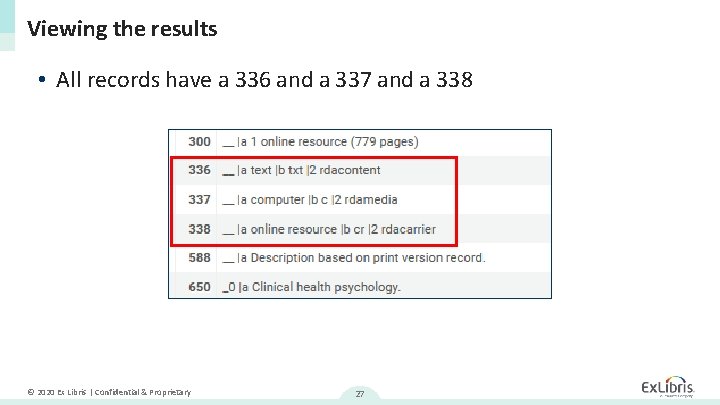
Viewing the results • All records have a 336 and a 337 and a 338 © 2020 Ex Libris | Confidential & Proprietary 27
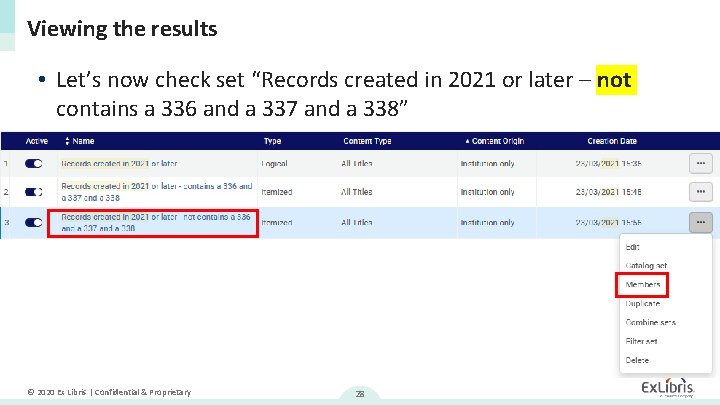
Viewing the results • Let’s now check set “Records created in 2021 or later – not contains a 336 and a 337 and a 338” © 2020 Ex Libris | Confidential & Proprietary 28
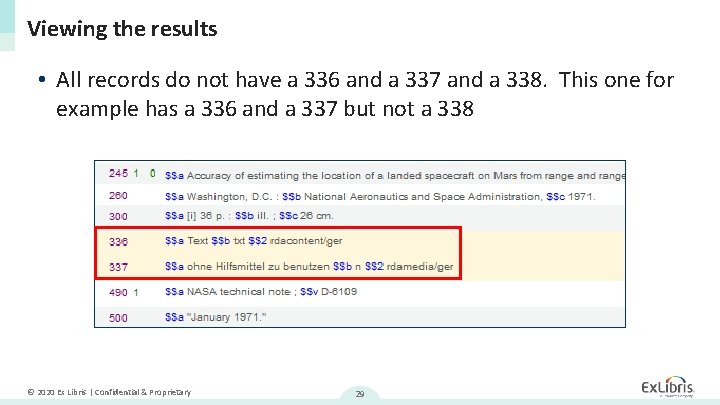
Viewing the results • All records do not have a 336 and a 337 and a 338. This one for example has a 336 and a 337 but not a 338 © 2020 Ex Libris | Confidential & Proprietary 29
Thank you! xxx@exlibrisgroup. com © 2020 Ex Libris | Confidential & Proprietary