
How to Respond to an RFQ December 2019
How to: Respond to an RFQ December 2019 Version 6
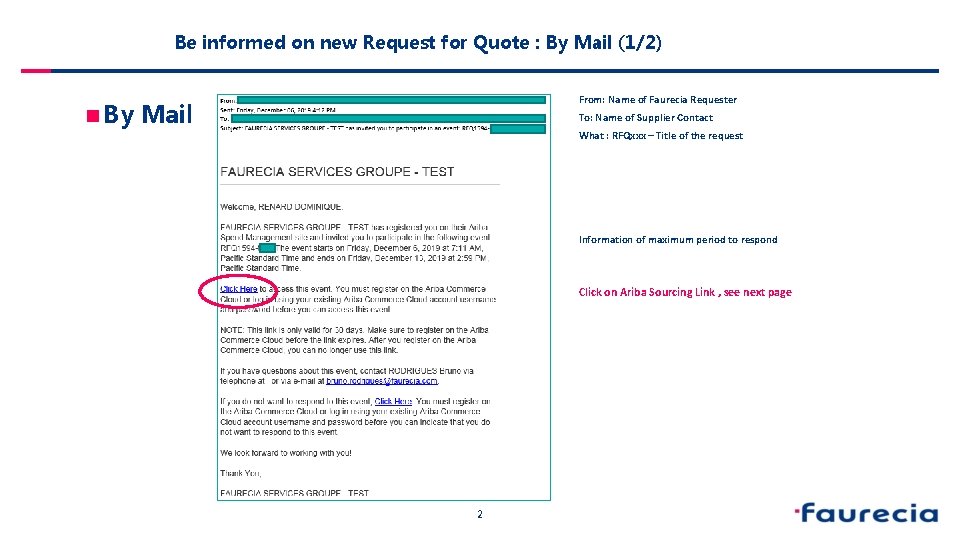
Be informed on new Request for Quote : By Mail (1/2) n By From: Name of Faurecia Requester Mail To: Name of Supplier Contact What : RFQxxx – Title of the request Information of maximum period to respond Click on Ariba Sourcing Link , see next page 2
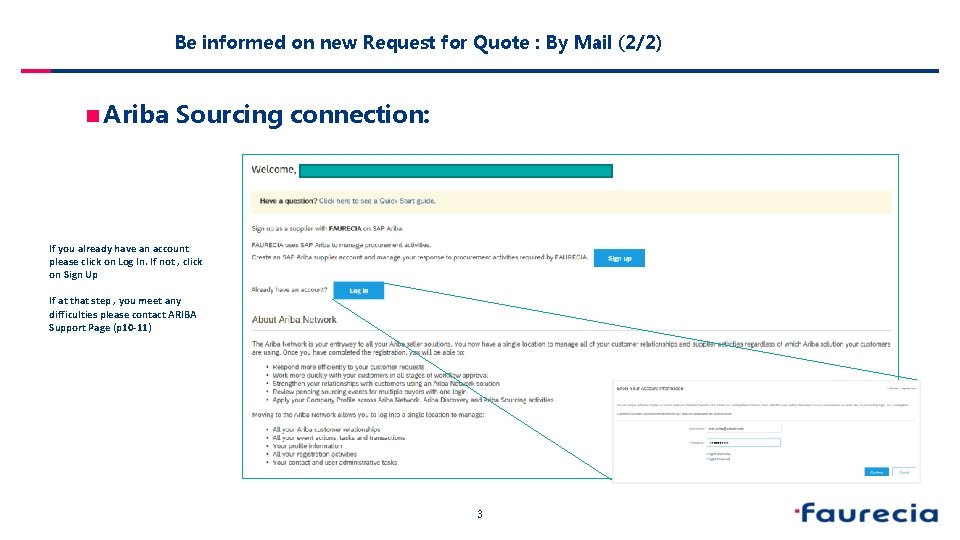
Be informed on new Request for Quote : By Mail (2/2) n Ariba Sourcing connection: If you already have an account please click on Log In. If not , click on Sign Up If at that step , you meet any difficulties please contact ARIBA Support Page (p 10 -11) 3
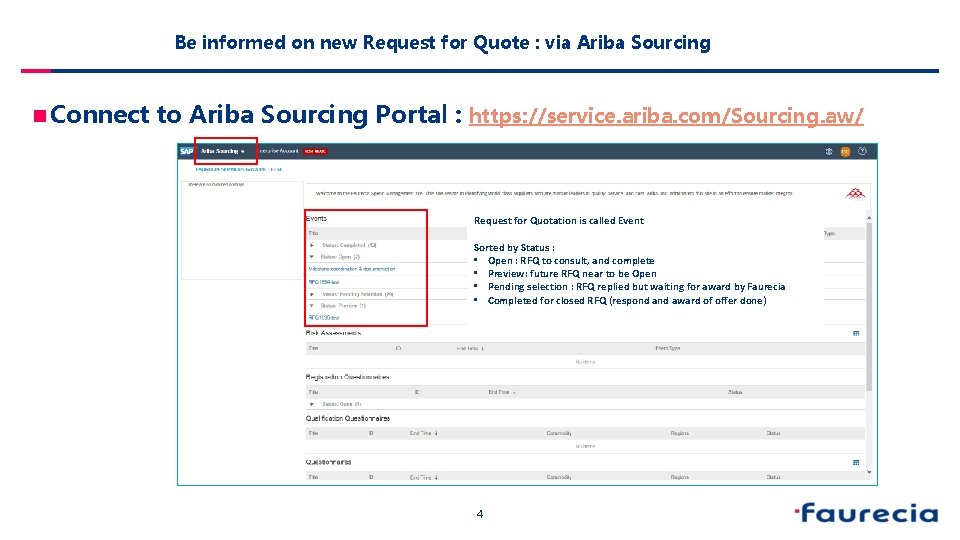
Be informed on new Request for Quote : via Ariba Sourcing n Connect to Ariba Sourcing Portal : https: //service. ariba. com/Sourcing. aw/ Request for Quotation is called Event Sorted by Status : • Open : RFQ to consult, and complete • Preview: future RFQ near to be Open • Pending selection : RFQ replied but waiting for award by Faurecia • Completed for closed RFQ (respond award of offer done) 4
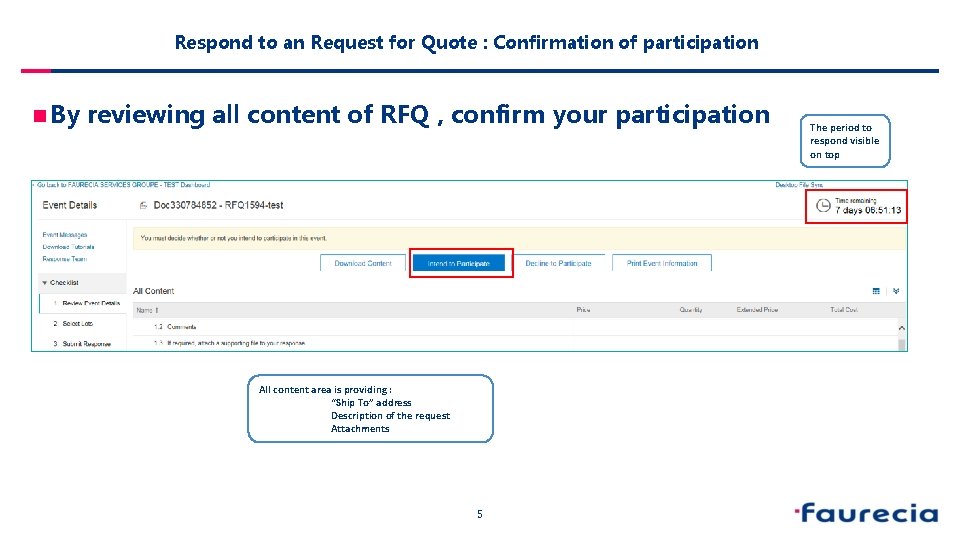
Respond to an Request for Quote : Confirmation of participation n By reviewing all content of RFQ , confirm your participation All content area is providing : “Ship To” address Description of the request Attachments 5 The period to respond visible on top
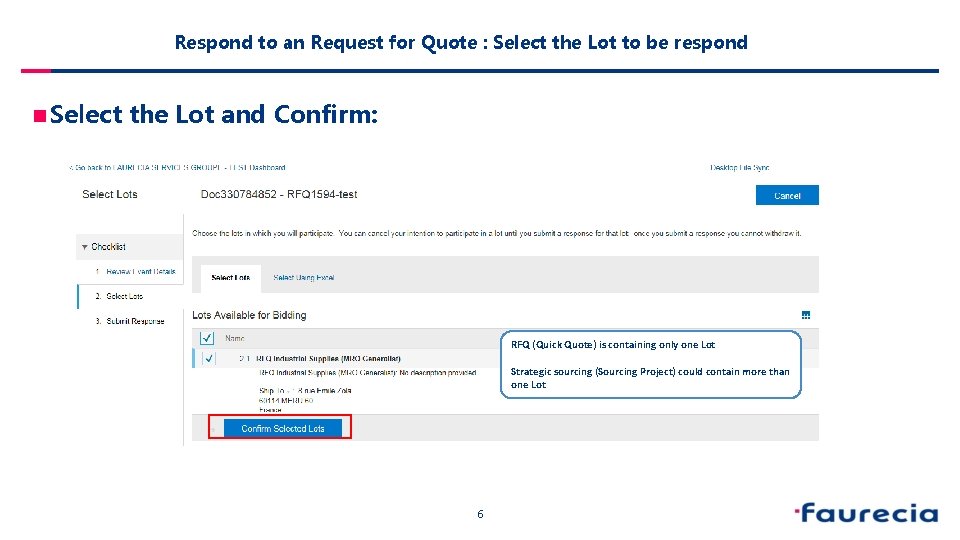
Respond to an Request for Quote : Select the Lot to be respond n Select the Lot and Confirm: RFQ (Quick Quote) is containing only one Lot Strategic sourcing (Sourcing Project) could contain more than one Lot 6
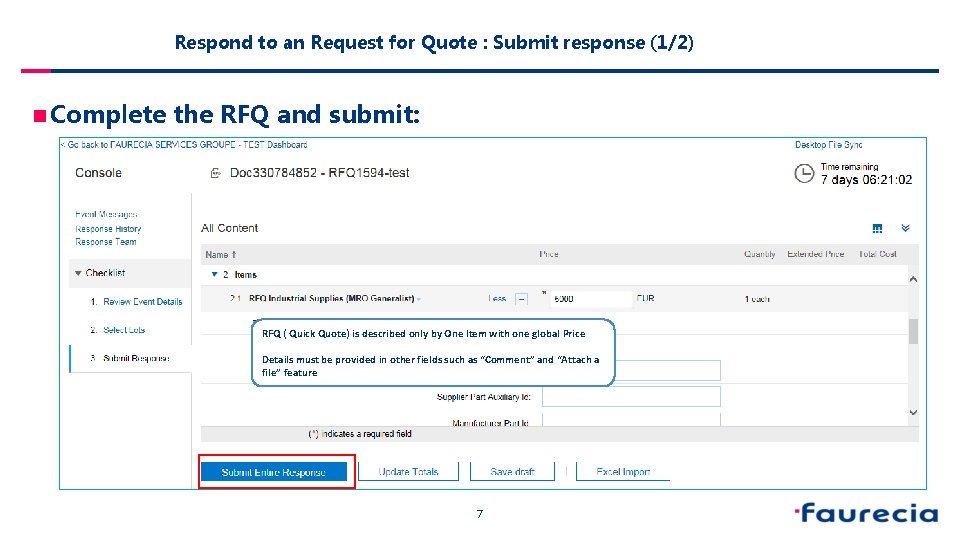
Respond to an Request for Quote : Submit response (1/2) n Complete the RFQ and submit: RFQ ( Quick Quote) is described only by One Item with one global Price Details must be provided in other fields such as “Comment” and “Attach a file” feature 7
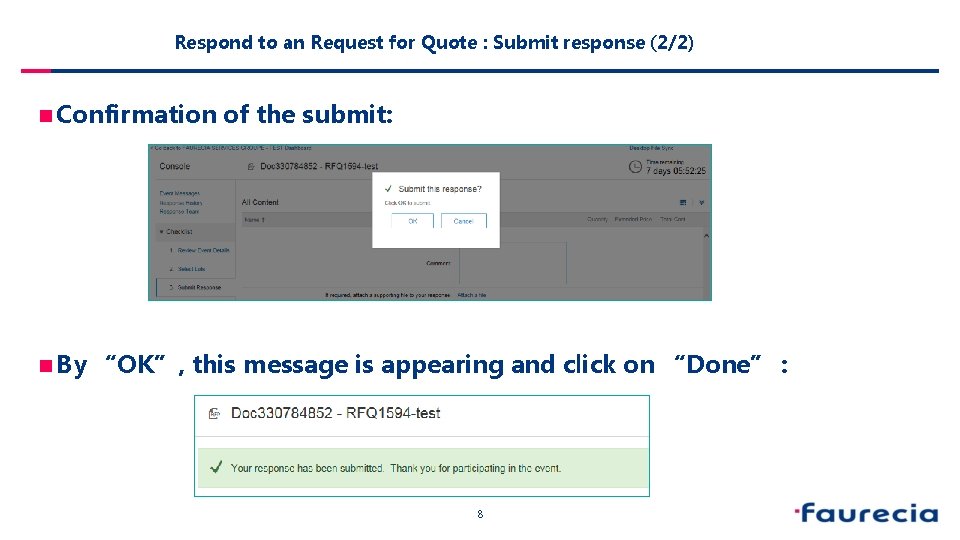
Respond to an Request for Quote : Submit response (2/2) n Confirmation n By of the submit: “OK”, this message is appearing and click on “Done” : 8
Request for Quote Lyfecycle n During Remaining Bid Period, RFQ is still in Status “Open” and can be revised n Remaining Bid Period can be stopped by Faurecia to allow the Award phase. Then RFQ status is “Pending Selection” n RFQ in Status “Pending Selection” can be revised by the supplier. In certain circumstance, Faurecia is able to re-open the event giving possibility to do revision. n For any technical support please contact the ARIBA Support Chain n For any question on content of request please contact the requester n As last option of support, we are listing a Faurecia Support per region 9
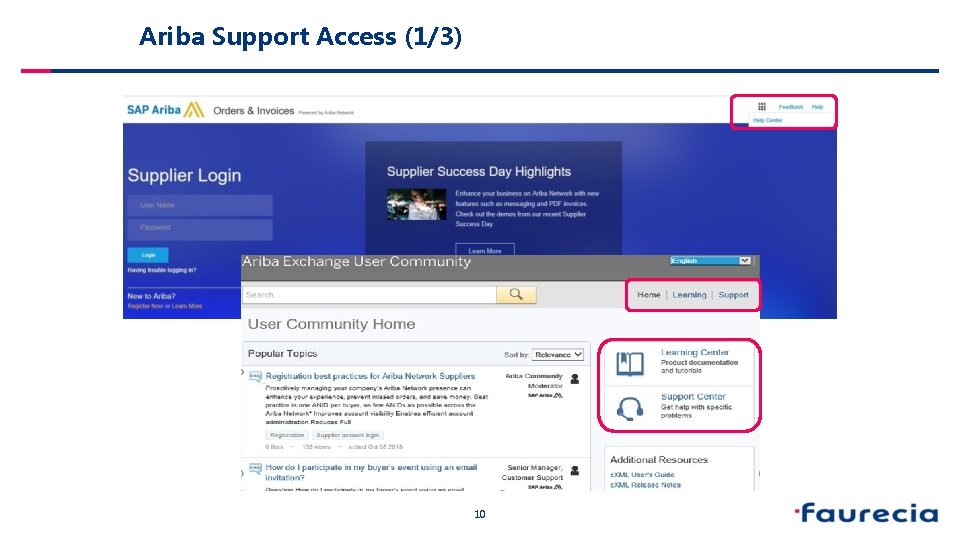
Ariba Support Access (1/3) 10
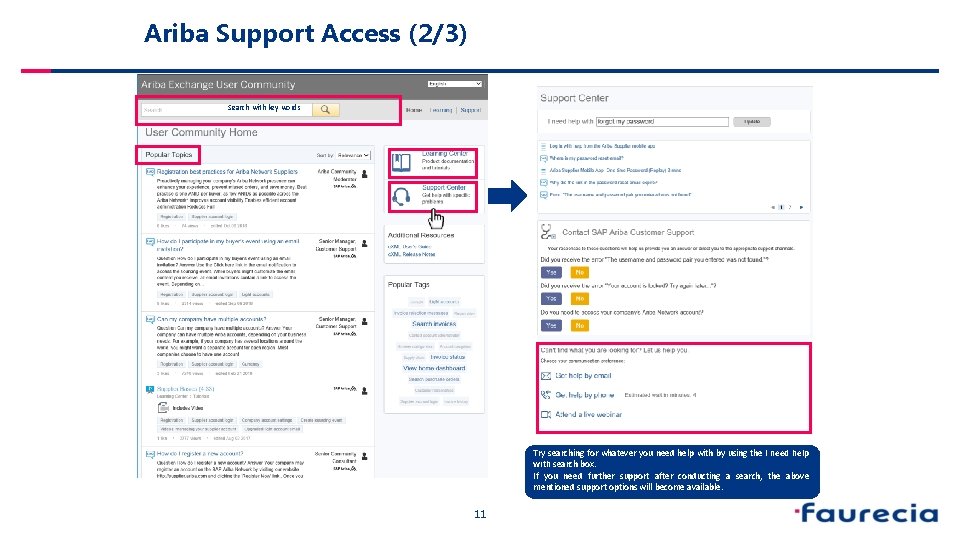
Ariba Support Access (2/3) Search with key words Try searching for whatever you need help with by using the I need help with search box. If you need further support after conducting a search, the above mentioned support options will become available. 11
Faurecia Support (3/3) n Questions regarding Ariba usage : n EMEA : Faurecia. enablement@ariba. com n North America : Faurecia. enablement. namer@ariba. com n China: Faurecia. enablement. apj@ariba. com n Questions regarding your relationship with Faurecia : q EMEA § Enterprise account : supplier. enablement. emea@faurecia. com § Standard account : light. enablement. emea@faurecia. com q North America § Enterprise accounts : full. enablement. nao@faurecia. com § Standard accounts : light. enablement. nao@faurecia. com q China: § Enterprise accounts : supplier. enablement. asia@faurecia. com § Standard accounts : light. enablement. asia@faurecia. com 12
- Slides: 13