
How to report deliverables Learn how to report
How to report deliverables Learn how to report deliverables in MEL in 1 minute
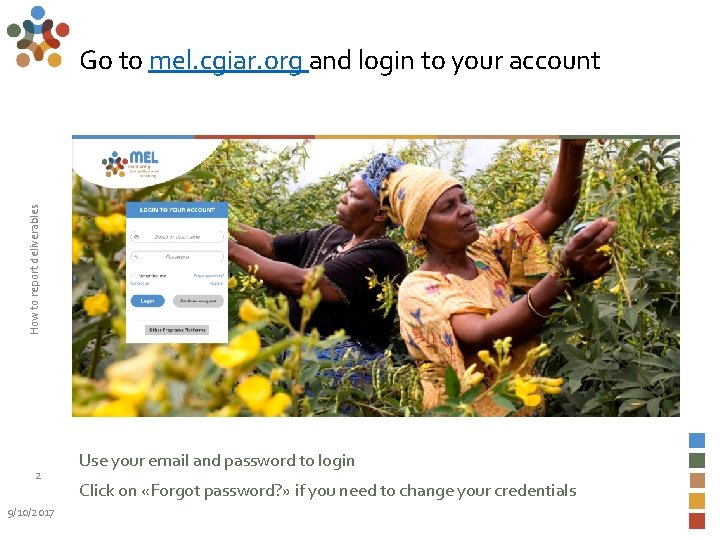
How to report deliverables Go to mel. cgiar. org and login to your account 2 9/10/2017 Use your email and password to login Click on «Forgot password? » if you need to change your credentials
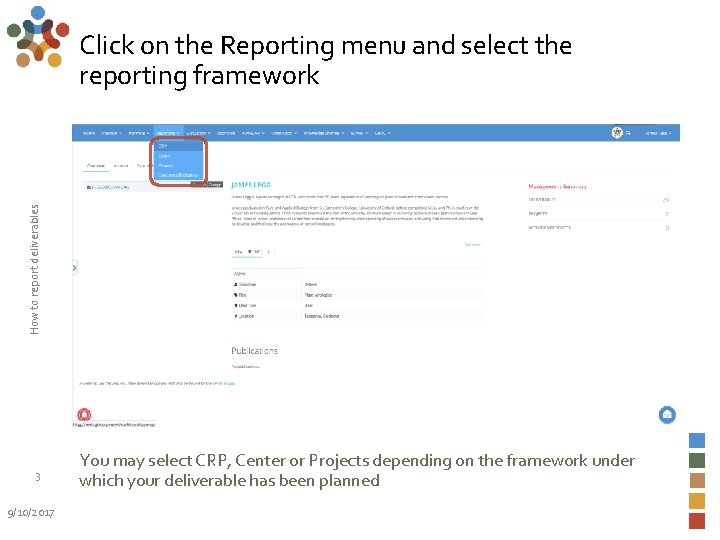
How to report deliverables Click on the Reporting menu and select the reporting framework 3 9/10/2017 You may select CRP, Center or Projects depending on the framework under which your deliverable has been planned
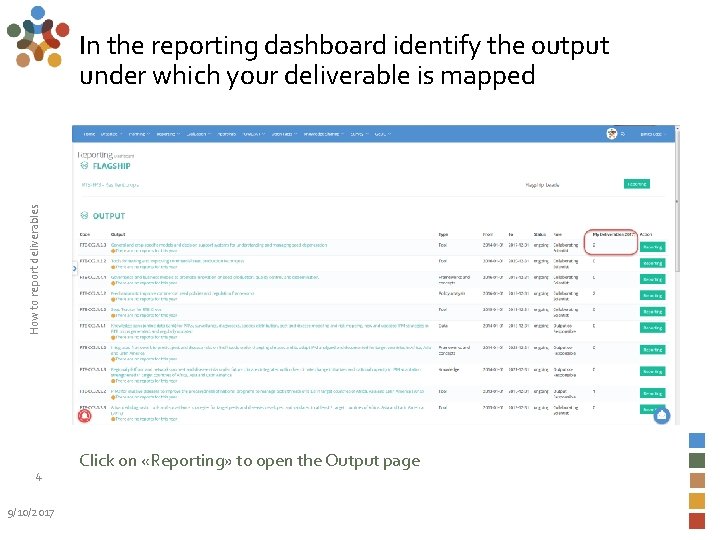
How to report deliverables In the reporting dashboard identify the output under which your deliverable is mapped 4 9/10/2017 Click on «Reporting» to open the Output page
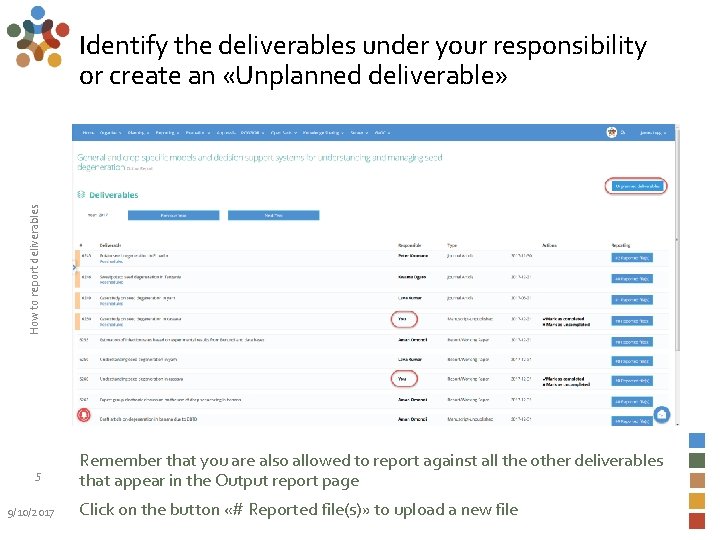
How to report deliverables Identify the deliverables under your responsibility or create an «Unplanned deliverable» 5 9/10/2017 Remember that you are also allowed to report against all the other deliverables that appear in the Output report page Click on the button «# Reported file(s)» to upload a new file
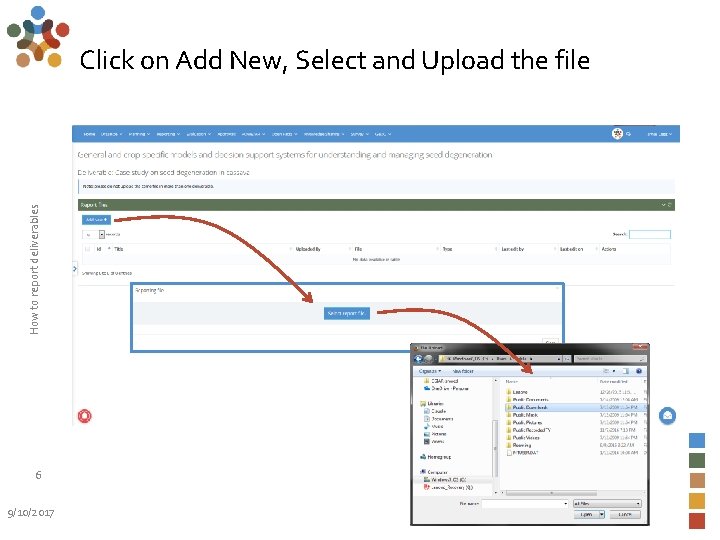
How to report deliverables Click on Add New, Select and Upload the file 6 9/10/2017
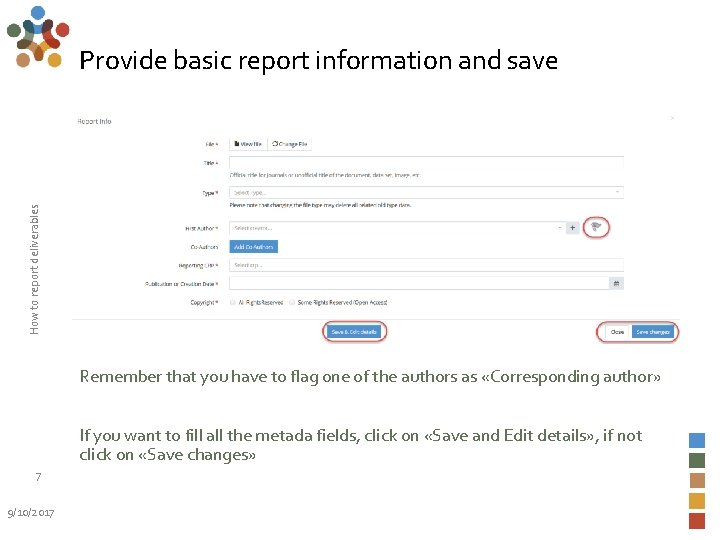
How to report deliverables Provide basic report information and save Remember that you have to flag one of the authors as «Corresponding author» If you want to fill all the metada fields, click on «Save and Edit details» , if not click on «Save changes» 7 9/10/2017
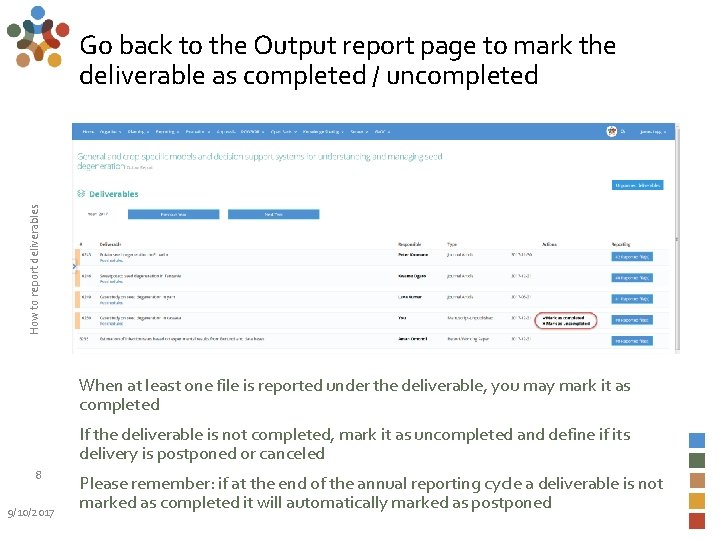
How to report deliverables Go back to the Output report page to mark the deliverable as completed / uncompleted When at least one file is reported under the deliverable, you may mark it as completed If the deliverable is not completed, mark it as uncompleted and define if its delivery is postponed or canceled 8 9/10/2017 Please remember: if at the end of the annual reporting cycle a deliverable is not marked as completed it will automatically marked as postponed
For more detailed information on how to use MEL please use the online guide You need support? Chat with us or send us and email Thanks for using MEL 9/10/2017 How to report deliverables 9
- Slides: 9