
How to Process MRT Referrals Using Alerts September

How to Process MRT Referrals Using Alerts September 2020
DAP Referrals • All DAP Referrals are initiated via the Disability Screen, but are maintained in the DAP Functions Module. • When an action/update is needed in the DAP Functions or Case Processing Modules (Disability Screen), either the MRT/DAP worker or IMCW will receive an alert on their dashboard. • The individual assigned to the alert depends on the type of alert being received. • Processing DAP Referrals requires a coordinated effort between the MRT/DAP worker and case-assigned IMCW due to the updates/actions that may be required. 11/25/2020 2

MRT Referral Process The MRT Process consists of 3 Alerts: DAP Alert Number DAP Alert Name Due Date Assigned To Environment DAP 251 Send Records to MRT 45 Days MRT/DAP Worker via Round Robin DAP Record DAP 252 MRT Certification Decision Not Received 90 Days Worker that Completed DAP 251 Alert DAP Record DAP 250 Review and Run Eligibility 10 Days Caseload Owner to Case Processing update the Disability Page 11/25/2020 3
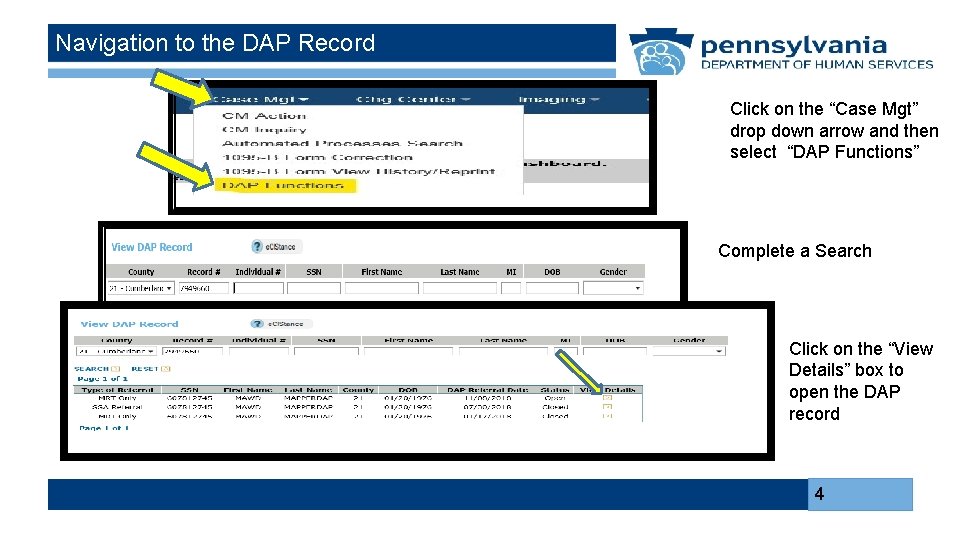
Navigation to the DAP Record Click on the “Case Mgt” drop down arrow and then select “DAP Functions” Complete a Search Click on the “View Details” box to open the DAP record 4
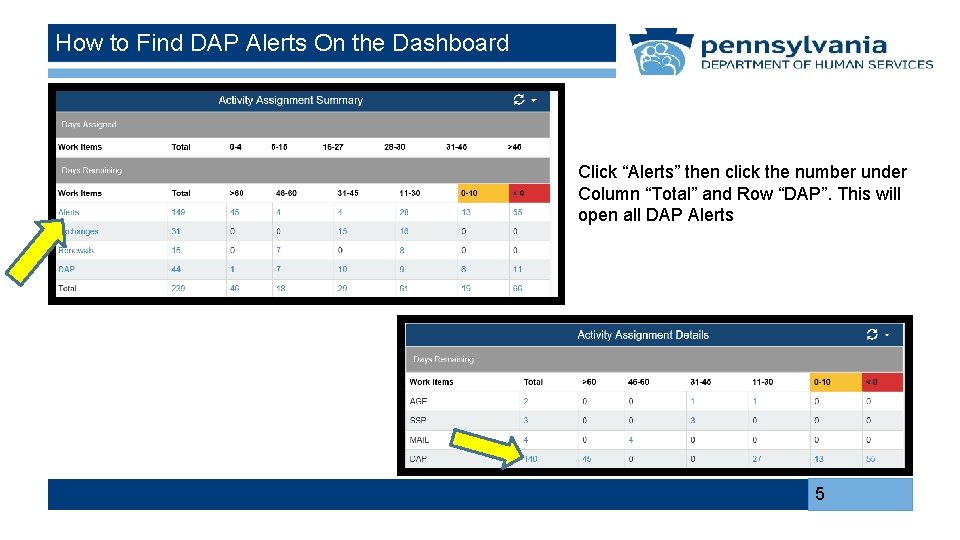
How to Find DAP Alerts On the Dashboard Click “Alerts” then click the number under Column “Total” and Row “DAP”. This will open all DAP Alerts 5
DAP 251 Alert
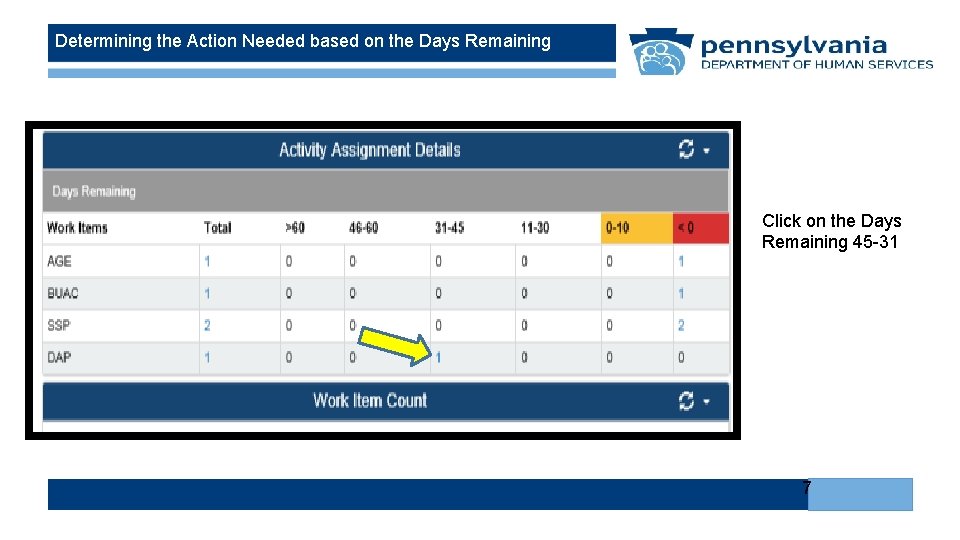
Determining the Action Needed based on the Days Remaining Click on the Days Remaining 45 -31 7
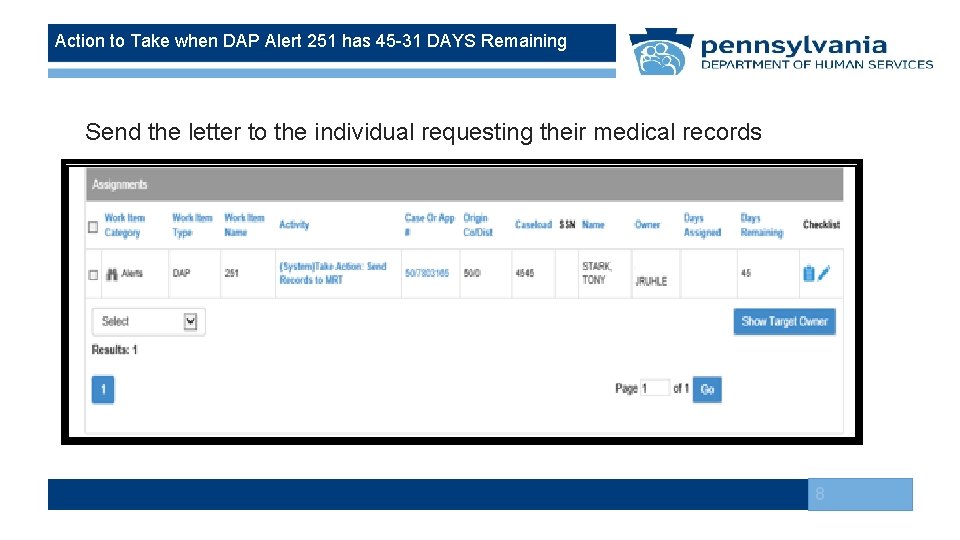
Action to Take when DAP Alert 251 has 45 -31 DAYS Remaining Send the letter to the individual requesting their medical records 8
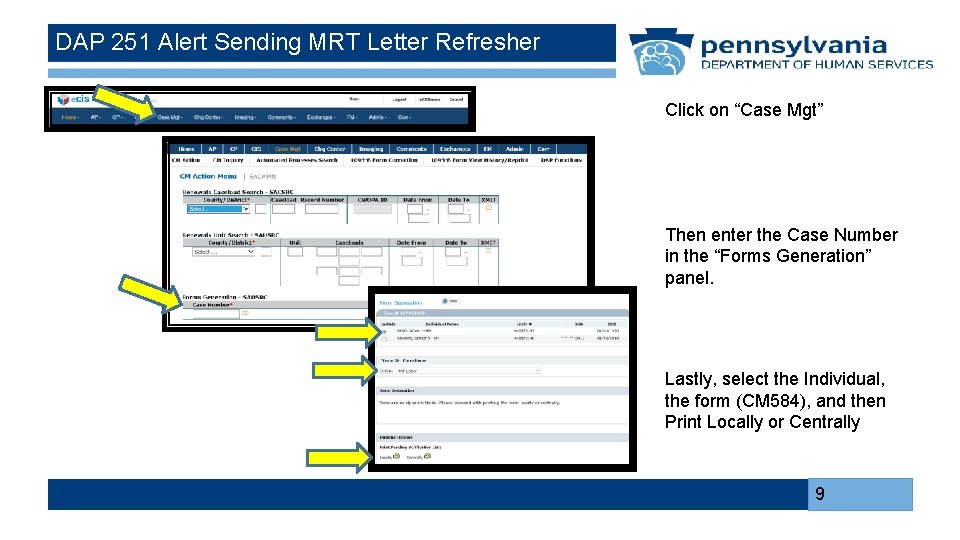
DAP 251 Alert Sending MRT Letter Refresher Click on “Case Mgt” Then enter the Case Number in the “Forms Generation” panel. Lastly, select the Individual, the form (CM 584), and then Print Locally or Centrally 9
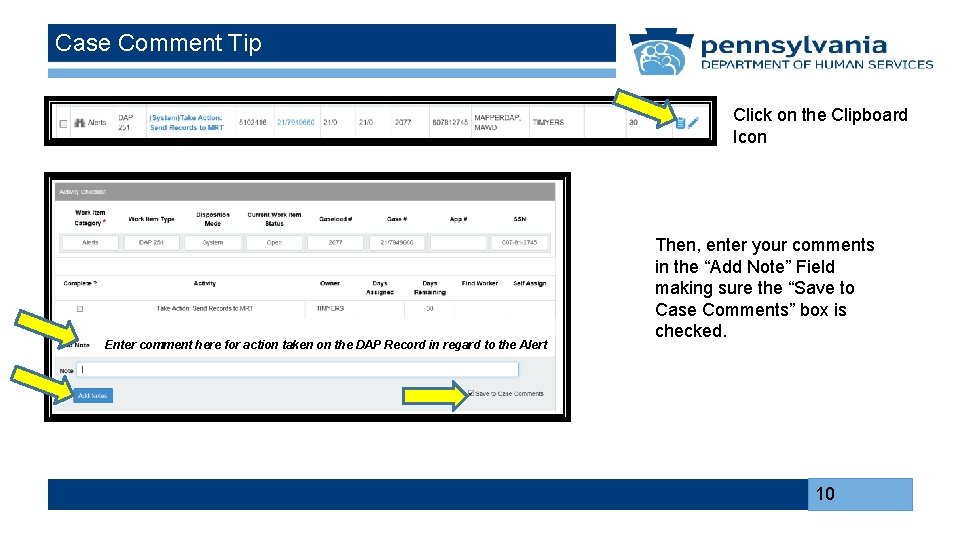
Case Comment Tip Click on the Clipboard Icon Enter comment here for action taken on the DAP Record in regard to the Alert Then, enter your comments in the “Add Note” Field making sure the “Save to Case Comments” box is checked. 10
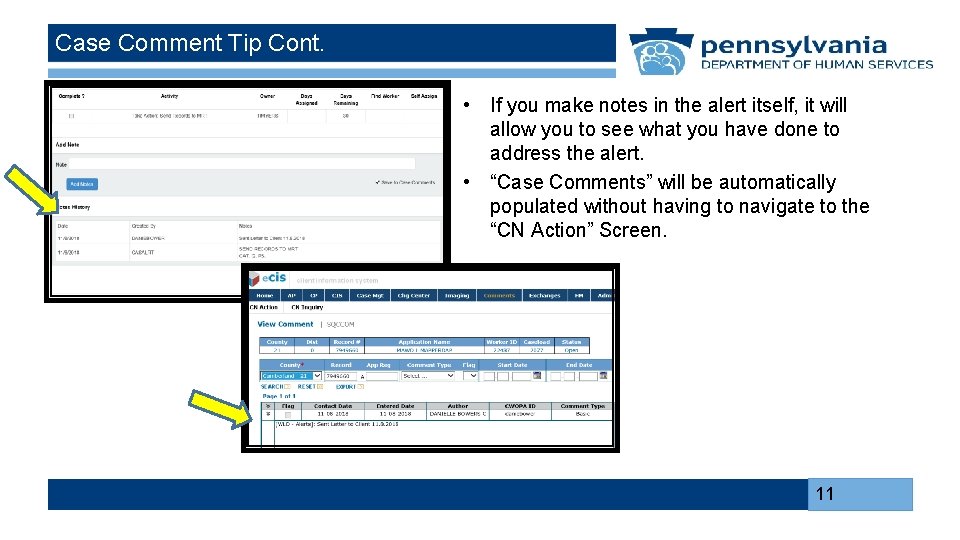
Case Comment Tip Cont. • If you make notes in the alert itself, it will allow you to see what you have done to address the alert. • “Case Comments” will be automatically populated without having to navigate to the “CN Action” Screen. 11
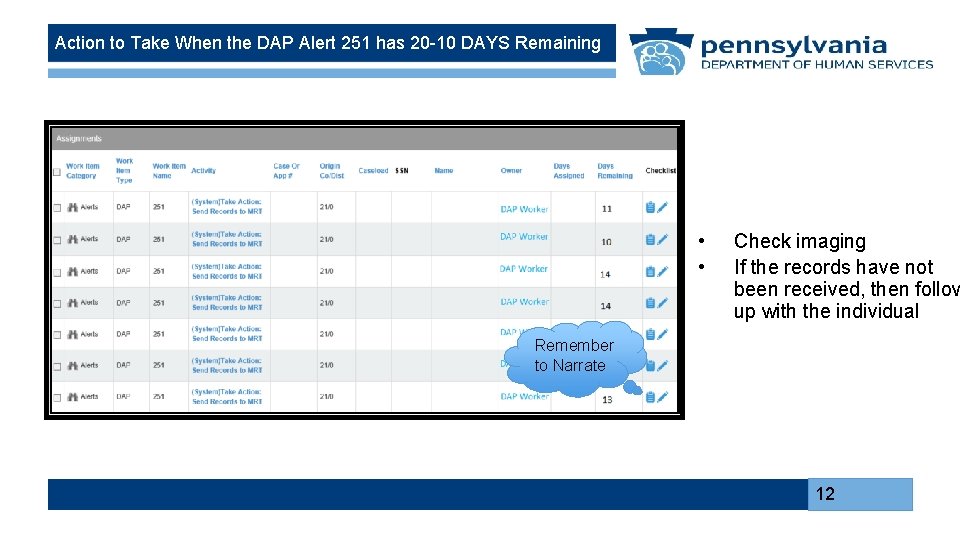
Action to Take When the DAP Alert 251 has 20 -10 DAYS Remaining • • Check imaging If the records have not been received, then follow up with the individual Remember to Narrate 12
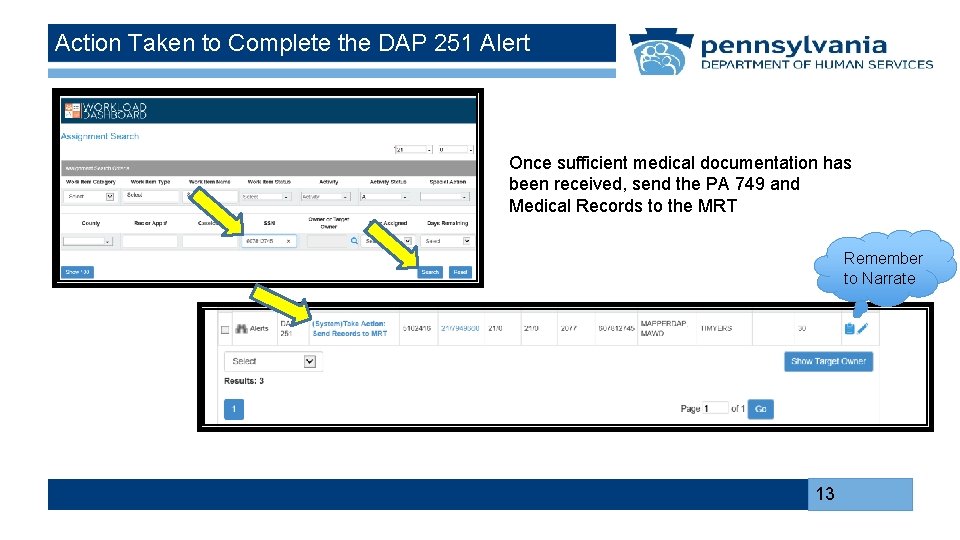
Action Taken to Complete the DAP 251 Alert Once sufficient medical documentation has been received, send the PA 749 and Medical Records to the MRT Remember to Narrate 13
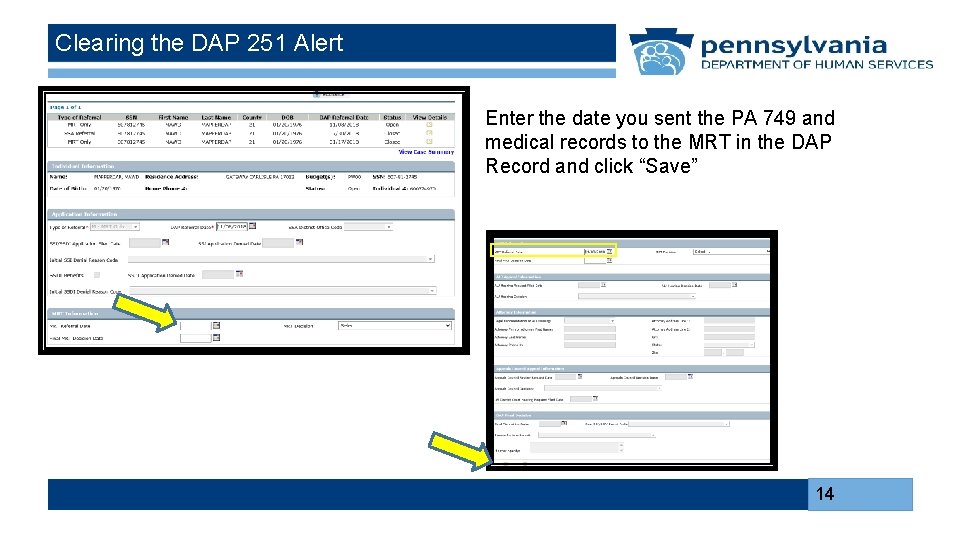
Clearing the DAP 251 Alert Enter the date you sent the PA 749 and medical records to the MRT in the DAP Record and click “Save” 14
DAP 252 Alert
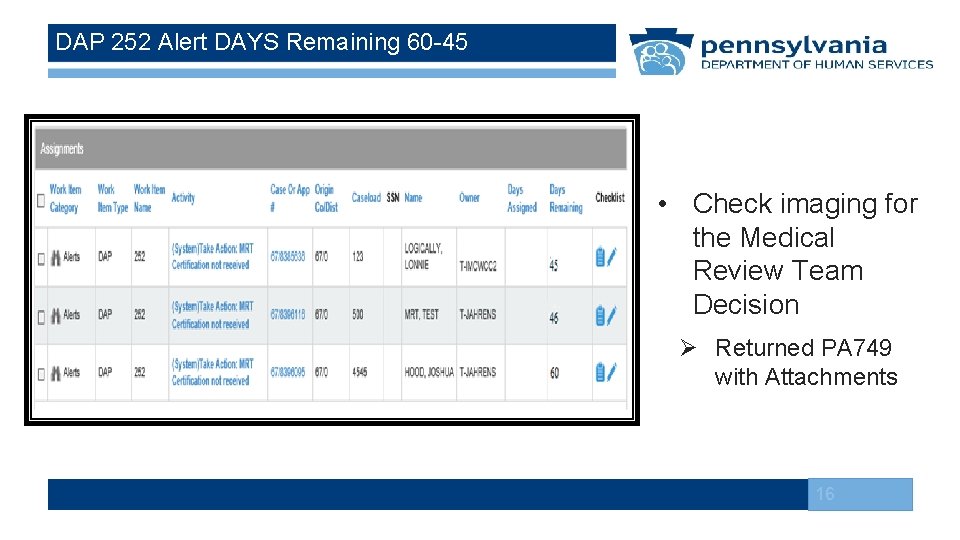
DAP 252 Alert DAYS Remaining 60 -45 • Check imaging for the Medical Review Team Decision Ø Returned PA 749 with Attachments 16
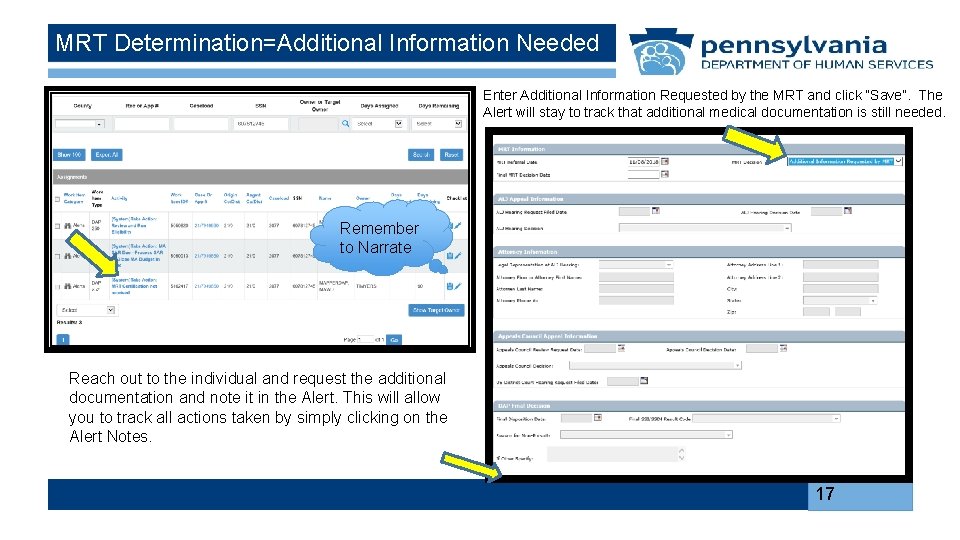
MRT Determination=Additional Information Needed Enter Additional Information Requested by the MRT and click “Save”. The Alert will stay to track that additional medical documentation is still needed. Remember to Narrate Reach out to the individual and request the additional documentation and note it in the Alert. This will allow you to track all actions taken by simply clicking on the Alert Notes. 17
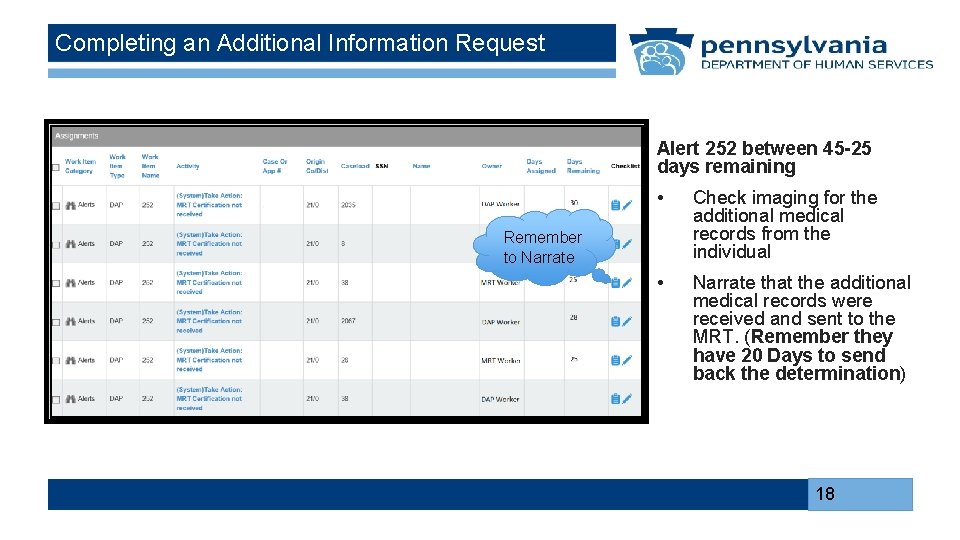
Completing an Additional Information Request Alert 252 between 45 -25 days remaining • Check imaging for the additional medical records from the individual • Narrate that the additional medical records were received and sent to the MRT. (Remember they have 20 Days to send back the determination) Remember to Narrate 18
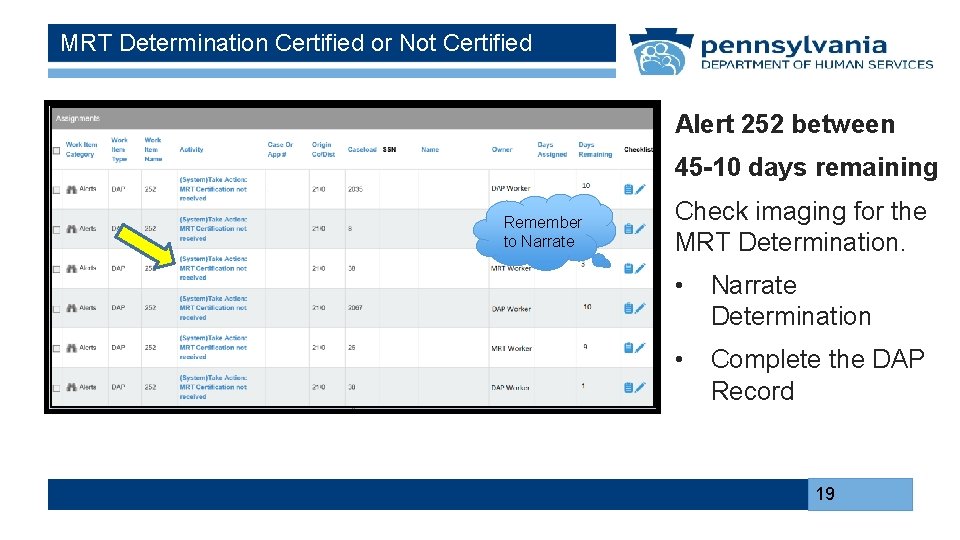
MRT Determination Certified or Not Certified Alert 252 between 45 -10 days remaining Remember to Narrate Check imaging for the MRT Determination. • Narrate Determination • Complete the DAP Record 19
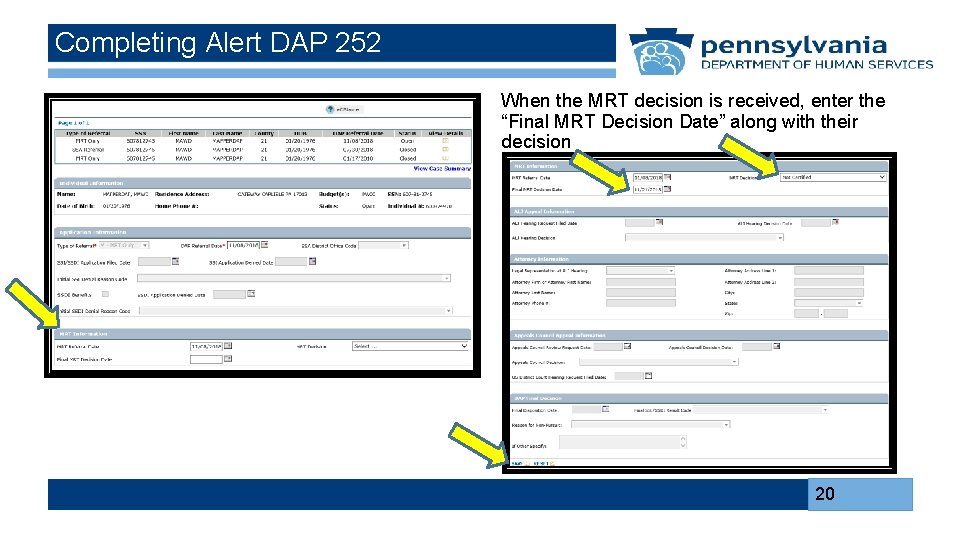
Completing Alert DAP 252 When the MRT decision is received, enter the “Final MRT Decision Date” along with their decision 20
DAP 250 Alert
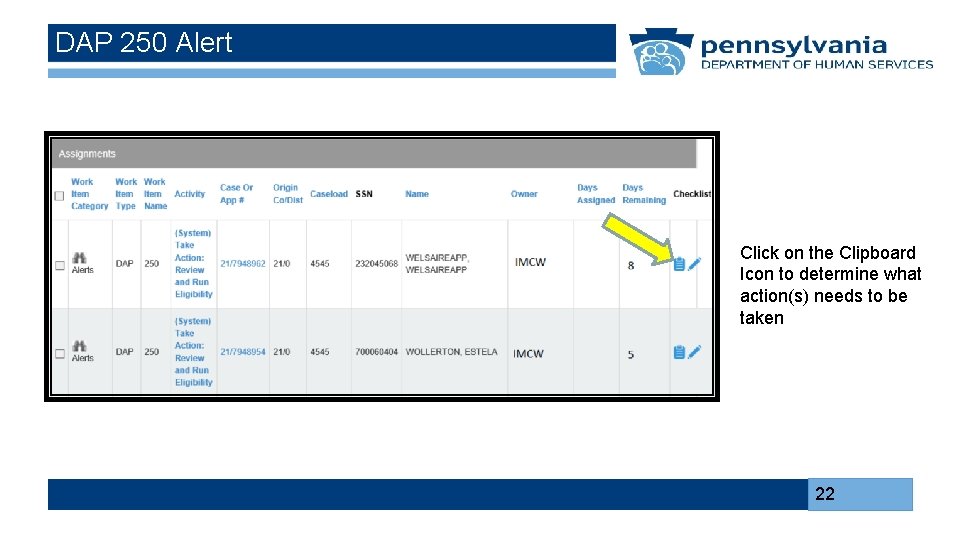
DAP 250 Alert Click on the Clipboard Icon to determine what action(s) needs to be taken 22
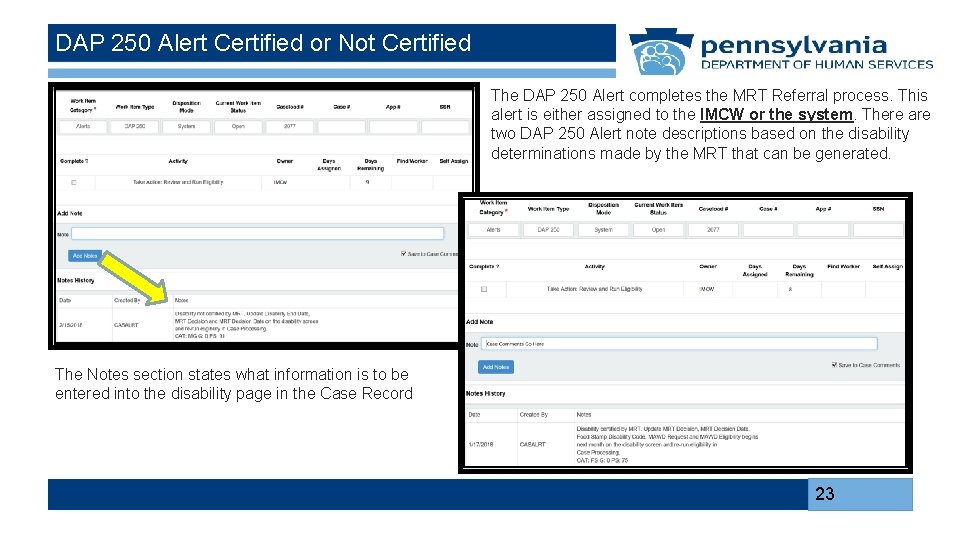
DAP 250 Alert Certified or Not Certified The DAP 250 Alert completes the MRT Referral process. This alert is either assigned to the IMCW or the system. There are two DAP 250 Alert note descriptions based on the disability determinations made by the MRT that can be generated. The Notes section states what information is to be entered into the disability page in the Case Record 23
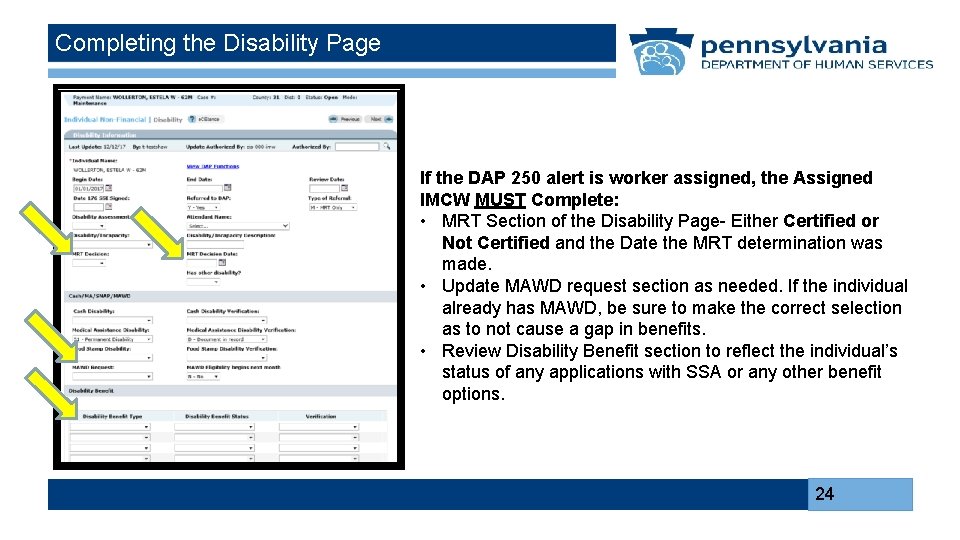
Completing the Disability Page If the DAP 250 alert is worker assigned, the Assigned IMCW MUST Complete: • MRT Section of the Disability Page- Either Certified or Not Certified and the Date the MRT determination was made. • Update MAWD request section as needed. If the individual already has MAWD, be sure to make the correct selection as to not cause a gap in benefits. • Review Disability Benefit section to reflect the individual’s status of any applications with SSA or any other benefit options. 24
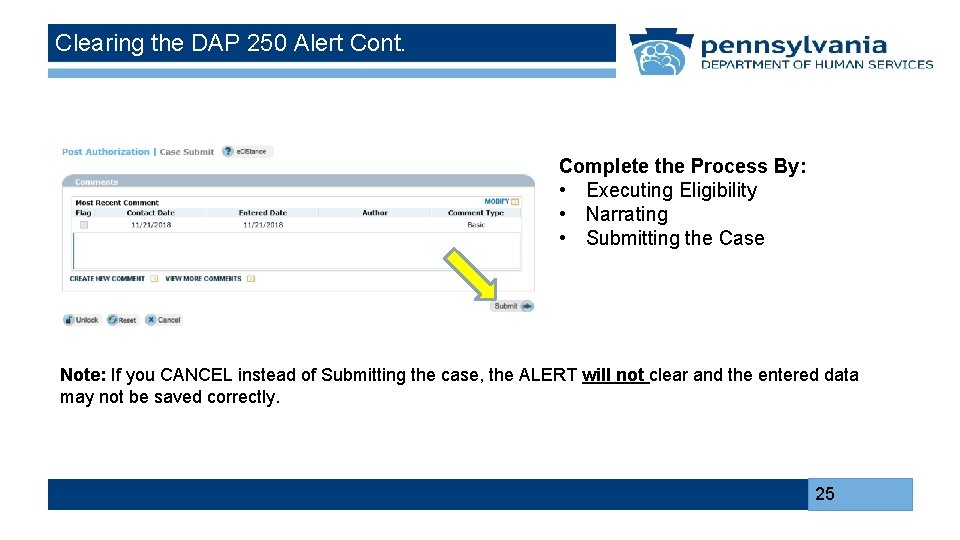
Clearing the DAP 250 Alert Cont. Complete the Process By: • Executing Eligibility • Narrating • Submitting the Case Note: If you CANCEL instead of Submitting the case, the ALERT will not clear and the entered data may not be saved correctly. 25
- Slides: 25