
How to Organise your Files and Folders Gareth
- Slides: 25
How to Organise your Files and Folders Gareth Cole. Data Curation Officer. 6 th October 2014
Introductions • Who are we? • Who are you and why are you here?
Today’s Session • • • File naming Versioning File directories Data/file formats Storage and backup of data
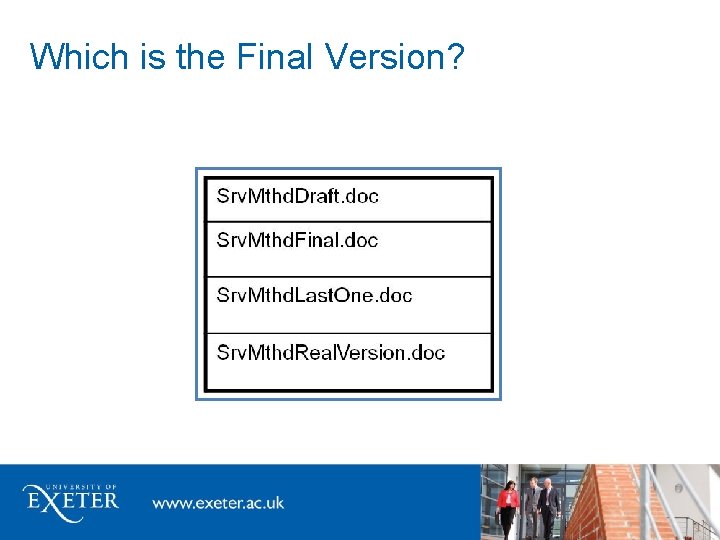
Which is the Final Version?
The Benefits of Organising Files and Folders • • Future proof your data Meet funder obligations Save time Easier collaboration; ensure that you work on correct version • Good research practice • Archive correct version
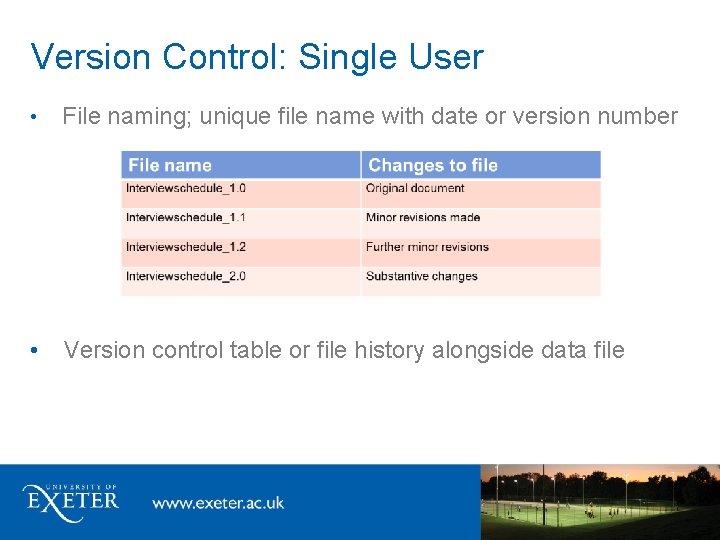
File Naming File name = principal identifier of file Easy to: identify, locate, retrieve, access Provides context e. g. : • version number e. g. Food. Interview_1. 1 • date e. g. Health. Test_2011_04_06 • content description e. g. BGHSurvey. Procedures • creator name e. g. Comms. Plan. GJC
File Naming: Best Practice • Brief and relevant • Limit special characters, dots or spaces • For separation use underscores _ • Name independent of location • Date: YYYY_MM_DD Have a System! • Consistent and logical naming system • Develop a system with colleagues for shared data
Version Control Tools/Strategies • Record file status/versions • Record relationships between files e. g. data file and documentation; similar data files • Keep track of file locations e. g. laptop vs PC; office vs home
Version Control: Single User • File naming; unique file name with date or version number • Version control table or file history alongside data file
Version Control: Multiple Users • Control rights to file editing: read/write permissions e. g. Microsoft Office • Versioning/file sharing software: e. g. Google Drive, Amazon S 3 • Merging of multiple entries/edits
Version Control: Multiple Locations • Synchronise files e. g. MS Sync. Toy software, Drop. Box, One. Drive • Use remote desktop
Non-Digital Storage Always follow the procedures stated in your ethical approval Confidential items, e. g. signed consent forms, interview notes • • • Store securely, behind a lock Separate from data files Can you scan them?
Directory Structure: Tips • • • Data and documentation files in separate folders Store like with like (file type): • Data files: organised by data type and then by research activity • Documentation files: by type of documentation file then by research activity Restrict the level of folders to 4 deep Max 10 sub-folders in each folder If you can’t see all subfolders at a glance, create an alphabetic menu Use shortcuts instead of multiple copies
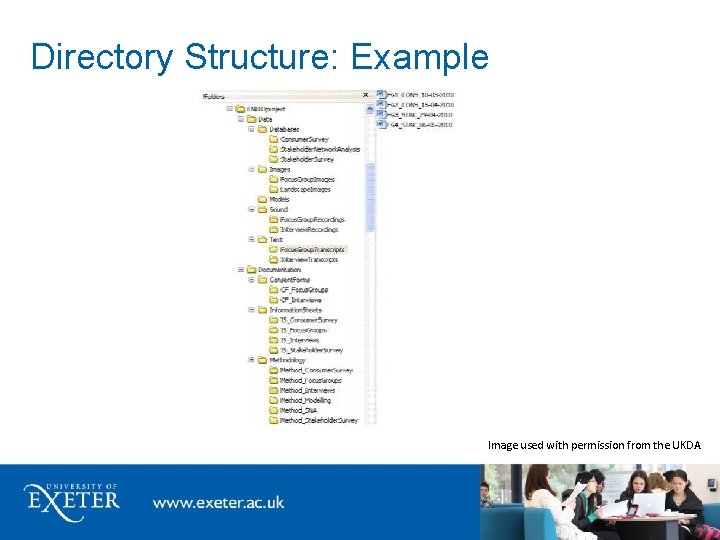
Directory Structure: Example Image used with permission from the UKDA
What Format Should I Store my Data in? (Open Formats) • What is an Open Format? • The specification has been published • The format can be used and implemented by anyone e. g. csv or txt • Advantages of Open Formats • Not limited to one piece of software • More chance of being able to use the format in the future • Disadvantages • Tend to be “simpler” and hold less information UKDA table of Optimal File Formats
What Format Should I Store my Data in? (Lossless Formats) • • What is a Lossless Format? • Data is compressed without any being lost • Lossy compression formats discard data in the compression process • Used for preservation/archiving purposes E. g. , TIFF, PDF/A, MPEG, FLAC Advantage of Lossless Formats • The original data can be recreated as none has been lost
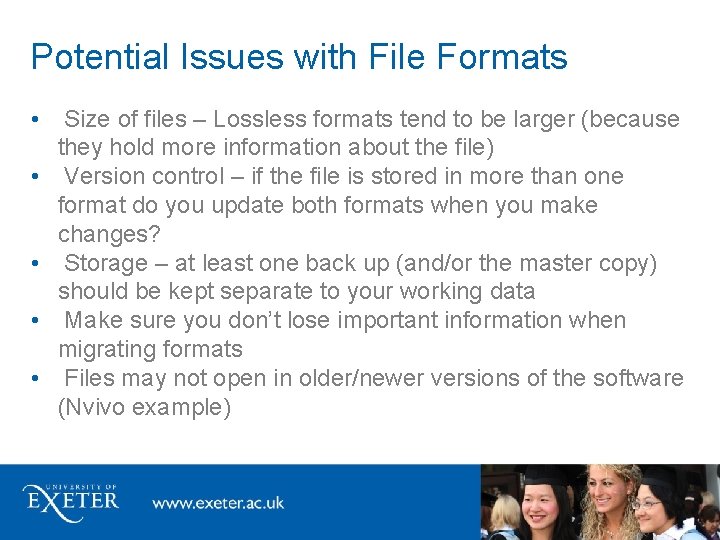
Potential Issues with File Formats • • • Size of files – Lossless formats tend to be larger (because they hold more information about the file) Version control – if the file is stored in more than one format do you update both formats when you make changes? Storage – at least one back up (and/or the master copy) should be kept separate to your working data Make sure you don’t lose important information when migrating formats Files may not open in older/newer versions of the software (Nvivo example)
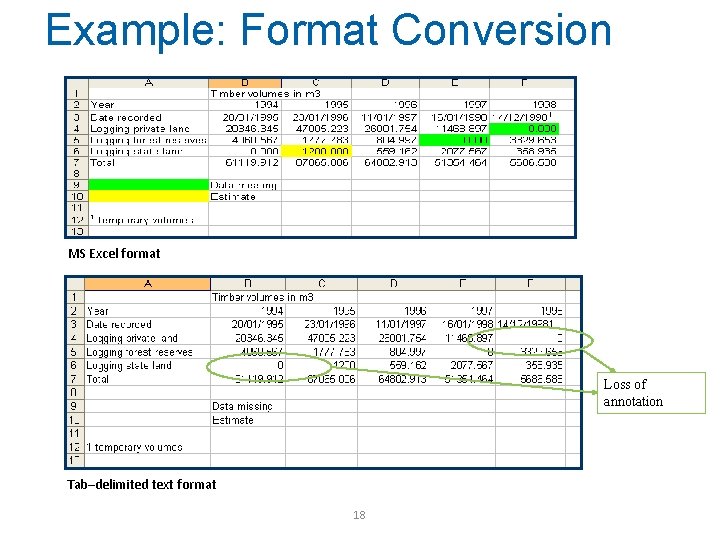
Example: Format Conversion MS Excel format Loss of annotation Tab–delimited text format 18
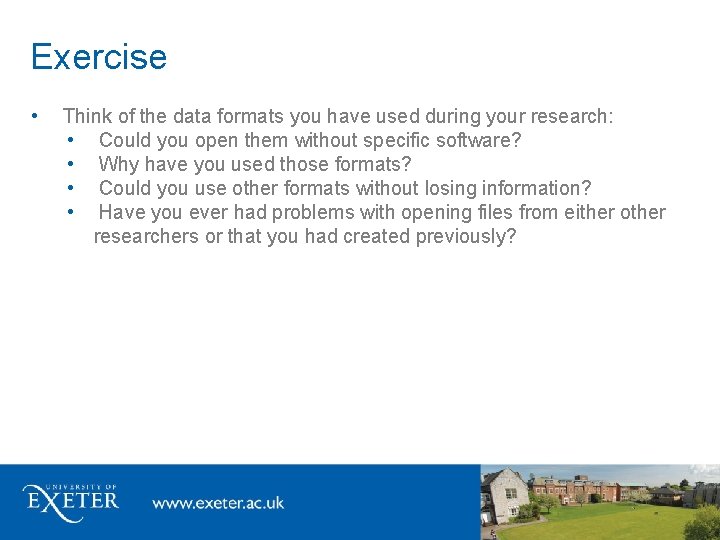
Exercise • Think of the data formats you have used during your research: • Could you open them without specific software? • Why have you used those formats? • Could you use other formats without losing information? • Have you ever had problems with opening files from either other researchers or that you had created previously?
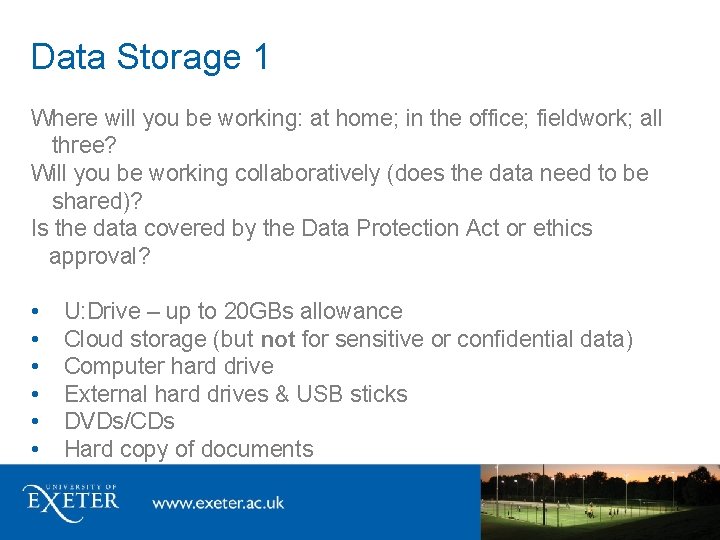
Data Storage 1 Where will you be working: at home; in the office; fieldwork; all three? Will you be working collaboratively (does the data need to be shared)? Is the data covered by the Data Protection Act or ethics approval? • • • U: Drive – up to 20 GBs allowance Cloud storage (but not for sensitive or confidential data) Computer hard drive External hard drives & USB sticks DVDs/CDs Hard copy of documents
Data Storage 2 File formats and physical storage media become obsolete: • All digital media are fallible • Never assume the format will be around for ever. Storage strategy best practice: • At least two storage formats. • Some proprietary data formats such as MS Excel are likely to be accessible for a reasonable, but not unlimited, time. • Maintain original copy, external local copy and external remote copy. • Copy data files to new media two to five years after first created. • Check data integrity of stored data files regularly (checksum e. g. Fast. Sum).
Encryption Encrypt anything you would not send on a postcard • • for moving files e. g. transcripts for storing files e. g. shared areas, mobile devices Free software that are easy to use: • Safehouse • Axcrypt • 7 zip • • Encrypt portable storage devices e. g. USB flash drives All University laptops should be encrypted (http: //as. exeter. ac. uk/it/infosec/encryptionforlaptops/)
Back-Up Strategy Know your institutional and personal back-up strategy: • What’s backed-up? - all, some data? • Where? - original copy, external local and remote copies • What media? - CD, DVD, external hard drive, tape, etc. • Use a different medium to where you data is stored • How often? – assess frequency and automate the process • For how long is it kept? • Verify and recover - never assume, regularly test a restore Make sure you know which version is the most up to date
Further Information • • • University of Exeter Pages on Research Data Management Uo. E Open Access Research and Research Data Management Policy for PGR Students Uo. E Open Access Research and Research Data Management Policy UKDA – Organising Data UKDA Table of Optimal File Formats
Any questions? Contact us: openaccess@exeter. ac. uk