
How to Order Your CCP Books from the
How to Order Your CCP Books from the Owens Bookstore https: //www. bkstr. com/occstore/home
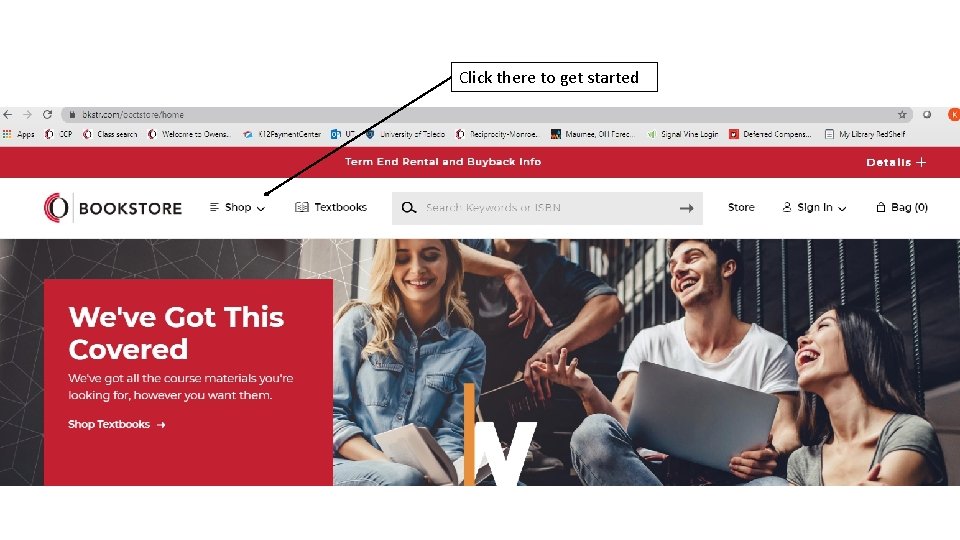
Click there to get started
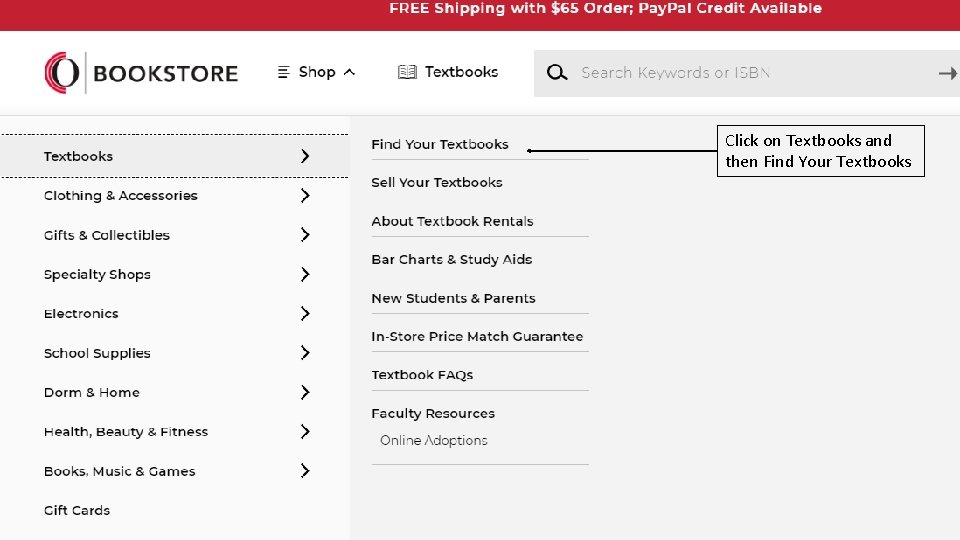
Click on Textbooks and then Find Your Textbooks
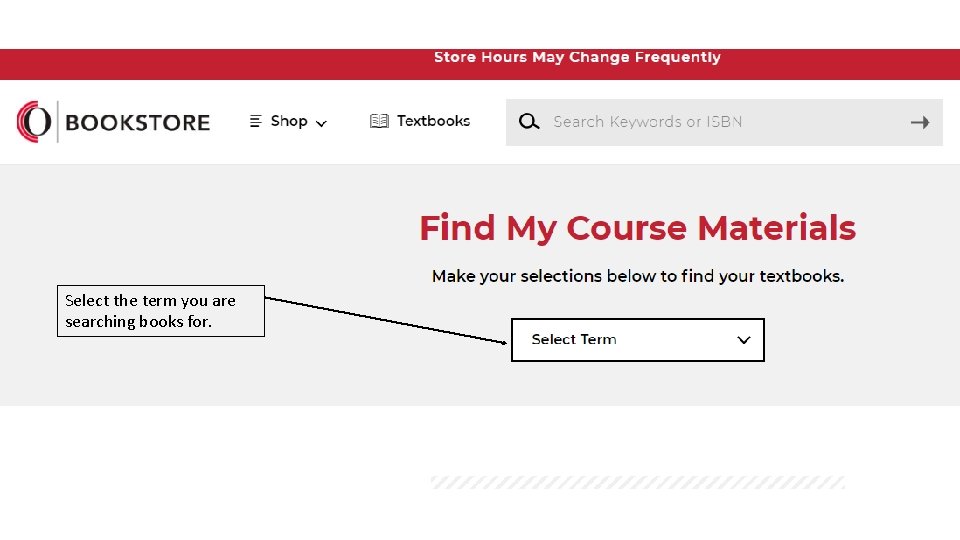
Select the term you are searching books for.
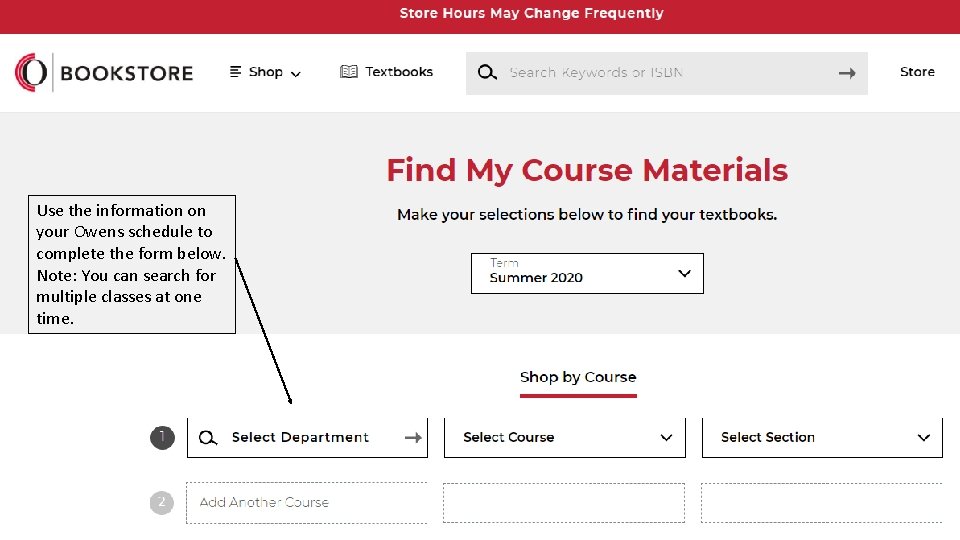
Use the information on your Owens schedule to complete the form below. Note: You can search for multiple classes at one time.
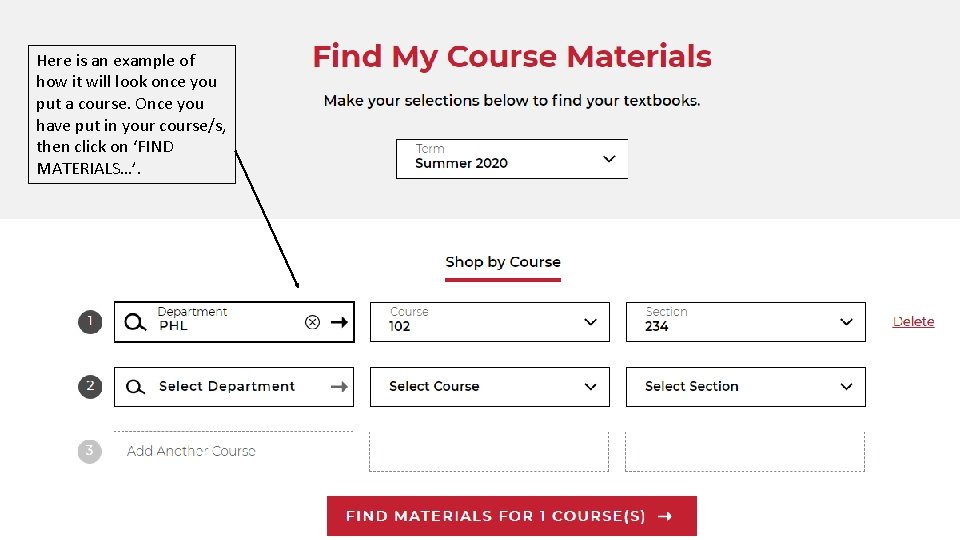
Here is an example of how it will look once you put a course. Once you have put in your course/s, then click on ‘FIND MATERIALS…’.
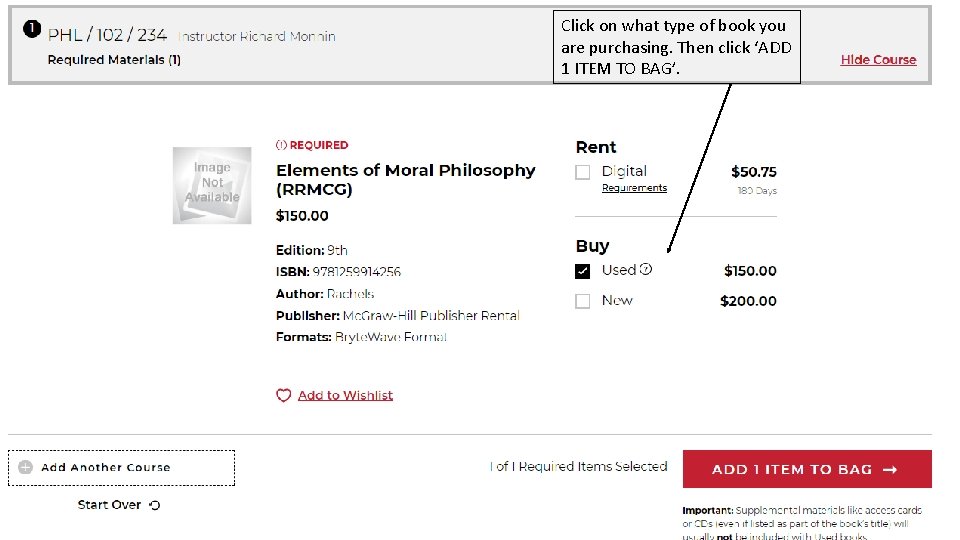
Click on what type of book you are purchasing. Then click ‘ADD 1 ITEM TO BAG’.
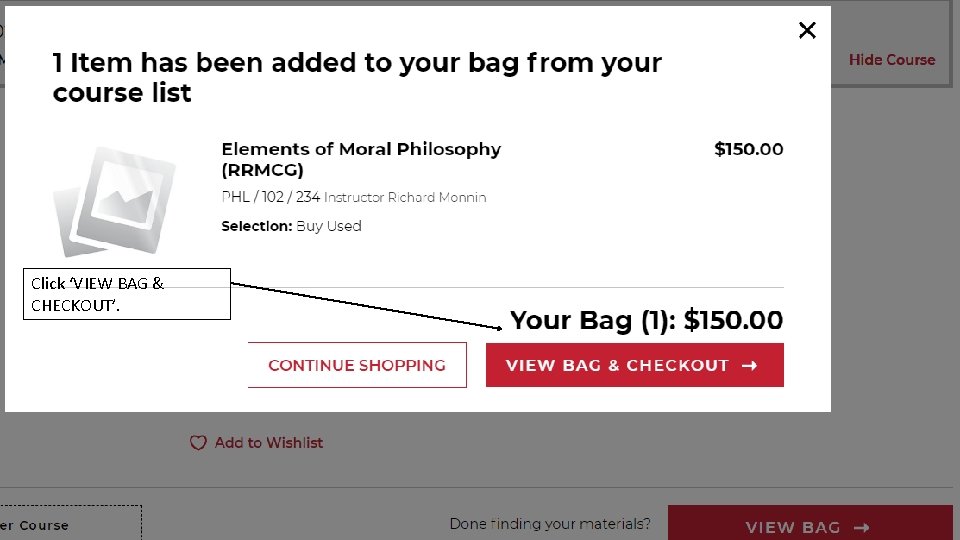
Click ‘VIEW BAG & CHECKOUT’.
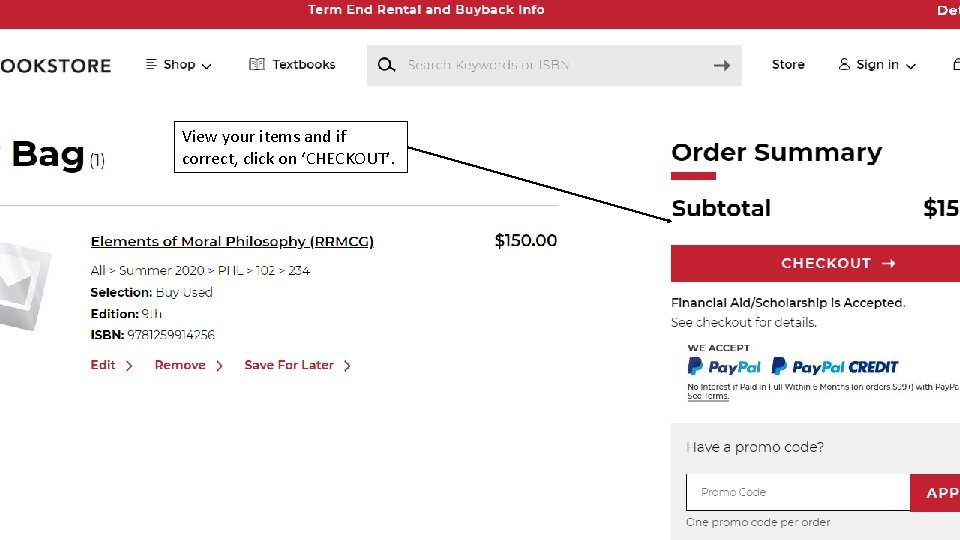
View your items and if correct, click on ‘CHECKOUT’.
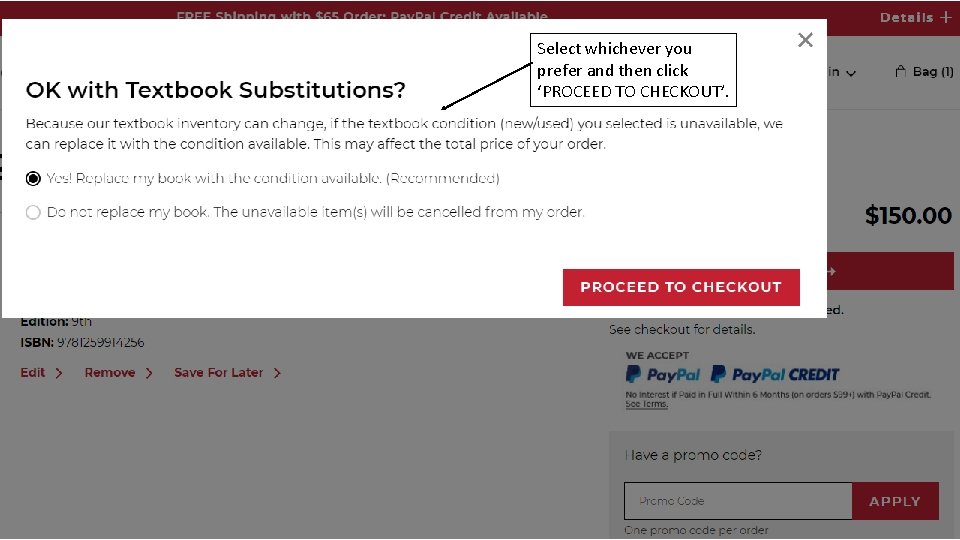
Select whichever you prefer and then click ‘PROCEED TO CHECKOUT’.
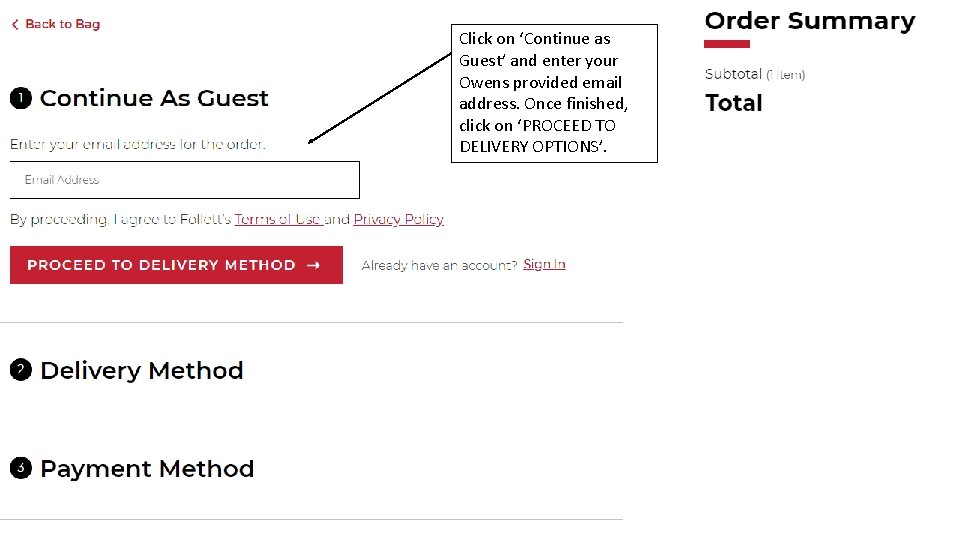
Click on ‘Continue as Guest’ and enter your Owens provided email address. Once finished, click on ‘PROCEED TO DELIVERY OPTIONS’.
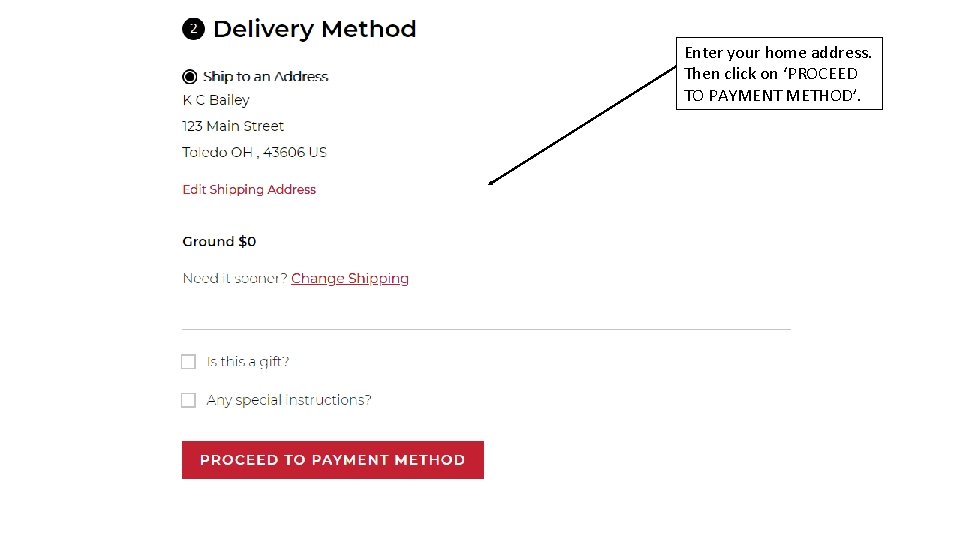
Enter your home address. Then click on ‘PROCEED TO PAYMENT METHOD’.
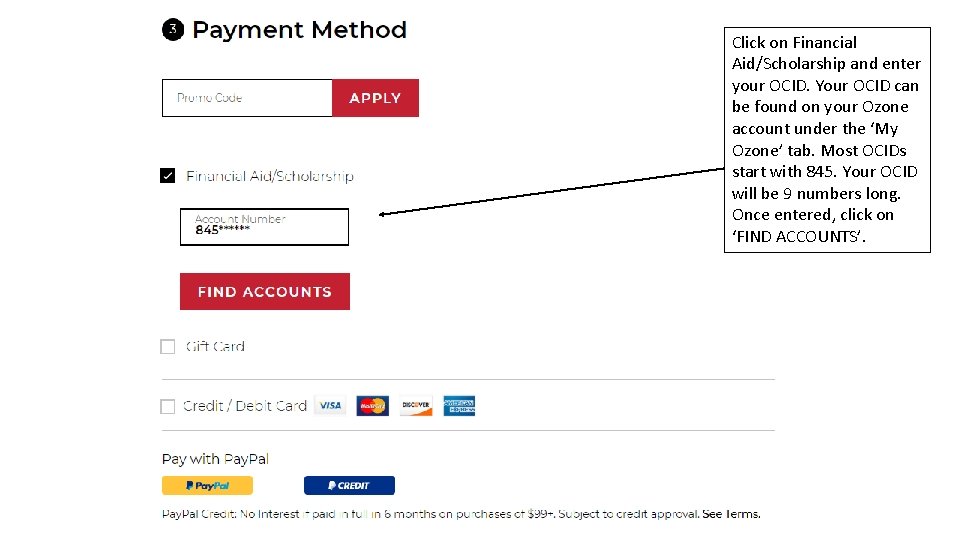
Click on Financial Aid/Scholarship and enter your OCID. Your OCID can be found on your Ozone account under the ‘My Ozone’ tab. Most OCIDs start with 845. Your OCID will be 9 numbers long. Once entered, click on ‘FIND ACCOUNTS’.
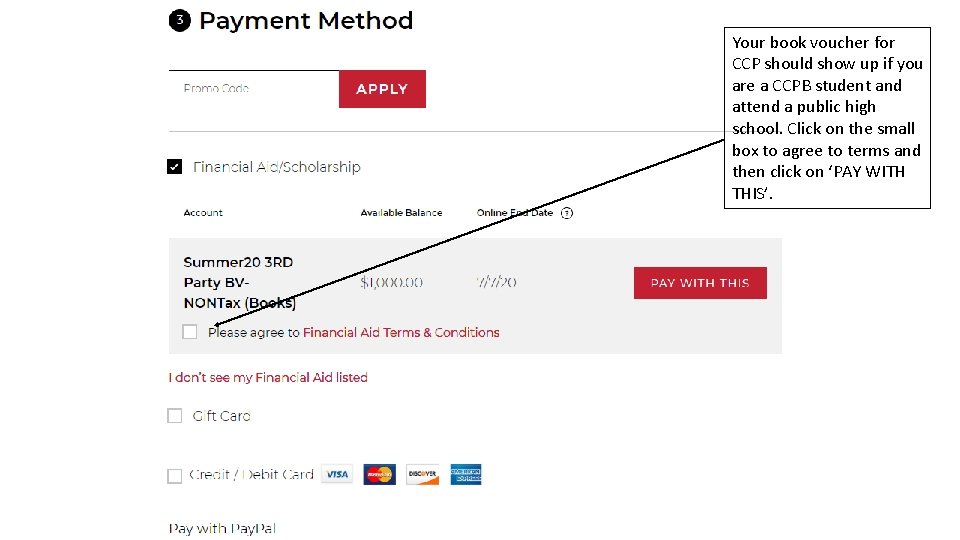
Your book voucher for CCP should show up if you are a CCPB student and attend a public high school. Click on the small box to agree to terms and then click on ‘PAY WITH THIS’.
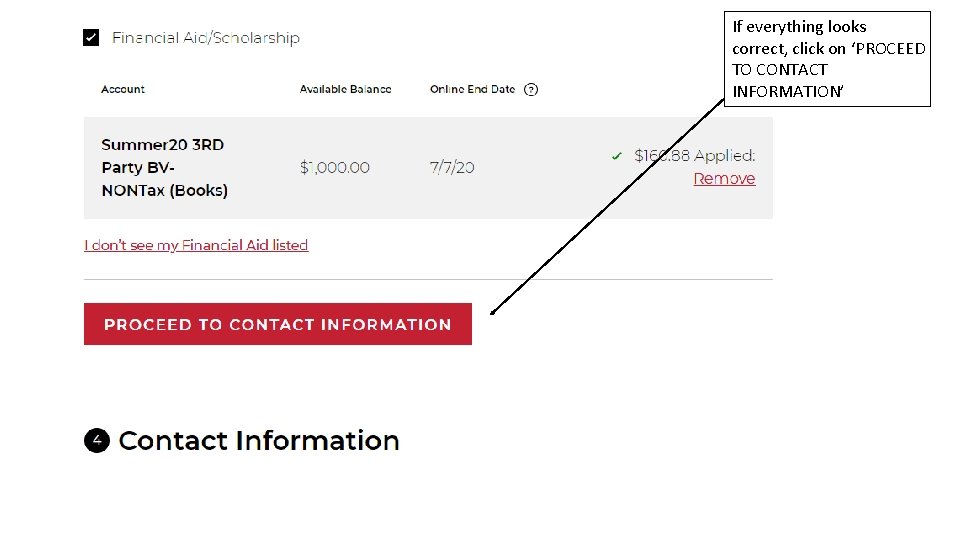
If everything looks correct, click on ‘PROCEED TO CONTACT INFORMATION’
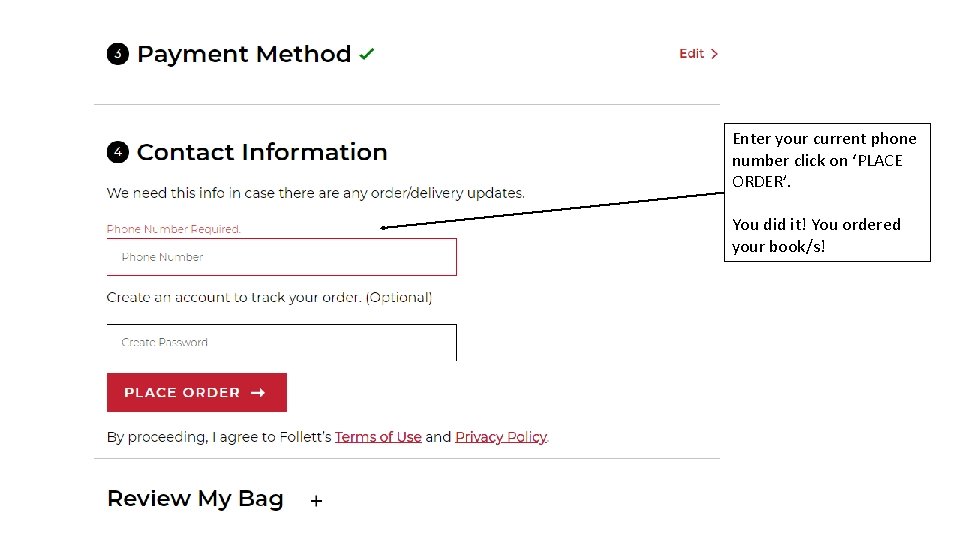
Enter your current phone number click on ‘PLACE ORDER’. You did it! You ordered your book/s!
- Slides: 16