
How to Open and Use EContent EContent Features

- Slides: 12
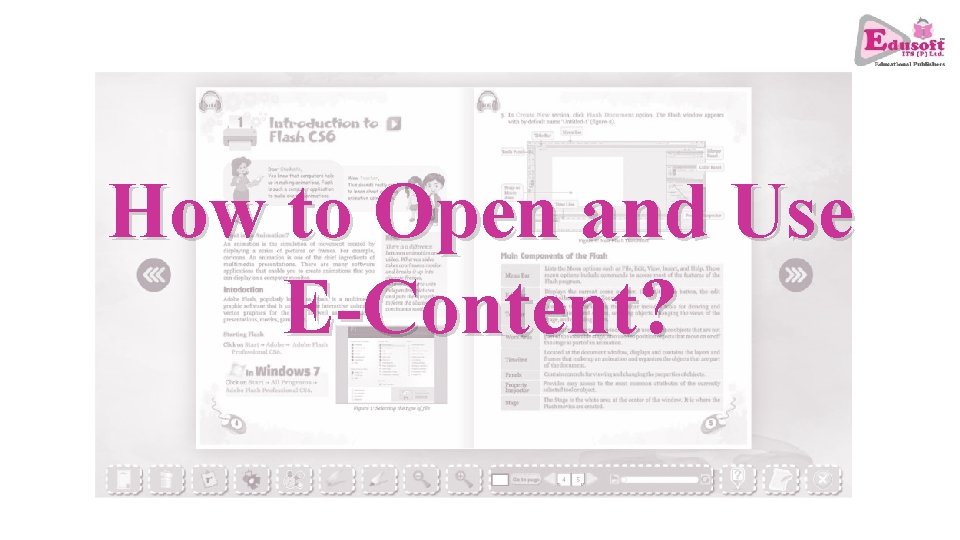
How to Open and Use E-Content?
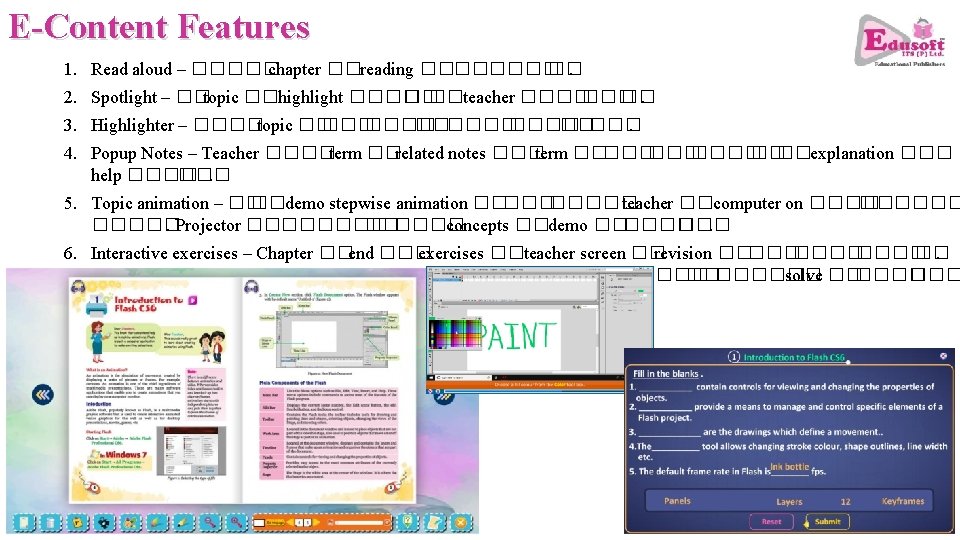
E-Content Features 1. Read aloud – ����� chapter ��reading ���� ��. 2. Spotlight – ��topic ��highlight ���� �� ��teacher ���� ��. 3. Highlighter – ����topic �� ���� �����. 4. Popup Notes – Teacher ����term ��related notes ��� term ����� �� ��explanation ��� help ���� ���. 5. Topic animation – �� ��demo stepwise animation ����� teacher ��computer on ������ ��. Projector ������ concepts ��demo ������ ���. 6. Interactive exercises – Chapter ��end ��� exercises ��teacher screen �� revision ����� ��. Exercises interactive ��� , ���� students mouse ��keyboard �������� solve ������ answers ��check ������ ���.
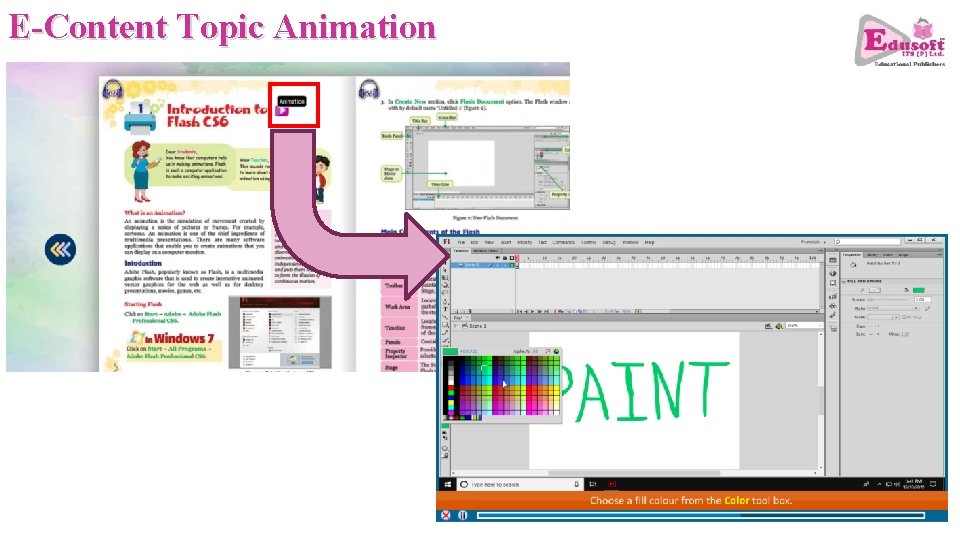
E-Content Topic Animation
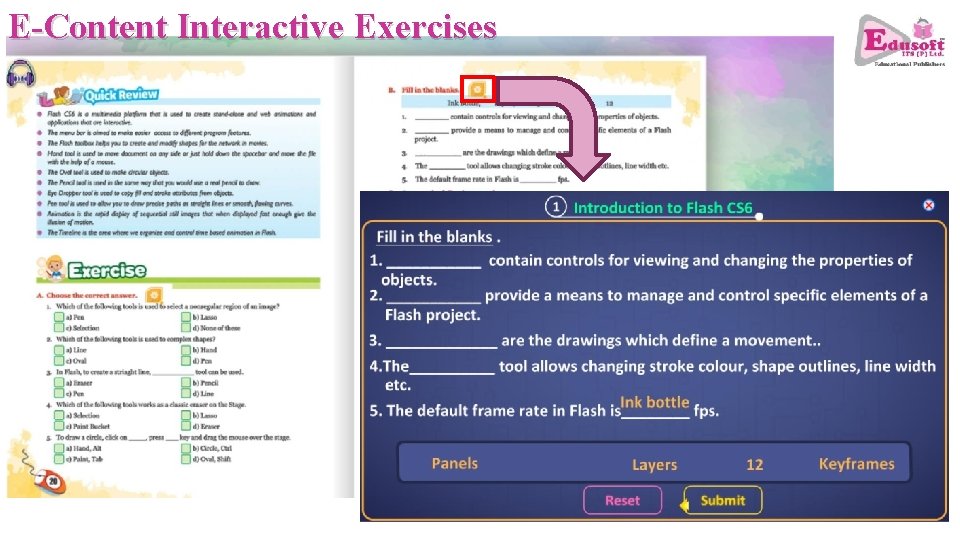
E-Content Interactive Exercises
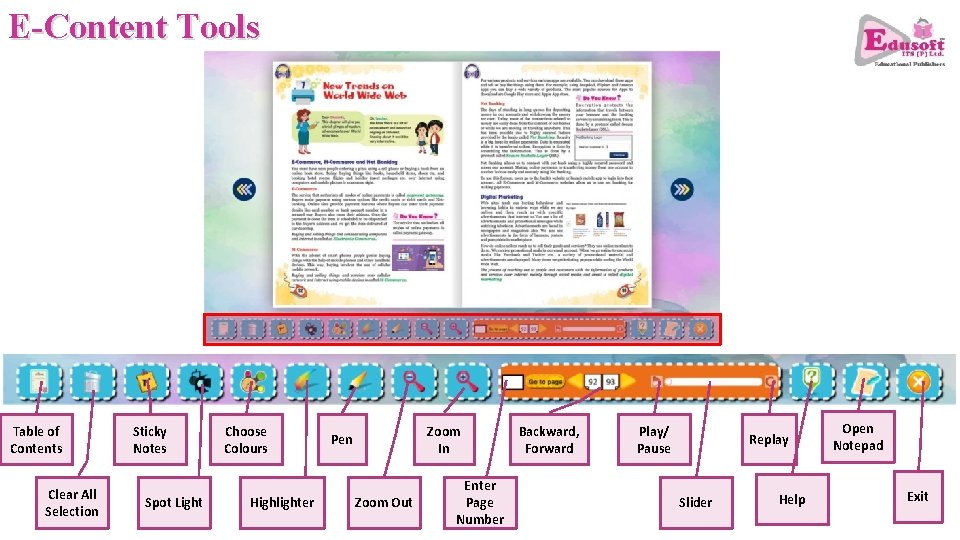
E-Content Tools Table of Contents Clear All Selection Sticky Notes Spot Light Choose Colours Highlighter Zoom In Pen Zoom Out Enter Page Number Backward, Forward Play/ Pause Replay Slider Help Open Notepad Exit
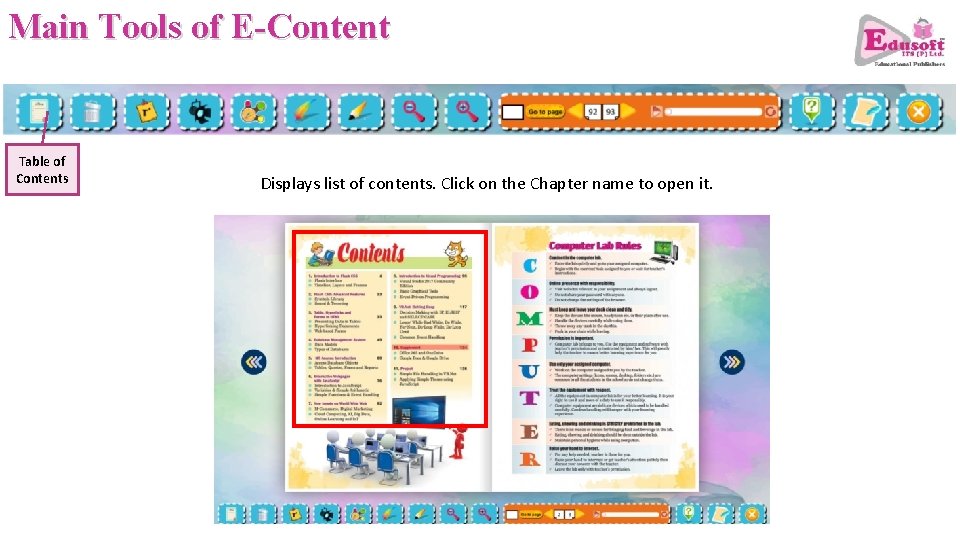
Main Tools of E-Content Table of Contents Displays list of contents. Click on the Chapter name to open it.
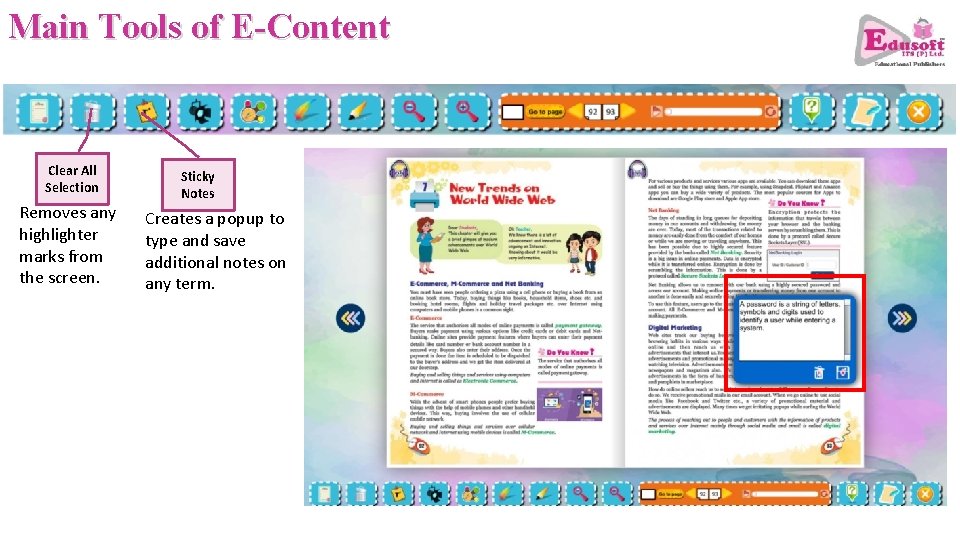
Main Tools of E-Content Clear All Selection Removes any highlighter marks from the screen. Sticky Notes Creates a popup to type and save additional notes on any term.
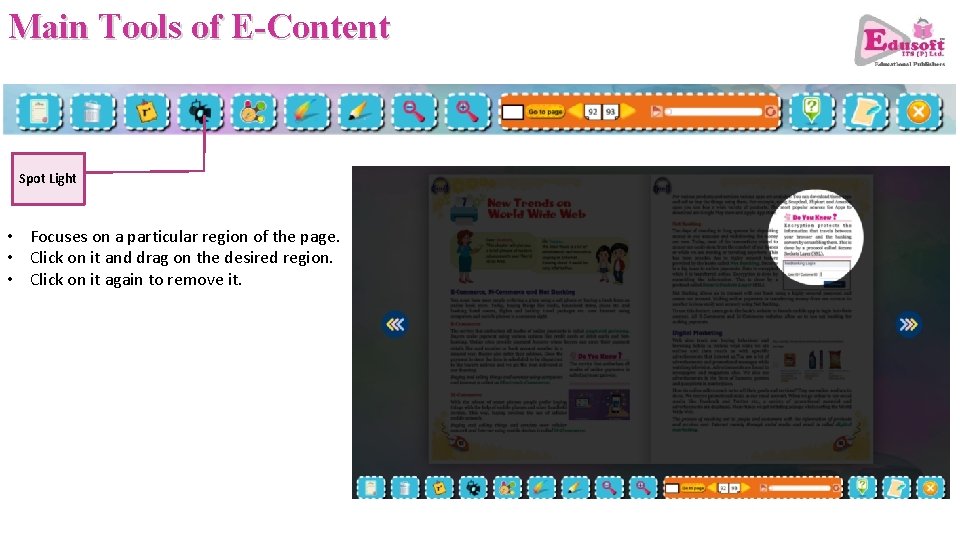
Main Tools of E-Content Spot Light • Focuses on a particular region of the page. • Click on it and drag on the desired region. • Click on it again to remove it.
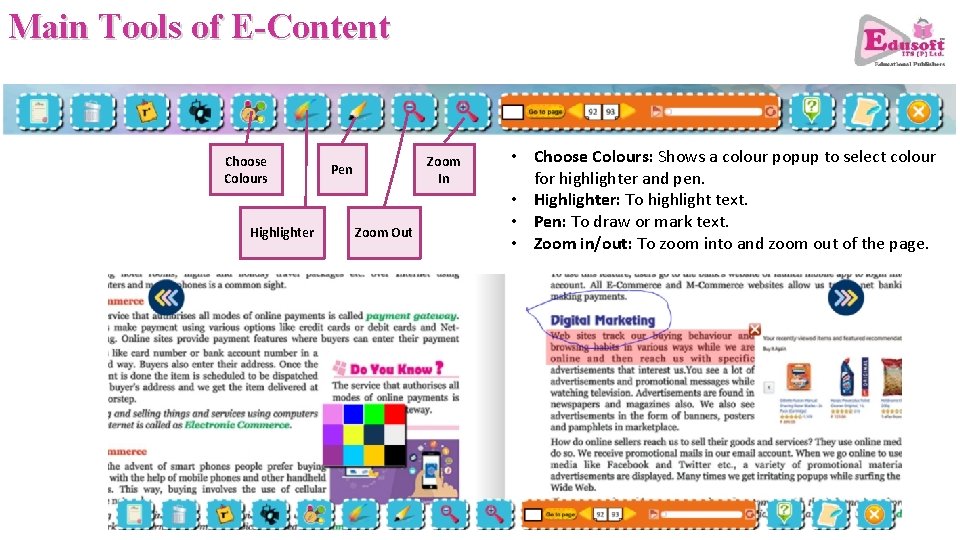
Main Tools of E-Content Choose Colours Highlighter Zoom In Pen Zoom Out • Choose Colours: Shows a colour popup to select colour for highlighter and pen. • Highlighter: To highlight text. • Pen: To draw or mark text. • Zoom in/out: To zoom into and zoom out of the page.
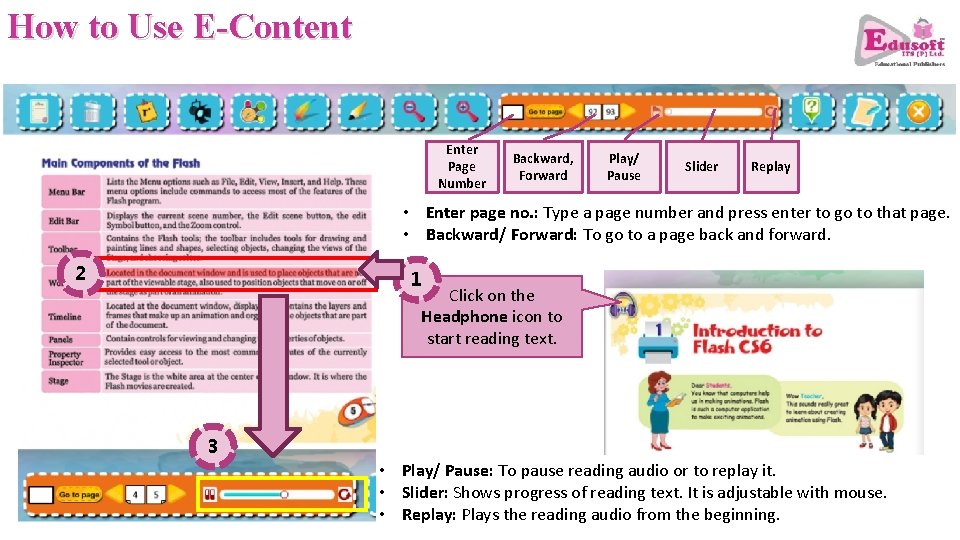
How to Use E-Content Enter Page Number Backward, Forward Play/ Pause Slider Replay • Enter page no. : Type a page number and press enter to go to that page. • Backward/ Forward: To go to a page back and forward. 2 1 Click on the Headphone icon to start reading text. 3 • Play/ Pause: To pause reading audio or to replay it. • Slider: Shows progress of reading text. It is adjustable with mouse. • Replay: Plays the reading audio from the beginning.
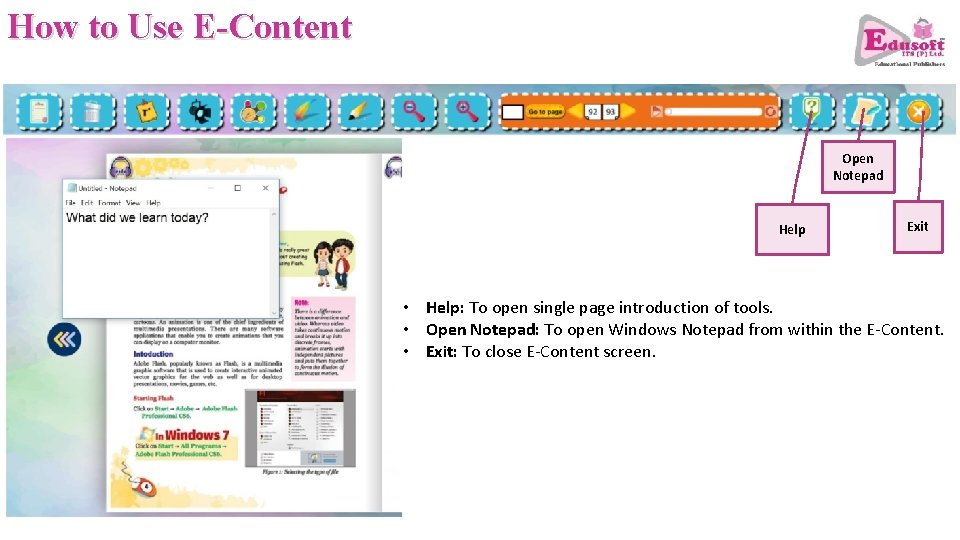
How to Use E-Content Open Notepad Help Exit • Help: To open single page introduction of tools. • Open Notepad: To open Windows Notepad from within the E-Content. • Exit: To close E-Content screen.