
HOW TO NAVIGATE THE DASHBOARD AND GENERATE REPORTS
HOW TO NAVIGATE THE DASHBOARD AND GENERATE REPORTS REPORTING SYSTEM TRAINING MODULE #1 “Cambium Assessment, Inc. ” is a registered trademark. All other brand, product, or company names are trademarks or registered trademarks of their respective owners. 05/20
Objectives • Navigate the Reporting System dashboards to view test results for teachers as well as school-, district-, and state-level users • Analyze Summative Test Reports: Performance Measures and Sorting • Analyze the Standard Measures Report for Adaptive Summative Tests • Analyze Interim Test Reports • Read a Student Portfolio Report • Design a Demographic Breakdown Report 2

Teacher Dashboard 3
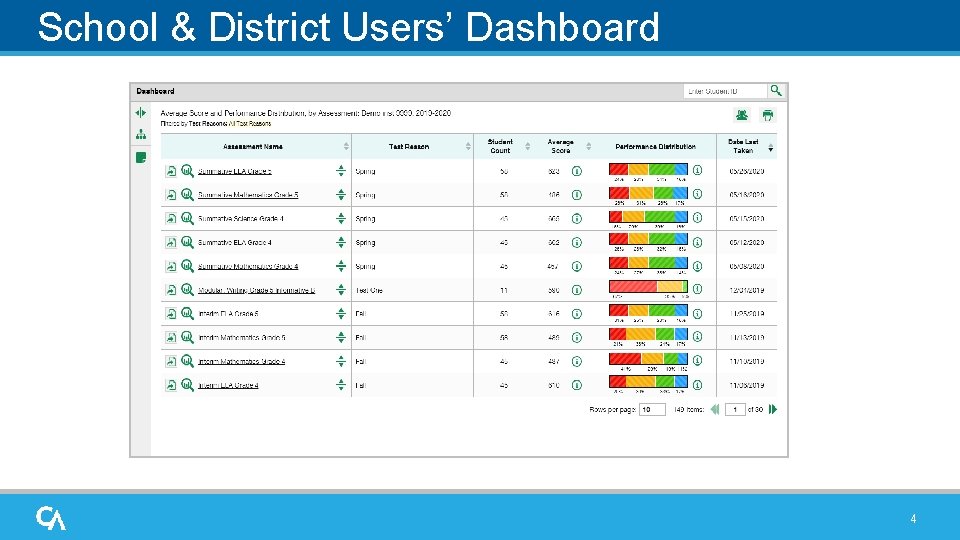
School & District Users’ Dashboard 4
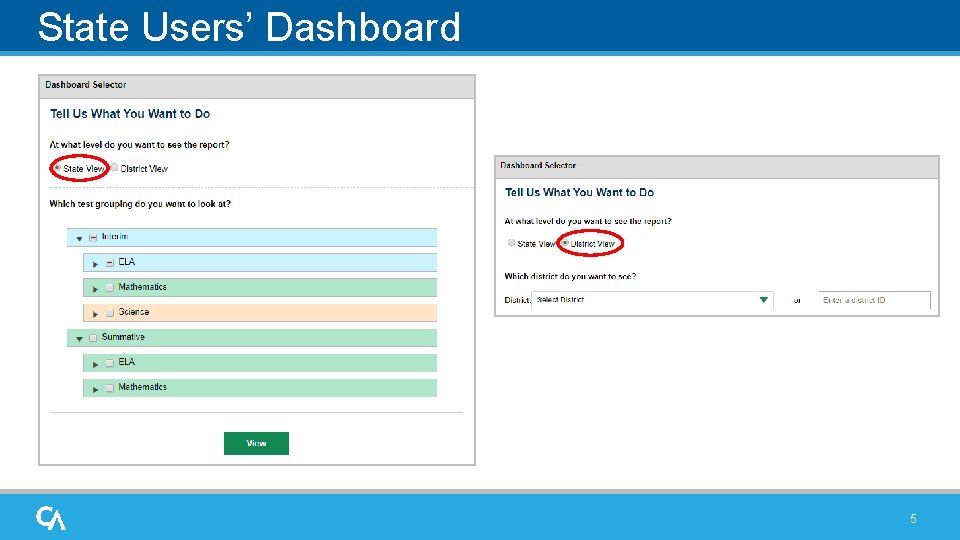
State Users’ Dashboard 5
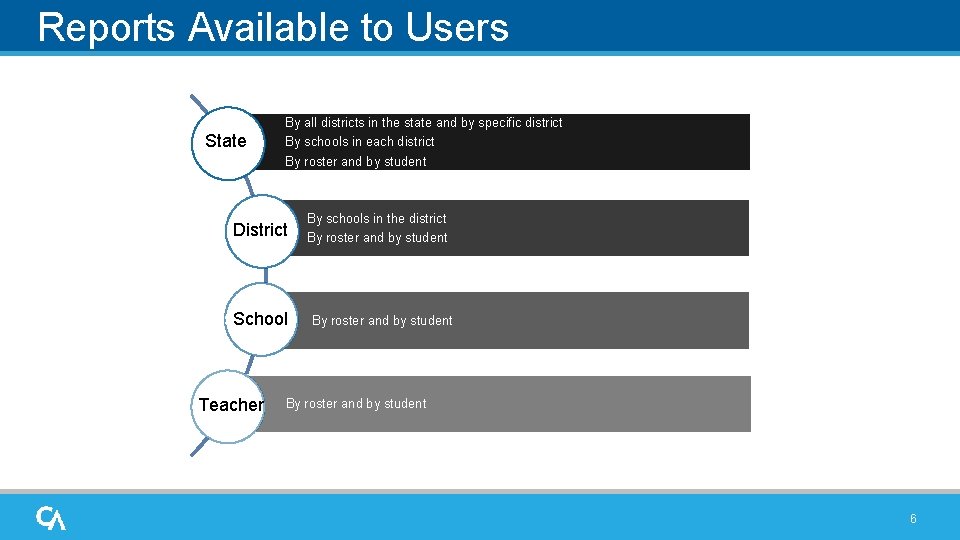
Reports Available to Users State By all districts in the state and by specific district By schools in each district By roster and by student Choose a test District View your results. School Teacher By schools in the district By roster and by student 6
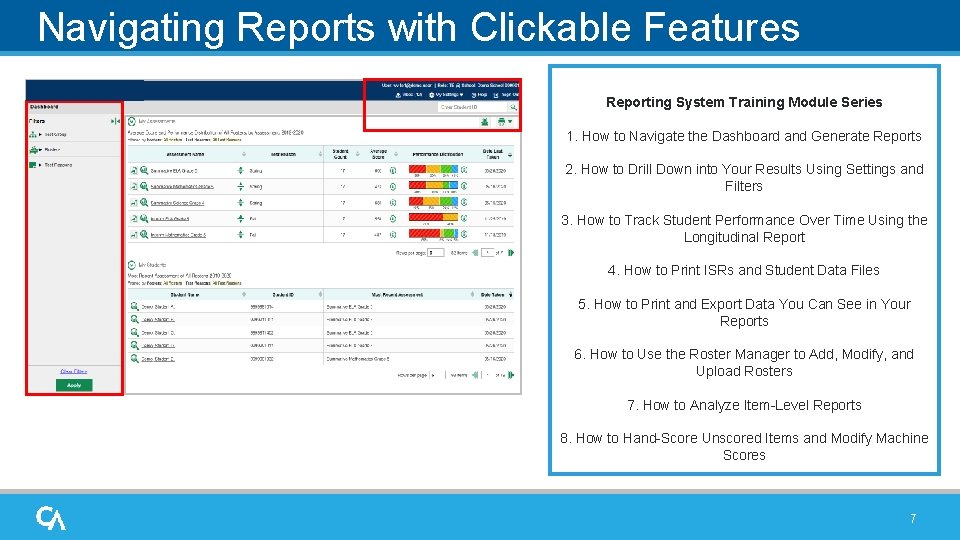
Navigating Reports with Clickable Features Reporting System Training Module Series 1. How to Navigate the Dashboard and Generate Reports 2. How to Drill Down into Your Results Using Settings and Filters 3. How to Track Student Performance Over Time Using the Longitudinal Report 4. How to Print ISRs and Student Data Files 5. How to Print and Export Data You Can See in Your Reports 6. How to Use the Roster Manager to Add, Modify, and Upload Rosters 7. How to Analyze Item-Level Reports 8. How to Hand-Score Unscored Items and Modify Machine Scores 7

Dashboard: Headers/Columns/Sort Arrows 8
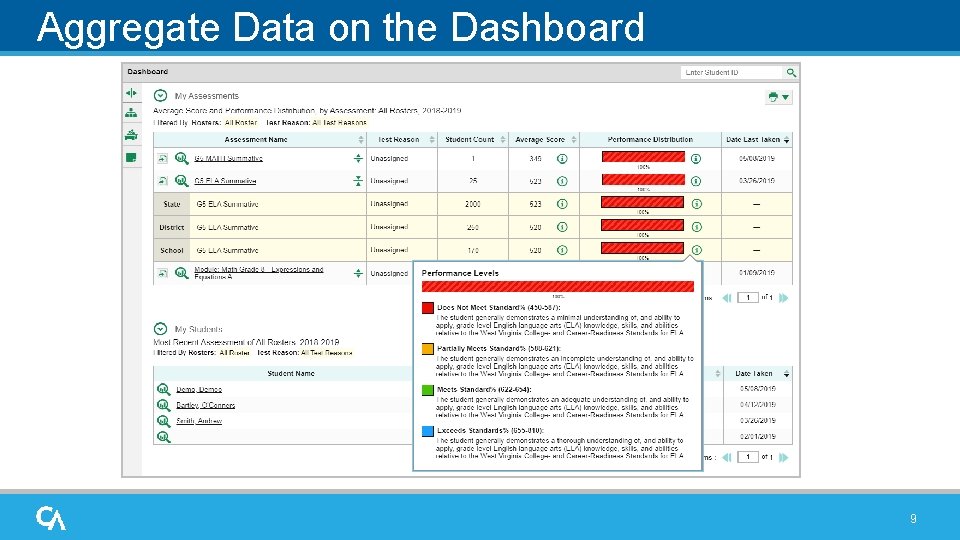
Aggregate Data on the Dashboard 9
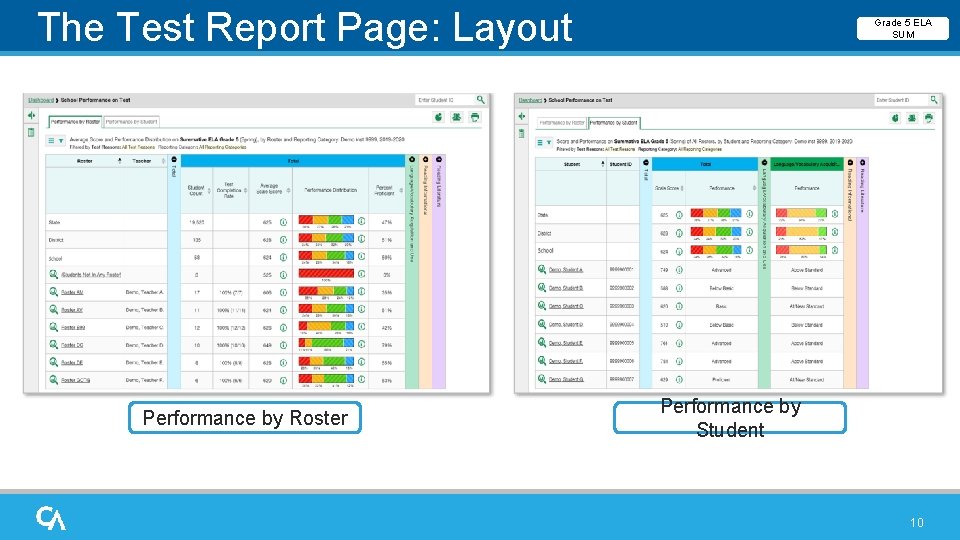
The Test Report Page: Layout Performance by Roster Grade 5 ELA SUM Performance by Student 10
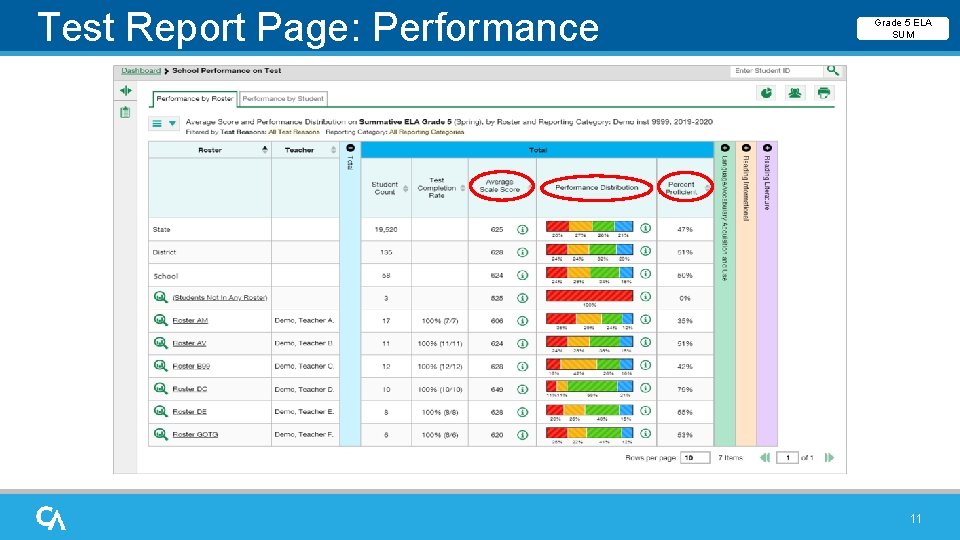
Test Report Page: Performance Measures Grade 5 ELA SUM 11
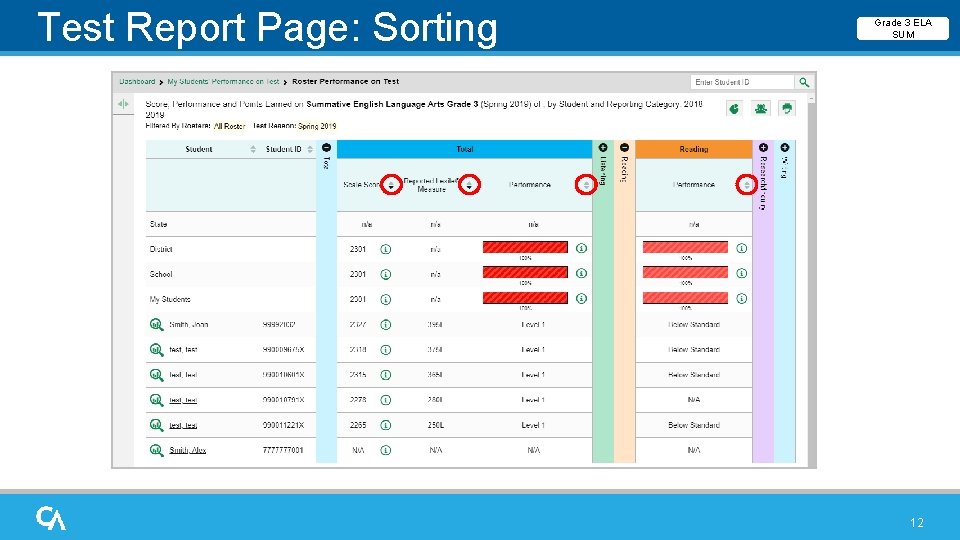
Test Report Page: Sorting Grade 3 ELA SUM 12
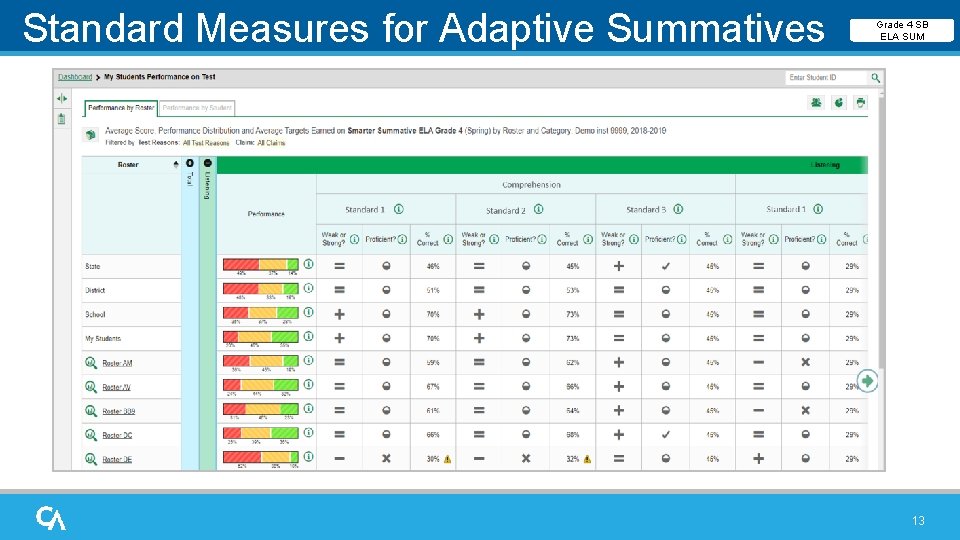
Standard Measures for Adaptive Summatives Grade 4 SB ELA SUM 13
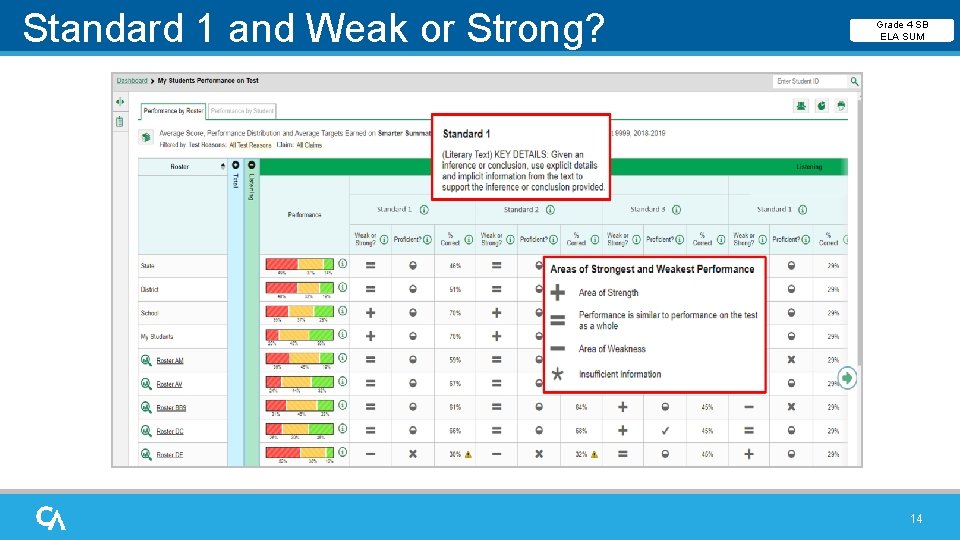
Standard 1 and Weak or Strong? Grade 4 SB ELA SUM 14
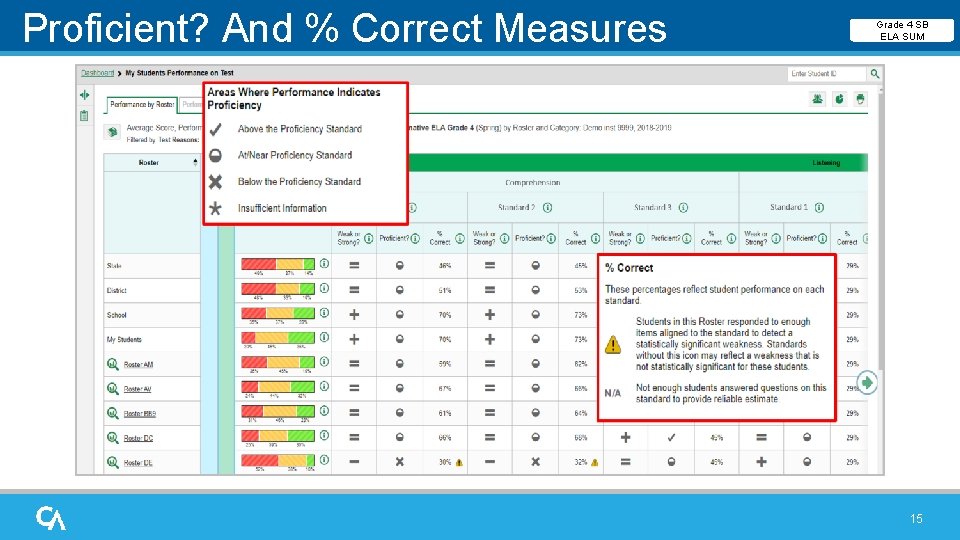
Proficient? And % Correct Measures Grade 4 SB ELA SUM 15
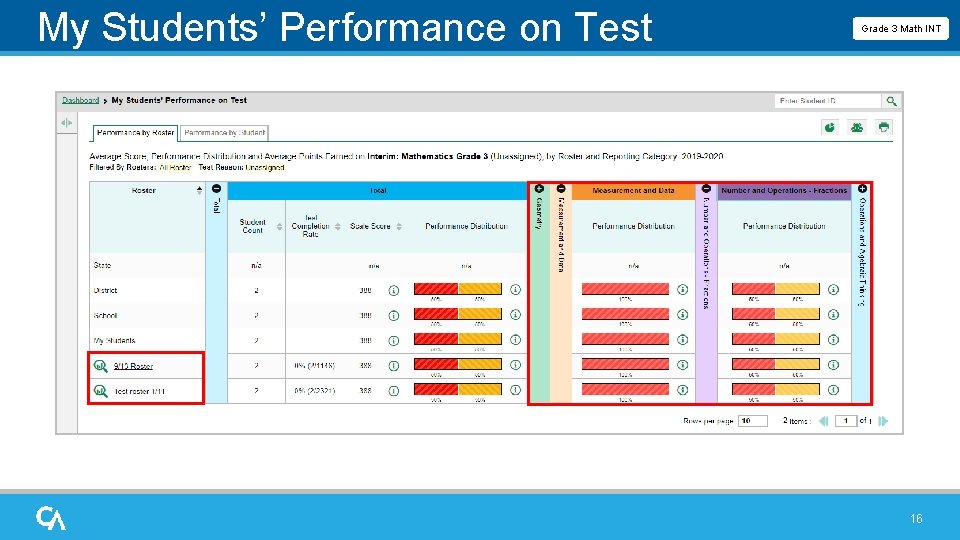
My Students’ Performance on Test Report Grade 3 Math INT 16
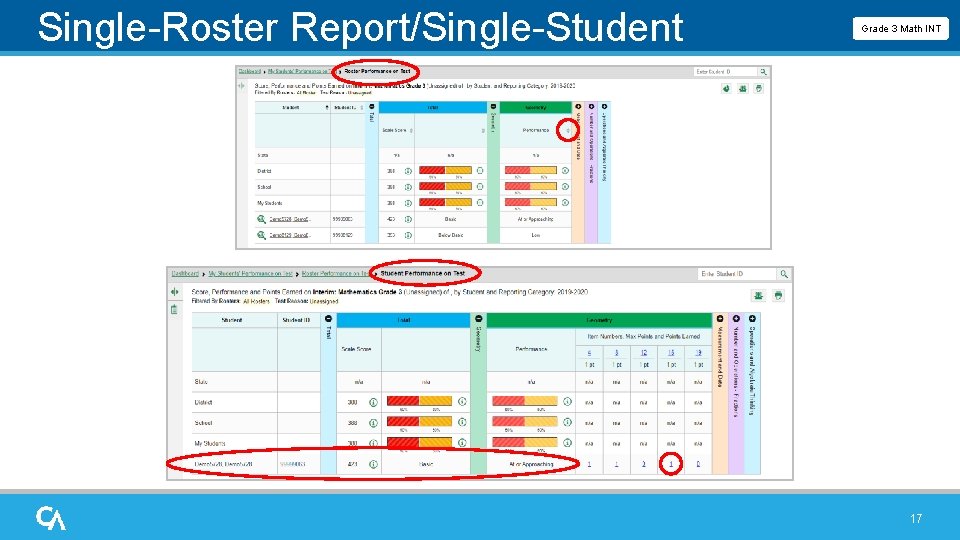
Single-Roster Report/Single-Student Report Grade 3 Math INT 17
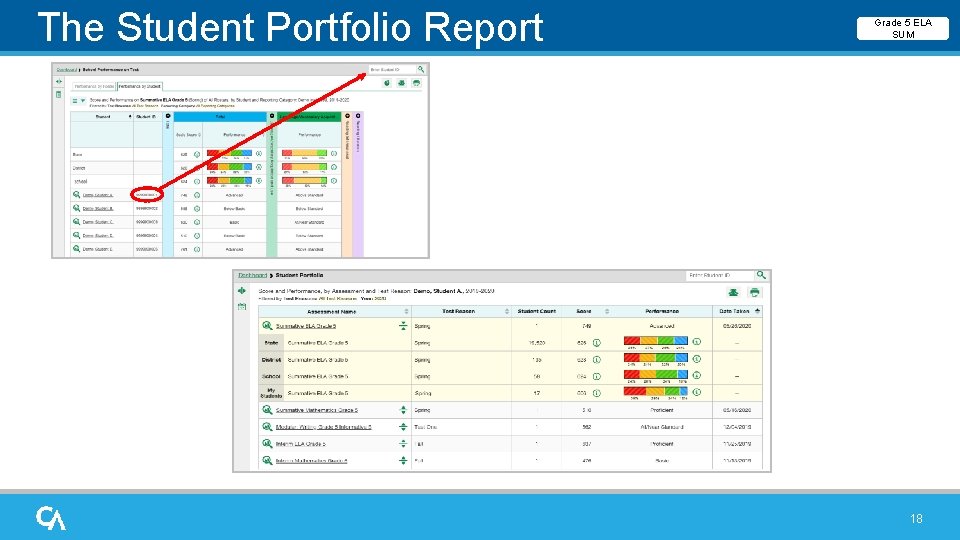
The Student Portfolio Report Grade 5 ELA SUM 18
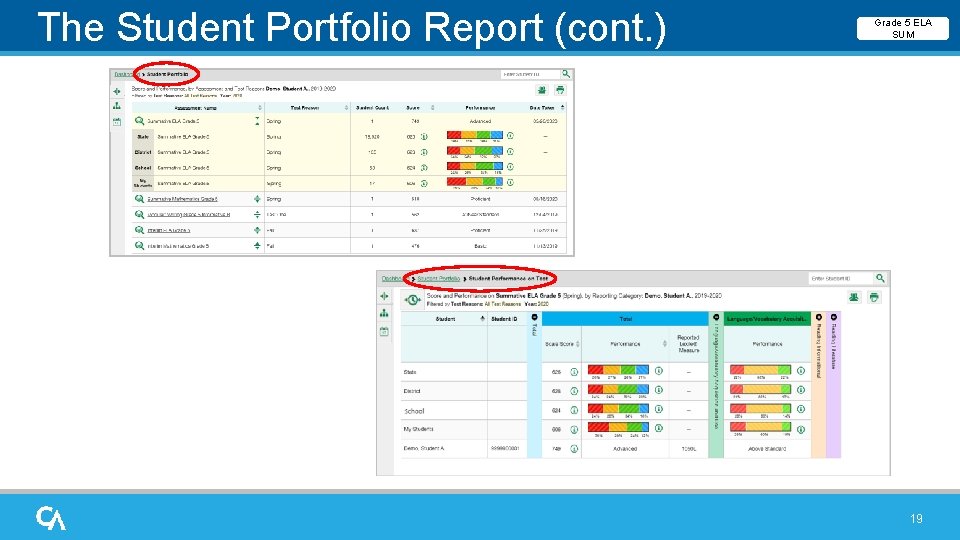
The Student Portfolio Report (cont. ) Grade 5 ELA SUM 19
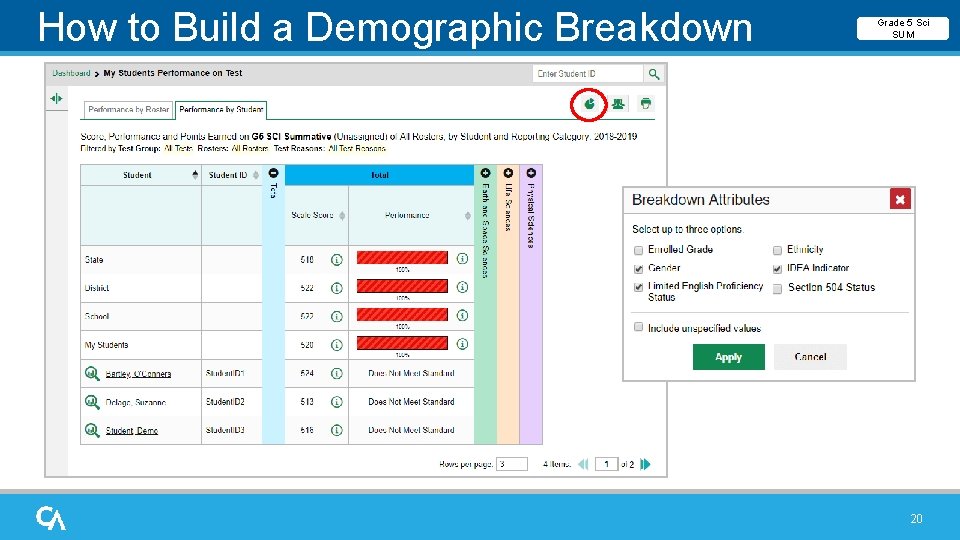
How to Build a Demographic Breakdown Report Grade 5 Sci SUM 20
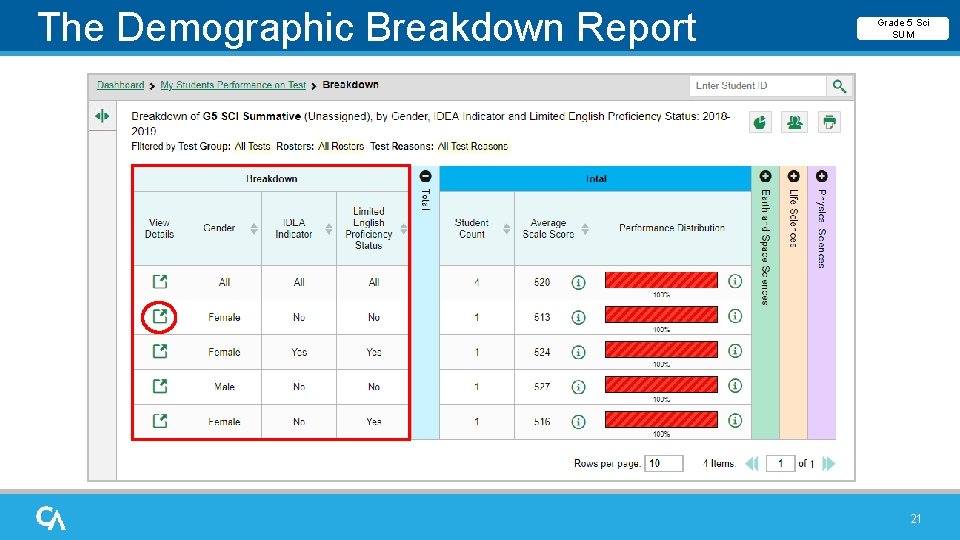
The Demographic Breakdown Report Grade 5 Sci SUM 21
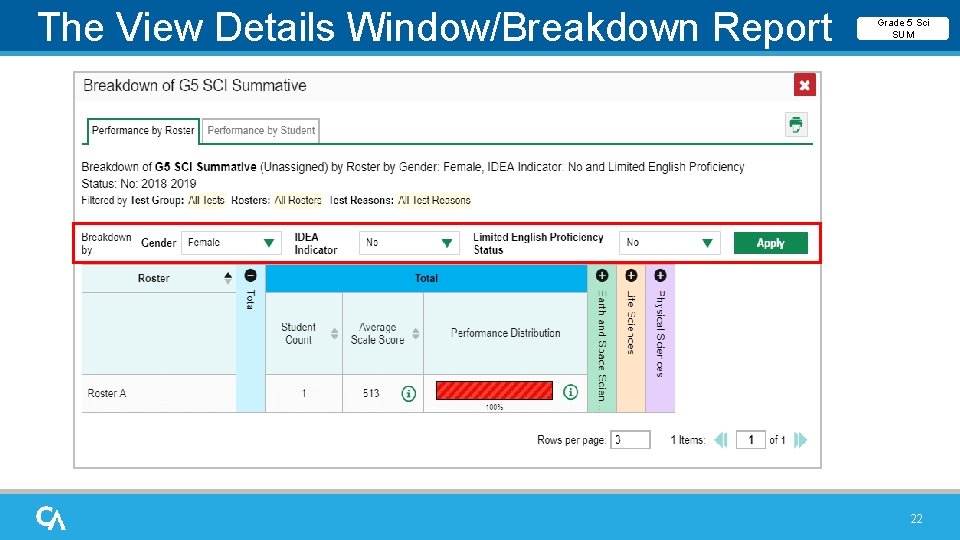
The View Details Window/Breakdown Report Grade 5 Sci SUM 22
Objectives Met! ü Navigate the Reporting System dashboards to view test results for teachers and state-, district-, and school-level personnel ü Analyze Summative Test Reports: Performance Measures and Sorting ü Analyze the Standard Measures Report for Adaptive Summative Tests ü Analyze Interim Test Reports ü Read the Student Portfolio Report ü Design a Demographic Breakdown Report 23
The Reporting System Training Module Series 1. How to Navigate the Dashboard and Generate Reports 2. How to Drill Down into Your Results Using Settings and Filters 3. How to Track Student Performance Over Time Using the Longitudinal Report 4. How to Print ISRs and Student Data Files 5. How to Print and Export Data You Can See in Your Reports 6. How to Use the Roster Manager to Add, Modify, and Upload Rosters Interim and Benchmark Assessments Only 7. How to Analyze Item-Level Reports 8. How to Hand-Score Unscored Items and Modify Machine Scores 24
- Slides: 24