
How to make data FAIR FAIR principles 2


- Slides: 11
How to make data FAIR?
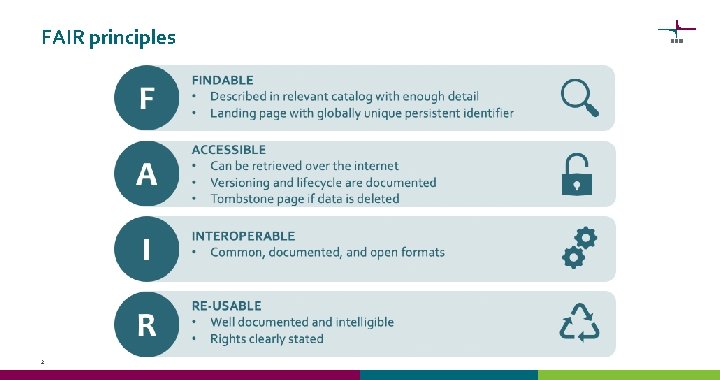
FAIR principles 2
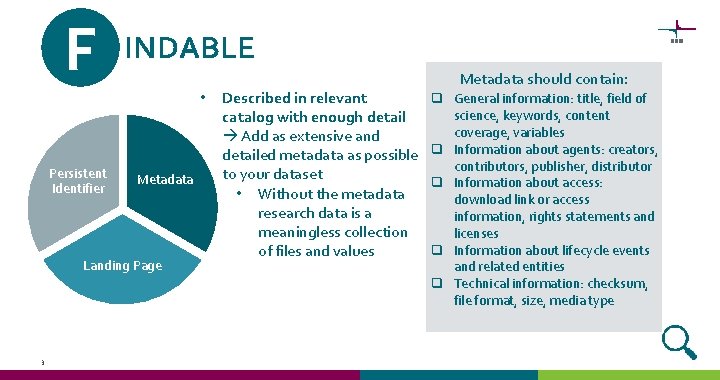
F INDABLE • Persistent Identifier Metadata Landing Page 3 Described in relevant catalog with enough detail Add as extensive and detailed metadata as possible to your dataset • Without the metadata research data is a meaningless collection of files and values Metadata should contain: q General information: title, field of science, keywords, content coverage, variables q Information about agents: creators, contributors, publisher, distributor q Information about access: download link or access information, rights statements and licenses q Information about lifecycle events and related entities q Technical information: checksum, file format, size, media type
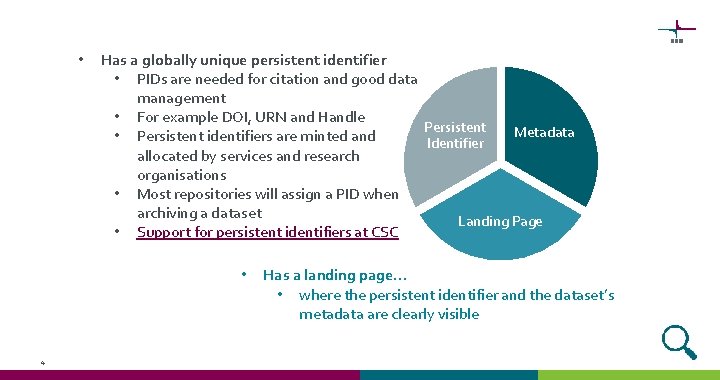
• Has a globally unique persistent identifier • PIDs are needed for citation and good data management • For example DOI, URN and Handle Persistent Metadata • Persistent identifiers are minted and Identifier allocated by services and research organisations • Most repositories will assign a PID when archiving a dataset Landing Page • Support for persistent identifiers at CSC • 4 Has a landing page… • where the persistent identifier and the dataset’s metadata are clearly visible
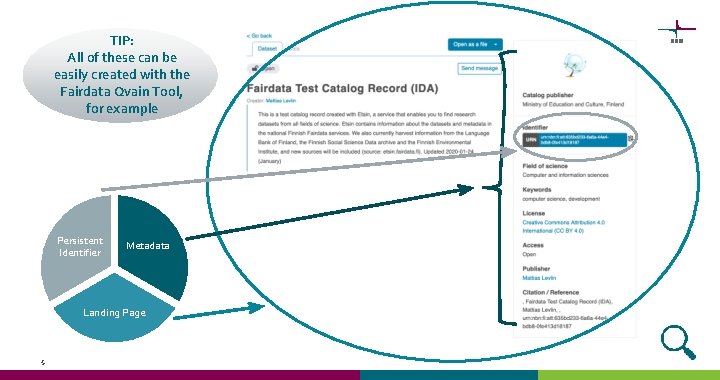
TIP: All of these can be easily created with the Fairdata Qvain Tool, for example Persistent Identifier Metadata Landing Page 5
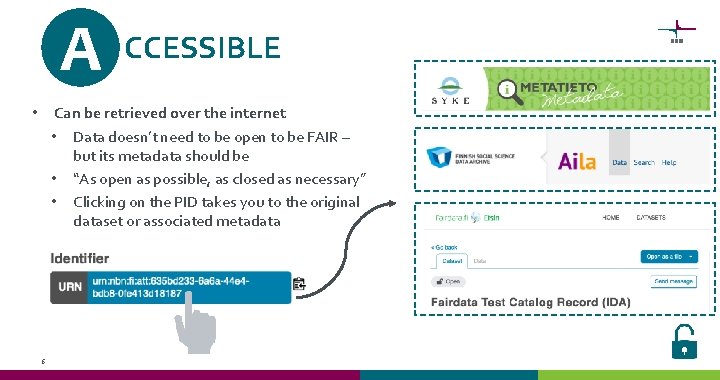
A CCESSIBLE Can be retrieved over the internet • Data doesn’t need to be open to be FAIR – but its metadata should be • “As open as possible, as closed as necessary” • Clicking on the PID takes you to the original dataset or associated metadata • 6
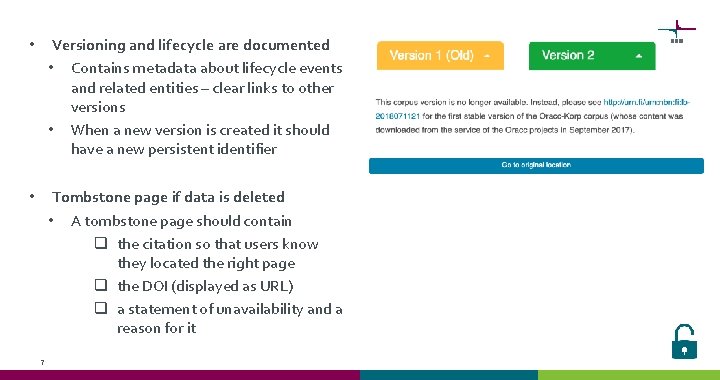
• Versioning and lifecycle are documented • Contains metadata about lifecycle events and related entities – clear links to other versions • When a new version is created it should have a new persistent identifier • Tombstone page if data is deleted • A tombstone page should contain q the citation so that users know they located the right page q the DOI (displayed as URL) q a statement of unavailability and a reason for it 7
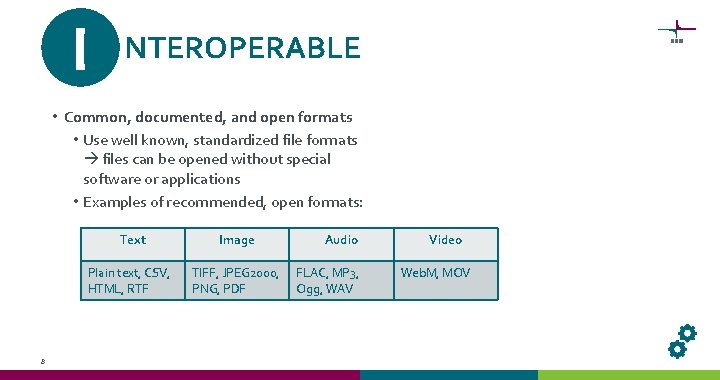
I NTEROPERABLE • Common, documented, and open formats • Use well known, standardized file formats files can be opened without special software or applications • Examples of recommended, open formats: 8 Text Image Plain text, CSV, HTML, RTF TIFF, JPEG 2000, PNG, PDF Audio FLAC, MP 3, Ogg, WAV Video Web. M, MOV
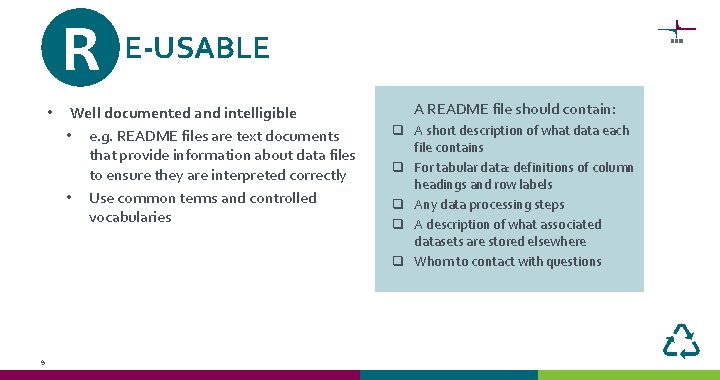
R • 9 E-USABLE Well documented and intelligible • e. g. README files are text documents that provide information about data files to ensure they are interpreted correctly • Use common terms and controlled vocabularies A README file should contain: q A short description of what data each file contains q For tabular data: definitions of column headings and row labels q Any data processing steps q A description of what associated datasets are stored elsewhere q Whom to contact with questions
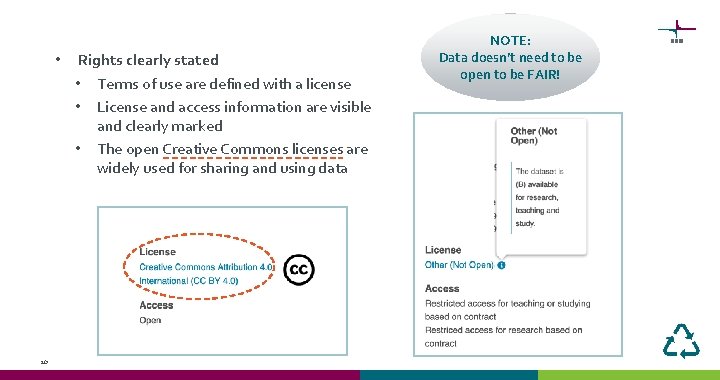
• 10 Rights clearly stated • Terms of use are defined with a license • License and access information are visible and clearly marked • The open Creative Commons licenses are widely used for sharing and using data NOTE: Data doesn’t need to be open to be FAIR!
Checklist for FAIR Data: q Unique persistent identifier q Landing page q Rich metadata q At least metadata is openly accessible q Versioning is documented q Common, preferably open, file formats are used q Common terminology is used q Data is well documented (e. g. README file) q Rights are clearly stated 11