
How to Make a Graph with Your Students





- Slides: 14
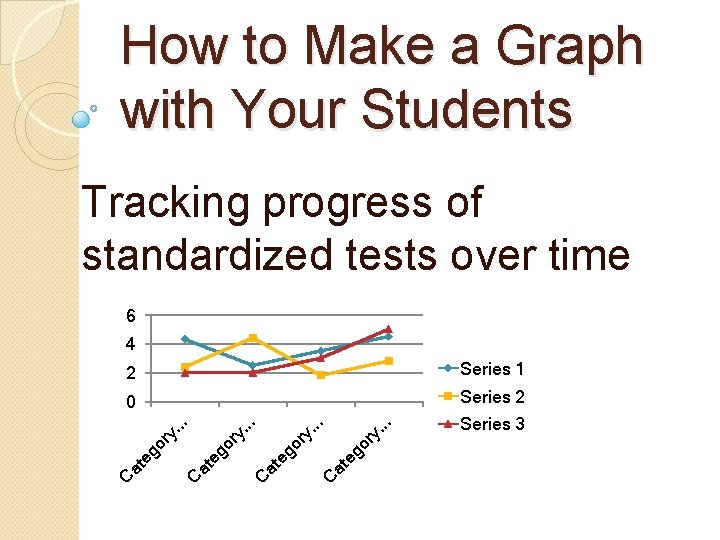
How to Make a Graph with Your Students Tracking progress of standardized tests over time 6 4 0 Series 2. . go ry at e C at e go r y. . C C at eg or y y. go r at e C . . . Series 1. . 2 Series 3
Content Objective: Teachers will learn how to make a graph in Microsoft Word and Excel. Language Objective: Teachers will produce a sample line graph of one student.
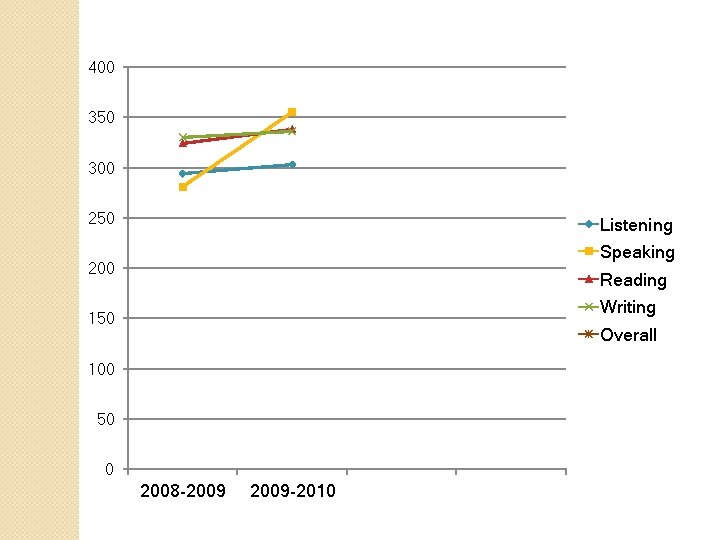
400 350 300 250 Listening Speaking 200 Reading Writing 150 Overall 100 50 0 2008 -2009 -2010
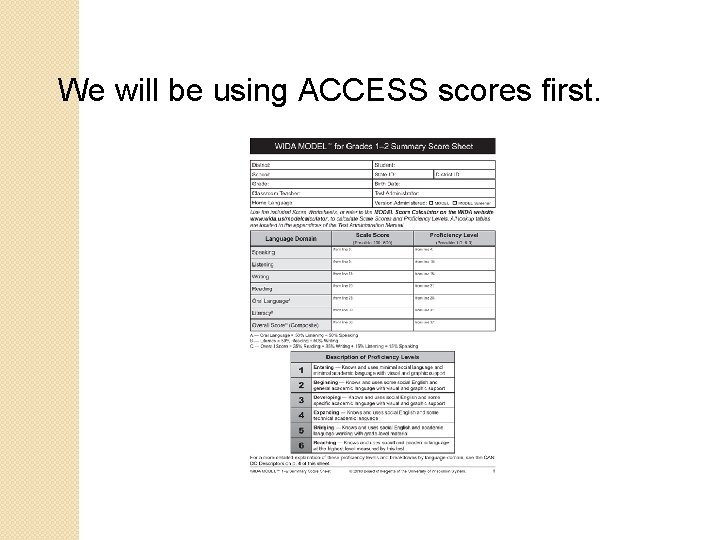
We will be using ACCESS scores first.
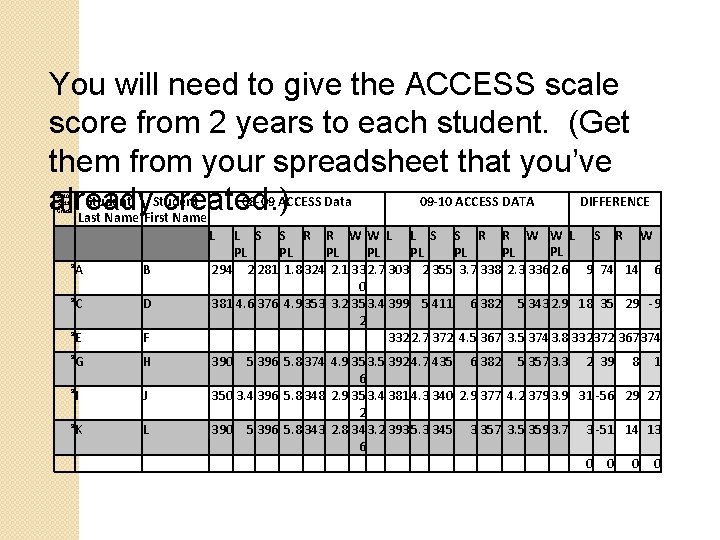
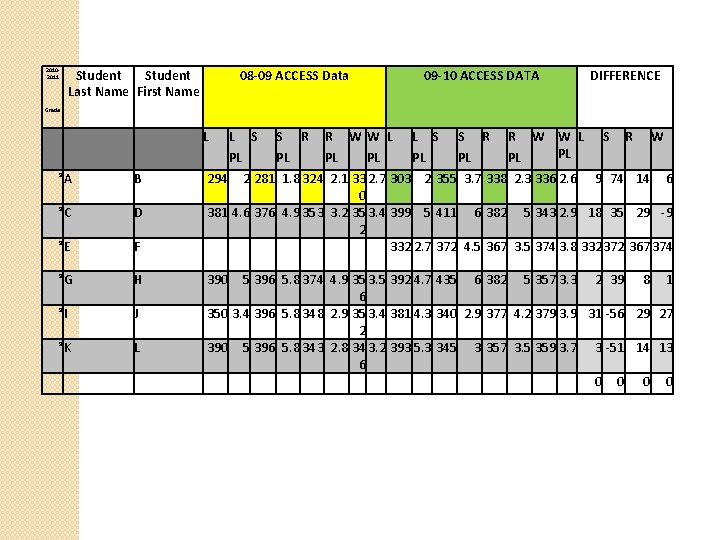
You will need to give the ACCESS scale score from 2 years to each student. (Get them from your spreadsheet that you’ve Student 08 -09 ACCESS Data 09 -10 ACCESS DATA DIFFERENCE already created. ) Last Name First Name 20102011 Grade L 9 A B 9 C D 9 E F L S S R R WW L L S S R R W W L S R W PL PL 294 2 281 1. 8 324 2. 1 33 2. 7 303 2 355 3. 7 338 2. 3 336 2. 6 9 74 14 6 0 381 4. 6 376 4. 9 353 3. 2 35 3. 4 399 5 411 6 382 5 343 2. 9 18 35 29 -9 2 332 2. 7 372 4. 5 367 3. 5 374 3. 8 332372 367374 9 G H 390 9 I J 9 K L 5 396 5. 8 374 4. 9 35 3. 5 392 4. 7 435 6 382 5 357 3. 3 2 39 8 1 6 350 3. 4 396 5. 8 348 2. 9 35 3. 4 381 4. 3 340 2. 9 377 4. 2 379 3. 9 31 -56 29 27 2 390 5 396 5. 8 343 2. 8 34 3. 2 393 5. 3 345 3 357 3. 5 359 3. 7 3 -51 14 13 6 0 0
Student Last Name First Name 20102011 08 -09 ACCESS Data 09 -10 ACCESS DATA DIFFERENCE Grade L L S PL S R PL R WW L PL PL L S PL S R PL R W W L PL PL S R W 9 A B 294 9 C D 9 E F 2 281 1. 8 324 2. 1 33 2. 7 303 2 355 3. 7 338 2. 3 336 2. 6 9 74 14 6 0 381 4. 6 376 4. 9 353 3. 2 35 3. 4 399 5 411 6 382 5 343 2. 9 18 35 29 -9 2 332 2. 7 372 4. 5 367 3. 5 374 3. 8 332372 367374 9 G H 390 9 I J 9 K L 5 396 5. 8 374 4. 9 35 3. 5 392 4. 7 435 6 382 5 357 3. 3 2 39 8 1 6 350 3. 4 396 5. 8 348 2. 9 35 3. 4 381 4. 3 340 2. 9 377 4. 2 379 3. 9 31 -56 29 27 2 390 5 396 5. 8 343 2. 8 34 3. 2 393 5. 3 345 3 357 3. 5 359 3. 7 3 -51 14 13 6 0 0
Once each student has a copy of their scores for the past two years, they are ready to learn how to make a graph on Microsoft Word and Excel.
Once you are finished, have the students look at their growth.
Which domains show the most growth?
Which domains show the least growth?
Where do they want to be?
Where do they want to be?
Have them make goals for this year. Students can keep a copy of their graph in their data notebooks. It’s also a good idea to keep the graphs in their ESL Folder so they can keep track of their progress each year.