
How to Login or Register at My Quest
- Slides: 6
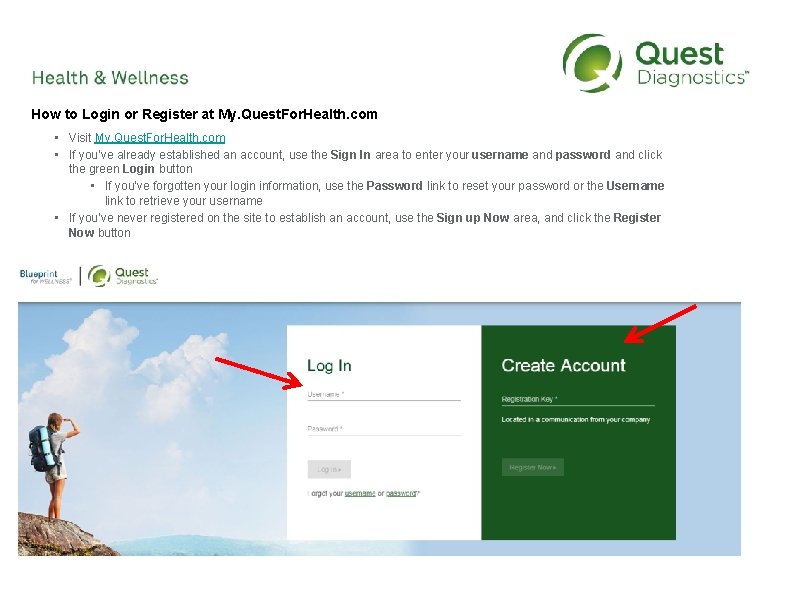
How to Login or Register at My. Quest. For. Health. com • Visit My. Quest. For. Health. com • If you’ve already established an account, use the Sign In area to enter your username and password and click the green Login button • If you’ve forgotten your login information, use the Password link to reset your password or the Username link to retrieve your username • If you’ve never registered on the site to establish an account, use the Sign up Now area, and click the Register Now button
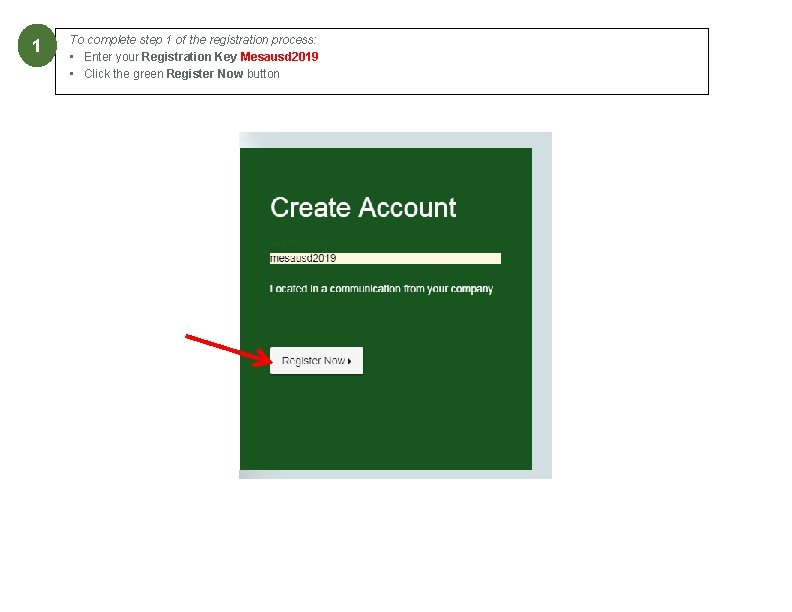
1 To complete step 1 of the registration process: • Enter your Registration Key Mesausd 2019 • Click the green Register Now button
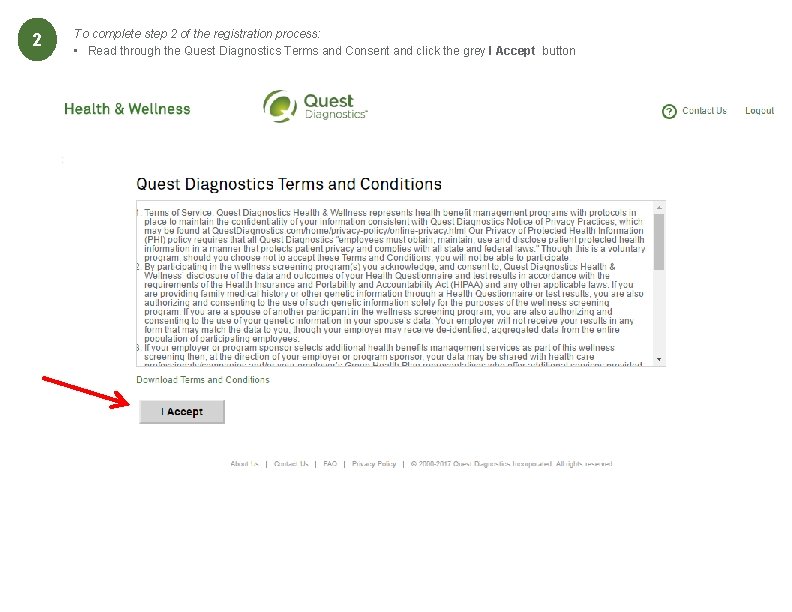
2 2 To complete step 2 of the registration process: • Read through the Quest Diagnostics Terms and Consent and click the grey I Accept button
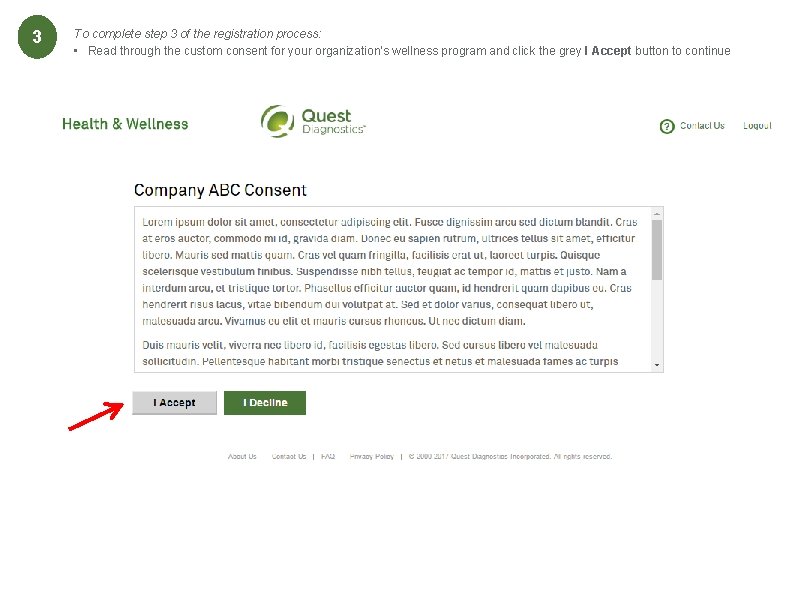
3 2 To complete step 3 of the registration process: • Read through the custom consent for your organization’s wellness program and click the grey I Accept button to continue
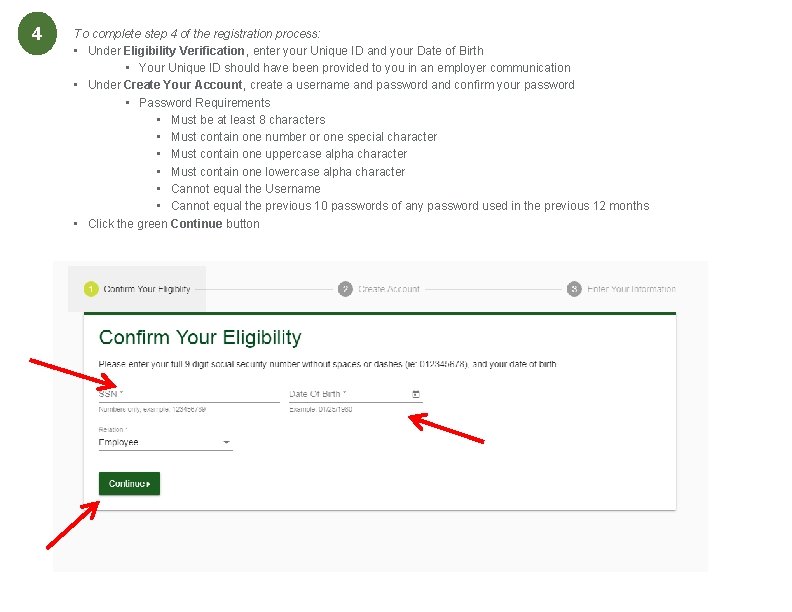
4 2 To complete step 4 of the registration process: • Under Eligibility Verification, enter your Unique ID and your Date of Birth • Your Unique ID should have been provided to you in an employer communication • Under Create Your Account, create a username and password and confirm your password • Password Requirements • Must be at least 8 characters • Must contain one number or one special character • Must contain one uppercase alpha character • Must contain one lowercase alpha character • Cannot equal the Username • Cannot equal the previous 10 passwords of any password used in the previous 12 months • Click the green Continue button
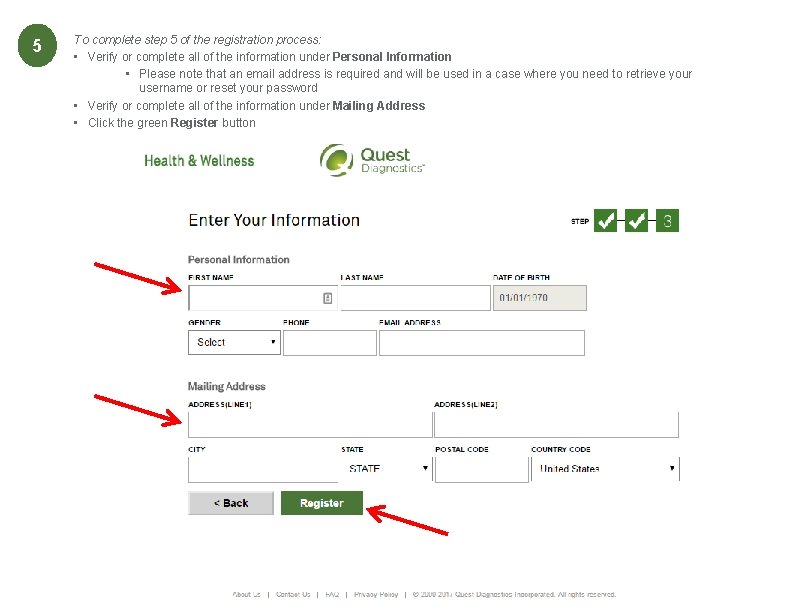
5 To complete step 5 of the registration process: • Verify or complete all of the information under Personal Information • Please note that an email address is required and will be used in a case where you need to retrieve your username or reset your password • Verify or complete all of the information under Mailing Address • Click the green Register button