
HOW TO GIVE AN EFFECTIVE POSTER PRESENTATION David
- Slides: 14
HOW TO GIVE AN EFFECTIVE POSTER PRESENTATION David Saunders-Scott SURF 2018
OVERVIEW • Why a poster presentation? • Some rules for a good poster presentation • Formatting and layout • Poster template and creating a poster from scratch • Preparing for conference • During presentation 2
WHY A POSTER PRESENTATION? • Allows you to interact one-on-one with people interested in your research • More time to present your research at a poster session versus the 12 -20 minutes allotted in most oral sessions • Has the potential to reach larger numbers of people than a typical oral presentation • Fun! 3
SOME RULES FOR A GOOD POSTER PRESENTATION 1. Define the purpose before you start preparing your poster • What do you want the person passing by your poster to do? • Discuss? • Learn? • Collaborate (future research, career, or grad school)? • All of the above… 4
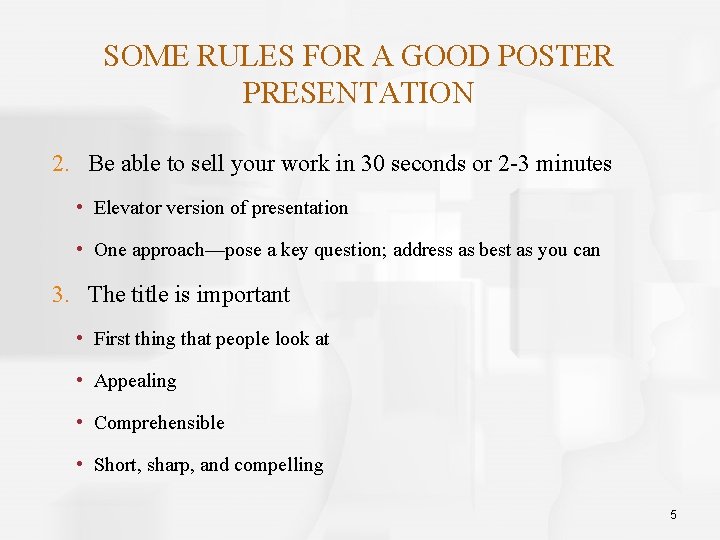
SOME RULES FOR A GOOD POSTER PRESENTATION 2. Be able to sell your work in 30 seconds or 2 -3 minutes • Elevator version of presentation • One approach—pose a key question; address as best as you can 3. The title is important • First thing that people look at • Appealing • Comprehensible • Short, sharp, and compelling 5
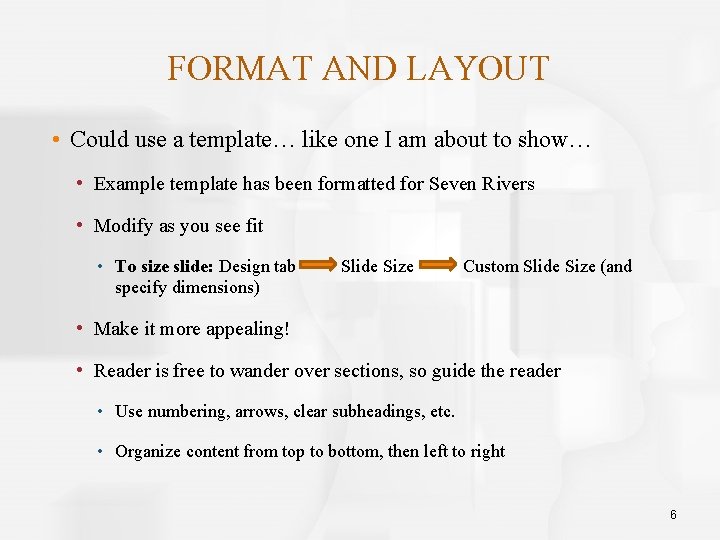
FORMAT AND LAYOUT • Could use a template… like one I am about to show… • Example template has been formatted for Seven Rivers • Modify as you see fit • To size slide: Design tab specify dimensions) Slide Size Custom Slide Size (and • Make it more appealing! • Reader is free to wander over sections, so guide the reader • Use numbering, arrows, clear subheadings, etc. • Organize content from top to bottom, then left to right 6
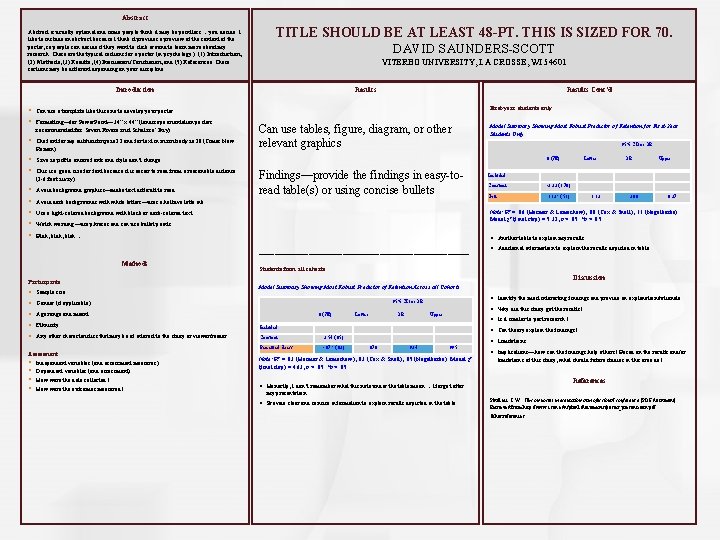
Abstract is usually optional and some people think it may be pointless… you decide. I like to include an abstract because I think it provides a preview of the content of the poster, so people can decide if they want to stick around to learn more about my research. These are the typical sections for a poster (in psychology): (1) Introduction, (2) Methods, (3) Results, (4) Discussion/Conclusion, and (5) References. These sections may be different depending on your discipline. TITLE SHOULD BE AT LEAST 48 -PT. THIS IS SIZED FOR 70. DAVID SAUNDERS-SCOTT VITERBO UNIVERSITY, LA CROSSE, WI 54601 Results Introduction § § Can use a template like this one to develop your poster § The font for my subheadings is 32 and for text in main body is 28 (Times New Roman) Formatting—for Power. Point— 34” x 44” (landscape orientation posters recommended for Seven Rivers and Scholars’ Day) § § Save as pdf to ensure fonts and style don’t change § § § Avoid background graphics—make text difficult to read This is a good size for font because it is easier to read from a reasonable distance (3 -6 feet away) Results Cont’d First-year students only Can use tables, figure, diagram, or other relevant graphics Model Summary Showing Most Robust Predictor of Retention for First-Year Students Only 95% CI for OR β (SE) Findings—provide the findings in easy-toread table(s) or using concise bullets Avoid dark backgrounds with white letters—uses a helluva lotta ink Lower OR Upper Included Constant -3. 33 (1. 78) Grit 1. 13* (. 51) 1. 13 3. 08 8. 37 Note: R² =. 06 (Hosmer & Lemeshow), . 08 (Cox & Snell), . 11 (Nagelkerke). Model χ² (final step) = 5. 32, p <. 05. *p <. 05. Use a light-colored background with black or dark-colored text Watch wording—use phrases and can use bullet points Blah, blah… § Another table to explain my results __________________________________ Methods Participants § Sample size Students from all cohorts Discussion Model Summary Showing Most Robust Predictor of Retention Across all Cohorts § Identify the most interesting findings and provide an explanation/rationale. 95% CI for OR § Gender (if applicable) § Age range and meant β (SE) § Ethnicity Included § Any other characteristics that may be of interest to the study or viewer/reader Constant 2. 54 (. 65) Perceived Stress -. 07* (. 03) Assessment § Independent variables (and assessment measures) § Dependent variables (and assessment) § How were the data collected? § How were the outcomes measured? § Additional information to explain the results depicted in table Lower OR § Why did this study get the results? Upper § Is it similar to past research? § Can theory explain the findings? § Limitations . 878 . 934 . 995 Note: R² =. 03 (Hosmer & Lemeshow), . 03 (Cox & Snell), . 05 (Nagelkerke). Model χ² (final step) = 4. 63, p <. 05. *p <. 05. § Implications—how can the findings help others? Based on the results and/or limitations of this study, what should future studies in this area do? References § Honestly, I don’t remember what this note under the table mean… I forgot after my presentation § Provide clear and concise information to explain results depicted in the table Plunkett, S. W. Tips on poster presentation at professional conference [PDF document]. Retrieved from http: //www. csun. edu/plunk/documents/poster_presentation. pdf Other references…
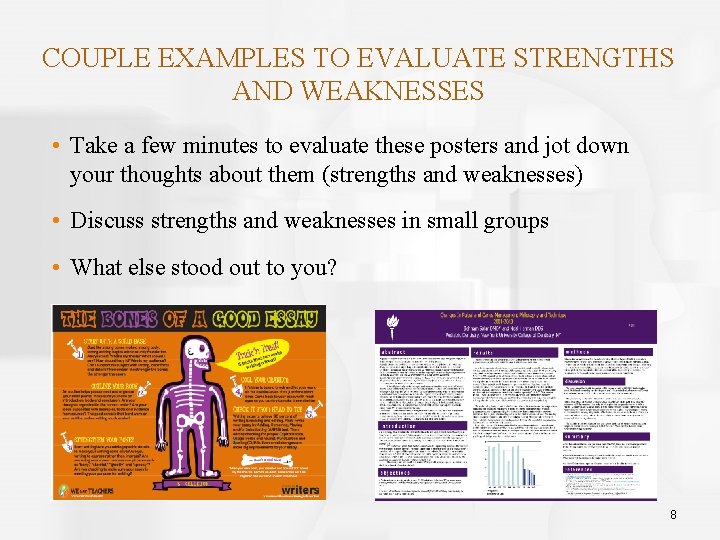
COUPLE EXAMPLES TO EVALUATE STRENGTHS AND WEAKNESSES • Take a few minutes to evaluate these posters and jot down your thoughts about them (strengths and weaknesses) • Discuss strengths and weaknesses in small groups • What else stood out to you? 8
CREATING POSTER FROM SCRATCH OR JUST REFORMATTING • SURF website • Resources for students • http: //www. viterbo. edu/undergraduate-research/resources-students • Tips for Creating and Giving Poster Presentations (L. Ware) • Very helpful! • Other helpful resources 9
PREPARING FOR CONFERENCE “To be on time is to be before time. ” • Review poster thoroughly before printing • Again, save as PDF • Allow at least 4 days (ideally 1 week) to print your poster • Transporting your poster (if applicable) • Poster tube or cardboard tube • Light Weight Canvas option 10
PREPARING TO PRESENT AND DURING PRESENTATION • Practice, practice… • Have a 2 - to 3 -minute presentation ready • Use poster as a guide while presenting • Remember, this is your research!—you know more than anyone else about it • Wear comfortable clothes and shoes • Have bottle of water on hand 11
PREPARING TO PRESENT AND DURING PRESENTATION • You certainly will not have all the answers for questions • Do your best to answer questions • It is okay to say you do not know something • If relevant, get back to person later via email with an answer • Managing anxiety… Why do I feel this way? What can I do about it? • We all experience anxiety • Deep breathing may help (inhale deeply for a count of 4 and exhale for a count of 8 for about a minute) • Short TED talk: Overcoming stage fright 12
PRACTICE, PRACTICE • Spend several minutes thinking about your SURF project • What’s the question you hope to answer? • How will you go about answering that question? • What do you hope to discover? • Why is your project relevant? • Present/discuss your project in small groups • Listen “mindfully” and note one question to ask the presenter about her/his project 13
RESOURCES/ACKNOWLEDGEMENTS • American Psychological Association – The perfect poster: http: //www. apa. org/gradpsych/2011/01/poster. aspx • Plunkett, Scott W. – Tips on poster presentations at professional conference: http: //www. csun. edu/plunk/documents/poster_presentation. pdf • NCBI/NIH – Ten simple rules for a good poster presentation: https: //www. ncbi. nlm. nih. gov/pmc/articles/PMC 1876493/ • Power. Points on this topic on SURF website Examples from Liza Ware’s and Scott Gabriel’s presentations… thank you! 14