
How to fill out the Pay Equity Form
- Slides: 8
How to fill out the Pay Equity Form City of Albuquerque Department of Finance 5/22/19 oei@cabq. gov 505 -768 -3512 1
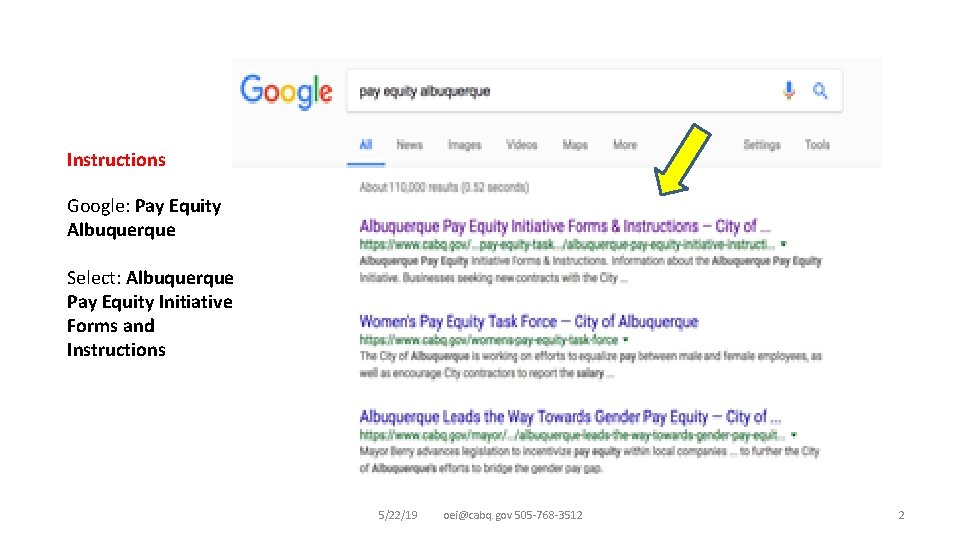
Instructions Google: Pay Equity Albuquerque Select: Albuquerque Pay Equity Initiative Forms and Instructions 5/22/19 oei@cabq. gov 505 -768 -3512 2
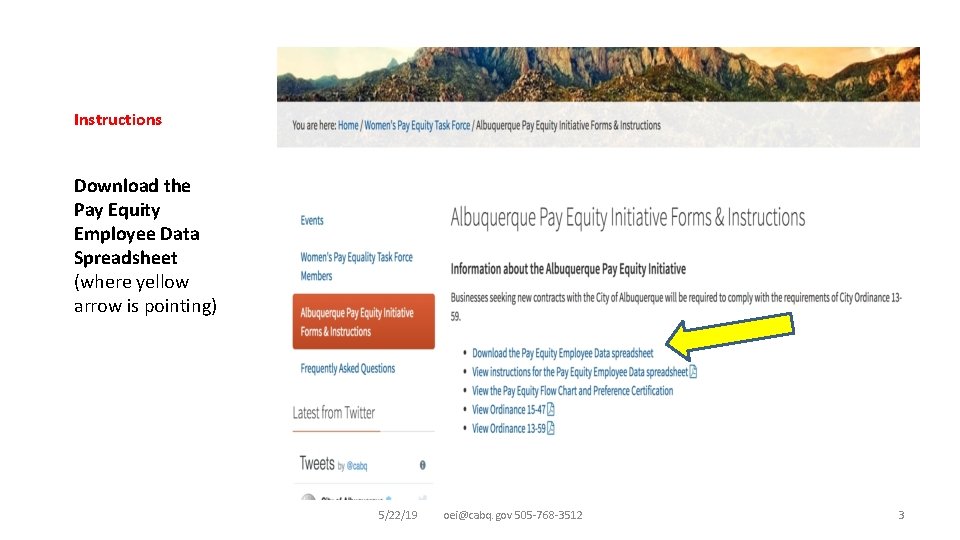
Instructions Download the Pay Equity Employee Data Spreadsheet (where yellow arrow is pointing) 5/22/19 oei@cabq. gov 505 -768 -3512 3
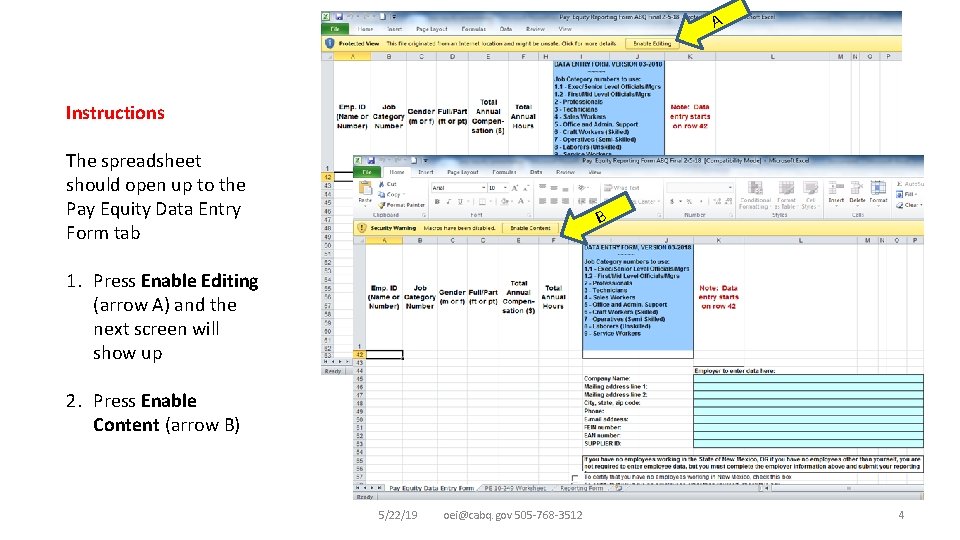
A Instructions The spreadsheet should open up to the Pay Equity Data Entry Form tab B 1. Press Enable Editing (arrow A) and the next screen will show up 2. Press Enable Content (arrow B) 5/22/19 oei@cabq. gov 505 -768 -3512 4
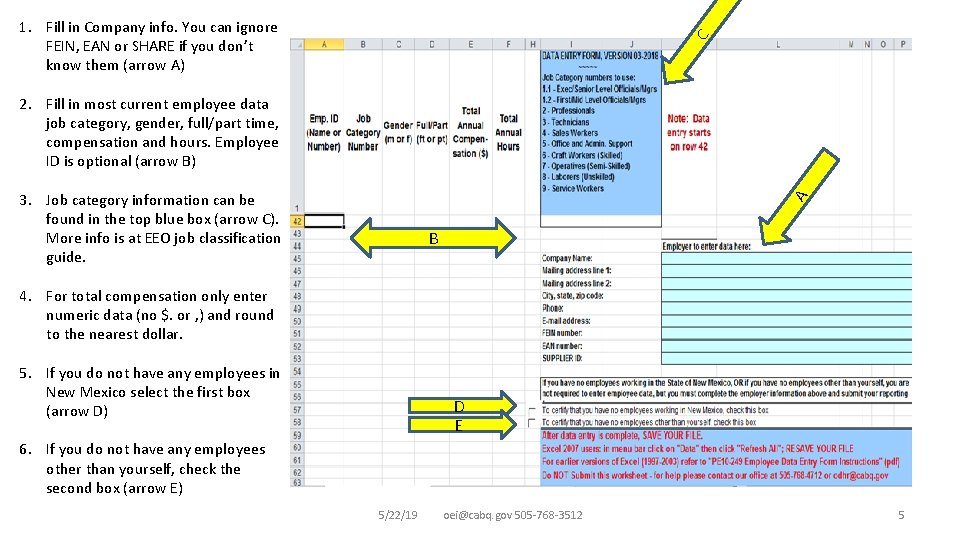
C 1. Fill in Company info. You can ignore FEIN, EAN or SHARE if you don’t know them (arrow A) 2. Fill in most current employee data job category, gender, full/part time, compensation and hours. Employee ID is optional (arrow B) A 3. Job category information can be found in the top blue box (arrow C). More info is at EEO job classification guide. B 4. For total compensation only enter numeric data (no $. or , ) and round to the nearest dollar. 5. If you do not have any employees in New Mexico select the first box (arrow D) D E 6. If you do not have any employees other than yourself, check the second box (arrow E) 5/22/19 oei@cabq. gov 505 -768 -3512 5
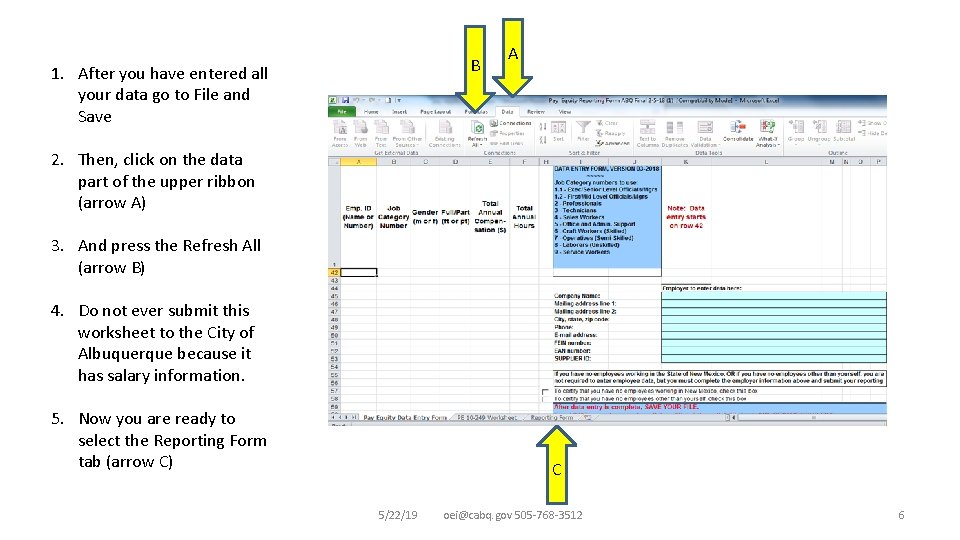
B 1. After you have entered all your data go to File and Save A 2. Then, click on the data part of the upper ribbon (arrow A) 3. And press the Refresh All (arrow B) 4. Do not ever submit this worksheet to the City of Albuquerque because it has salary information. 5. Now you are ready to select the Reporting Form tab (arrow C) C 5/22/19 oei@cabq. gov 505 -768 -3512 6
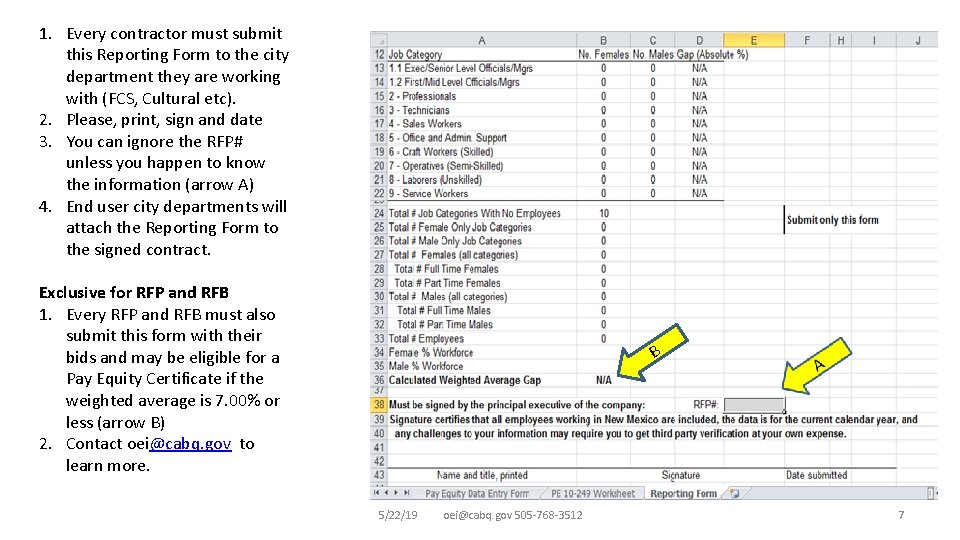
1. Every contractor must submit this Reporting Form to the city department they are working with (FCS, Cultural etc). 2. Please, print, sign and date 3. You can ignore the RFP# unless you happen to know the information (arrow A) 4. End user city departments will attach the Reporting Form to the signed contract. Exclusive for RFP and RFB 1. Every RFP and RFB must also submit this form with their bids and may be eligible for a Pay Equity Certificate if the weighted average is 7. 00% or less (arrow B) 2. Contact oei@cabq. gov to learn more. B 5/22/19 oei@cabq. gov 505 -768 -3512 7
Top Questions • Q. I have filled out the sheet, why isn’t my data transferring to the next sheet? – A: You must save the file and then in the menu bar click DATA and then REFRESH ALL and the data will transfer. • Q. I have followed all instructions and my data still will not transfer. – A: Check your work for symbols and remove any periods or dollar signs and round to the nearest dollar amount. • Q. I copy and pasted my info and my data will not transfer. – A: Depending on what you copy and pasted from, excel may not recognize it. Please manually type in info. • Q. The PE 10 -249 worksheet is protected. What is the password? – A: The only page you will enter any information on is the Pay Equity Data Entry form. Once this is completed and all instructions have been followed, the form will auto populate the rest. • Q. Do I only have to submit this form to the Department of Finance? – A: No, all contractors must submit the form to the city department they are working with. The city department will attach it to the signed contract. • Q. Are there more in-depth instructions with examples? – A: Yes, at https: //www. cabq. gov/womens-pay-equity-task-force/documents/albuquerque-pay-equity-form-instructions-6 -2017. docx Contact information: oei@cabq. gov 505 -768 -3512 5/22/19 oei@cabq. gov 505 -768 -3512 8