
How to fill out the Parents Financial Statement
- Slides: 9
How to fill out the Parent’s Financial Statement Section 2 – Income
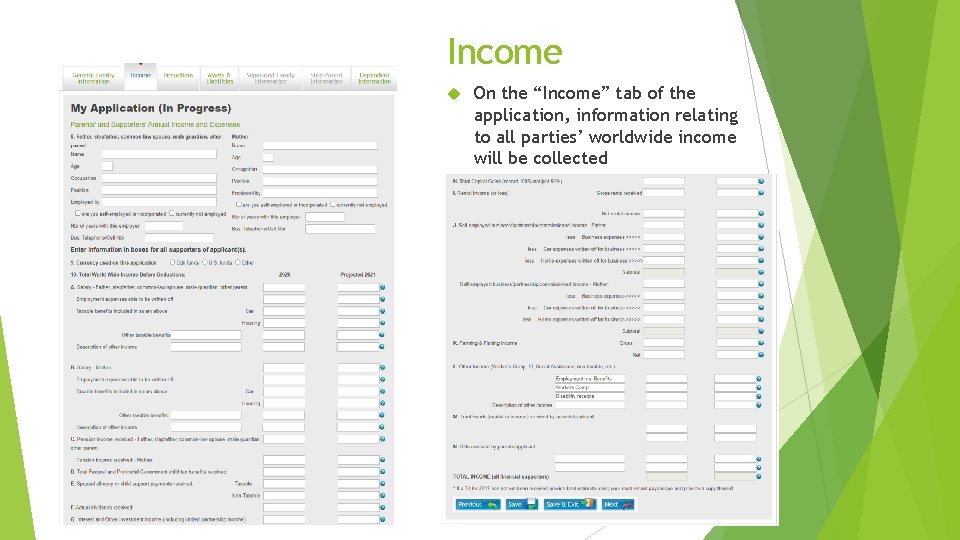
Income On the “Income” tab of the application, information relating to all parties’ worldwide income will be collected
Income On the “Income” tab, please complete both years of requested information. For any amounts that are unknown for the projected year, please make an estimate based on the prior year’s finances as well as any documents you may have that show year to date amounts. For all tax documents that are referenced & required, please note that they are referring to the previous year’s tax documentation (i. e. for the 2021/22 school year application, we will require the tax documentation from 2020). If you have not received your tax documents for the previous year yet, please forward a copy of the documents from the most recent year available. US Applicants The following pages on the “Income” tab show the Canadian application, and should help you when filling out your application in understanding the questions. All tax documentation referred to is Canadian tax documentation. For the US equivalents, please see page 9 for an explanation of the different documents that will be required from US applicants. Applicants From Outside of Canada or the United States; The schools are looking for: All income available to the family including taxable, non-taxable, reportable and non-reportable income Deductions from income such as taxes, social benefit payments, as well as retirement & pension plan payments that are paid to a government Other tax deductions such as donations or medical expenses that are able to be deducted from any taxes you may pay Please fill out the application to the best of your ability as each country will have different tax documentation and call (613) 395 -9300 if any assistance is required
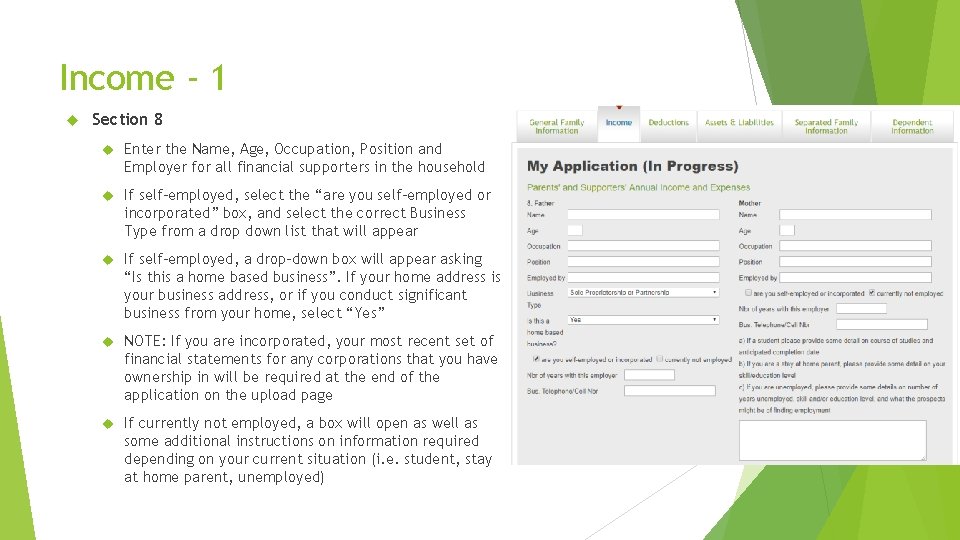
Income - 1 Section 8 Enter the Name, Age, Occupation, Position and Employer for all financial supporters in the household If self-employed, select the “are you self-employed or incorporated” box, and select the correct Business Type from a drop down list that will appear If self-employed, a drop-down box will appear asking “Is this a home based business”. If your home address is your business address, or if you conduct significant business from your home, select “Yes” NOTE: If you are incorporated, your most recent set of financial statements for any corporations that you have ownership in will be required at the end of the application on the upload page If currently not employed, a box will open as well as some additional instructions on information required depending on your current situation (i. e. student, stay at home parent, unemployed)
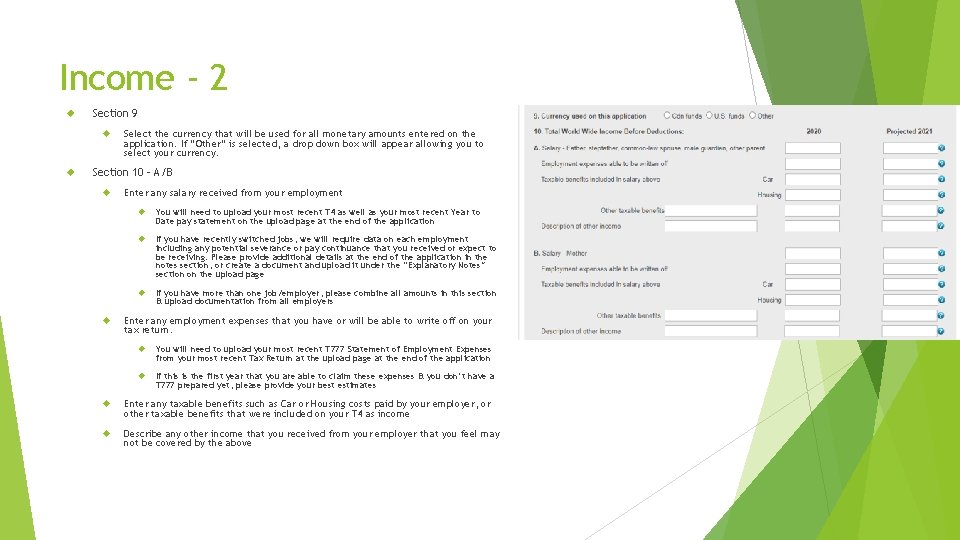
Income - 2 Section 9 Select the currency that will be used for all monetary amounts entered on the application. If “Other” is selected, a drop down box will appear allowing you to select your currency. Section 10 – A/B Enter any salary received from your employment You will need to upload your most recent T 4 as well as your most recent Year to Date pay statement on the upload page at the end of the application If you have recently switched jobs, we will require data on each employment including any potential severance or pay continuance that you received or expect to be receiving. Please provide additional details at the end of the application in the notes section, or create a document and upload it under the “Explanatory Notes” section on the upload page If you have more than one job/employer, please combine all amounts in this section & upload documentation from all employers Enter any employment expenses that you have or will be able to write off on your tax return. You will need to upload your most recent T 777 Statement of Employment Expenses from your most recent Tax Return at the upload page at the end of the application If this is the first year that you are able to claim these expenses & you don’t have a T 777 prepared yet, please provide your best estimates Enter any taxable benefits such as Car or Housing costs paid by your employer, or other taxable benefits that were included on your T 4 as income Describe any other income that you received from your employer that you feel may not be covered by the above
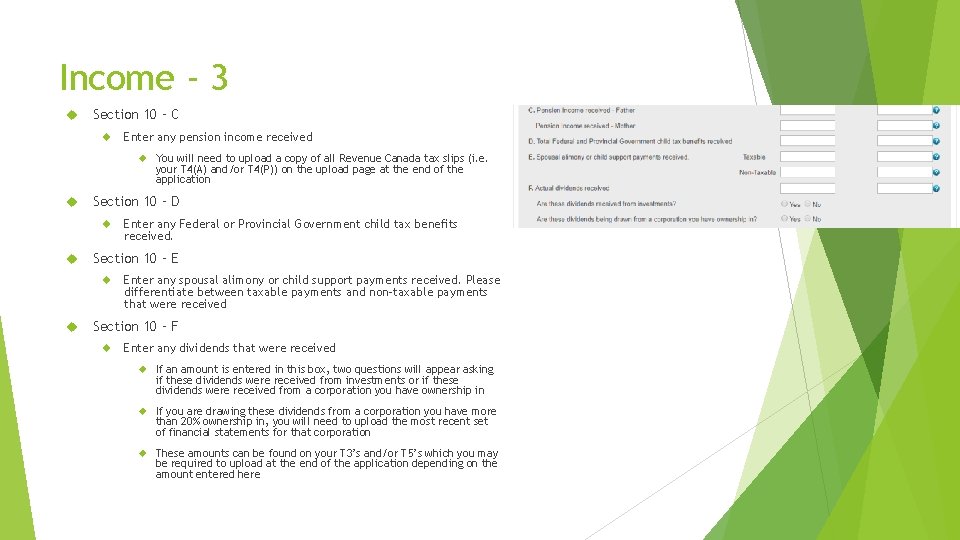
Income - 3 Section 10 – C Enter any pension income received You will need to upload a copy of all Revenue Canada tax slips (i. e. your T 4(A) and/or T 4(P)) on the upload page at the end of the application Section 10 – D Section 10 – E Enter any Federal or Provincial Government child tax benefits received. Enter any spousal alimony or child support payments received. Please differentiate between taxable payments and non-taxable payments that were received Section 10 – F Enter any dividends that were received If an amount is entered in this box, two questions will appear asking if these dividends were received from investments or if these dividends were received from a corporation you have ownership in If you are drawing these dividends from a corporation you have more than 20% ownership in, you will need to upload the most recent set of financial statements for that corporation These amounts can be found on your T 3’s and/or T 5’s which you may be required to upload at the end of the application depending on the amount entered here
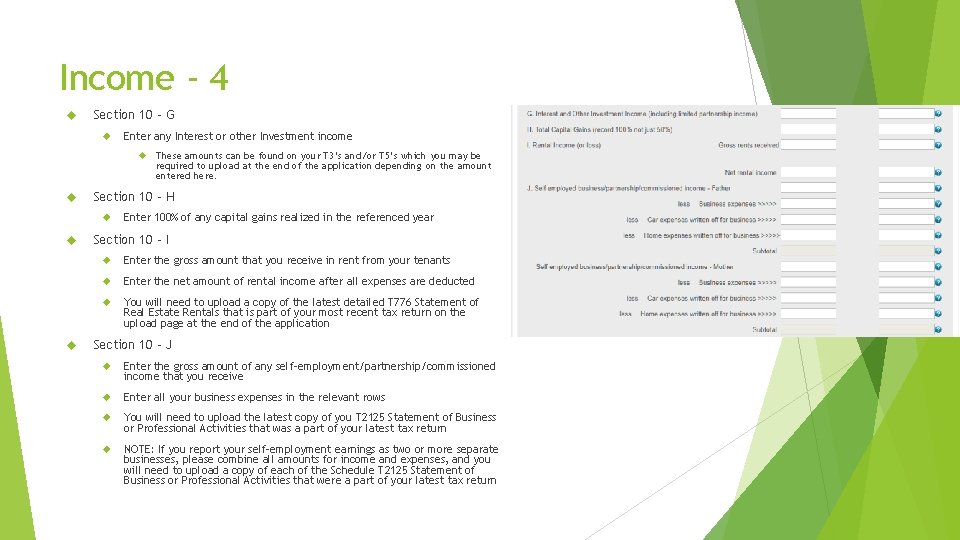
Income - 4 Section 10 – G Enter any Interest or other Investment income Section 10 – H These amounts can be found on your T 3’s and/or T 5’s which you may be required to upload at the end of the application depending on the amount entered here. Enter 100% of any capital gains realized in the referenced year Section 10 – I Enter the gross amount that you receive in rent from your tenants Enter the net amount of rental income after all expenses are deducted You will need to upload a copy of the latest detailed T 776 Statement of Real Estate Rentals that is part of your most recent tax return on the upload page at the end of the application Section 10 – J Enter the gross amount of any self-employment/partnership/commissioned income that you receive Enter all your business expenses in the relevant rows You will need to upload the latest copy of you T 2125 Statement of Business or Professional Activities that was a part of your latest tax return NOTE: If you report your self-employment earnings as two or more separate businesses, please combine all amounts for income and expenses, and you will need to upload a copy of each of the Schedule T 2125 Statement of Business or Professional Activities that were a part of your latest tax return
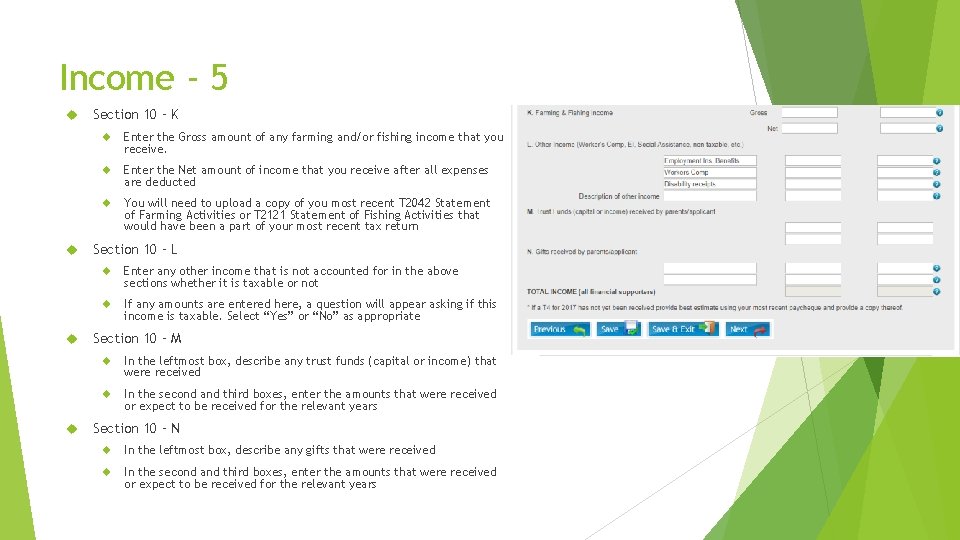
Income - 5 Section 10 – K Enter the Gross amount of any farming and/or fishing income that you receive. Enter the Net amount of income that you receive after all expenses are deducted You will need to upload a copy of you most recent T 2042 Statement of Farming Activities or T 2121 Statement of Fishing Activities that would have been a part of your most recent tax return Section 10 – L Enter any other income that is not accounted for in the above sections whether it is taxable or not If any amounts are entered here, a question will appear asking if this income is taxable. Select “Yes” or “No” as appropriate Section 10 – M In the leftmost box, describe any trust funds (capital or income) that were received In the second and third boxes, enter the amounts that were received or expect to be received for the relevant years Section 10 – N In the leftmost box, describe any gifts that were received In the second and third boxes, enter the amounts that were received or expect to be received for the relevant years
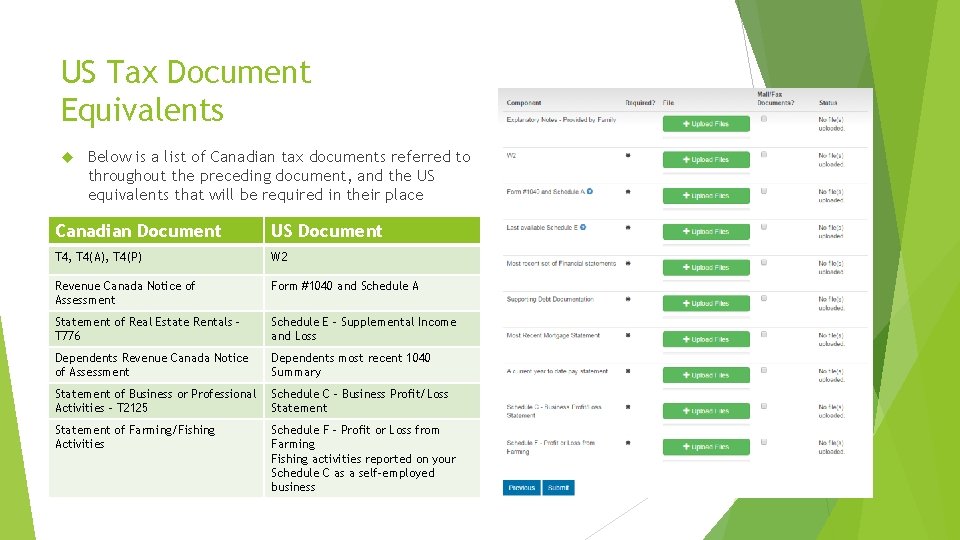
US Tax Document Equivalents Below is a list of Canadian tax documents referred to throughout the preceding document, and the US equivalents that will be required in their place Canadian Document US Document T 4, T 4(A), T 4(P) W 2 Revenue Canada Notice of Assessment Form #1040 and Schedule A Statement of Real Estate Rentals – T 776 Schedule E – Supplemental Income and Loss Dependents Revenue Canada Notice of Assessment Dependents most recent 1040 Summary Statement of Business or Professional Activities – T 2125 Schedule C – Business Profit/Loss Statement of Farming/Fishing Activities Schedule F – Profit or Loss from Farming Fishing activities reported on your Schedule C as a self-employed business