
HOW TO DOCUMENT THE HPI USING THE TSWF

- Slides: 15
HOW TO DOCUMENT THE HPI USING THE TSWF CORE FORM David Moser AHLTA SME Shaw/Charleston AFB Shaw: 895 -6397 Charleston: 843 -963 -6373
Autocites can be turned on/off in all encounters. It is recommended that problems and active medications be turned off.
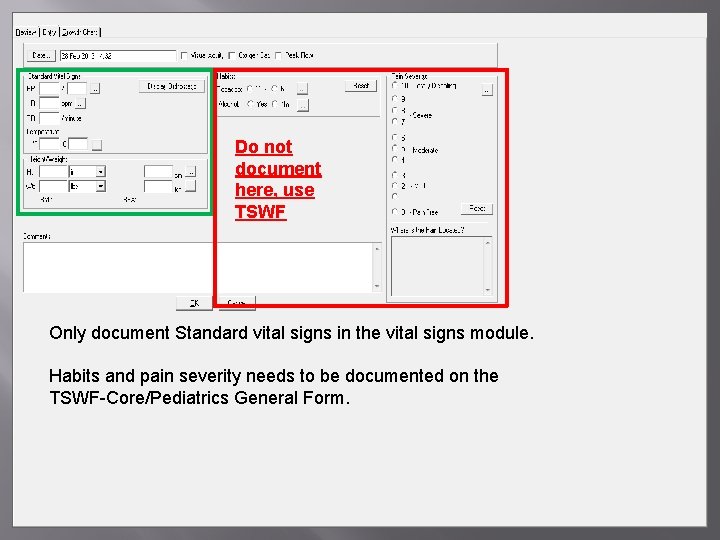
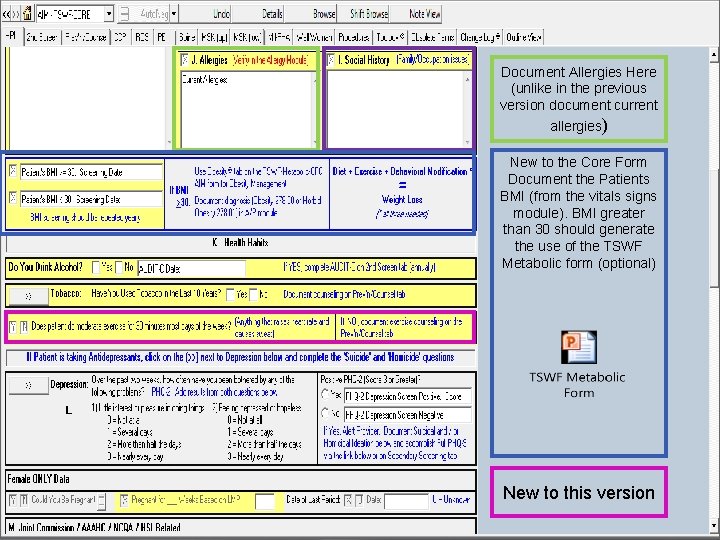
Do not document here, use TSWF Only document Standard vital signs in the vital signs module. Habits and pain severity needs to be documented on the TSWF-Core/Pediatrics General Form.
How to copy forward from a previous encounter The core form is designed so that information from the HPI tab can be easily copy forwarded to future encounters. Utilizing this function will copy information to the yellow boxes in the Core form. Anything on the Core form that is grey are questions that are meant to be asked at every encounter and should not be copy forwarded. Attached is the copy forward tutorial.
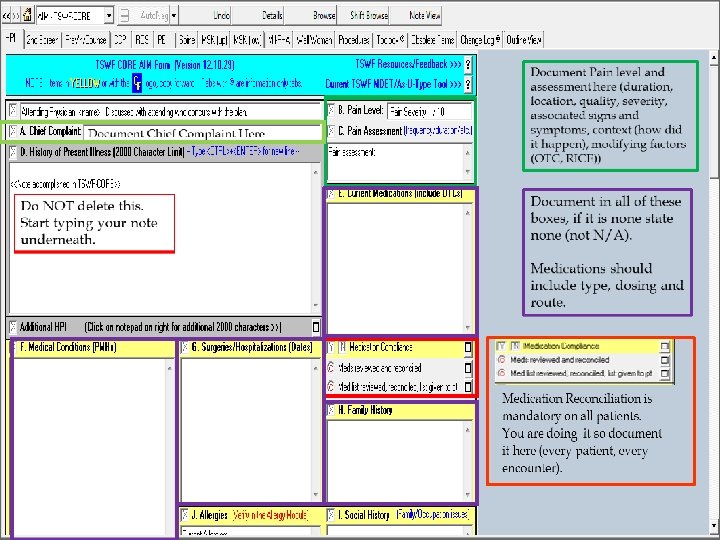
Document Allergies Here (unlike in the previous version document current allergies) New to the Core Form Document the Patients BMI (from the vitals signs module). BMI greater than 30 should generate the use of the TSWF Metabolic form (optional) New to this version
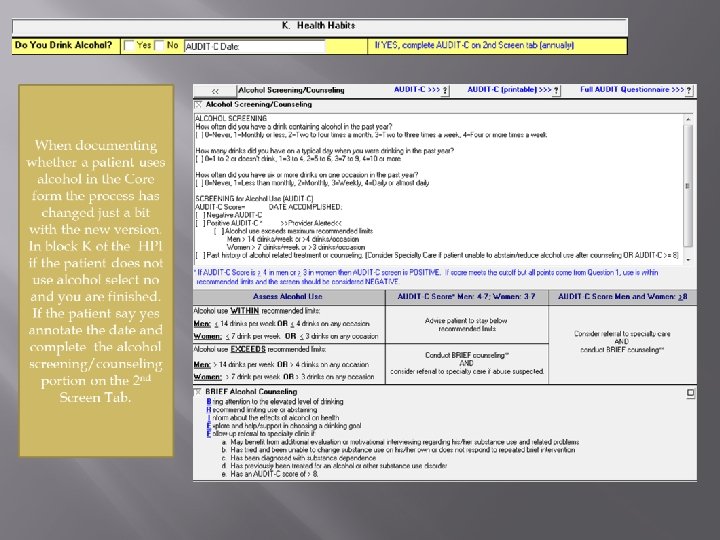
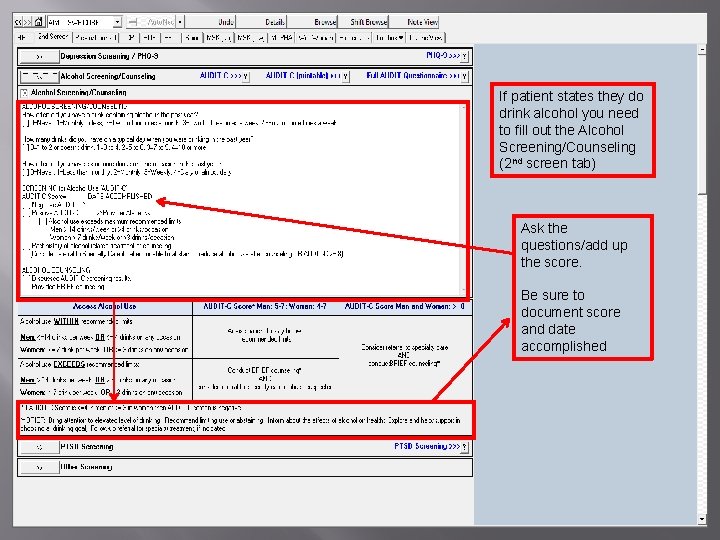
If patient states they do drink alcohol you need to fill out the Alcohol Screening/Counseling (2 nd screen tab) Ask the questions/add up the score. Be sure to document score and date accomplished
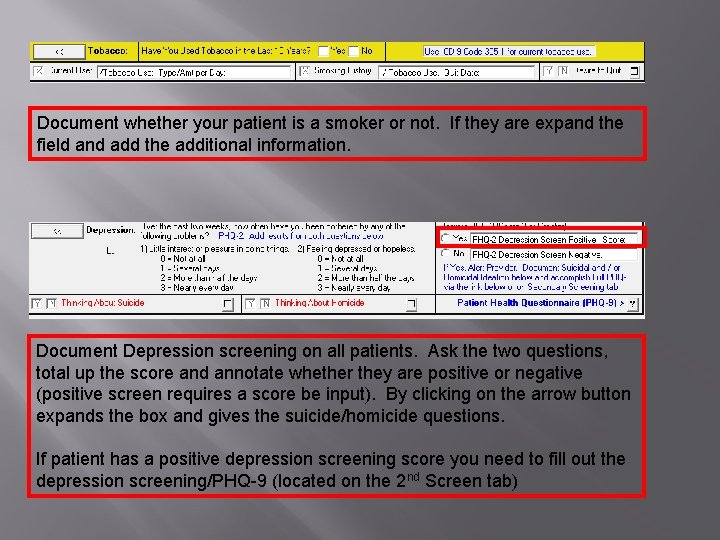
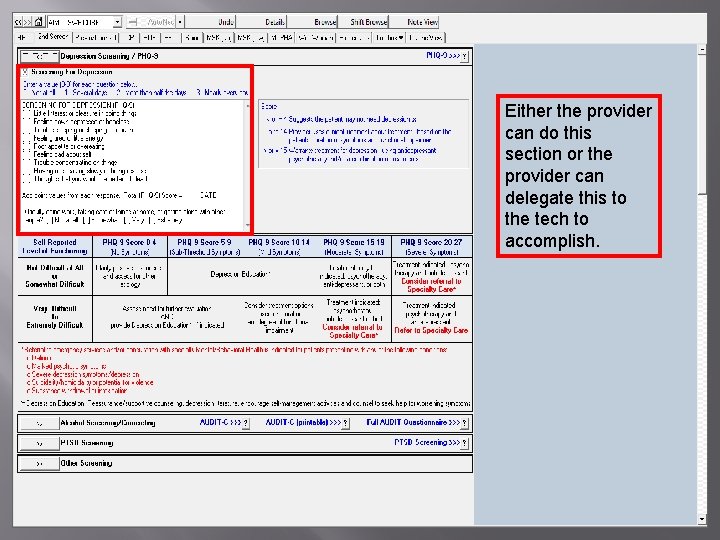
Document whether your patient is a smoker or not. If they are expand the field and add the additional information. Document Depression screening on all patients. Ask the two questions, total up the score and annotate whether they are positive or negative (positive screen requires a score be input). By clicking on the arrow button expands the box and gives the suicide/homicide questions. If patient has a positive depression screening score you need to fill out the depression screening/PHQ-9 (located on the 2 nd Screen tab)
Either the provider can do this section or the provider can delegate this to the tech to accomplish.
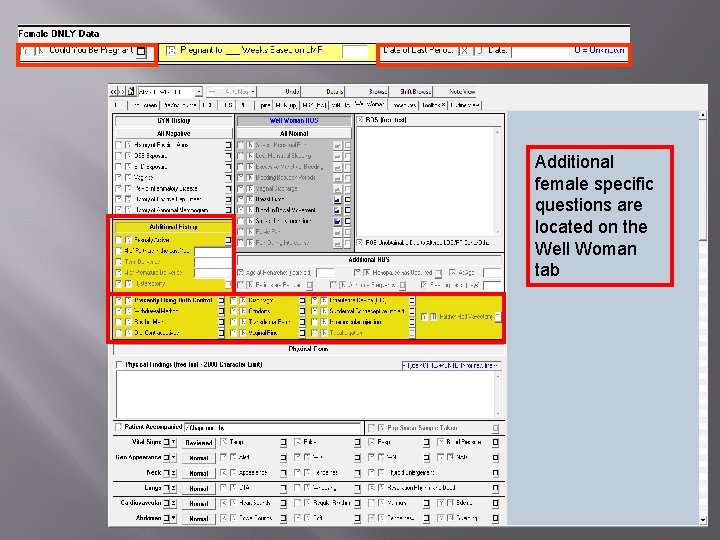
Additional female specific questions are located on the Well Woman tab
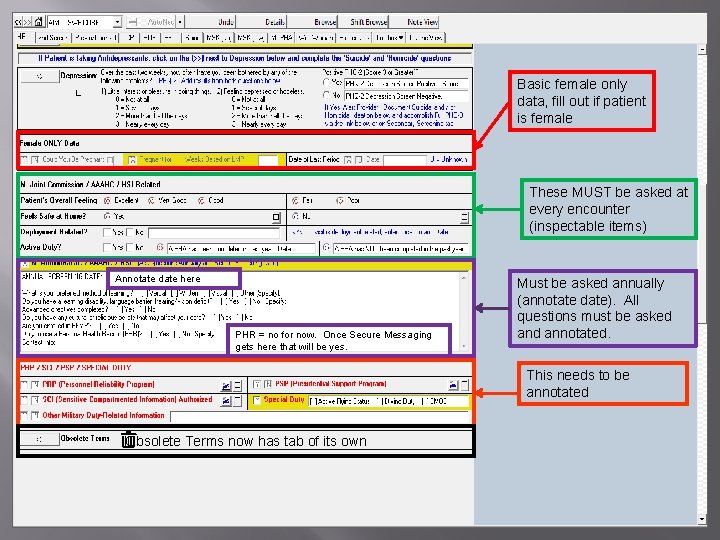
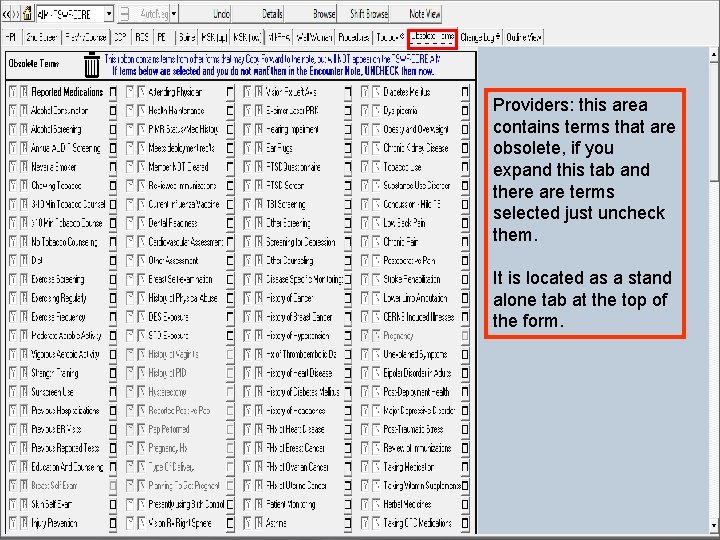
Basic female only data, fill out if patient is female These MUST be asked at every encounter (inspectable items) Annotate date here PHR = no for now. Once Secure Messaging gets here that will be yes. Must be asked annually (annotate date). All questions must be asked annotated. This needs to be annotated Obsolete Terms now has tab of its own
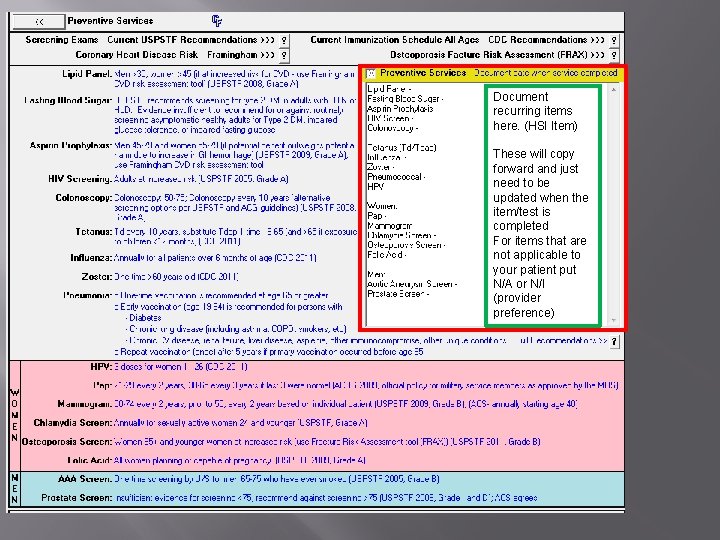
Document recurring items here. (HSI Item) These will copy forward and just need to be updated when the item/test is completed For items that are not applicable to your patient put N/A or N/I (provider preference)
Providers: this area contains terms that are obsolete, if you expand this tab and there are terms selected just uncheck them. It is located as a stand alone tab at the top of the form.
If you have any questions/concerns please do not hesitate to let me know. I hope that this presentation will help you and your team get the most out of the TSWF-Core form. David Moser AHLTA SME Shaw/Charleston AFB Shaw Contact: 965 -6397 Charleston Contact: 843 -963 -6763