
How to do NAT DHCP IPFW in Free
![IPFW on Free. BSD (4) > Rule Syntax ipfw add [rule_num] action [logging] body](https://slidetodoc.com/presentation_image_h/ec1e33b15ab033a373df8bd578258ae5/image-9.jpg "IPFW on Free. BSD (4) > Rule Syntax ipfw add [rule_num] action [logging] body")
![IPFW on Free. BSD (5) > Rule Syntax ipfw add [rule_num] action [logging] body](https://slidetodoc.com/presentation_image_h/ec1e33b15ab033a373df8bd578258ae5/image-10.jpg "IPFW on Free. BSD (5) > Rule Syntax ipfw add [rule_num] action [logging] body")
![IPFW on Free. BSD (6) > Rule Syntax ipfw add [rule_num] action [logging] body](https://slidetodoc.com/presentation_image_h/ec1e33b15ab033a373df8bd578258ae5/image-11.jpg "IPFW on Free. BSD (6) > Rule Syntax ipfw add [rule_num] action [logging] body")
![IPFW on Free. BSD (7) > Rule Syntax ipfw add [rule_num] action [logging] body](https://slidetodoc.com/presentation_image_h/ec1e33b15ab033a373df8bd578258ae5/image-12.jpg "IPFW on Free. BSD (7) > Rule Syntax ipfw add [rule_num] action [logging] body")
![IPFW on Free. BSD (8) > Rule Syntax ipfw add [rule_num] action [logging] body](https://slidetodoc.com/presentation_image_h/ec1e33b15ab033a373df8bd578258ae5/image-13.jpg "IPFW on Free. BSD (8) > Rule Syntax ipfw add [rule_num] action [logging] body")
- Slides: 36
How to do NAT + DHCP + IPFW in Free. BSD
Firewalls
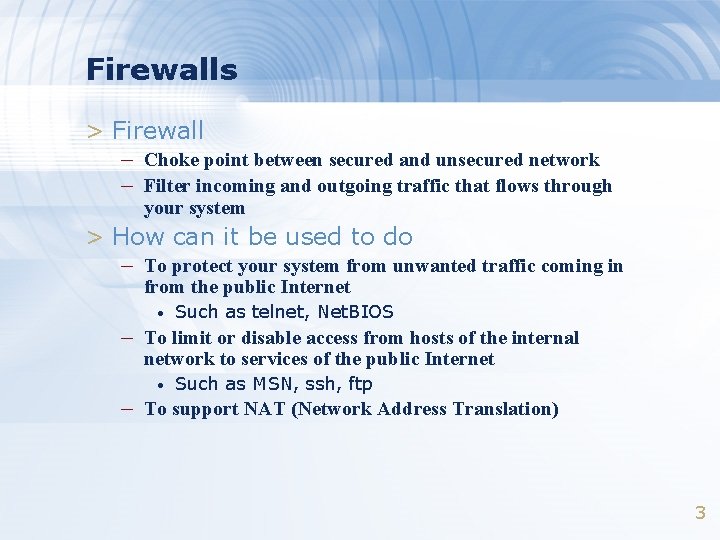
Firewalls > Firewall – Choke point between secured and unsecured network – Filter incoming and outgoing traffic that flows through your system > How can it be used to do – To protect your system from unwanted traffic coming in from the public Internet • Such as telnet, Net. BIOS – To limit or disable access from hosts of the internal network to services of the public Internet • Such as MSN, ssh, ftp – To support NAT (Network Address Translation) 3
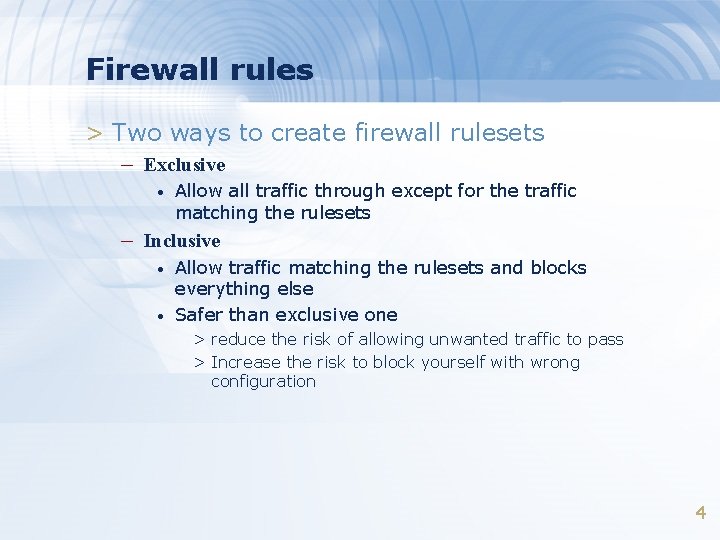
Firewall rules > Two ways to create firewall rulesets – Exclusive • Allow all traffic through except for the traffic matching the rulesets – Inclusive • • Allow traffic matching the rulesets and blocks everything else Safer than exclusive one > reduce the risk of allowing unwanted traffic to pass > Increase the risk to block yourself with wrong configuration 4
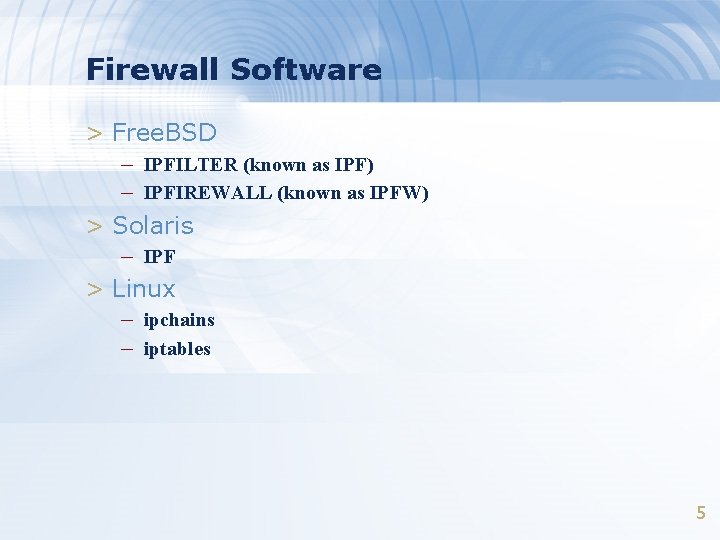
Firewall Software > Free. BSD – IPFILTER (known as IPF) – IPFIREWALL (known as IPFW) > Solaris – IPF > Linux – ipchains – iptables 5
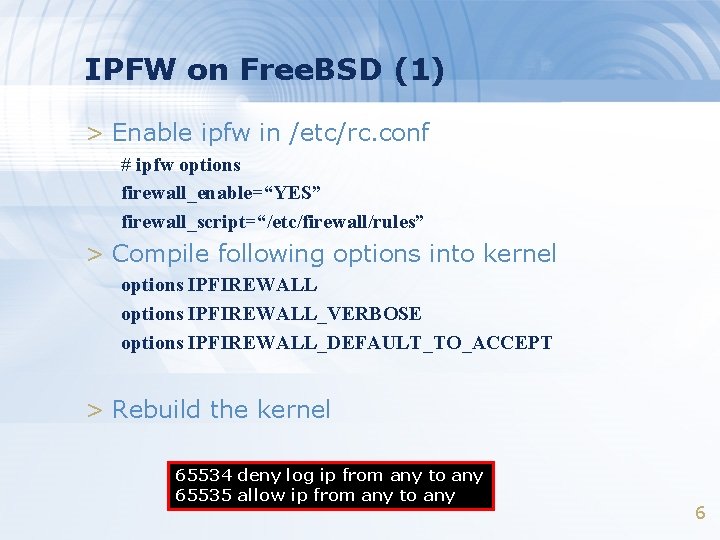
IPFW on Free. BSD (1) > Enable ipfw in /etc/rc. conf # ipfw options firewall_enable=“YES” firewall_script=“/etc/firewall/rules” > Compile following options into kernel options IPFIREWALL_VERBOSE options IPFIREWALL_DEFAULT_TO_ACCEPT > Rebuild the kernel 65534 deny log ip from any to any 65535 allow ip from any to any 6
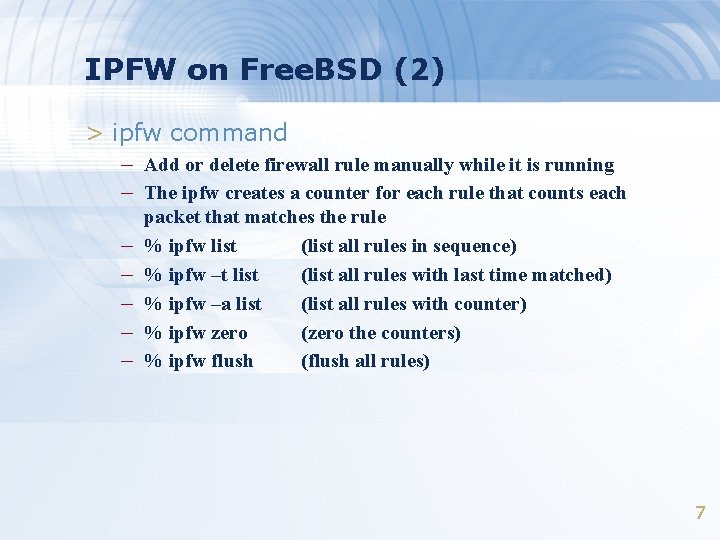
IPFW on Free. BSD (2) > ipfw command – Add or delete firewall rule manually while it is running – The ipfw creates a counter for each rule that counts each – – – packet that matches the rule % ipfw list (list all rules in sequence) % ipfw –t list (list all rules with last time matched) % ipfw –a list (list all rules with counter) % ipfw zero (zero the counters) % ipfw flush (flush all rules) 7
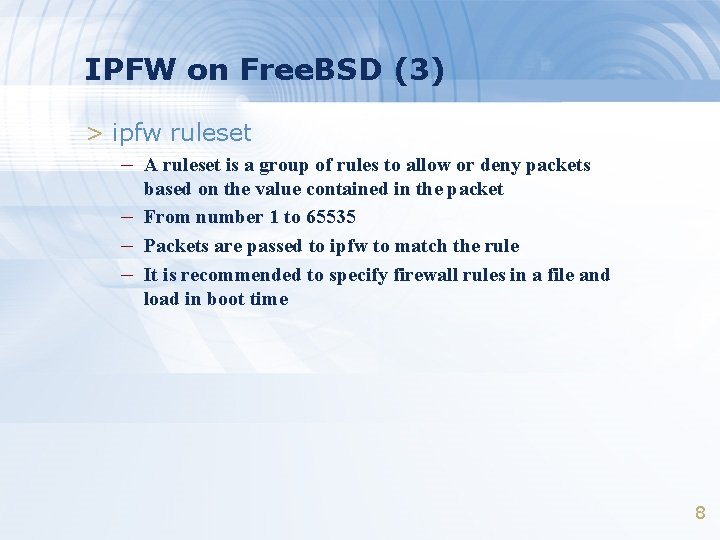
IPFW on Free. BSD (3) > ipfw ruleset – A ruleset is a group of rules to allow or deny packets – – – based on the value contained in the packet From number 1 to 65535 Packets are passed to ipfw to match the rule It is recommended to specify firewall rules in a file and load in boot time 8
IPFW on Free. BSD (4) > Rule Syntax ipfw add [rule_num] action [logging] body > rule_num – Rules are checked sequentially by rule number > action – allow | accept | pass | permit • allow packets that match the rule to exit the firewall rule processing – deny | drop • discard packets that match this rule • discard packets and try to send a TCP reset for TCP packet • Discard packets and try to send an ICMP unreachable with code – reset – skipto num – unreach code – forward, divert for NAT Ex: /sbin/ipfw add 65534 deny log all from any to any 9
IPFW on Free. BSD (5) > Rule Syntax ipfw add [rule_num] action [logging] body > Logging – log • a message will be logged to syslogd with a facility name of SECURITY when the rule is matched # in /etc/syslogd. conf security. * /var/log/security 10
IPFW on Free. BSD (6) > Rule Syntax ipfw add [rule_num] action [logging] body > Body syntax [ proto from src to dst [port] ] [options] > Proto – all | tcp | udp | icmp … • See /etc/protocols > from src to dst – src and dst are addresses • • • any | me 140. 113. 209. 37 140. 113. 209. 0/24 # deny multicast Ex: /sbin/ipfw add deny all from any to 224. 0. 0. 0/8 11
IPFW on Free. BSD (7) > Rule Syntax ipfw add [rule_num] action [logging] body > Body syntax [ proto from src to dst [port] ] [options] > options – established • Match TCP packets that have RST or ACK on • Matches packets that are fragments and not the first fragment of an IP datagram – frag – setup • Match TCP packets that have SYN on but no ACK • Incoming or outgoing packets • Match packets going through, received, transmitted – icmptyps type – in | out – via| recv | xmit interface 12
IPFW on Free. BSD (8) > Rule Syntax ipfw add [rule_num] action [logging] body > Body syntax [ proto from src to dst [port] ] [options] > Options – MAC dst-mac src-mac (with “any” ) – ipoptions option • ssrr, lsrr, ts – iptos, iplen, ipttl, ipversion – dst-ip, dst-port, src-ip, src-port 13
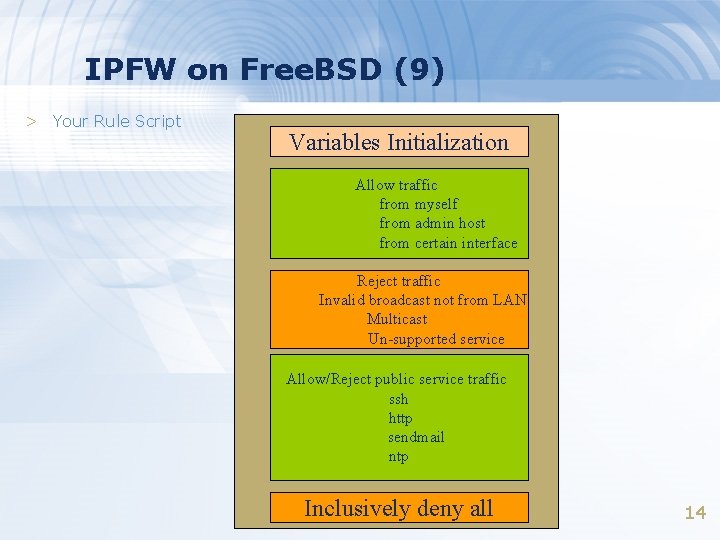
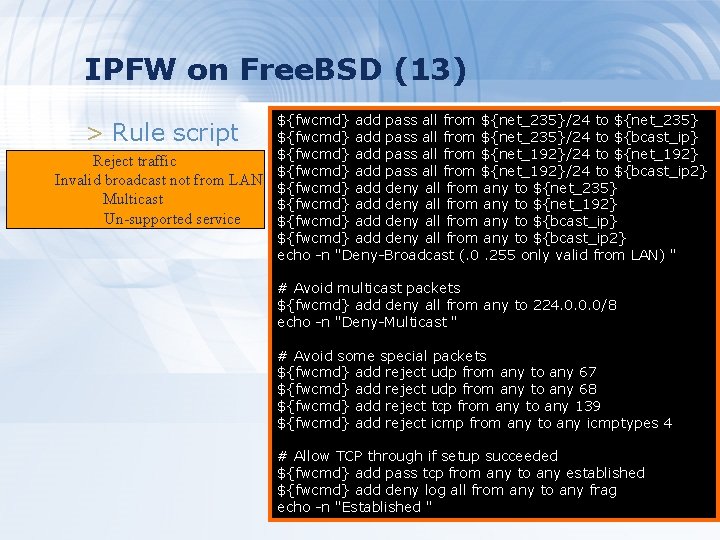
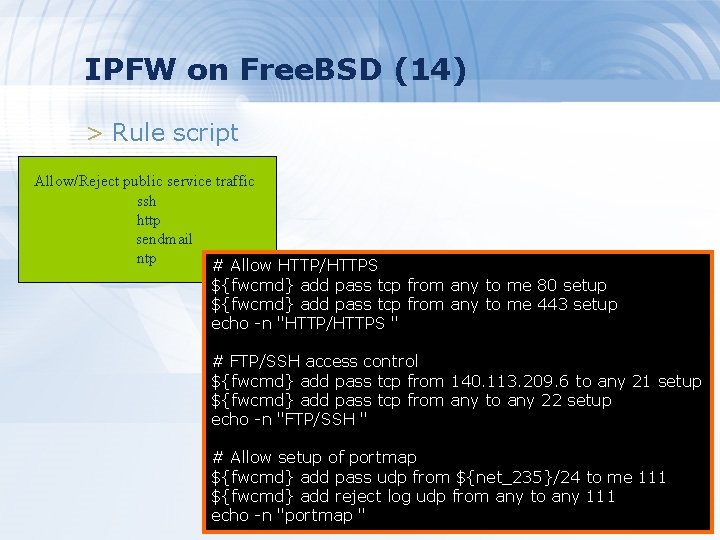
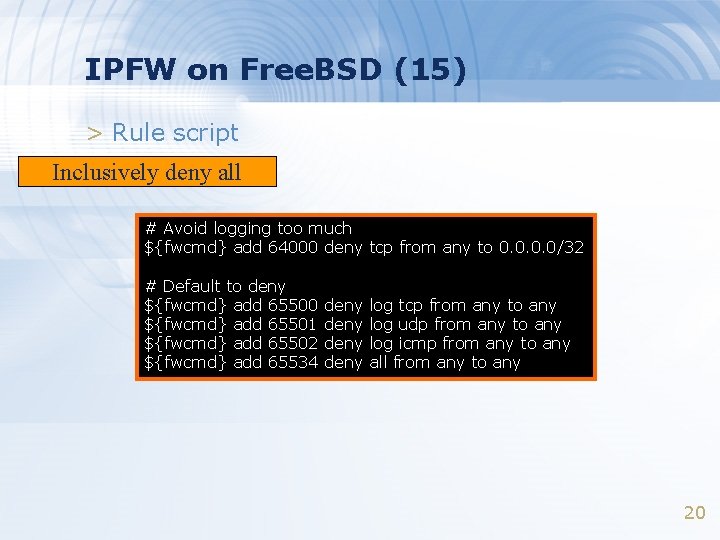
IPFW on Free. BSD (9) > Your Rule Script Variables Initialization Allow traffic from myself from admin host from certain interface Reject traffic Invalid broadcast not from LAN Multicast Un-supported service Allow/Reject public service traffic ssh http sendmail ntp Inclusively deny all 14
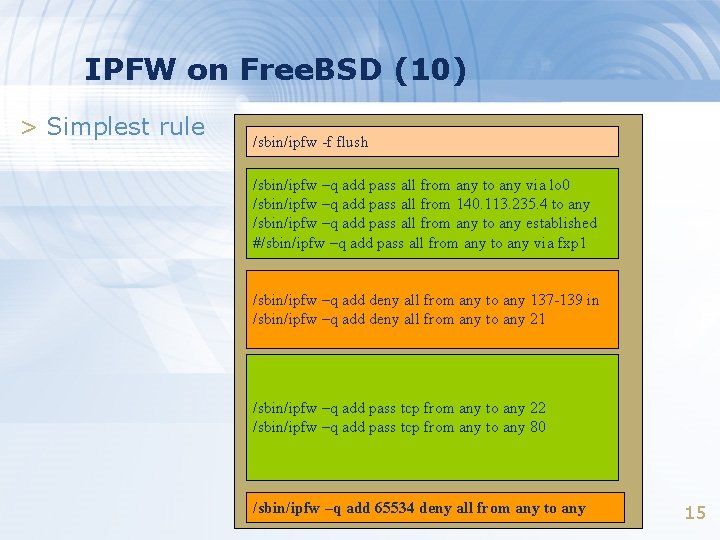
IPFW on Free. BSD (10) > Simplest rule /sbin/ipfw -f flush /sbin/ipfw –q add pass all from any to any via lo 0 /sbin/ipfw –q add pass all from 140. 113. 235. 4 to any /sbin/ipfw –q add pass all from any to any established #/sbin/ipfw –q add pass all from any to any via fxp 1 /sbin/ipfw –q add deny all from any to any 137 -139 in /sbin/ipfw –q add deny all from any to any 21 /sbin/ipfw –q add pass tcp from any to any 22 /sbin/ipfw –q add pass tcp from any to any 80 /sbin/ipfw –q add 65534 deny all from any to any 15
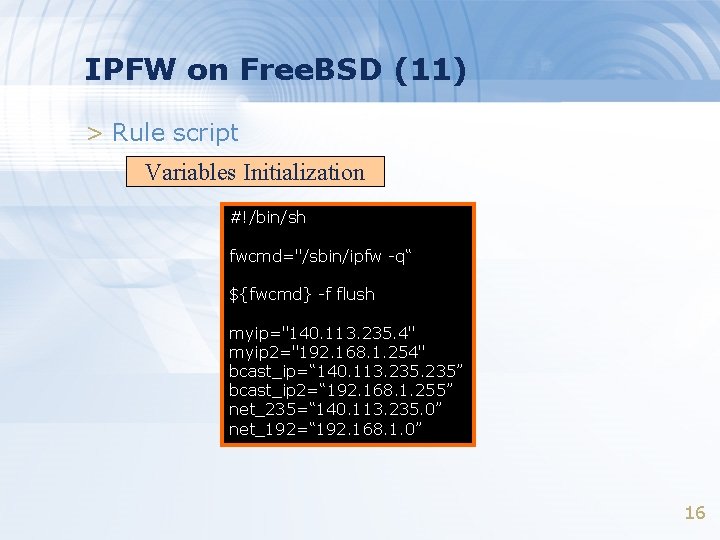
IPFW on Free. BSD (11) > Rule script Variables Initialization #!/bin/sh fwcmd="/sbin/ipfw -q“ ${fwcmd} -f flush myip="140. 113. 235. 4" myip 2="192. 168. 1. 254" bcast_ip=“ 140. 113. 235” bcast_ip 2=“ 192. 168. 1. 255” net_235=“ 140. 113. 235. 0” net_192=“ 192. 168. 1. 0” 16
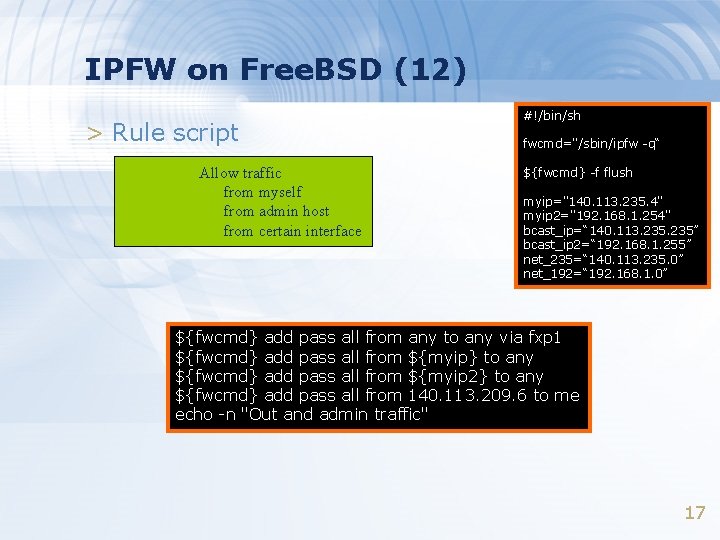
IPFW on Free. BSD (12) > Rule script Allow traffic from myself from admin host from certain interface #!/bin/sh fwcmd="/sbin/ipfw -q“ ${fwcmd} -f flush myip="140. 113. 235. 4" myip 2="192. 168. 1. 254" bcast_ip=“ 140. 113. 235” bcast_ip 2=“ 192. 168. 1. 255” net_235=“ 140. 113. 235. 0” net_192=“ 192. 168. 1. 0” ${fwcmd} add pass all from any to any via fxp 1 ${fwcmd} add pass all from ${myip} to any ${fwcmd} add pass all from ${myip 2} to any ${fwcmd} add pass all from 140. 113. 209. 6 to me echo -n "Out and admin traffic" 17
IPFW on Free. BSD (13) > Rule script Reject traffic Invalid broadcast not from LAN Multicast Un-supported service ${fwcmd} add pass all from ${net_235}/24 to ${net_235} ${fwcmd} add pass all from ${net_235}/24 to ${bcast_ip} ${fwcmd} add pass all from ${net_192}/24 to ${net_192} ${fwcmd} add pass all from ${net_192}/24 to ${bcast_ip 2} ${fwcmd} add deny all from any to ${net_235} ${fwcmd} add deny all from any to ${net_192} ${fwcmd} add deny all from any to ${bcast_ip 2} echo -n "Deny-Broadcast (. 0. 255 only valid from LAN) " # Avoid multicast packets ${fwcmd} add deny all from any to 224. 0. 0. 0/8 echo -n "Deny-Multicast " # Avoid some special packets ${fwcmd} add reject udp from any to any 67 ${fwcmd} add reject udp from any to any 68 ${fwcmd} add reject tcp from any to any 139 ${fwcmd} add reject icmp from any to any icmptypes 4 # Allow TCP through if setup succeeded ${fwcmd} add pass tcp from any to any established ${fwcmd} add deny log all from any to any frag echo -n "Established " 18
IPFW on Free. BSD (14) > Rule script Allow/Reject public service traffic ssh http sendmail ntp # Allow HTTP/HTTPS ${fwcmd} add pass tcp from any to me 80 setup ${fwcmd} add pass tcp from any to me 443 setup echo -n "HTTP/HTTPS " # FTP/SSH access control ${fwcmd} add pass tcp from 140. 113. 209. 6 to any 21 setup ${fwcmd} add pass tcp from any to any 22 setup echo -n "FTP/SSH " # Allow setup of portmap ${fwcmd} add pass udp from ${net_235}/24 to me 111 ${fwcmd} add reject log udp from any to any 111 19 echo -n "portmap "
IPFW on Free. BSD (15) > Rule script Inclusively deny all # Avoid logging too much ${fwcmd} add 64000 deny tcp from any to 0. 0/32 # Default to deny ${fwcmd} add 65500 ${fwcmd} add 65501 ${fwcmd} add 65502 ${fwcmd} add 65534 deny log tcp from any to any log udp from any to any log icmp from any to any all from any to any 20
NAT – Network Address Translation
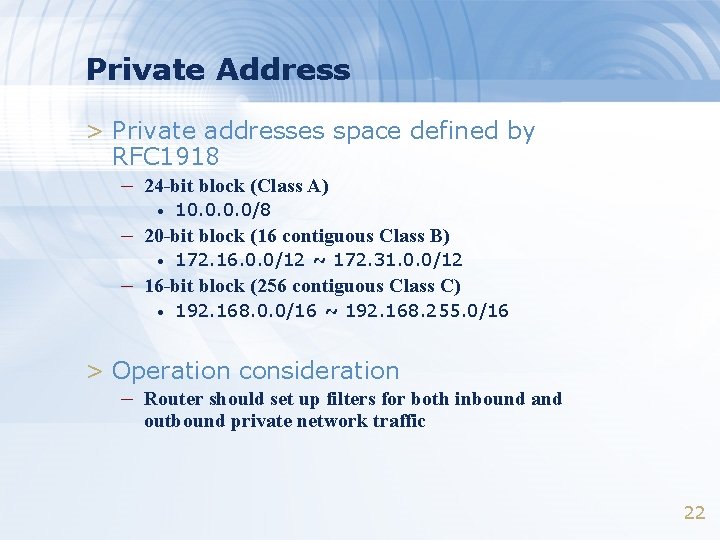
Private Address > Private addresses space defined by RFC 1918 – 24 -bit block (Class A) • 10. 0/8 – 20 -bit block (16 contiguous Class B) • 172. 16. 0. 0/12 ~ 172. 31. 0. 0/12 – 16 -bit block (256 contiguous Class C) • 192. 168. 0. 0/16 ~ 192. 168. 255. 0/16 > Operation consideration – Router should set up filters for both inbound and outbound private network traffic 22
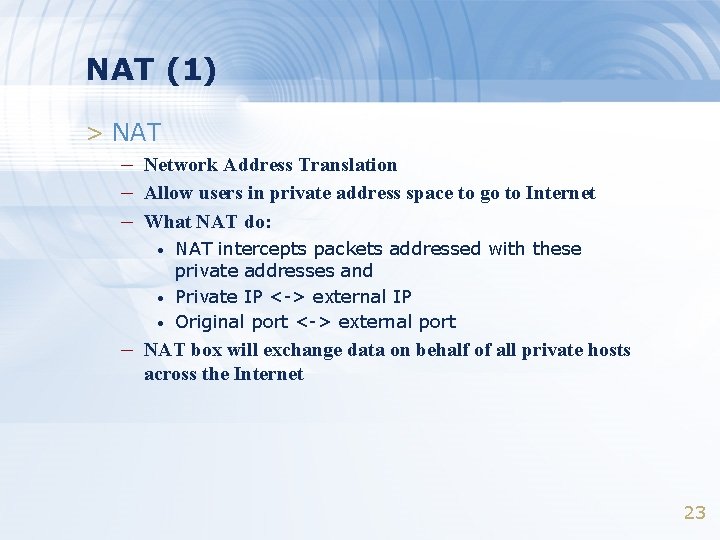
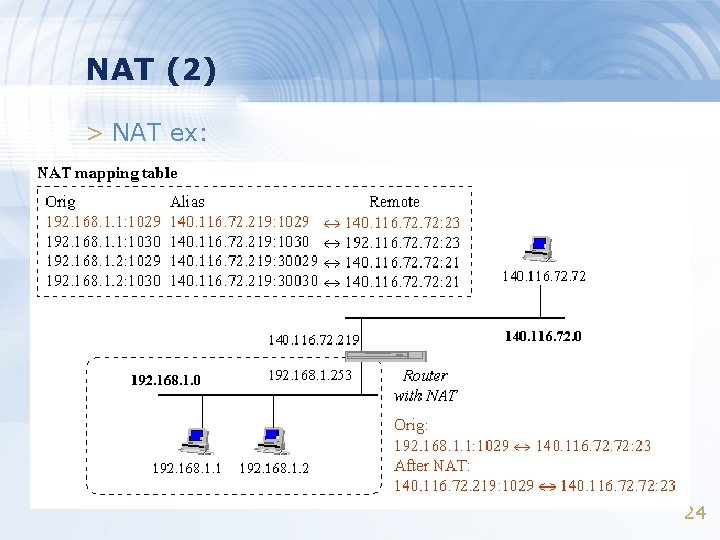
NAT (1) > NAT – Network Address Translation – Allow users in private address space to go to Internet – What NAT do: • • • NAT intercepts packets addressed with these private addresses and Private IP <-> external IP Original port <-> external port – NAT box will exchange data on behalf of all private hosts across the Internet 23
NAT (2) > NAT ex: 24
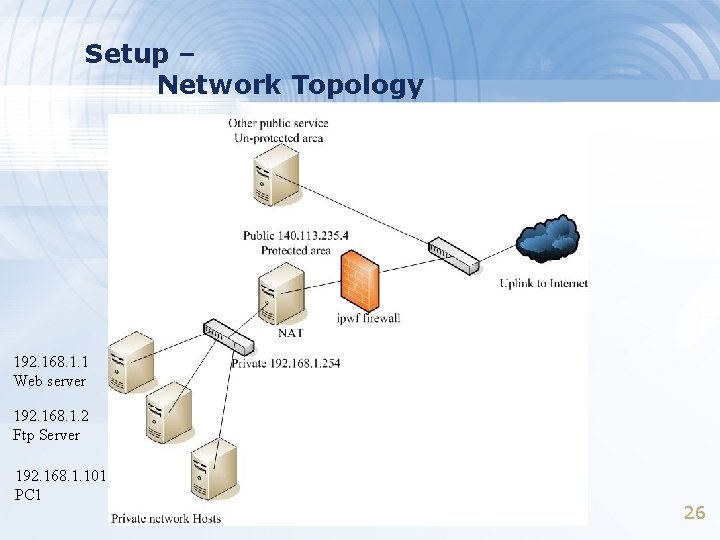
NAT on Free. BSD (1) > NAT daemon – natd > Setup – Network topology – configuration – Advanced redirection configuration 25
Setup – Network Topology 192. 168. 1. 1 Web server 192. 168. 1. 2 Ftp Server 192. 168. 1. 101 PC 1 26
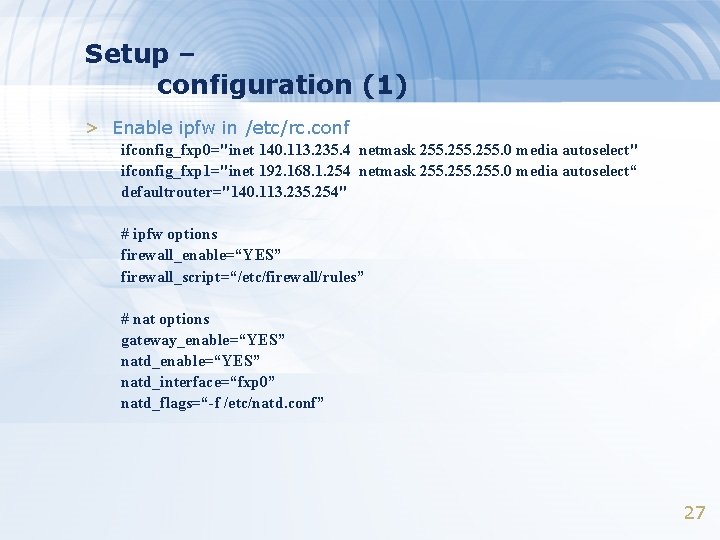
Setup – configuration (1) > Enable ipfw in /etc/rc. conf ifconfig_fxp 0="inet 140. 113. 235. 4 netmask 255. 0 media autoselect" ifconfig_fxp 1="inet 192. 168. 1. 254 netmask 255. 0 media autoselect“ defaultrouter="140. 113. 235. 254" # ipfw options firewall_enable=“YES” firewall_script=“/etc/firewall/rules” # nat options gateway_enable=“YES” natd_interface=“fxp 0” natd_flags=“-f /etc/natd. conf” 27
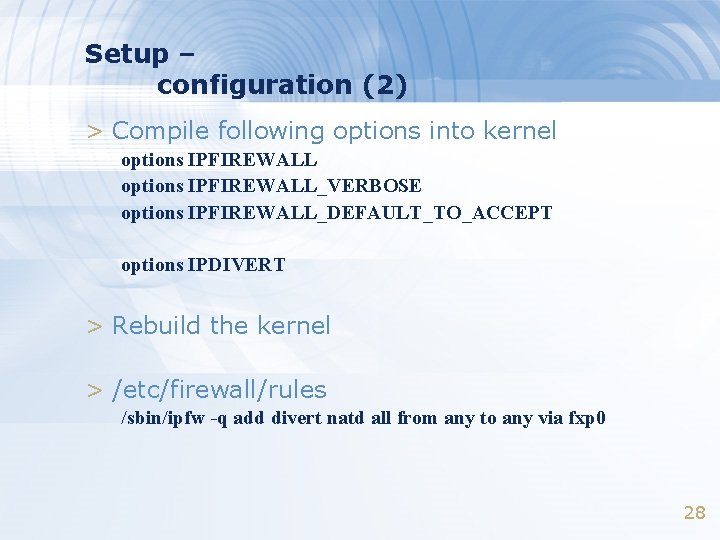
Setup – configuration (2) > Compile following options into kernel options IPFIREWALL_VERBOSE options IPFIREWALL_DEFAULT_TO_ACCEPT options IPDIVERT > Rebuild the kernel > /etc/firewall/rules /sbin/ipfw -q add divert natd all from any to any via fxp 0 28
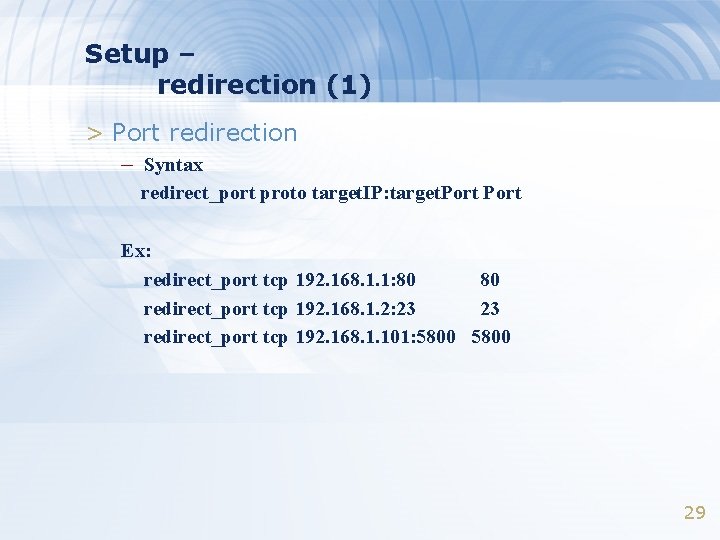
Setup – redirection (1) > Port redirection – Syntax redirect_port proto target. IP: target. Port Ex: redirect_port tcp 192. 168. 1. 1: 80 80 redirect_port tcp 192. 168. 1. 2: 23 23 redirect_port tcp 192. 168. 1. 101: 5800 29
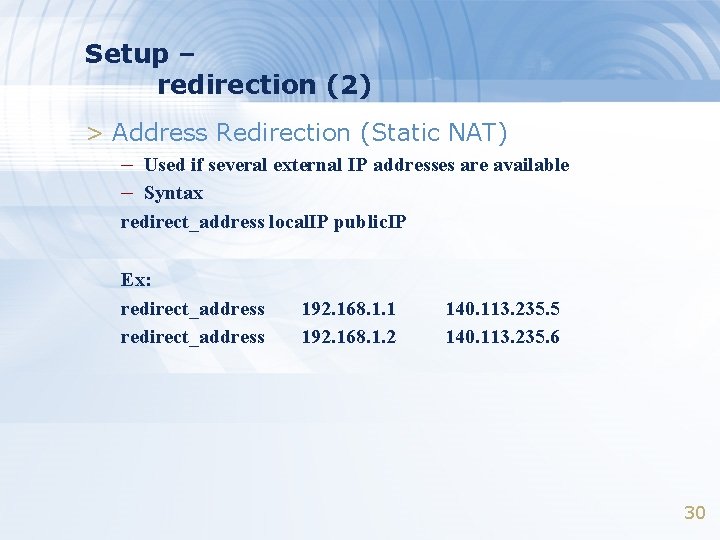
Setup – redirection (2) > Address Redirection (Static NAT) – Used if several external IP addresses are available – Syntax redirect_address local. IP public. IP Ex: redirect_address 192. 168. 1. 1 192. 168. 1. 2 140. 113. 235. 5 140. 113. 235. 6 30
DHCP – Dynamic Host Configuration Protocol
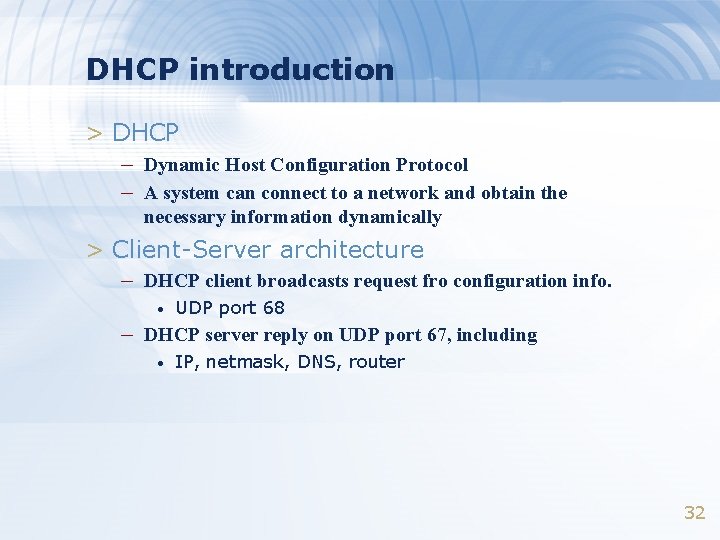
DHCP introduction > DHCP – Dynamic Host Configuration Protocol – A system can connect to a network and obtain the necessary information dynamically > Client-Server architecture – DHCP client broadcasts request fro configuration info. • UDP port 68 – DHCP server reply on UDP port 67, including • IP, netmask, DNS, router 32
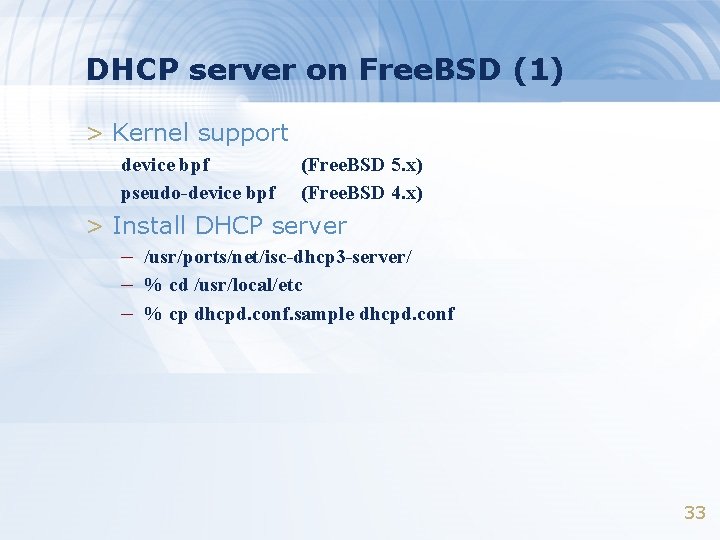
DHCP server on Free. BSD (1) > Kernel support device bpf pseudo-device bpf (Free. BSD 5. x) (Free. BSD 4. x) > Install DHCP server – /usr/ports/net/isc-dhcp 3 -server/ – % cd /usr/local/etc – % cp dhcpd. conf. sample dhcpd. conf 33
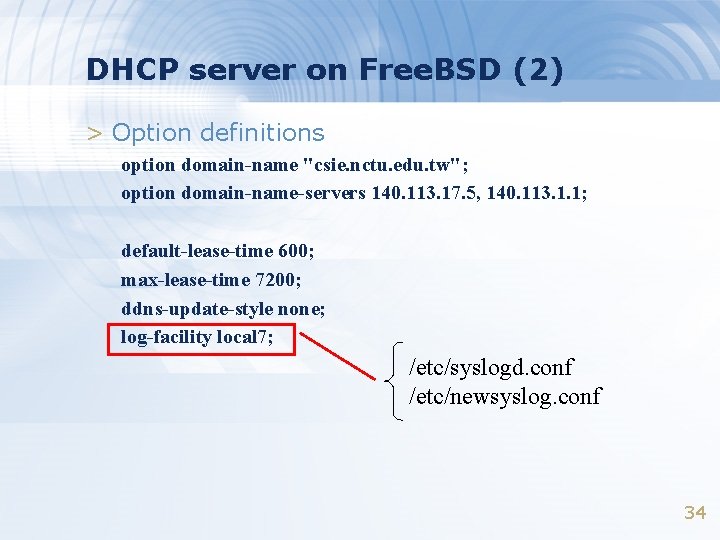
DHCP server on Free. BSD (2) > Option definitions option domain-name "csie. nctu. edu. tw"; option domain-name-servers 140. 113. 17. 5, 140. 113. 1. 1; default-lease-time 600; max-lease-time 7200; ddns-update-style none; log-facility local 7; /etc/syslogd. conf /etc/newsyslog. conf 34
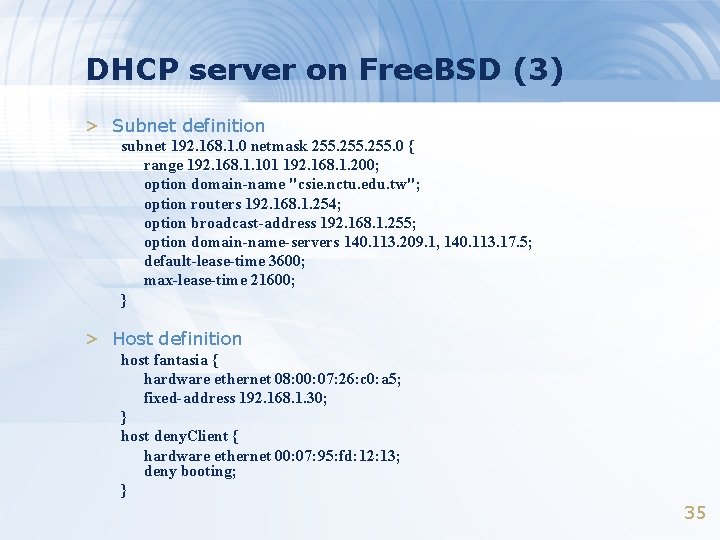
DHCP server on Free. BSD (3) > Subnet definition subnet 192. 168. 1. 0 netmask 255. 0 { range 192. 168. 1. 101 192. 168. 1. 200; option domain-name "csie. nctu. edu. tw"; option routers 192. 168. 1. 254; option broadcast-address 192. 168. 1. 255; option domain-name-servers 140. 113. 209. 1, 140. 113. 17. 5; default-lease-time 3600; max-lease-time 21600; } > Host definition host fantasia { hardware ethernet 08: 00: 07: 26: c 0: a 5; fixed-address 192. 168. 1. 30; } host deny. Client { hardware ethernet 00: 07: 95: fd: 12: 13; deny booting; } 35
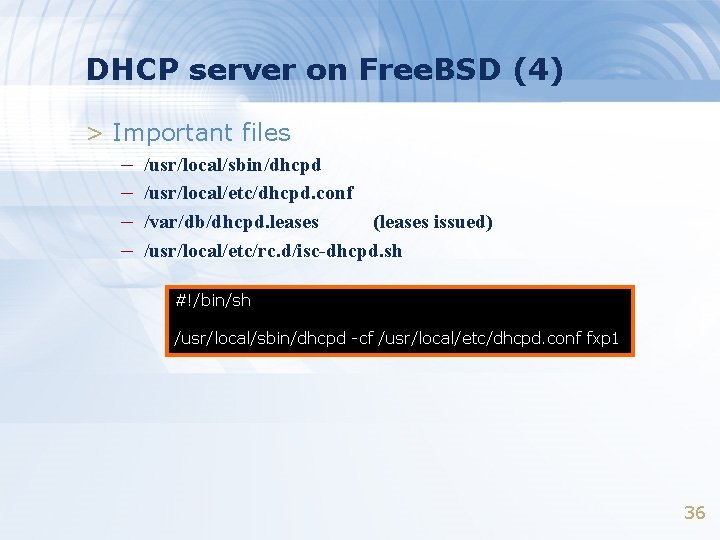
DHCP server on Free. BSD (4) > Important files – /usr/local/sbin/dhcpd – /usr/local/etc/dhcpd. conf – /var/db/dhcpd. leases (leases issued) – /usr/local/etc/rc. d/isc-dhcpd. sh #!/bin/sh /usr/local/sbin/dhcpd -cf /usr/local/etc/dhcpd. conf fxp 1 36