
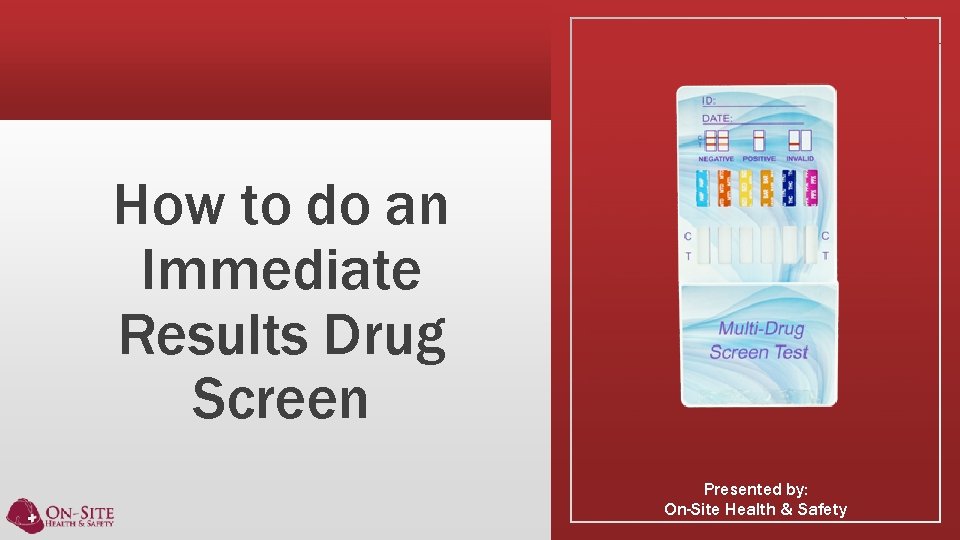
How to do an Immediate Results Drug Screen
- Slides: 14
How to do an Immediate Results Drug Screen Presented by: On-Site Health & Safety
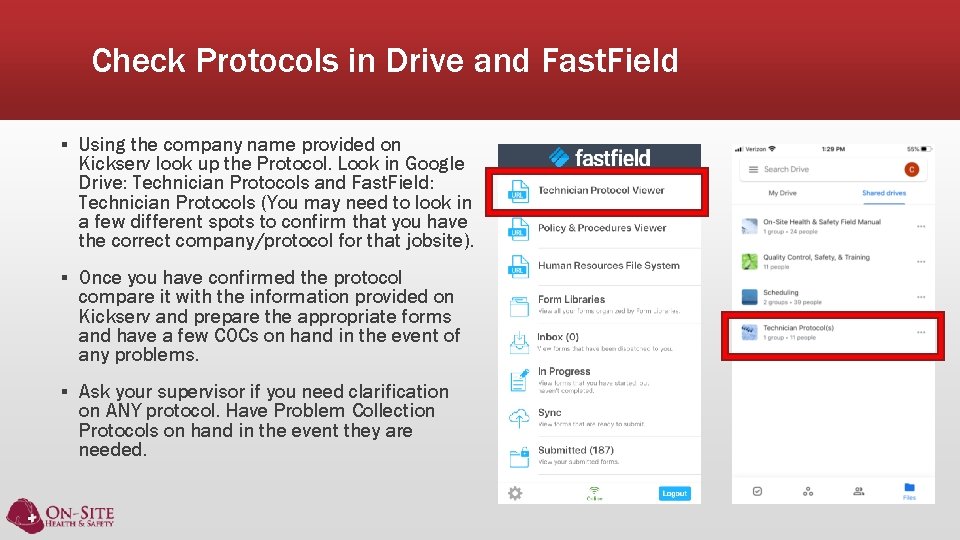
Check Protocols in Drive and Fast. Field ▪ Using the company name provided on Kickserv look up the Protocol. Look in Google Drive: Technician Protocols and Fast. Field: Technician Protocols (You may need to look in a few different spots to confirm that you have the correct company/protocol for that jobsite). ▪ Once you have confirmed the protocol compare it with the information provided on Kickserv and prepare the appropriate forms and have a few COCs on hand in the event of any problems. ▪ Ask your supervisor if you need clarification on ANY protocol. Have Problem Collection Protocols on hand in the event they are needed.
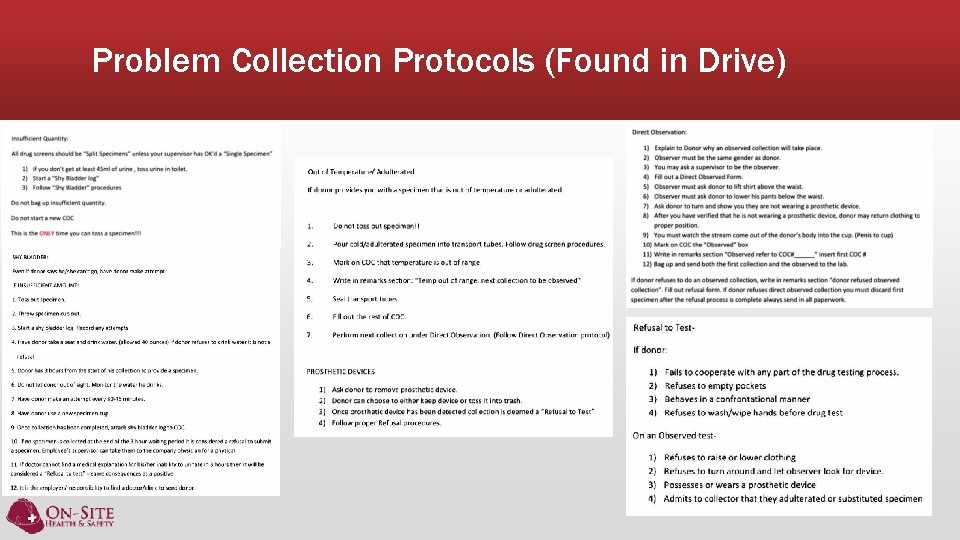
Problem Collection Protocols (Found in Drive)
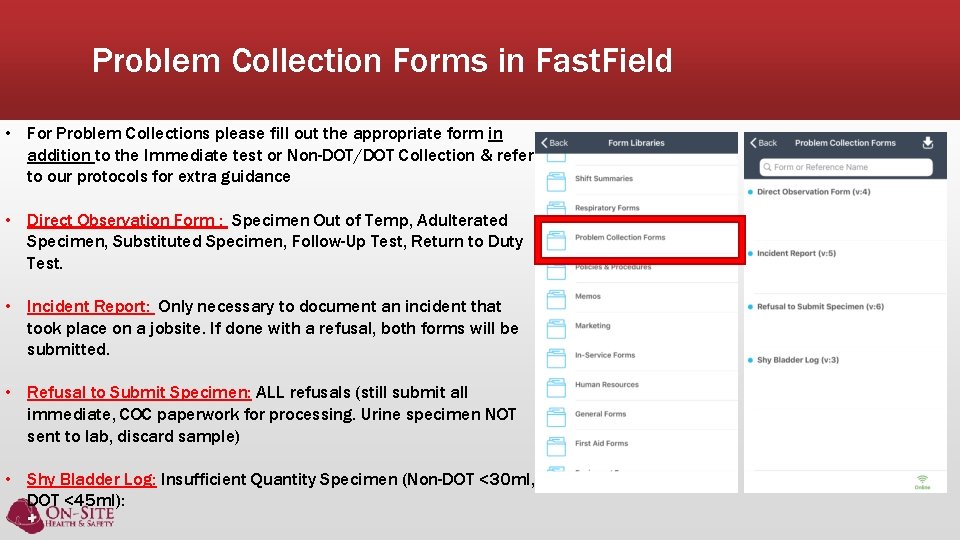
Problem Collection Forms in Fast. Field • For Problem Collections please fill out the appropriate form in addition to the Immediate test or Non-DOT/DOT Collection & refer to our protocols for extra guidance • Direct Observation Form : Specimen Out of Temp, Adulterated Specimen, Substituted Specimen, Follow-Up Test, Return to Duty Test. • Incident Report: Only necessary to document an incident that took place on a jobsite. If done with a refusal, both forms will be submitted. • Refusal to Submit Specimen: ALL refusals (still submit all immediate, COC paperwork for processing. Urine specimen NOT sent to lab, discard sample) • Shy Bladder Log: Insufficient Quantity Specimen (Non-DOT <30 ml, DOT <45 ml):
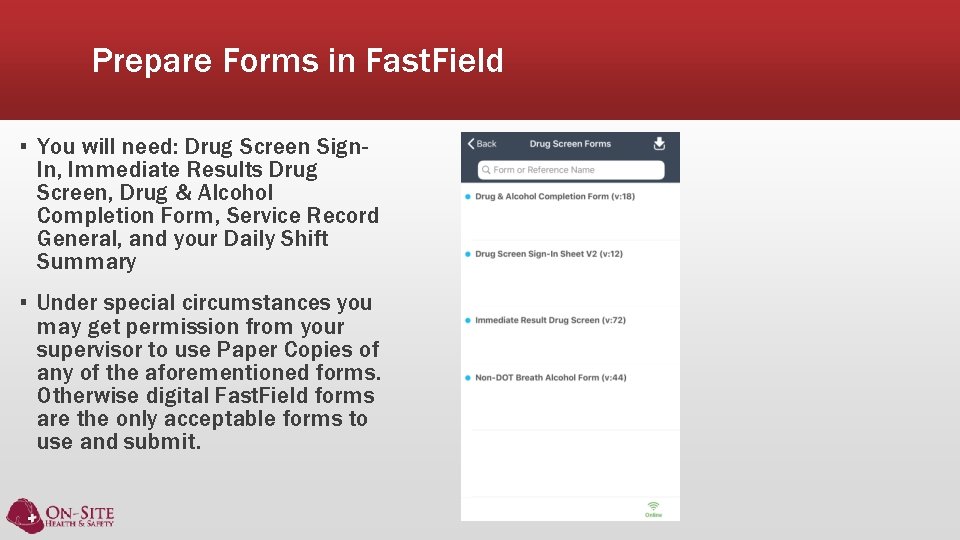
Prepare Forms in Fast. Field ▪ You will need: Drug Screen Sign. In, Immediate Results Drug Screen, Drug & Alcohol Completion Form, Service Record General, and your Daily Shift Summary ▪ Under special circumstances you may get permission from your supervisor to use Paper Copies of any of the aforementioned forms. Otherwise digital Fast. Field forms are the only acceptable forms to use and submit.
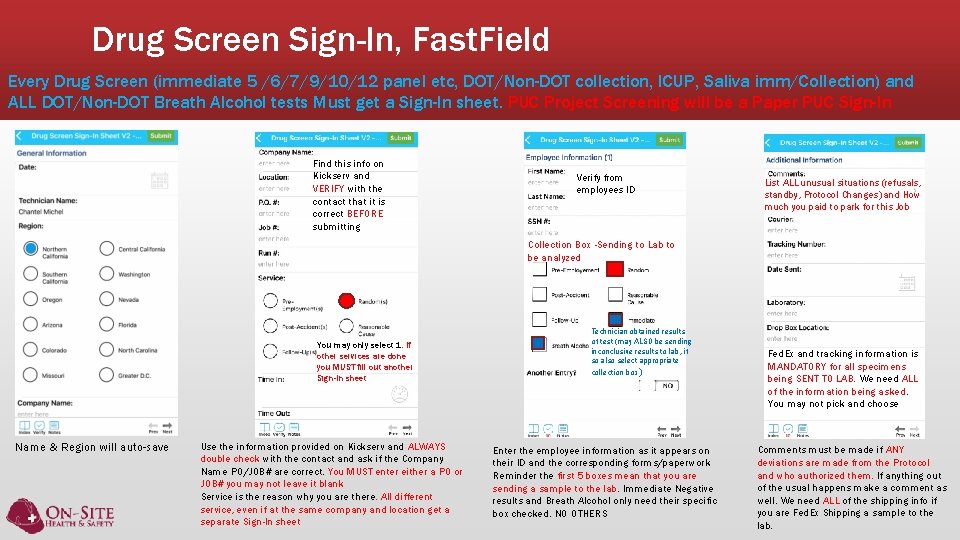
Drug Screen Sign-In, Fast. Field Every Drug Screen (immediate 5 /6/7/9/10/12 panel etc, DOT/Non-DOT collection, ICUP, Saliva imm/Collection) and ALL DOT/Non-DOT Breath Alcohol tests Must get a Sign-In sheet. PUC Project Screening will be a Paper PUC Sign-In Find this info on Kickserv and VERIFY with the contact that it is correct BEFORE submitting Verify from employees ID List ALL unusual situations (refusals, standby, Protocol Changes) and How much you paid to park for this Job Collection Box -Sending to Lab to be analyzed You may only select 1. If other services are done you MUST fill out another Sign-In sheet Name & Region will auto-save Use the information provided on Kickserv and ALWAYS double check with the contact and ask if the Company Name PO/JOB# are correct. You MUST enter either a PO or JOB# you may not leave it blank Service is the reason why you are there. All different service, even if at the same company and location get a separate Sign-In sheet Technician obtained results of test (may ALSO be sending inconclusive results to lab, if so also select appropriate collection box ) Enter the employee information as it appears on their ID and the corresponding forms/paperwork Reminder the first 5 boxes mean that you are sending a sample to the lab. Immediate Negative results and Breath Alcohol only need their specific box checked. NO OTHERS Fed. Ex and tracking information is MANDATORY for all specimens being SENT TO LAB. We need ALL of the information being asked. You may not pick and choose Comments must be made if ANY deviations are made from the Protocol and who authorized them. If anything out of the usual happens make a comment as well. We need ALL of the shipping info if you are Fed. Ex Shipping a sample to the lab.
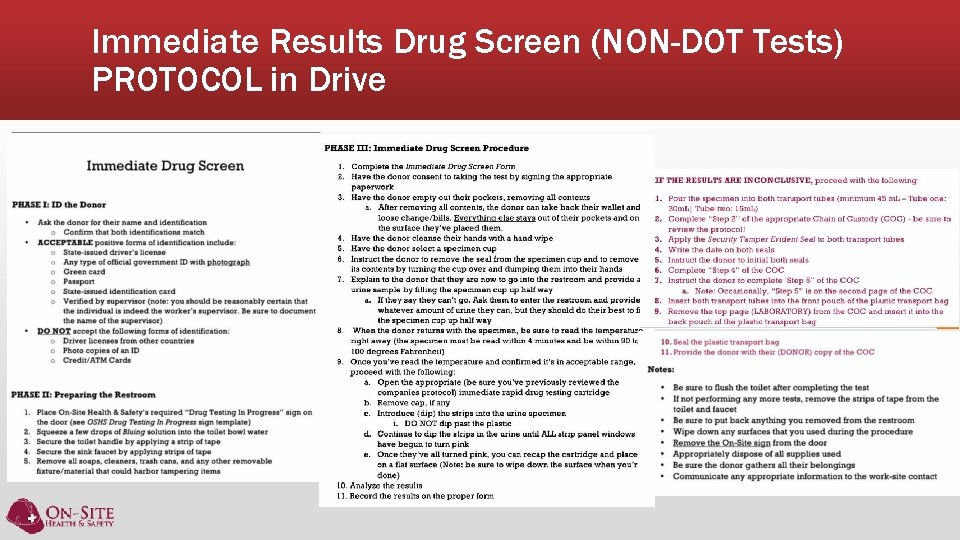
Immediate Results Drug Screen (NON-DOT Tests) PROTOCOL in Drive
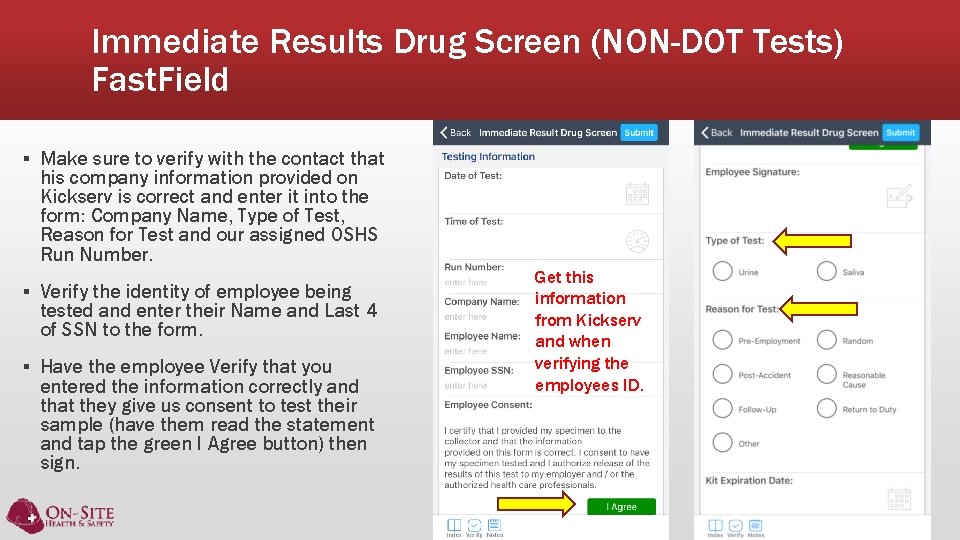
Immediate Results Drug Screen (NON-DOT Tests) Fast. Field ▪ Make sure to verify with the contact that his company information provided on Kickserv is correct and enter it into the form: Company Name, Type of Test, Reason for Test and our assigned OSHS Run Number. ▪ Verify the identity of employee being tested and enter their Name and Last 4 of SSN to the form. ▪ Have the employee Verify that you entered the information correctly and that they give us consent to test their sample (have them read the statement and tap the green I Agree button) then sign. Get this information from Kickserv and when verifying the employees ID.
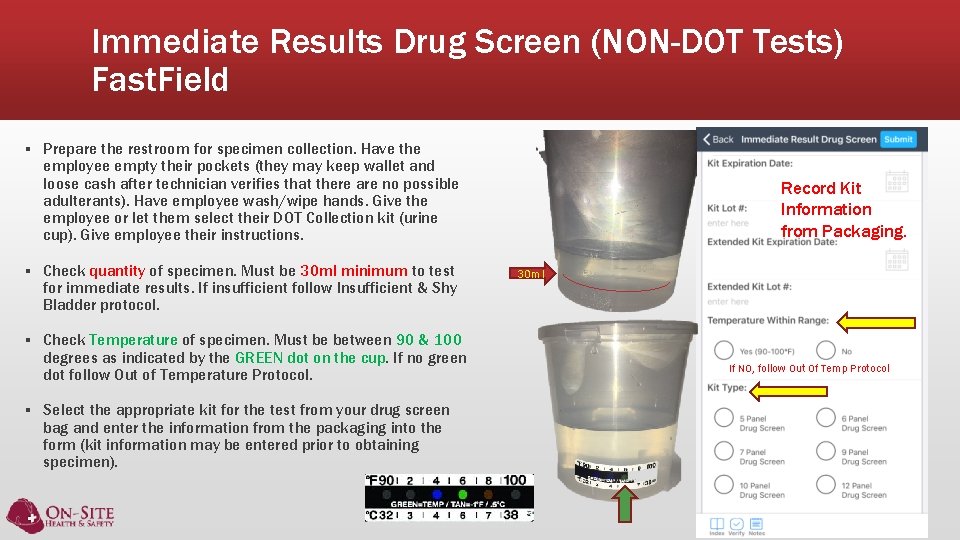
Immediate Results Drug Screen (NON-DOT Tests) Fast. Field ▪ Prepare the restroom for specimen collection. Have the employee empty their pockets (they may keep wallet and loose cash after technician verifies that there are no possible adulterants). Have employee wash/wipe hands. Give the employee or let them select their DOT Collection kit (urine cup). Give employee their instructions. ▪ Check quantity of specimen. Must be 30 ml minimum to test for immediate results. If insufficient follow Insufficient & Shy Bladder protocol. ▪ Check Temperature of specimen. Must be between 90 & 100 degrees as indicated by the GREEN dot on the cup. If no green dot follow Out of Temperature Protocol. ▪ Select the appropriate kit for the test from your drug screen bag and enter the information from the packaging into the form (kit information may be entered prior to obtaining specimen). Record Kit Information from Packaging. 30 ml If NO, follow Out Of Temp Protocol
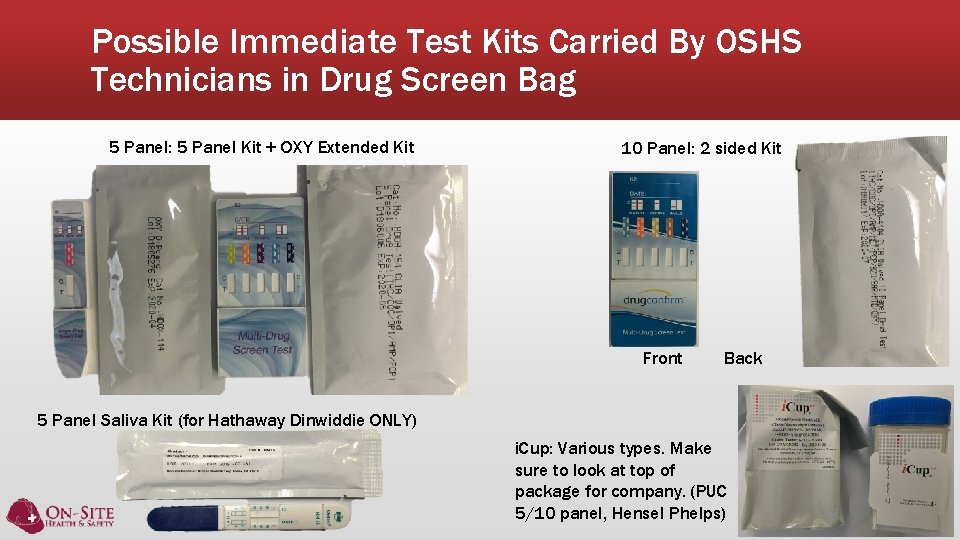
Possible Immediate Test Kits Carried By OSHS Technicians in Drug Screen Bag 5 Panel: 5 Panel Kit + OXY Extended Kit 10 Panel: 2 sided Kit Front Back 5 Panel Saliva Kit (for Hathaway Dinwiddie ONLY) i. Cup: Various types. Make sure to look at top of package for company. (PUC 5/10 panel, Hensel Phelps)
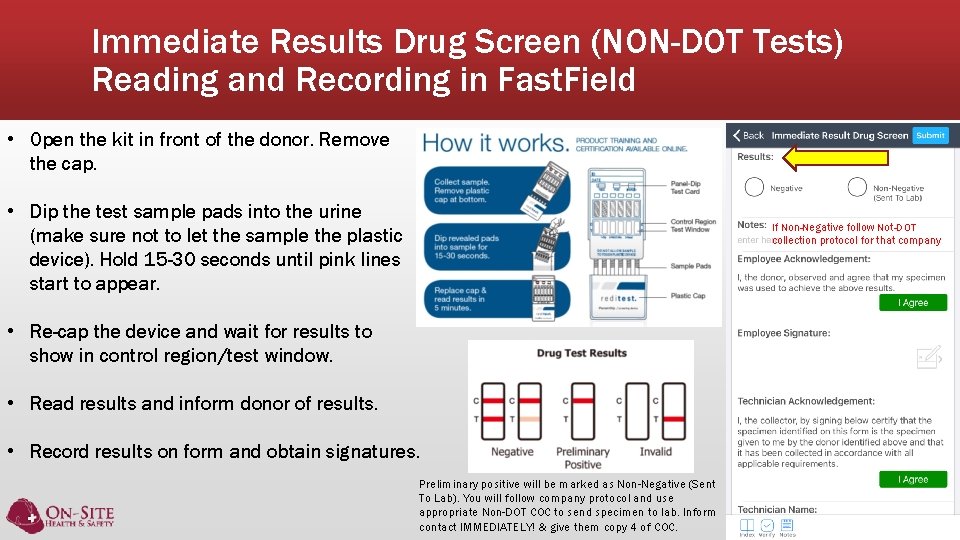
Immediate Results Drug Screen (NON-DOT Tests) Reading and Recording in Fast. Field • Open the kit in front of the donor. Remove the cap. • Dip the test sample pads into the urine (make sure not to let the sample the plastic device). Hold 15 -30 seconds until pink lines start to appear. If Non-Negative follow Not-DOT collection protocol for that company • Re-cap the device and wait for results to show in control region/test window. • Read results and inform donor of results. • Record results on form and obtain signatures. Preliminary positive will be marked as Non-Negative (Sent To Lab). You will follow company protocol and use appropriate Non-DOT COC to send specimen to lab. Inform contact IMMEDIATELY! & give them copy 4 of COC.
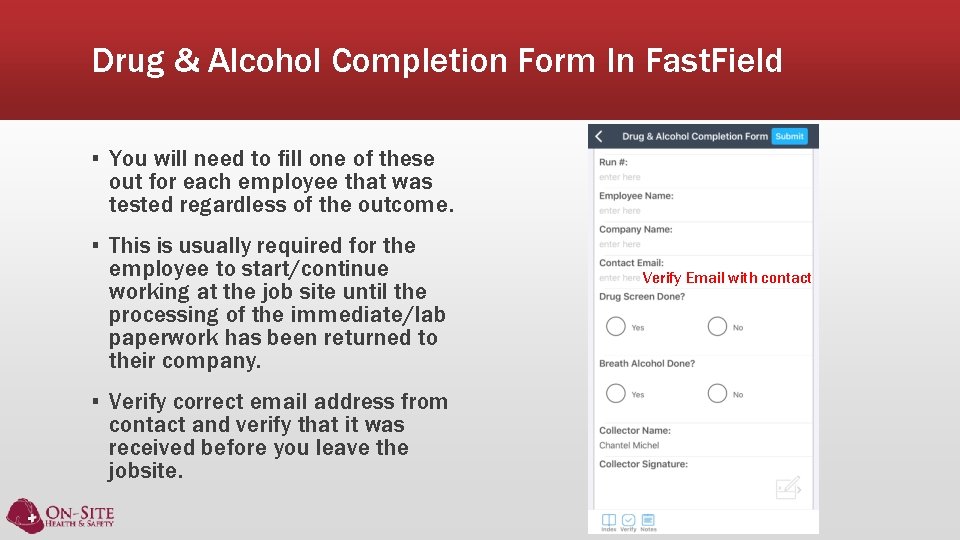
Drug & Alcohol Completion Form In Fast. Field ▪ You will need to fill one of these out for each employee that was tested regardless of the outcome. ▪ This is usually required for the employee to start/continue working at the job site until the processing of the immediate/lab paperwork has been returned to their company. ▪ Verify correct email address from contact and verify that it was received before you leave the jobsite. Verify Email with contact
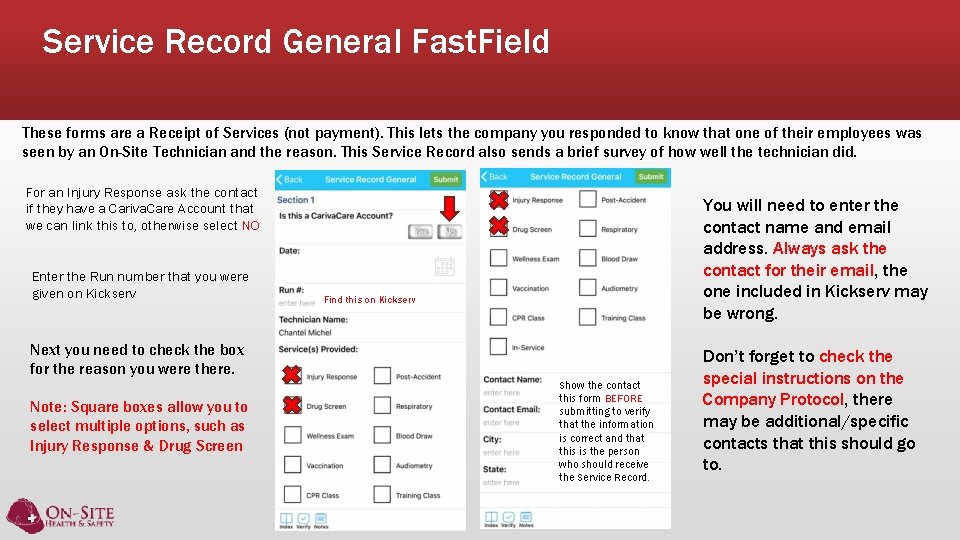
Service Record General Fast. Field These forms are a Receipt of Services (not payment). This lets the company you responded to know that one of their employees was seen by an On-Site Technician and the reason. This Service Record also sends a brief survey of how well the technician did. For an Injury Response ask the contact if they have a Cariva. Care Account that we can link this to, otherwise select NO Enter the Run number that you were given on Kickserv You will need to enter the contact name and email address. Always ask the contact for their email, the one included in Kickserv may be wrong. Find this on Kickserv Next you need to check the box for the reason you were there. Note: Square boxes allow you to select multiple options, such as Injury Response & Drug Screen Show the contact this form BEFORE submitting to verify that the information is correct and that this is the person who should receive the Service Record. Don’t forget to check the special instructions on the Company Protocol, there may be additional/specific contacts that this should go to.
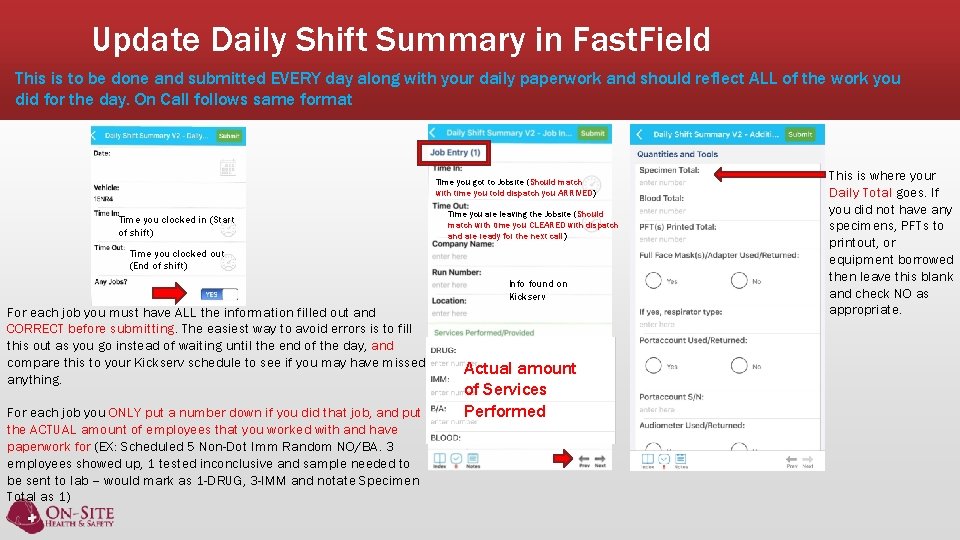
Update Daily Shift Summary in Fast. Field This is to be done and submitted EVERY day along with your daily paperwork and should reflect ALL of the work you did for the day. On Call follows same format Time you got to Jobsite (Should match with time you told dispatch you ARRIVED) Time you clocked in (Start of shift) Time you are leaving the Jobsite (Should match with time you CLEARED with dispatch and are ready for the next call) Time you clocked out (End of shift) Info found on Kickserv For each job you must have ALL the information filled out and CORRECT before submitting. The easiest way to avoid errors is to fill this out as you go instead of waiting until the end of the day, and compare this to your Kickserv schedule to see if you may have missed anything. For each job you ONLY put a number down if you did that job, and put the ACTUAL amount of employees that you worked with and have paperwork for (EX: Scheduled 5 Non-Dot Imm Random NO/BA. 3 employees showed up, 1 tested inconclusive and sample needed to be sent to lab – would mark as 1 -DRUG, 3 -IMM and notate Specimen Total as 1) Actual amount of Services Performed Put the NUMBER of employees that you ACTUALLY did the service for. This is where your Daily Total goes. If you did not have any specimens, PFTs to printout, or equipment borrowed then leave this blank and check NO as appropriate.