
How to develop a multipage web application By

How to develop a multipage web application By Hari Kishore Thadisetti Presentation ID- 8
Index v How to create and use Data Sources v How to create an SQL data source v How to configure an SQL data source v How to use C# code to get data from a data source. v How to use session state v How session state work v How to work with data in session state v The code for the Shopping Cart application
How to create and use Data Sources To connect to a database and work with its data, ASP. NET provides a data source control called Sql. Data. Source.
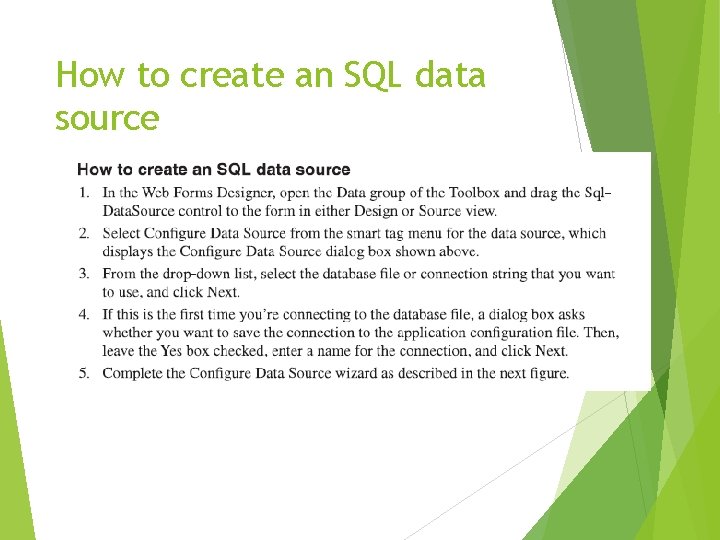
How to create an SQL data source
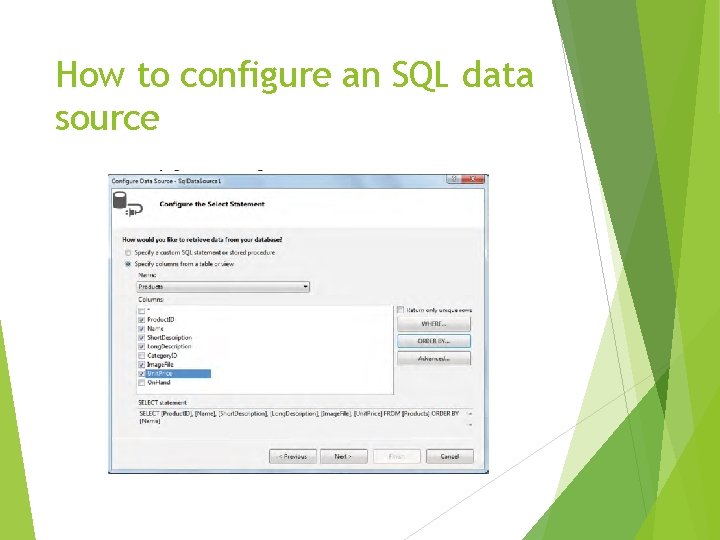
How to configure an SQL data source
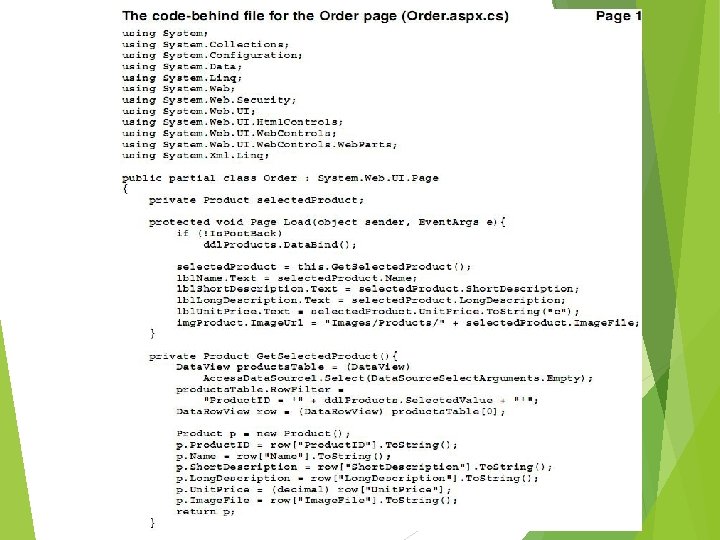
How to use C# code to get data from a data source. A way to do this is to write code that retrieves data from existing data source. First use select method of the Sql. Data. Source class with the empty argument to retrieve all the rows specified by the data source from the underlying SQL database. Then because the return type of this method is IEnumerable, cast the returned object to a Data. View object so you can use the methods of that class.
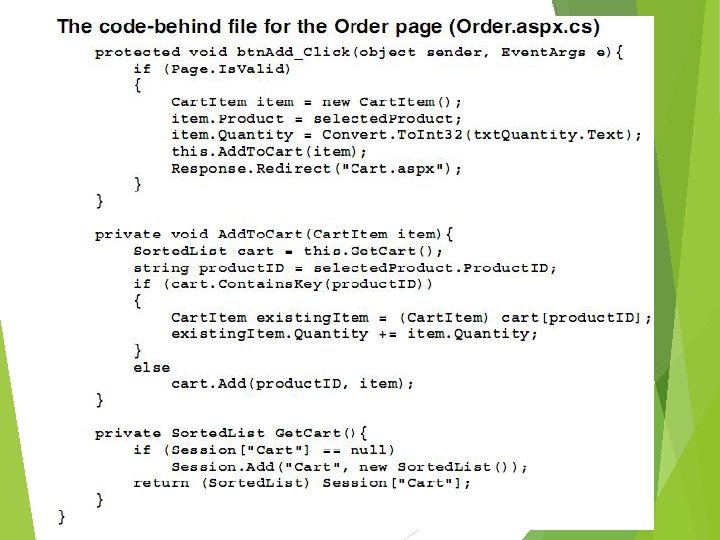
How to use session state ASP. NET uses session state to keep track of each user session and this session state is used to maintain program values across execution of an application.
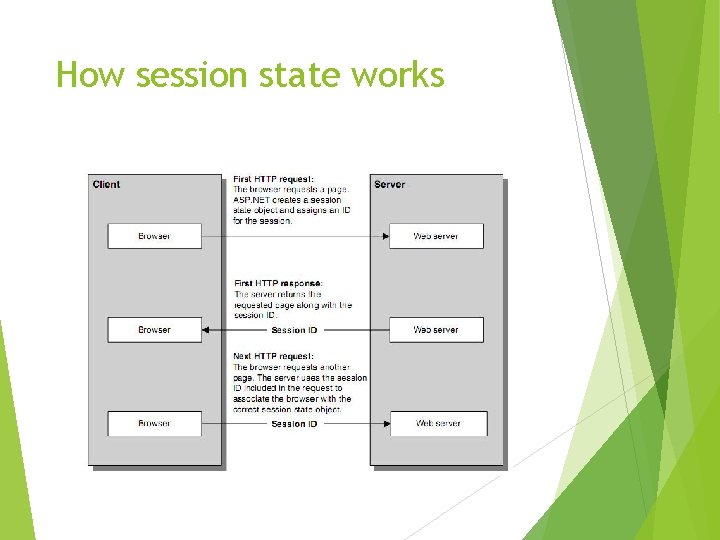
How session state works
Typical uses for session state To keep the information about the user To save objects the user is working with To keep track of pending operations
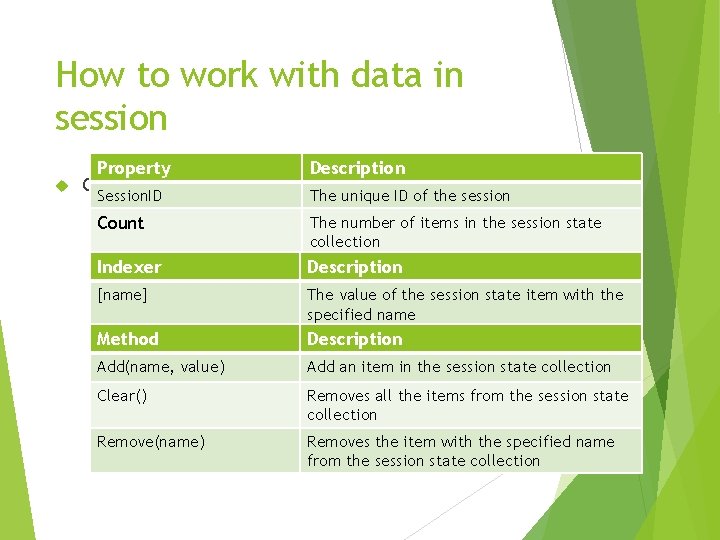
How to work with data in session Property Description Common members of the Http. Session. State class Session. ID The unique ID of the session Count The number of items in the session state collection Indexer Description [name] The value of the session state item with the specified name Method Description Add(name, value) Add an item in the session state collection Clear() Removes all the items from the session state collection Remove(name) Removes the item with the specified name from the session state collection
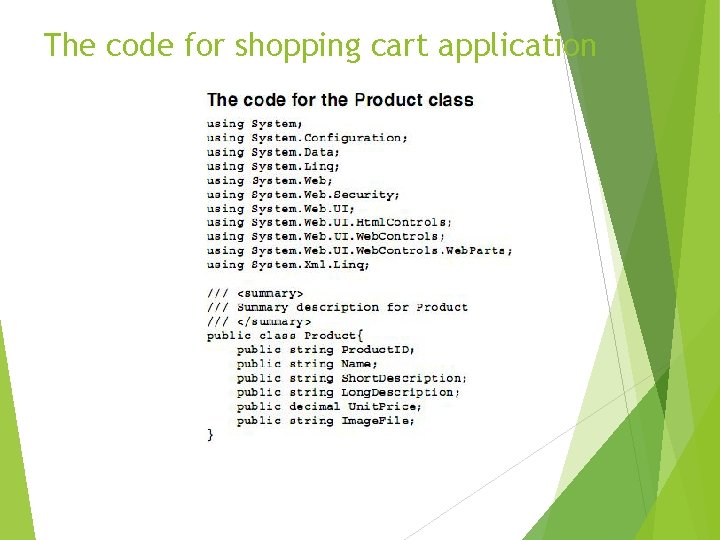
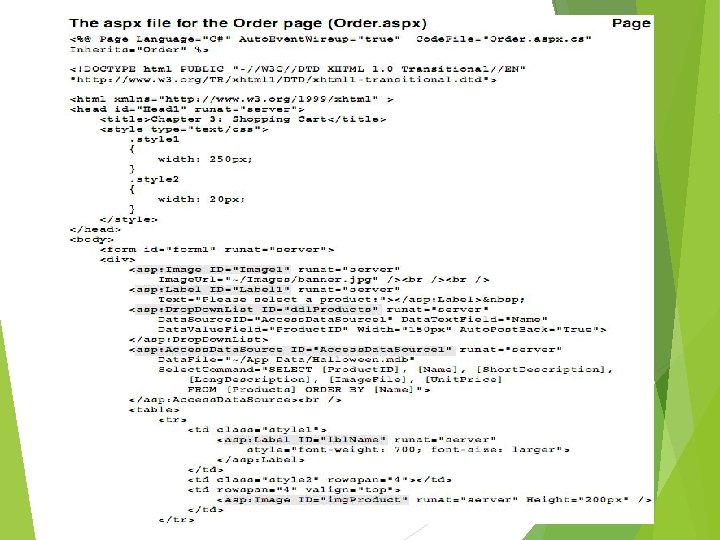
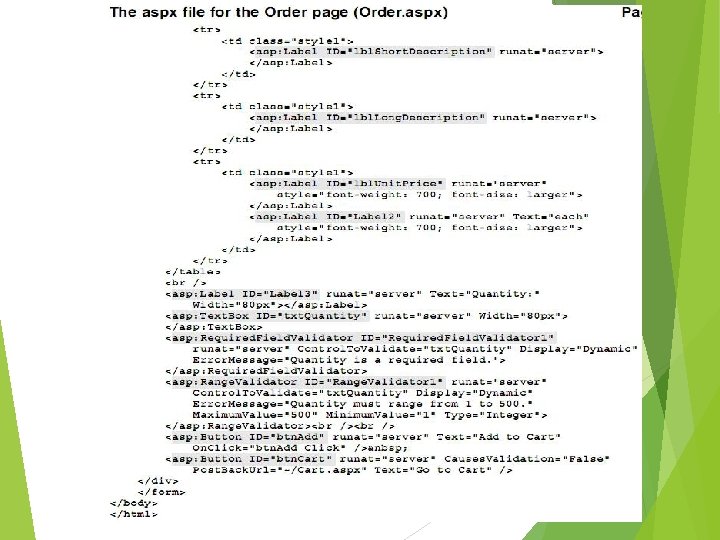
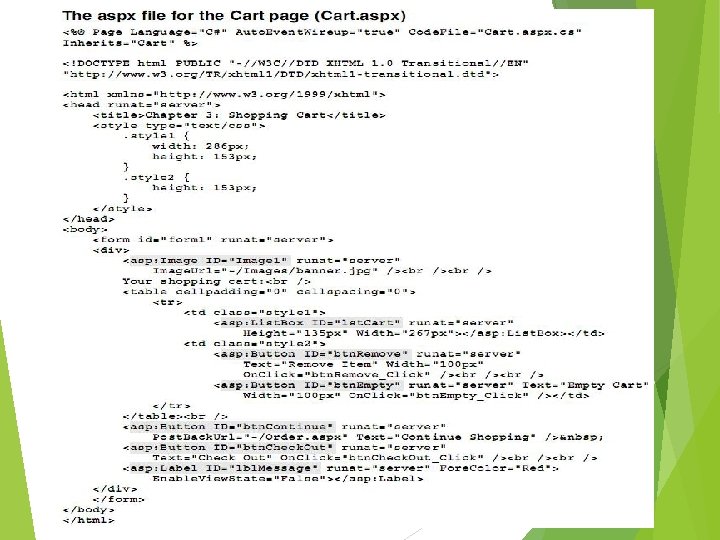
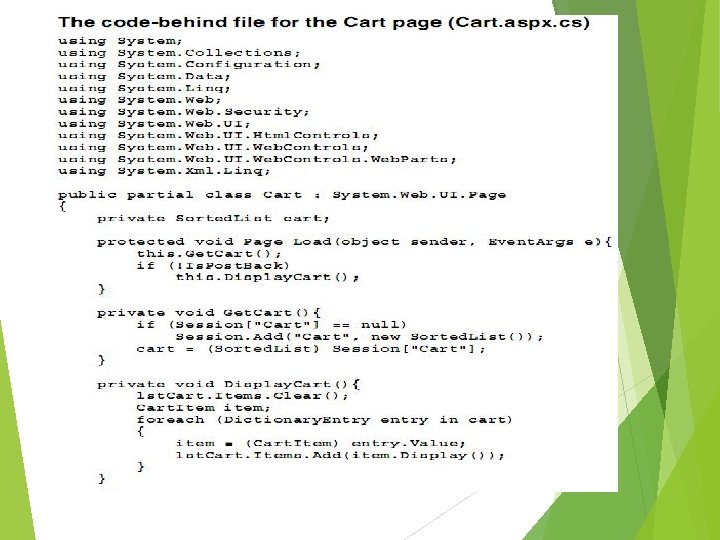
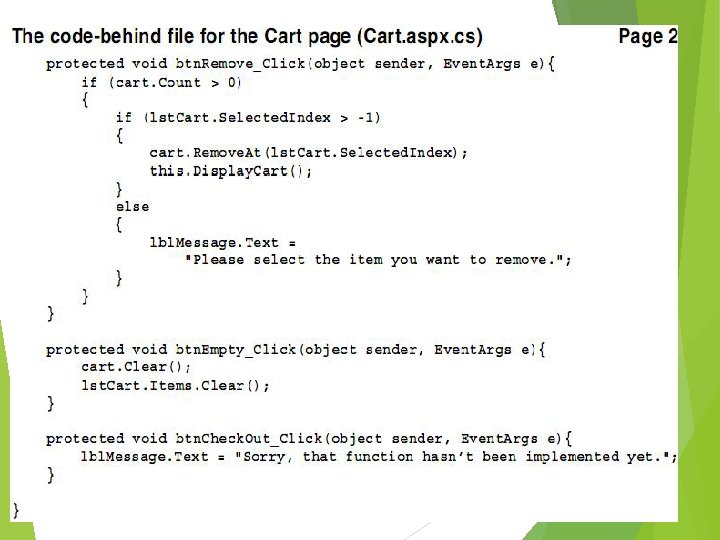
The code for shopping cart application
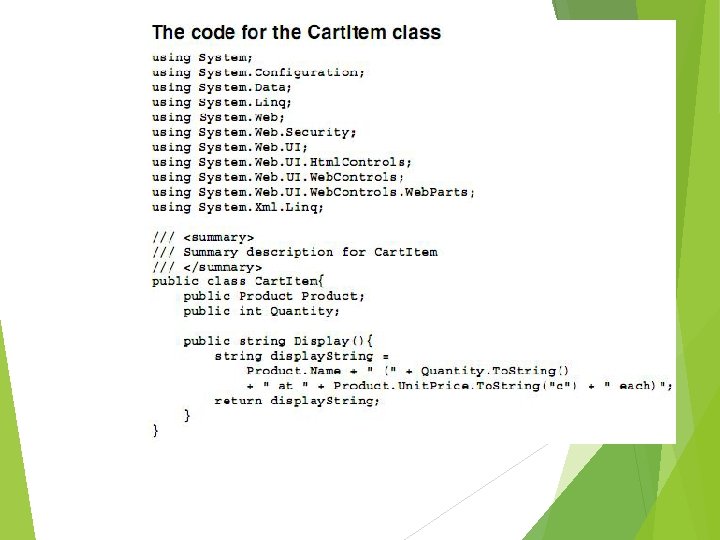
Description The product item class represents a product The Cartitem class represents a product that the user has added to the shopping cart and the quantity added

Thank You
- Slides: 21