
How to create web pages using mathematical expressions
How to create web pages using mathematical expressions – introduction to Math. ML Radoslaw Jedynak, Ph. D Poland, Technical University of Radom Faculty of Teacher Training Department of Mathematics jedynakr@pr. radom. pl
Basic Methods of Displaying Mathematics on the Web 1. Images - typically graphic formats are GIF or JPEG We can insert an image in HTML document writing command: <img src= ”file. ext”> This solution has some limitations: -poor quality of the images (resolution 72 or 96 dpi) - equations displayed as images cannot be fully integrated with the surrounding text - web page has long download times
Basic Methods of Displaying Mathematics on the Web 2. PDF Files We can insert a PDF file in HTML document writing command <a href=”file. pdf”>. These files have high quality for viewing and printing. The solution has some limitations: - the display of PDF files requires a special viewer application like Acrobat Reader - PDF files cannot be well integrated with the Web environment

Basic Methods of Displaying Mathematics on the Web 3. Other simple solutions of displaying mathematical content on the Web -HTML commands <sup> - superscripts and <sub> subscripts such as x<sup>3</sup>+ y<sub>i</sub>+ z<sup>j</sup> for x 3 + yi+zj. 1 -ASCII charts, such as -------1+x+y
Basic Methods of Displaying Mathematics on the Web 4 Math. ML Mathematical Markup Language (Math. ML) is an XML application for describing mathematical formulas on the Web. The first specification of the standard Math. ML was published by W 3 C in 1998. Math. ML 2. 0 was published in October 2003. Math Working Group works over recommendation Math. ML 3. 0 at present.

Introduction to Math. ML language It is possible to encode mathematical expressions in Math. ML language with two kinds of markups: - Presentation Markup - Content Markup Presentation Math. ML focuses on the display of an equation but the content Math. ML focuses on the semantic meaning of the expression.

Presentation Markup Math. ML Presentation Markup has about 30 elements and 50 attributes. All elements begin with letter m. Example of Presentation Markup encodes x + y : <math> - element is required for any piece of Math. ML <mrow> - expression is displayed in a horizontal row <mi>x</mi> - identifier (variable) <mo>+</mo> - operator <mi>y</mi> </mrow> </math> http: //www. w 3. org/TR/Math. ML/chapter 3. html

Content Markup Math. ML Content Markup consists of about 150 elements and 12 attributes. Example of Content Markup encodes x + y : <math> <apply> - element is used to apply operators or functions to expressions <plus/> - operator <ci>x</ci> - identifier (variable) <ci>y</ci> </apply> </math> http: //www. w 3. org/TR/Math. ML/chapter 4. html

Comparison Content Markup and Presentation Markup Math. ML Content Markup

Presentation Markup - examples Fraction Square Root Superscript

Presentation Markup - example

Presentation Markup - example A <mfrac> element may only have exactly two child element A <mrow> element has to be used as a wrapper element

Math. ML on the Web Browser Statistics: Native Math. ML Support: ~10 % M oz illa • Mozilla 1. 0 Math. ML Plugin: Internet Explorer ~ 85 % • Math. Player ( IE 5. 5) • Integre techexplorer
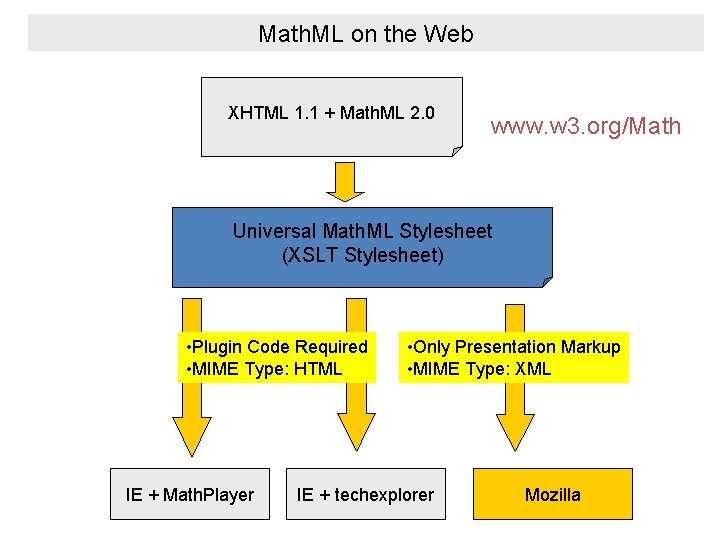
Math. ML on the Web XHTML 1. 1 + Math. ML 2. 0 www. w 3. org/Math Universal Math. ML Stylesheet (XSLT Stylesheet) • Plugin Code Required • MIME Type: HTML IE + Math. Player • Only Presentation Markup • MIME Type: XML IE + techexplorer Mozilla
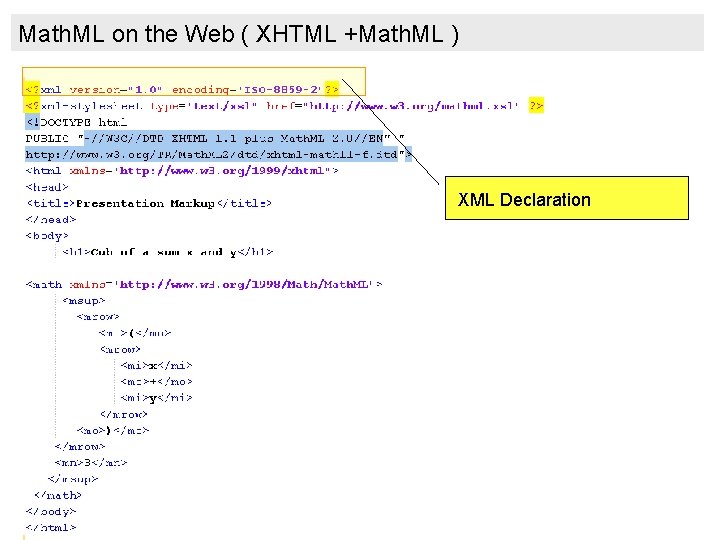
Math. ML on the Web ( XHTML +Math. ML ) XML Declaration
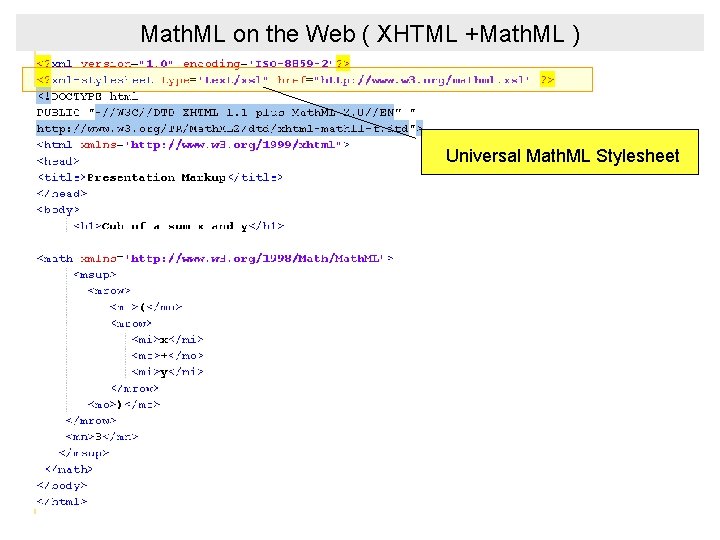
Math. ML on the Web ( XHTML +Math. ML ) Universal Math. ML Stylesheet
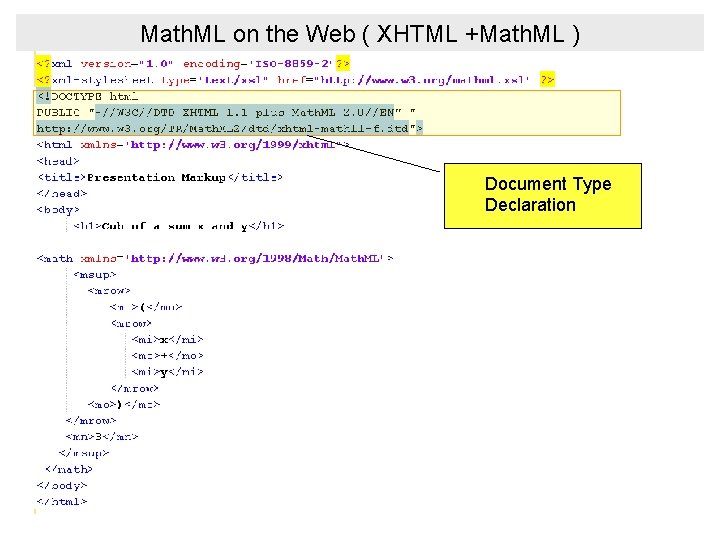
Math. ML on the Web ( XHTML +Math. ML ) Document Type Declaration
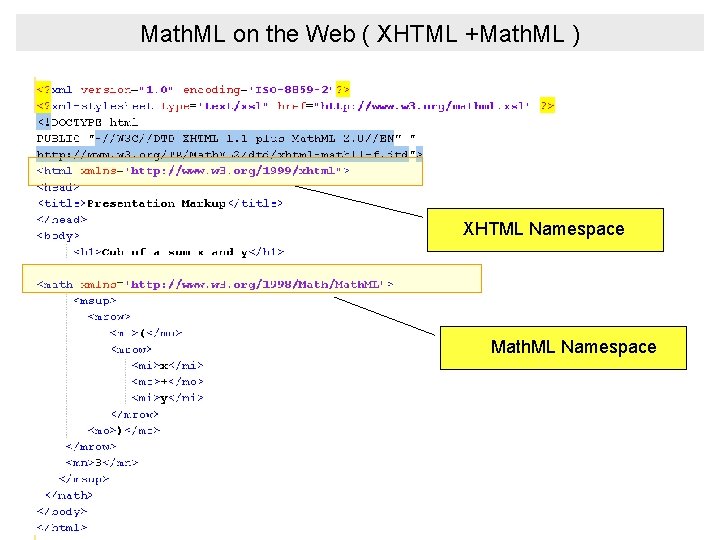
Math. ML on the Web ( XHTML +Math. ML ) XHTML Namespace Math. ML Namespace
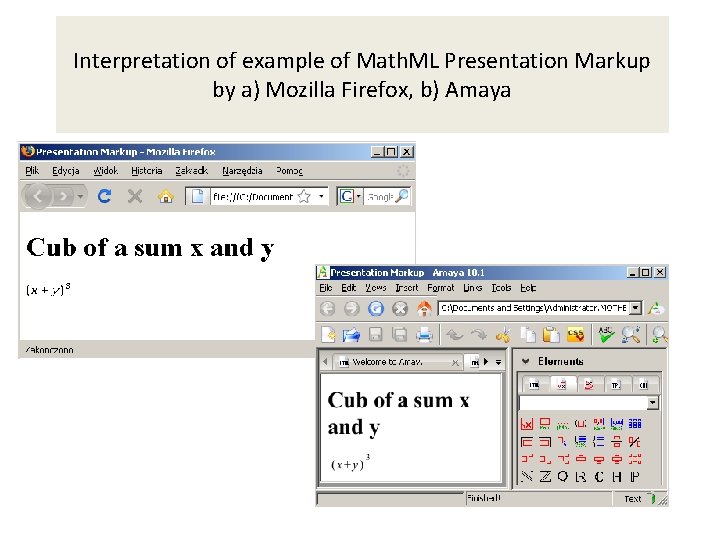
Interpretation of example of Math. ML Presentation Markup by a) Mozilla Firefox, b) Amaya
Tips for Internet Explorer If we want to display correctly this example in Internet Explorer we have to download the following files: mathml. xsl - from http: //www. w 3. org/Math/XSL/mathml. xsl ctop. xsl - from http: //www. w 3. org/Math/XSL/ctop. xsl pmathml. xsl - from http: //www. w 3. org/Math/XSL/pmathml. xsl pmathmlcss. xsl – from http: //www. w 3. org/Math/XSL/pmathmlcss. xsl xhtml-math 11 -f. dtd – from http: //www. w 3. org/TR/Math. ML 2/dtd/xhtml-math 11 -f. dtd and save for example in the folder which includes the files with Math. ML code.
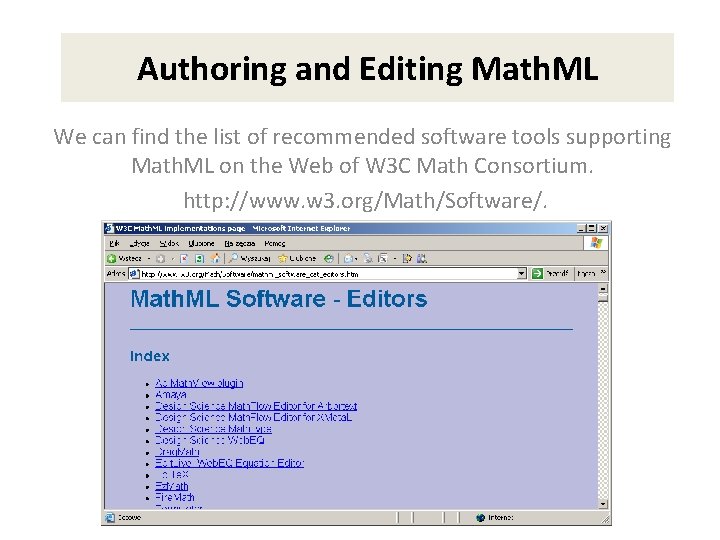
Authoring and Editing Math. ML We can find the list of recommended software tools supporting Math. ML on the Web of W 3 C Math Consortium. http: //www. w 3. org/Math/Software/.
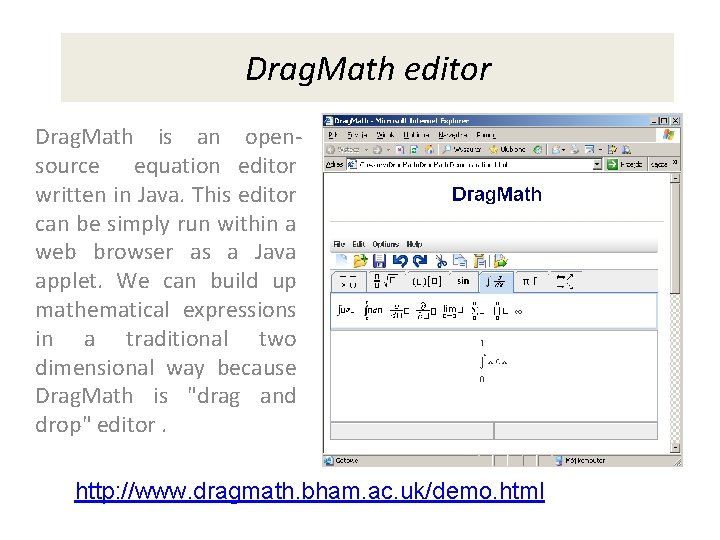
Drag. Math editor Drag. Math is an opensource equation editor written in Java. This editor can be simply run within a web browser as a Java applet. We can build up mathematical expressions in a traditional two dimensional way because Drag. Math is "drag and drop" editor. http: //www. dragmath. bham. ac. uk/demo. html
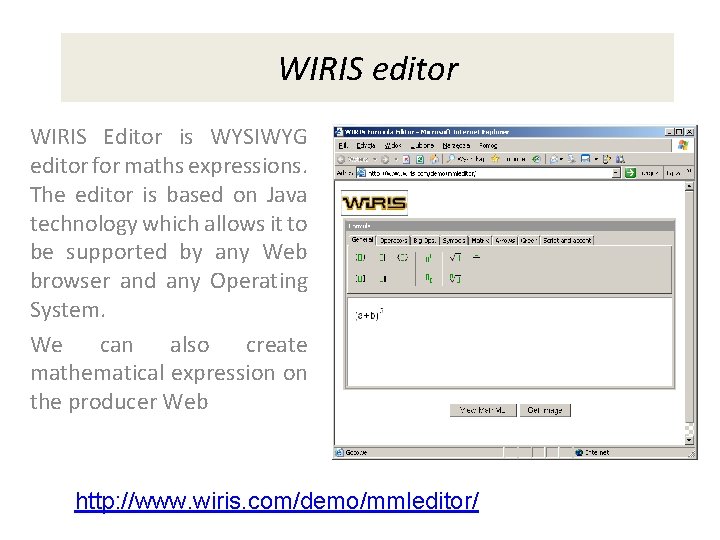
WIRIS editor WIRIS Editor is WYSIWYG editor for maths expressions. The editor is based on Java technology which allows it to be supported by any Web browser and any Operating System. We can also create mathematical expression on the producer Web http: //www. wiris. com/demo/mmleditor/
Thank you for your attention
- Slides: 24