
How to Create INFOGRAPHICS In Power Point About
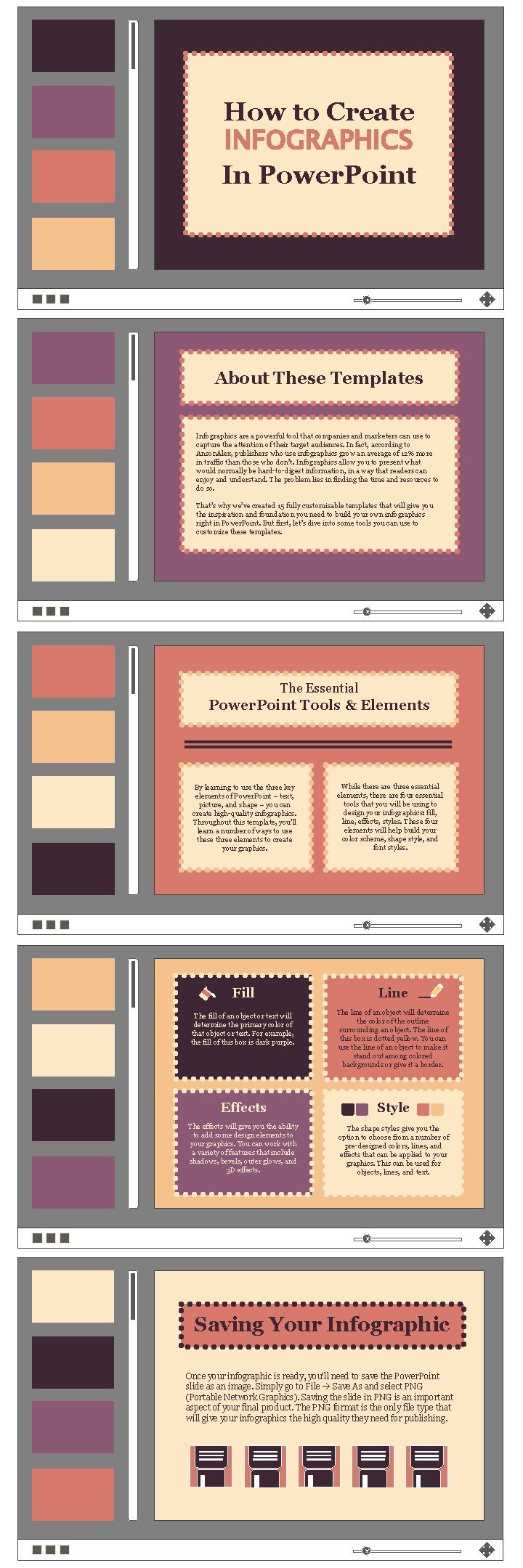
How to Create INFOGRAPHICS In Power. Point About These Templates Infographics are a powerful tool that companies and marketers can use to capture the attention of their target audiences. In fact, according to Anson. Alex, publishers who use infographics grow an average of 12% more in traffic than those who don’t. Infographics allow you to present what would normally be hard-to-digest information, in a way that readers can enjoy and understand. The problem lies in finding the time and resources to do so. That’s why we’ve created 15 fully customisable templates that will give you the inspiration and foundation you need to build your own infographics right in Power. Point. But first, let’s dive into some tools you can use to customize these templates. The Essential Power. Point Tools & Elements By learning to use three key elements of Power. Point – text, picture, and shape – you can create high-quality infographics. Throughout this template, you’ll learn a number of ways to use these three elements to create your graphics. Fill The fill of an object or text will determine the primary color of that object or text. For example, the fill of this box is dark purple. While there are three essential elements, there are four essential tools that you will be using to design your infographics: fill, line, effects, styles. These four elements will help build your color scheme, shape style, and font styles. Line The line of an object will determine the color of the outline surrounding an object. The line of this box is dotted yellow. You can use the line of an object to make it stand out among colored backgrounds or give it a border. Effects Style The effects will give you the ability to add some design elements to your graphics. You can work with a variety of features that include shadows, bevels, outer glows, and 3 D effects. The shape styles give you the option to choose from a number of pre-designed colors, lines, and effects that can be applied to your graphics. This can be used for objects, lines, and text. Saving Your Infographic Once your infographic is ready, you’ll need to save the Power. Point slide as an image. Simply go to File Save As and select PNG (Portable Network Graphics). Saving the slide in PNG is an important aspect of your final product. The PNG format is the only file type that will give your infographics the high quality they need for publishing.

THE DATA G EEK Here’s the perfect infographic template for highlighting data! Double-click on the charts and graphs below to edit the style. Right click and choose “Edit Data” to update the values. This pie chart is great for displaying percentages / parts of a whole. Use this text box to give some more context about the data you’re displaying. How is it helping to drive home your main point(s)? Is there anything confusing that needs to be explained in more detail? Use the line graph below to compare values over time. Like pie charts, these doughnut charts are great for showing parts of a whole. Use the bar chart below to compare values. Use this text box to give some more context about the data you’re displaying. How is it helping to drive home your main point(s)? Is there anything confusing that needs to be explained in more detail? Use this space to write a short conclusion for your infographic and/or to provide a call-to-action. Your logo here:
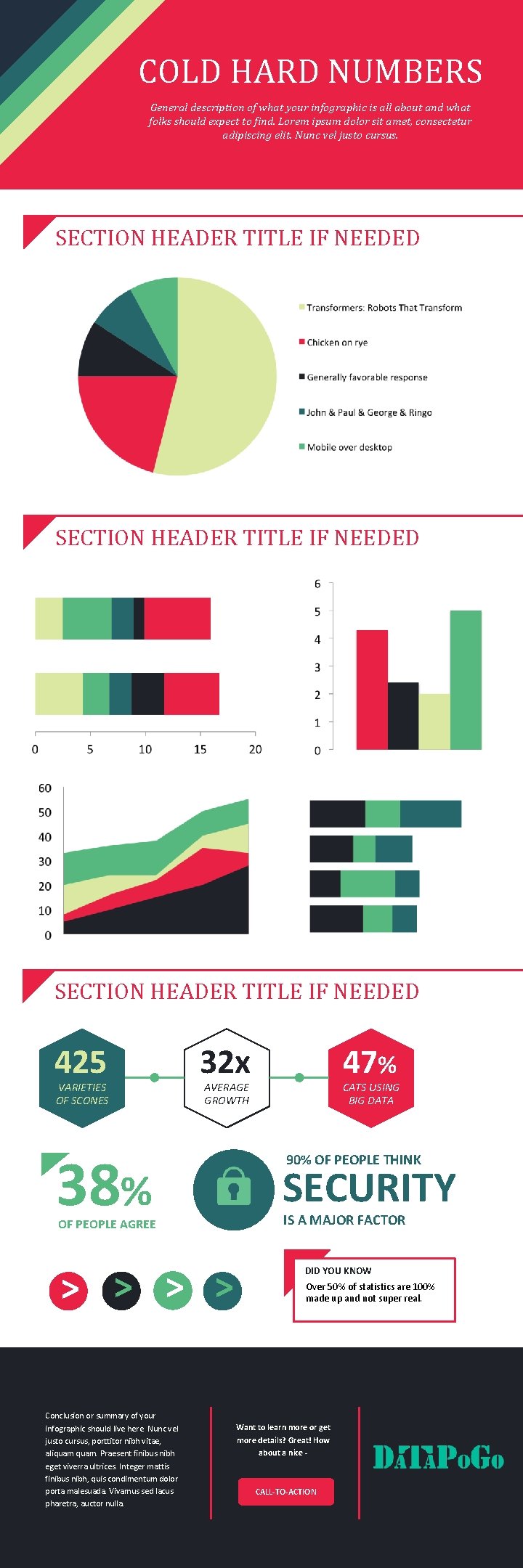
COLD HARD NUMBERS General description of what your infographic is all about and what folks should expect to find. Lorem ipsum dolor sit amet, consectetur adipiscing elit. Nunc vel justo cursus. SECTION HEADER TITLE IF NEEDED 425 VARIETIES OF SCONES 32 x AVERAGE GROWTH 38% OF PEOPLE AGREE > > Conclusion or summary of your infographic should live here. Nunc vel justo cursus, porttitor nibh vitae, aliquam. Praesent finibus nibh eget viverra ultrices. Integer mattis finibus nibh, quis condimentum dolor porta malesuada. Vivamus sed lacus pharetra, auctor nulla. 47% CATS USING BIG DATA 90% OF PEOPLE THINK SECURITY IS A MAJOR FACTOR DID YOU KNOW Over 50% of statistics are 100% made up and not super real. Want to learn more or get more details? Great! How about a nice - CALL-TO-ACTION
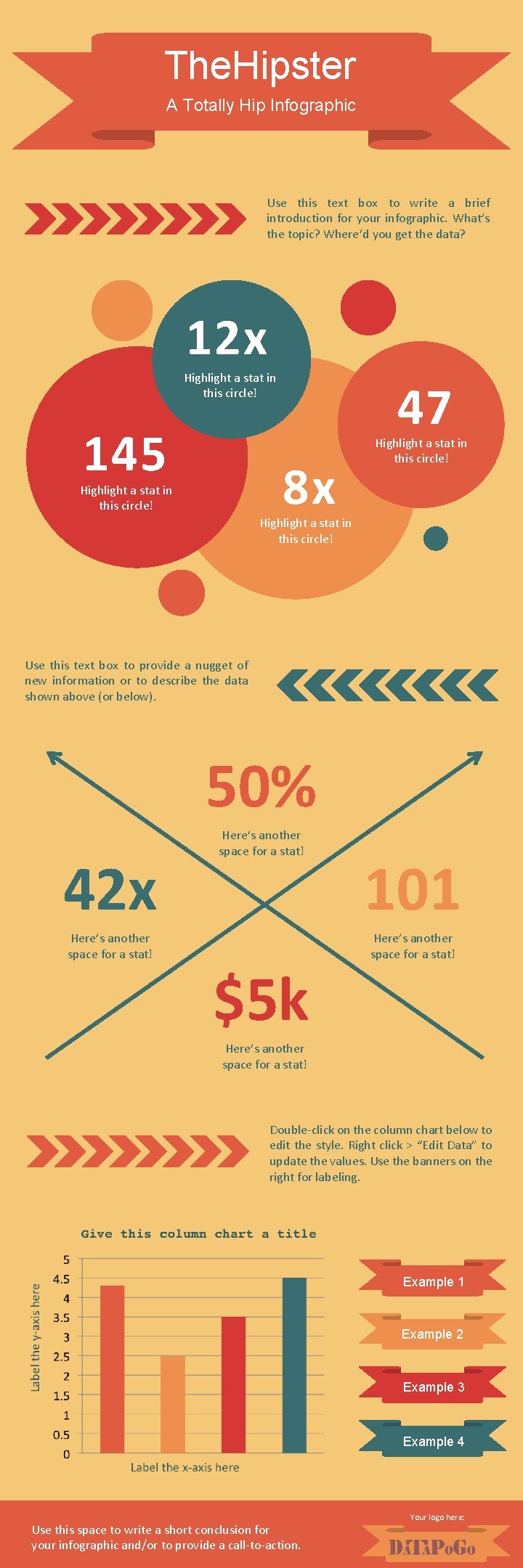
The. Hipster A Totally Hip Infographic Use this text box to write a brief introduction for your infographic. What’s the topic? Where’d you get the data? 12 x Highlight a stat in this circle! 145 47 8 x Highlight a stat in this circle! Use this text box to provide a nugget of new information or to describe the data shown above (or below). 50% 42 x Here’s another space for a stat! $5 k 101 Here’s another space for a stat! Double-click on the column chart below to edit the style. Right click > “Edit Data” to update the values. Use the banners on the right for labeling. Example 1 Example 2 Example 3 Example 4 Use this space to write a short conclusion for your infographic and/or to provide a call-to-action. Your logo here:
SO MUCH TO SAY lot of a e r i u ea req d i c ll the i a h p n i a r t i g f o our inf s template to d to convey. y s e o D se thi u nee o U y ? holder n g e o n c i i a t t l i a r p m w r nt info e lorem ipsum y, customize a t r o p im lace th fabulous cop graphics or p e r y l Simp own a few r n u i o d y d h a t text wi s, and maybe asterpiece! m or the col omplete your c stats to WRITE A SECTION HEADER HERE Lorem ips um dolor sit amet, adipiscing consectetu elit, sed r do eiusmo incididunt u d tempor t labore et d olore magn enim ad a ali minim ve niam, quis qua. Ut exercitation ullamco lab oris nisi ut a nostrud commodo liq consequat. Duis aute ir uip ex ea reprehende ure dolor in rit dolore eu fu in voluptate velit es se cillum giat nulla p ariatur. WRITE A SECTION HEADER HERE sectetur n o c , t e r sit am lo tempor o d d o m u m s s ip iu e Lorem sed do liqua. Ut a , t a li n e g a g m in e adipisc ostrud e et dolor r n o b la is t u u q t eniam, incididun v ip ex ea im u q in li m a t u i d enim a laboris nis o c dolor in m e a r ll u u ir n e io t t exercita t. Duis au a u q se cillum e s s e n o t c li e o v d commo voluptate in it r e d ariatur. p reprehen a ll u n t fugia dolore eu WRITE A SECTION HEADER HERE Lorem ips um dolor sit amet, adipiscing consectetu elit, sed r do eiusmo incididunt u d tempor t labore et d olore magn enim ad a ali minim ve niam, quis qua. Ut exercitation ullamco lab oris nisi ut a nostrud commodo liq consequat. Duis aute ir uip ex ea reprehende ure dolor in rit dolore eu fu in voluptate velit es se cillum giat nulla p ariatur. Use this space to write a short conclusion for your infographic and/or to provide a call-to-action. Your logo here:

THE FLOWCHART Should you do this thing? Yes Are you sure? Yes No No How about this one? Yes No Do you want to do that thing? Yes Cool. Glad we’re on the same page. YES! DO THAT THING! No You don’t want to do anything, huh? Meh, maybe not. Use this space to write a short conclusion for your infographic and/or to provide a call-to-action. Your logo here:
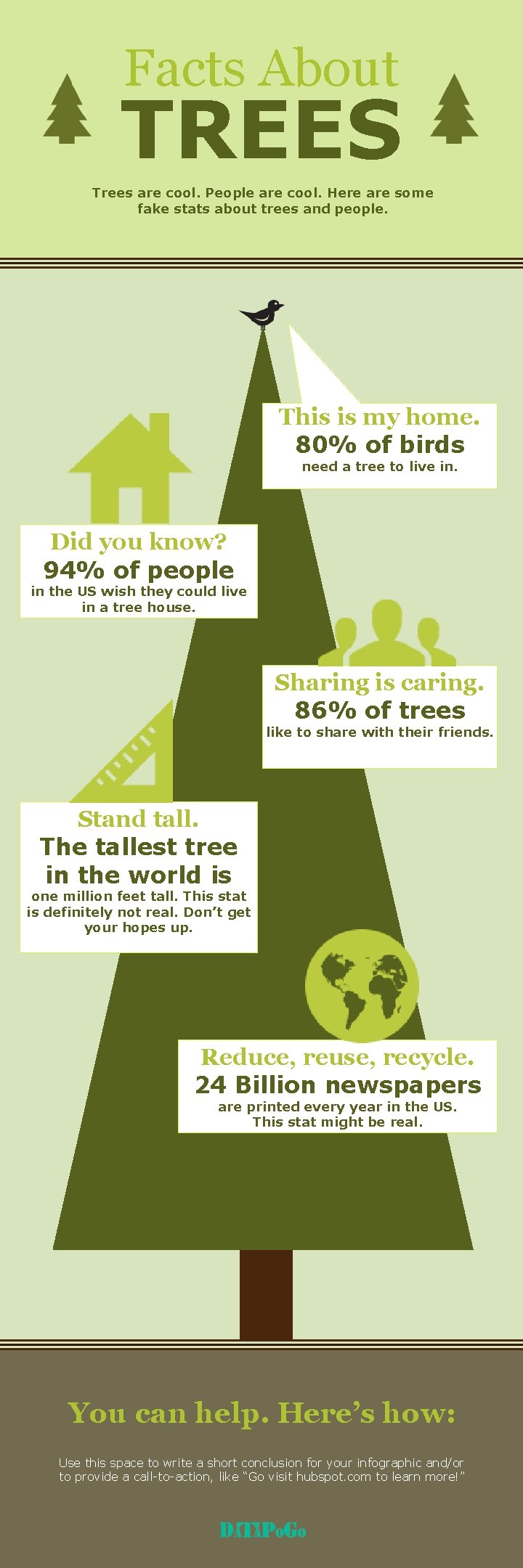
Facts About TREES Trees are cool. People are cool. Here are some fake stats about trees and people. This is my home. 80% of birds need a tree to live in. Did you know? 94% of people in the US wish they could live in a tree house. Sharing is caring. 86% of trees like to share with their friends. Stand tall. The tallest tree in the world is one million feet tall. This stat is definitely not real. Don’t get your hopes up. Reduce, reuse, recycle. 24 Billion newspapers are printed every year in the US. This stat might be real. You can help. Here’s how: Use this space to write a short conclusion for your infographic and/or to provide a call-to-action, like “Go visit hubspot. com to learn more!”
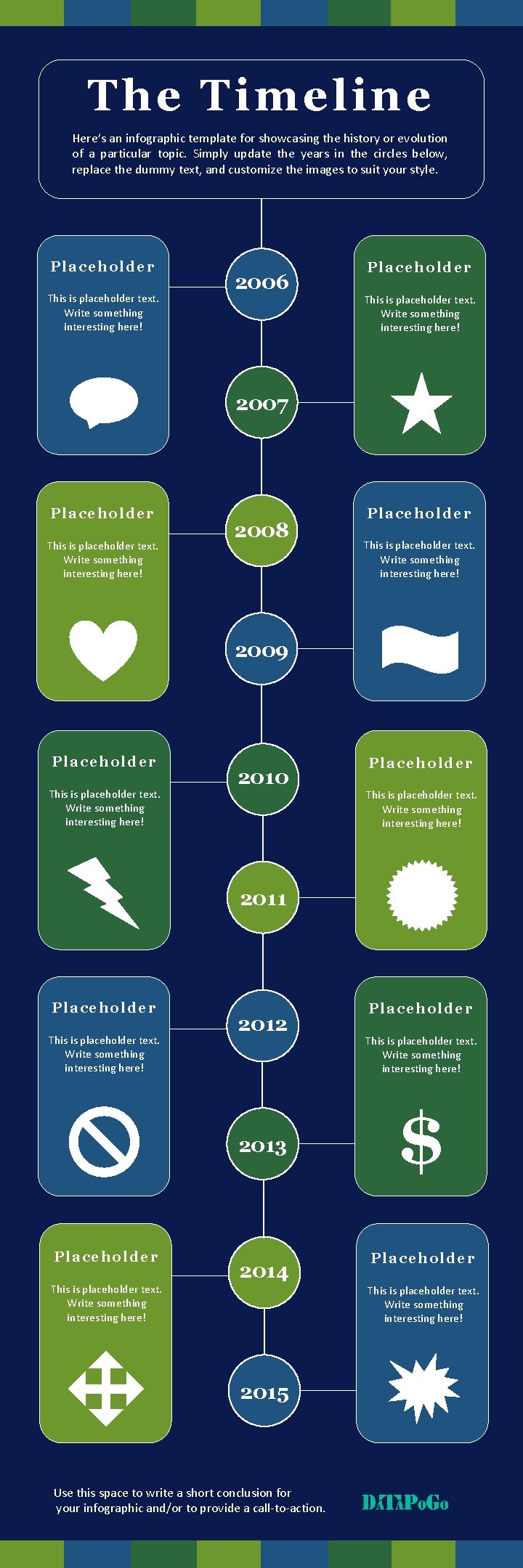
T he Tim eline Here’s an infographic template for showcasing the history or evolution of a particular topic. Simply update the years in the circles below, replace the dummy text, and customize the images to suit your style. Placeholder This is placeholder text. Write something interesting here! 2006 Placehold er This is placeholder text. Write something interesting here! 2007 Placeholder This is placeholder text. Write something interesting here! 2008 Placehold er This is placeholder text. Write something interesting here! 2009 Placeho ld er This is placeholder text. Write something interesting here! 2010 Placehold er This is placeholder text. Write something interesting here! 2011 Pl ace ho lder This is placeholder text. Write something interesting here! 2012 2013 Placehold e r 2014 This is placeholder text. Write something interesting here! Placehold er This is placeholder text. Write something interesting here! $ Place holde r This is placeholder text. Write something interesting here! 2015 Use this space to write a short conclusion for your infographic and/or to provide a call-to-action.
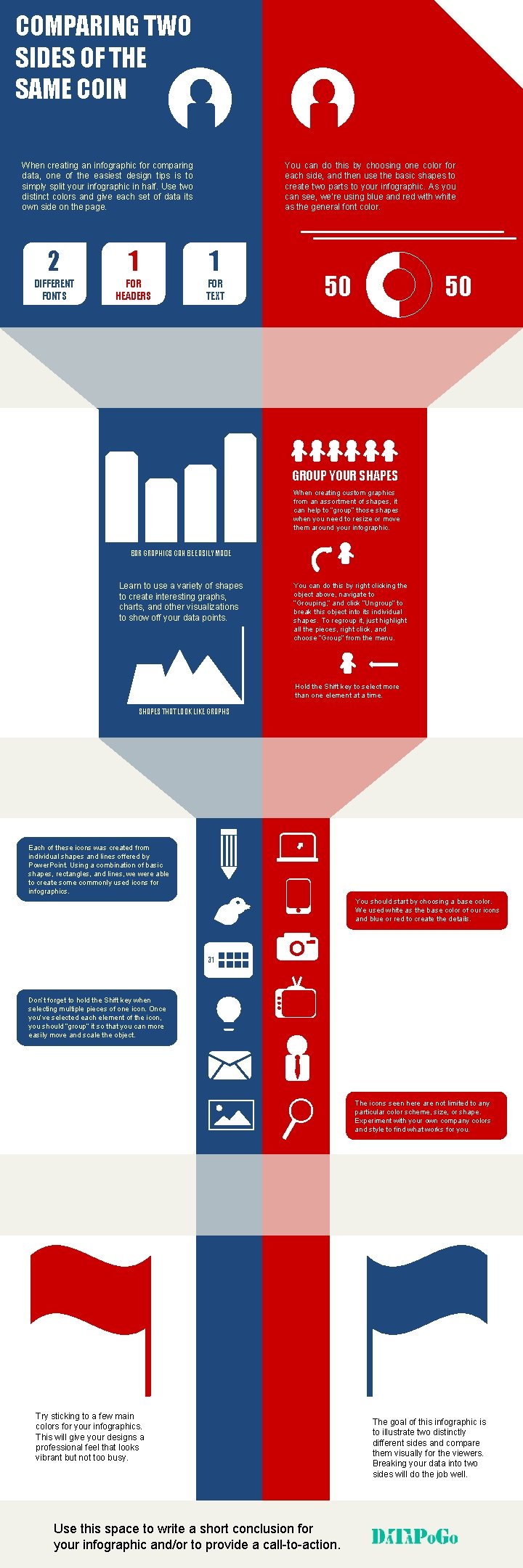
COMPARING TWO SIDES OF THE SAME COIN When creating an infographic for comparing data, one of the easiest design tips is to simply split your infographic in half. Use two distinct colors and give each set of data its own side on the page. You can do this by choosing one color for each side, and then use the basic shapes to create two parts to your infographic. As you can see, we’re using blue and red with white as the general font color. 2 1 1 DIFFERENT FONTS FOR HEADERS FOR TEXT 50 50 GROUP YOUR SHAPES When creating custom graphics from an assortment of shapes, it can help to “group” those shapes when you need to resize or move them around your infographic. BAR GRAPHICS CAN BE EASILY MADE Learn to use a variety of shapes to create interesting graphs, charts, and other visualizations to show off your data points. You can do this by right clicking the object above, navigate to “Grouping, ” and click “Ungroup” to break this object into its individual shapes. To regroup it, just highlight all the pieces, right click, and choose “Group” from the menu. Hold the Shift key to select more than one element at a time. SHAPES THAT LOOK LIKE GRAPHS Each of these icons was created from individual shapes and lines offered by Power. Point. Using a combination of basic shapes, rectangles, and lines, we were able to create some commonly used icons for infographics. You should start by choosing a base color. We used white as the base color of our icons and blue or red to create the details. 31 Don’t forget to hold the Shift key when selecting multiple pieces of one icon. Once you’ve selected each element of the icon, you should “group” it so that you can more easily move and scale the object. The icons seen here are not limited to any particular color scheme, size, or shape. Experiment with your own company colors and style to find what works for you. Try sticking to a few main colors for your infographics. This will give your designs a professional feel that looks vibrant but not too busy. Use this space to write a short conclusion for your infographic and/or to provide a call-to-action. The goal of this infographic is to illustrate two distinctly different sides and compare them visually for the viewers. Breaking your data into two sides will do the job well.
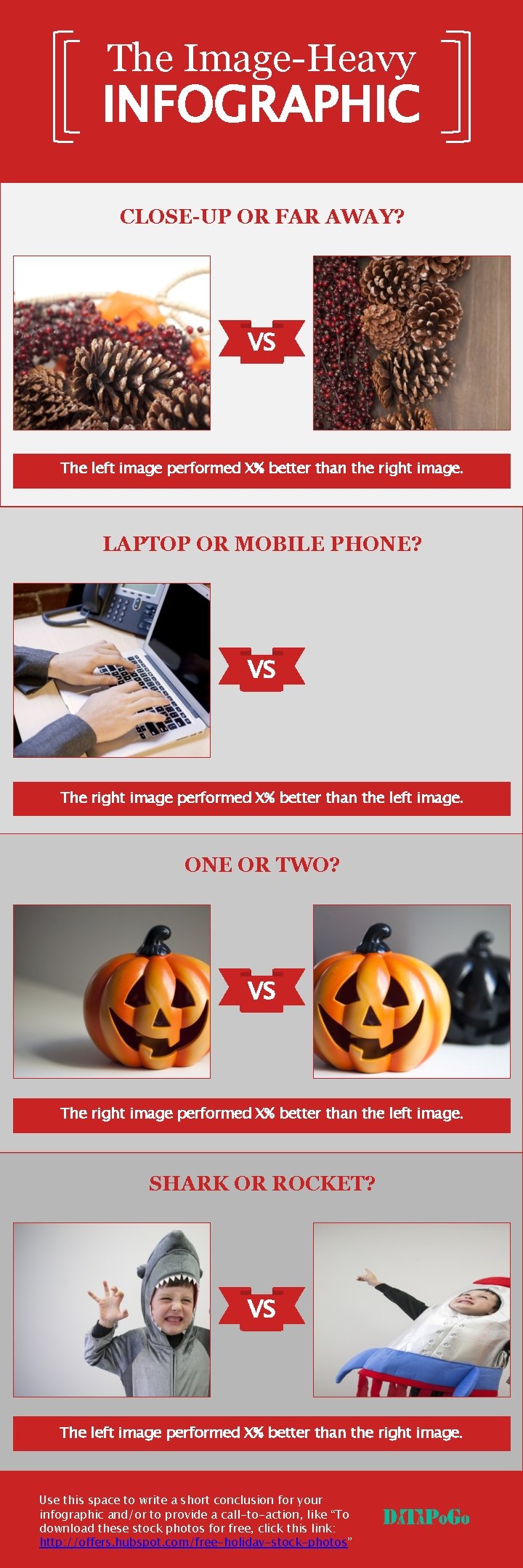
The Image-Heavy INFOGRAPHIC CLOSE-UP OR FAR AWAY? VS The left image performed X% better than the right image. LAPTOP OR MOBILE PHONE? VS The right image performed X% better than the left image. ONE OR TWO? VS The right image performed X% better than the left image. SHARK OR ROCKET? VS The left image performed X% better than the right image. Use this space to write a short conclusion for your infographic and/or to provide a call-to-action, like “To download these stock photos for free, click this link: http: //offers. hubspot. com/free-holiday-stock-photos”
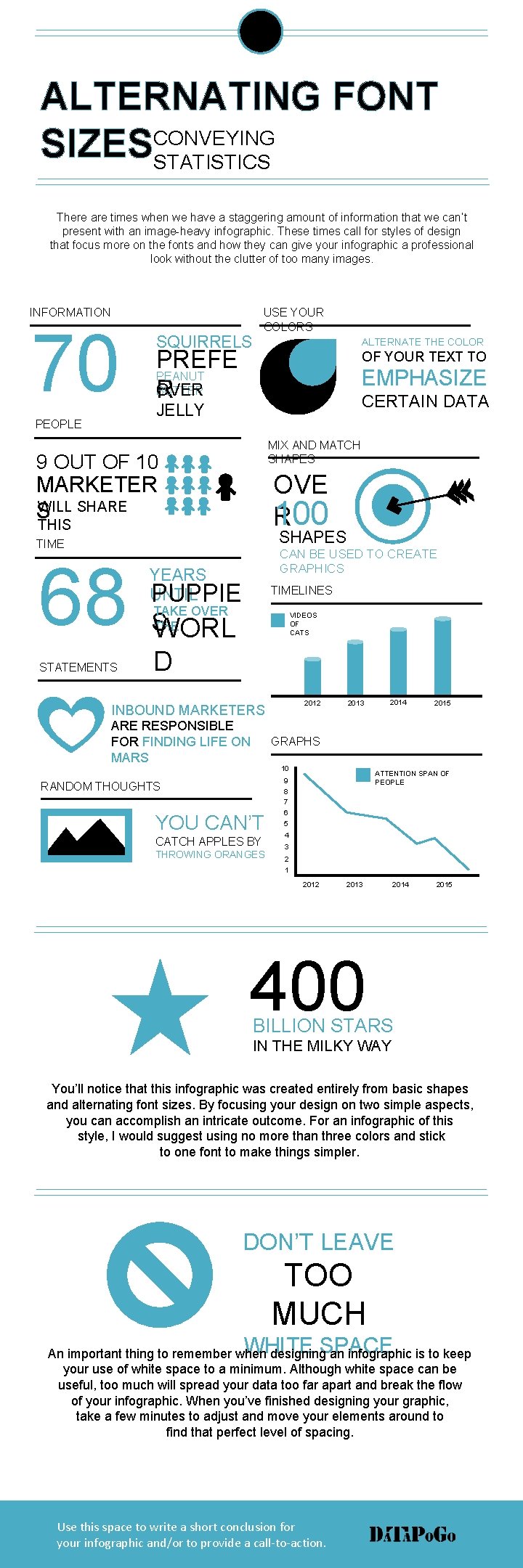
ALTERNATING FONT CONVEYING SIZESSTATISTICS There are times when we have a staggering amount of information that we can’t present with an image-heavy infographic. These times call for styles of design that focus more on the fonts and how they can give your infographic a professional look without the clutter of too many images. INFORMATION 70 PEOPLE USE YOUR COLORS SQUIRRELS ALTERNATE THE COLOR PREFE PEANUT BUTTER OVER R OF YOUR TEXT TO EMPHASIZE CERTAIN DATA JELLY MIX AND MATCH SHAPES 9 OUT OF 10 OVE 100 R MARKETER WILL SHARE S THIS SHAPES TIME 68 STATEMENTS CAN BE USED TO CREATE GRAPHICS YEARS UNTIL PUPPIE TIMELINES TAKE OVER THE S WORL VIDEOS OF CATS D 2012 INBOUND MARKETERS ARE RESPONSIBLE FOR FINDING LIFE ON MARS 2013 2014 2015 GRAPHS 10 ATTENTION SPAN OF PEOPLE 9 RANDOM THOUGHTS YOU CAN’T CATCH APPLES BY THROWING ORANGES 8 7 6 5 4 3 2 1 2012 2013 2014 2015 400 BILLION STARS IN THE MILKY WAY You’ll notice that this infographic was created entirely from basic shapes and alternating font sizes. By focusing your design on two simple aspects, you can accomplish an intricate outcome. For an infographic of this style, I would suggest using no more than three colors and stick to one font to make things simpler. DON’T LEAVE TOO MUCH WHITE SPACE An important thing to remember when designing an infographic is to keep your use of white space to a minimum. Although white space can be useful, too much will spread your data too far apart and break the flow of your infographic. When you’ve finished designing your graphic, take a few minutes to adjust and move your elements around to find that perfect level of spacing. Use this space to write a short conclusion for your infographic and/or to provide a call-to-action.
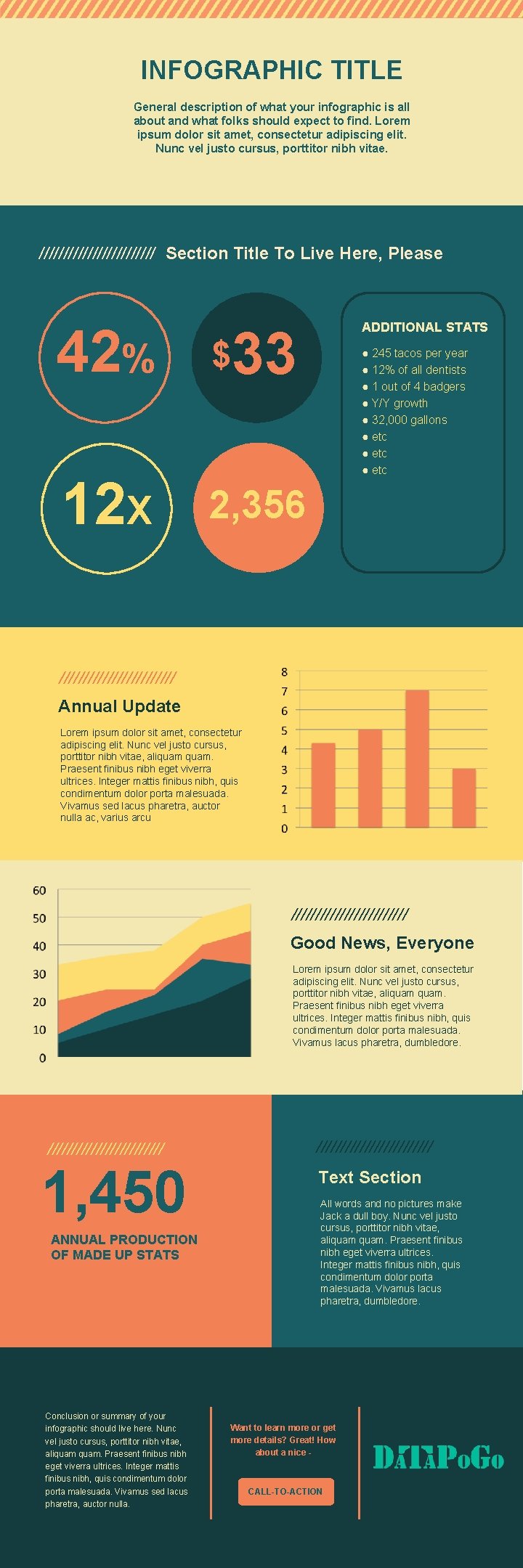
INFOGRAPHIC TITLE General description of what your infographic is all about and what folks should expect to find. Lorem ipsum dolor sit amet, consectetur adipiscing elit. Nunc vel justo cursus, porttitor nibh vitae. //////////// Section Title To Live Here, Please 42% $ 12 X 2, 356 ADDITIONAL STATS 33 ● 245 tacos per year ● 12% of all dentists ● 1 out of 4 badgers ● Y/Y growth ● 32, 000 gallons ● etc //////////// Annual Update Lorem ipsum dolor sit amet, consectetur adipiscing elit. Nunc vel justo cursus, porttitor nibh vitae, aliquam. Praesent finibus nibh eget viverra ultrices. Integer mattis finibus nibh, quis condimentum dolor porta malesuada. Vivamus sed lacus pharetra, auctor nulla ac, varius arcu //////////// Good News, Everyone Lorem ipsum dolor sit amet, consectetur adipiscing elit. Nunc vel justo cursus, porttitor nibh vitae, aliquam. Praesent finibus nibh eget viverra ultrices. Integer mattis finibus nibh, quis condimentum dolor porta malesuada. Vivamus lacus pharetra, dumbledore. //////////// 1, 450 ANNUAL PRODUCTION OF MADE UP STATS Conclusion or summary of your infographic should live here. Nunc vel justo cursus, porttitor nibh vitae, aliquam. Praesent finibus nibh eget viverra ultrices. Integer mattis finibus nibh, quis condimentum dolor porta malesuada. Vivamus sed lacus pharetra, auctor nulla. //////////// Text Section All words and no pictures make Jack a dull boy. Nunc vel justo cursus, porttitor nibh vitae, aliquam. Praesent finibus nibh eget viverra ultrices. Integer mattis finibus nibh, quis condimentum dolor porta malesuada. Vivamus lacus pharetra, dumbledore. Want to learn more or get more details? Great! How about a nice - CALL-TO-ACTION
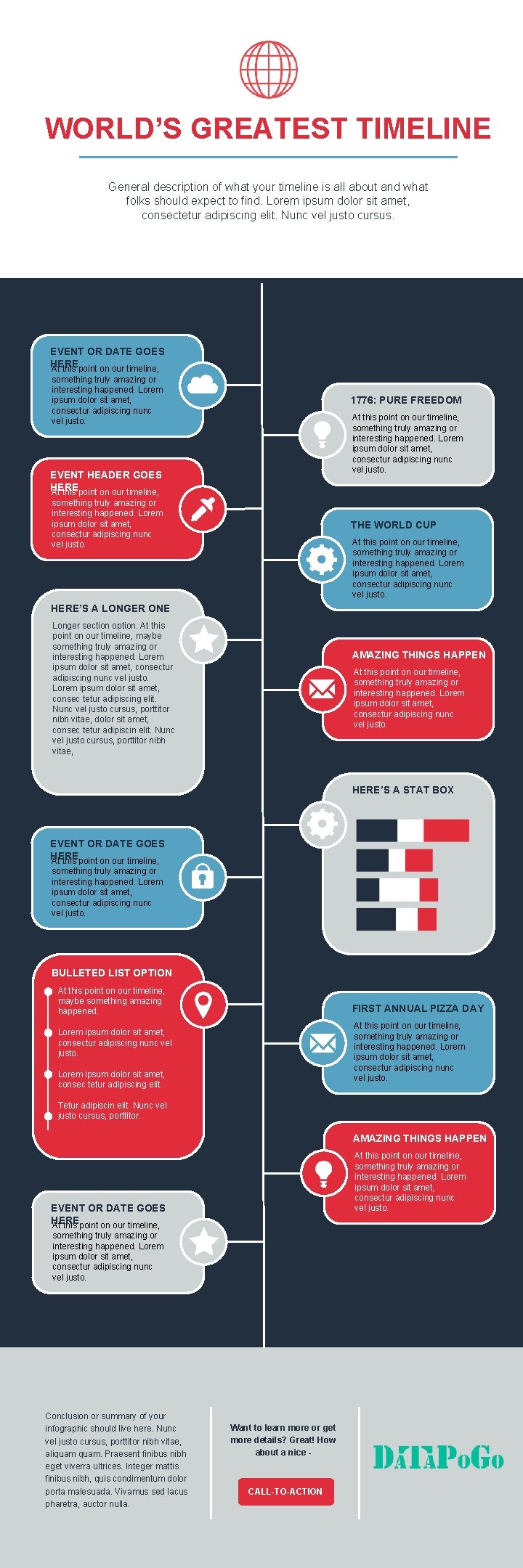
WORLD’S GREATEST TIMELINE General description of what your timeline is all about and what folks should expect to find. Lorem ipsum dolor sit amet, consectetur adipiscing elit. Nunc vel justo cursus. EVENT OR DATE GOES HERE At this point on our timeline, something truly amazing or interesting happened. Lorem ipsum dolor sit amet, consectur adipiscing nunc vel justo. 1776: PURE FREEDOM At this point on our timeline, something truly amazing or interesting happened. Lorem ipsum dolor sit amet, consectur adipiscing nunc vel justo. EVENT HEADER GOES HERE At this point on our timeline, something truly amazing or interesting happened. Lorem ipsum dolor sit amet, consectur adipiscing nunc vel justo. THE WORLD CUP At this point on our timeline, something truly amazing or interesting happened. Lorem ipsum dolor sit amet, consectur adipiscing nunc vel justo. HERE’S A LONGER ONE Longer section option. At this point on our timeline, maybe something truly amazing or interesting happened. Lorem ipsum dolor sit amet, consectur adipiscing nunc vel justo. Lorem ipsum dolor sit amet, consec tetur adipiscing elit. Nunc vel justo cursus, porttitor nibh vitae, dolor sit amet, consec tetur adipiscin elit. Nunc vel justo cursus, porttitor nibh vitae, AMAZING THINGS HAPPEN At this point on our timeline, something truly amazing or interesting happened. Lorem ipsum dolor sit amet, consectur adipiscing nunc vel justo. HERE’S A STAT BOX EVENT OR DATE GOES HERE At this point on our timeline, something truly amazing or interesting happened. Lorem ipsum dolor sit amet, consectur adipiscing nunc vel justo. BULLETED LIST OPTION At this point on our timeline, maybe something amazing happened. FIRST ANNUAL PIZZA DAY At this point on our timeline, something truly amazing or interesting happened. Lorem ipsum dolor sit amet, consectur adipiscing nunc vel justo. Lorem ipsum dolor sit amet, consec tetur adipiscing elit. Tetur adipiscin elit. Nunc vel justo cursus, porttitor. AMAZING THINGS HAPPEN At this point on our timeline, something truly amazing or interesting happened. Lorem ipsum dolor sit amet, consectur adipiscing nunc vel justo. EVENT OR DATE GOES HERE At this point on our timeline, something truly amazing or interesting happened. Lorem ipsum dolor sit amet, consectur adipiscing nunc vel justo. Conclusion or summary of your infographic should live here. Nunc vel justo cursus, porttitor nibh vitae, aliquam. Praesent finibus nibh eget viverra ultrices. Integer mattis finibus nibh, quis condimentum dolor porta malesuada. Vivamus sed lacus pharetra, auctor nulla. Want to learn more or get more details? Great! How about a nice - CALL-TO-ACTION
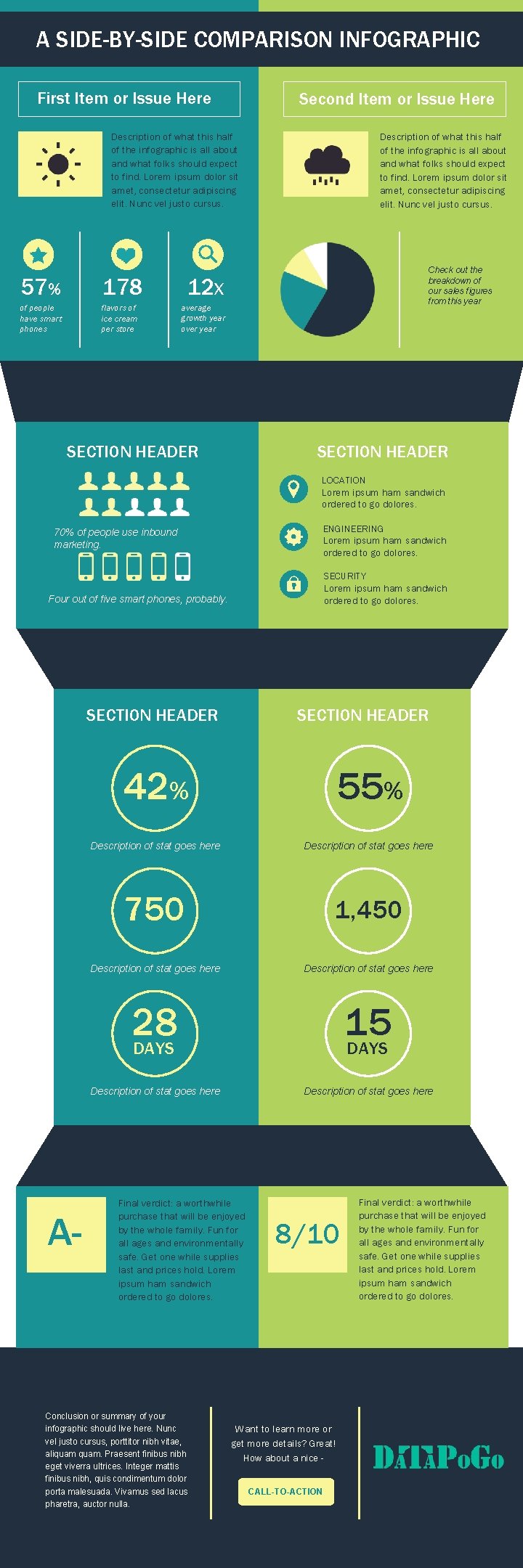
A SIDE-BY-SIDE COMPARISON INFOGRAPHIC First Item or Issue Here Second Item or Issue Here Description of what this half of the infographic is all about and what folks should expect to find. Lorem ipsum dolor sit amet, consectetur adipiscing elit. Nunc vel justo cursus. 57% 178 of people have smart phones flavors of ice cream per store Description of what this half of the infographic is all about and what folks should expect to find. Lorem ipsum dolor sit amet, consectetur adipiscing elit. Nunc vel justo cursus. Check out the breakdown of our sales figures from this year 12 X average growth year over year SECTION HEADER LOCATION Lorem ipsum ham sandwich ordered to go dolores. ENGINEERING Lorem ipsum ham sandwich ordered to go dolores. 70% of people use inbound marketing. SECURITY Lorem ipsum ham sandwich ordered to go dolores. Four out of five smart phones, probably. SECTION HEADER A- 42% 55% Description of stat goes here 750 1, 450 Description of stat goes here 28 DAYS 15 DAYS Description of stat goes here Final verdict: a worthwhile purchase that will be enjoyed by the whole family. Fun for all ages and environmentally safe. Get one while supplies last and prices hold. Lorem ipsum ham sandwich ordered to go dolores. Conclusion or summary of your infographic should live here. Nunc vel justo cursus, porttitor nibh vitae, aliquam. Praesent finibus nibh eget viverra ultrices. Integer mattis finibus nibh, quis condimentum dolor porta malesuada. Vivamus sed lacus pharetra, auctor nulla. 8/10 Want to learn more or get more details? Great! How about a nice CALL-TO-ACTION Final verdict: a worthwhile purchase that will be enjoyed by the whole family. Fun for all ages and environmentally safe. Get one while supplies last and prices hold. Lorem ipsum ham sandwich ordered to go dolores.
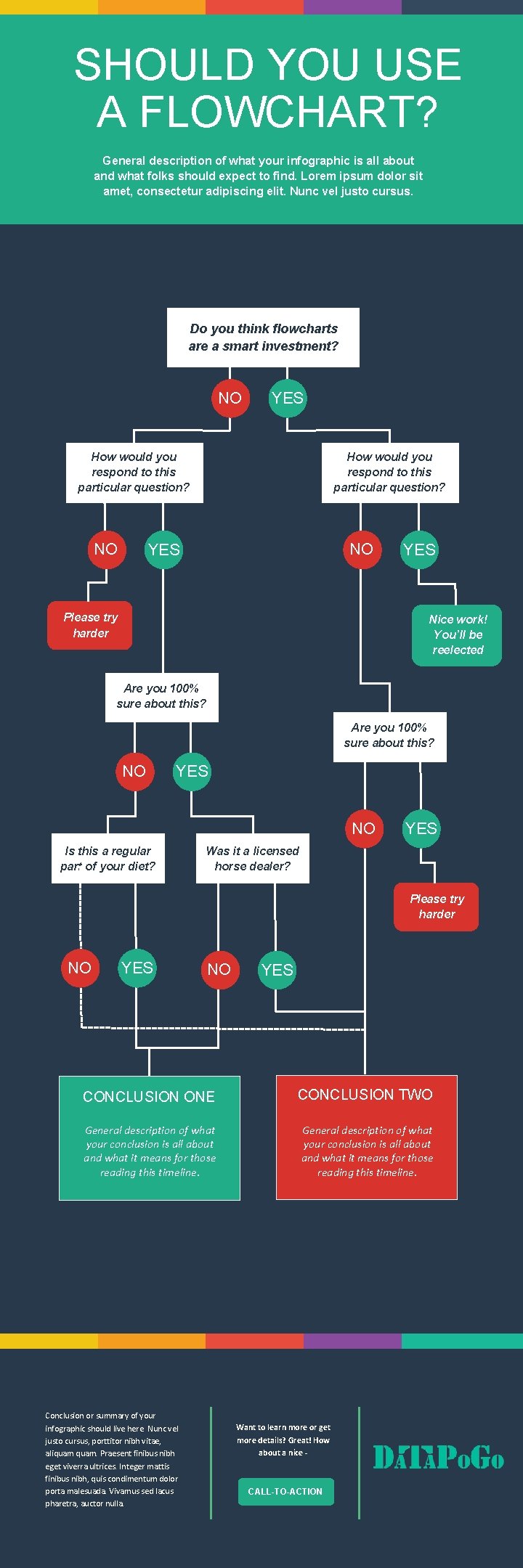
SHOULD YOU USE A FLOWCHART? General description of what your infographic is all about and what folks should expect to find. Lorem ipsum dolor sit amet, consectetur adipiscing elit. Nunc vel justo cursus. Do you think flowcharts are a smart investment? NO YES How would you respond to this particular question? NO YES Please try harder YES Nice work! You’ll be reelected Are you 100% sure about this? NO YES NO Is this a regular part of your diet? YES Was it a licensed horse dealer? Please try harder NO YES CONCLUSION ONE CONCLUSION TWO General description of what your conclusion is all about and what it means for those reading this timeline. Conclusion or summary of your infographic should live here. Nunc vel justo cursus, porttitor nibh vitae, aliquam. Praesent finibus nibh eget viverra ultrices. Integer mattis finibus nibh, quis condimentum dolor porta malesuada. Vivamus sed lacus pharetra, auctor nulla. Want to learn more or get more details? Great! How about a nice - CALL-TO-ACTION
- Slides: 15