
How to Create an Optimal Resume Account CAREER
- Slides: 13
How to Create an Optimal Resume Account CAREER SUCCESS CENTER
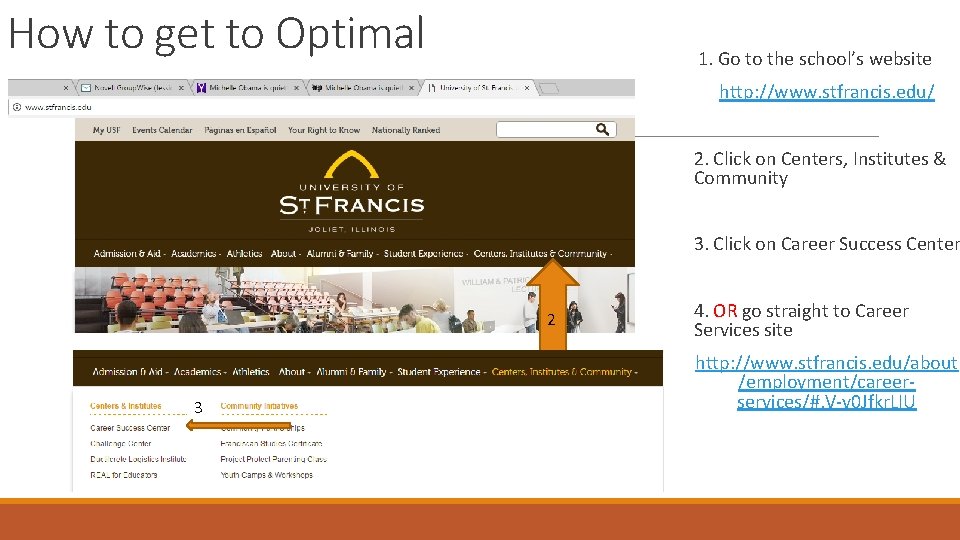
How to get to Optimal 1. Go to the school’s website http: //www. stfrancis. edu/ 2. Click on Centers, Institutes & Community 3. Click on Career Success Center 2 3 4. OR go straight to Career Services site http: //www. stfrancis. edu/about /employment/careerservices/#. V-v 0 Jfkr. LIU
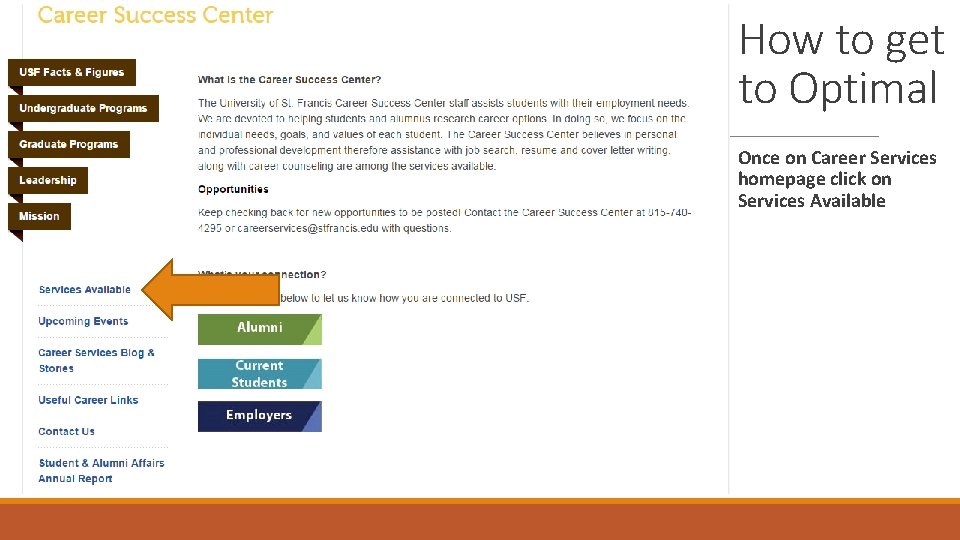
How to get to Optimal Once on Career Services homepage click on Services Available
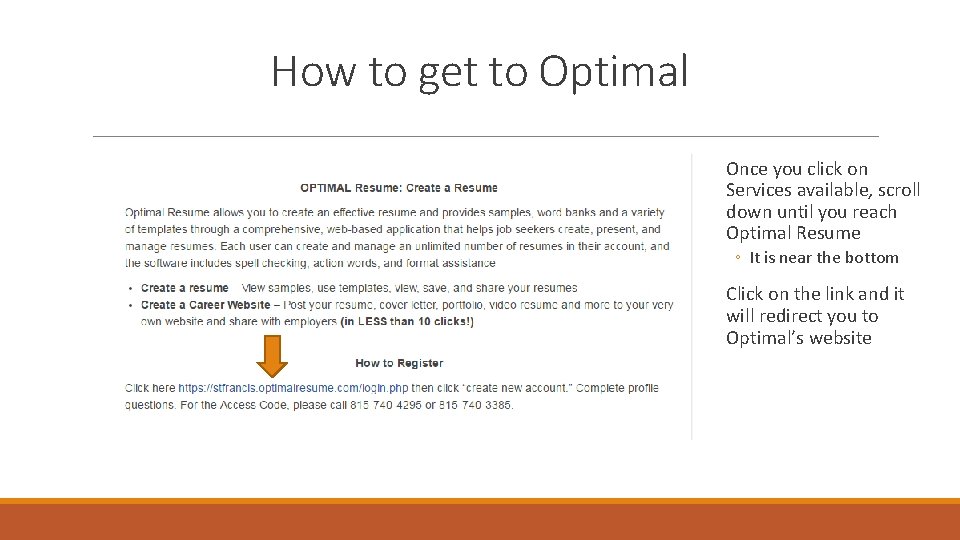
How to get to Optimal Once you click on Services available, scroll down until you reach Optimal Resume ◦ It is near the bottom Click on the link and it will redirect you to Optimal’s website
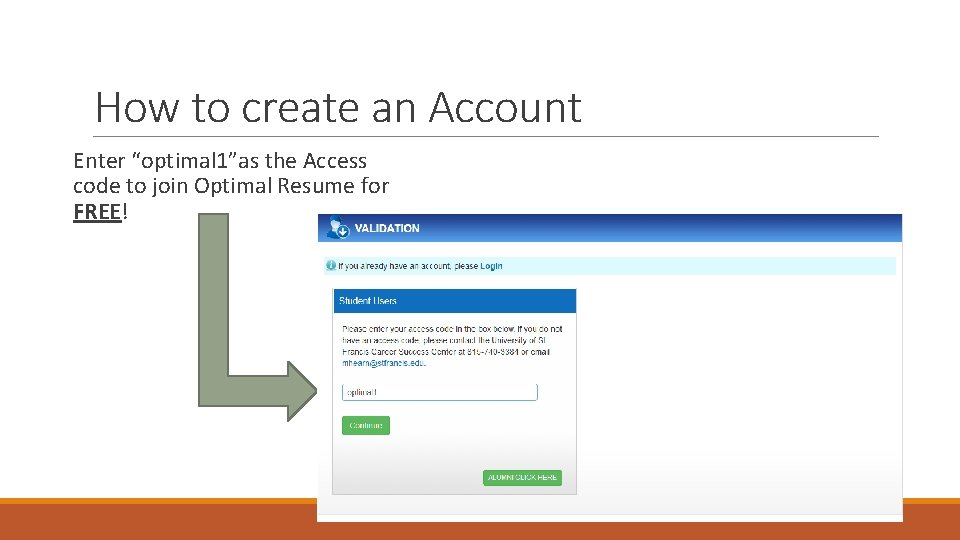
How to create an Account Enter “optimal 1”as the Access code to join Optimal Resume for FREE!
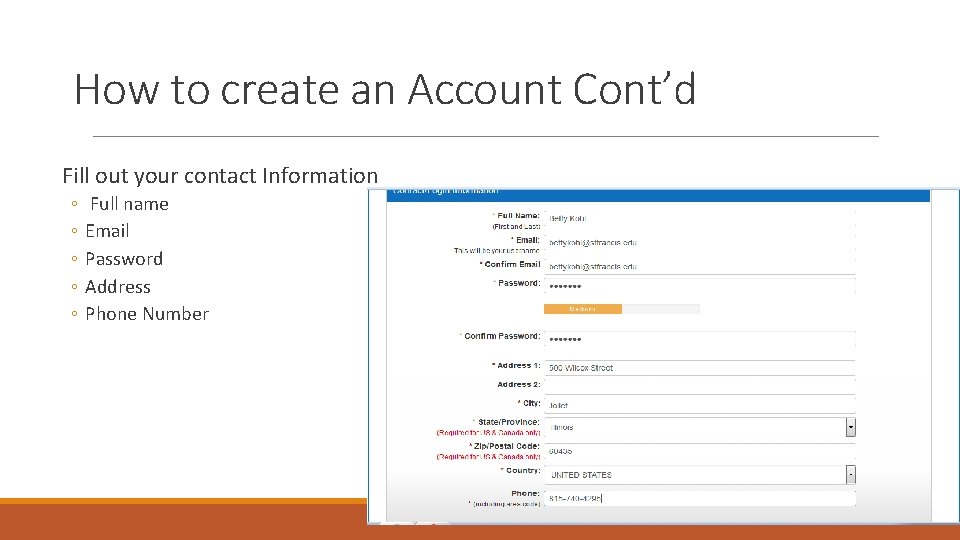
How to create an Account Cont’d Fill out your contact Information ◦ ◦ ◦ Full name Email Password Address Phone Number
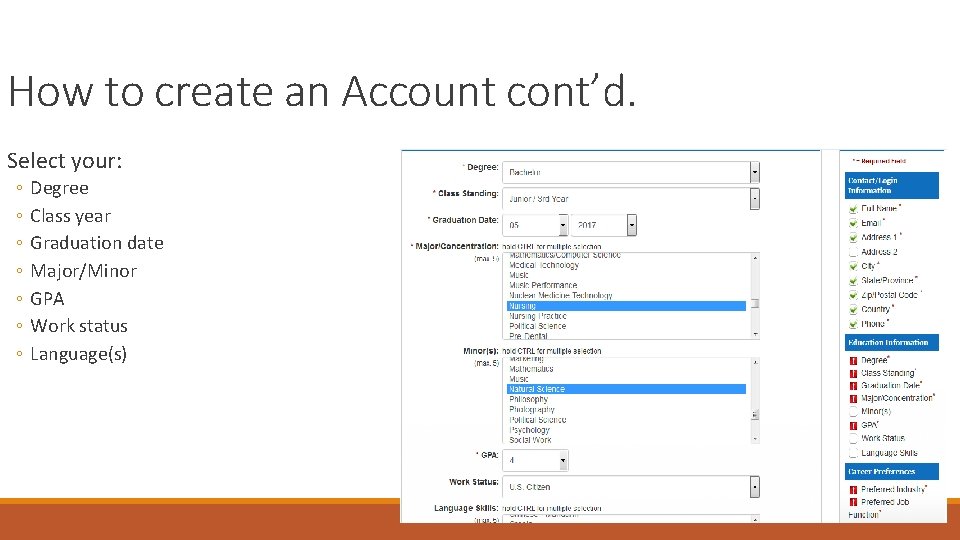
How to create an Account cont’d. Select your: ◦ ◦ ◦ ◦ Degree Class year Graduation date Major/Minor GPA Work status Language(s)
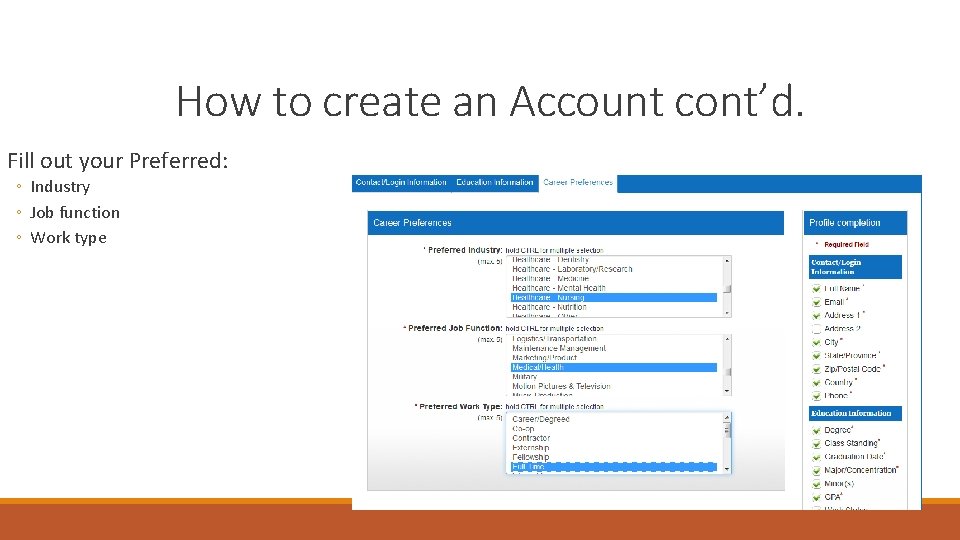
How to create an Account cont’d. Fill out your Preferred: ◦ Industry ◦ Job function ◦ Work type
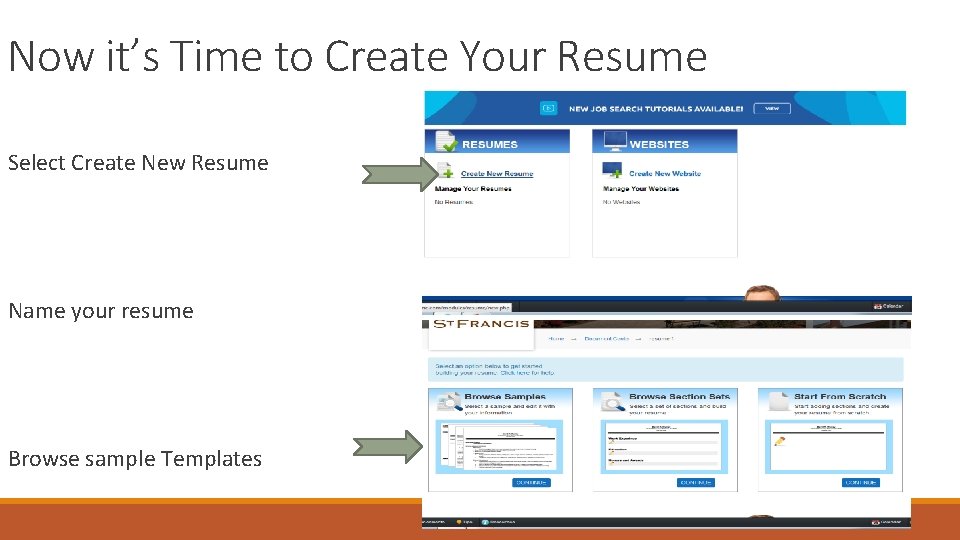
Now it’s Time to Create Your Resume Select Create New Resume Name your resume Browse sample Templates
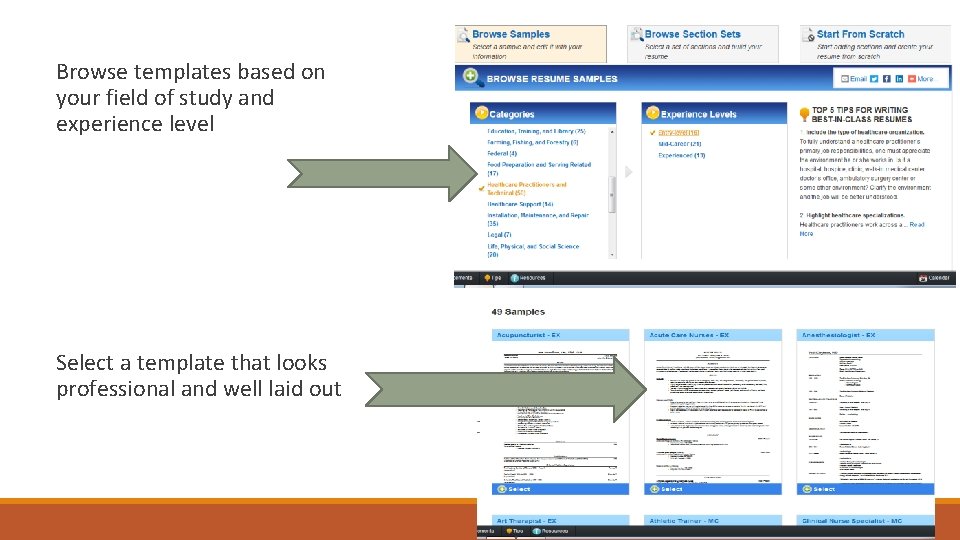
Browse templates based on your field of study and experience level Select a template that looks professional and well laid out
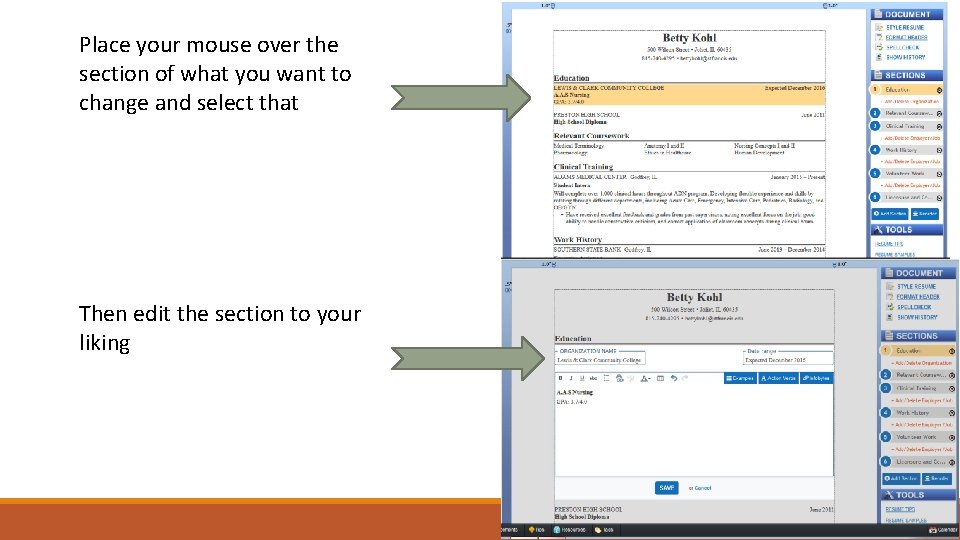
Place your mouse over the section of what you want to change and select that Then edit the section to your liking
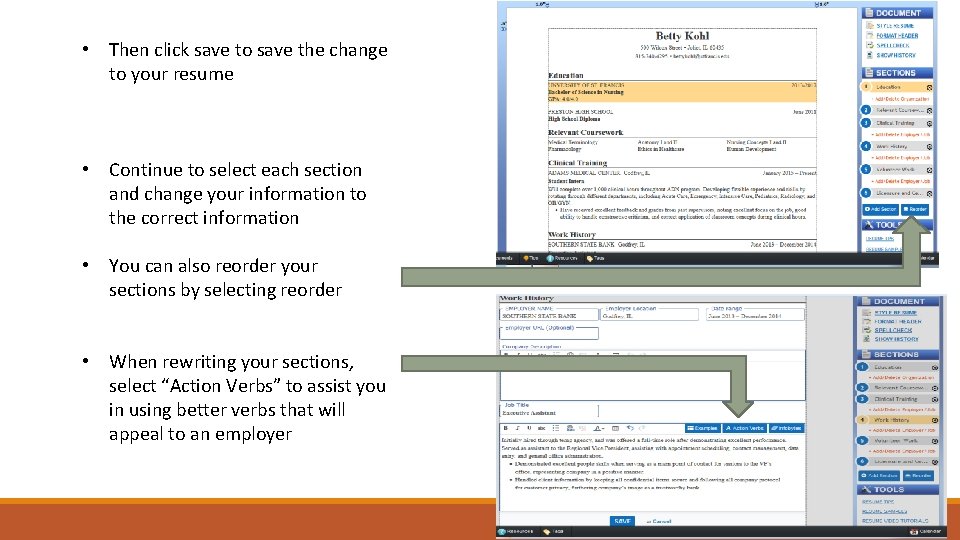
• Then click save to save the change to your resume • Continue to select each section and change your information to the correct information • You can also reorder your sections by selecting reorder • When rewriting your sections, select “Action Verbs” to assist you in using better verbs that will appeal to an employer
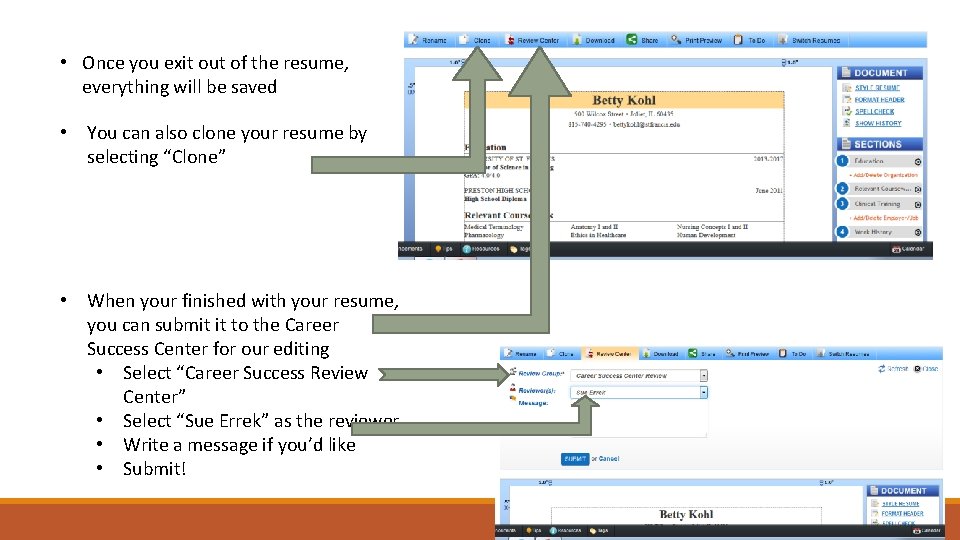
• Once you exit out of the resume, everything will be saved • You can also clone your resume by selecting “Clone” • When your finished with your resume, you can submit it to the Career Success Center for our editing • Select “Career Success Review Center” • Select “Sue Errek” as the reviewer • Write a message if you’d like • Submit!