
How to complete a screening using a Physician
- Slides: 6
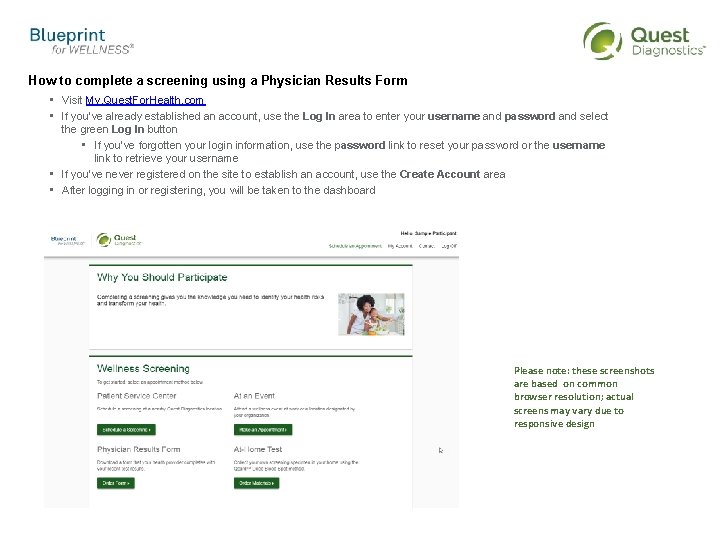
How to complete a screening using a Physician Results Form • Visit My. Quest. For. Health. com • If you’ve already established an account, use the Log In area to enter your username and password and select the green Log In button • If you’ve forgotten your login information, use the password link to reset your password or the username link to retrieve your username • If you’ve never registered on the site to establish an account, use the Create Account area • After logging in or registering, you will be taken to the dashboard Please note: these screenshots are based on common browser resolution; actual screens may vary due to responsive design
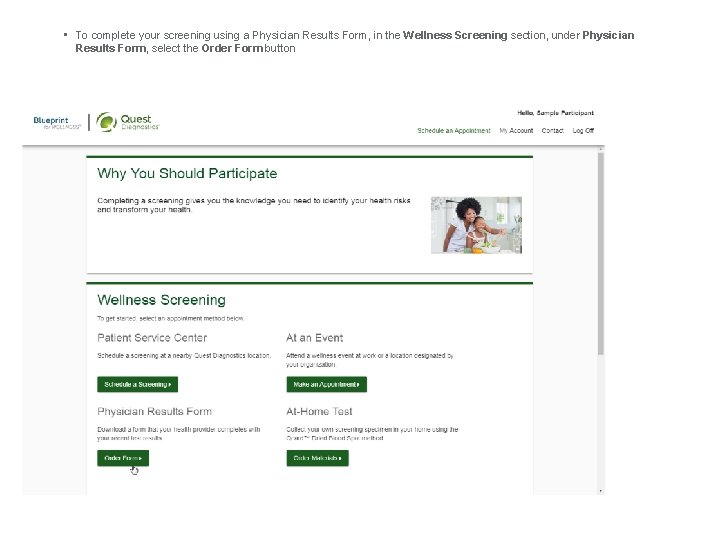
• To complete your screening using a Physician Results Form, in the Wellness Screening section, under Physician Results Form, select the Order Form button
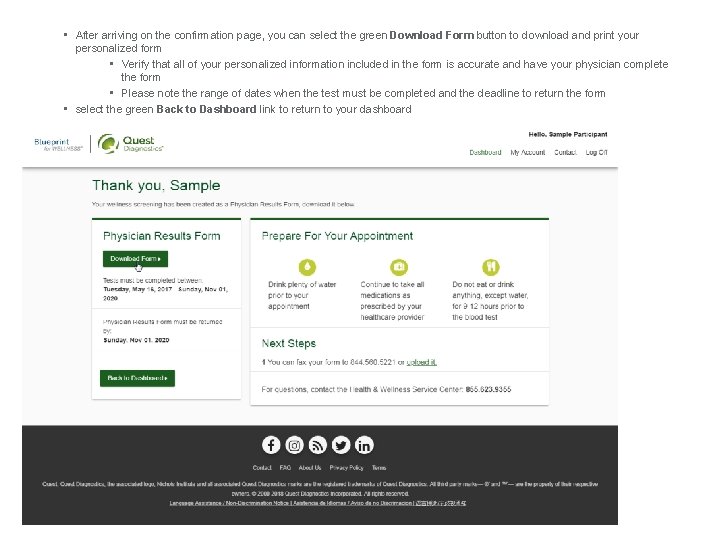
• After arriving on the confirmation page, you can select the green Download Form button to download and print your personalized form • Verify that all of your personalized information included in the form is accurate and have your physician complete the form • Please note the range of dates when the test must be completed and the deadline to return the form • select the green Back to Dashboard link to return to your dashboard
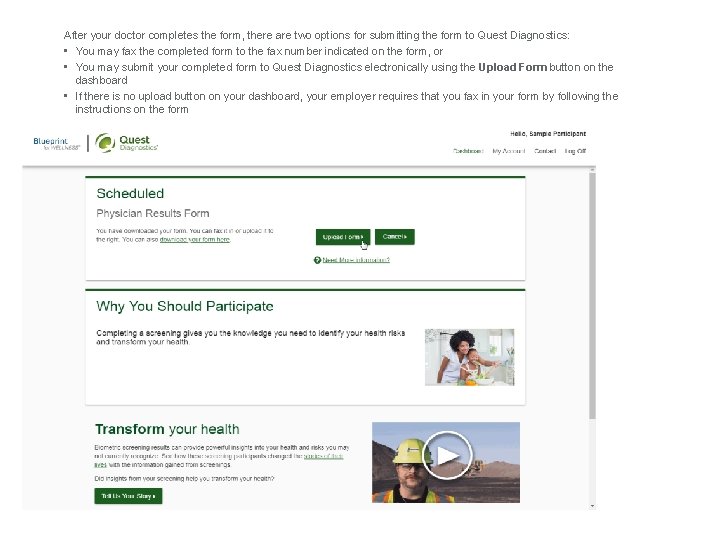
After your doctor completes the form, there are two options for submitting the form to Quest Diagnostics: • You may fax the completed form to the fax number indicated on the form, or • You may submit your completed form to Quest Diagnostics electronically using the Upload Form button on the dashboard • If there is no upload button on your dashboard, your employer requires that you fax in your form by following the instructions on the form
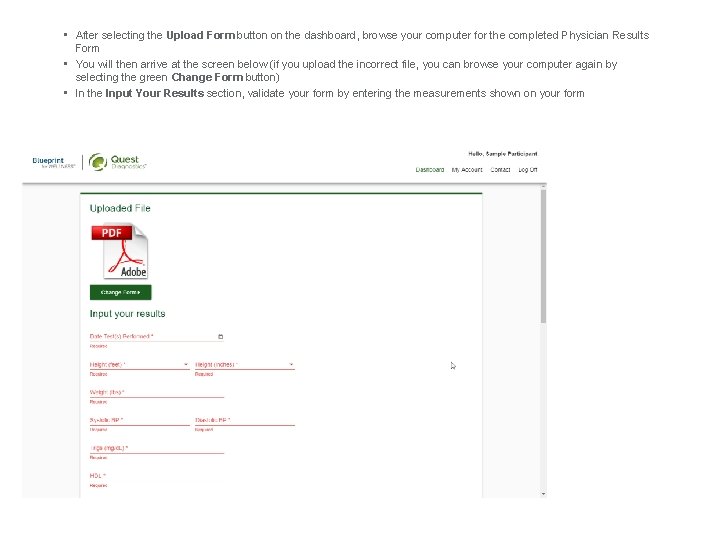
• After selecting the Upload Form button on the dashboard, browse your computer for the completed Physician Results Form • You will then arrive at the screen below (if you upload the incorrect file, you can browse your computer again by selecting the green Change Form button) • In the Input Your Results section, validate your form by entering the measurements shown on your form
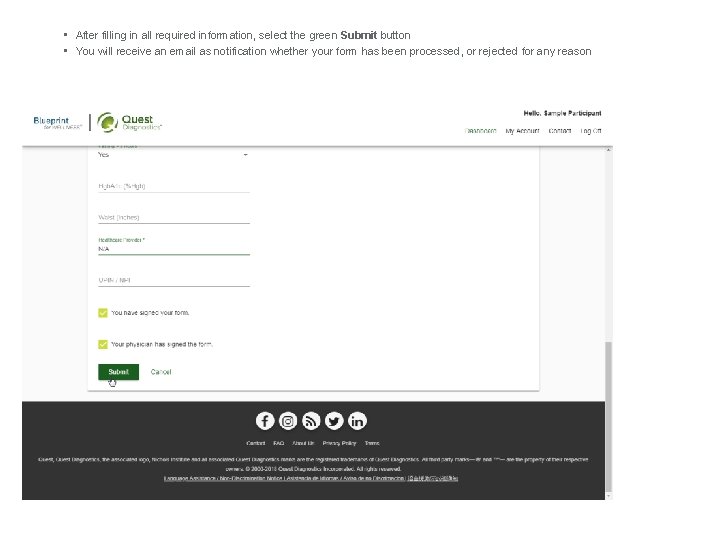
• After filling in all required information, select the green Submit button • You will receive an email as notification whether your form has been processed, or rejected for any reason