
How to Approach Ink Media Problems By Vadim

How to Approach Ink – Media Problems By: Vadim Baliasny © 2009 Hewlett-Packard Development Company, L. P. The information contained herein is subject to change without notice
Content Outline § § § § § Training Objectives Introduction Printing Technology - SBWB ↔ UV UV Ink in comparison to the solvent Shipping and Storage Condition - Preface Shipping Condition Storage Condition Safety working with UV inks Media/Ink Interaction Cross Cut Test Problems classification Ink Curing Problem Diagnosis Ink-Media Interaction Problem Diagnosis Machine Problem Diagnosis Print Quality Problem Diagnosis Samples Summary 2 Help Main Menu Back Forward
Training Objectives By the end of this module you will be able to § Separate between Machine, ink and Media problems § Tell the differences between UV ink and water base ink § Explain in which conditions the UV ink should be stored and transported § Work with UV ink while presenting safety precautions § Tell how the ink interacts with the media § Approach ink/media problem in a systematic manner 3 Help Main Menu Back Forward
Introduction – why ink/media problem is complicated Ink/media problems are different and more complicated than HW problems because: § § § HW is well known and same at all customer sites but there are different media types on the same site and definitely different between the sites. HW is almost not sensitive to environment conditions (temperature, humidity, static electricity, dust, sun light, etc) that cause strong effect on ink and media performance. Storage and transportation conditions are very important to ink and media future performance but not relevant to HW problems. 4 Help Main Menu Back Forward
Introduction – why ink/media problem is complicated, Cont’d. § § § During HW troubleshooting SE always has a standard, good and reliable HP part to replace. Media is supplied by many different manufacturers and has a very basic standards and wide tolerances. When SE gets DOA HP HW part – it could be discovered externally or by quick installation on the printer with certain results – working/not working. Ink replacement takes time; results are not immediate and could be not certain. Customer calls service immediately when HW problem happens. It makes investigation much simpler than in ink/media case when problem could be noticed much later then occurred. 5 Help Main Menu Back Forward
What is UV Ink 6 Help Main Menu Back Forward
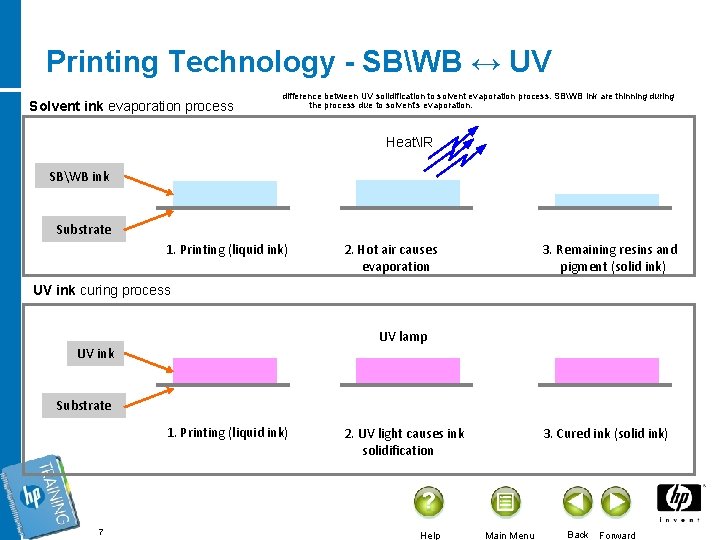
Printing Technology - SBWB ↔ UV Solvent ink evaporation process difference between UV solidification to solvent evaporation process. SBWB ink are thinning during the process due to solvent’s evaporation. HeatIR SBWB ink Substrate 1. Printing (liquid ink) 2. Hot air causes evaporation 3. Remaining resins and pigment (solid ink) UV ink curing process UV lamp UV ink Substrate 1. Printing (liquid ink) 7 2. UV light causes ink solidification Help 3. Cured ink (solid ink) Main Menu Back Forward
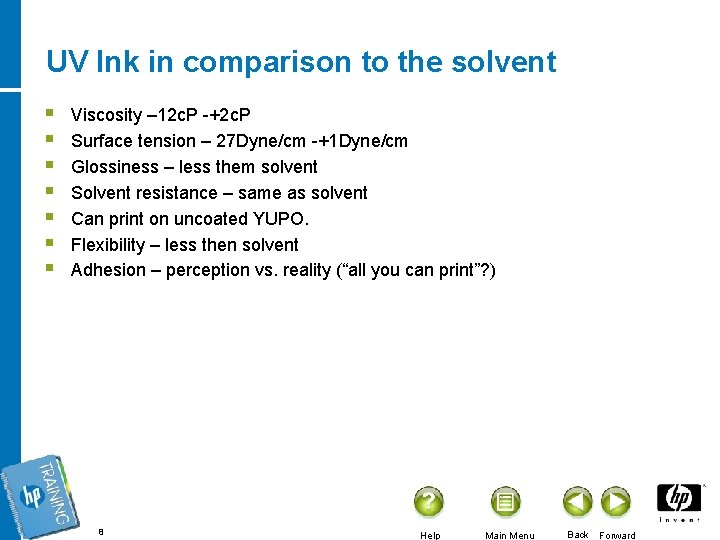
UV Ink in comparison to the solvent § § § § Viscosity – 12 c. P -+2 c. P Surface tension – 27 Dyne/cm -+1 Dyne/cm Glossiness – less them solvent Solvent resistance – same as solvent Can print on uncoated YUPO. Flexibility – less then solvent Adhesion – perception vs. reality (“all you can print”? ) 8 Help Main Menu Back Forward
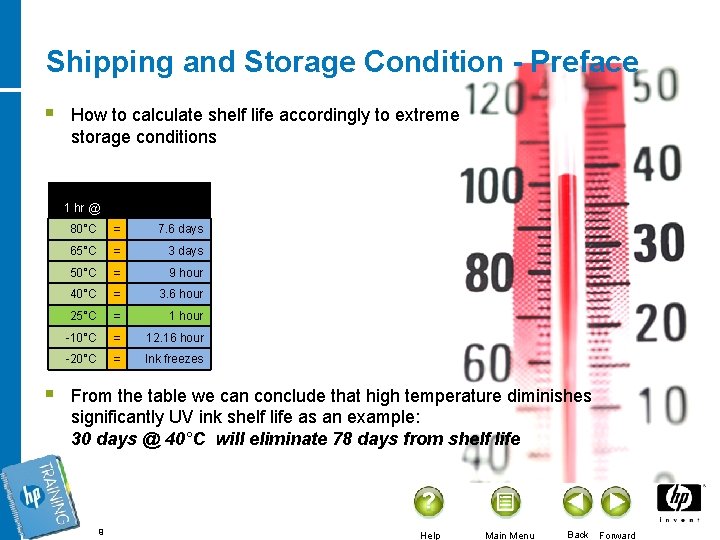
Shipping and Storage Condition - Preface § § How to calculate shelf life accordingly to extreme storage conditions 1 hr @ 80°C = 7. 6 days 65°C = 3 days 50°C = 9 hour 40°C = 3. 6 hour 25°C = 1 hour -10°C = 12. 16 hour -20°C = Ink freezes From the table we can conclude that high temperature diminishes significantly UV ink shelf life as an example: 30 days @ 40°C will eliminate 78 days from shelf life 9 Help Main Menu Back Forward
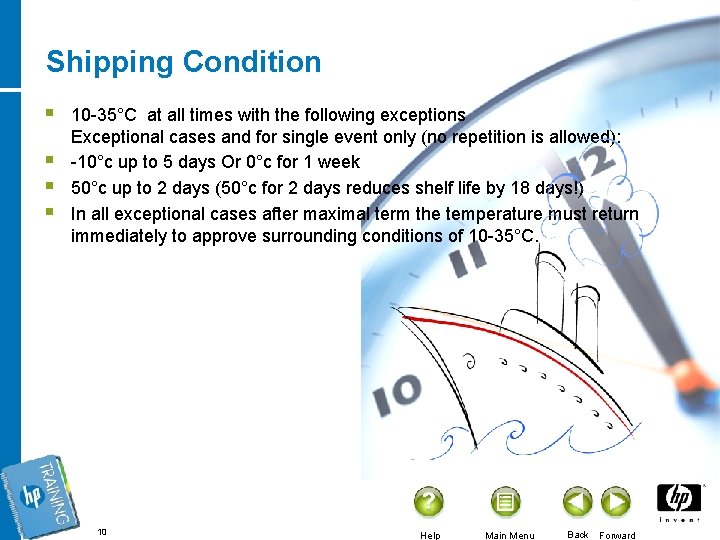
Shipping Condition § § 10 -35°C at all times with the following exceptions Exceptional cases and for single event only (no repetition is allowed): -10°c up to 5 days Or 0°c for 1 week 50°c up to 2 days (50°c for 2 days reduces shelf life by 18 days!) In all exceptional cases after maximal term the temperature must return immediately to approve surrounding conditions of 10 -35°C. 10 Help Main Menu Back Forward
Storage Condition § § § Store at temperatures between 15°C-30°C at all time no exception allowed! § 20 -25°C is optimal Store in opaque containers Prevent freezing Use within the expired limitation time Conditions to avoid § Elevated temperatures § Direct sunlight § Localized or direct heat sources Follow all federal, state, and local regulations when disposing of materials 11 Help Main Menu Back Forward
Safety working with UV inks § § § Knowledge of UV materials § Thoroughly read and understand the MSDS before using material Personal protective equipment (PPE) § Skin protection § Gloves (Nitrile or Butyl Rubber) - do not use latex gloves § Protective clothing (apron, work clothes) § Safety shoes (leather works best) - do not wear canvas or suede shoes § Eye protection Personal Hygiene § Remove watches, rings, etc before working with materials to avoid contamination § Wash hands after handling materials (even if gloves are used) § Frequently remove and replace contaminated PPE or clothing § DO NOT eat, drink, or smoke in work area 12 Help Main Menu Back Forward

Ink and Media Interaction 13 Help Main Menu Back Forward
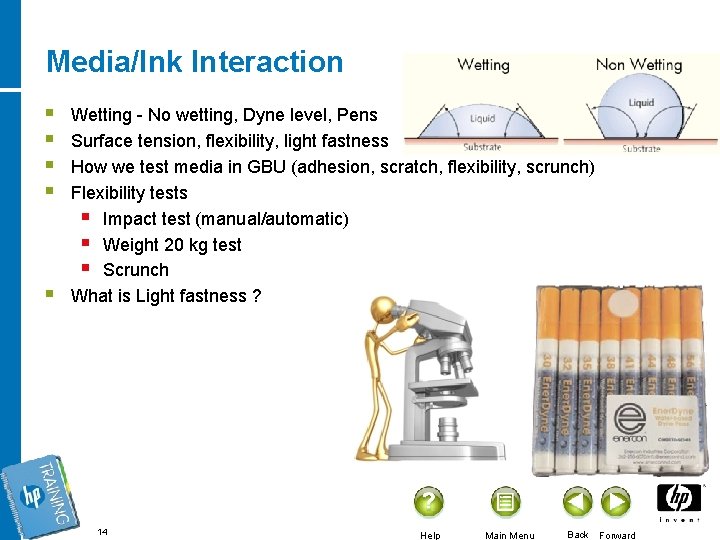
Media/Ink Interaction § § § Wetting - No wetting, Dyne level, Pens Surface tension, flexibility, light fastness How we test media in GBU (adhesion, scratch, flexibility, scrunch) Flexibility tests § Impact test (manual/automatic) § Weight 20 kg test § Scrunch What is Light fastness ? 14 Help Main Menu Back Forward
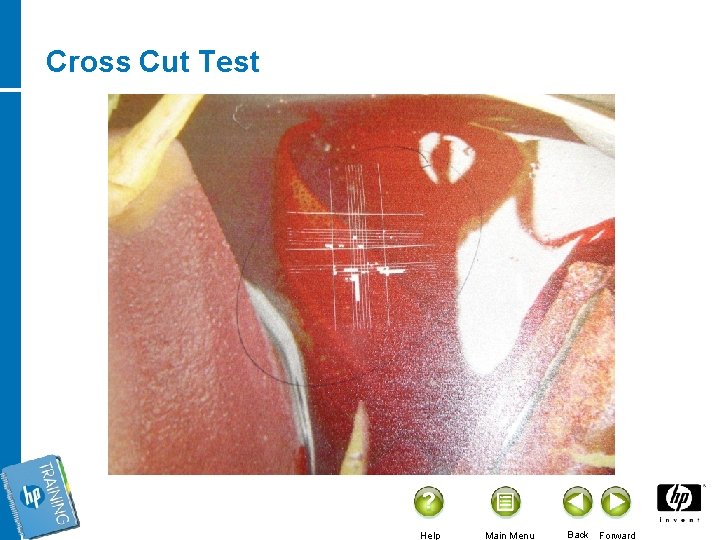
Cross Cut Test Help Main Menu Back Forward
Algorithm – Facing Ink/Media Problems 16 Help Main Menu Back Forward
Problems classification § § Drying/curing performance § Ink not dry/cured Media related § Adhesion, light fastness, abrasion, flexibility, etc HW affecting § Ink system parts damaging (PH, pumps, filters, pipes, manifolds) Quality § Color gamut, overspray, bleeding, color shift, etc 17 Help Main Menu Back Forward
Ink Curing Problem Diagnosis § § § Does problem appear on specific separation or all separations? Does problem appear on all UV lamp/dryer setups? Does problem appear on all print modes? 18 Help Main Menu Back Forward
Ink-Media Interaction Problem Diagnosis § § § Does problem appear on all media types? Does problem appear on other ink versions? Does problem appear on all print modes? Does problem appear on the same media on other machines? When problem appears – just after the print, after some time on site, while finishing/installation, in post installation period. 19 Help Main Menu Back Forward

Machine Problem Diagnosis § § § Does problem appear with the same ink batch on other machines (preferably the same site machine)? Does problem appear on the same machine and different type/batch of ink? Does problem appear on one/few/all separations? 20 Help Main Menu Back Forward
Print Quality Problem Diagnosis § § Is problem connected to specific separation or all separations? Is problem is connected to specific media type? Is problem connected to specific print mode? Does problem appear on the other machine of the same type at the same site or other sites? 21 Help Main Menu Back Forward
Common samples for ink/media problems 22 Help Main Menu Back Forward
Samples § § Color Shift § PLM § PEEQ Media Porosity § Duggal on canvas Light Fastness § National Posters Ink wetting/adhesion § Deremaux on PE 23 Help Main Menu Back Forward
Samples § § § Undercuring and flexibility § Graphic House § Gardners Ink Chipping § PLM on Styrene Unclear problems § Heads clogging (Galande) § Flashing Fluid affected problems (East Asia) § Adhesion problem (Masterprint, Bay Imagery, Image Option) 24 Help Main Menu Back Forward
Summary § § § Now you have tools to handle ink-media problems We saw that ink-media problems can be analyzed and handled § Don’t give up or despair of such problems Ink has its limitations and so does the media. It is important to be familiar and cope with these limitations When needed, tell the customer that the media he is using will not work with our ink Only in case you cannot get clear results with your tests in the customer site, you may send us the customer’s media for testing. Nevertheless in many cases we will see the same behavior viewed in the customer site Help Main Menu Back Forward

Thank You Vadim Baliasny © 2009 Hewlett-Packard Development Company, L. P. The information contained herein is subject to change without notice
- Slides: 26