
How to Apply for an NPI Instructions for
- Slides: 22
How to Apply for an NPI Instructions for Completing the National Provider Identifier (NPI) Online Application 12 -10 -11
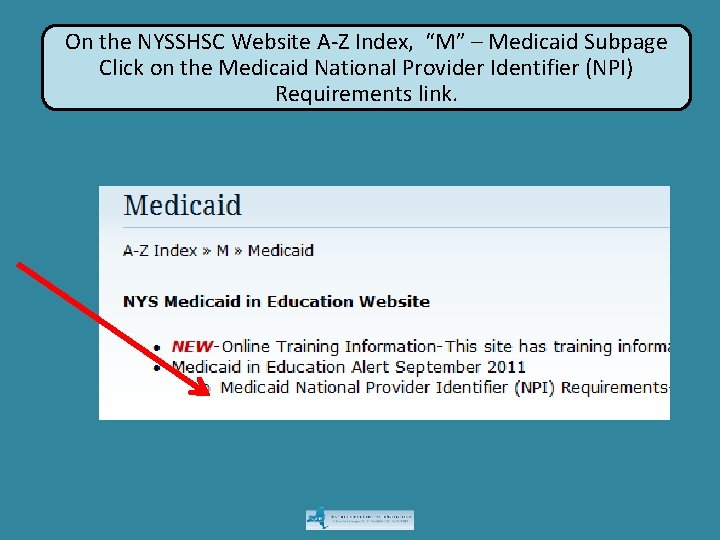
On the NYSSHSC Website A-Z Index, “M” – Medicaid Subpage Click on the Medicaid National Provider Identifier (NPI) Requirements link.
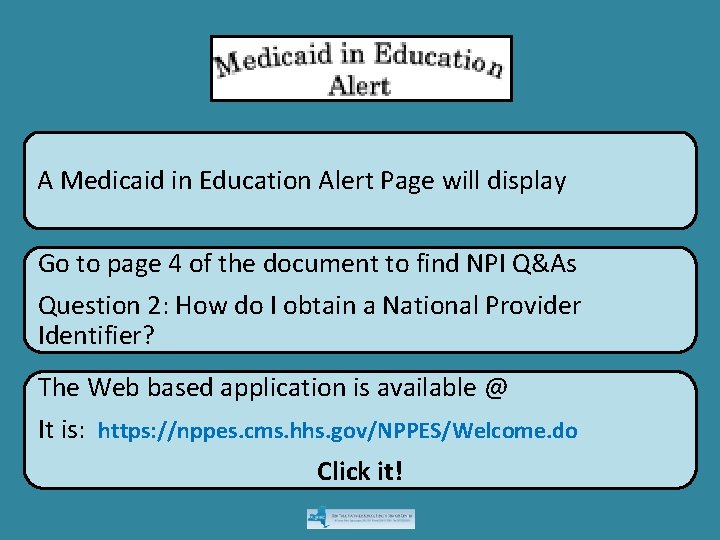
A Medicaid in Education Alert Page will display Go to page 4 of the document to find NPI Q&As Question 2: How do I obtain a National Provider Identifier? The Web based application is available @ It is: https: //nppes. cms. hhs. gov/NPPES/Welcome. do Click it!
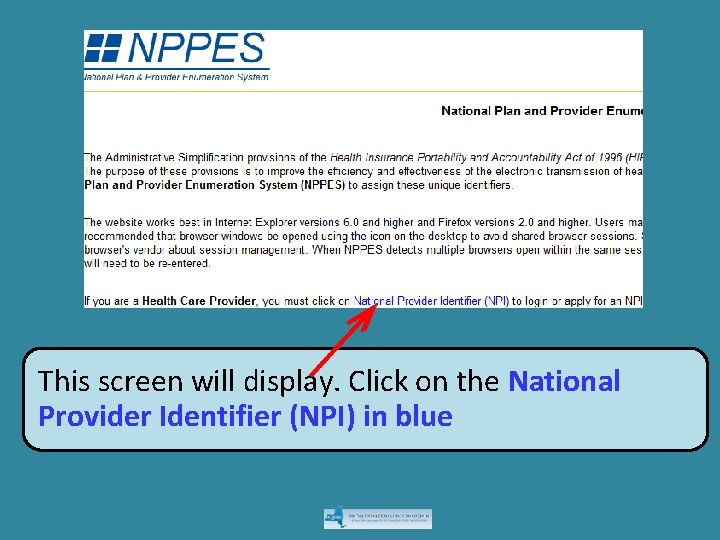
This screen will display. Click on the National Provider Identifier (NPI) in blue
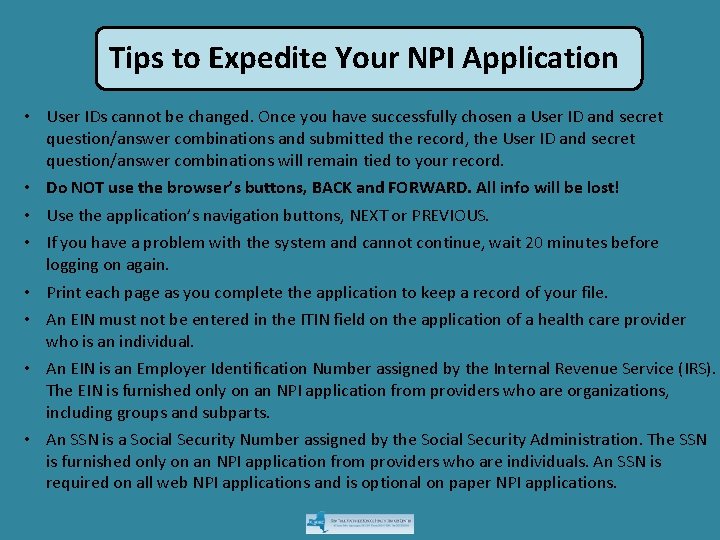
Tips to Expedite Your NPI Application • User IDs cannot be changed. Once you have successfully chosen a User ID and secret question/answer combinations and submitted the record, the User ID and secret question/answer combinations will remain tied to your record. • Do NOT use the browser’s buttons, BACK and FORWARD. All info will be lost! • Use the application’s navigation buttons, NEXT or PREVIOUS. • If you have a problem with the system and cannot continue, wait 20 minutes before logging on again. • Print each page as you complete the application to keep a record of your file. • An EIN must not be entered in the ITIN field on the application of a health care provider who is an individual. • An EIN is an Employer Identification Number assigned by the Internal Revenue Service (IRS). The EIN is furnished only on an NPI application from providers who are organizations, including groups and subparts. • An SSN is a Social Security Number assigned by the Social Security Administration. The SSN is furnished only on an NPI application from providers who are individuals. An SSN is required on all web NPI applications and is optional on paper NPI applications.
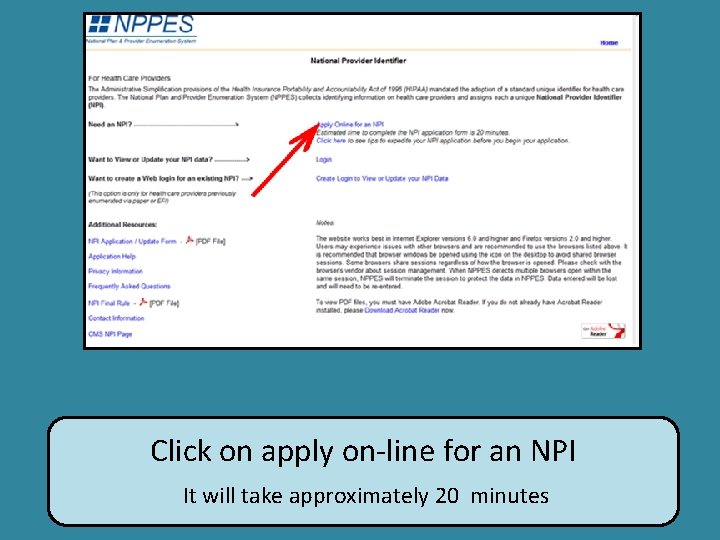
Click on apply on-line for an NPI It will take approximately 20 minutes
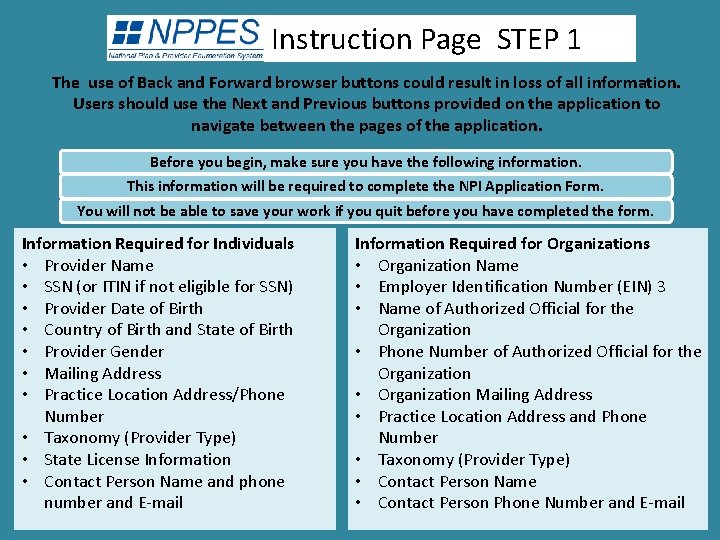
Instruction Page STEP 1 The use of Back and Forward browser buttons could result in loss of all information. Users should use the Next and Previous buttons provided on the application to navigate between the pages of the application. Before you begin, make sure you have the following information. This information will be required to complete the NPI Application Form. You will not be able to save your work if you quit before you have completed the form. Information Required for Individuals • Provider Name • SSN (or ITIN if not eligible for SSN) • Provider Date of Birth • Country of Birth and State of Birth • Provider Gender • Mailing Address • Practice Location Address/Phone Number • Taxonomy (Provider Type) • State License Information • Contact Person Name and phone number and E-mail Information Required for Organizations • Organization Name • Employer Identification Number (EIN) 3 • Name of Authorized Official for the Organization • Phone Number of Authorized Official for the Organization • Organization Mailing Address • Practice Location Address and Phone Number • Taxonomy (Provider Type) • Contact Person Name • Contact Person Phone Number and E-mail
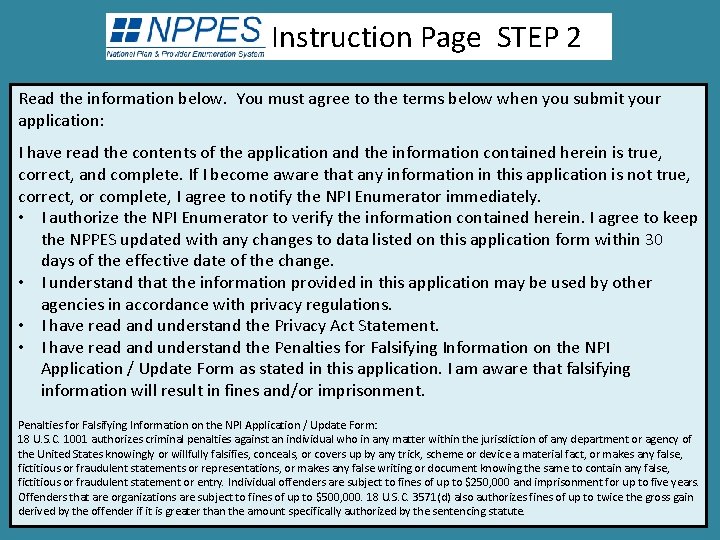
Instruction Page STEP 2 Read the information below. You must agree to the terms below when you submit your application: I have read the contents of the application and the information contained herein is true, correct, and complete. If I become aware that any information in this application is not true, correct, or complete, I agree to notify the NPI Enumerator immediately. • I authorize the NPI Enumerator to verify the information contained herein. I agree to keep the NPPES updated with any changes to data listed on this application form within 30 days of the effective date of the change. • I understand that the information provided in this application may be used by other agencies in accordance with privacy regulations. • I have read and understand the Privacy Act Statement. • I have read and understand the Penalties for Falsifying Information on the NPI Application / Update Form as stated in this application. I am aware that falsifying information will result in fines and/or imprisonment. Penalties for Falsifying Information on the NPI Application / Update Form: 18 U. S. C. 1001 authorizes criminal penalties against an individual who in any matter within the jurisdiction of any department or agency of the United States knowingly or willfully falsifies, conceals, or covers up by any trick, scheme or device a material fact, or makes any false, fictitious or fraudulent statements or representations, or makes any false writing or document knowing the same to contain any false, fictitious or fraudulent statement or entry. Individual offenders are subject to fines of up to $250, 000 and imprisonment for up to five years. Offenders that are organizations are subject to fines of up to $500, 000. 18 U. S. C. 3571(d) also authorizes fines of up to twice the gross gain derived by the offender if it is greater than the amount specifically authorized by the sentencing statute.
Instruction Page STEP 3 This is the last step. Click on:
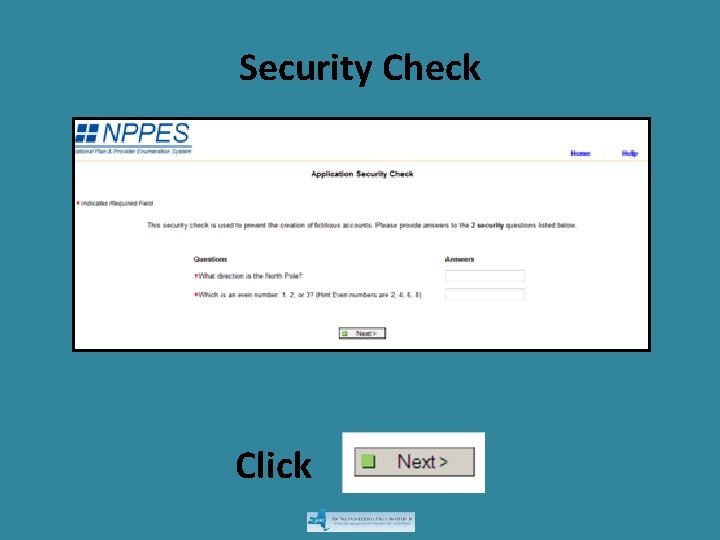
Security Check Click
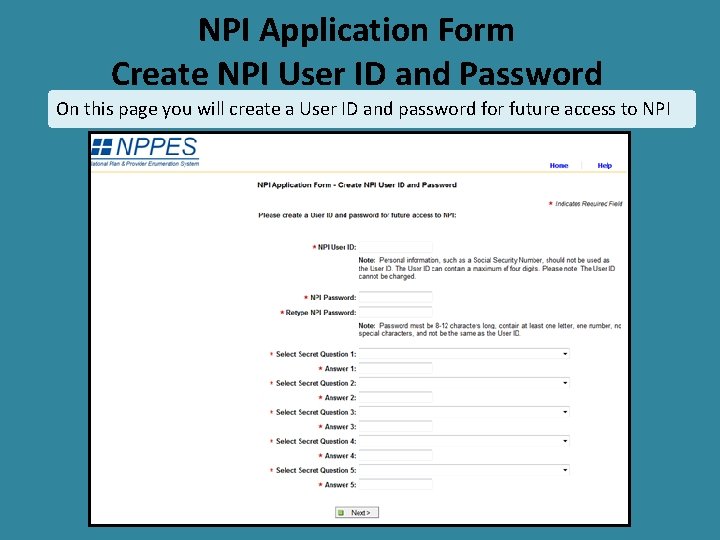
NPI Application Form Create NPI User ID and Password On this page you will create a User ID and password for future access to NPI
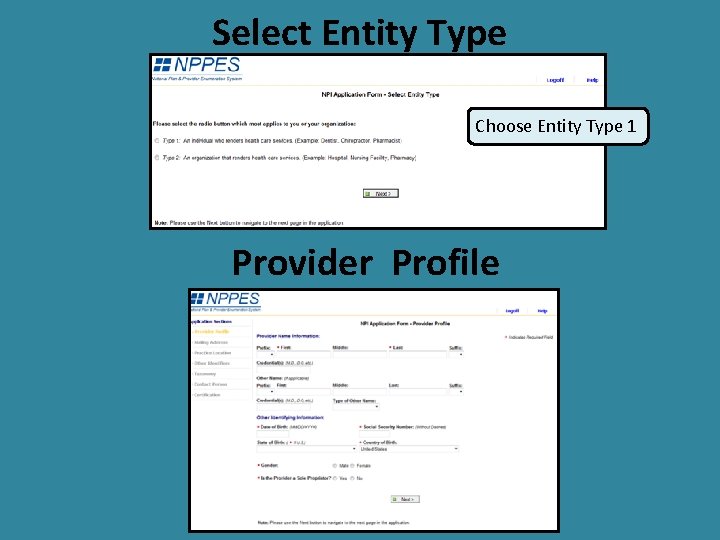
Select Entity Type Choose Entity Type 1 Provider Profile
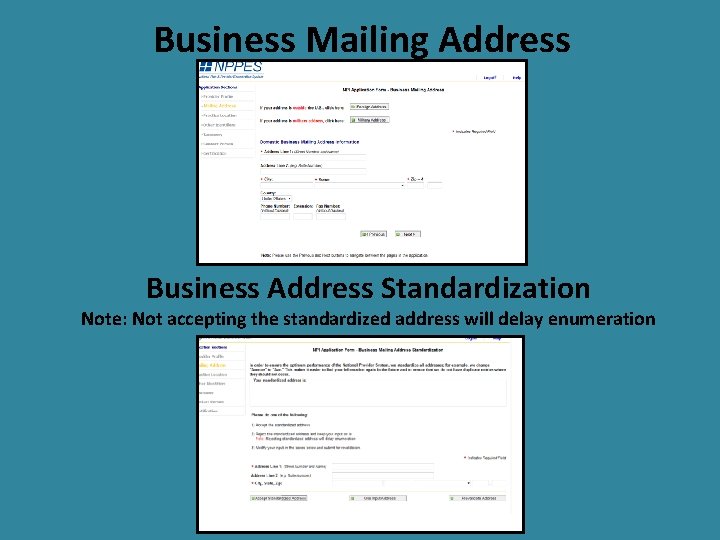
Business Mailing Address Business Address Standardization Note: Not accepting the standardized address will delay enumeration
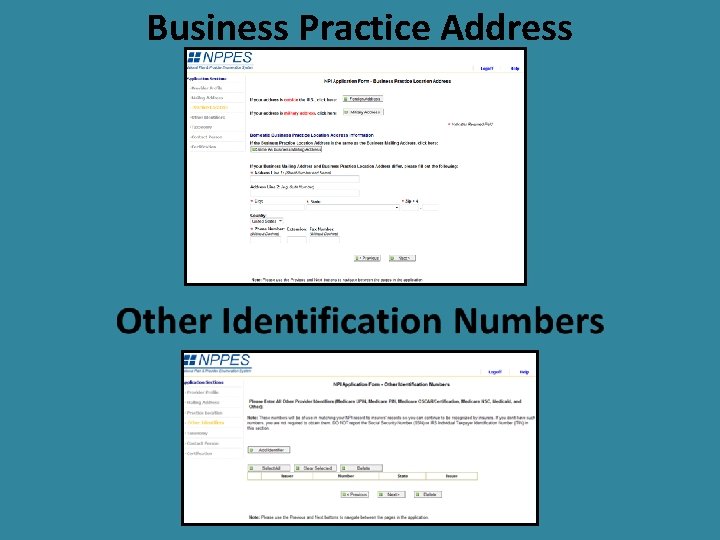
Business Practice Address
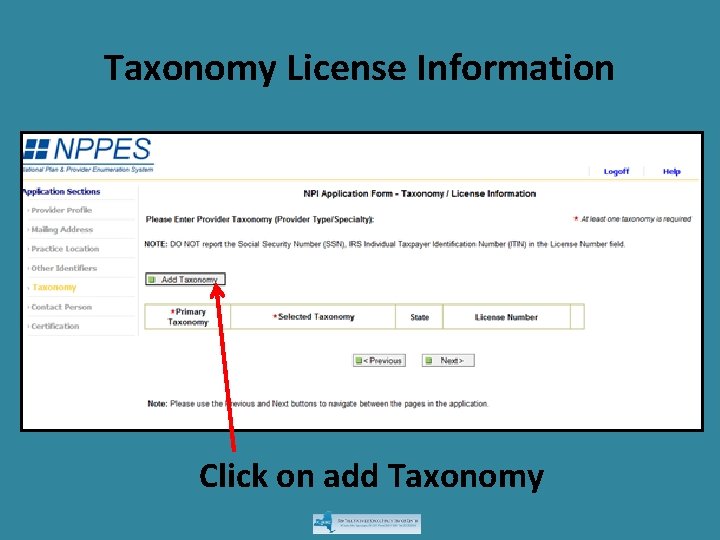
Taxonomy License Information Click on add Taxonomy
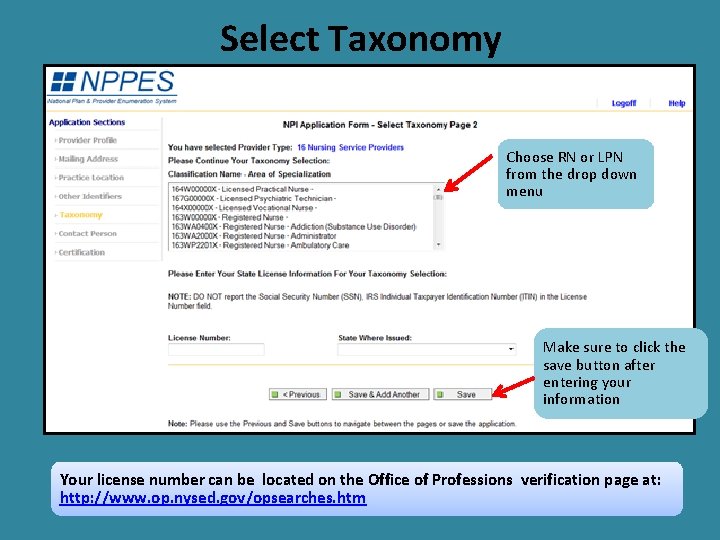
Select Taxonomy Choose RN or LPN from the drop down menu Make sure to click the save button after entering your information Your license number can be located on the Office of Professions verification page at: http: //www. op. nysed. gov/opsearches. htm
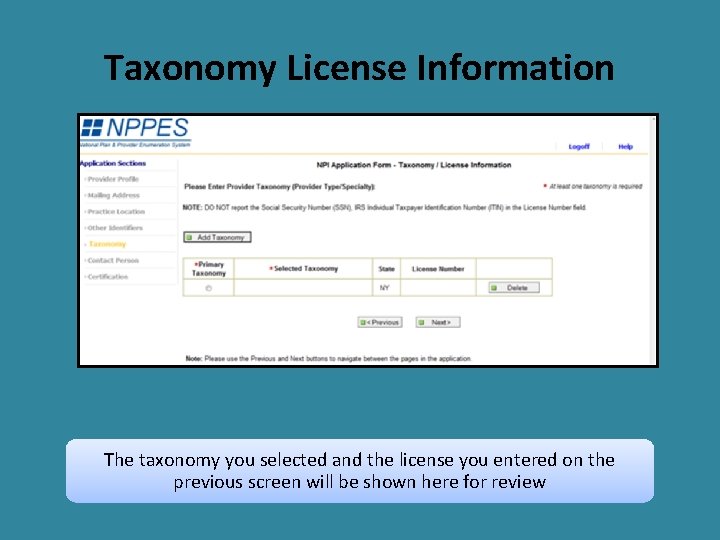
Taxonomy License Information The taxonomy you selected and the license you entered on the previous screen will be shown here for review
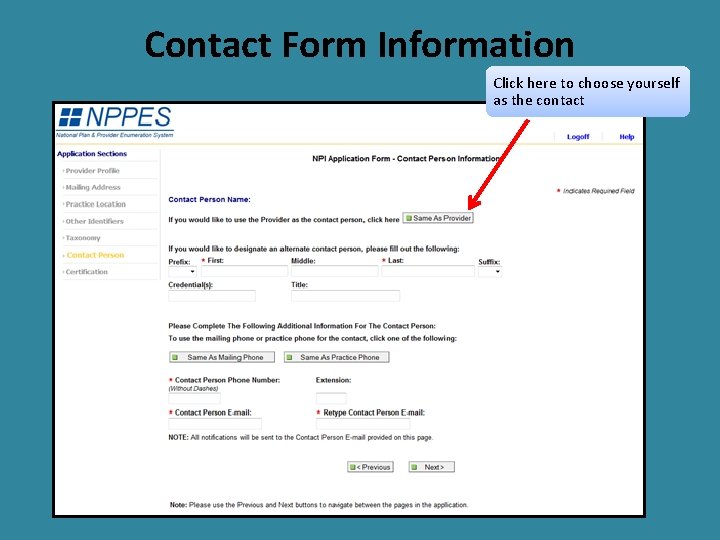
Contact Form Information Click here to choose yourself as the contact
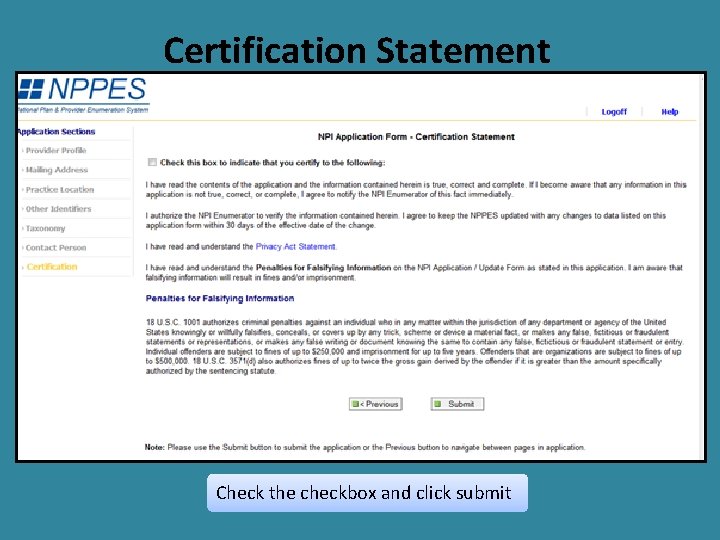
Certification Statement Check the checkbox and click submit
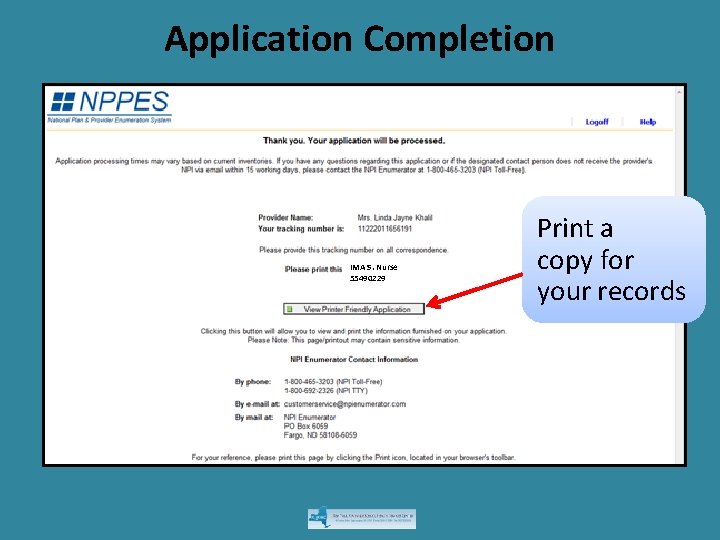
Application Completion IMA S. Nurse 55490229 Print a copy for your records
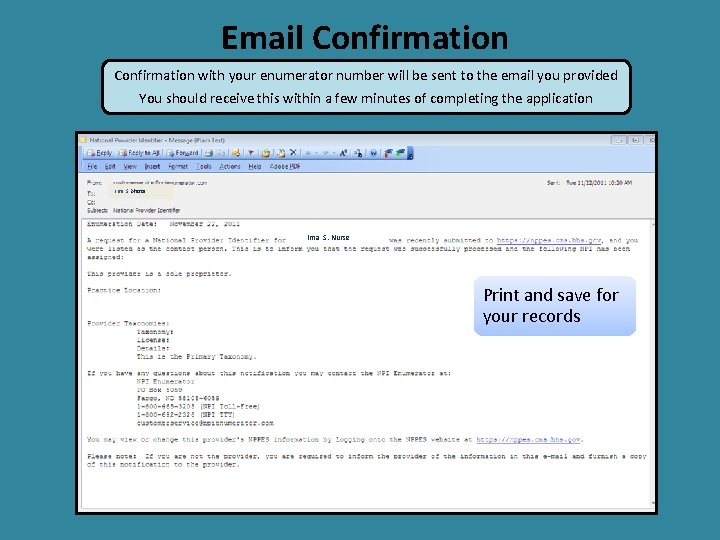
Email Confirmation with your enumerator number will be sent to the email you provided You should receive this within a few minutes of completing the application Ima S. Nurse Print and save for your records
Need Help? If you need additional help or have any questions concerning your application, contact the NPI Enumerator at: Phone: • 1 -800 -465 -3203 (NPI Toll-Free) • 1 -800 -692 -2326 (NPI TTY) Email: customerservice@npienumerator. com Mail NPI Enumerator PO Box 6059 Fargo, ND 58108 -6059