
HOW THE INTERNET WORKS Nobody owns the internet
HOW THE INTERNET WORKS? Ø Nobody owns the internet Ø Global collection of networks Ø Began in 1969
Common Browsers Mozilla Firefox Internet Explorer
Start Menu Desktop Icon
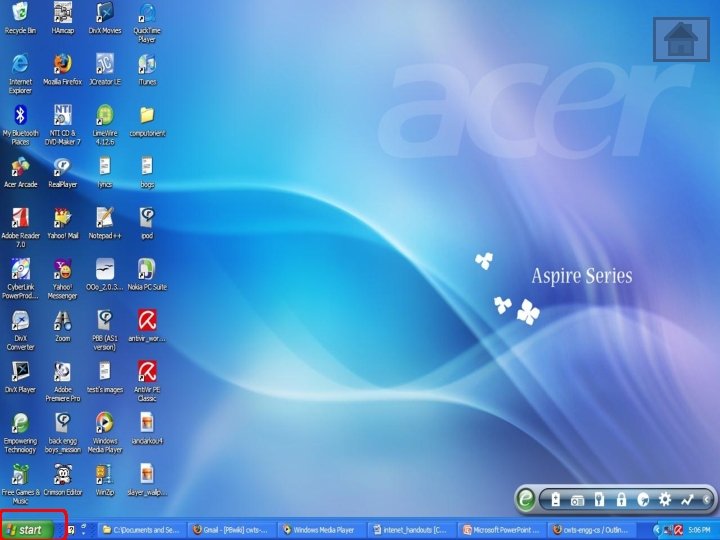
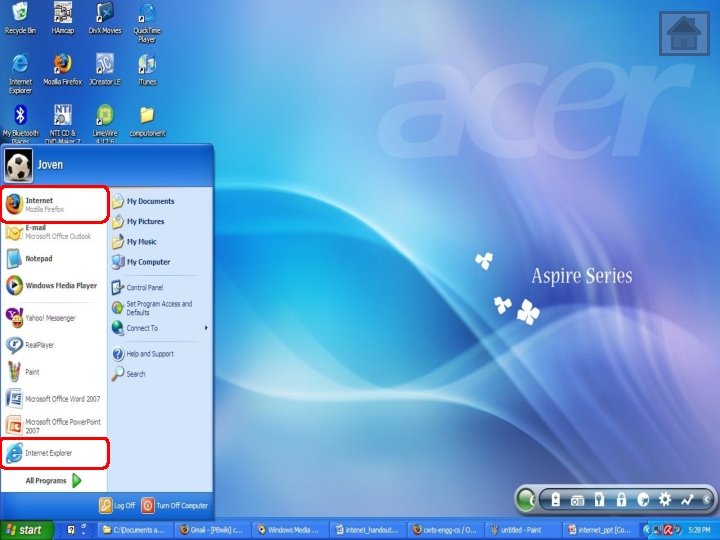
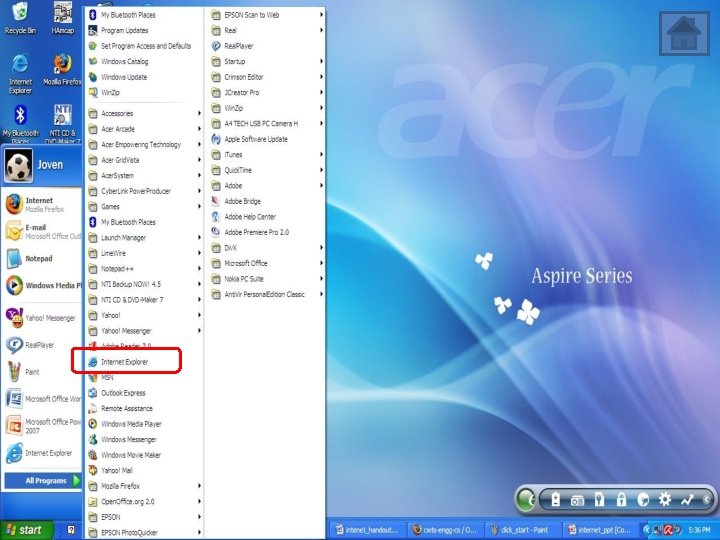
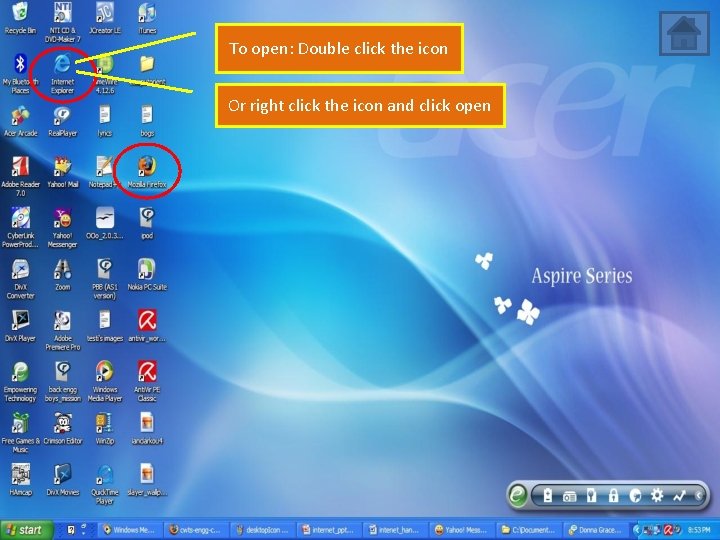
To open: Double click the icon Or right click the icon and click open
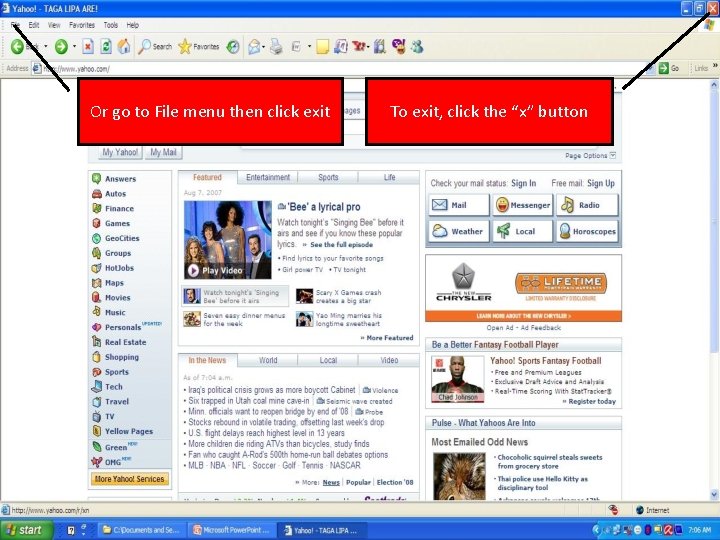
Or go to File menu then click exit To exit, click the “x” button
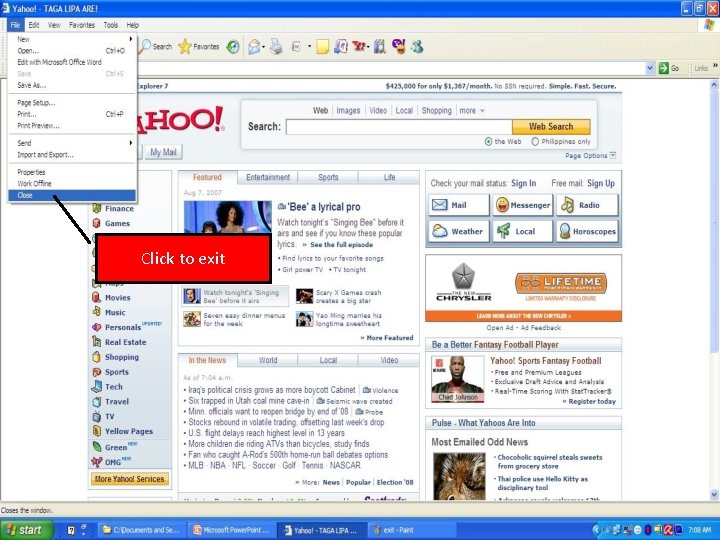
Click to exit
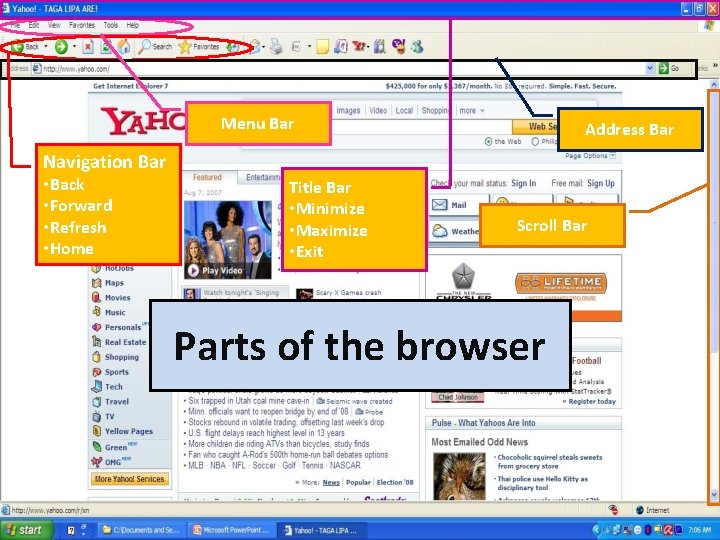
Menu Bar Address Bar Navigation Bar • Back • Forward • Refresh • Home Title Bar • Minimize • Maximize • Exit Scroll Bar Parts of the browser
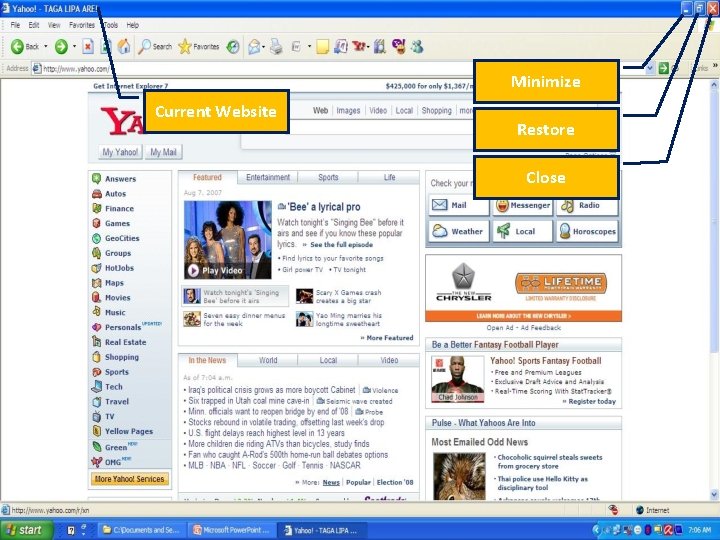
Minimize Current Website Restore Close
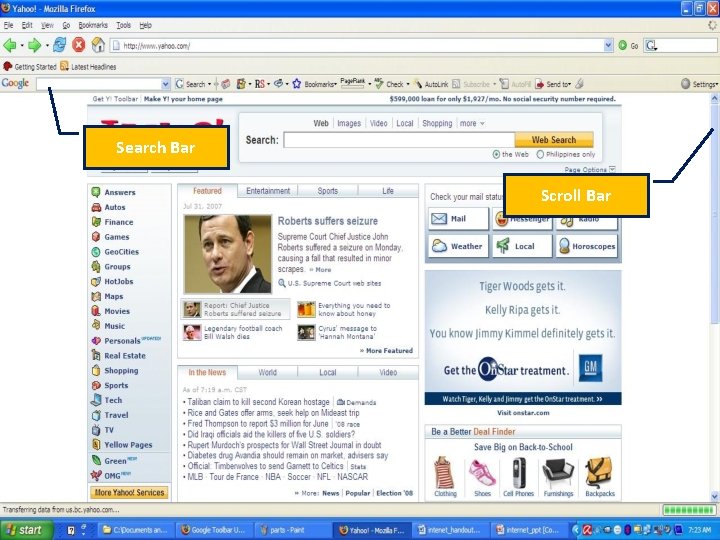
Search Bar Scroll Bar
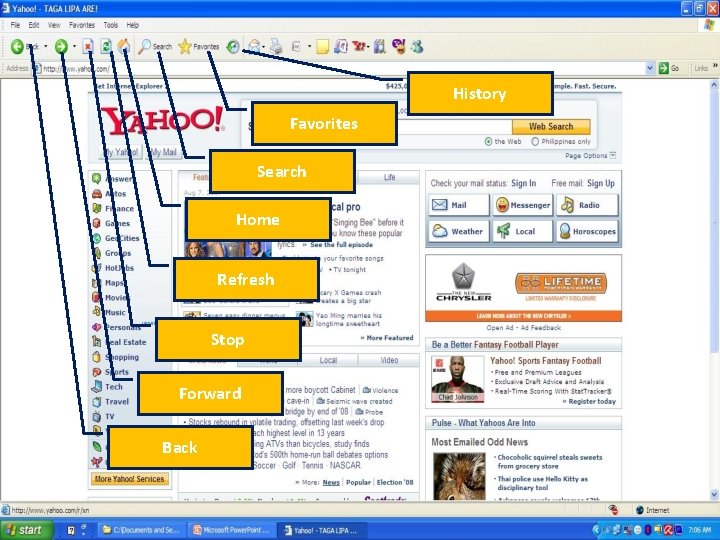
History Favorites Search Home Refresh Stop Forward Back
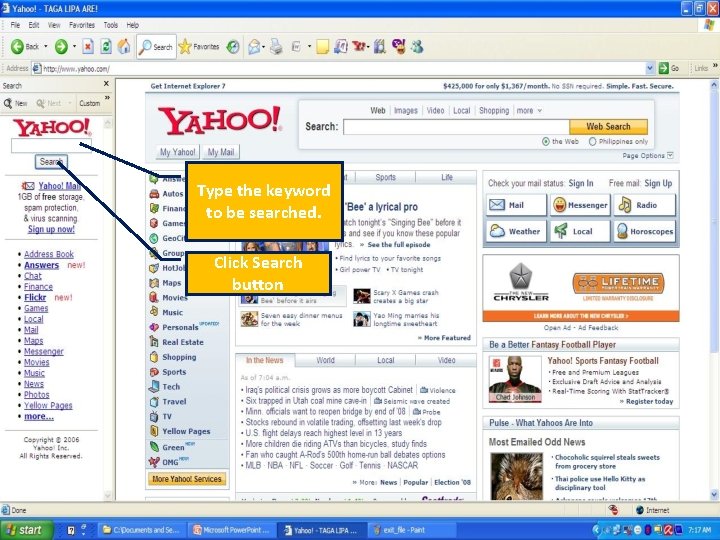
Type the keyword to be searched. Click Search button
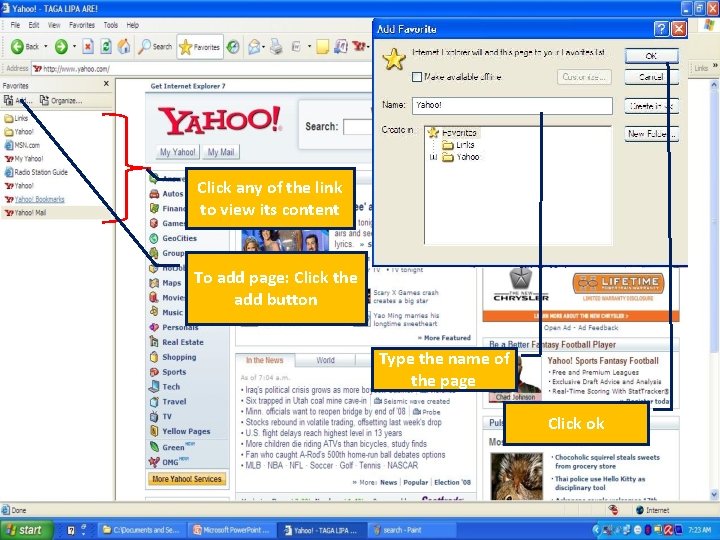
Click any of the link to view its content To add page: Click the add button Type the name of the page Click ok
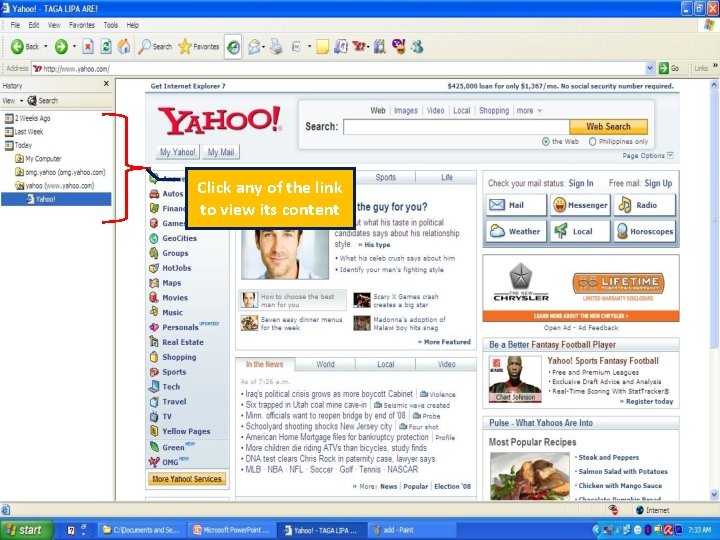
Click any of the link to view its content
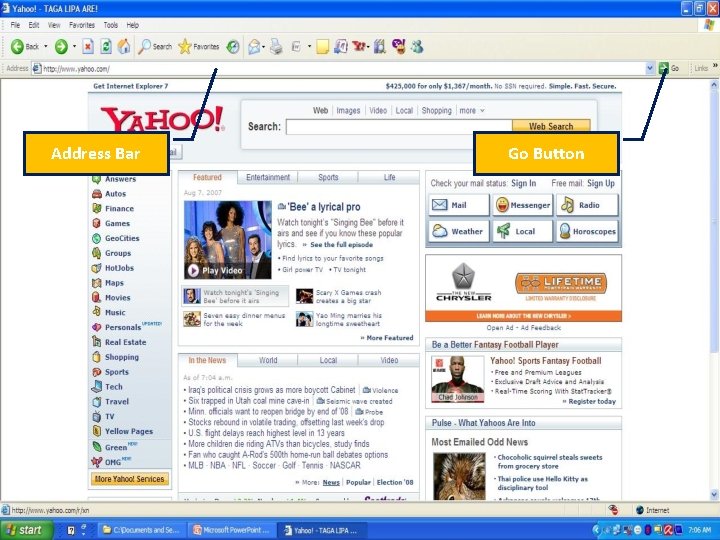
Address Bar Go Button
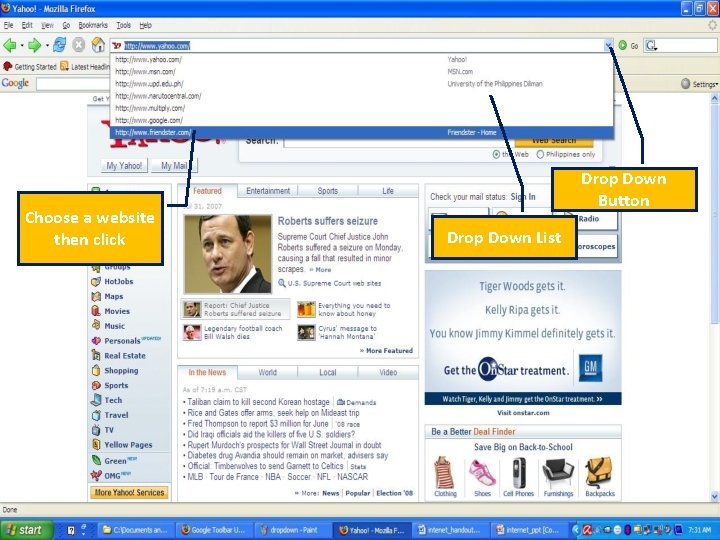
Choose a website then click Drop Down Button Drop Down List
URL (Uniform Resource Locator) http: //www. yahoo. com http: //www. google. com http: //friendster. com
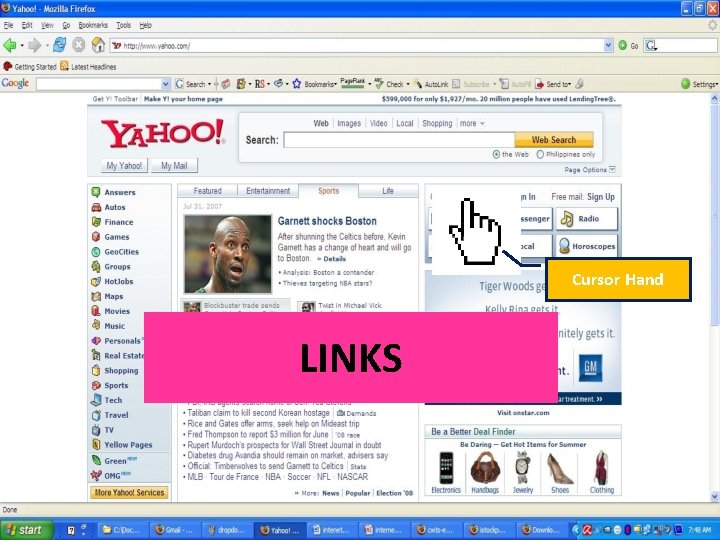
Cursor Hand LINKS
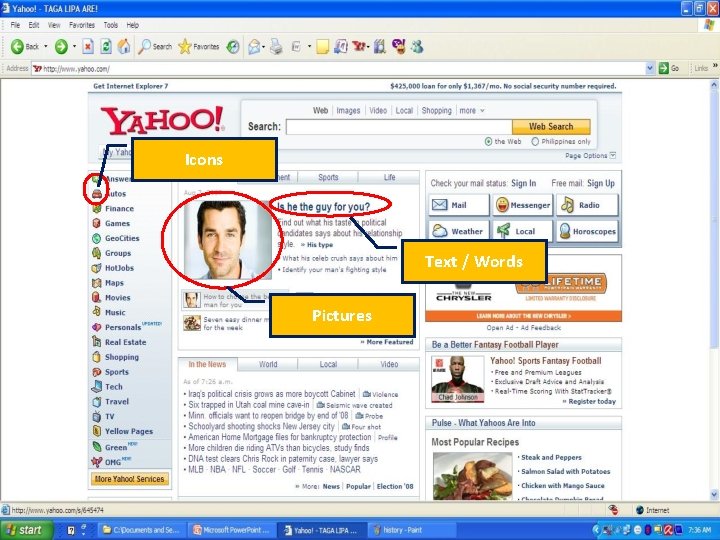
Icons Text / Words Pictures
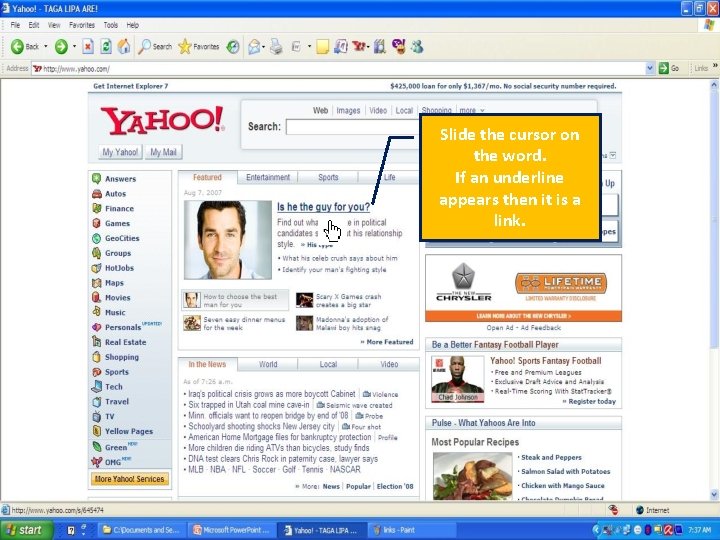
Slide the cursor on the word. If an underline appears then it is a link.
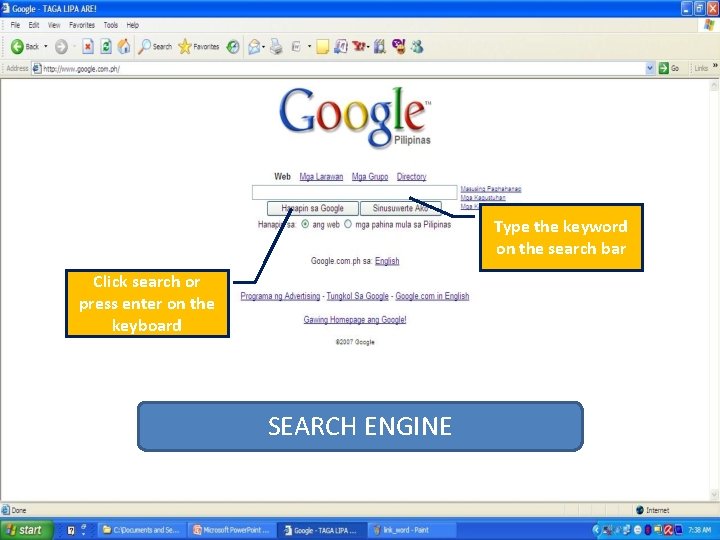
Type the keyword on the search bar Click search or press enter on the keyboard SEARCH ENGINE
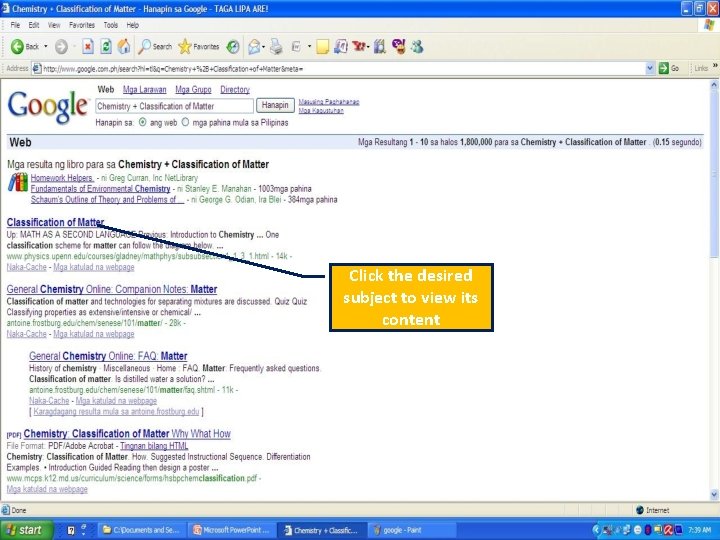
Click the desired subject to view its content
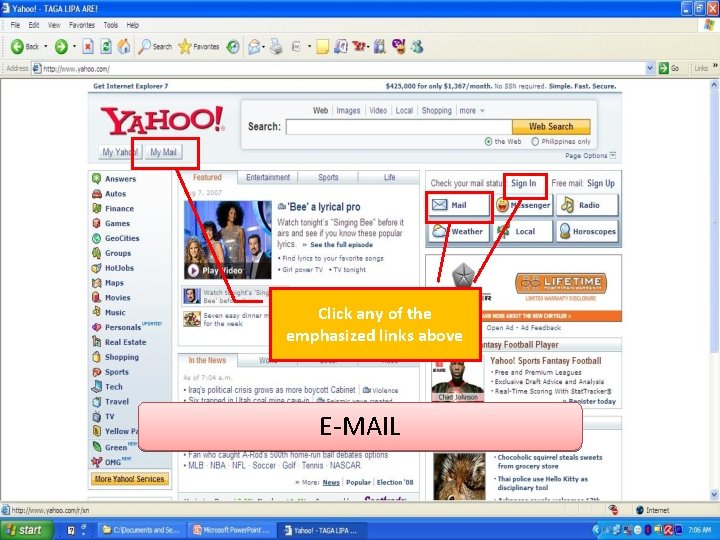
Click any of the emphasized links above E-MAIL
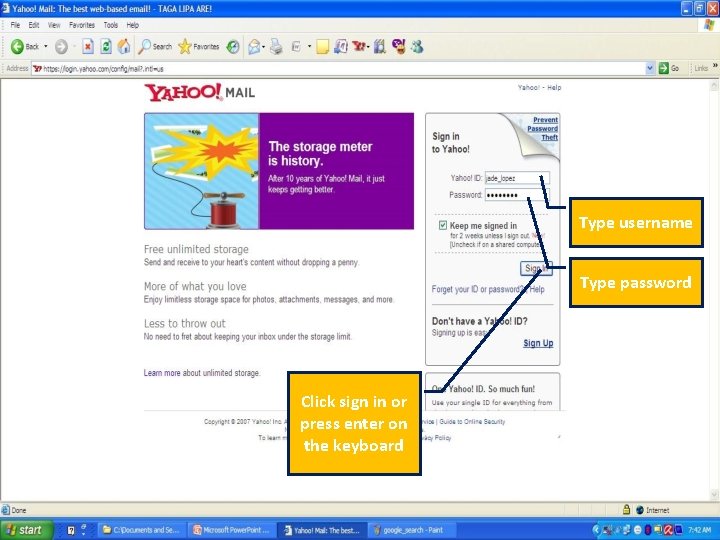
Type username Type password Click sign in or press enter on the keyboard
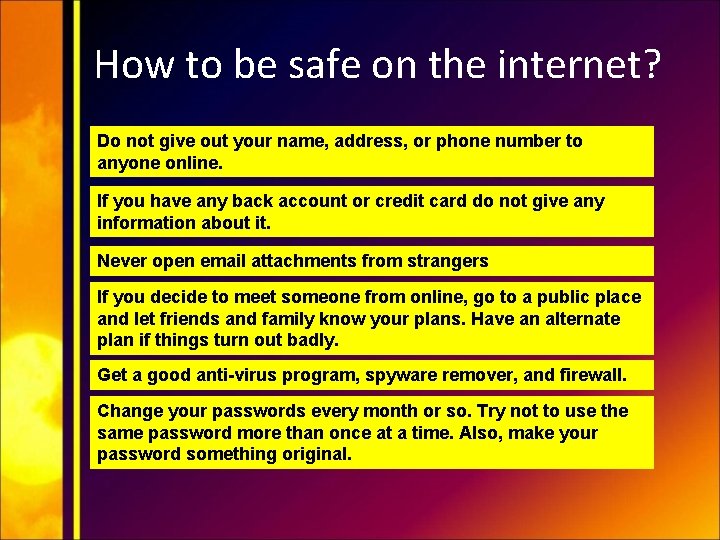
How to be safe on the internet? Do not give out your name, address, or phone number to anyone online. If you have any back account or credit card do not give any information about it. Never open email attachments from strangers If you decide to meet someone from online, go to a public place and let friends and family know your plans. Have an alternate plan if things turn out badly. Get a good anti-virus program, spyware remover, and firewall. Change your passwords every month or so. Try not to use the same password more than once at a time. Also, make your password something original.
- Slides: 29