
How faculty members create Lesson on Moodle By
How faculty members create Lesson on Moodle By Badr Muhammed Tahir Mustafa www. lfu. edu. krd 1
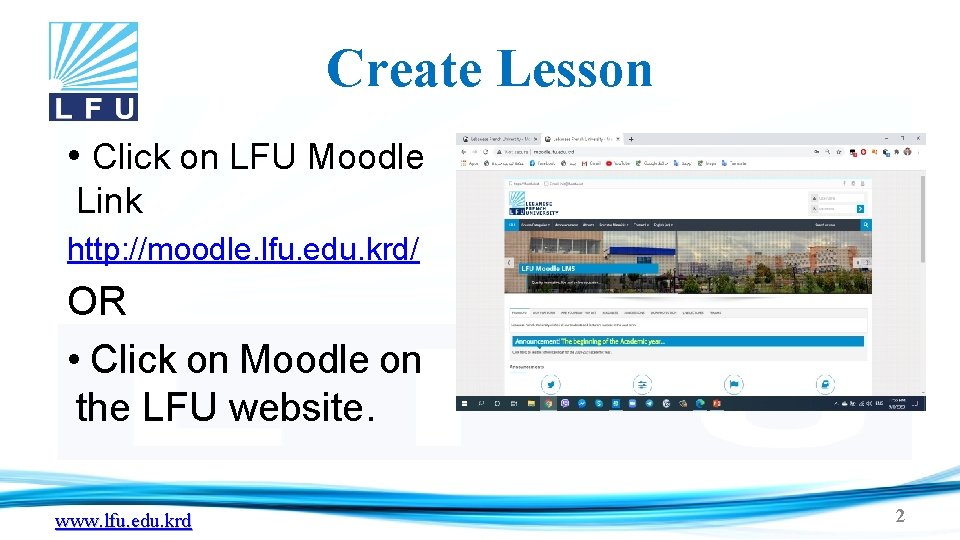
Create Lesson • Click on LFU Moodle Link http: //moodle. lfu. edu. krd/ OR • Click on Moodle on the LFU website. www. lfu. edu. krd 2
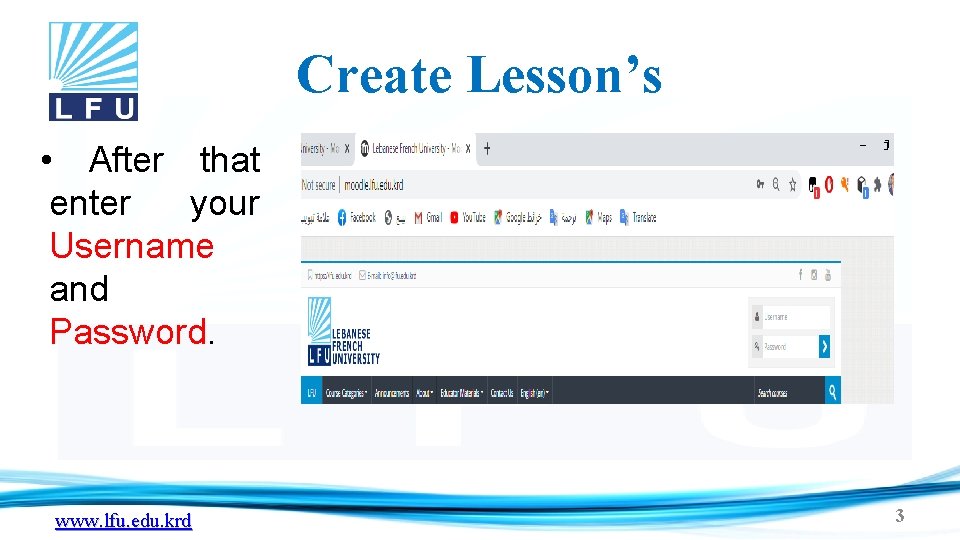
Create Lesson’s • After that enter your Username and Password. www. lfu. edu. krd 3
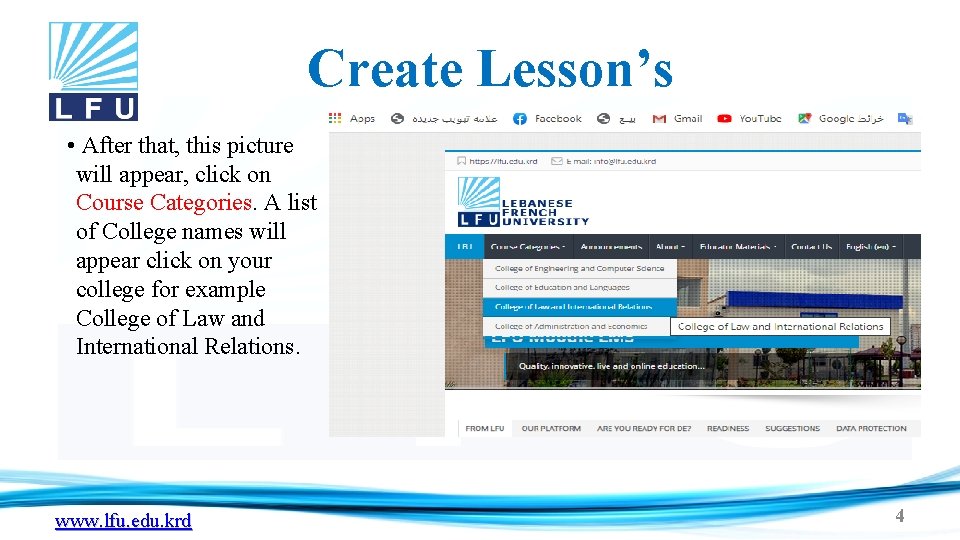
Create Lesson’s • After that, this picture will appear, click on Course Categories. A list of College names will appear click on your college for example College of Law and International Relations. www. lfu. edu. krd 4
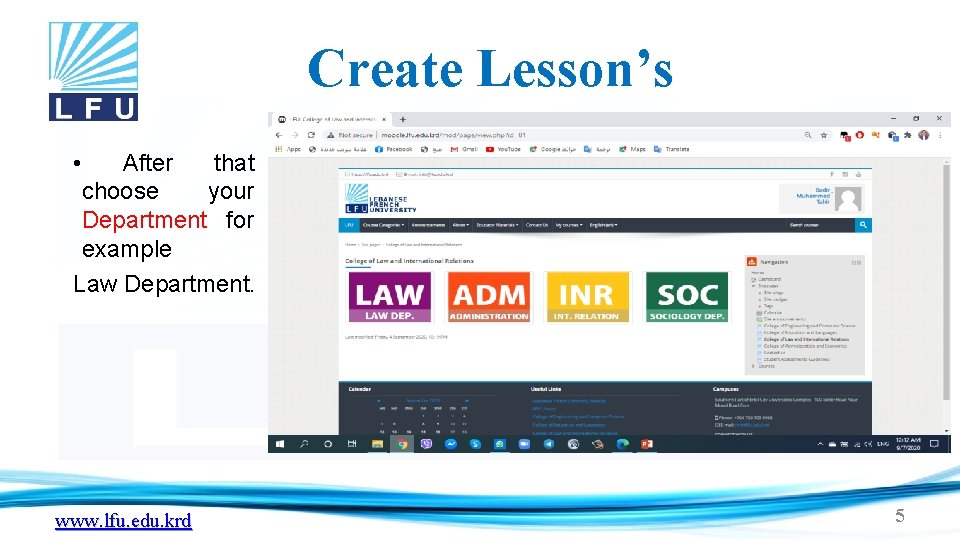
Create Lesson’s • After that choose your Department for example Law Department. www. lfu. edu. krd 5
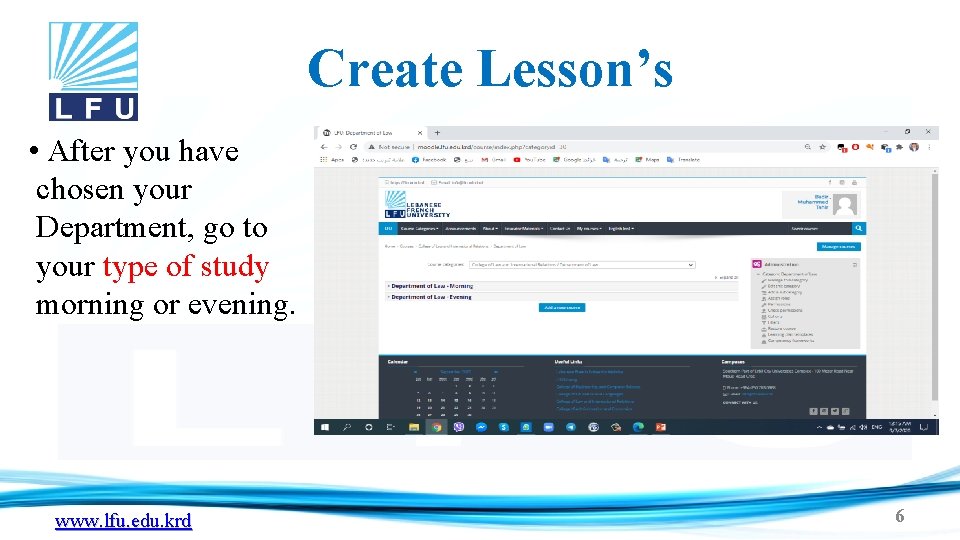
Create Lesson’s • After you have chosen your Department, go to your type of study morning or evening. www. lfu. edu. krd 6
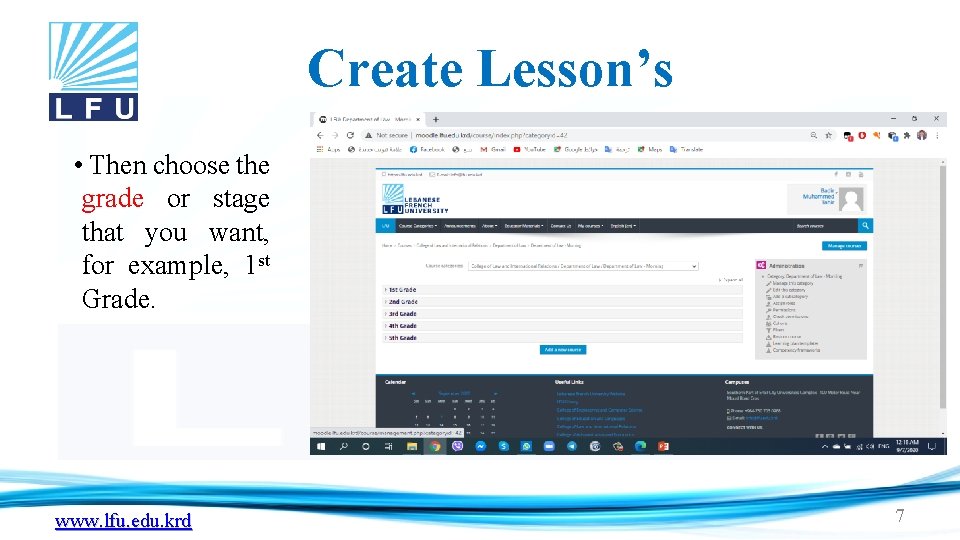
Create Lesson’s • Then choose the grade or stage that you want, for example, 1 st Grade. www. lfu. edu. krd 7
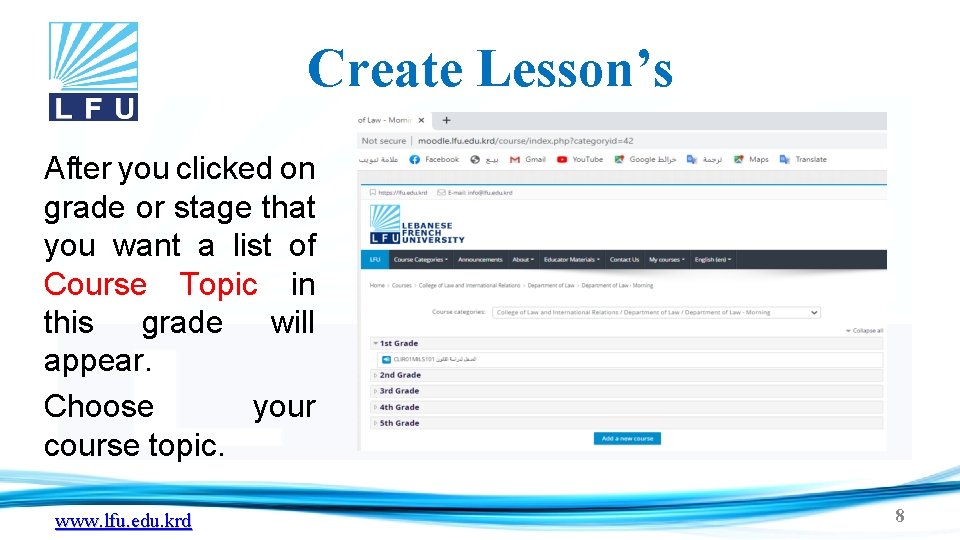
Create Lesson’s After you clicked on grade or stage that you want a list of Course Topic in this grade will appear. Choose your course topic. www. lfu. edu. krd 8
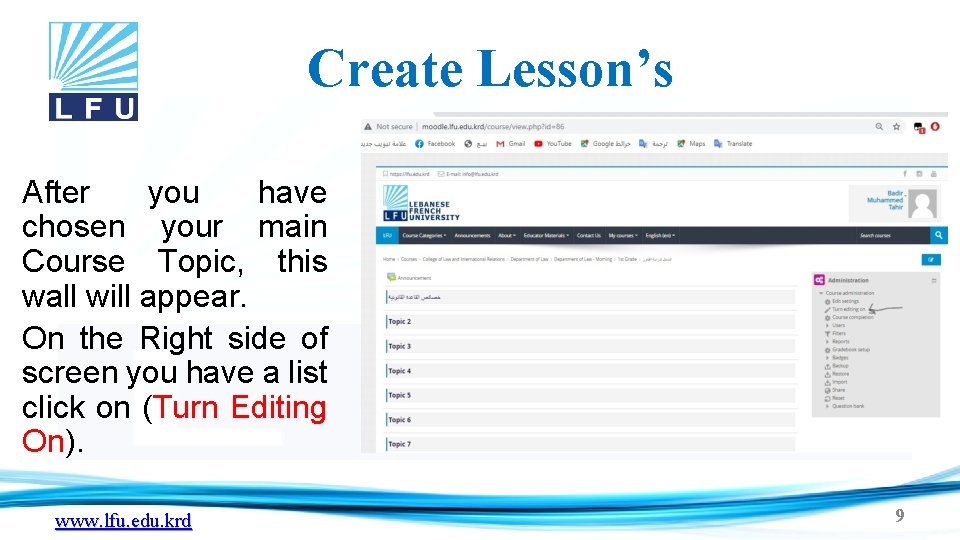
Create Lesson’s After you have chosen your main Course Topic, this wall will appear. On the Right side of screen you have a list click on (Turn Editing On). www. lfu. edu. krd 9
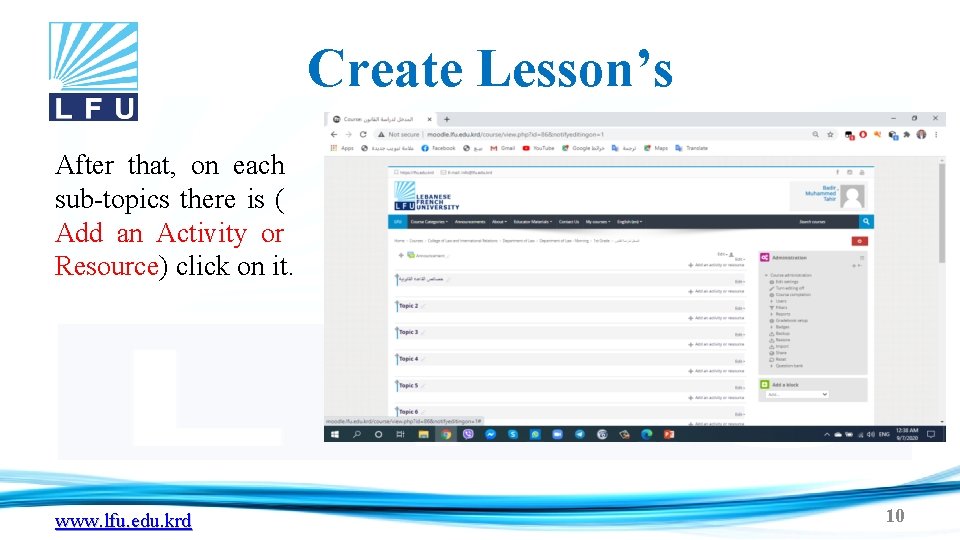
Create Lesson’s After that, on each sub-topics there is ( Add an Activity or Resource) click on it. www. lfu. edu. krd 10
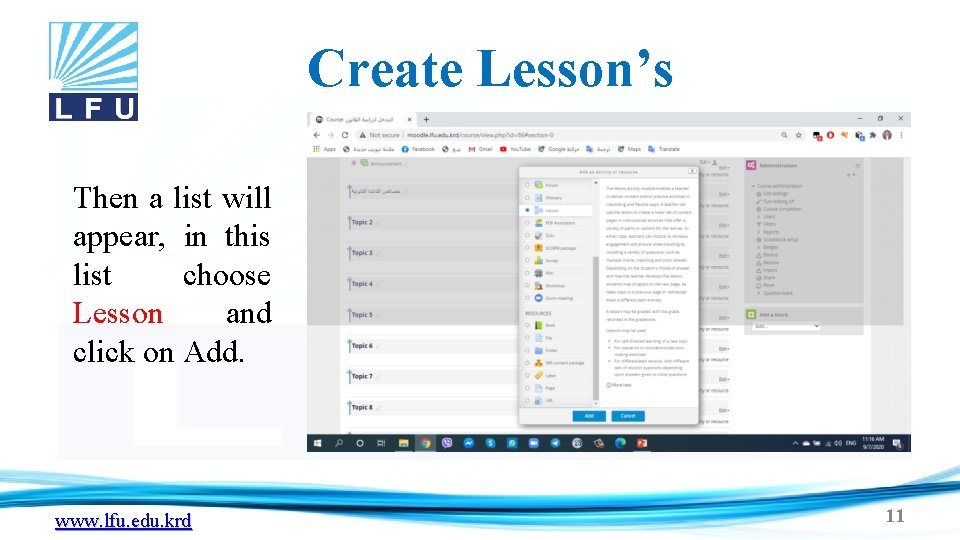
Create Lesson’s Then a list will appear, in this list choose Lesson and click on Add. www. lfu. edu. krd 11
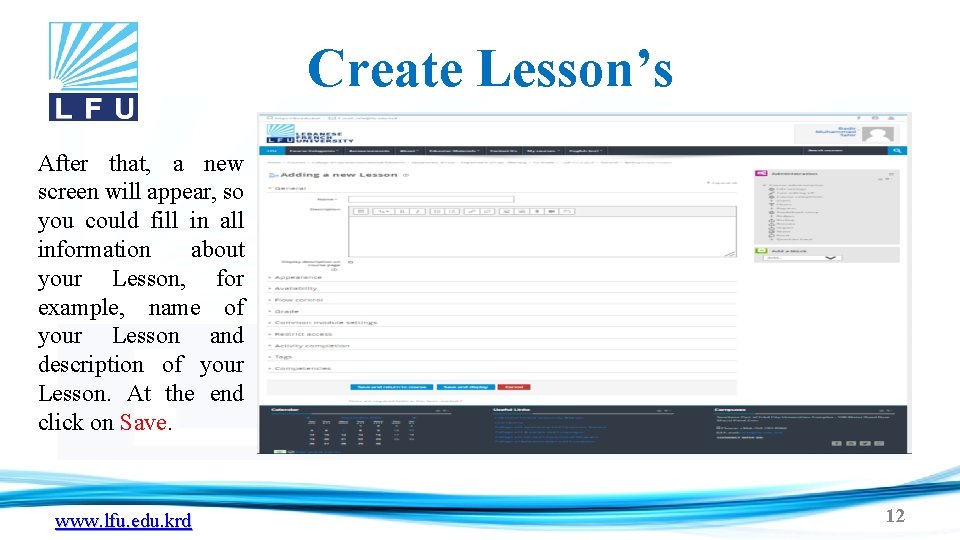
Create Lesson’s After that, a new screen will appear, so you could fill in all information about your Lesson, for example, name of your Lesson and description of your Lesson. At the end click on Save. www. lfu. edu. krd 12

Thank You www. lfu. edu. krd 13
- Slides: 13