
How do we work in a virtual multilingual
- Slides: 21
How do we work in a virtual multilingual classroom? A virtual multilingual classroom with Moodle and Apertium Cultural and Linguistic Practices in the International University Roskilde, December 2008 Linguamón–UOC Chair in Multilingualism
A virtual multilingual classroom CALPIU 2008
A virtual multilingual classroom CALPIU 2008
A virtual multilingual classroom • Table of contents – General framework • Moodle • Apertium – Integration • Language detector • Spelling checker – Linguistic issues – Prototype – Final remarks – Future work CALPIU 2008
A virtual multilingual classroom • Moodle. What is it and what does it offer? – Moodle is a course management system. • Courses can be followed 100% online. • Easy to install, to maintain and to manage. • Freely distributed. – The Open University of Catalonia (UOC) has students from at least 45 different countries. – Challenge: making Moodle multilingual. CALPIU 2008
A virtual multilingual classroom • Apertium. What is it and what does it offer? – Apertium is a free software machine translation platform. It offers the following tools: • Language-independent machine translation engine, • Linguistic data, • Managing tools. – In this project, Apertium has worked in Catalan, Spanish, English and French. CALPIU 2008
A virtual multilingual classroom • How does it work? – In Apertium, the input must go trough the following processes: • Unformatting: the input is divided into format information and text to translate. • Morphological analysis: each word receives all the possible morphological tags. • Part-of-speech disambiguation: each word receives only one morphological tag. • Shallow syntactic analysis: a shallow parse tree of the source sentence is built. CALPIU 2008
A virtual multilingual classroom • How does it work? • Shallow structural transfer: the information of the parse tree is transferred to an equivalent parse tree. • Lexical transfer: according to the syntactic information, the most appropriate words are selected. • Morphological generation: each word is adapted to its context. • Reformatting: the format information from the input is retrieved and transferred to the target text. – Apertium's Website: <http: //xixona. dlsi. ua. es/apertium-www/> CALPIU 2008
A virtual multilingual classroom • Integration. Description. – Messages are NOT directly translated, as the performance of the machine translator would not be successful. • The messages in academic forums have a lot of mistakes (Climent and Moré: 2005). • This kind of texts has particular features (abbreviations, capital letters, etc. ). – The input text has to go trough a language detector and a pre-edition module before entering into Apertium. CALPIU 2008
A virtual multilingual classroom • How does it work? – The automatic language detector detects the language of the source text thanks to the Text. Cat algorithm by Gertjan van Noord. – The text goes trough a spelling checker, which works as follows: • Typographical changes using regular expressions. • Ad-hoc changes according to the user needs. • Changes according to the dictionary of wordforms and dictionaries selected by the user. CALPIU 2008
A virtual multilingual classroom – Which changes will the spelling checker make? • It checks if all the words in lower case in the text are contained in one of its dictionaries. • If they are not, it works as follows: – Deleting one character in every position, – Adding one character in every position, – Changing every character for every possible character. • Thanks to a statistic method, the algorithm will select the most probable correction. CALPIU 2008
A virtual multilingual classroom • Linguistic issues. – Following Climent and Moré (2005), we studied the messages left in the academic forums at the UOC website, in order to analyse the text type. – Messages show particularities (use of emoticons, @, abbreviations, etc. ), do not use standard language and writers do not pay attention when writing. – We save the corrections (with its paradigms) of the mistakes and habits in the ad-hoc list. CALPIU 2008
A virtual multilingual classroom – We elaborated a statistic of most frequent changes, to know which changes would be more frequent. Spanish i: í 81 – Most mistakes were due to accents. Treating them before translating avoids: » ingles (sp) -> groins (en)) – The changes made by the spelling checker are not shown in Moodle. They are just used to get a better translation. CALPIU 2008
A virtual multilingual classroom • Prototype – Showing the original text and its translations in the same window is not friendly in multilingual environments. – Every Moodle user defines its language settings, so he or she will always see the messages in the selected language. – A colour system will indicate whether the user is reading an original text or a translation. CALPIU 2008
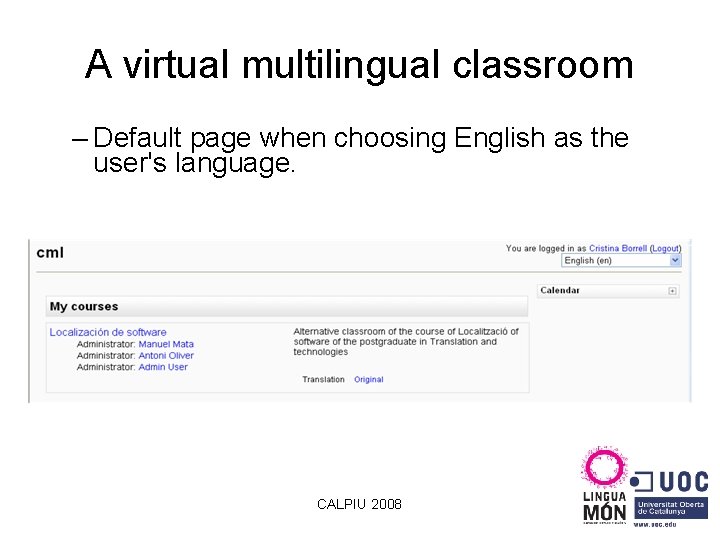
A virtual multilingual classroom – Default page when choosing English as the user's language. CALPIU 2008
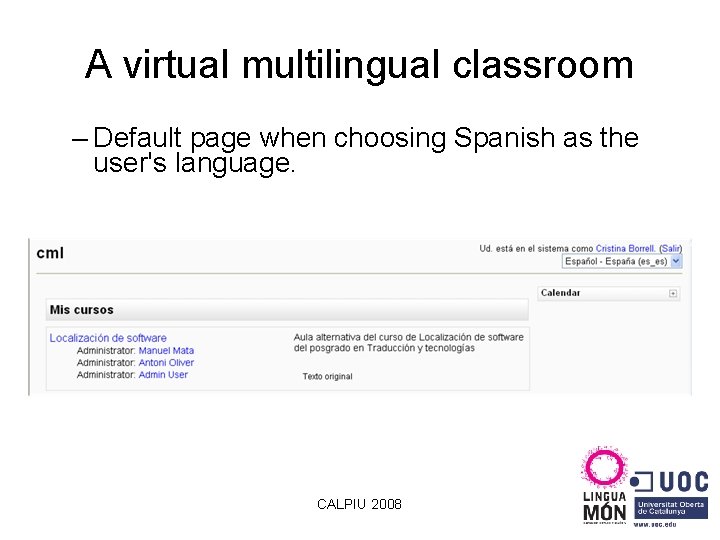
A virtual multilingual classroom – Default page when choosing Spanish as the user's language. CALPIU 2008
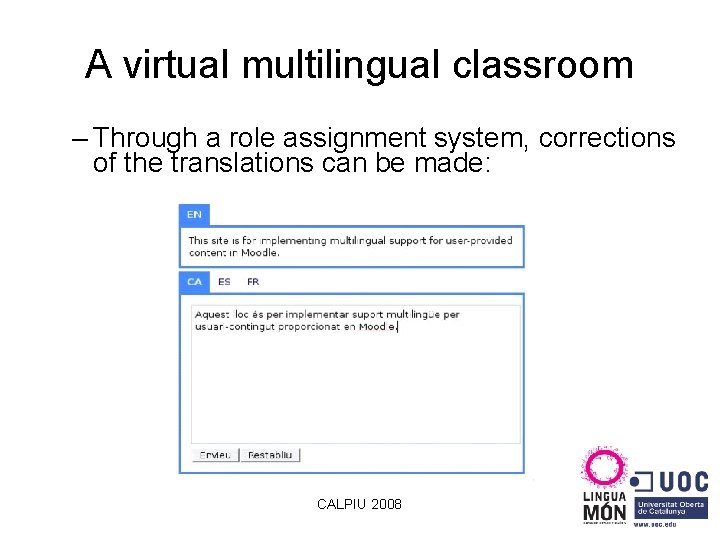
A virtual multilingual classroom – Through a role assignment system, corrections of the translations can be made: CALPIU 2008
A virtual multilingual classroom • Final remarks – The virtual multilingual learning environment is ready to host courses in Catalan, Spanish, English and French, following the users needs. – The user can read the information in the language he or she prefers, no matter which one and without having to wait. – A survey among users showed that, in general, they appreciate the multilingual Moodle CALPIU 2008
A virtual multilingual classroom • Future work – Release executable files and user guides. – Support users during a limited period of time. – Open the integration to other translation systems. – Integrate the multilingual capacity to other communication environments (wikis, blogs, etc. ). CALPIU 2008
A virtual multilingual classroom • Website of the trial version: – http: //cml. uoc. edu • Distribution website, forum and news on the development: – http: //sourceforge. net/projects/apertiummoodle/ cborrellc@uoc. edu CALPIU 2008
A virtual multilingual classroom Tak Moltes gràcies Thank you Gracias Merci Muito obrigado Большое спасибо Mulţumesc Aïtah… CALPIU 2008