
Hosted by Storage Automation Understanding The Issues Steve
Hosted by Storage Automation: Understanding The Issues Steve Duplessie Founder/Sr. Analyst The Enterprise Storage Group, Inc.
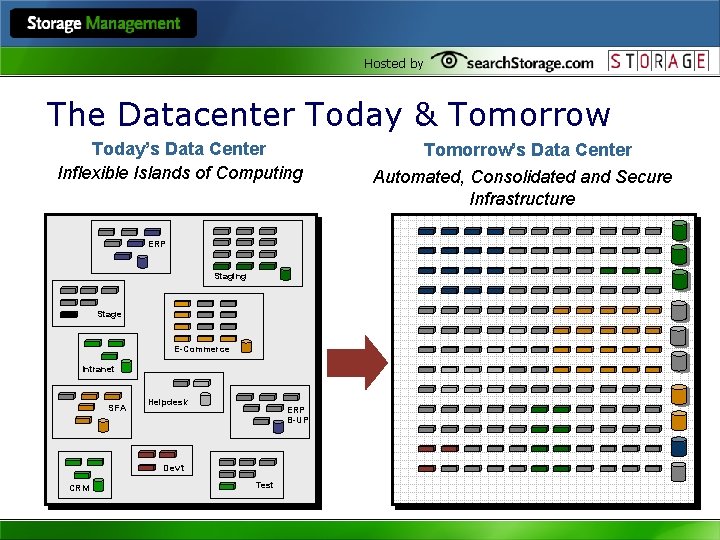
Hosted by The Datacenter Today & Tomorrow Today’s Data Center Inflexible Islands of Computing ERP Staging Stage E-Commerce Intranet SFA Helpdesk ERP B-UP Dev’t CRM Test Tomorrow’s Data Center Automated, Consolidated and Secure Infrastructure
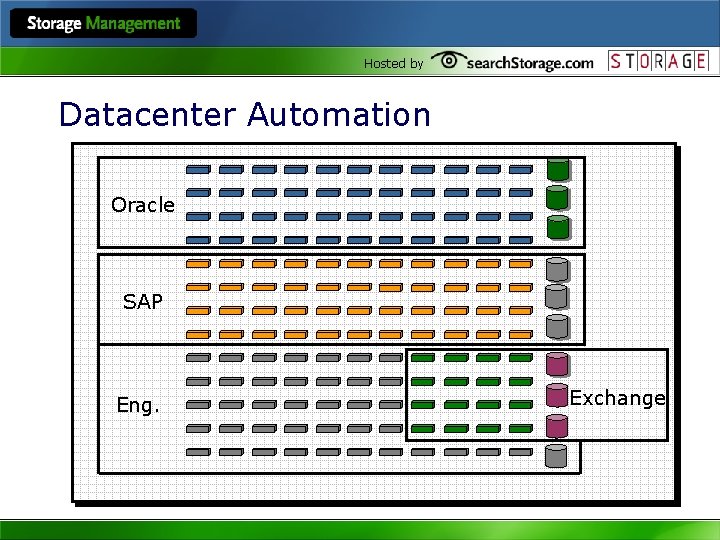
Hosted by Datacenter Automation Oracle SAP Eng. Exchange
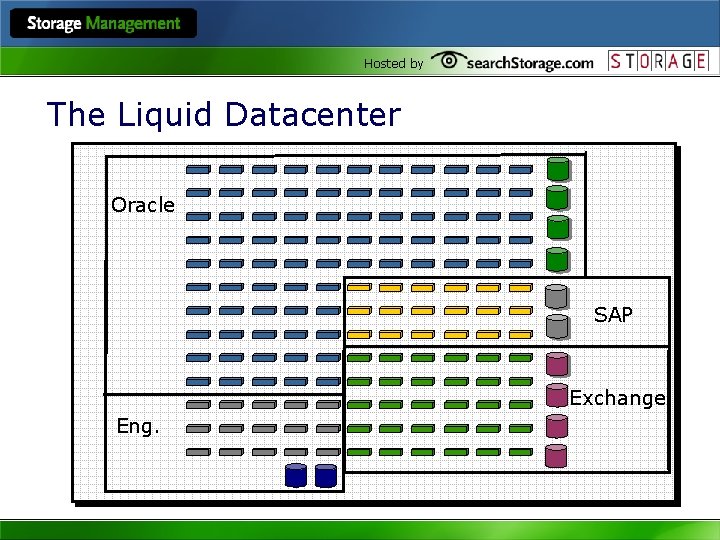
Hosted by The Liquid Datacenter Oracle SAP Exchange Eng.
Hosted by GRID DOESN’T WORK WITH STORAGE AUTOMATION!!!! l It’s nice to move servers around, but who cares if they can’t attach to the right data? l It’s nice to move networks around but who cares if it can’t connect to the right LUN?
Hosted by What Do We Automate? l ”We don’t think that things need to be automated as much as things need to be easier and simplified, while retaining control…. Our problem is that there are too many things to manage and potentially go wrong, we need better integrated solutions that makes it easier to manage overall storage. ” • Nam Cho – Really Big Magazine Company
Hosted by What Do We Automate? l ”. . Once we have the discovery/provisioning phase automated, the next step is monitoring/alerting/understanding what those mean/then acting upon them. ” • John Blackman – Really Big Fortune 100 Co.
Hosted by What Do We Automate? l ”…Qo. S should become more policy driven with the ability to secure sustained data rates for certain workloads dynamically. ” l “With SRM, I see a need to automate the proliferating of storage reports right to the users…” • Al Somers – Harte-Hanks.
Hosted by What Do We Automate? l ”…Our current major issue is storage reporting. Of course there a lot of existing solutions on the market but none of them solve the problem quite well. XYZ’s tools only report on their own arrays, but their Oracle and Exchange functionality is very poor…. ” • Matthias Ress – Deutshe Telekom
Hosted by Benefits of Automating Storage Processes l Consistent workflow l Deliver higher quality of service/service levels l Reduce downtime (caused by user error or time to respond) l Enables administrators to manage larger environments l Reduces TCO (manpower, reduces need for excess capacity to cover for delays in execution)
Hosted by Steps for Automating Storage Processes 1. Evaluate current storage processes 2. Utilize management tools to access storage environment and policy requirements 3. Determine which processes can and should be automated 4. Implement management tools to automate storage processes and policies
Hosted by Examples of Storage Processes. Each is Driven by Specific Policies l Disaster recovery • Backup policies • Recovery policies l Provisioning • Application priorities • Approval policies l SLA enforcement l Information Life-Cycle Management
Hosted by 1) Evaluate Storage Processes l Review current processes and procedures • Are these processes effective (do they really meet requirements) • Are there areas where processes could be streamlined l Chart time/man hours to implement processes • What may seem like a trivial task takes hours to days l Review number of tasks required in process • Administrative + configuration + implementation l Evaluate costs (hard and soft) associated with implementing processes • Helps determine where focus on automation should be
Hosted by 2) Use Management tools to evaluate environment l Which tools are best?

Hosted by ESG Software Segment Taxonomy “Asset & Performance Management” Automated Resource Management (ARM) “Data Valuation & Resource Optimization” “Data Protection & Retention” Automated Data Migration (ADM) Data Management Security Storage Process Automation Enterprise Storage Management Framework Foundation Technologies Enabling Technologies
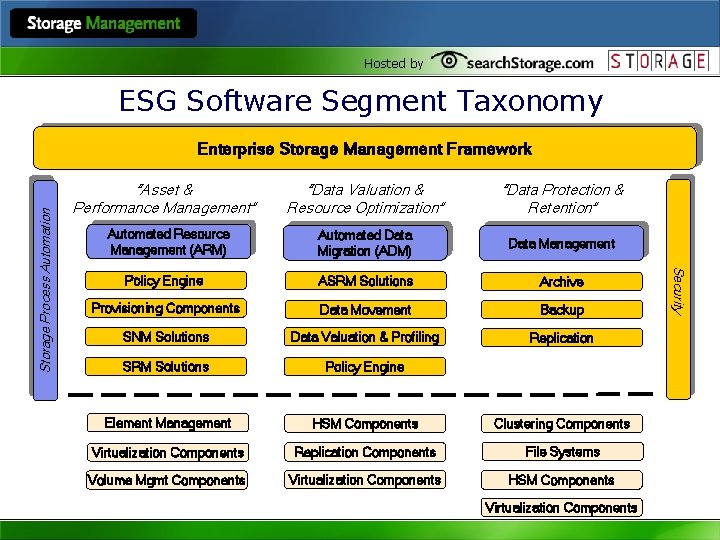
Hosted by ESG Software Segment Taxonomy “Data Valuation & Resource Optimization” “Data Protection & Retention” Automated Data Migration (ADM) Data Management Policy Engine ASRM Solutions Archive Provisioning Components Data Movement Backup SNM Solutions Data Valuation & Profiling Replication SRM Solutions Policy Engine Element Management HSM Components Clustering Components Virtualization Components Replication Components File Systems Volume Mgmt Components Virtualization Components HSM Components “Asset & Performance Management” Automated Resource Management (ARM) Virtualization Components Security Storage Process Automation Enterprise Storage Management Framework
Hosted by 2) Using Management tools to Access Environment l Storage Network Management provides • • Auto-discovery of physical infrastructure • Element management (mostly launching vendor programs) • • • Historical trending (of network usage patterns) Topology mapping (groupings by geography, business, workgroup etc) § Physical assets § Connectivity § Trace path from application to LUN level on array Planning capabilities Monitoring (error, uptime, utilization, path)
Hosted by l SRM applications will provide: • Auto discovery of storage, file systems, volumes etc (regardless of vendor) • Reporting on asset usage, real time and historical § Reports available at multiple levels (user, group, department) § § § Current capacity, growth, types of files, data aging Identify redundant files, old data Identify “personal” files- mp 3, . jpg etc l Answers the questions of what are my assets and how are they being utilized?
Hosted by l Backup Reporting Solutions • Are my backups completing-if not why? • Are all of the important files/servers being backed up (orphans) • • • Identify bottlenecks/window issues Understand resource impact of backups Understand future capacity requirements for backups l Understand if current backup policies are effective or need to be modified l Determine if you truly can recover
Hosted by 3) Determine what could or should be automated • What tasks are “mundane” and should be offloaded from valuable IT man-hours • What tasks require absolute adherence to the order of steps (workflow) • Automation tools allow for varying levels of manual intervention • What tasks are critical such that they “can’t wait” for user intervention (provisioning)
Hosted by 4 a) Develop Automation Policies l Policies should be focused on the business needs of the company • Without available data, most businesses cannot function l Use lifecycle management attributes to streamline asset utilization l Develop SLA’s for critical applications (and the corresponding policies to enforce them) l Get management involved to make priority decisions l Develop test plan for policies-constantly reevaluate
Hosted by 4 b)Implement Tools to Automate Processes l Simple Examples of Automation • SRM: Quota Management § Alert when capacity thresholds exceeded § Block certain files from being saved • SRM: Charge back § Determine usage by user, group, business unit § Automatically charge for usage based on type of storage, utilization etc • SRM/ADM/DM: Backup “on demand” § Backup files based on criteria as opposed to schedules Not accessed in x period of time Type of file
Hosted by 4 b) Implement Tools to Automate Policies l More Advanced Examples of Automation • ARM: Automatic storage provisioning: provision storage to host based on § SLA adherence § Utilization thresholds § Application request • ADM/ DM: Information Life-Cycle Management § Move data off primary disk after certain criteria are met • Not accessed for x period of time • Additional versions exist § Move certain types of data to secondary disk • Replicate only specific files from users/groups
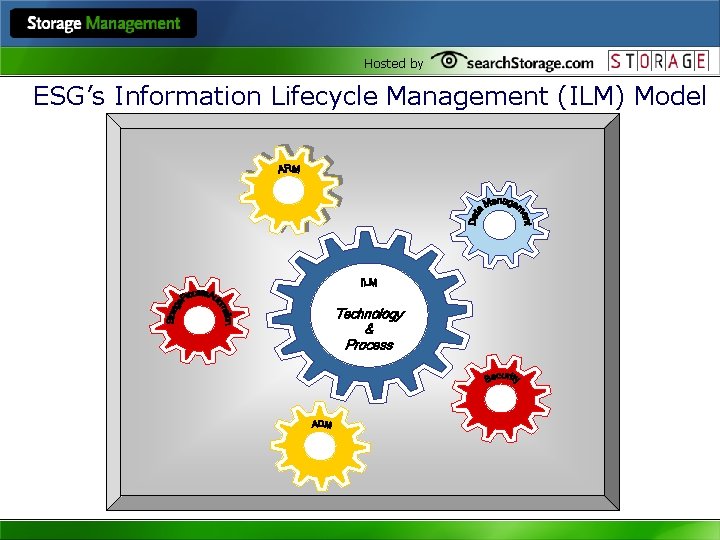
Hosted by ESG’s Information Lifecycle Management (ILM) Model Technology & Process
Hosted by What about Step 5? l Repeat! • Processes and policies should not be static • Environment constantly changing • Management solutions help keep track of changes • Policy is still up to administrators • Implementation is done by management solutions
- Slides: 25