
HORIZONT Smart JCL Release Notes HORIZONT 1 Smart
- Slides: 94
HORIZONT Smart. JCL – Release Notes HORIZONT 1 Smart. JCL – Release Notes
About this Presentation This Power. Point gives you a short overview about new features of Smart. JCL This button can be used to jump to specific slides in this presentation. V 3 R 4 Click on this symbol to jump to the overview slide HORIZONT 2 Smart. JCL – Release Notes
Release Notes Actual Release V 3 R 4 V 3 R 3 V 3 R 2 V 3 R 1 HORIZONT 3 Smart. JCL – Release Notes
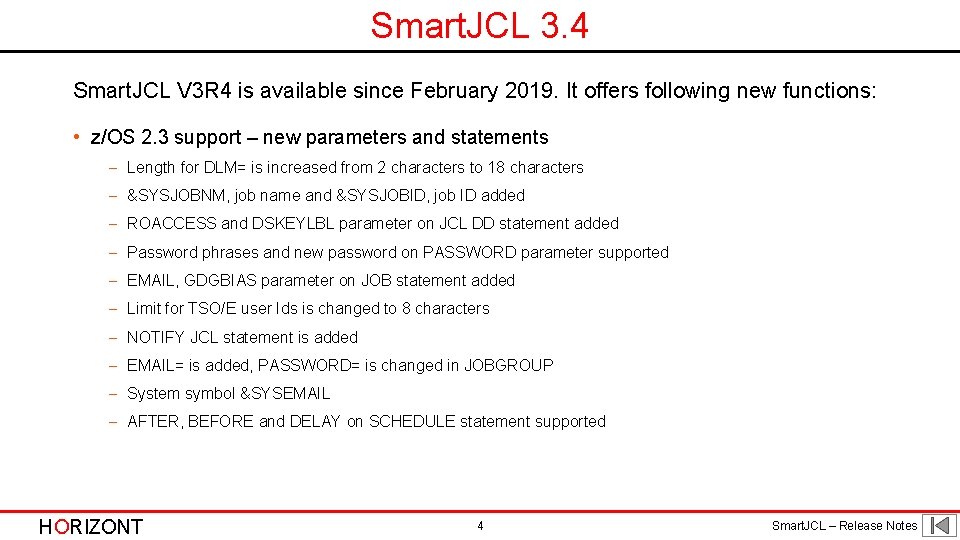
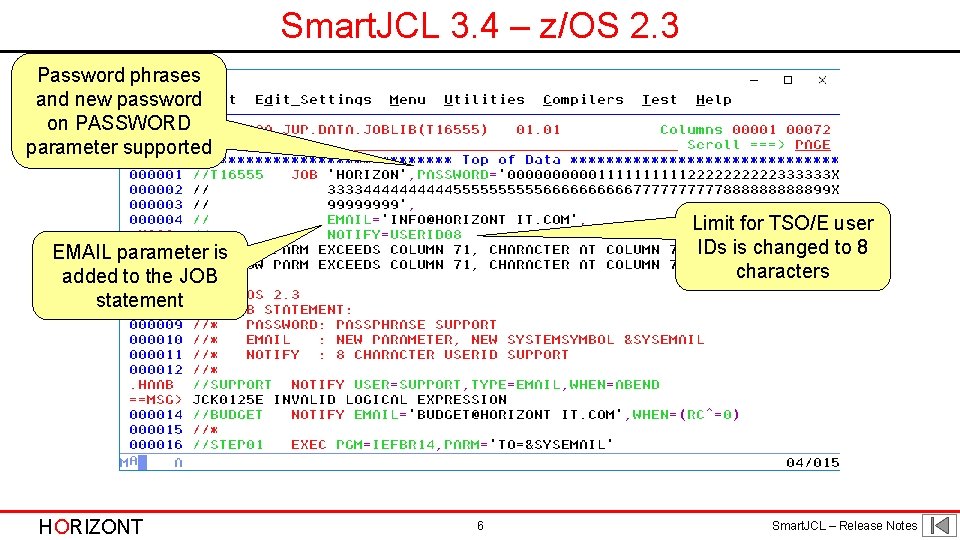
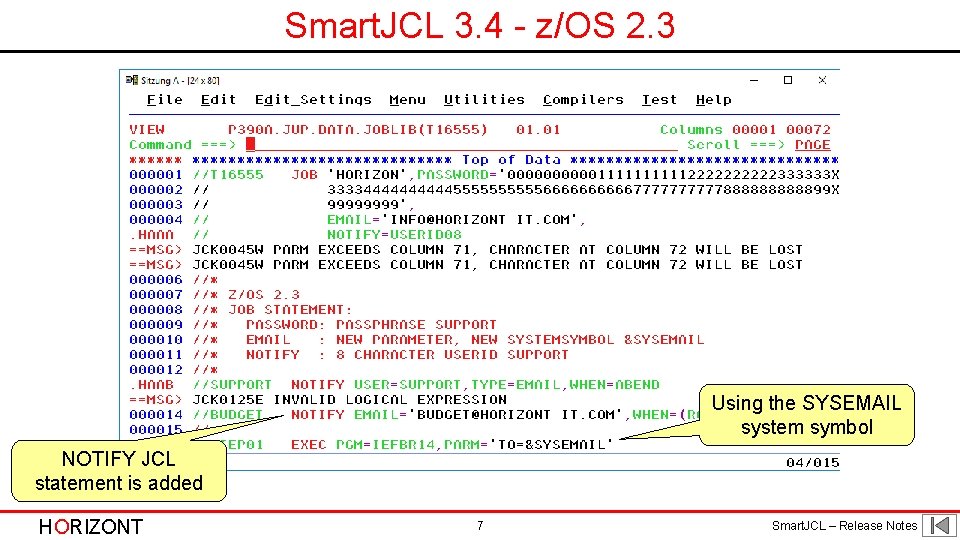
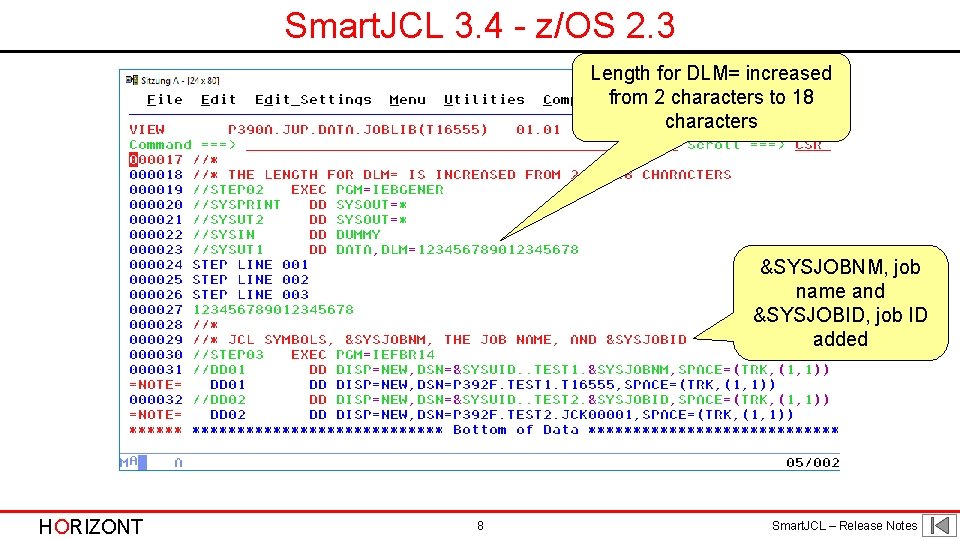
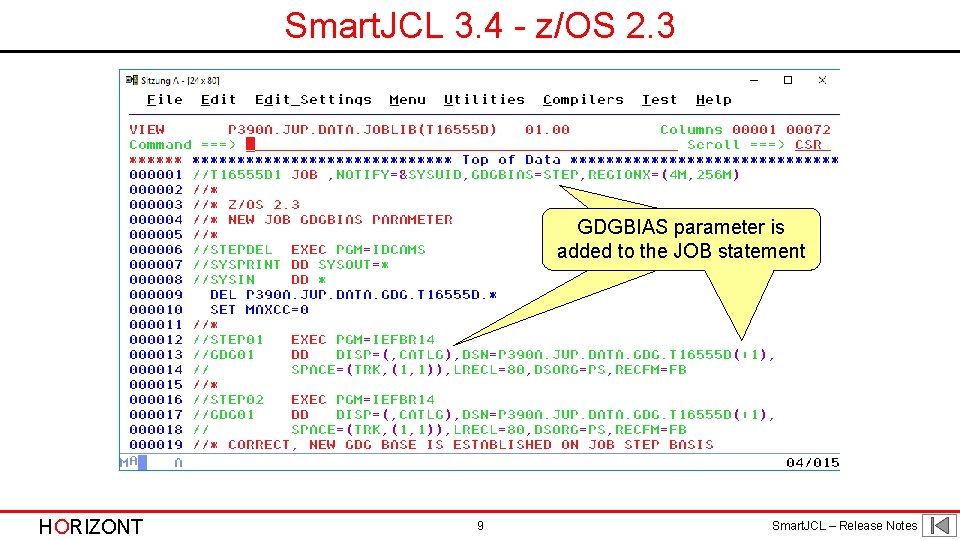
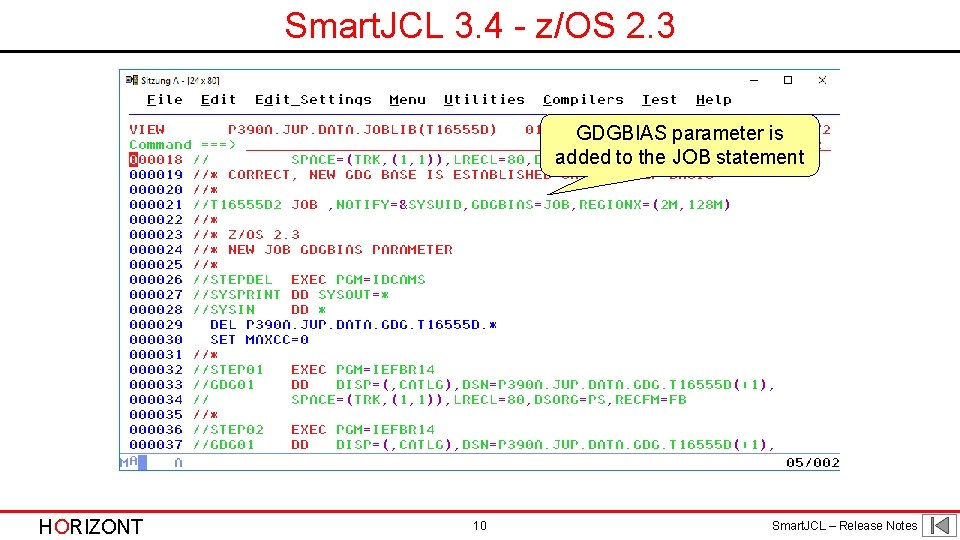
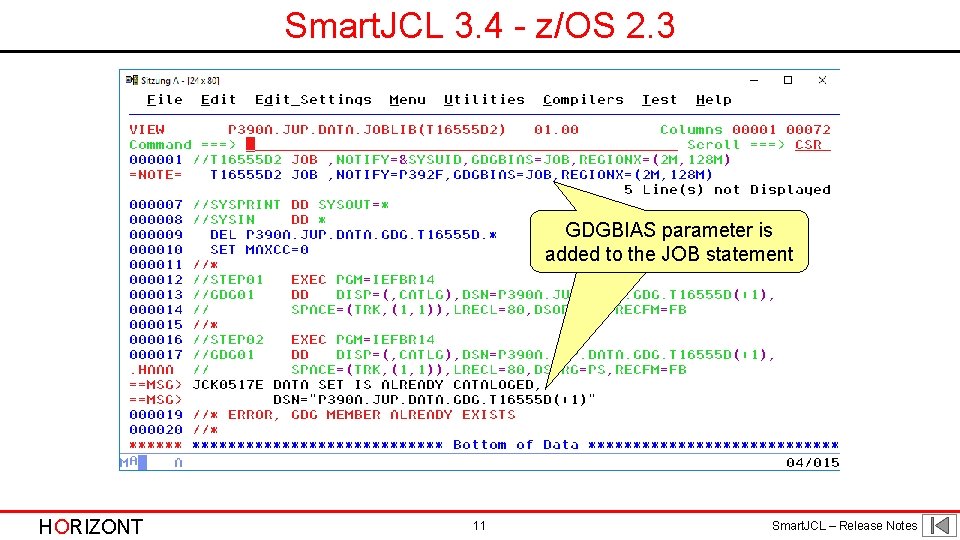
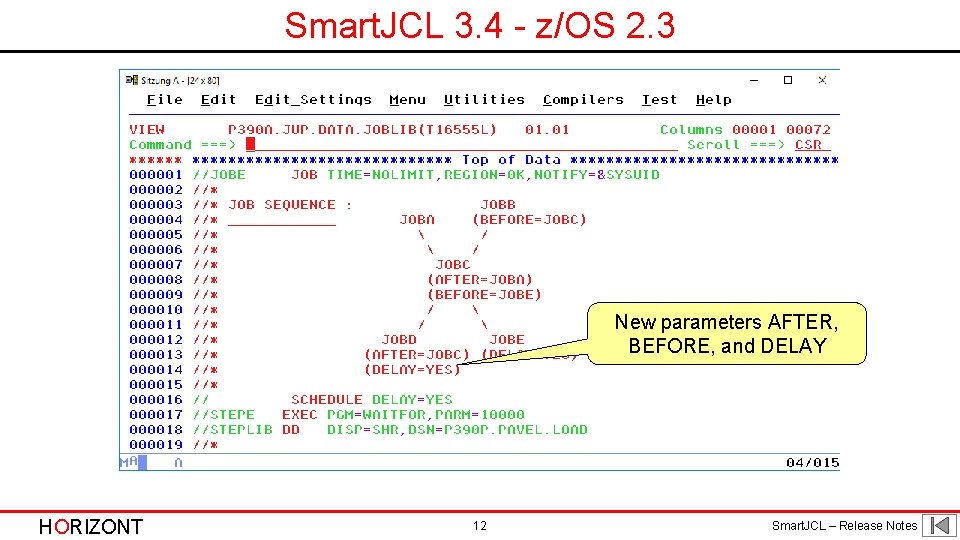
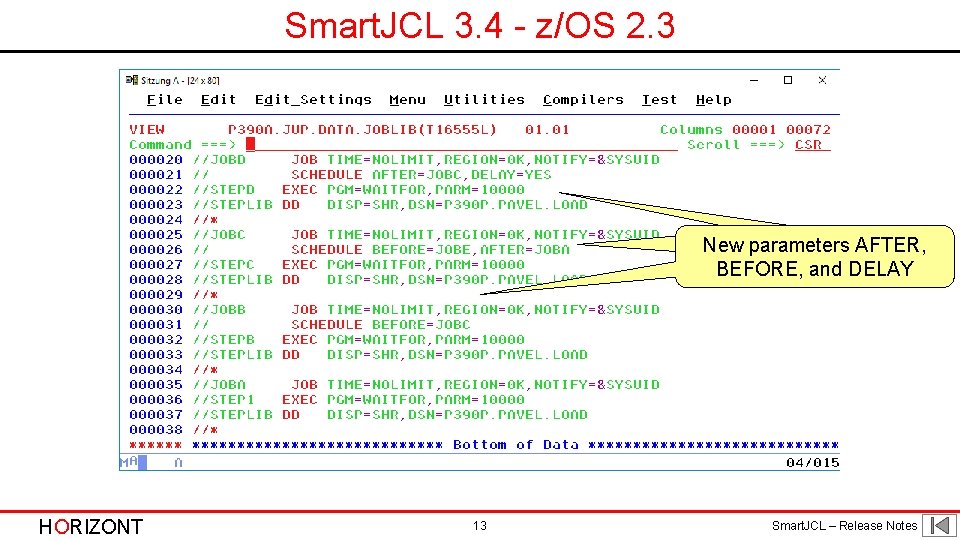
Smart. JCL 3. 4 Smart. JCL V 3 R 4 is available since February 2019. It offers following new functions: • z/OS 2. 3 support – new parameters and statements - Length for DLM= is increased from 2 characters to 18 characters - &SYSJOBNM, job name and &SYSJOBID, job ID added - ROACCESS and DSKEYLBL parameter on JCL DD statement added - Password phrases and new password on PASSWORD parameter supported - EMAIL, GDGBIAS parameter on JOB statement added - Limit for TSO/E user Ids is changed to 8 characters - NOTIFY JCL statement is added - EMAIL= is added, PASSWORD= is changed in JOBGROUP - System symbol &SYSEMAIL - AFTER, BEFORE and DELAY on SCHEDULE statement supported HORIZONT 4 Smart. JCL – Release Notes
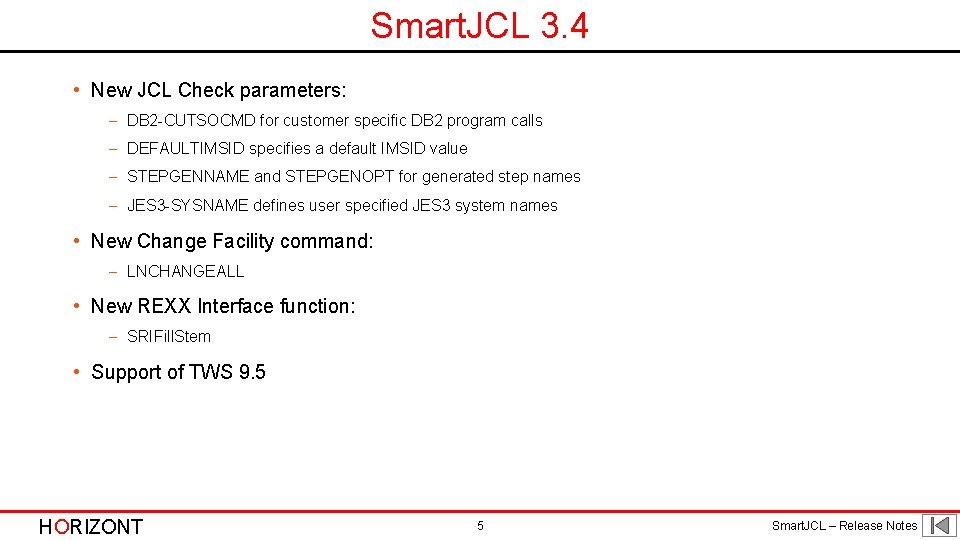
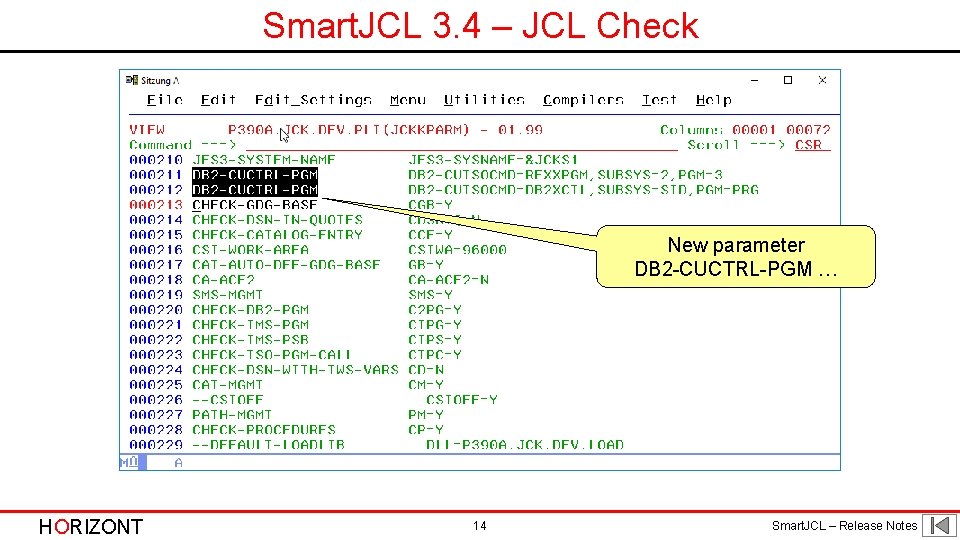
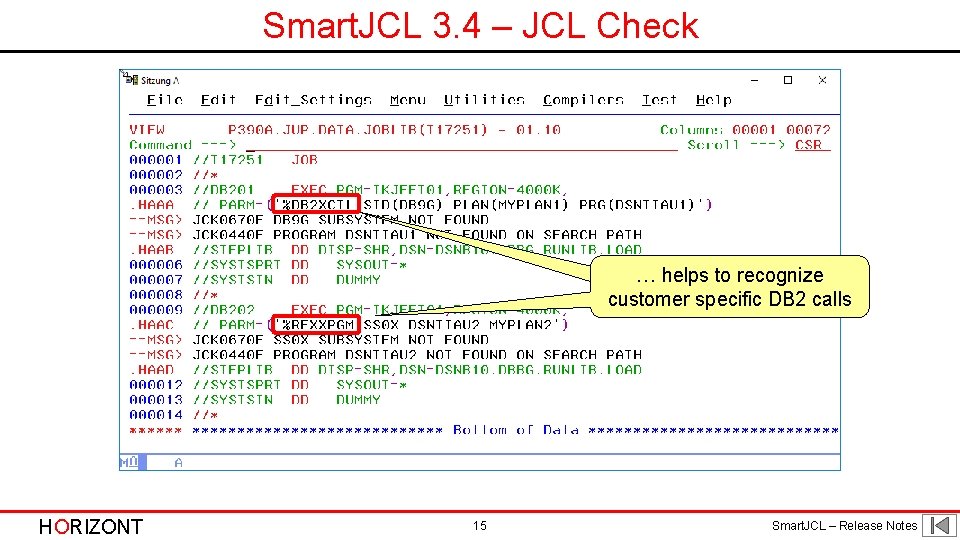
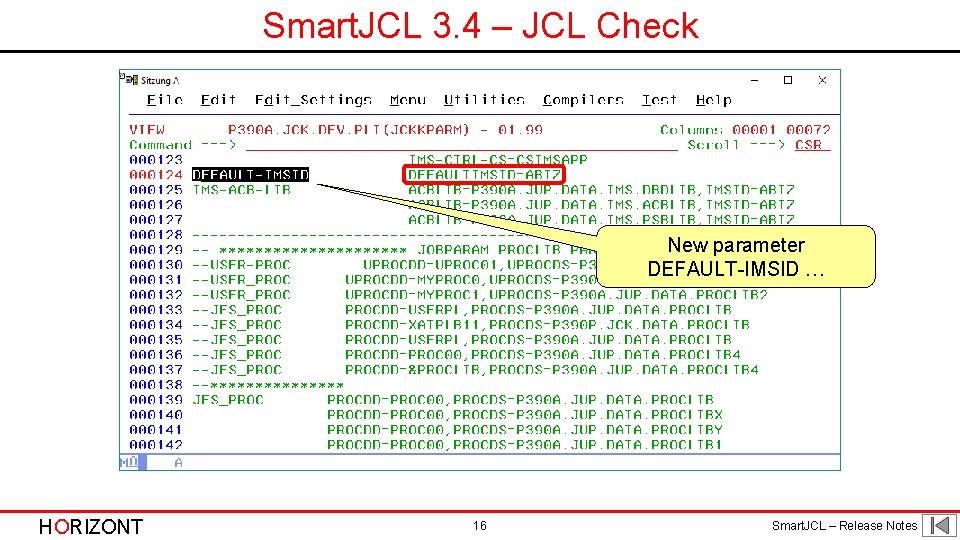
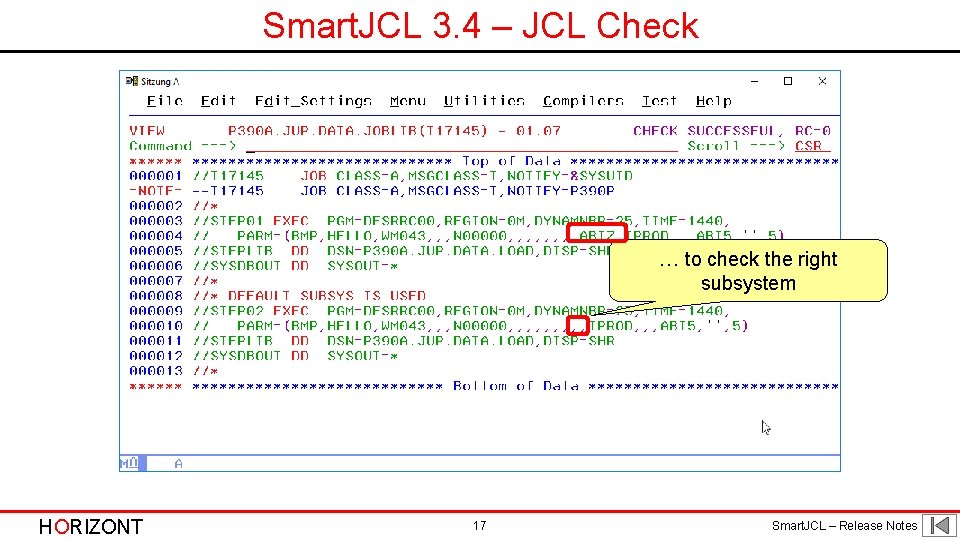
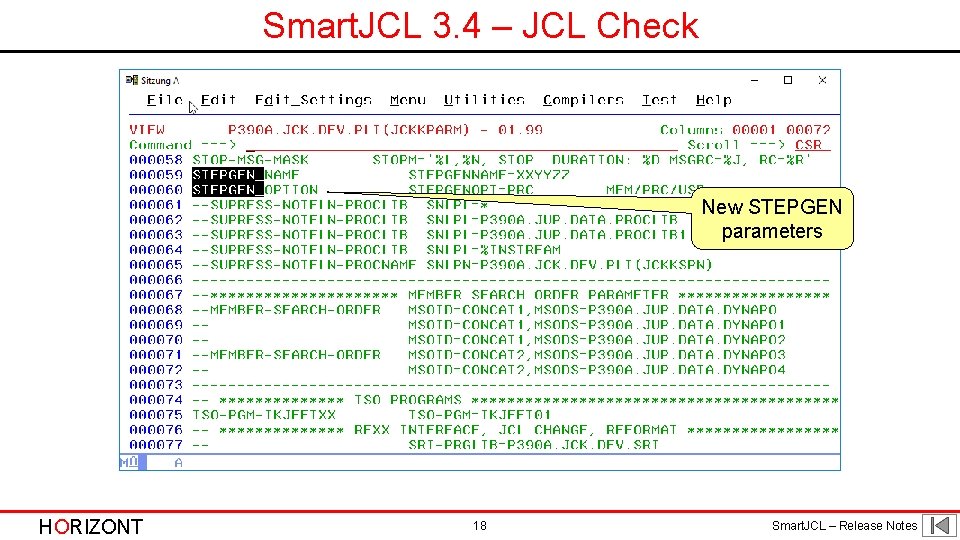
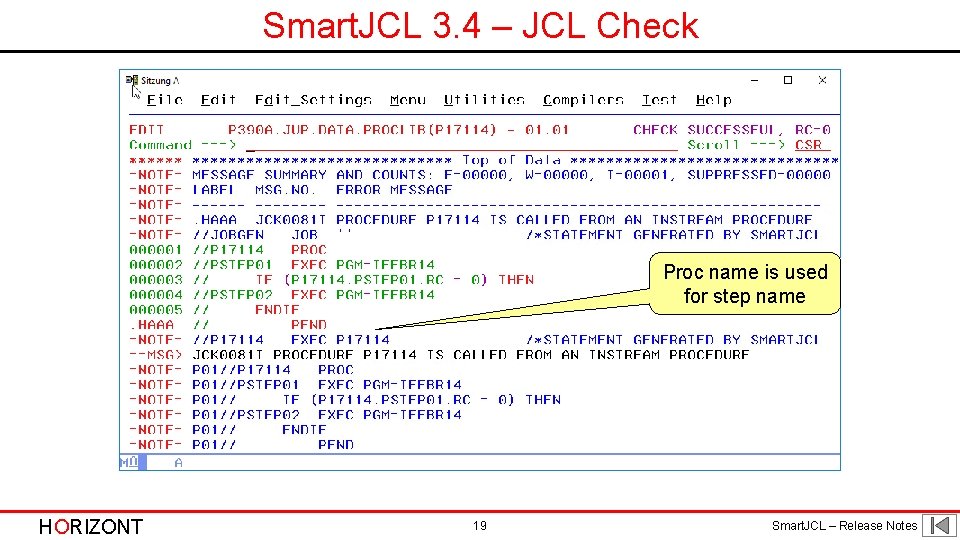
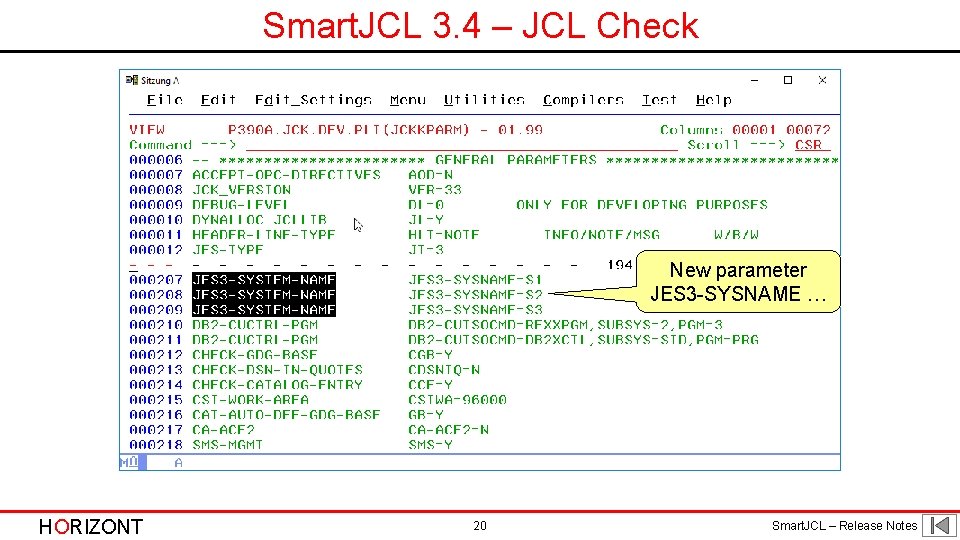
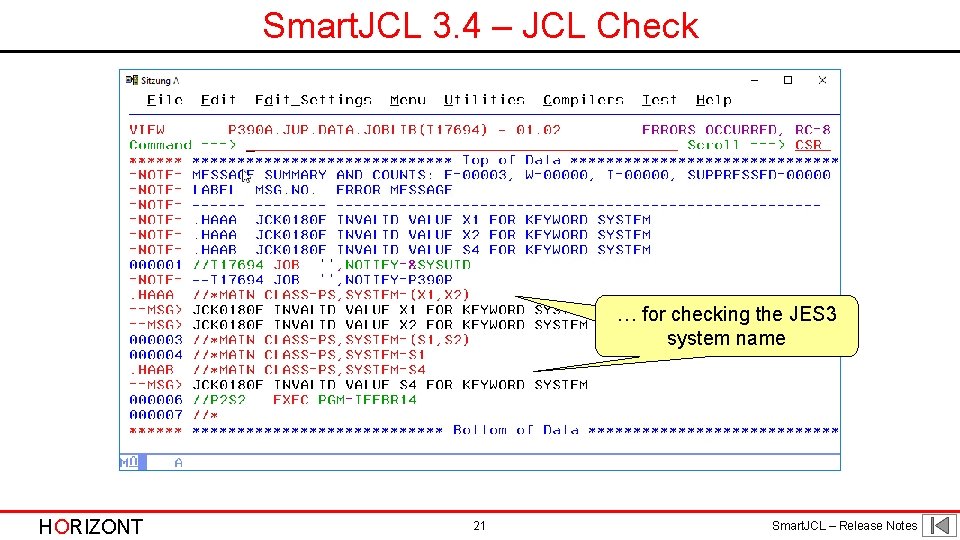
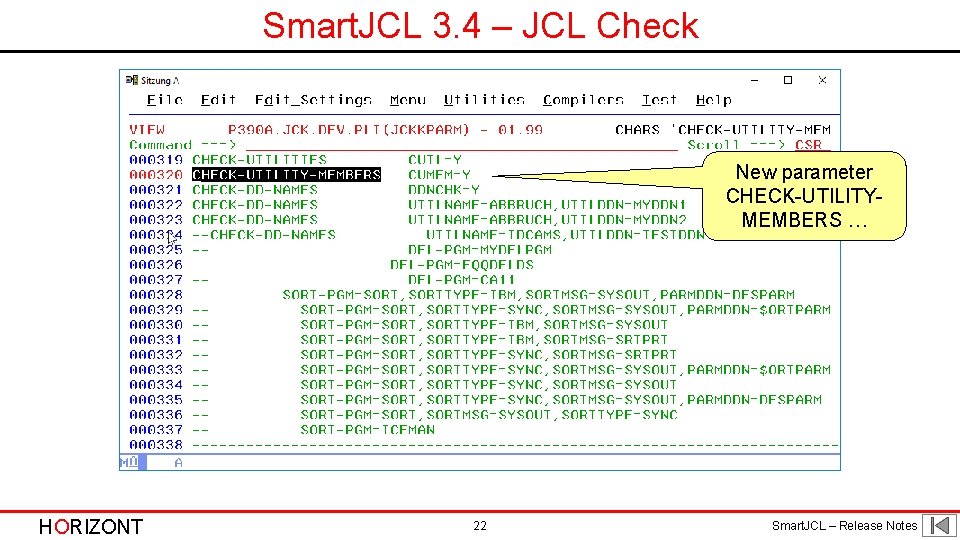
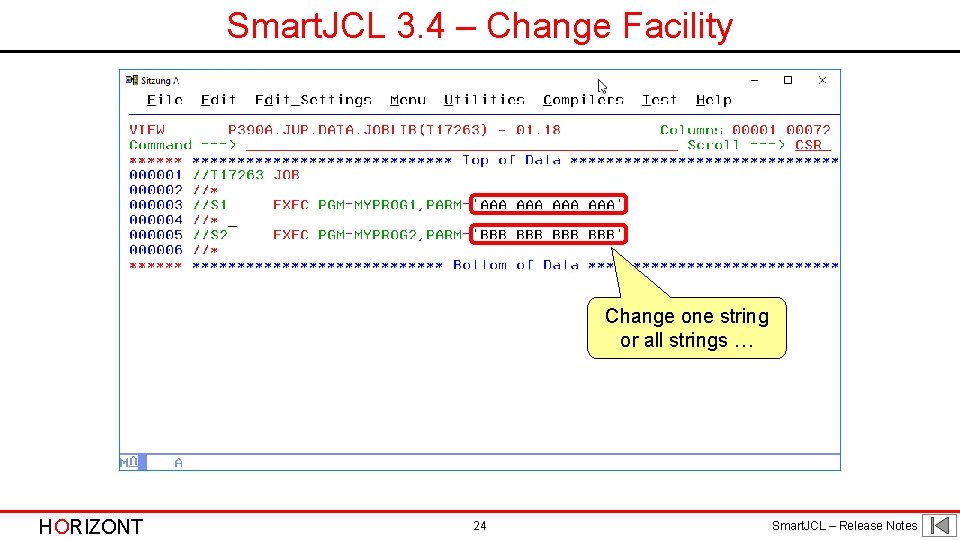
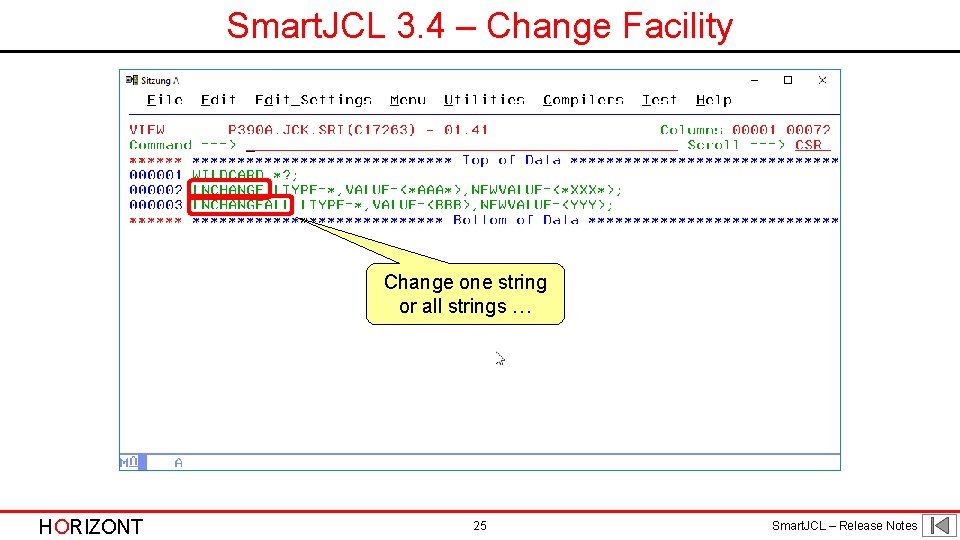
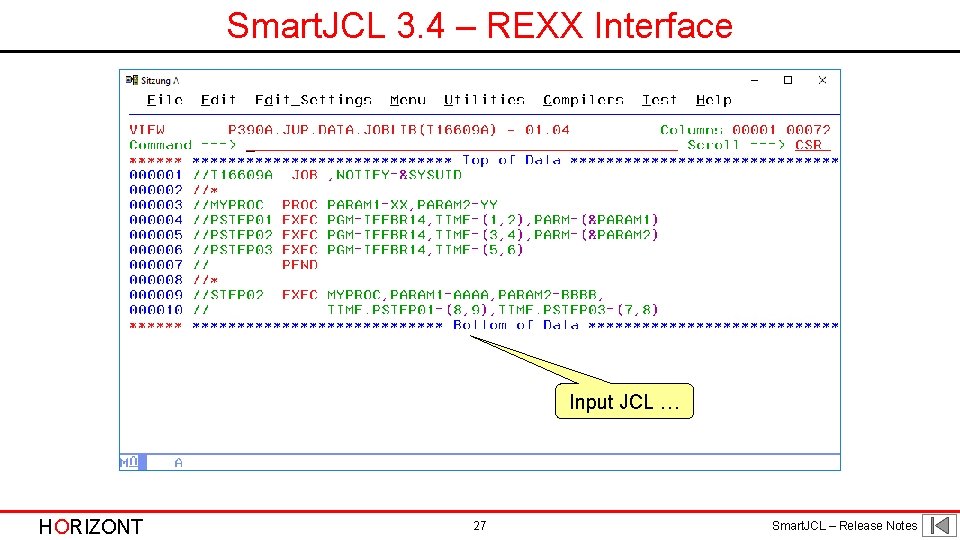
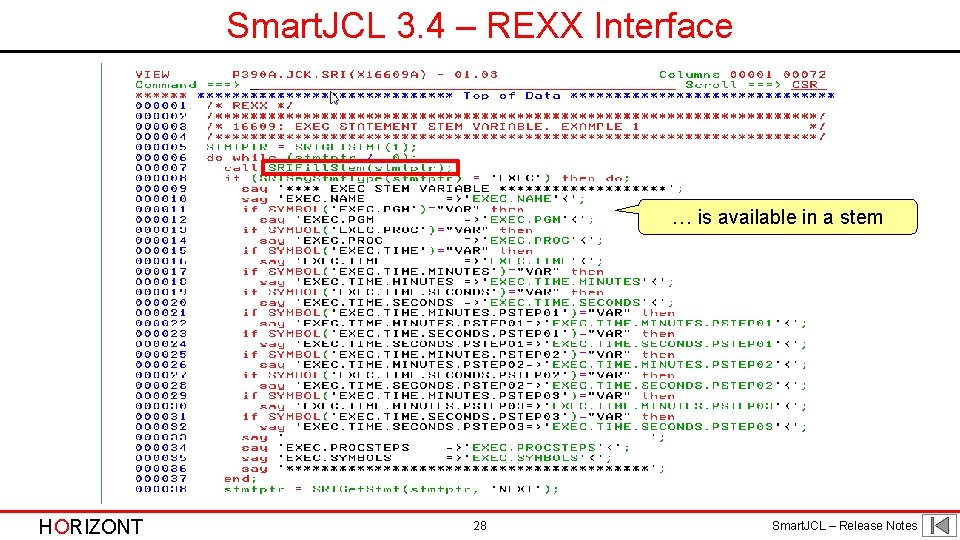
Smart. JCL 3. 4 • New JCL Check parameters: - DB 2 -CUTSOCMD for customer specific DB 2 program calls - DEFAULTIMSID specifies a default IMSID value - STEPGENNAME and STEPGENOPT for generated step names - JES 3 -SYSNAME defines user specified JES 3 system names • New Change Facility command: - LNCHANGEALL • New REXX Interface function: - SRIFill. Stem • Support of TWS 9. 5 HORIZONT 5 Smart. JCL – Release Notes
Smart. JCL 3. 4 – z/OS 2. 3 Password phrases and new password on PASSWORD parameter supported Limit for TSO/E user IDs is changed to 8 characters EMAIL parameter is added to the JOB statement HORIZONT 6 Smart. JCL – Release Notes
Smart. JCL 3. 4 - z/OS 2. 3 Using the SYSEMAIL system symbol NOTIFY JCL statement is added HORIZONT 7 Smart. JCL – Release Notes
Smart. JCL 3. 4 - z/OS 2. 3 Length for DLM= increased from 2 characters to 18 characters &SYSJOBNM, job name and &SYSJOBID, job ID added HORIZONT 8 Smart. JCL – Release Notes
Smart. JCL 3. 4 - z/OS 2. 3 GDGBIAS parameter is added to the JOB statement HORIZONT 9 Smart. JCL – Release Notes
Smart. JCL 3. 4 - z/OS 2. 3 GDGBIAS parameter is added to the JOB statement HORIZONT 10 Smart. JCL – Release Notes
Smart. JCL 3. 4 - z/OS 2. 3 GDGBIAS parameter is added to the JOB statement HORIZONT 11 Smart. JCL – Release Notes
Smart. JCL 3. 4 - z/OS 2. 3 New parameters AFTER, BEFORE, and DELAY HORIZONT 12 Smart. JCL – Release Notes
Smart. JCL 3. 4 - z/OS 2. 3 New parameters AFTER, BEFORE, and. DELAYa HORIZONT 13 Smart. JCL – Release Notes
Smart. JCL 3. 4 – JCL Check New parameter DB 2 -CUCTRL-PGM … HORIZONT 14 Smart. JCL – Release Notes
Smart. JCL 3. 4 – JCL Check … helps to recognize customer specific DB 2 calls HORIZONT 15 Smart. JCL – Release Notes
Smart. JCL 3. 4 – JCL Check New parameter DEFAULT-IMSID … HORIZONT 16 Smart. JCL – Release Notes
Smart. JCL 3. 4 – JCL Check … to check the right subsystem HORIZONT 17 Smart. JCL – Release Notes
Smart. JCL 3. 4 – JCL Check New STEPGEN parameters HORIZONT 18 Smart. JCL – Release Notes
Smart. JCL 3. 4 – JCL Check Proc name is used for step name HORIZONT 19 Smart. JCL – Release Notes
Smart. JCL 3. 4 – JCL Check New parameter JES 3 -SYSNAME … HORIZONT 20 Smart. JCL – Release Notes
Smart. JCL 3. 4 – JCL Check … for checking the JES 3 system name HORIZONT 21 Smart. JCL – Release Notes
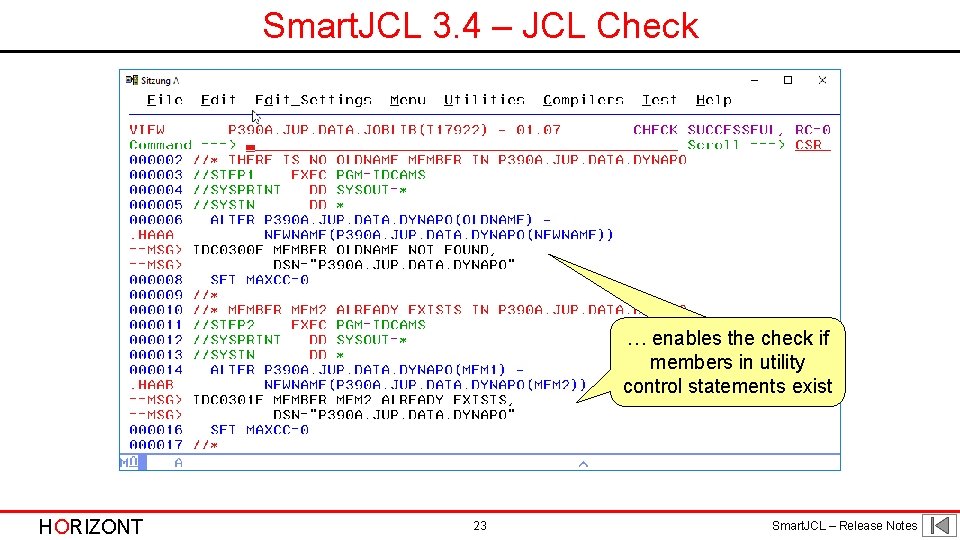
Smart. JCL 3. 4 – JCL Check New parameter CHECK-UTILITYMEMBERS … HORIZONT 22 Smart. JCL – Release Notes
Smart. JCL 3. 4 – JCL Check … enables the check if members in utility control statements exist HORIZONT 23 Smart. JCL – Release Notes
Smart. JCL 3. 4 – Change Facility Change one string or all strings … HORIZONT 24 Smart. JCL – Release Notes
Smart. JCL 3. 4 – Change Facility Change one string or all strings … HORIZONT 25 Smart. JCL – Release Notes
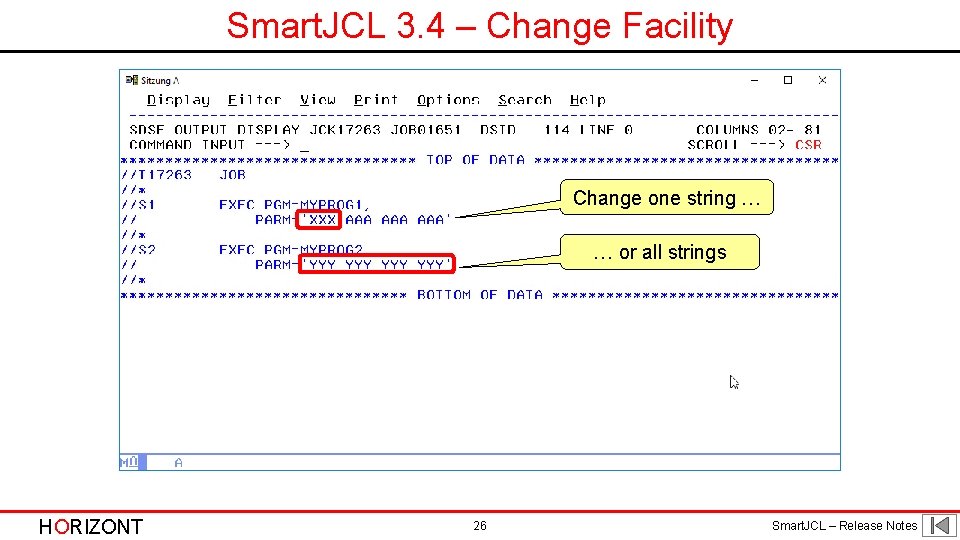
Smart. JCL 3. 4 – Change Facility Change one string … … or all strings HORIZONT 26 Smart. JCL – Release Notes
Smart. JCL 3. 4 – REXX Interface Input JCL … HORIZONT 27 Smart. JCL – Release Notes
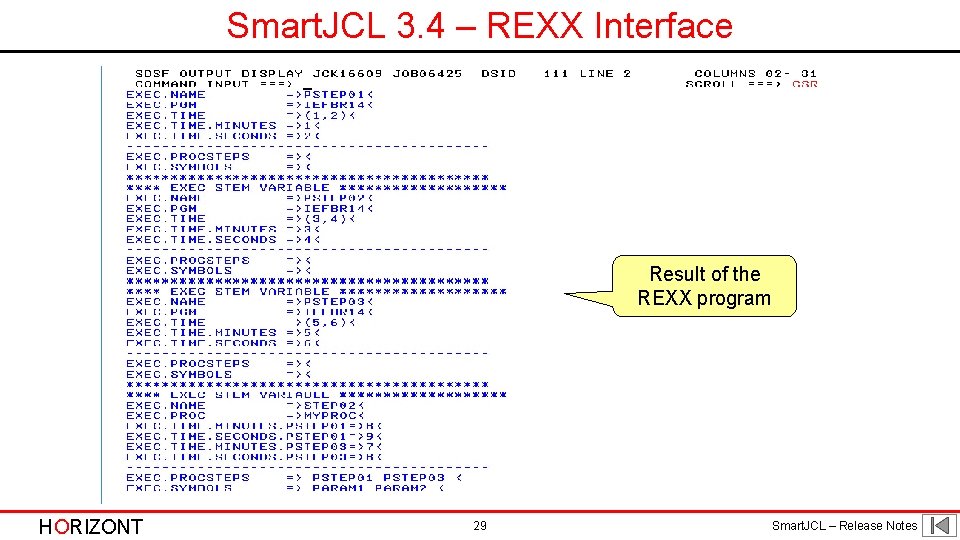
Smart. JCL 3. 4 – REXX Interface … is available in a stem HORIZONT 28 Smart. JCL – Release Notes
Smart. JCL 3. 4 – REXX Interface Result of the REXX program HORIZONT 29 Smart. JCL – Release Notes
Smart. JCL 3. 3 Smart. JCL V 3 R 3 is available since May 2016. It offers following new functions: • z/OS 2. 2 support - many new statements - New SCHEDULE statement - JES 2 Execution Control Statements: • AFTER • BEFORE • CONCURRENT • ENDGROUP • ENDSET • GJOB • JOBGROUP • JOBSET • SCHEDULE • SJOB HORIZONT 30 Smart. JCL – Release Notes
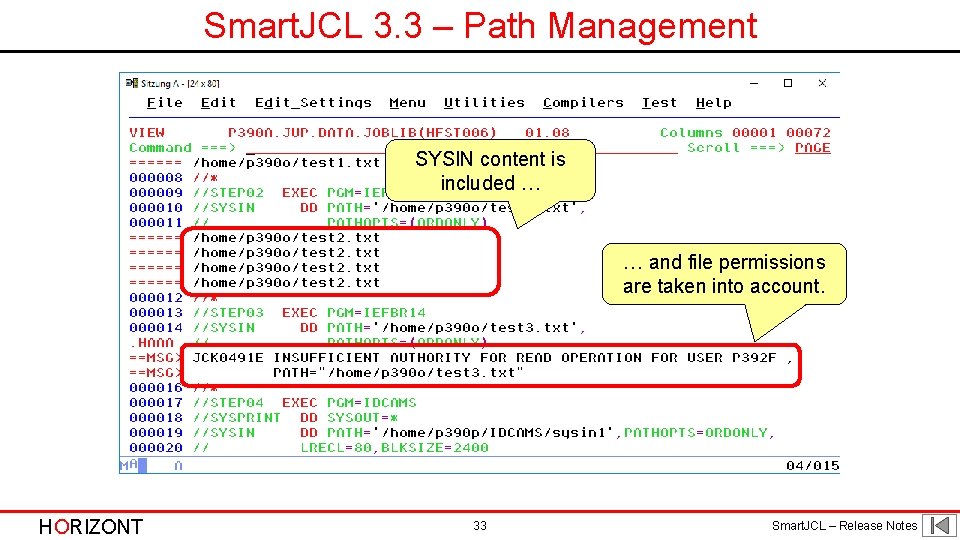
Smart. JCL 3. 3 • PATH check - UNIX files are check in the same way as z/OS data sets - Files are managed in a temp. catalog of Smart. JCL • Retrieve Proclib information from system - z/OS 2. 2 with SSI calls • Adapted installation routine - ISPF dialog collects data - Jobs do the installation and create data sets • Support of TWS 9. 3 HORIZONT 31 Smart. JCL – Release Notes
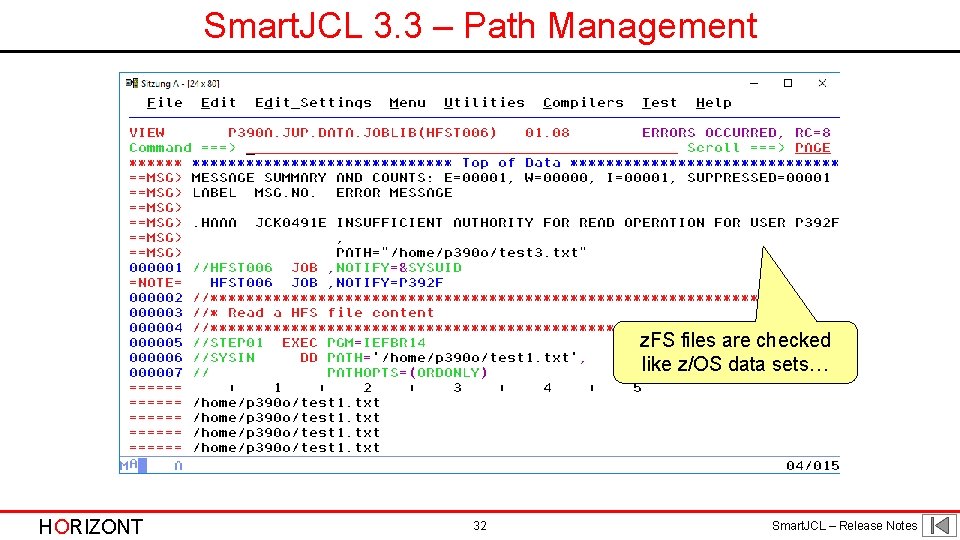
Smart. JCL 3. 3 – Path Management z. FS files are checked like z/OS data sets… HORIZONT 32 Smart. JCL – Release Notes
Smart. JCL 3. 3 – Path Management SYSIN content is included … … and file permissions are taken into account. HORIZONT 33 Smart. JCL – Release Notes
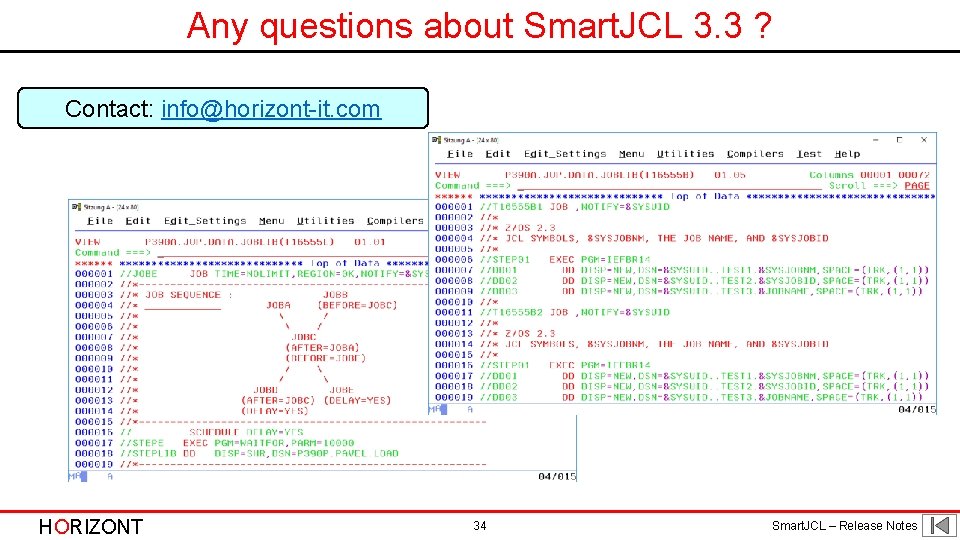
Any questions about Smart. JCL 3. 3 ? Contact: info@horizont-it. com HORIZONT 34 Smart. JCL – Release Notes
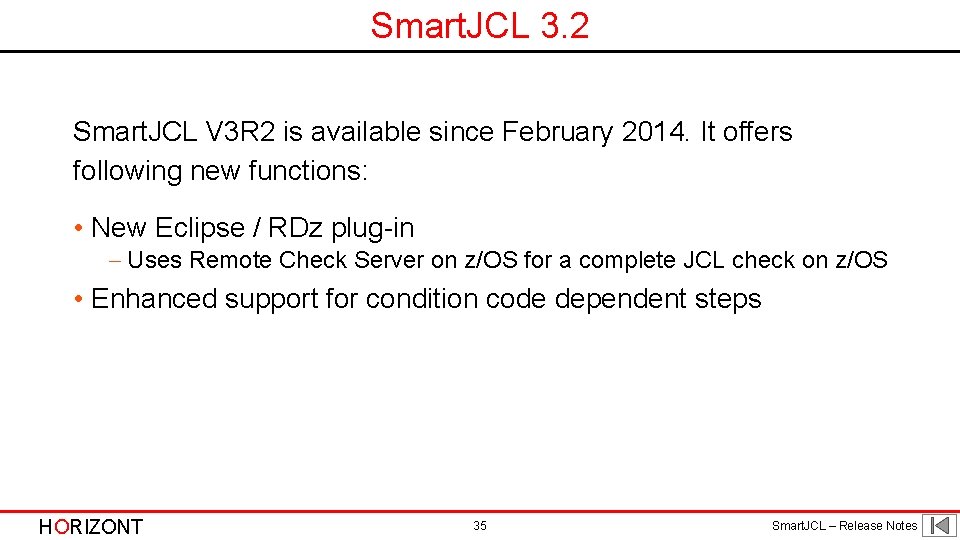
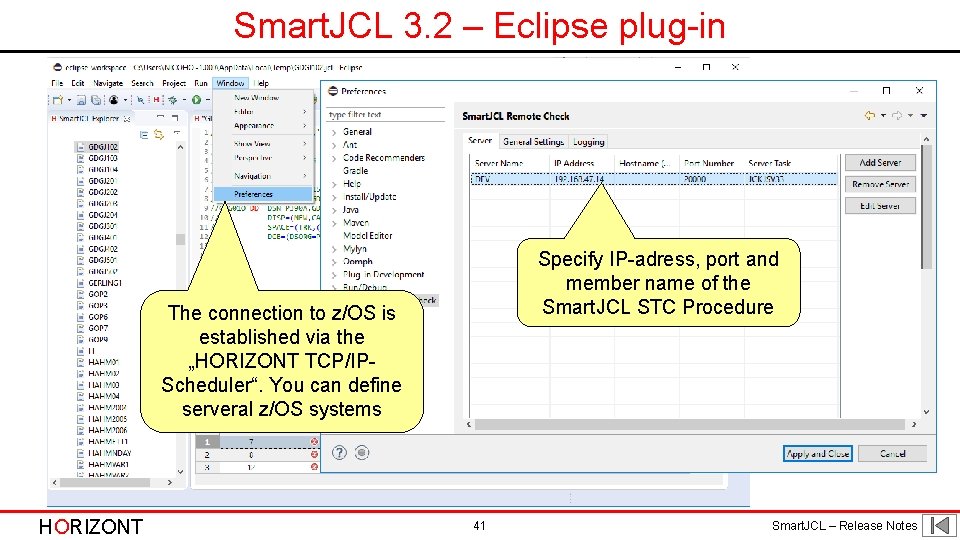
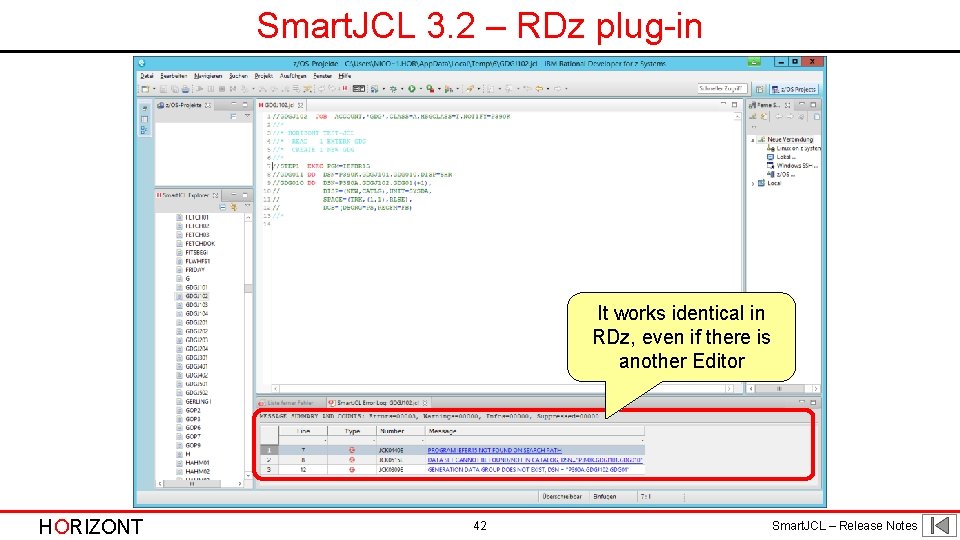
Smart. JCL 3. 2 Smart. JCL V 3 R 2 is available since February 2014. It offers following new functions: • New Eclipse / RDz plug-in - Uses Remote Check Server on z/OS for a complete JCL check on z/OS • Enhanced support for condition code dependent steps HORIZONT 35 Smart. JCL – Release Notes
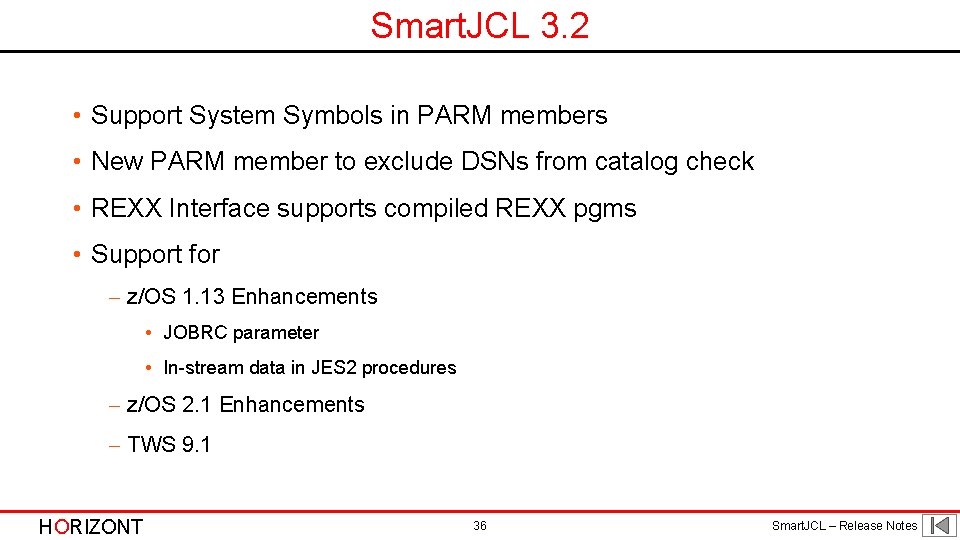
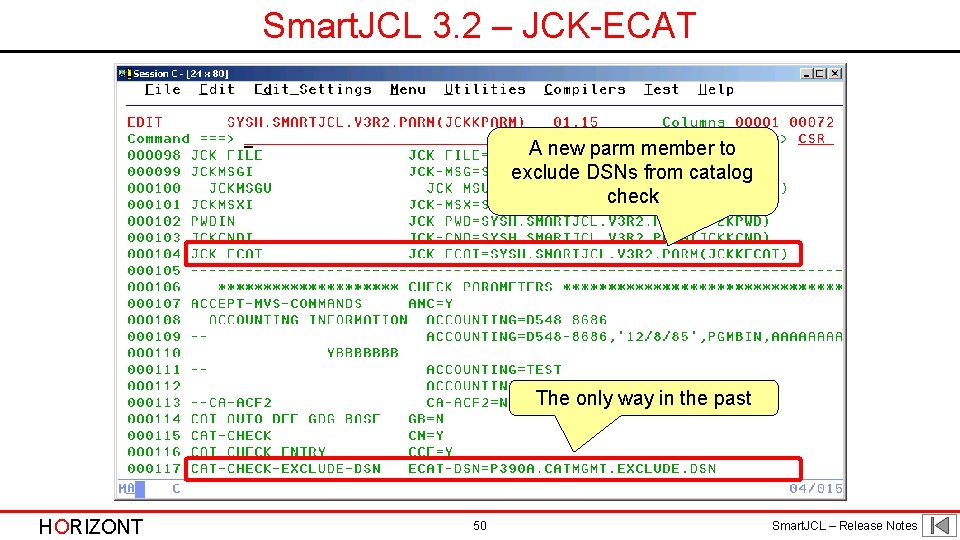
Smart. JCL 3. 2 • Support System Symbols in PARM members • New PARM member to exclude DSNs from catalog check • REXX Interface supports compiled REXX pgms • Support for - z/OS 1. 13 Enhancements • JOBRC parameter • In-stream data in JES 2 procedures - z/OS 2. 1 Enhancements - TWS 9. 1 HORIZONT 36 Smart. JCL – Release Notes
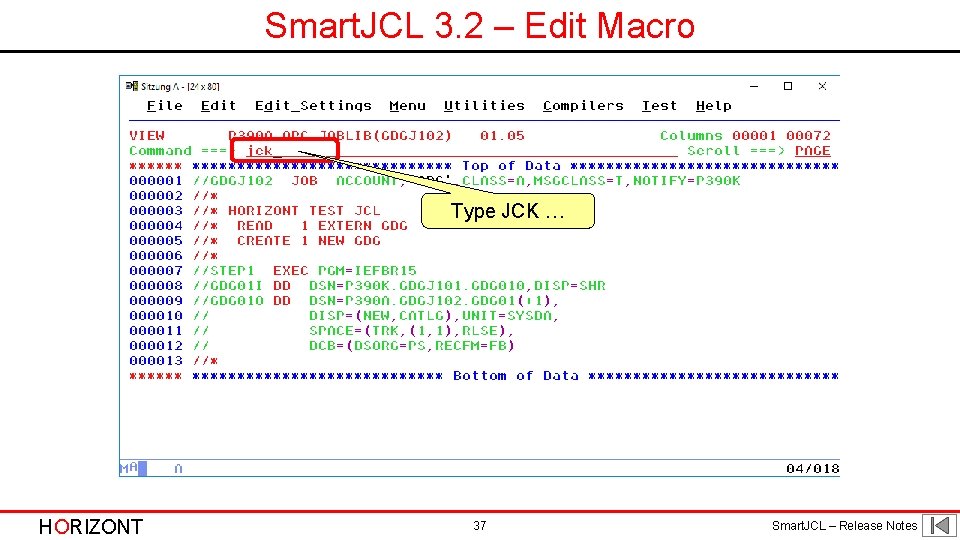
Smart. JCL 3. 2 – Edit Macro Type JCK … HORIZONT 37 Smart. JCL – Release Notes
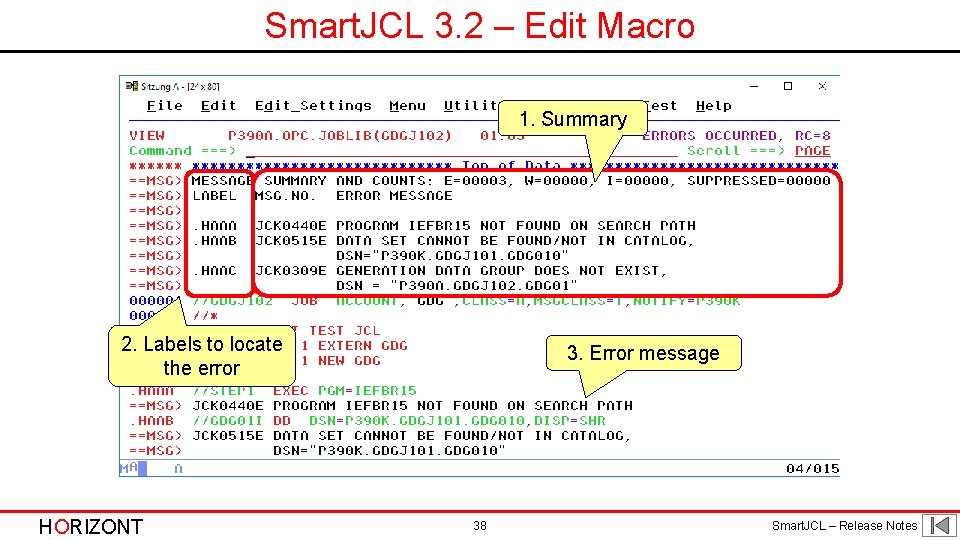
Smart. JCL 3. 2 – Edit Macro 1. Summary 2. Labels to locate the error HORIZONT 3. Error message 38 Smart. JCL – Release Notes
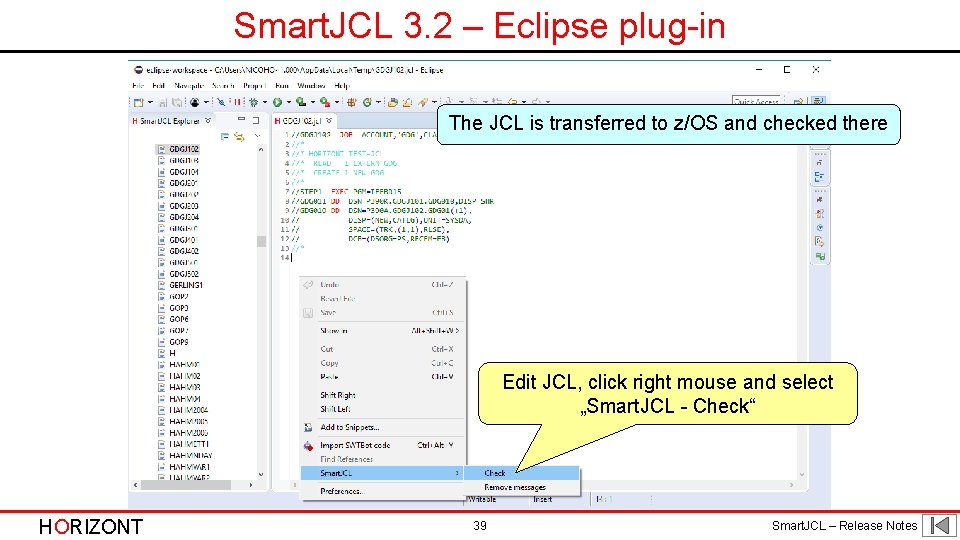
Smart. JCL 3. 2 – Eclipse plug-in The JCL is transferred to z/OS and checked there Edit JCL, click right mouse and select „Smart. JCL - Check“ HORIZONT 39 Smart. JCL – Release Notes
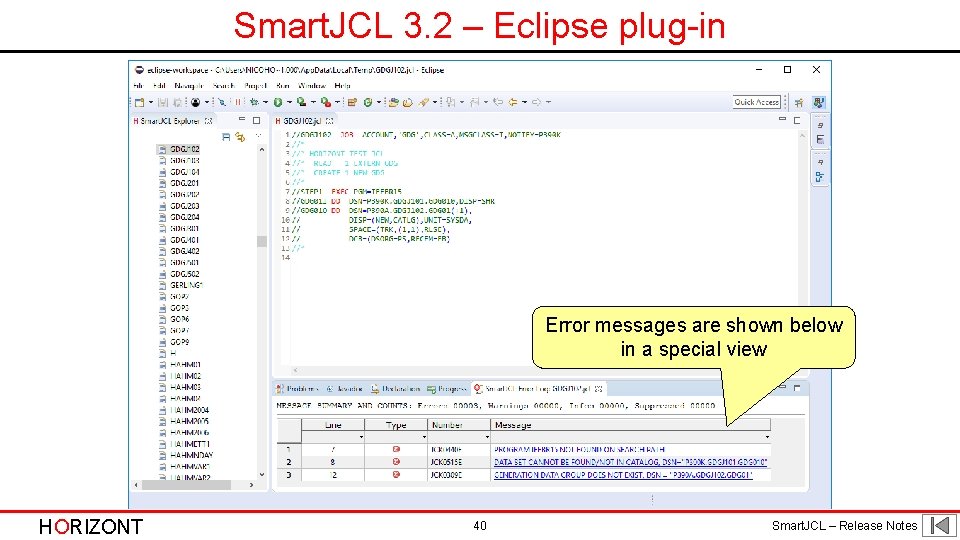
Smart. JCL 3. 2 – Eclipse plug-in Error messages are shown below in a special view HORIZONT 40 Smart. JCL – Release Notes
Smart. JCL 3. 2 – Eclipse plug-in Specify IP-adress, port and member name of the Smart. JCL STC Procedure The connection to z/OS is established via the „HORIZONT TCP/IPScheduler“. You can define serveral z/OS systems HORIZONT 41 Smart. JCL – Release Notes
Smart. JCL 3. 2 – RDz plug-in It works identical in RDz, even if there is another Editor HORIZONT 42 Smart. JCL – Release Notes
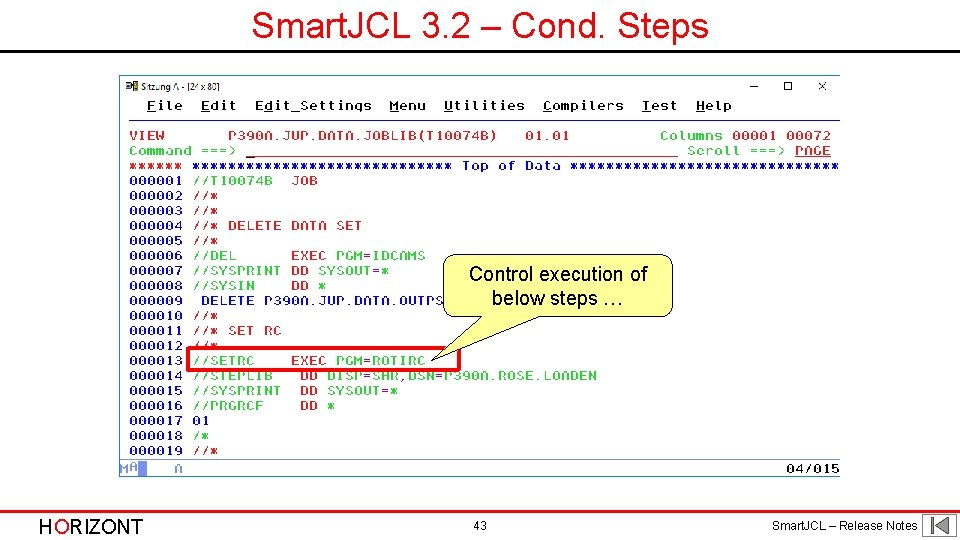
Smart. JCL 3. 2 – Cond. Steps Control execution of below steps … HORIZONT 43 Smart. JCL – Release Notes
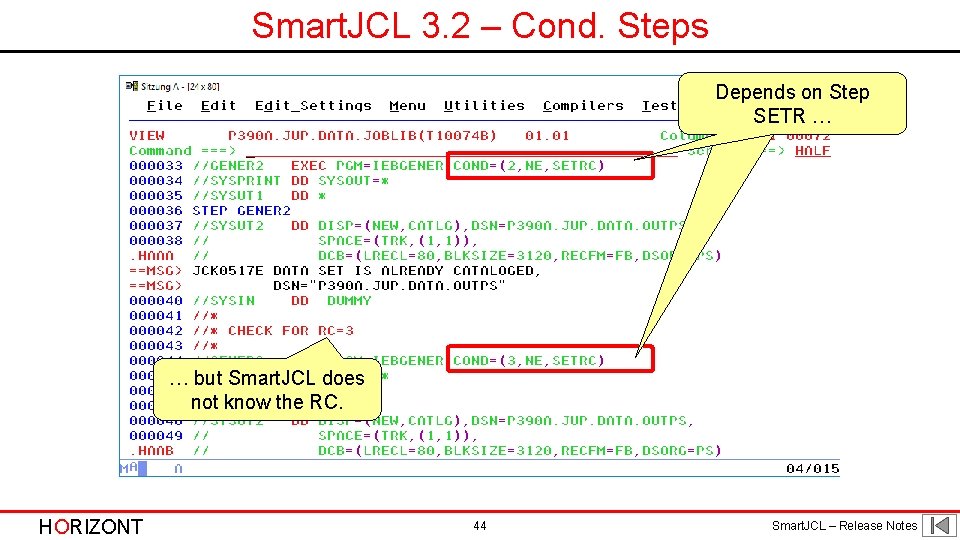
Smart. JCL 3. 2 – Cond. Steps Depends on Step SETR … … but Smart. JCL does not know the RC. HORIZONT 44 Smart. JCL – Release Notes
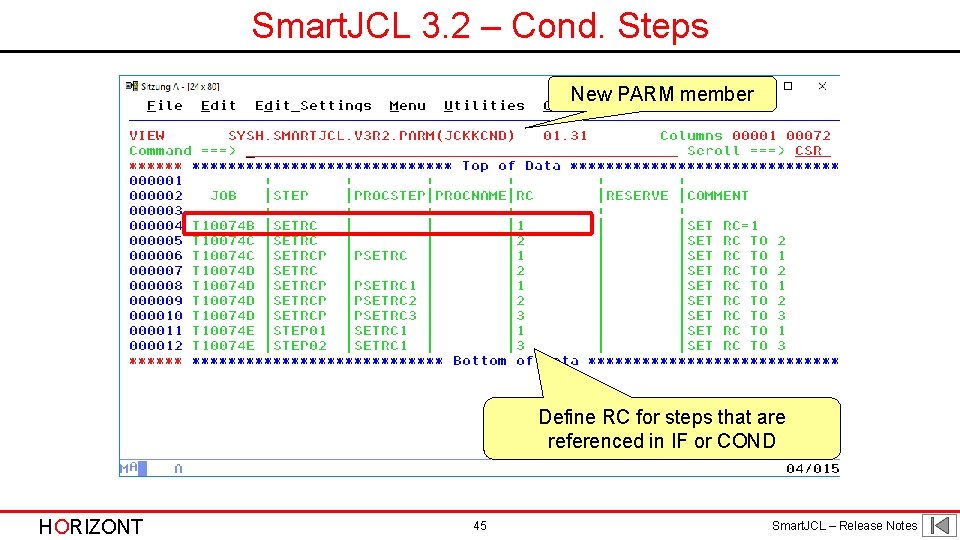
Smart. JCL 3. 2 – Cond. Steps New PARM member Define RC for steps that are referenced in IF or COND HORIZONT 45 Smart. JCL – Release Notes
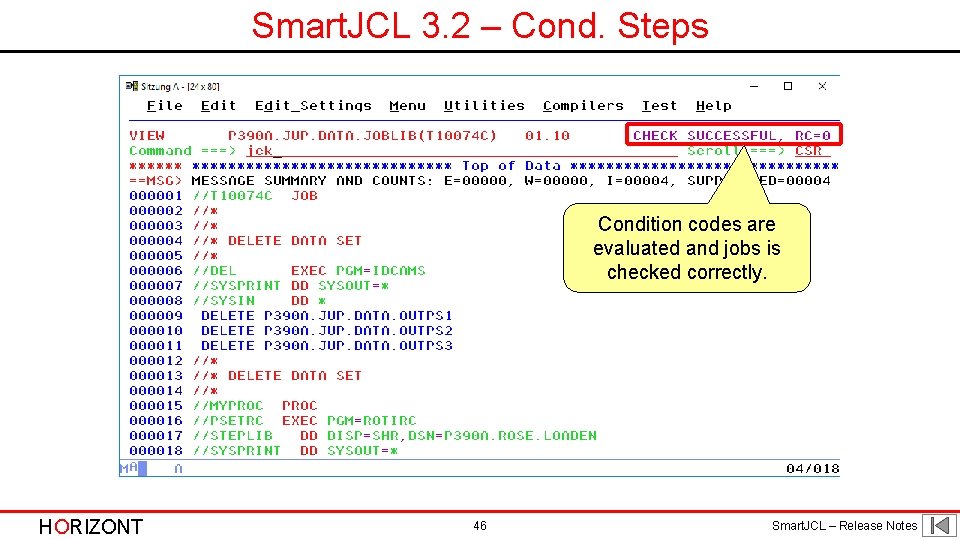
Smart. JCL 3. 2 – Cond. Steps Condition codes are evaluated and jobs is checked correctly. HORIZONT 46 Smart. JCL – Release Notes
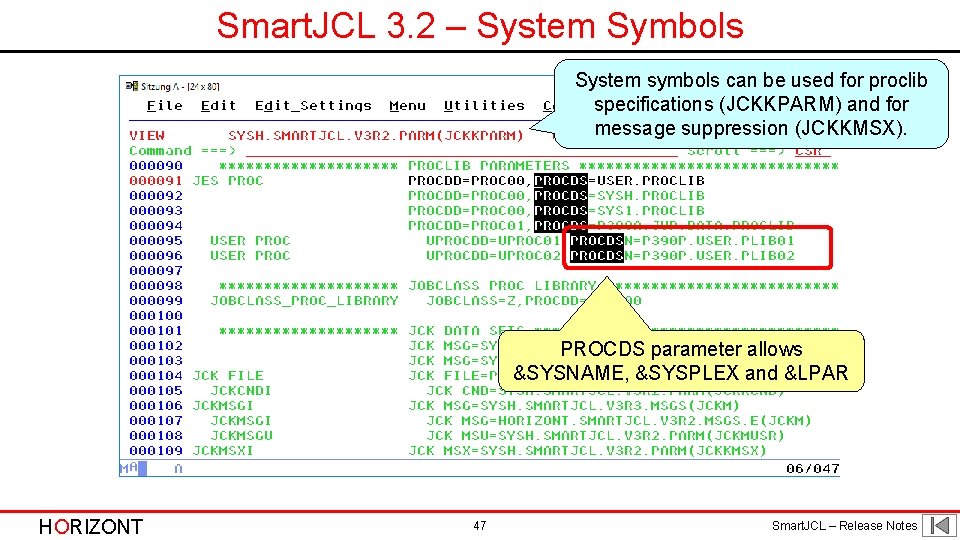
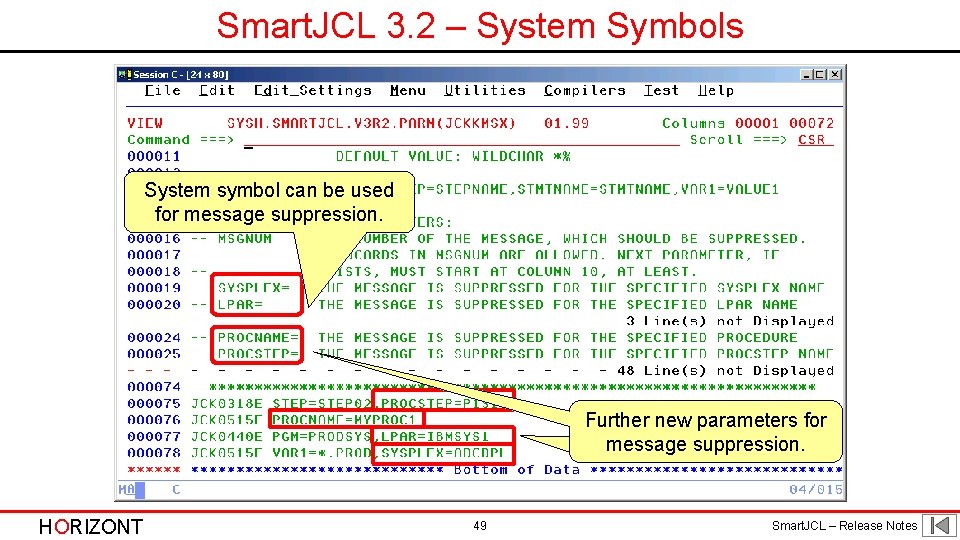
Smart. JCL 3. 2 – System Symbols System symbols can be used for proclib specifications (JCKKPARM) and for message suppression (JCKKMSX). PROCDS parameter allows &SYSNAME, &SYSPLEX and &LPAR HORIZONT 47 Smart. JCL – Release Notes
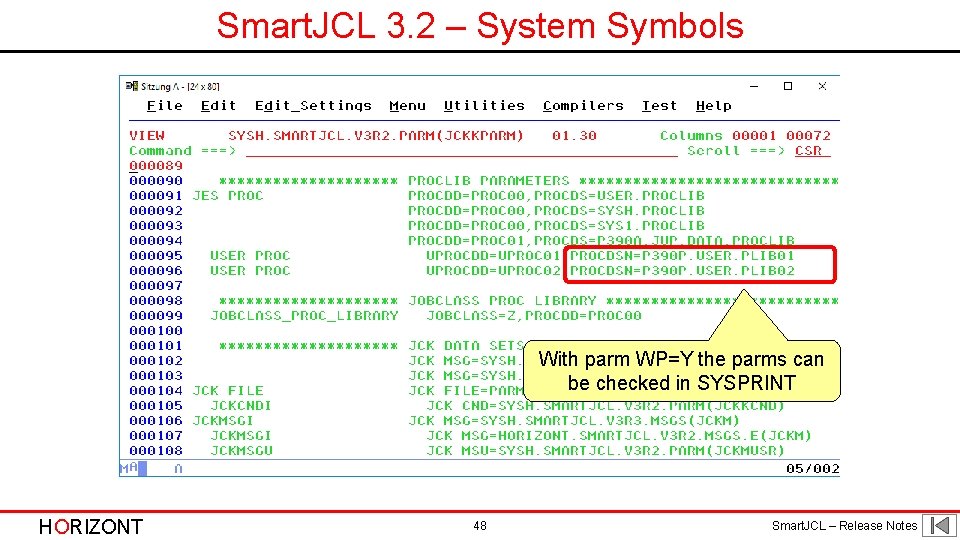
Smart. JCL 3. 2 – System Symbols With parm WP=Y the parms can be checked in SYSPRINT HORIZONT 48 Smart. JCL – Release Notes
Smart. JCL 3. 2 – System Symbols System symbol can be used for message suppression. Further new parameters for message suppression. HORIZONT 49 Smart. JCL – Release Notes
Smart. JCL 3. 2 – JCK-ECAT A new parm member to exclude DSNs from catalog check The only way in the past HORIZONT 50 Smart. JCL – Release Notes
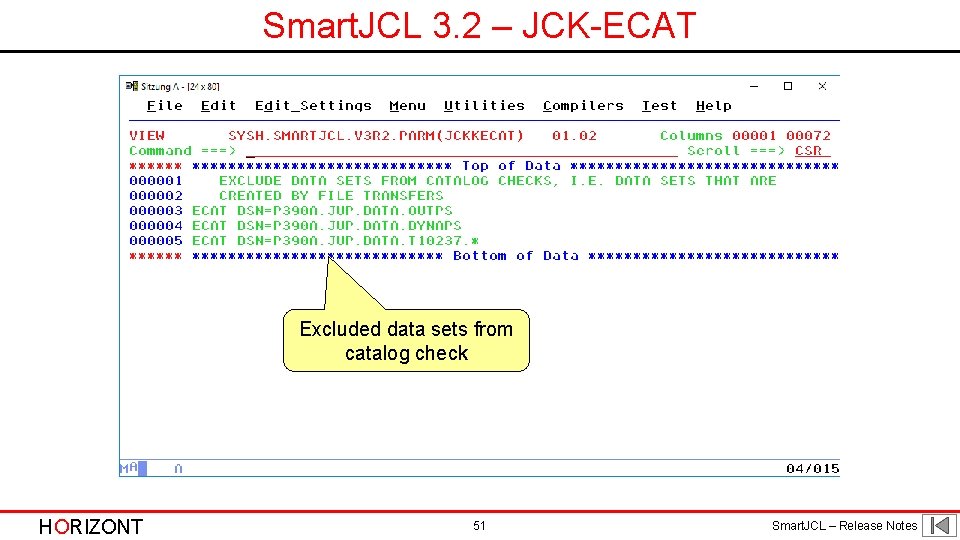
Smart. JCL 3. 2 – JCK-ECAT Excluded data sets from catalog check HORIZONT 51 Smart. JCL – Release Notes
Any questions about Smart. JCL 3. 2 ? Contact: info@horizont-it. com HORIZONT 52 Smart. JCL – Release Notes
Smart. JCL 3. 1 Smart. JCL V 3 R 1 will be available in September 2011. It will have following new functions: • Many new parameters and options for JCL Check and Reformat - Get DB 2 subsystem from system control blocks - Reformat only selected or changed JCL statements - Control setting ISPF member statistics in output file JCKJCLO - Check TSO program call HORIZONT 53 Smart. JCL – Release Notes
Smart. JCL 3. 1 • Support for z/OS 1. 12 SORT enhancements - JOINKEYS Application - Date Field Conversions - MERGE Operator - MERGEIN Alternate ddnames -… • Support for TWS 8. 6 HORIZONT 54 Smart. JCL – Release Notes
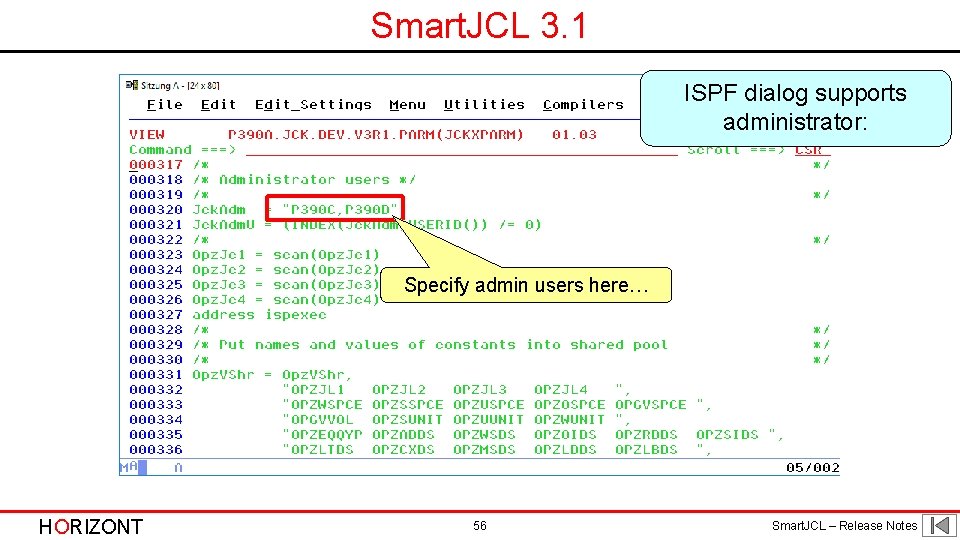
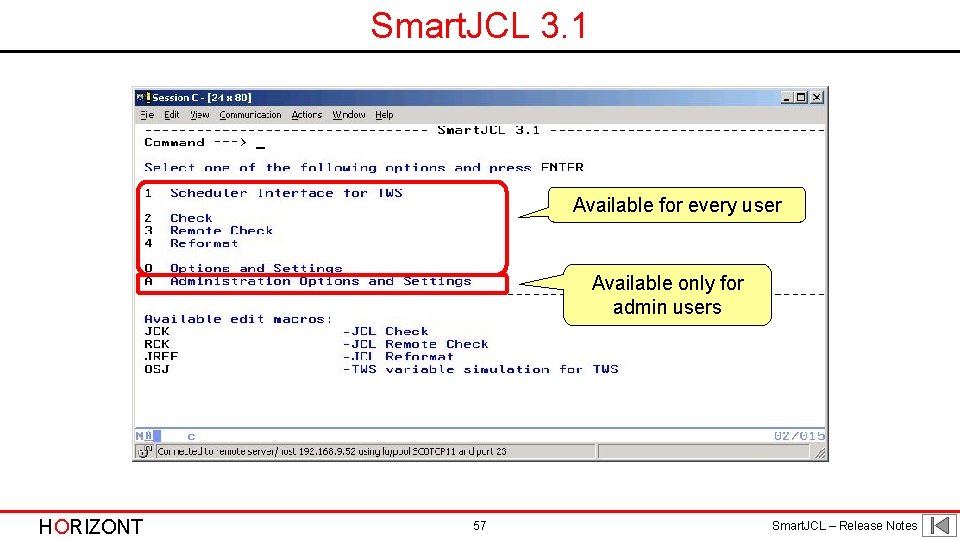
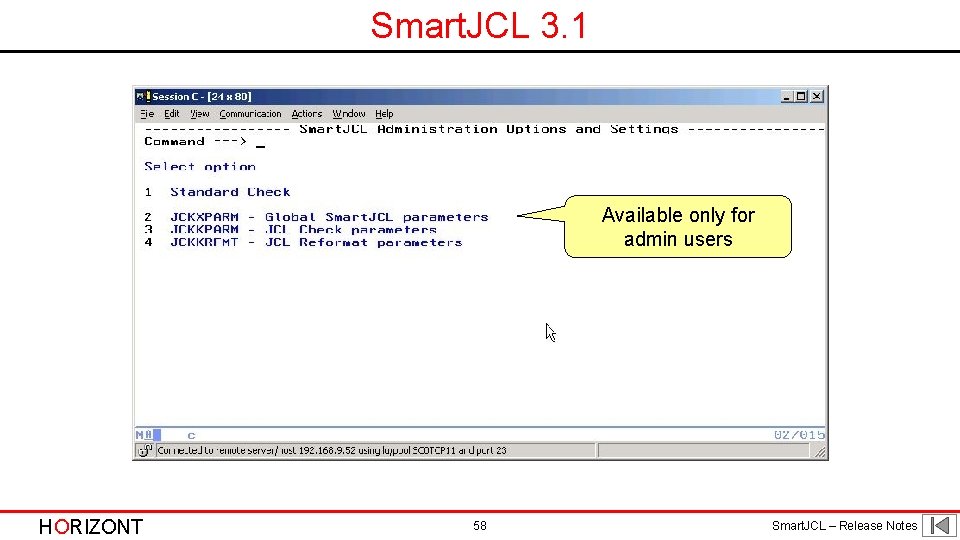
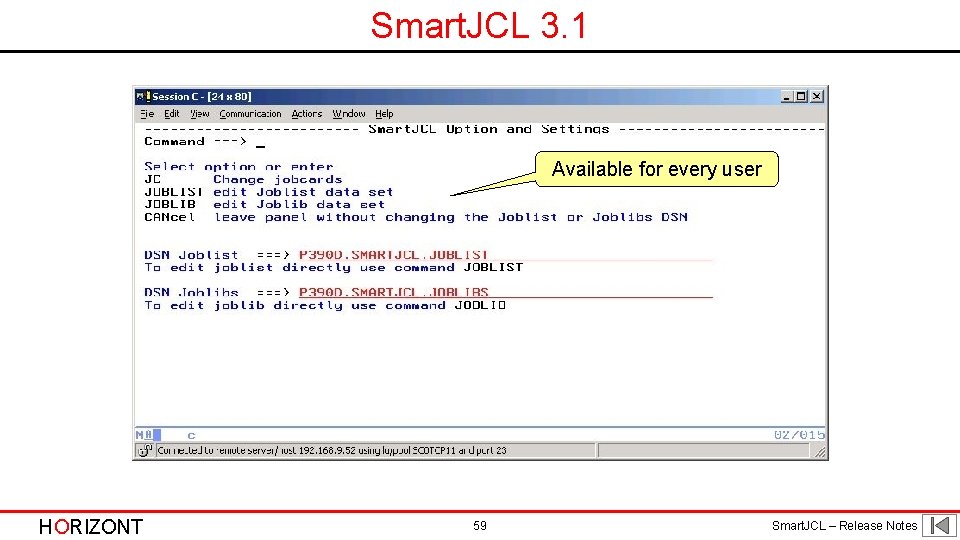
Smart. JCL 3. 1 • ISPF dialog supports administrators - Admins are defined during installation or in JCKXPARM - Admins have additional configuration options - Users can only “use” Smart. JCL HORIZONT 55 Smart. JCL – Release Notes
Smart. JCL 3. 1 ISPF dialog supports administrator: Specify admin users here… HORIZONT 56 Smart. JCL – Release Notes
Smart. JCL 3. 1 Available for every user Available only for admin users HORIZONT 57 Smart. JCL – Release Notes
Smart. JCL 3. 1 Available only for admin users HORIZONT 58 Smart. JCL – Release Notes
Smart. JCL 3. 1 Available for every user HORIZONT 59 Smart. JCL – Release Notes
Smart. JCL 3. 1 • New SRI function “Sri. Cat. Entry” for catalog access and informations - Returns • Entry name (=DSN) • Catalog name • Entey type • Volser - Easier than LISTCAT and scanning output HORIZONT 60 Smart. JCL – Release Notes
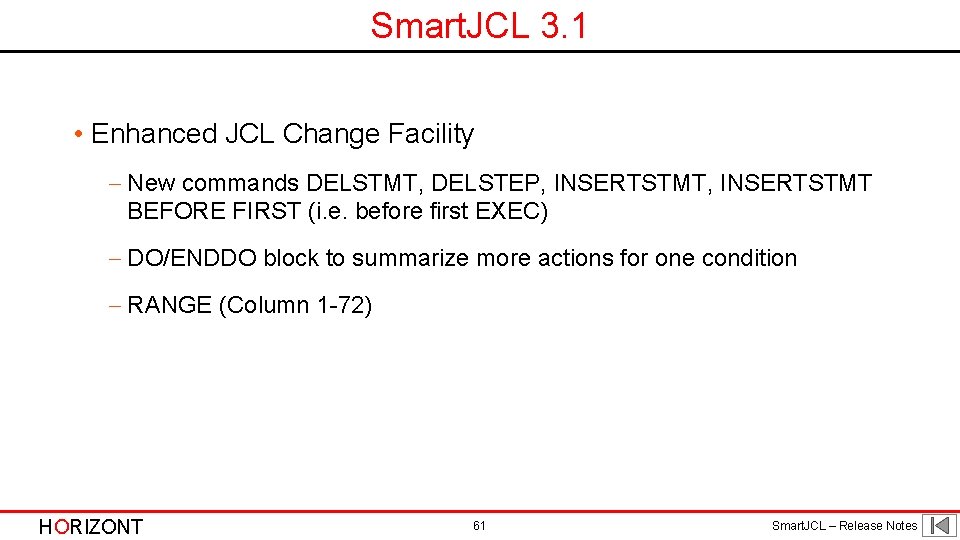
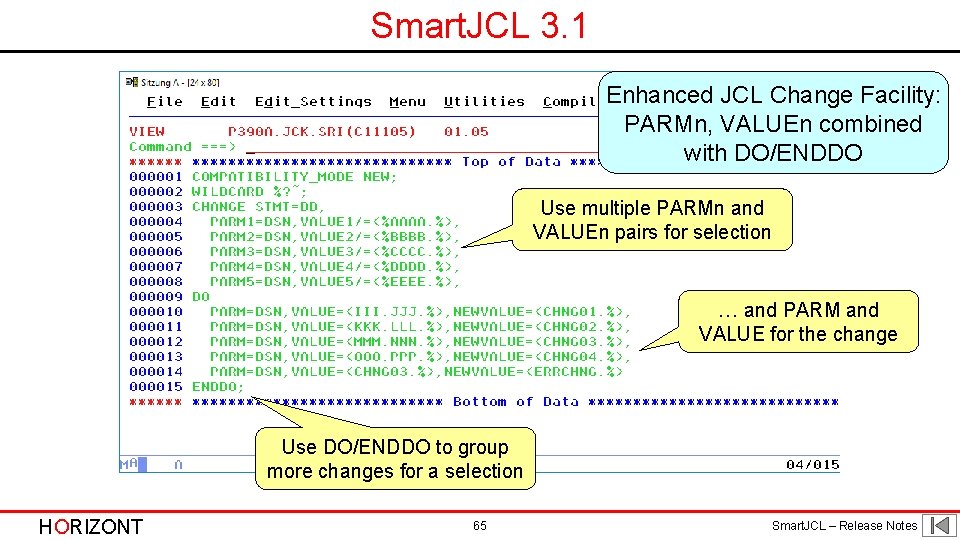
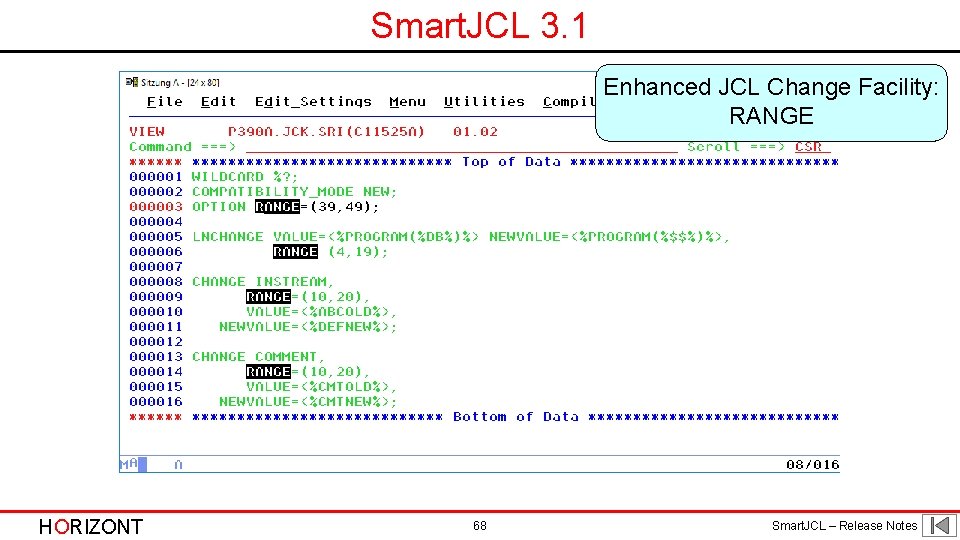
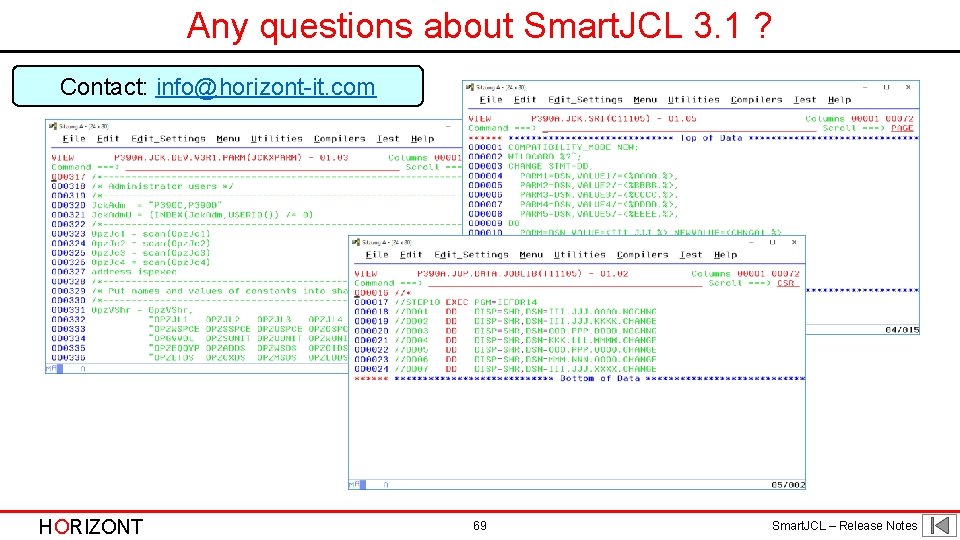
Smart. JCL 3. 1 • Enhanced JCL Change Facility - New commands DELSTMT, DELSTEP, INSERTSTMT BEFORE FIRST (i. e. before first EXEC) - DO/ENDDO block to summarize more actions for one condition - RANGE (Column 1 -72) HORIZONT 61 Smart. JCL – Release Notes
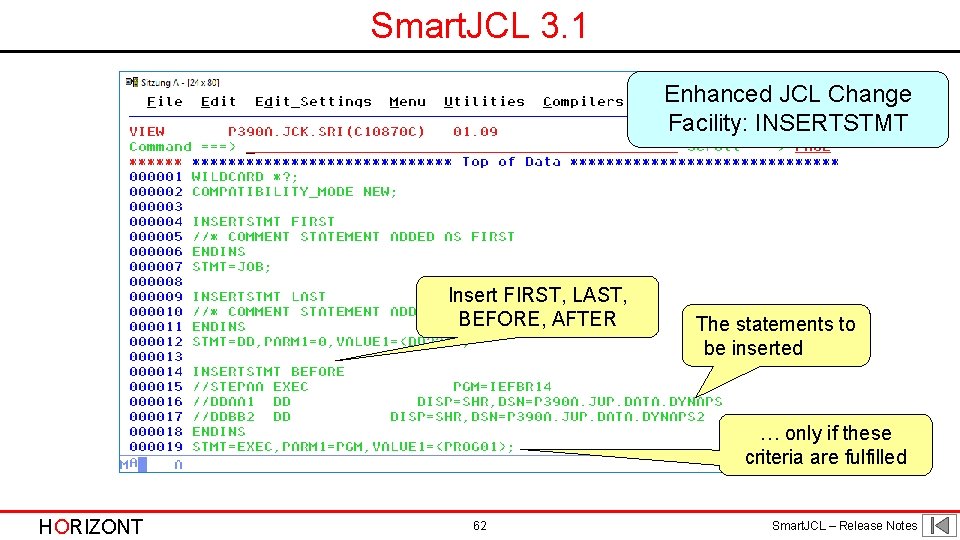
Smart. JCL 3. 1 Enhanced JCL Change Facility: INSERTSTMT Insert FIRST, LAST, BEFORE, AFTER The statements to be inserted … only if these criteria are fulfilled HORIZONT 62 Smart. JCL – Release Notes
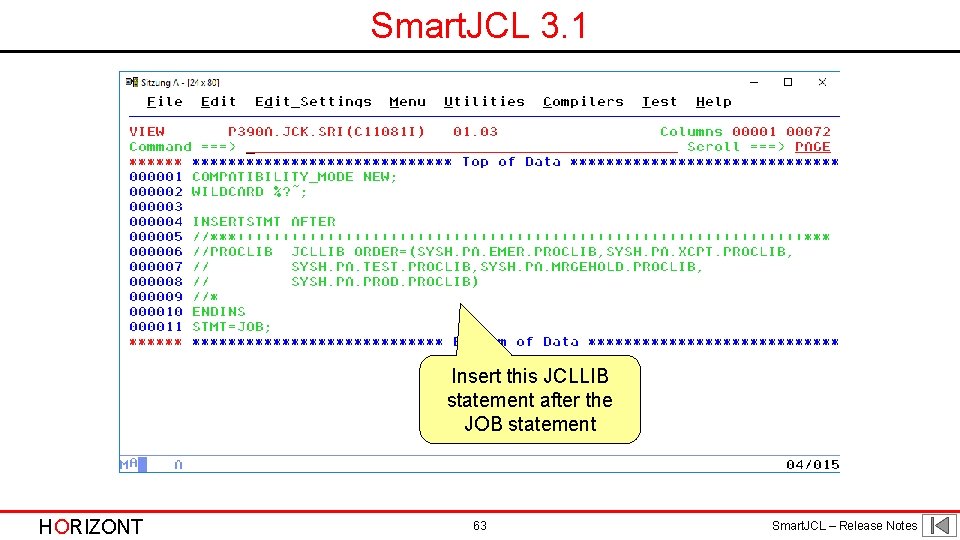
Smart. JCL 3. 1 Insert this JCLLIB statement after the JOB statement HORIZONT 63 Smart. JCL – Release Notes
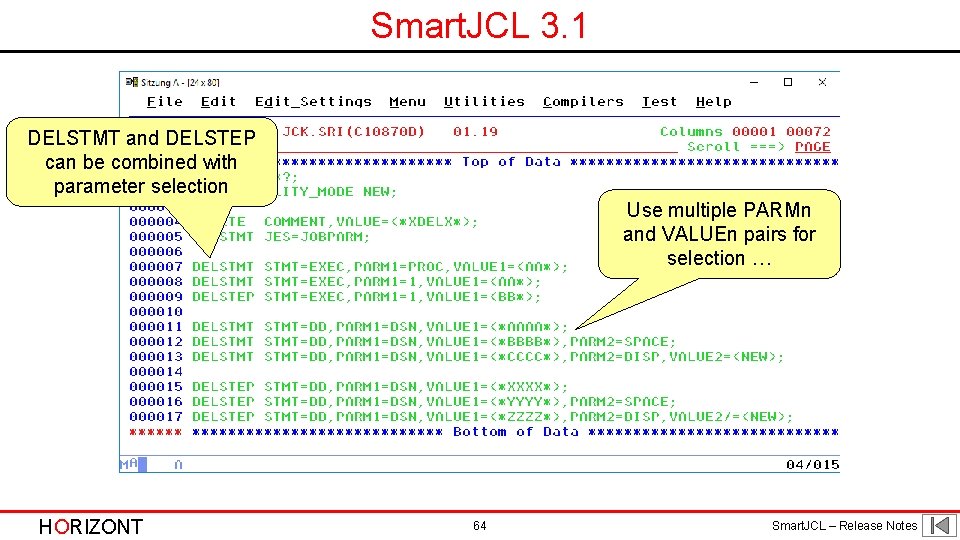
Smart. JCL 3. 1 DELSTMT and DELSTEP can be combined with parameter selection Use multiple PARMn and VALUEn pairs for selection … HORIZONT 64 Smart. JCL – Release Notes
Smart. JCL 3. 1 Enhanced JCL Change Facility: PARMn, VALUEn combined with DO/ENDDO Use multiple PARMn and VALUEn pairs for selection … and PARM and VALUE for the change Use DO/ENDDO to group more changes for a selection HORIZONT 65 Smart. JCL – Release Notes
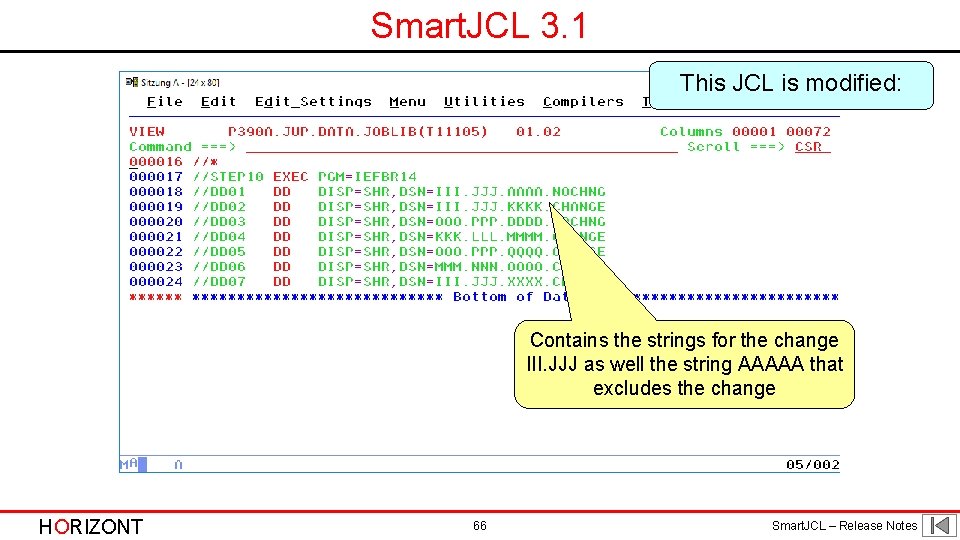
Smart. JCL 3. 1 This JCL is modified: Contains the strings for the change III. JJJ as well the string AAAAA that excludes the change HORIZONT 66 Smart. JCL – Release Notes
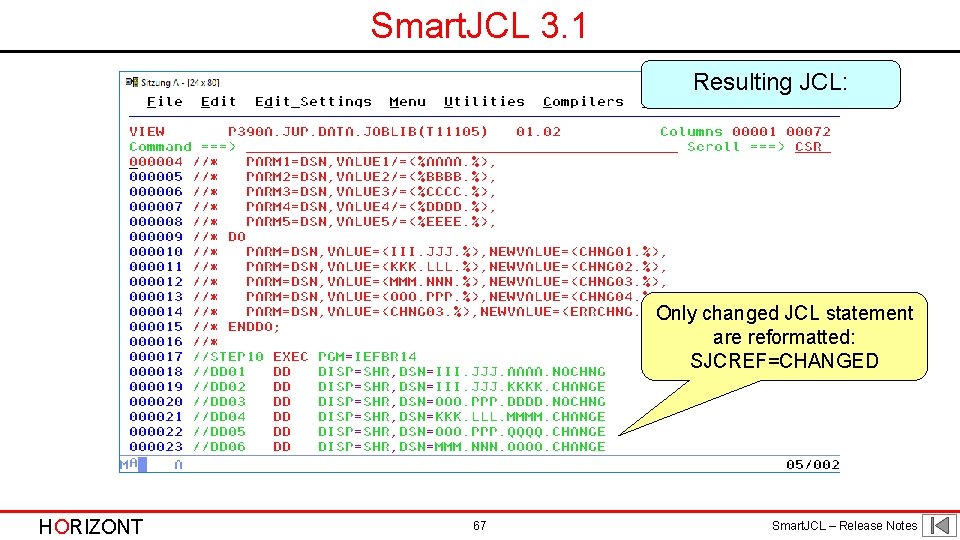
Smart. JCL 3. 1 Resulting JCL: Only changed JCL statement are reformatted: SJCREF=CHANGED HORIZONT 67 Smart. JCL – Release Notes
Smart. JCL 3. 1 Enhanced JCL Change Facility: RANGE HORIZONT 68 Smart. JCL – Release Notes
Any questions about Smart. JCL 3. 1 ? Contact: info@horizont-it. com HORIZONT 69 Smart. JCL – Release Notes
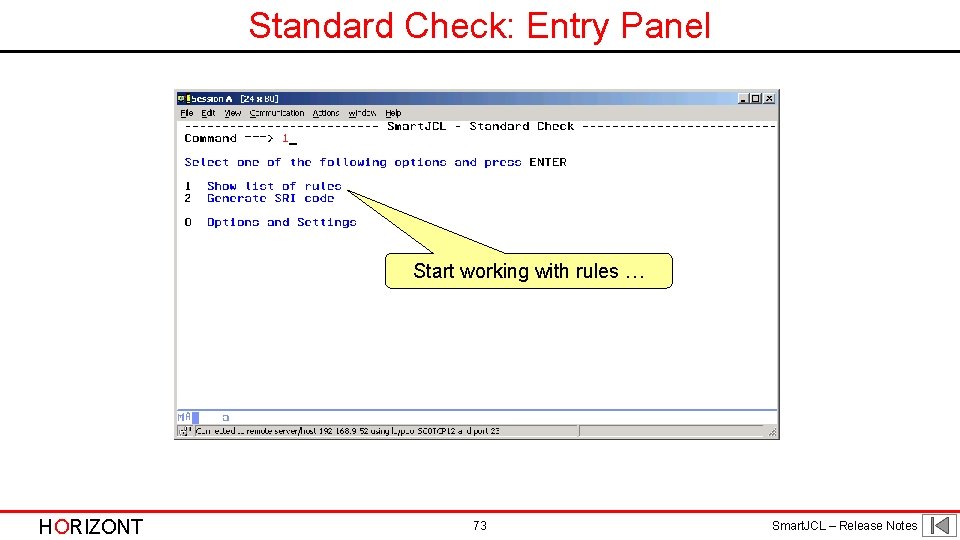
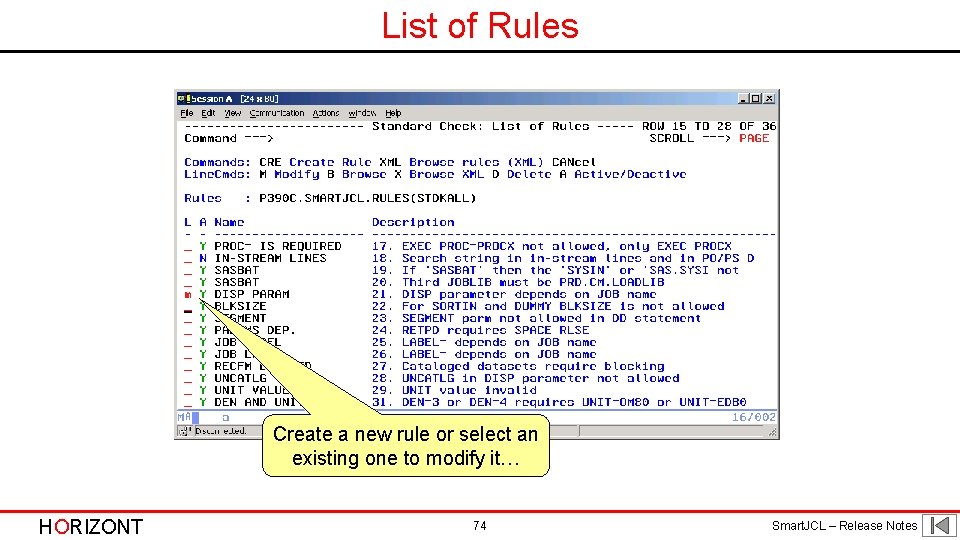
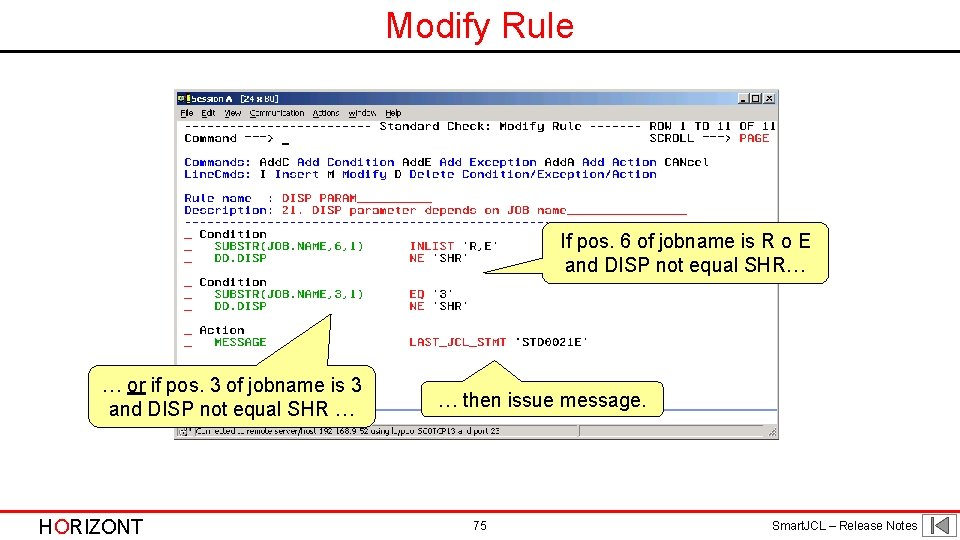
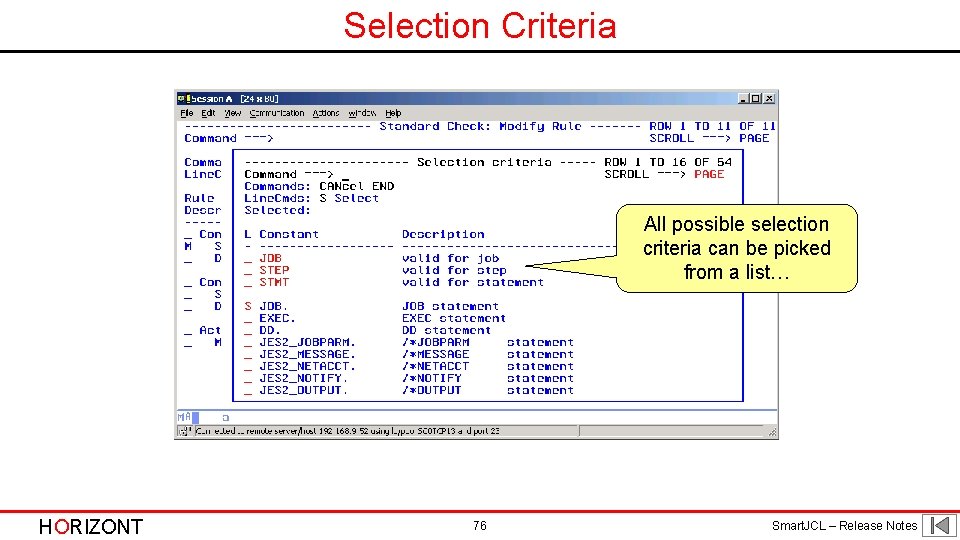
Smart. JCL 3. 0 Smart. JCL V 3 R 0 is available since September 2009. It will have following major new functions: • ISPF Dialog to specify rules according to customer specific standards - Every site has individual rules, e. g. „UNI must be SYSDA in SORT step“ - Up to now checks required usage of Smart. JCL‘s REXX interface - Smart. JCL will enable non-programmers to specify complex rules by using a simple ISPF dialog - See dialog on next slides HORIZONT 70 Smart. JCL – Release Notes
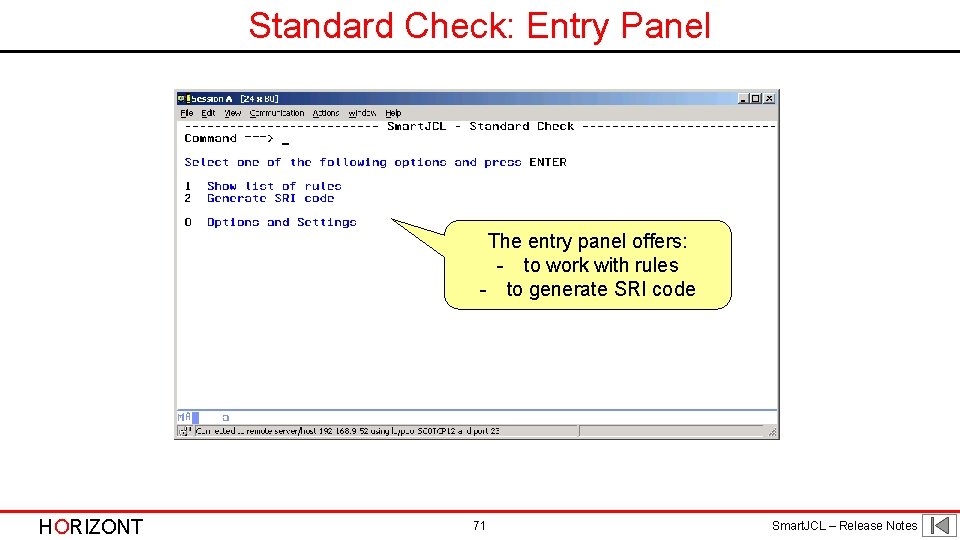
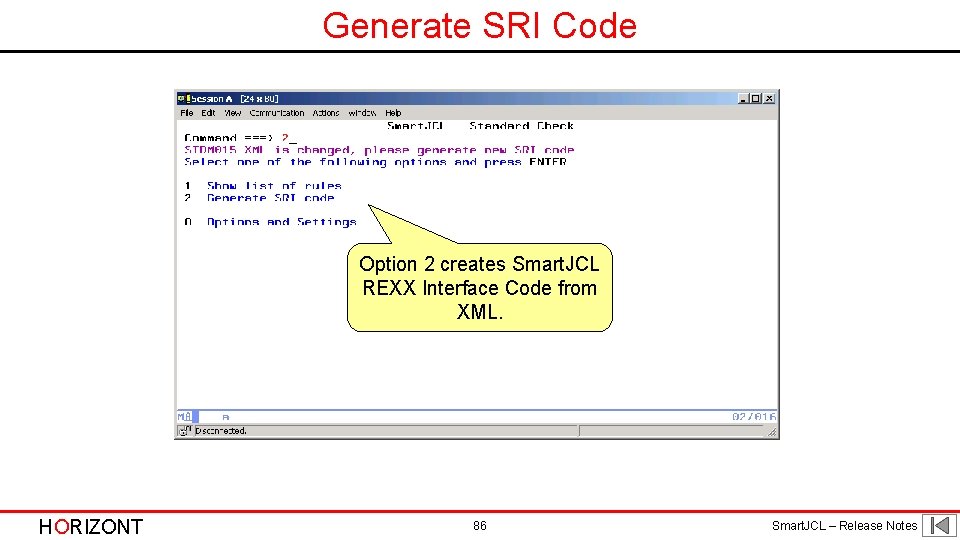
Standard Check: Entry Panel The entry panel offers: - to work with rules - to generate SRI code HORIZONT 71 Smart. JCL – Release Notes
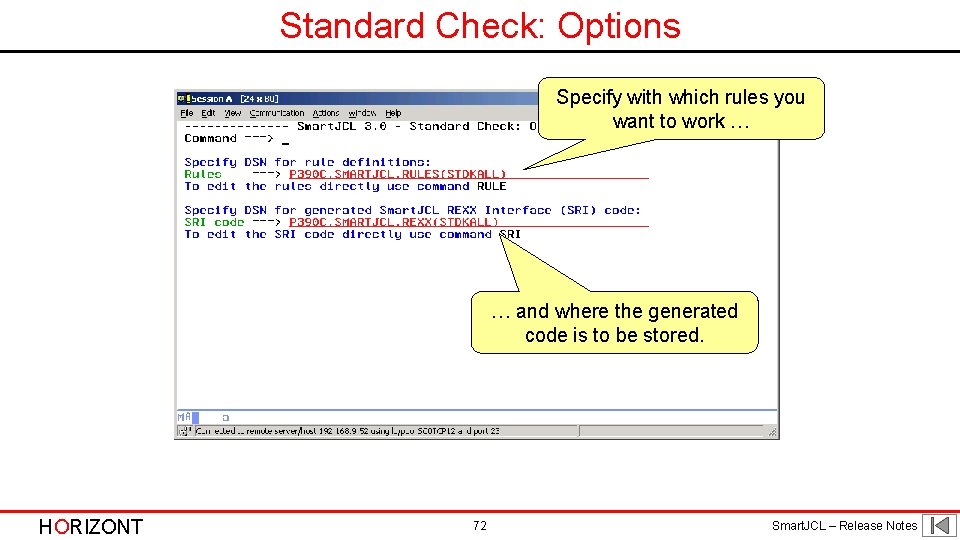
Standard Check: Options Specify with which rules you want to work … … and where the generated code is to be stored. HORIZONT 72 Smart. JCL – Release Notes
Standard Check: Entry Panel Start working with rules … HORIZONT 73 Smart. JCL – Release Notes
List of Rules Create a new rule or select an existing one to modify it… HORIZONT 74 Smart. JCL – Release Notes
Modify Rule If pos. 6 of jobname is R o E and DISP not equal SHR… … or if pos. 3 of jobname is 3 and DISP not equal SHR … HORIZONT … then issue message. 75 Smart. JCL – Release Notes
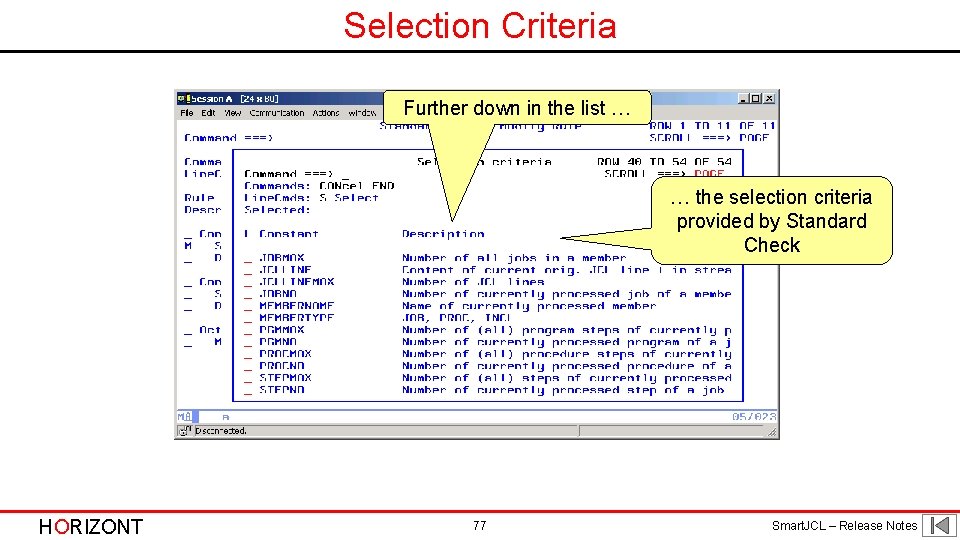
Selection Criteria All possible selection criteria can be picked from a list… HORIZONT 76 Smart. JCL – Release Notes
Selection Criteria Further down in the list … … the selection criteria provided by Standard Check HORIZONT 77 Smart. JCL – Release Notes
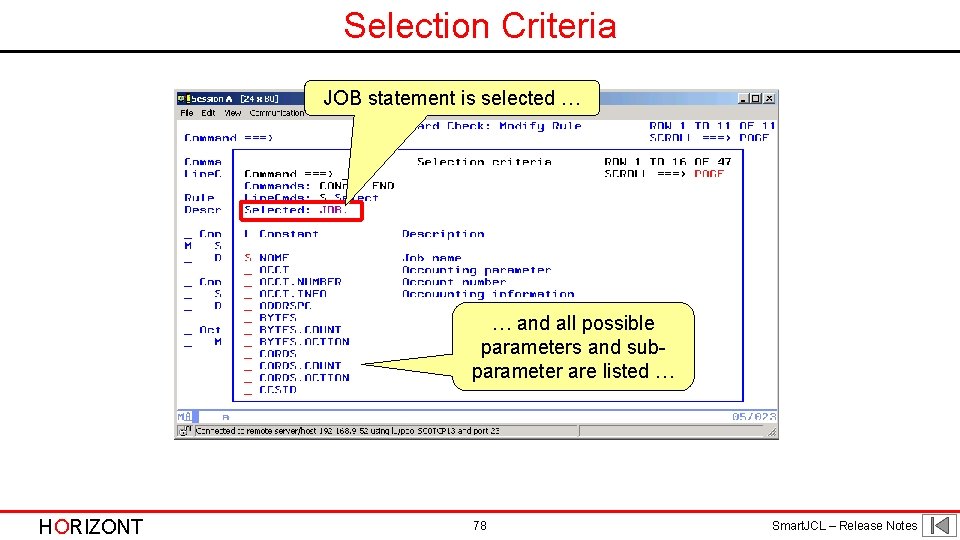
Selection Criteria JOB statement is selected … … and all possible parameters and subparameter are listed … HORIZONT 78 Smart. JCL – Release Notes
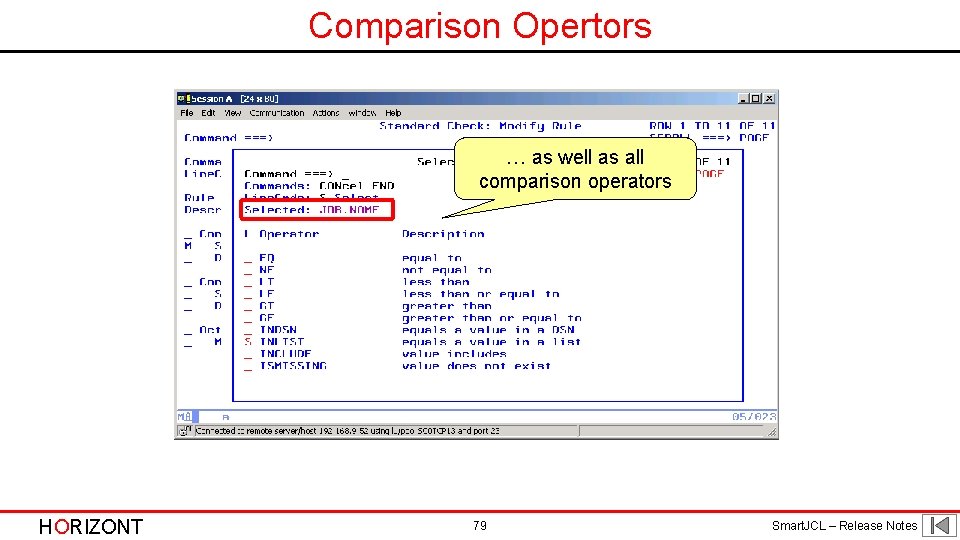
Comparison Opertors … as well as all comparison operators HORIZONT 79 Smart. JCL – Release Notes
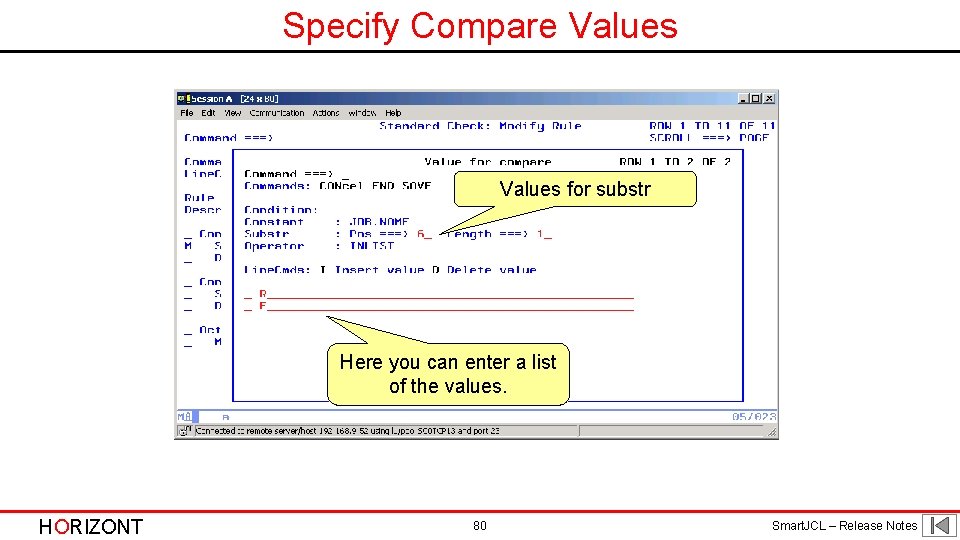
Specify Compare Values for substr Here you can enter a list of the values. HORIZONT 80 Smart. JCL – Release Notes
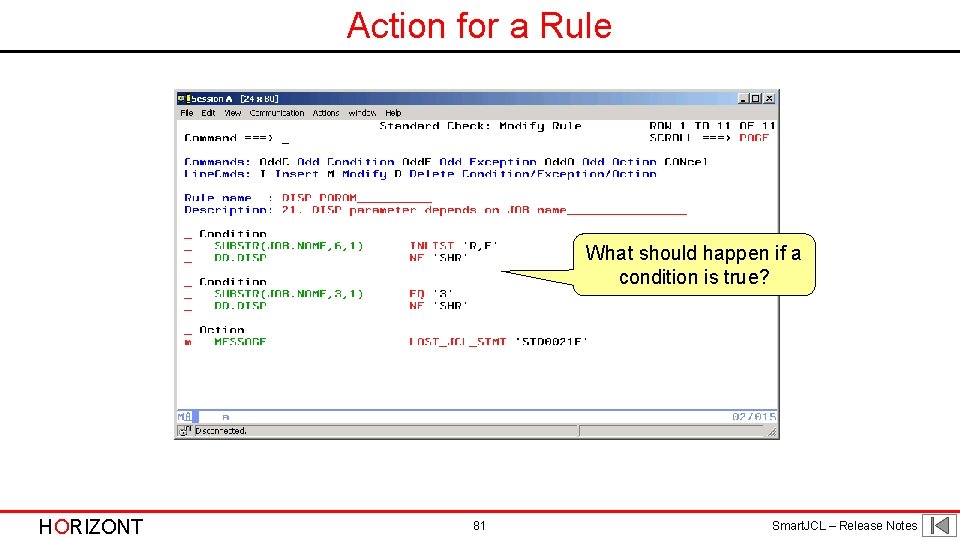
Action for a Rule What should happen if a condition is true? HORIZONT 81 Smart. JCL – Release Notes
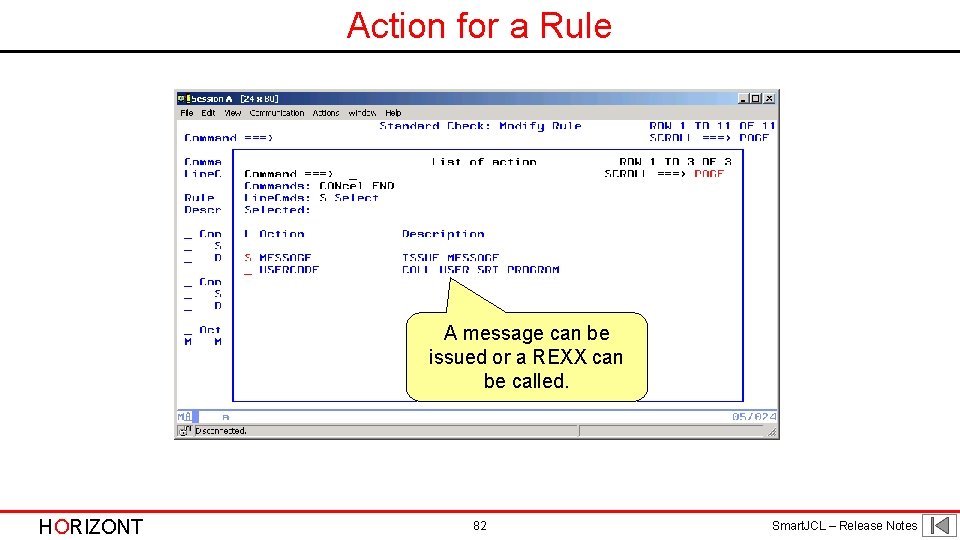
Action for a Rule A message can be issued or a REXX can be called. HORIZONT 82 Smart. JCL – Release Notes
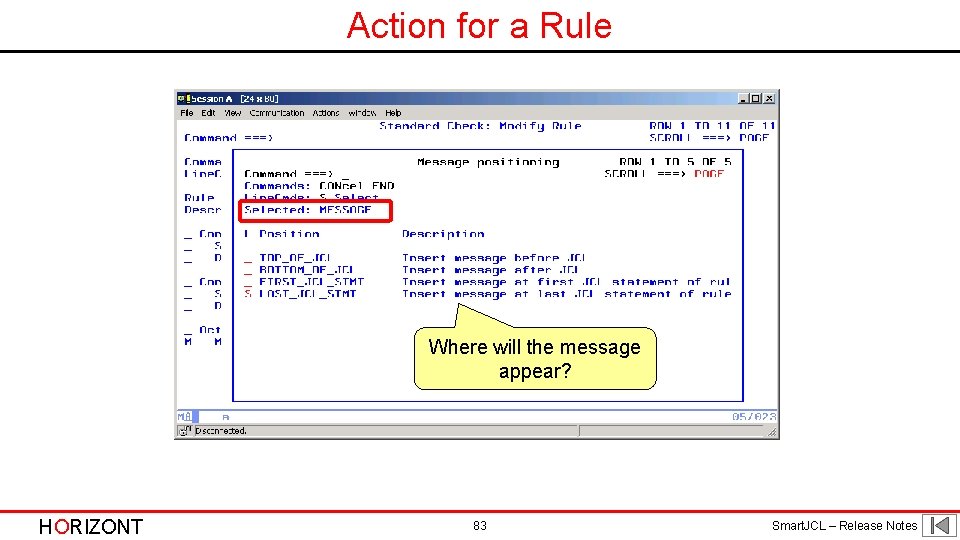
Action for a Rule Where will the message appear? HORIZONT 83 Smart. JCL – Release Notes
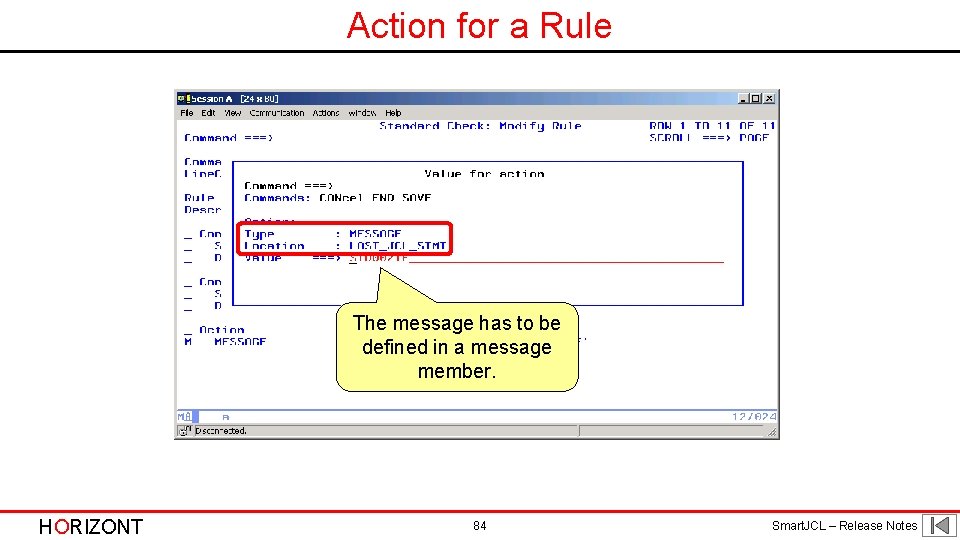
Action for a Rule The message has to be defined in a message member. HORIZONT 84 Smart. JCL – Release Notes
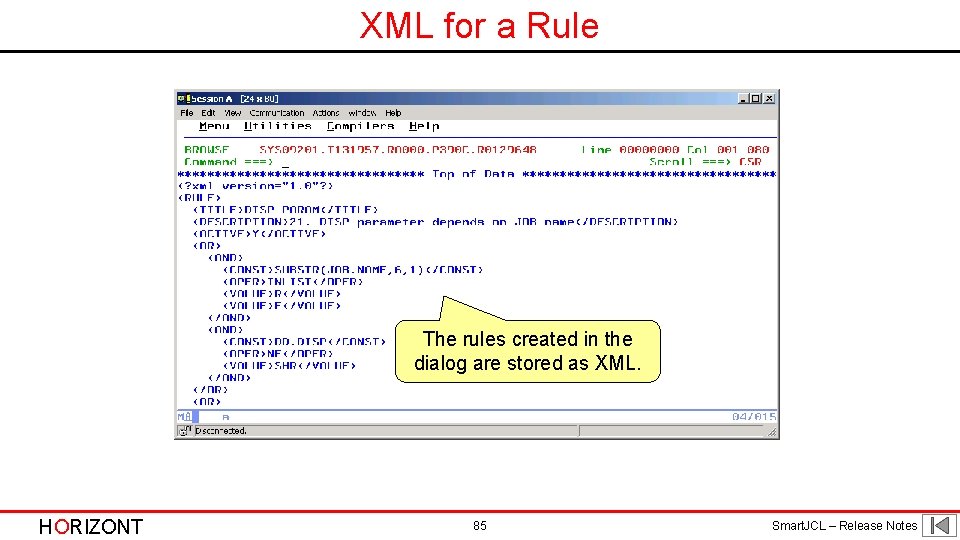
XML for a Rule The rules created in the dialog are stored as XML. HORIZONT 85 Smart. JCL – Release Notes
Generate SRI Code Option 2 creates Smart. JCL REXX Interface Code from XML. HORIZONT 86 Smart. JCL – Release Notes
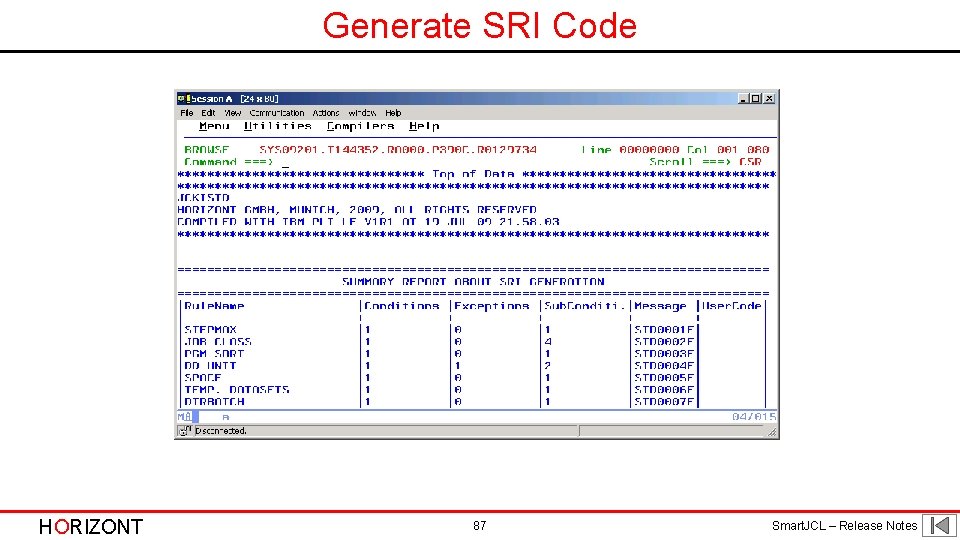
Generate SRI Code HORIZONT 87 Smart. JCL – Release Notes
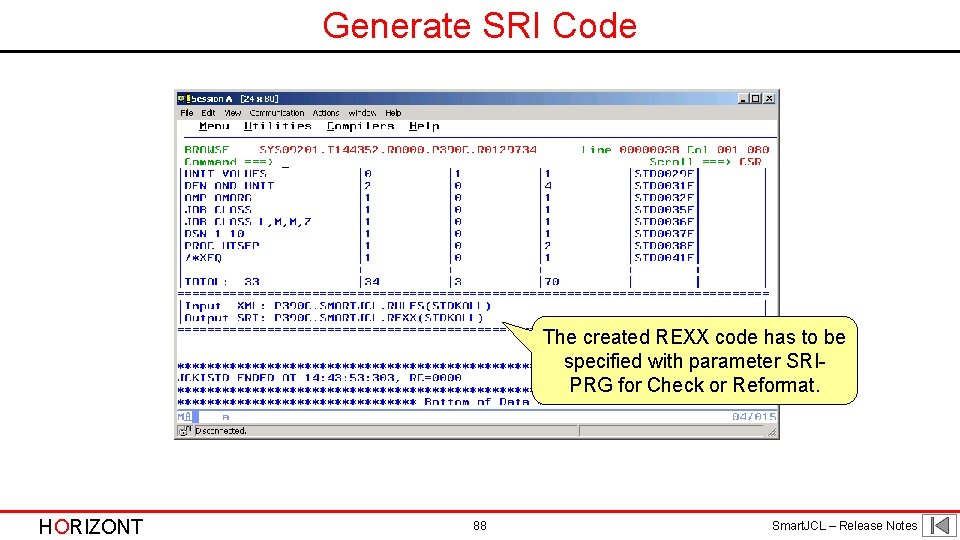
Generate SRI Code The created REXX code has to be specified with parameter SRIPRG for Check or Reformat. HORIZONT 88 Smart. JCL – Release Notes
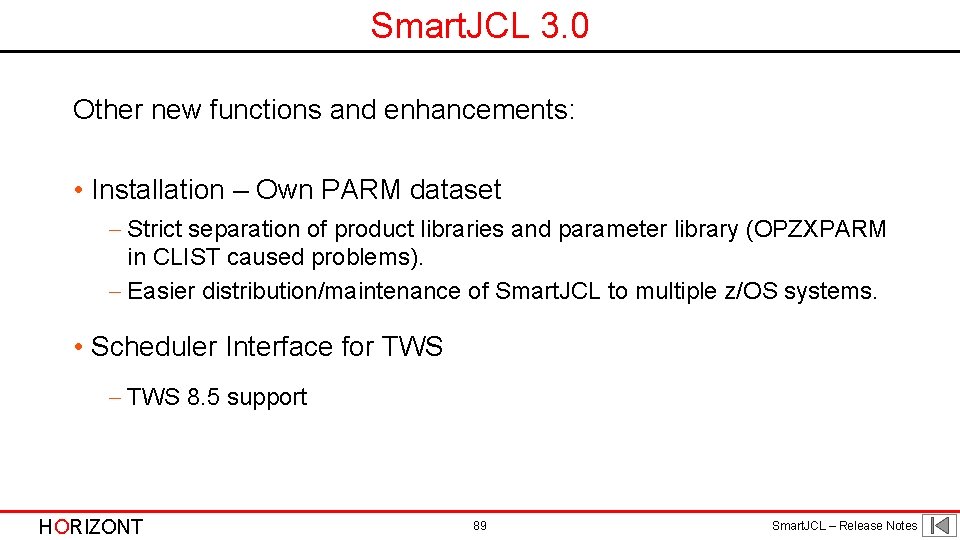
Smart. JCL 3. 0 Other new functions and enhancements: • Installation – Own PARM dataset - Strict separation of product libraries and parameter library (OPZXPARM in CLIST caused problems). - Easier distribution/maintenance of Smart. JCL to multiple z/OS systems. • Scheduler Interface for TWS - TWS 8. 5 support HORIZONT 89 Smart. JCL – Release Notes
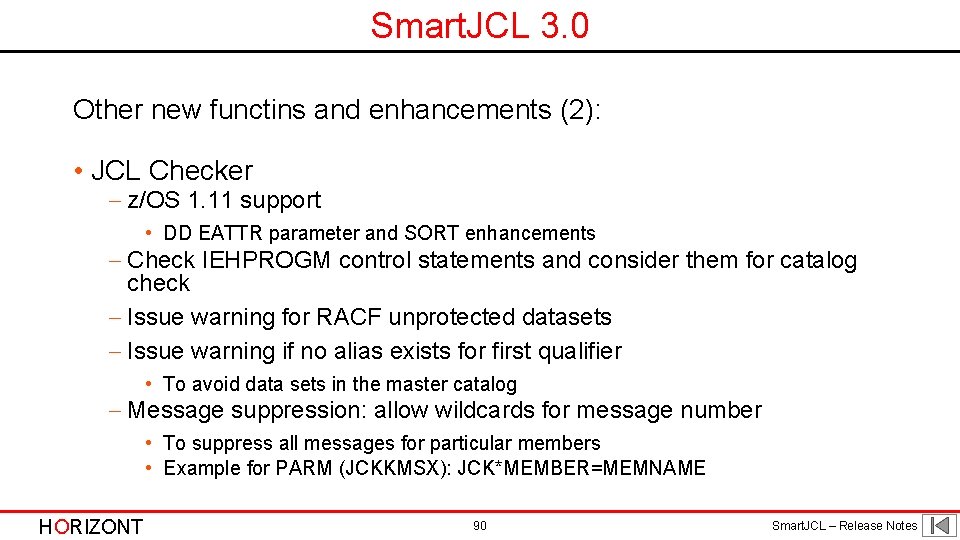
Smart. JCL 3. 0 Other new functins and enhancements (2): • JCL Checker - z/OS 1. 11 support • DD EATTR parameter and SORT enhancements - Check IEHPROGM control statements and consider them for catalog check - Issue warning for RACF unprotected datasets - Issue warning if no alias exists for first qualifier • To avoid data sets in the master catalog - Message suppression: allow wildcards for message number • To suppress all messages for particular members • Example for PARM (JCKKMSX): JCK*MEMBER=MEMNAME HORIZONT 90 Smart. JCL – Release Notes
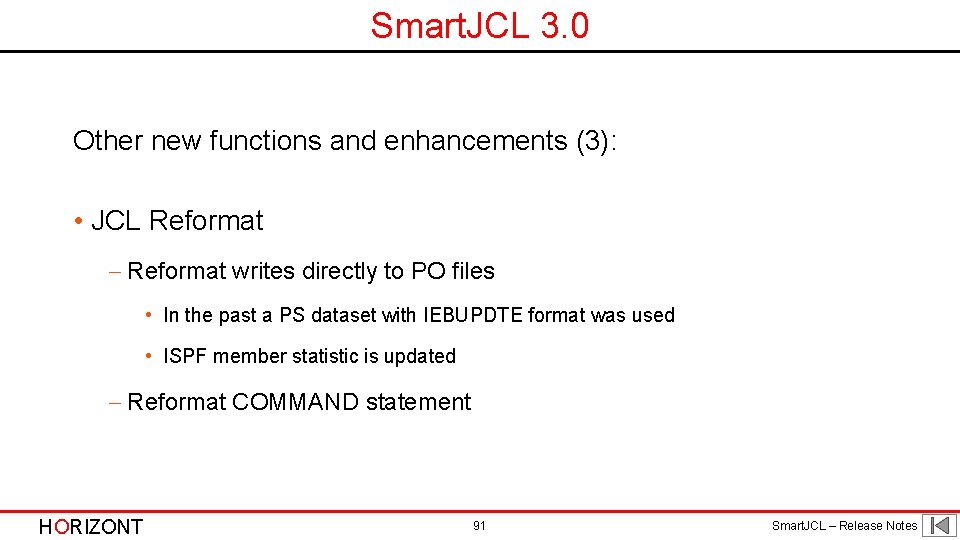
Smart. JCL 3. 0 Other new functions and enhancements (3): • JCL Reformat - Reformat writes directly to PO files • In the past a PS dataset with IEBUPDTE format was used • ISPF member statistic is updated - Reformat COMMAND statement HORIZONT 91 Smart. JCL – Release Notes
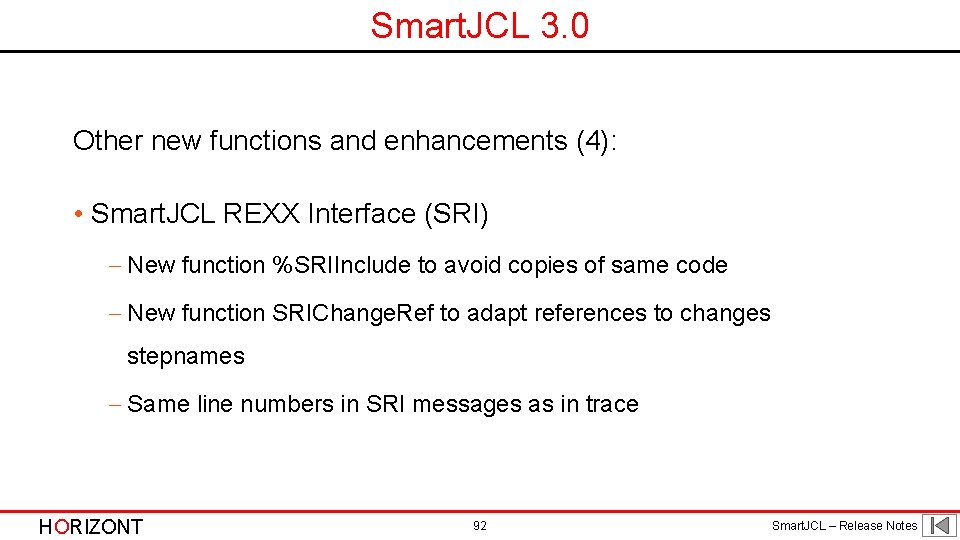
Smart. JCL 3. 0 Other new functions and enhancements (4): • Smart. JCL REXX Interface (SRI) - New function %SRIInclude to avoid copies of same code - New function SRIChange. Ref to adapt references to changes stepnames - Same line numbers in SRI messages as in trace HORIZONT 92 Smart. JCL – Release Notes
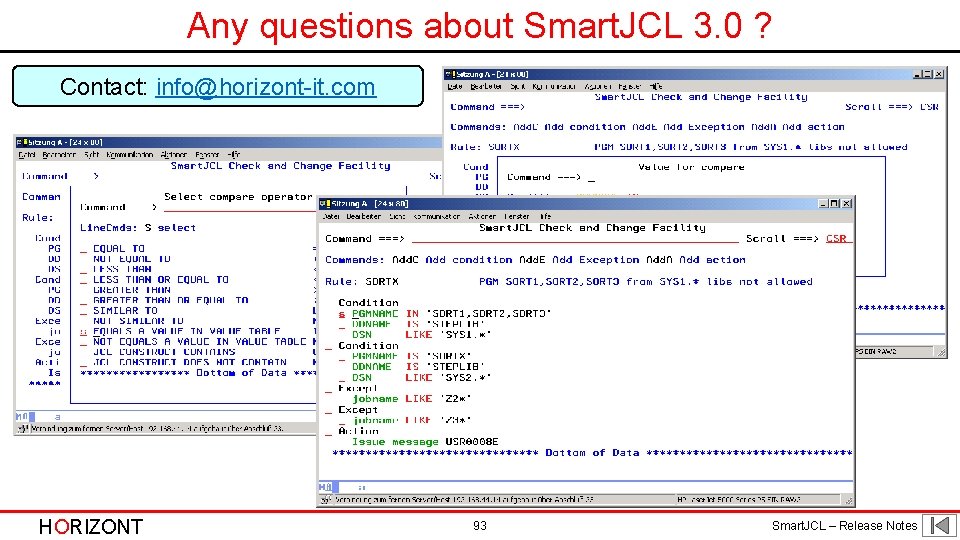
Any questions about Smart. JCL 3. 0 ? Contact: info@horizont-it. com HORIZONT 93 Smart. JCL – Release Notes
HORIZONT Many thanks for your attention! HORIZONT 94 Smart. JCL – Release Notes