
Horizon View in a K12 School District Original
- Slides: 19
Horizon View in a K-12 School District Original VMworld 2014 session link: http: //tinyurl. com/mrpb 9 jt
Who Are We? Chad Marlow Director of Operational Technology Bethel School District cmarlow@bethelsd. org John Davis Systems Engineer Tintri jdavis@tintri. com
Overview ØWhy we chose VDI ØUniqueness in K 12 Education ØTechnical Discussion ØLessons Learned ØGreen Initiative ØFuture Goals
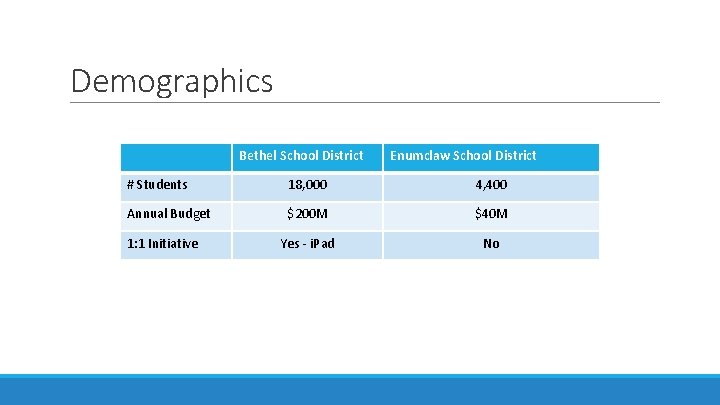
Demographics Bethel School District Enumclaw School District # Students 18, 000 4, 400 Annual Budget $200 M $40 M Yes - i. Pad No 1: 1 Initiative
Drivers for Virtual Desktops ØOnline testing ØME-mergencies ØBring Your Own Device initiatives ØZero clients & hardware recycling/re-purposing ØMust provide an excellent user experience ØImpact to instruction ØDigital equality ØFuture-proofing
Administration/Fiscal Considerations ØTotal Cost of Ownership – 10+ years ØLicensing considerations ØValue of Investment/Return on Investment ØAlignment of opportunities ØVDI reduces operational expenditures ØSupport model enhancements and value adds ØSchool building cost savings ØMaintain state-of-the-art datacenter facilities
Uniqueness in K-12 education ØFiscal/revenue sources are vastly different from corporate ØMobile environment is both district owned and user owned ØEach class period (about 50 minutes) user logs in/out ØEvery period creates a boot storm of unknown size ØDistrict “hires” hundreds of students per year – and “fires” the same ØMultiple generic logins – K-2 especially challenging ØUsers change physical stations often ØStudents need static resources in labs and classrooms
Design Parameters Initial (2012) ØMust support 250 concurrent virtual desktops ØMust provide a basic environment with standard applications ØMust be able to use both zero client and repurposed desktops ØMust function over wired and wireless networks ØMust provide < 30 sec login times ØLong term goal: convert 80% compute environment to VDI by 2017 Extended (2014) ØMust support 850 concurrent virtual desktops ØMeasureable user experience (boot time, app load time, app hangs) ØAccess beyond the classroom
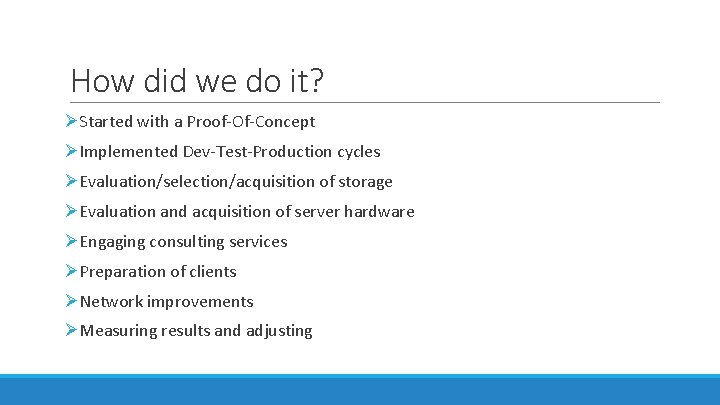
How did we do it? ØStarted with a Proof-Of-Concept ØImplemented Dev-Test-Production cycles ØEvaluation/selection/acquisition of storage ØEvaluation and acquisition of server hardware ØEngaging consulting services ØPreparation of clients ØNetwork improvements ØMeasuring results and adjusting
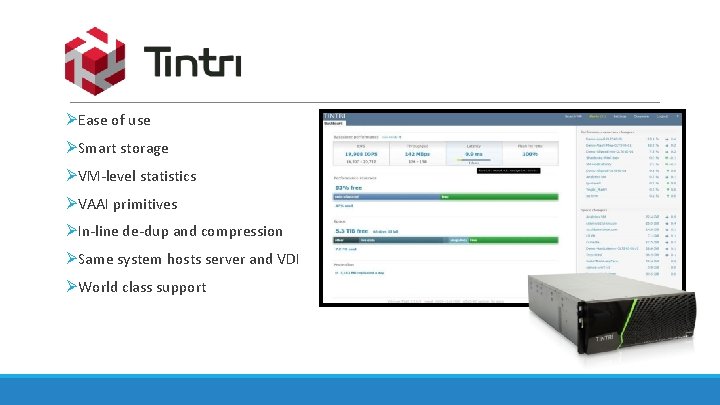
ØEase of use ØSmart storage ØVM-level statistics ØVAAI primitives ØIn-line de-dup and compression ØSame system hosts server and VDI ØWorld class support
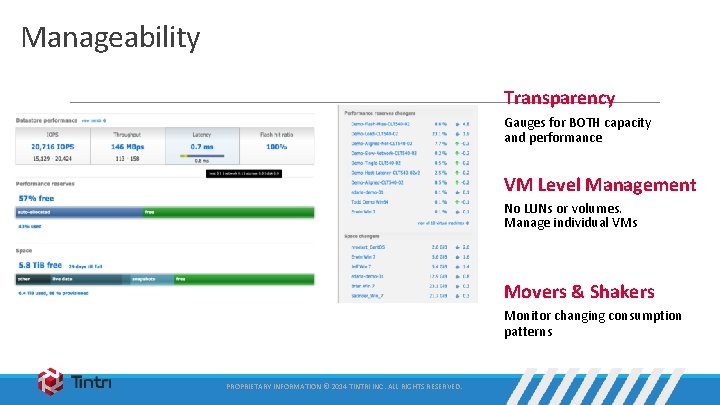
Manageability Transparency Gauges for BOTH capacity and performance VM Level Management No LUNs or volumes. Manage individual VMs Movers & Shakers Monitor changing consumption patterns PROPRIETARY INFORMATION © 2014 TINTRI INC. ALL RIGHTS RESERVED.
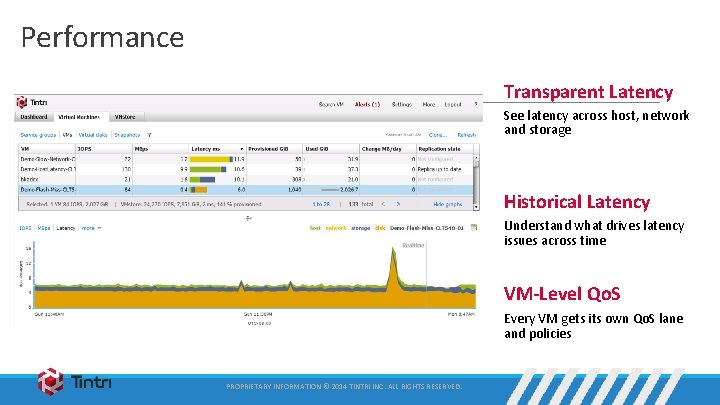
Performance Transparent Latency See latency across host, network and storage Historical Latency Understand what drives latency issues across time VM-Level Qo. S Every VM gets its own Qo. S lane and policies PROPRIETARY INFORMATION © 2014 TINTRI INC. ALL RIGHTS RESERVED.
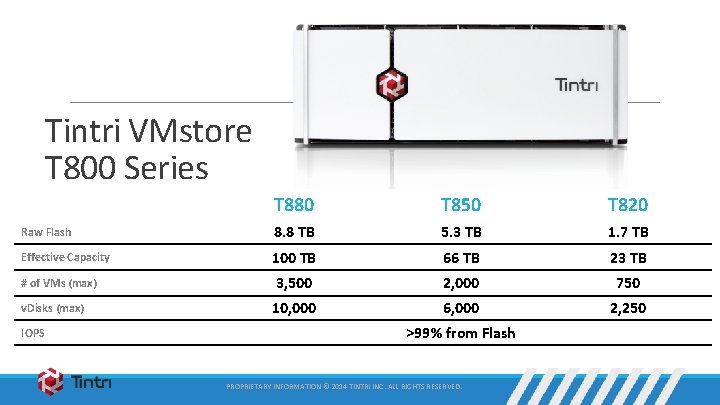
Tintri VMstore T 800 Series T 880 T 850 T 820 Raw Flash 8. 8 TB 5. 3 TB 1. 7 TB Effective Capacity 100 TB 66 TB 23 TB 3, 500 2, 000 750 10, 000 6, 000 2, 250 # of VMs (max) v. Disks (max) IOPS >99% from Flash PROPRIETARY INFORMATION © 2014 TINTRI INC. ALL RIGHTS RESERVED.
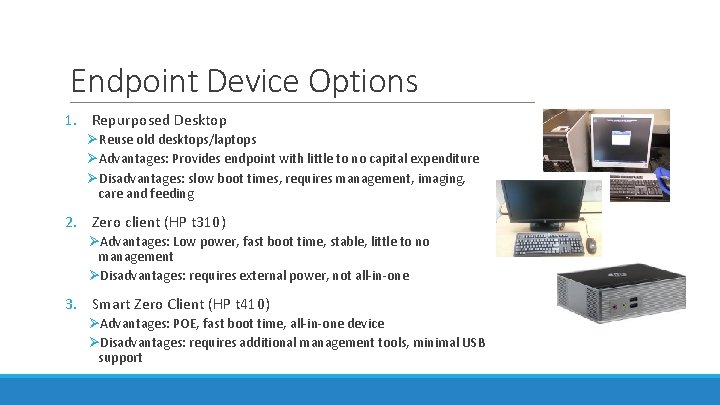
Endpoint Device Options 1. Repurposed Desktop ØReuse old desktops/laptops ØAdvantages: Provides endpoint with little to no capital expenditure ØDisadvantages: slow boot times, requires management, imaging, care and feeding 2. Zero client (HP t 310) ØAdvantages: Low power, fast boot time, stable, little to no management ØDisadvantages: requires external power, not all-in-one 3. Smart Zero Client (HP t 410) ØAdvantages: POE, fast boot time, all-in-one device ØDisadvantages: requires additional management tools, minimal USB support
Growing the environment ØHired a “Client Support Architect” ØUsers buy-in and growth ØState mandated testing 2013 -2014 school year ØIntroduction of the “General Education” Desktop ØAdding desktops and desktop pools ØAdding monitoring tools
Lessons Learned ØDon’t let perception and fear of failure stop you ØDevelopment – Test – Production Cycles ØPlan for wireless for density ØOrganic growth ØAt the time, generic users didn’t exist in VDI ØApplication licensing can be challenge ØDedicate a “Client Systems Architect” or similar position ØUse monitoring tools to measure user experience ØMaintain excellent relationships with VARs and external partners
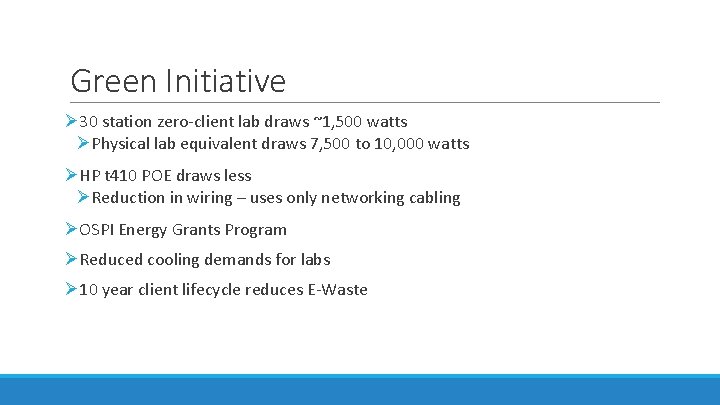
Green Initiative Ø 30 station zero-client lab draws ~1, 500 watts ØPhysical lab equivalent draws 7, 500 to 10, 000 watts ØHP t 410 POE draws less ØReduction in wiring – uses only networking cabling ØOSPI Energy Grants Program ØReduced cooling demands for labs Ø 10 year client lifecycle reduces E-Waste
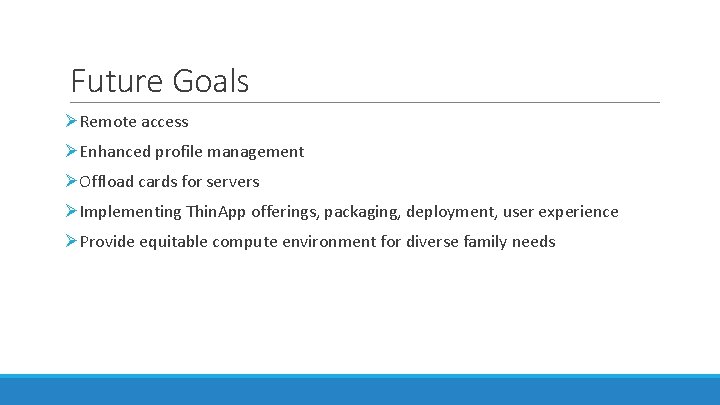
Future Goals ØRemote access ØEnhanced profile management ØOffload cards for servers ØImplementing Thin. App offerings, packaging, deployment, user experience ØProvide equitable compute environment for diverse family needs
Questions? Chad Marlow – cmarlow@bethelsd. org John Davis – jdavis@tintri. com Original VMworld 2014 session link: http: //tinyurl. com/mrpb 9 jt