
HORIZON NJ HEALTH Operations Update February 22 2019
HORIZON NJ HEALTH Operations Update February 22, 2019
Agenda • Horizon NJ Total. Care (FIDE SNP) – Expansion – Benefit Changes – Model of Care Webinars • Utilization Management (UM) Request Tool Update and Appeals • Claim Appeals • Navinet Self-Service Tools
Horizon NJ Total. Care (FIDE-SNP) • In January 2017, Horizon Blue Cross Blue Shield of New Jersey reentered the Fully Integrated Dual Eligible Special Needs Plan (FIDE-SNP) marketplace under the management of Horizon NJ Health. • The plan is known as Horizon NJ Total. Care (HMO SNP), a Medicare Advantage plan that integrates all covered Medicare and Medicaid managed care benefits into one health plan.
FIDE-SNP Features: • A Model of Care (MOC)that calls for individual care plans for members • General goals that are member centric • SMART goals (Specific, Measurable, Attainable, Relevant, Timely) • A team of doctors, specialists and Care Managers working together for the DSNP member • The same member rights available to Medicare and Medicaid recipients • No referrals required • Zero dollar cost sharing: no copayments, premiums or deductibles
• Providers who are participating in this program have an addendum to their contract or have a unique contract covering FIDE-SNP. • When payment is made for a Horizon NJ Total. Care (HMO SNP) member, providers will receive a unique Electronic or Paper Remittance Advice showing how payment was made and indicating whether payment was for a Medicare or Medicaid service. Examples of these remittances are located in Section 14. 6 of the HNJH Provider Administrative Manual.
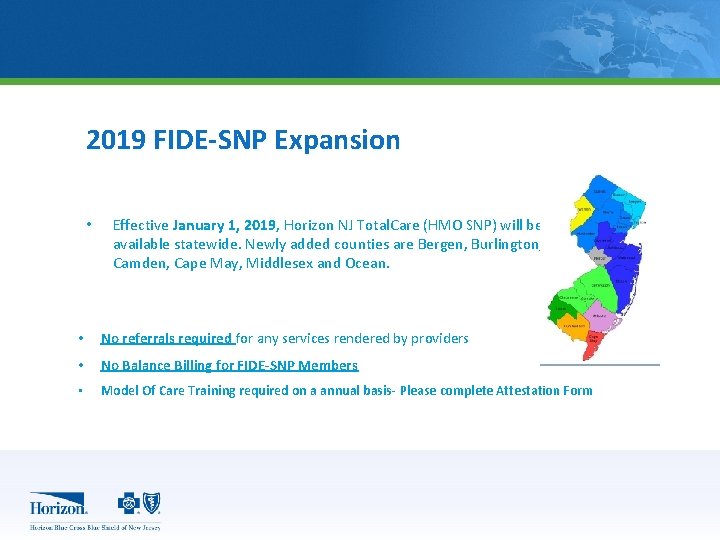
2019 FIDE-SNP Expansion • Effective January 1, 2019, Horizon NJ Total. Care (HMO SNP) will be available statewide. Newly added counties are Bergen, Burlington, Camden, Cape May, Middlesex and Ocean. • No referrals required for any services rendered by providers • No Balance Billing for FIDE-SNP Members • Model Of Care Training required on a annual basis- Please complete Attestation Form
Horizon NJ Total. Care (FIDE-SNP) 2019 FIDE-SNP Benefits: • • Medicare Part A and B services Medicare Part D plus Medicaid covered drugs Medicaid Services Extra DSNP benefits for 2019 include:
2019 FIDE-SNP Benefits • $245 per quarter for over-the-counter (OTC) personal health items with paper or online catalog • OTC Benefit card $250 per quarter to make in store purchases of personal health items • This allows members to choose different in-store brands than what is offered in the catalog • American Specialty Health Fitness. Coach
Horizon NJ Total. Care MOC (Model of Care) • CMS requires that all Special Needs Plans (SNP) have a Model of Care (MOC) • The MOC goals include: • Care coordination and care management for all DSNP members enrolled in the plan • An individualized plan of care based on member assessment and member feedback • An interdisciplinary care team (ICT) that reviews the member’s plan of care and provides input in a collaborative way • Improve members’ experience with care
Horizon NJ Total. Care MOC (Model of Care) • • Improve members’ health outcomes Improve quality Keep members in the community Reduce unnecessary costs
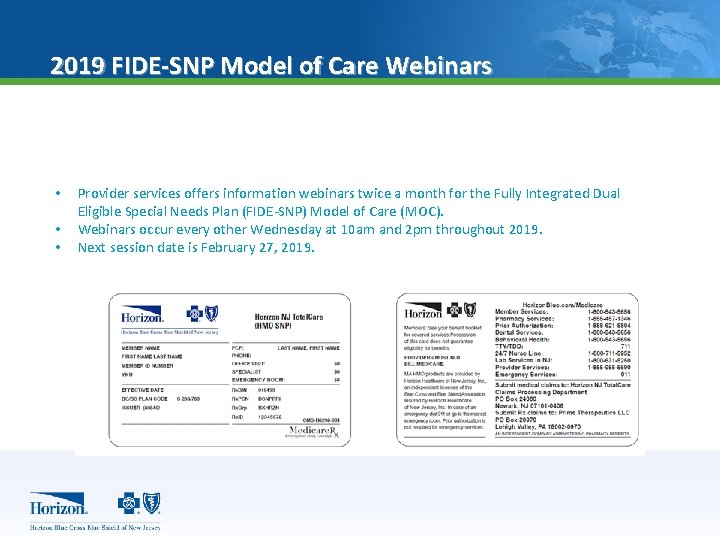
2019 FIDE-SNP Model of Care Webinars • • • Provider services offers information webinars twice a month for the Fully Integrated Dual Eligible Special Needs Plan (FIDE-SNP) Model of Care (MOC). Webinars occur every other Wednesday at 10 am and 2 pm throughout 2019. Next session date is February 27, 2019.
Horizon NJ Total. Care (FIDE-SNP) § § § Enter your name and email address (or registration ID 391482). Go to horizon. webex. com. Enter the session password: Vfp 3 DQma. Click "Join Now. ” Follow the instructions that appear on your screen. Date: February 27, 2019 Time: 10 a. m. Session number: 716 274 261 Session password: 2 q. JJz 5 qy Date: February 27, 2019 Time: 2 p. m Session number: 716 123 786 Session password: Gn. Un. TEs 5
Utilization Management Request Tool Update (formerly called Care. Affiliate) • Horizon NJ Health has updated the online Utilization Management Request Tool for an improved user experience. The new design will continue to allow you to easily and securely perform all the same self-service functions through Navi. Net®, plus you will be able to use the tool to. . – submit appeals for denied authorizations – Referral (pre-determination) requests • Use the online Utilization Management Request Tool to: – – – Submit authorization requests Submit referral (pre-determination) requests Verify the status of previously submitted authorization or referral requests Online training tools are located at: https: //www. horizonnjhealth. com/sites/default/files/201811/UM_Tool_Denial_Appeal_Tutorial_2018. pdf
Utilization Management Request Tool Update (formerly called Care. Affiliate) • Online training resources: – https: //www. horizonnjhealth. com/sites/default/files/ 2018 -11/UM_Tool_Denial_Appeal_Tutorial_2018. pdf – https: //www. horizonnjhealth. com/sites/default/files/ 2018 -11/UM_Tool_Tutorial_2018_Update. pdf
Utilization Management Appeals A UM appeal is the result of a medical necessity denial. All UM appeals must be initiated within 60 days of the date of the notification of action. In your appeal, include the UM Appeals Form. The UM Appeals Form is included in your denial notice and auto populated with the member information. • Health Claims Authorization, Processing and Payment (HCAPP) Forms should not be included in an UM appeal. • UM Appeals should be mailed to the following PO Box, depending on type of plan: – – – Medicaid UM Appeals PO Box 10194 Newark, NJ 07101 Medicare UM Appeals PO Box 10195 Newark, NJ 07101 Horizon NJ Total. Care (HMO SNP) UM Appeals PO Box 10196 Newark, NJ 07101 -or- Care. Affiliate (online)
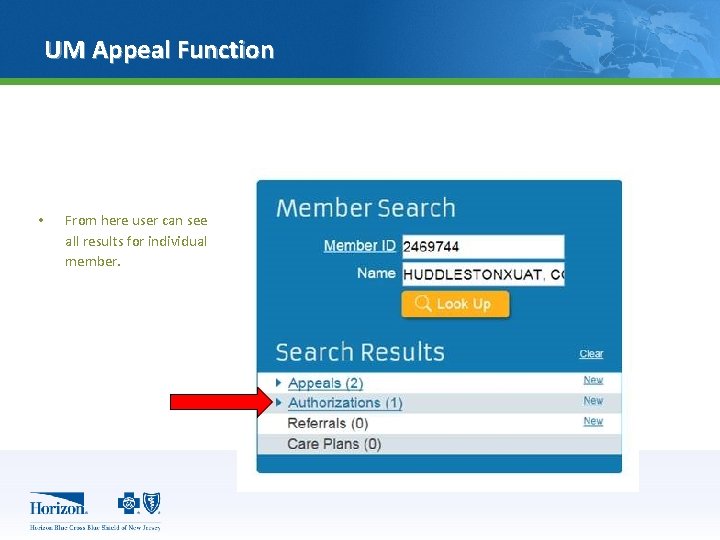
UM Appeal Function • From here user can see all results for individual member.
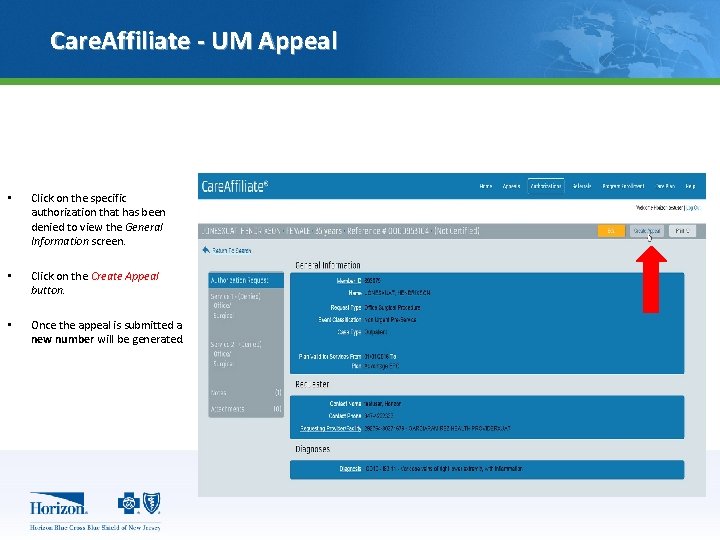
Care. Affiliate - UM Appeal • Click on the specific authorization that has been denied to view the General Information screen. • Click on the Create Appeal button. • Once the appeal is submitted a new number will be generated.
Claim Appeals • A claim appeal is dissatisfaction with a claim payment, including prompt payment or no payment made by Horizon NJ Health. All claim appeals must be initiated on the applicable appeal application form created by the Department of Banking and Insurance. • An appeal application form must be submitted within 90 calendar days following the claim determination or the date on the explanation of benefits. • Claim appeals may be faxed to 1 -973 -522 -4678 or mailed to: Horizon NJ Health PO Box 63000 Newark, NJ 07101 -8064* • The status of your appeal(s) can be accessed via. Navi. Net. net in the administrative reports menu. For assistance with accessing claim appeal status, contact Navi. Net Support at 1 -888482 -8057 • DO NOT submit utilization management (UM) appeals, FIDE-SNP appeals or Health Insurance Portability and Accountability Act (HIPAA) requests to this address.
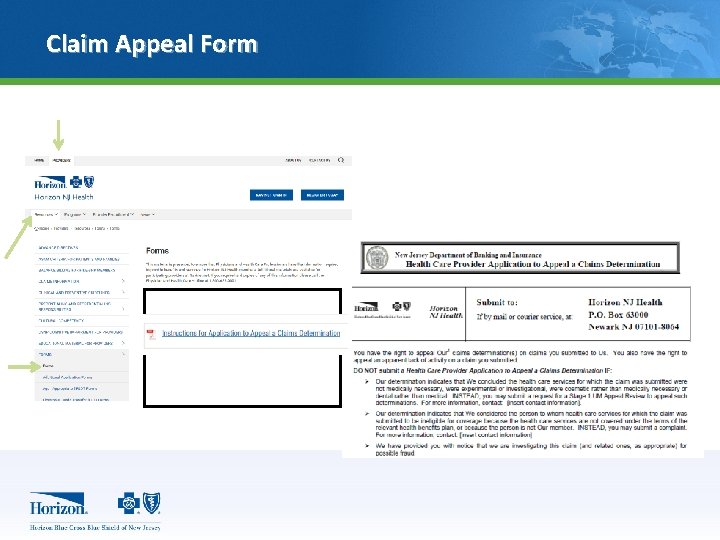
Claim Appeal Form
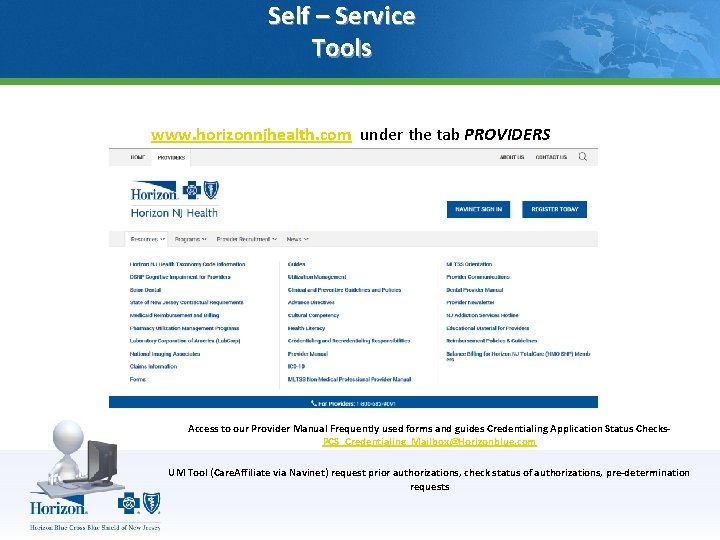
Self – Service Tools www. horizonnjhealth. com under the tab PROVIDERS Access to our Provider Manual Frequently used forms and guides Credentialing Application Status Checks. PCS_Credentialing_Mailbox@Horizonblue. com UM Tool (Care. Affiliate via Navinet) request prior authorizations, check status of authorizations, pre-determination requests
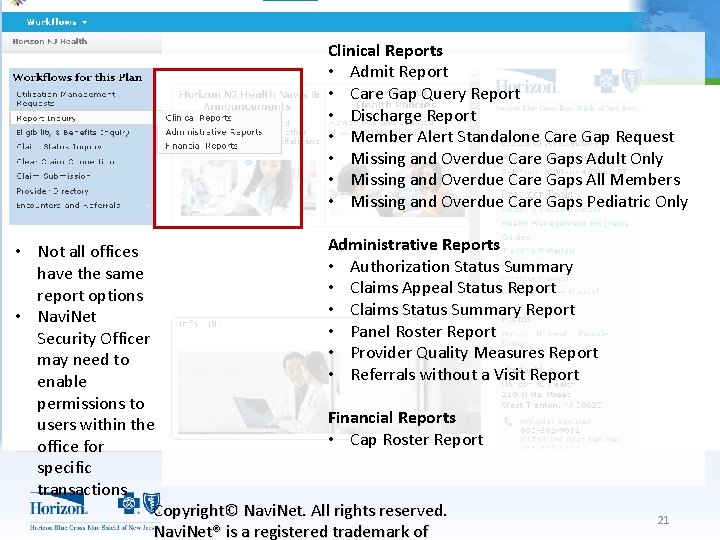
Clinical Reports • Admit Report • Care Gap Query Report • Discharge Report • Member Alert Standalone Care Gap Request • Missing and Overdue Care Gaps Adult Only • Missing and Overdue Care Gaps All Members • Missing and Overdue Care Gaps Pediatric Only Administrative Reports • Not all offices • Authorization Status Summary have the same • Claims Appeal Status Report report options • Claims Status Summary Report • Navi. Net • Panel Roster Report Security Officer • Provider Quality Measures Report may need to • Referrals without a Visit Report enable permissions to Financial Reports users within the • Cap Roster Report office for specific transactions Copyright© Navi. Net. All rights reserved. Navi. Net® is a registered trademark of 21
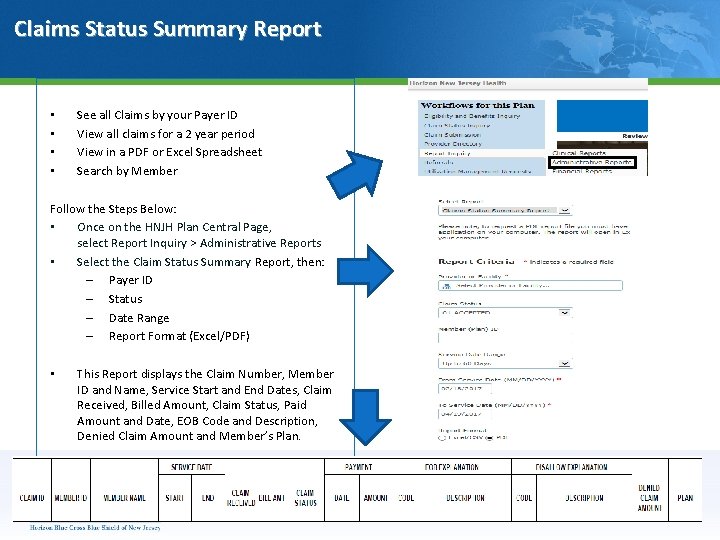
Claims Status Summary Report • • See all Claims by your Payer ID View all claims for a 2 year period View in a PDF or Excel Spreadsheet Search by Member Follow the Steps Below: • Once on the HNJH Plan Central Page, select Report Inquiry > Administrative Reports • Select the Claim Status Summary Report, then: – Payer ID – Status – Date Range – Report Format (Excel/PDF) • This Report displays the Claim Number, Member ID and Name, Service Start and End Dates, Claim Received, Billed Amount, Claim Status, Paid Amount and Date, EOB Code and Description, Denied Claim Amount and Member’s Plan.
- Slides: 22