
HoneynetHoneypot Project Leslie Cherian Todd Deshane Patty Jablonski
Honeynet/Honeypot Project - Leslie Cherian - Todd Deshane - Patty Jablonski - Creighton Long May 2, 2006
Overview • Honeynet/Honeypot Background • Setting Up Our Own Honeypot VM – VMware – Snort – Tripwire – Filemon, Regmon – Ethereal • Demo – Port Scan, Install Spyware
Honeypots • From the Honeynet Project: – “A honeypot is an information system resource whose value lies in unauthorized or illicit use of that resource – Has no production value, anything going to or from a honeypot is likely a probe, attack or compromise – Primary value to most organizations is information”
Honeynets • From the Honeynet Project: – “High-interaction honeypot designed to capture in-depth information – Information has different value to different organizations – It’s an architecture you populate with live systems, not a product or software – Any traffic entering or leaving is suspect”
The Honeynet Project http: //www. honeynet. org/ • Non-profit volunteer research organization dedicated to improving the security of the Internet at no cost to the public • Its mission is to learn the tools, tactics and motives involved in computer and network attacks, and share the lessons learned
The Honeynet Project • Organizations that are actively involved in honeypot research can join The Honeynet Project’s Research Alliance • Members of The Honeynet Project and the Research Alliance provide open source honeypot-related tools for download – Honeywall CD • Consider joining The Honeynet Project
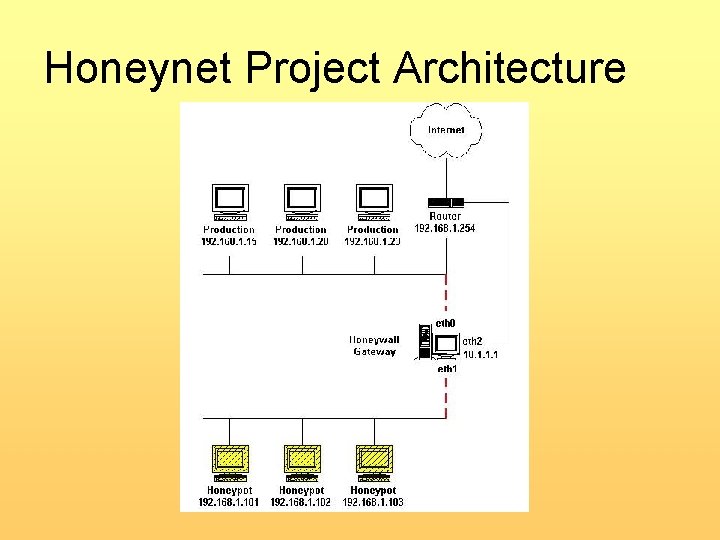
Honeynet Project Architecture
Honeynet/Honeypot Project http: //www. clarkson. edu/projects/itl/projects/honey/ • The goal for this project is to set up a honeypot virtual machine to research and analyze various attacks • We hope to have a well-documented and easy-to-use "malware analyzer" that reports on the degree of malicious intent of a given piece of software
Honeynet/Honeypot Project • This project was done in association with the Clarkson Internet Teaching Laboratory and as part of the Network Security class • Setting Up Our Own Honeypot VM – VMware – Snort – Tripwire – Filemon, Regmon – Ethereal
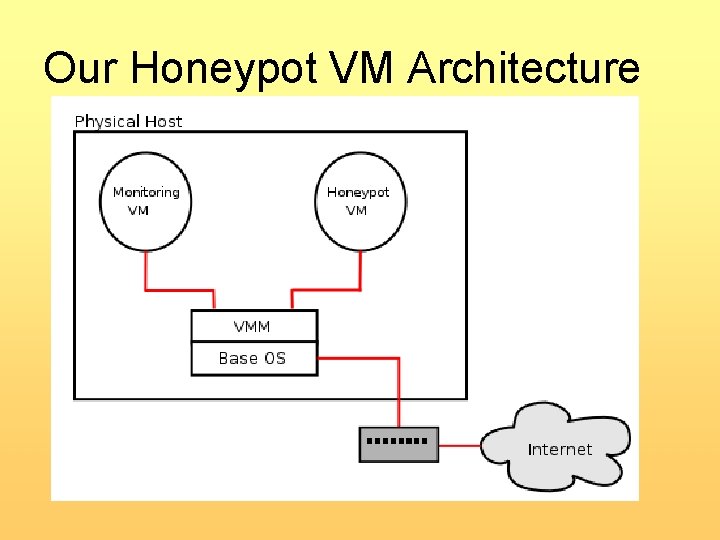
Our Honeypot VM Architecture
VMware • Virtual machine monitor (VMM) – Full virtualization • Unmodified base operating system • Allows for Windows guest • Supports virtual networks – Bridged network – NAT (routed) network – Private network: host only, virtually switched
Snort • Network Intrusion Detection System (NIDS) • Allows for monitoring of: – Local machine – Machines on your local network • Basic usage – snort -i <interface> -c <config file> • Log file – /var/log/snort/alert
Snort Rules • Official Snort Rules • Bleeding-Edge Snort Rules • Write Your Own Rules • Rules Management
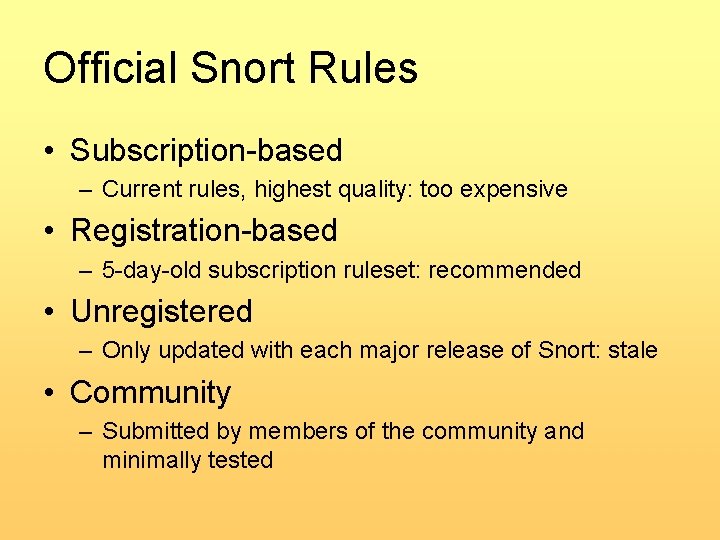
Official Snort Rules • Subscription-based – Current rules, highest quality: too expensive • Registration-based – 5 -day-old subscription ruleset: recommended • Unregistered – Only updated with each major release of Snort: stale • Community – Submitted by members of the community and minimally tested
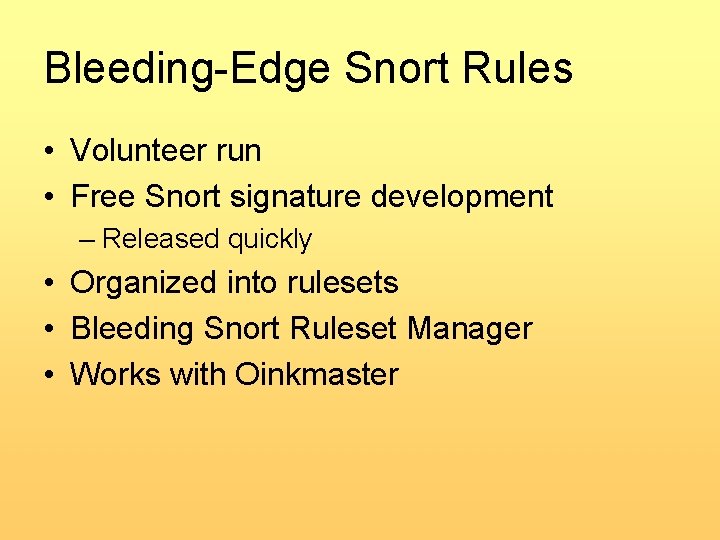
Bleeding-Edge Snort Rules • Volunteer run • Free Snort signature development – Released quickly • Organized into rulesets • Bleeding Snort Ruleset Manager • Works with Oinkmaster
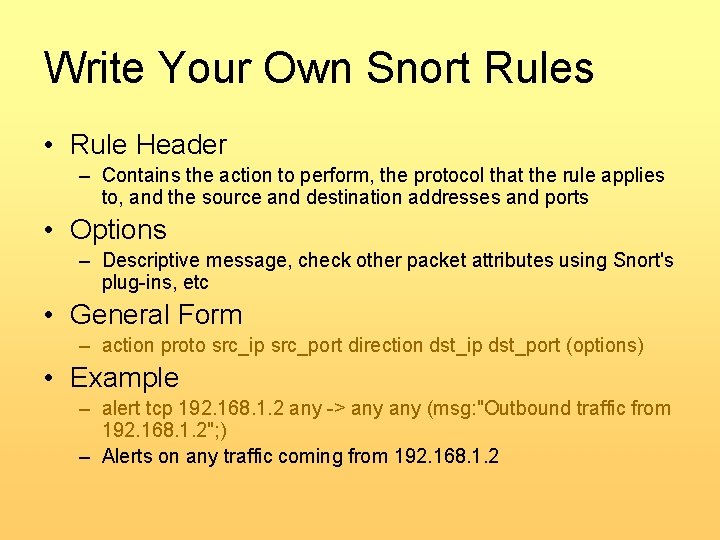
Write Your Own Snort Rules • Rule Header – Contains the action to perform, the protocol that the rule applies to, and the source and destination addresses and ports • Options – Descriptive message, check other packet attributes using Snort's plug-ins, etc • General Form – action proto src_ip src_port direction dst_ip dst_port (options) • Example – alert tcp 192. 168. 1. 2 any -> any (msg: "Outbound traffic from 192. 168. 1. 2"; ) – Alerts on any traffic coming from 192. 168. 1. 2
Snort Rules Management • Many available for Windows and Linux • Oinkmaster – Keeps snort rules current – Perl script, cron job to update your rulesets whenever your ruleset repository (official, bleeding, etc) is updated – Update current ruleset with your modifications from previous rulesets • Bleeding Snort Ruleset Manager • Snort Policy Manager
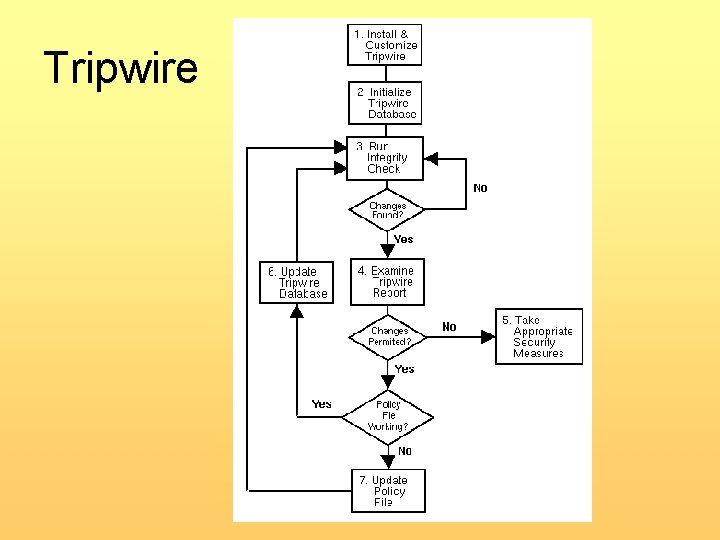
Tripwire • Monitors critical system files actively • Provides immediate notification of changes that occur passively • Allows for event log correlation • Flexible policy file language • Integrate with third party EMS systems like Remedy AR system, IBM Tivoli, etc
Tripwire
Tripwire Commands • Create a new policy file – twadmin --create-polfile <policyfile. txt> • Initialize the database file – tripwire --init • Run an integrity check of the system – tripwire --check --report-file <reportfile. twr> • Print the report file to a readable format – twprint --print-report --report-file <reportfile. twr> -F <format> -o <reportfile. <format>>
Filemon • Monitors real time access to file on a Windows computer • Commercial version also available from sysinternals • Weaknesses – Requires user interaction
Regmon • Monitors real time access to the Windows registry • Free version doesn’t allow: – Capturing log file in real time – Monitoring of remote computers • Commercial version available from sysinternals
Regmon • Weaknesses – Requires user interaction and knowledge to be useful – Output is noisy and confusing – Not a good way to log changes – Checkpointing registry is not available
Ethereal • Network Protocol Analyzer • Why we used it – Passively monitors network traffic • How we used it – On the base to monitor all traffic • Tethereal – Command line version of Ethereal
Future Work • • • Try alternative architectures Try other IDSes and tools More attacks/malware for testing Integrated GUI User-level documentation Break into two software packages – Honeypot and malware analyzer

Demo

Questions/Comments
- Slides: 27