
Homeland Security Information Network HSIN Standard Operating Procedures

- Slides: 26
Homeland Security Information Network (HSIN) Standard Operating Procedures Basic Overview UNCLASSIFIED//FOR OFFICIAL USE ONLY
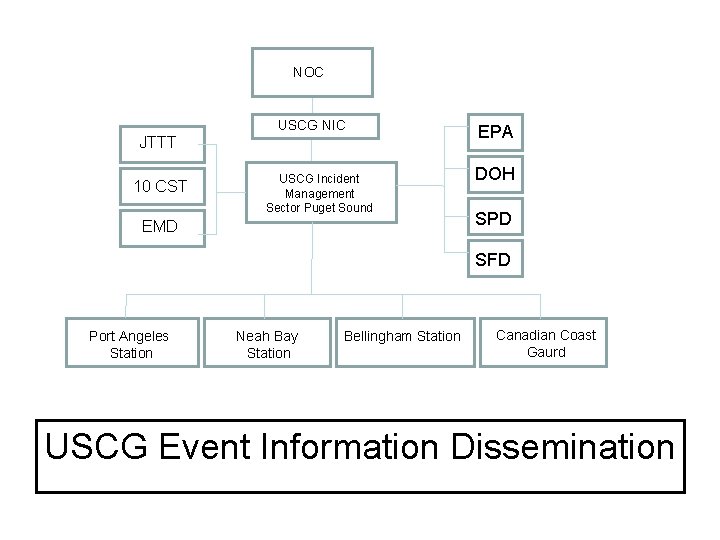
NOC USCG NIC JTTT 10 CST USCG Incident Management Sector Puget Sound EMD EPA DOH SPD SFD Port Angeles Station Neah Bay Station Bellingham Station Canadian Coast Gaurd USCG Event Information Dissemination
NOC WA Fusion Center HSIN USCG Incident Command Puget Sound Sector EPA JTTT DOH 10 CST SPD WA Fusion Center HSIN Incident Command Seattle Incident Command Federal Bldg Incident Command Bellingham EMD SFD Incident Command Canada HSIN Event Information Dissemination
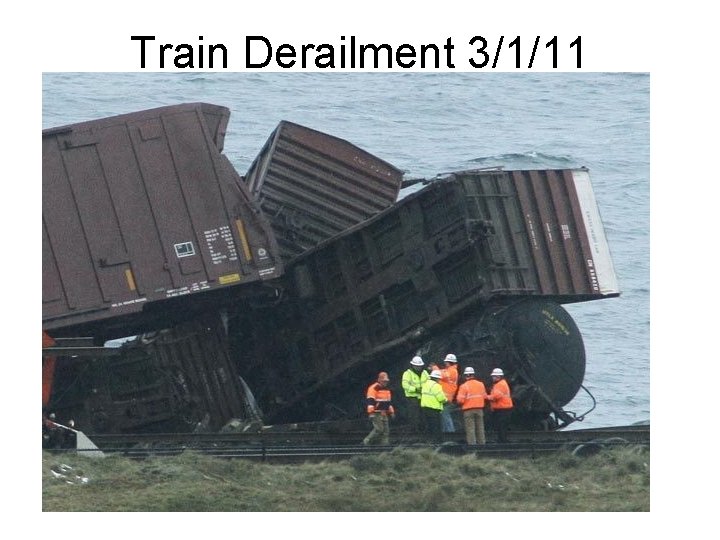
Train Derailment 3/1/11
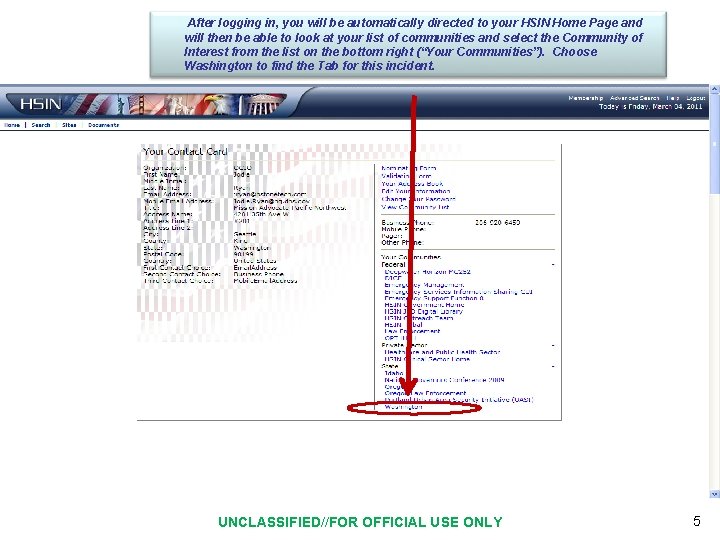
After logging in, you will be automatically directed to your HSIN Home Page and will then be able to look at your list of communities and select the Community of Interest from the list on the bottom right (“Your Communities”). Choose Washington to find the Tab for this incident. UNCLASSIFIED//FOR OFFICIAL USE ONLY 5
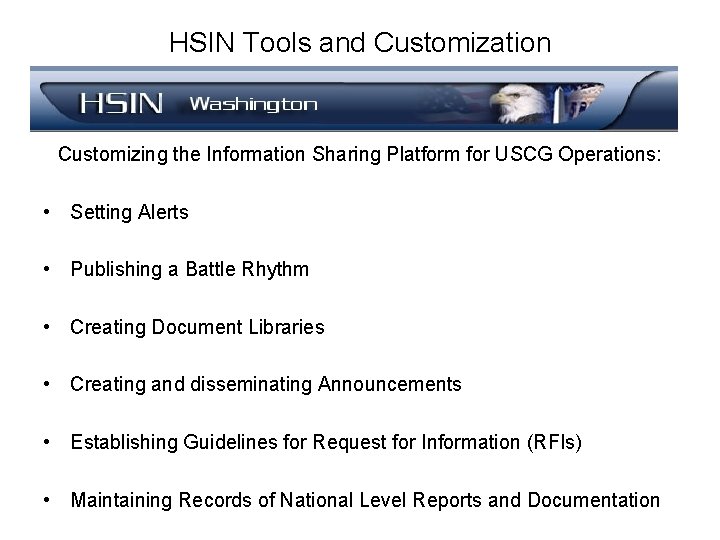
HSIN Tools and Customization Customizing the Information Sharing Platform for USCG Operations: • Setting Alerts • Publishing a Battle Rhythm • Creating Document Libraries • Creating and disseminating Announcements • Establishing Guidelines for Request for Information (RFIs) • Maintaining Records of National Level Reports and Documentation
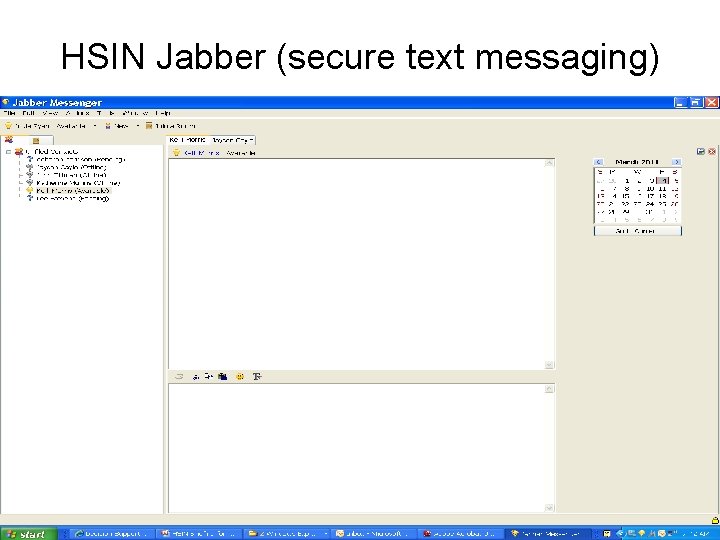
HSIN Jabber (secure text messaging)
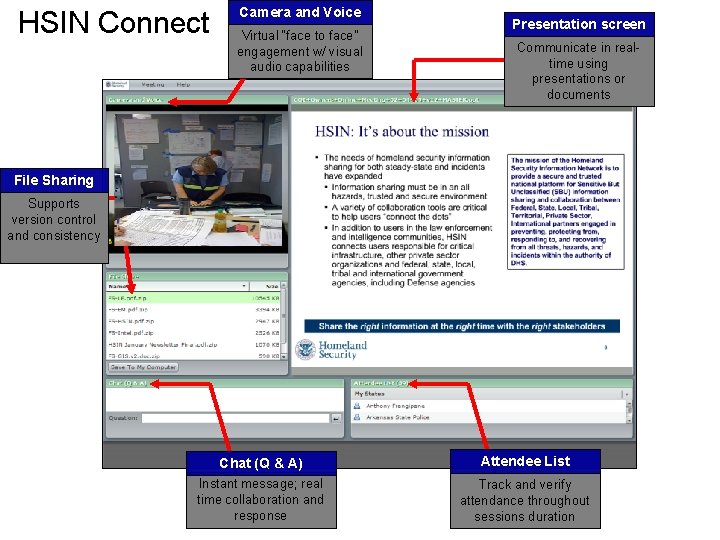
HSIN Connect Camera and Voice Virtual “face to face” engagement w/ visual audio capabilities Presentation screen Communicate in realtime using presentations or documents File Sharing Supports version control and consistency Chat (Q & A) Instant message; real time collaboration and 8 response Attendee List Track and verify attendance throughout sessions duration
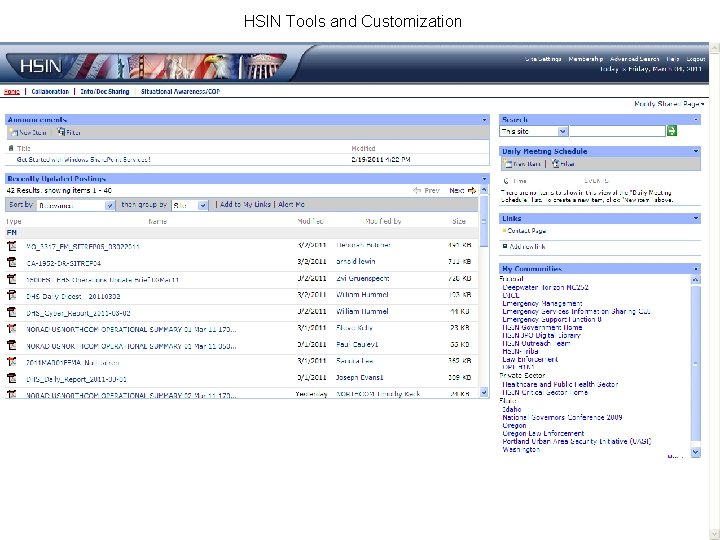
HSIN Tools and Customization UNCLASSIFIED//FOR OFFICIAL USE ONLY 9
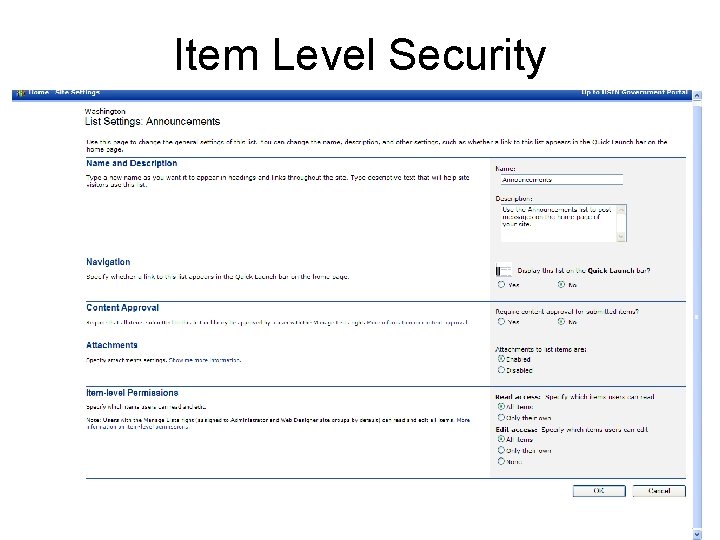
Item Level Security
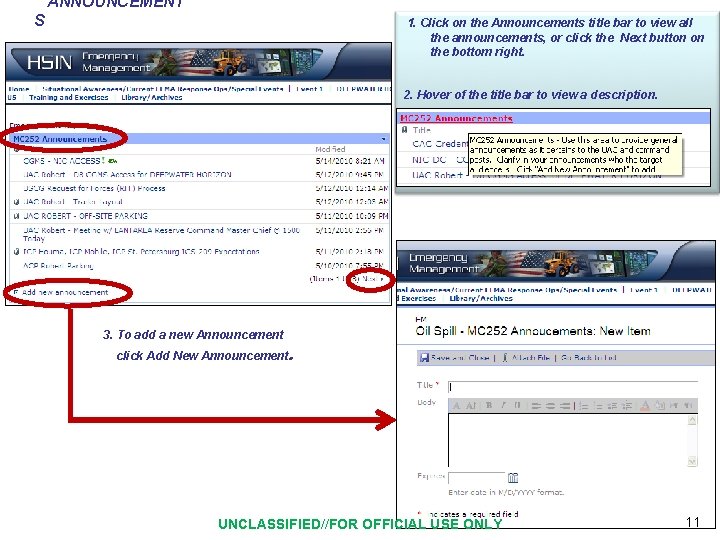
ANNOUNCEMENT S 1. Click on the Announcements title bar to view all the announcements, or click the Next button on the bottom right. 2. Hover of the title bar to view a description. 3. To add a new Announcement click Add New Announcement. UNCLASSIFIED//FOR OFFICIAL USE ONLY 11
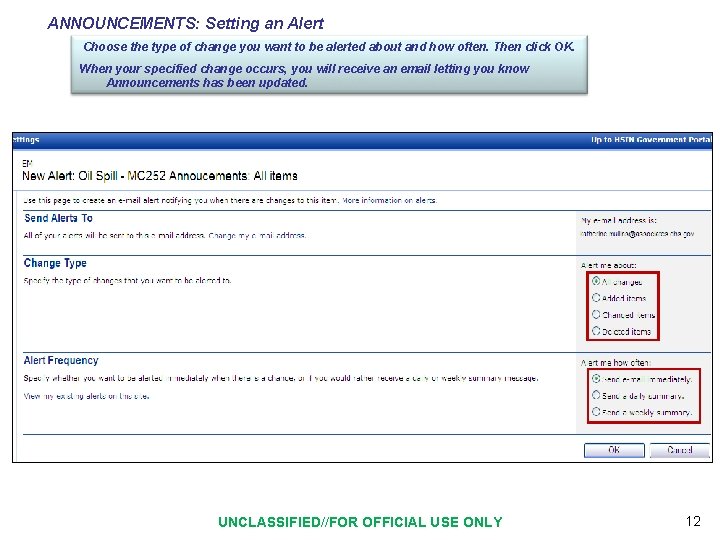
ANNOUNCEMENTS: Setting an Alert Choose the type of change you want to be alerted about and how often. Then click OK. When your specified change occurs, you will receive an email letting you know Announcements has been updated. UNCLASSIFIED//FOR OFFICIAL USE ONLY 12
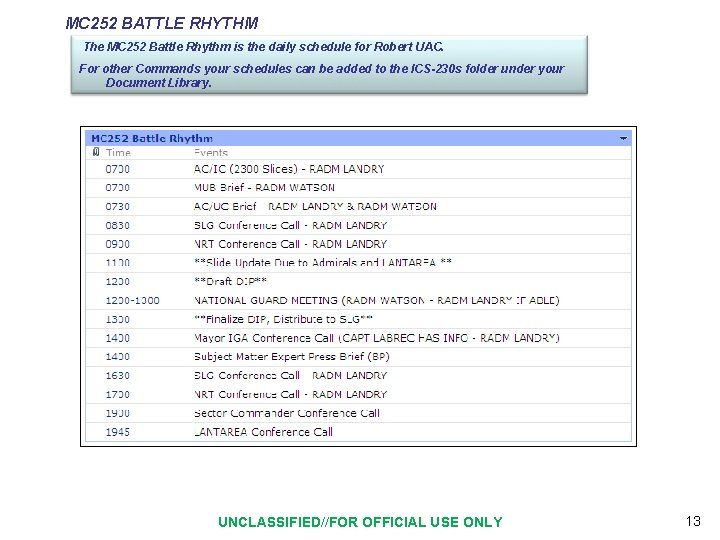
MC 252 BATTLE RHYTHM The MC 252 Battle Rhythm is the daily schedule for Robert UAC. For other Commands your schedules can be added to the ICS-230 s folder under your Document Library. UNCLASSIFIED//FOR OFFICIAL USE ONLY 13
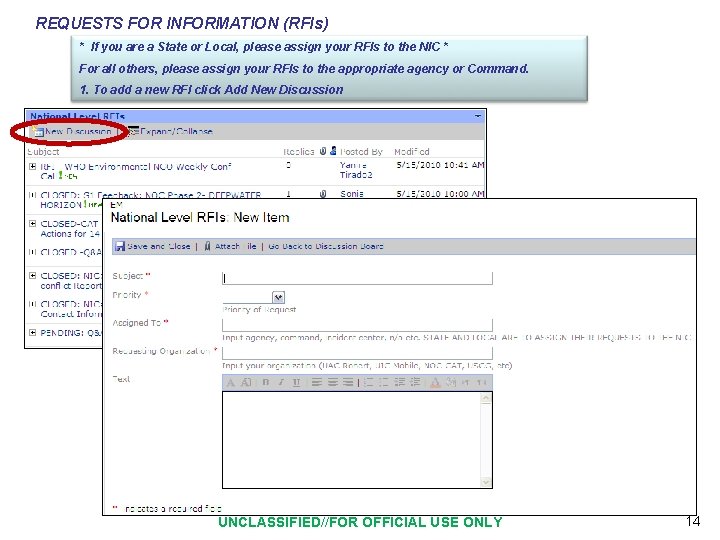
REQUESTS FOR INFORMATION (RFIs) * If you are a State or Local, please assign your RFIs to the NIC * For all others, please assign your RFIs to the appropriate agency or Command. 1. To add a new RFI click Add New Discussion UNCLASSIFIED//FOR OFFICIAL USE ONLY 14
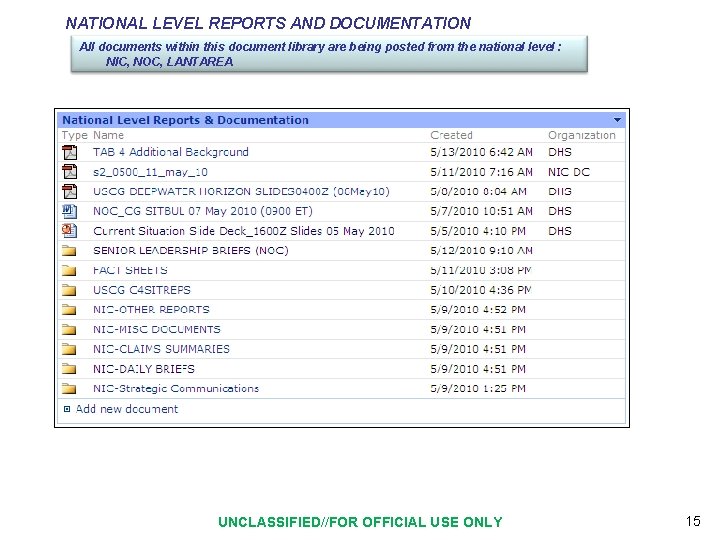
NATIONAL LEVEL REPORTS AND DOCUMENTATION All documents within this document library are being posted from the national level : NIC, NOC, LANTAREA UNCLASSIFIED//FOR OFFICIAL USE ONLY 15
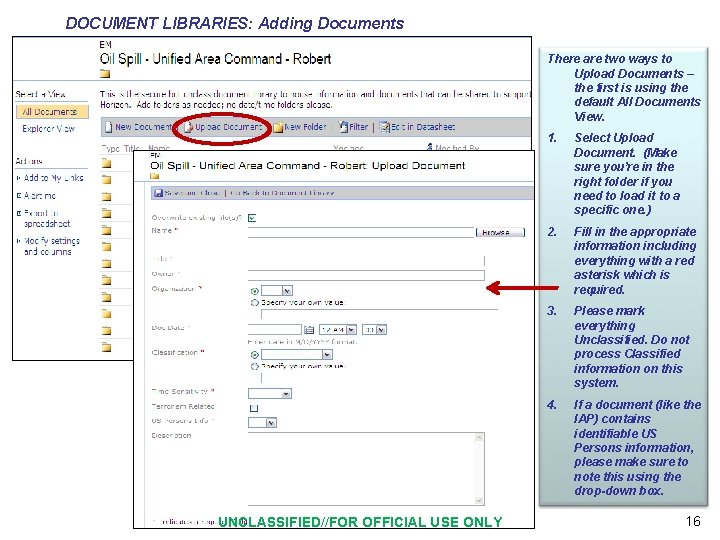
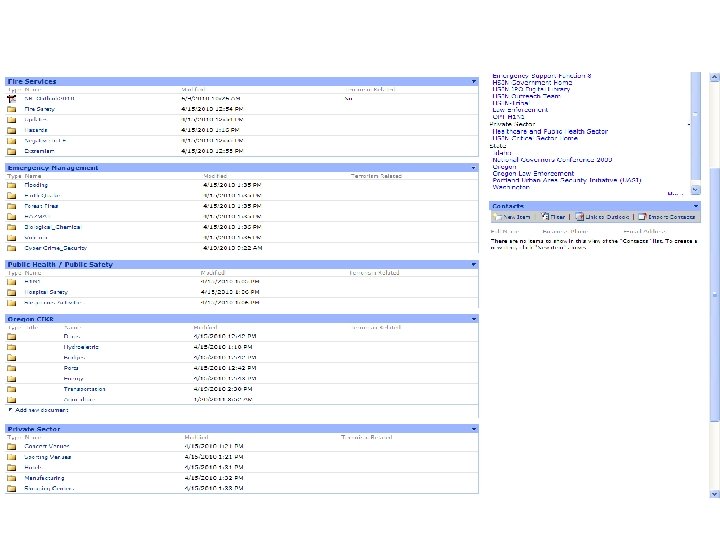
DOCUMENT LIBRARIES: Adding Documents There are two ways to Upload Documents – the first is using the default All Documents View. UNCLASSIFIED//FOR OFFICIAL USE ONLY 1. Select Upload Document. (Make sure you’re in the right folder if you need to load it to a specific one. ) 2. Fill in the appropriate information including everything with a red asterisk which is required. 3. Please mark everything Unclassified. Do not process Classified information on this system. 4. If a document (like the IAP) contains identifiable US Persons information, please make sure to note this using the drop-down box. 16
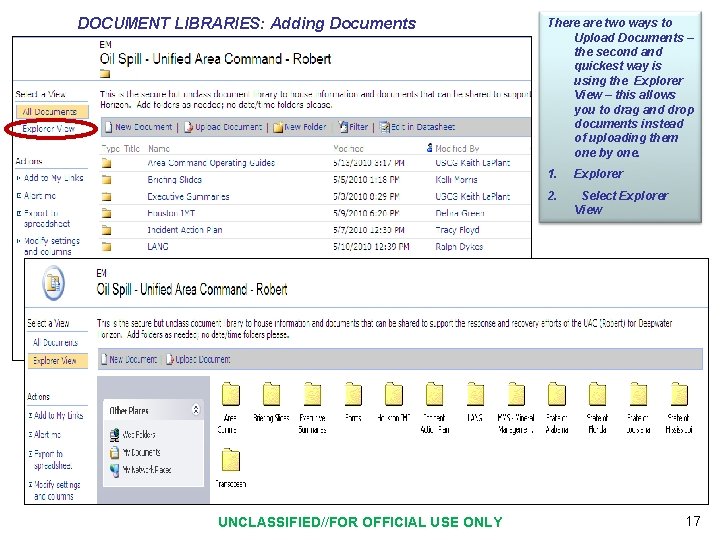
DOCUMENT LIBRARIES: Adding Documents UNCLASSIFIED//FOR OFFICIAL USE ONLY There are two ways to Upload Documents – the second and quickest way is using the Explorer View – this allows you to drag and drop documents instead of uploading them one by one. 1. Explorer 2. Select Explorer View 17
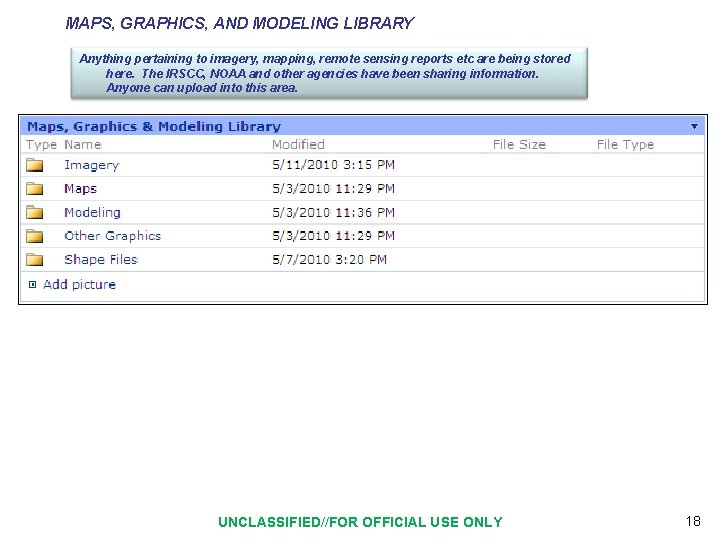
MAPS, GRAPHICS, AND MODELING LIBRARY Anything pertaining to imagery, mapping, remote sensing reports etc are being stored here. The IRSCC, NOAA and other agencies have been sharing information. Anyone can upload into this area. UNCLASSIFIED//FOR OFFICIAL USE ONLY 18
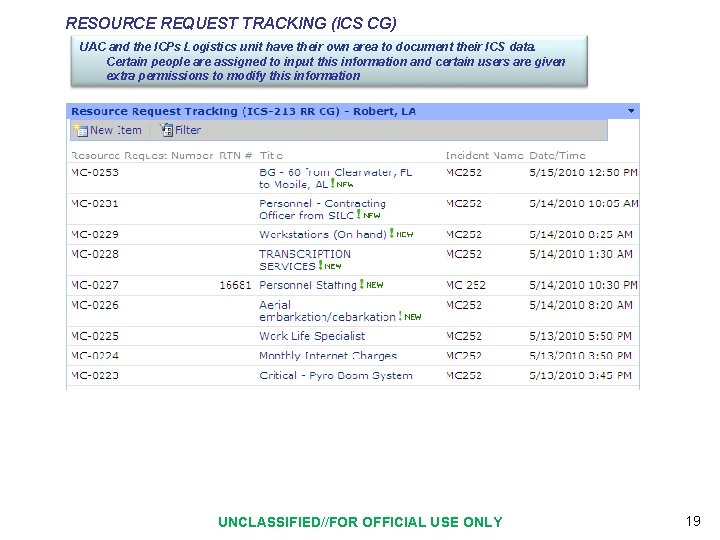
RESOURCE REQUEST TRACKING (ICS CG) UAC and the ICPs Logistics unit have their own area to document their ICS data. Certain people are assigned to input this information and certain users are given extra permissions to modify this information UNCLASSIFIED//FOR OFFICIAL USE ONLY 19
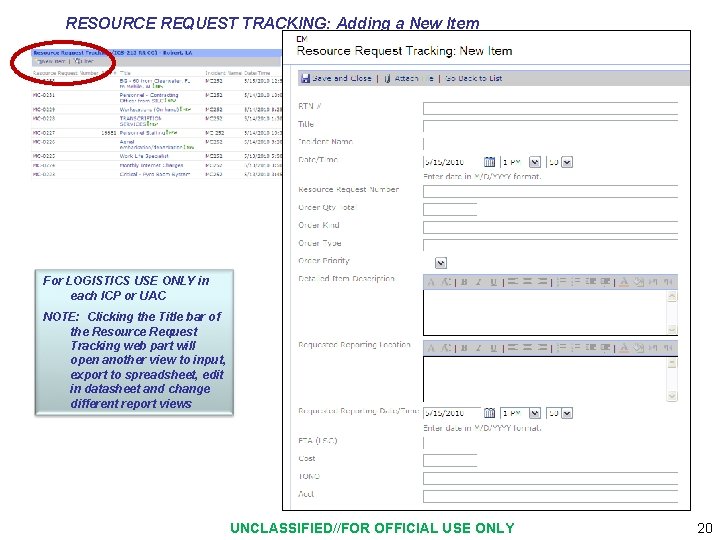
RESOURCE REQUEST TRACKING: Adding a New Item For LOGISTICS USE ONLY in each ICP or UAC NOTE: Clicking the Title bar of the Resource Request Tracking web part will open another view to input, export to spreadsheet, edit in datasheet and change different report views UNCLASSIFIED//FOR OFFICIAL USE ONLY 20
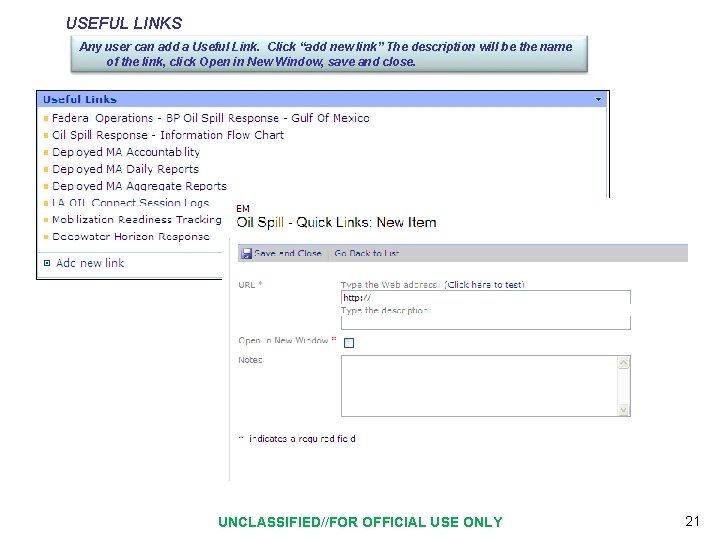
USEFUL LINKS Any user can add a Useful Link. Click “add new link” The description will be the name of the link, click Open in New Window, save and close. UNCLASSIFIED//FOR OFFICIAL USE ONLY 21
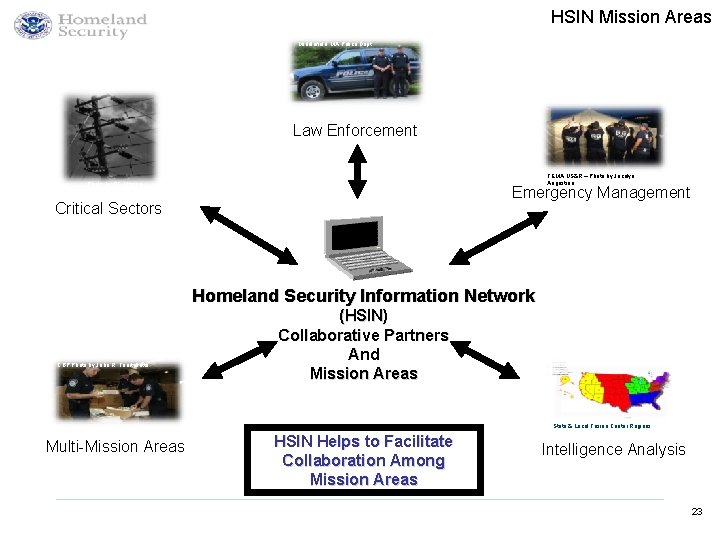
HSIN Mission Areas Middlefield, MA Police Dept. Law Enforcement FEMA US&R – Photo by Jocelyn Augustino Photo by QS Moving Emergency Management Critical Sectors Homeland Security Information Network CBP Photo by John R. Tourtellotte (HSIN) Collaborative Partners And Mission Areas State & Local Fusion Center Regions Multi-Mission Areas HSIN Helps to Facilitate Collaboration Among Mission Areas Intelligence Analysis 23
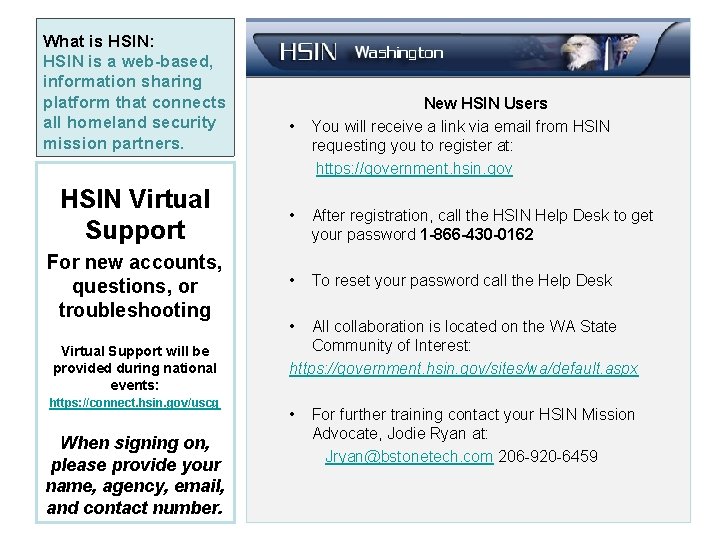
What is HSIN: HSIN is a web-based, information sharing platform that connects all homeland security mission partners. • New HSIN Users You will receive a link via email from HSIN requesting you to register at: https: //government. hsin. gov HSIN Virtual Support • After registration, call the HSIN Help Desk to get your password 1 -866 -430 -0162 For new accounts, questions, or troubleshooting • To reset your password call the Help Desk Virtual Support will be provided during national events: https: //connect. hsin. gov/uscg When signing on, please provide your name, agency, email, and contact number. • All collaboration is located on the WA State Community of Interest: https: //government. hsin. gov/sites/wa/default. aspx • For further training contact your HSIN Mission Advocate, Jodie Ryan at: Jryan@bstonetech. com 206 -920 -6459
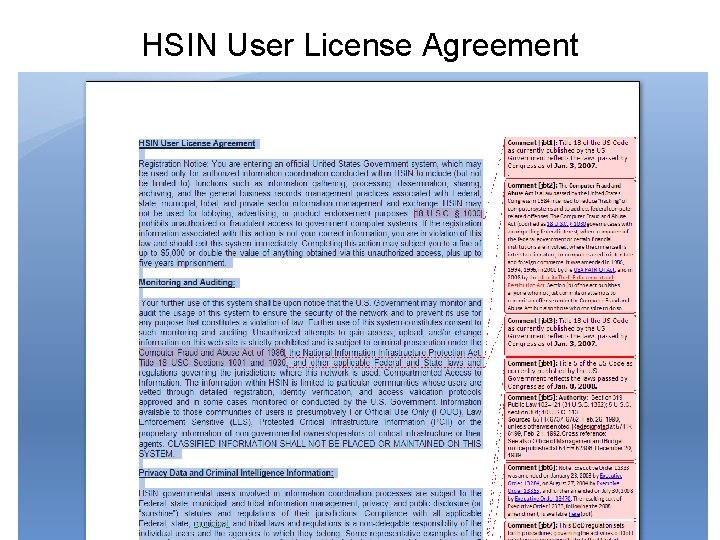
HSIN User License Agreement
If you need any assistance with HSIN, contact your assigned Mission Advocates on the previous slide or the HSIN Help Desk: 24 x 7 HSIN Help Desk HSIN. Helpdesk@dhs. gov 1 -866 -430 -0162