
Home tabwhere most formatting options are accessed Clipboard

Home tab—where most formatting options are accessed Clipboard group. Notice the Launcher Clipboard pane Note: 24 items can be stored on the Clipboard. 1

This is the Office Clipboard task pane. Launcher The launcher in the Clipboard group actually opens the Clipboard. 2

Format Painter – Copies format not text 3
1 point = 1/72 of an inch 4

Change Font Change Point Size 5

WYSIWYG What you see is what you get. The fonts appear as they will in the document. Live Preview Select your text and then hover a different font. You will see the selected text in the font selected. 6
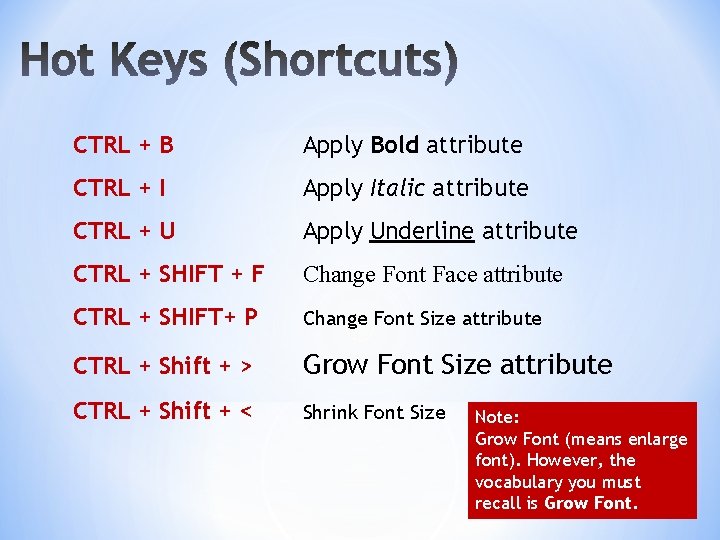
CTRL + B Apply Bold attribute CTRL + I Apply Italic attribute CTRL + U Apply Underline attribute CTRL + SHIFT + F Change Font Face attribute CTRL + SHIFT+ P Change Font Size attribute CTRL + Shift + > Grow Font Size attribute CTRL + Shift + < Shrink Font Size Note: Grow Font (means enlarge font). However, the vocabulary you must recall is Grow Font. 7
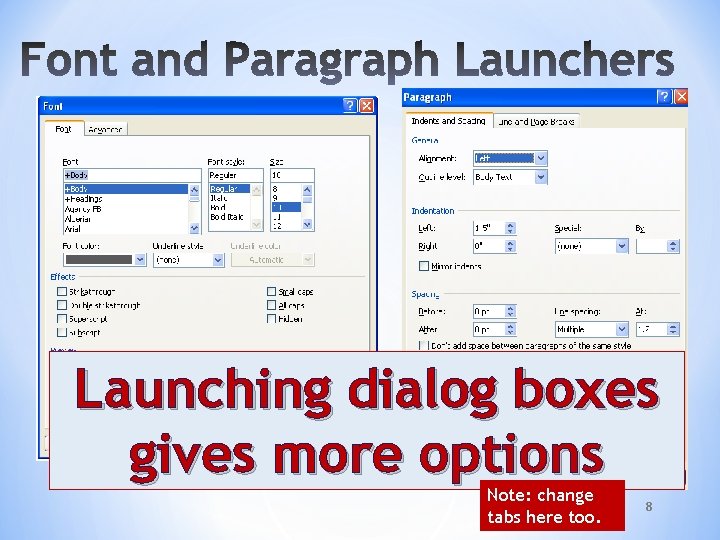
Launching dialog boxes gives more options Note: change tabs here too. 8

Blank documents default to left alignment. Left Right Ctrl+ L Ctrl + R Center Justify Ctrl + E Ctrl + J 9
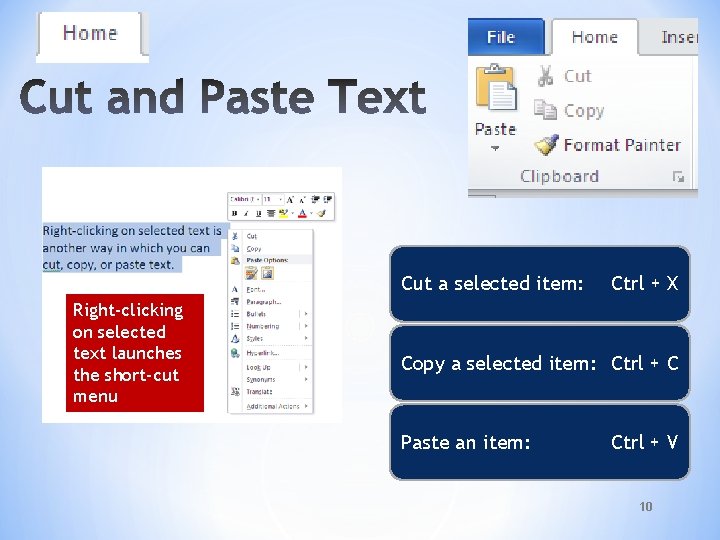
Cut a selected item: Right-clicking on selected text launches the short-cut menu Ctrl + X Copy a selected item: Ctrl + C Paste an item: Ctrl + V 10
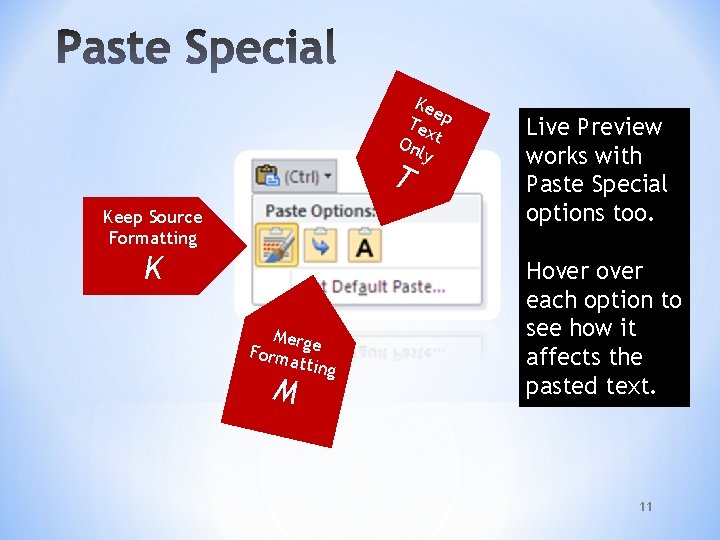
K ee T ex p On t ly T Keep Source Formatting K Mer g e F orm a t t in g M Live Preview works with Paste Special options too. Hover each option to see how it affects the pasted text. 11
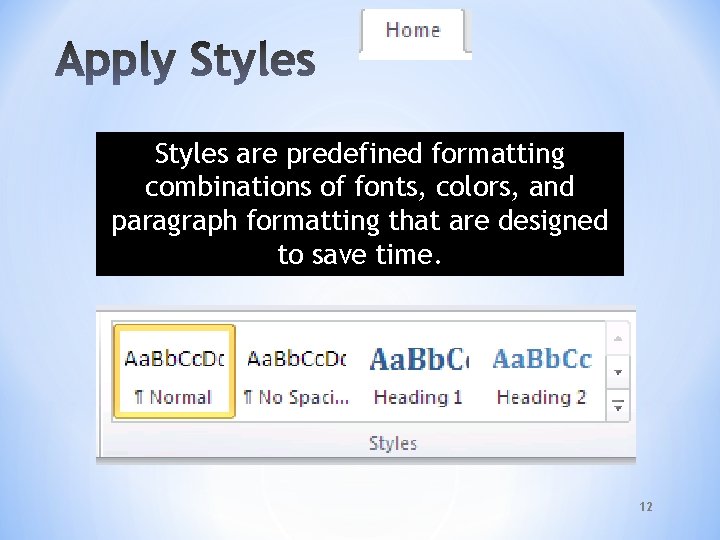
Styles are predefined formatting combinations of fonts, colors, and paragraph formatting that are designed to save time. 12
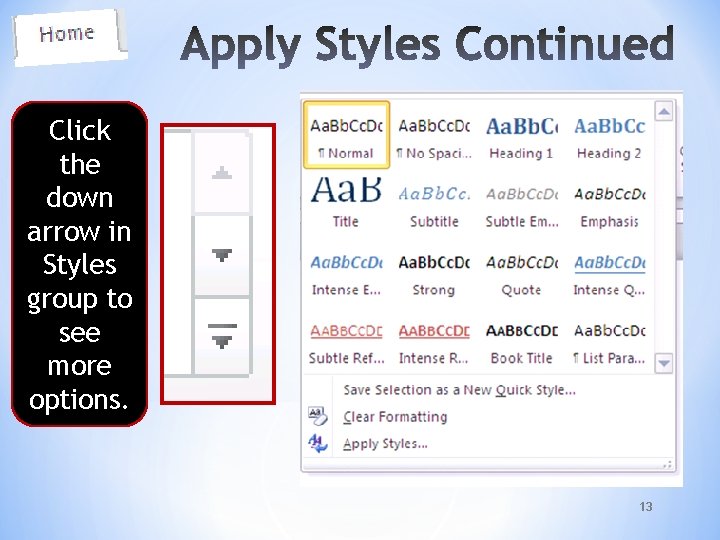
Click the down arrow in Styles group to see more options. 13

Click Launcher in Styles group to see more options. 14

SS DS TS 15

• Paragraph borders: affects just the selected paragraph • Page border: affects the entire page (document) 16
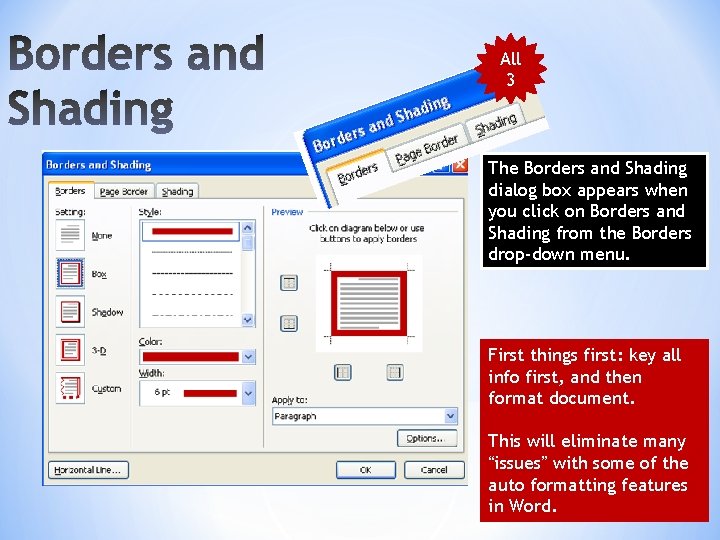
All 3 The Borders and Shading dialog box appears when you click on Borders and Shading from the Borders drop-down menu. First things first: key all info first, and then format document. This will eliminate many “issues” with some of the auto formatting features 17 in Word.
- Slides: 17