
HMS and SHMS Online Analysis Plots 1 Expert

- Slides: 21
HMS and SHMS Online Analysis Plots 1
Expert list • Sylvester Joosten • Chao Peng • Whitney Armstrong Send a message on the Hall C Slack channel for not so urgent issues but get in touch with the RC otherwise 2
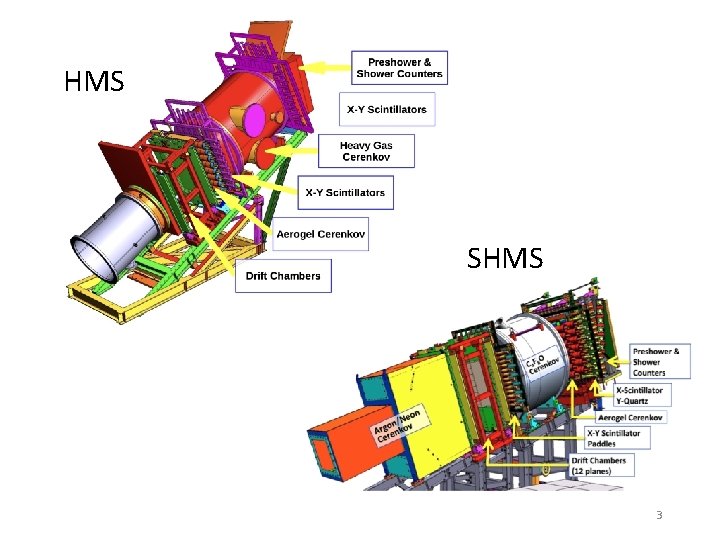
HMS SHMS 3
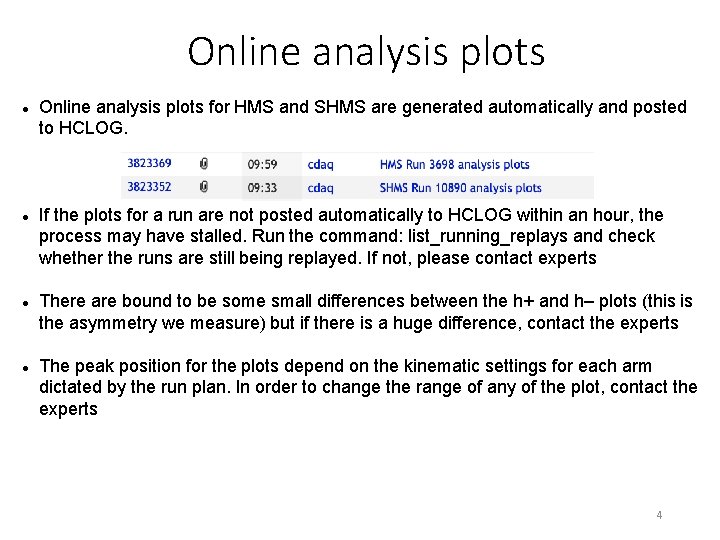
Online analysis plots Online analysis plots for HMS and SHMS are generated automatically and posted to HCLOG. If the plots for a run are not posted automatically to HCLOG within an hour, the process may have stalled. Run the command: list_running_replays and check whether the runs are still being replayed. If not, please contact experts There are bound to be some small differences between the h+ and h– plots (this is the asymmetry we measure) but if there is a huge difference, contact the experts The peak position for the plots depend on the kinematic settings for each arm dictated by the run plan. In order to change the range of any of the plot, contact the experts 4
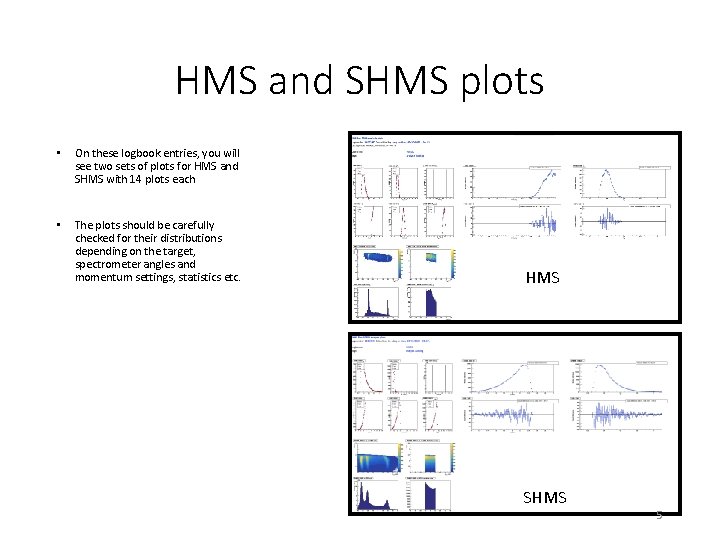
HMS and SHMS plots • On these logbook entries, you will see two sets of plots for HMS and SHMS with 14 plots each • The plots should be carefully checked for their distributions depending on the target, spectrometer angles and momentum settings, statistics etc. HMS SHMS 5
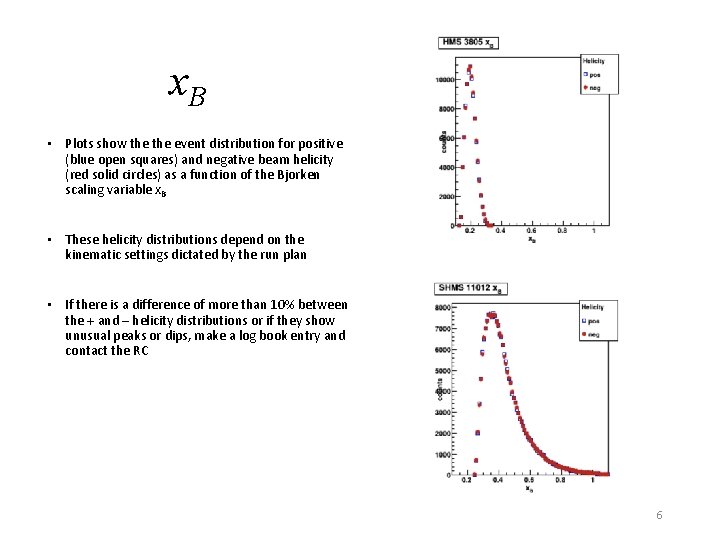
x. B • Plots show the event distribution for positive (blue open squares) and negative beam helicity (red solid circles) as a function of the Bjorken scaling variable x. B • These helicity distributions depend on the kinematic settings dictated by the run plan • If there is a difference of more than 10% between the + and – helicity distributions or if they show unusual peaks or dips, make a log book entry and contact the RC 6
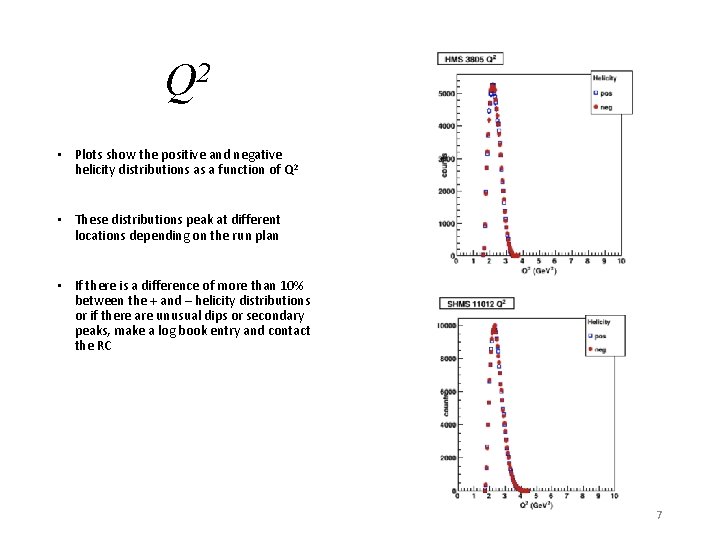
Q 2 • Plots show the positive and negative helicity distributions as a function of Q 2 • These distributions peak at different locations depending on the run plan • If there is a difference of more than 10% between the + and – helicity distributions or if there are unusual dips or secondary peaks, make a log book entry and contact the RC 7
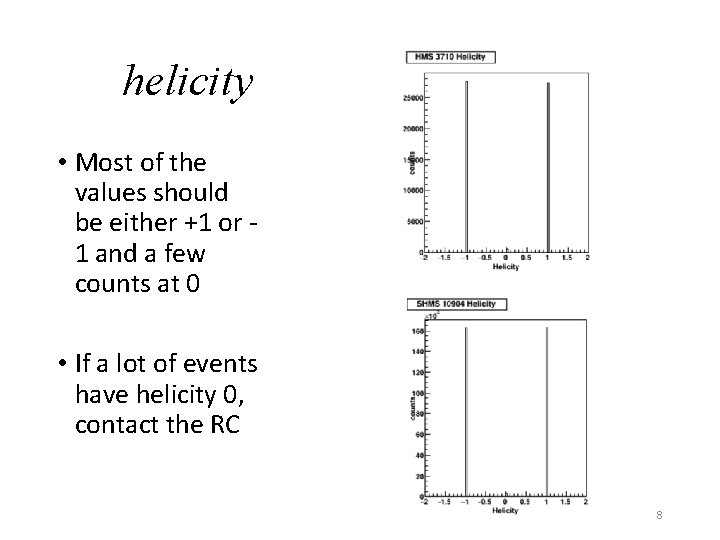
helicity • Most of the values should be either +1 or 1 and a few counts at 0 • If a lot of events have helicity 0, contact the RC 8
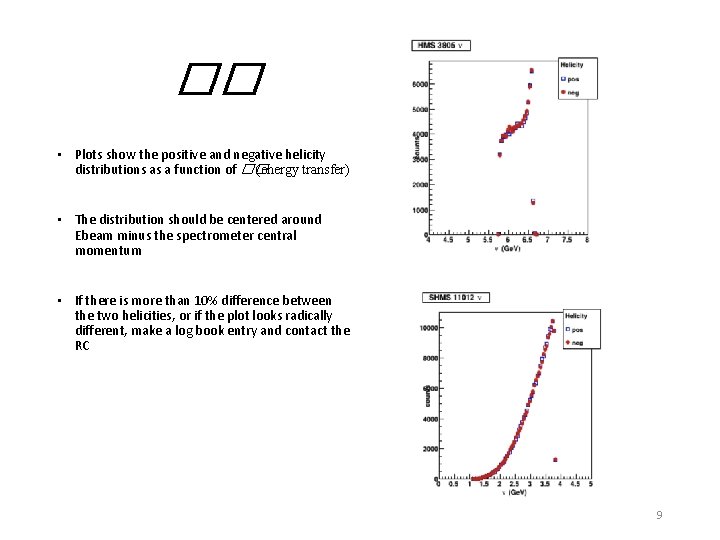
�� • Plots show the positive and negative helicity distributions as a function of �� (energy transfer) • The distribution should be centered around Ebeam minus the spectrometer central momentum • If there is more than 10% difference between the two helicities, or if the plot looks radically different, make a log book entry and contact the RC 9
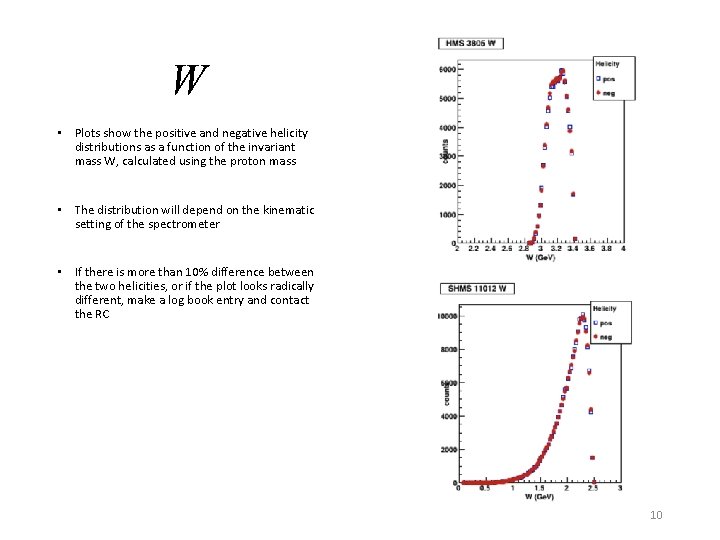
W • Plots show the positive and negative helicity distributions as a function of the invariant mass W, calculated using the proton mass • The distribution will depend on the kinematic setting of the spectrometer • If there is more than 10% difference between the two helicities, or if the plot looks radically different, make a log book entry and contact the RC 10
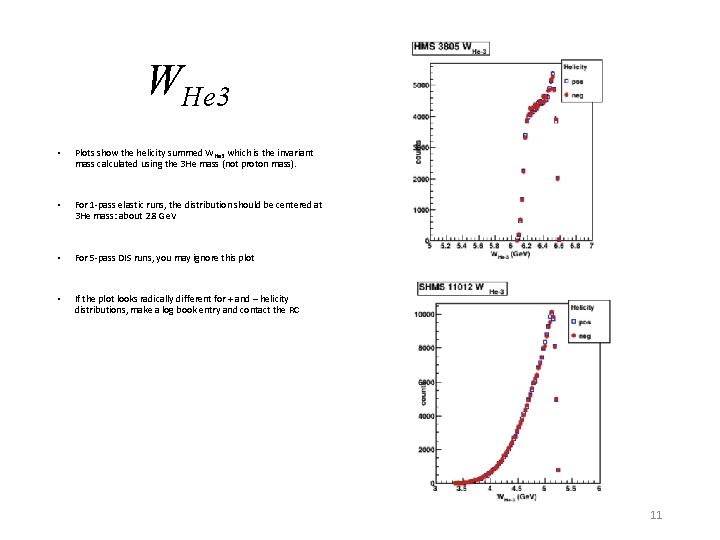
WHe 3 • Plots show the helicity summed WHe 3 which is the invariant mass calculated using the 3 He mass (not proton mass). • For 1 -pass elastic runs, the distribution should be centered at 3 He mass: about 2. 8 Ge. V • For 5 -pass DIS runs, you may ignore this plot • If the plot looks radically different for + and – helicity distributions, make a log book entry and contact the RC 11
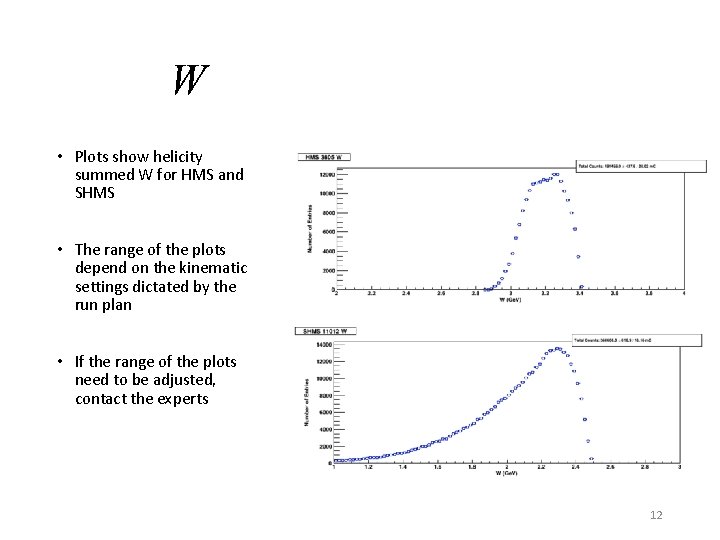
W • Plots show helicity summed W for HMS and SHMS • The range of the plots depend on the kinematic settings dictated by the run plan • If the range of the plots need to be adjusted, contact the experts 12
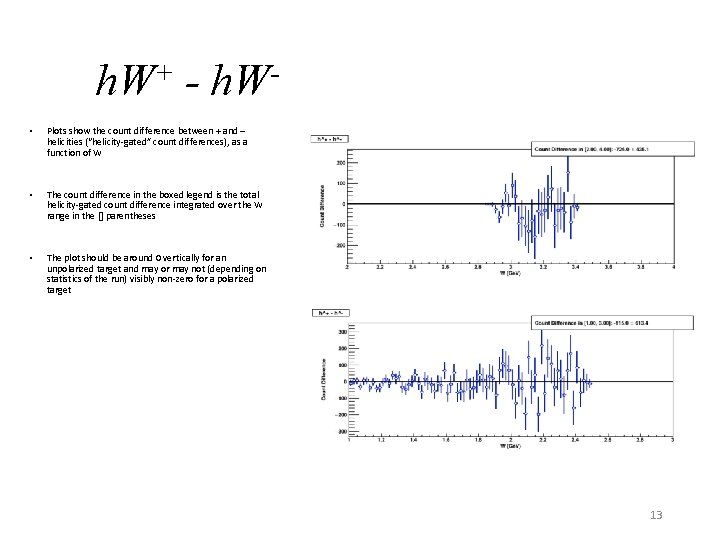
h. W+ - h. W • Plots show the count difference between + and – helicities (“helicity-gated” count differences), as a function of W • The count difference in the boxed legend is the total helicity-gated count difference integrated over the W range in the [] parentheses • The plot should be around 0 vertically for an unpolarized target and may or may not (depending on statistics of the run) visibly non-zero for a polarized target 13
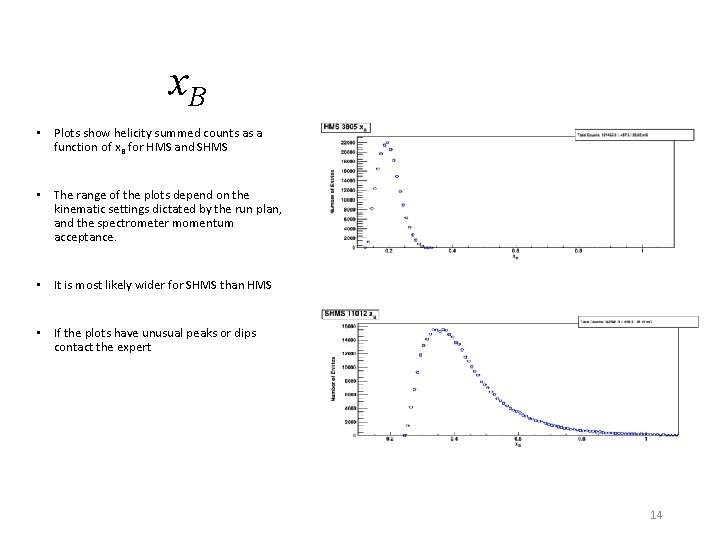
x. B • Plots show helicity summed counts as a function of x B for HMS and SHMS • The range of the plots depend on the kinematic settings dictated by the run plan, and the spectrometer momentum acceptance. • It is most likely wider for SHMS than HMS • If the plots have unusual peaks or dips contact the expert 14
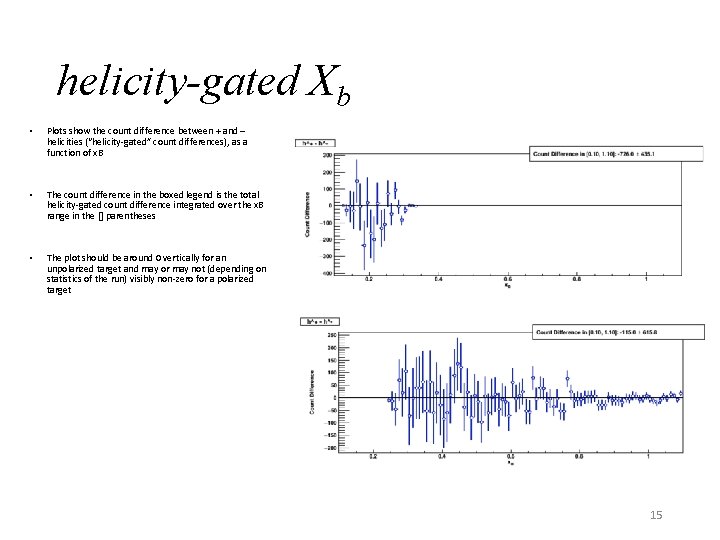
helicity-gated Xb • Plots show the count difference between + and – helicities (“helicity-gated” count differences), as a function of x. B • The count difference in the boxed legend is the total helicity-gated count difference integrated over the x. B range in the [] parentheses • The plot should be around 0 vertically for an unpolarized target and may or may not (depending on statistics of the run) visibly non-zero for a polarized target 15
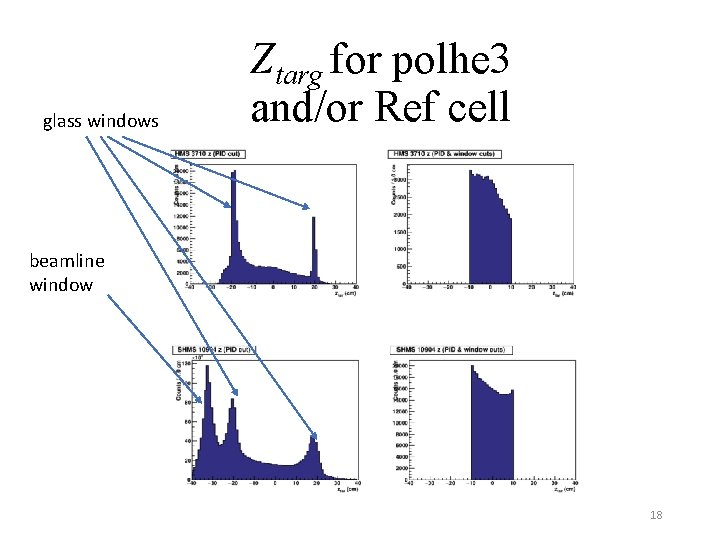
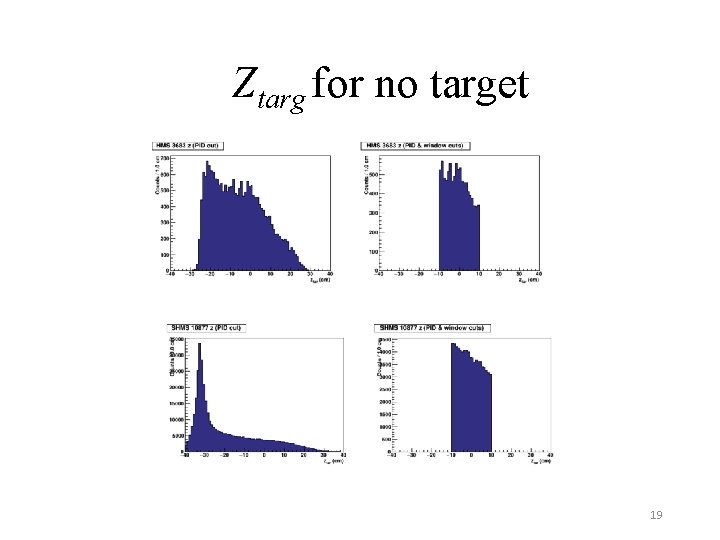
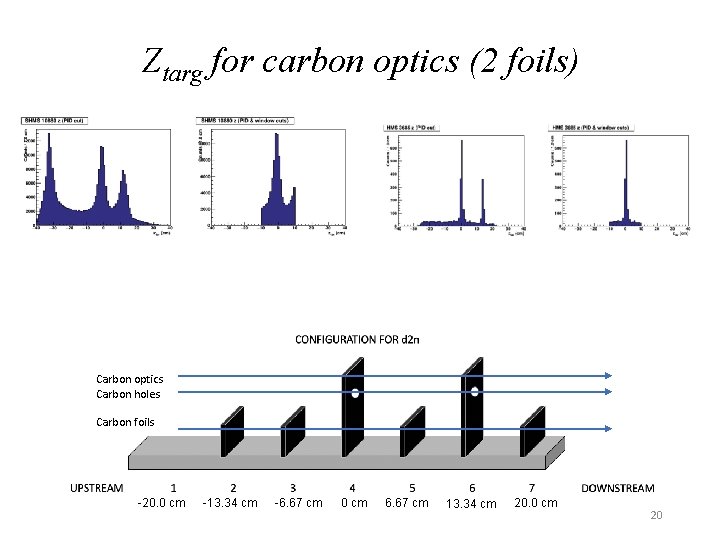
ztarg • Plots in the next three slides show the number of events as a function of the position along the beam line (ztarg) • The plot shapes depend on the spectrometer settings, acceptances of each spectrometer, type of target and hard-wired analysis cuts used in making the plots • A peak at -35 cm corresponds to the Be window upstream. Peaks at ± 20 cm correspond to the target cell windows. Make sure that the ztarg plots indeed correspond to the target in position • Contact the experts if any of the features on these plots look different from the “nominal” (some examples posted in the following slides) 16
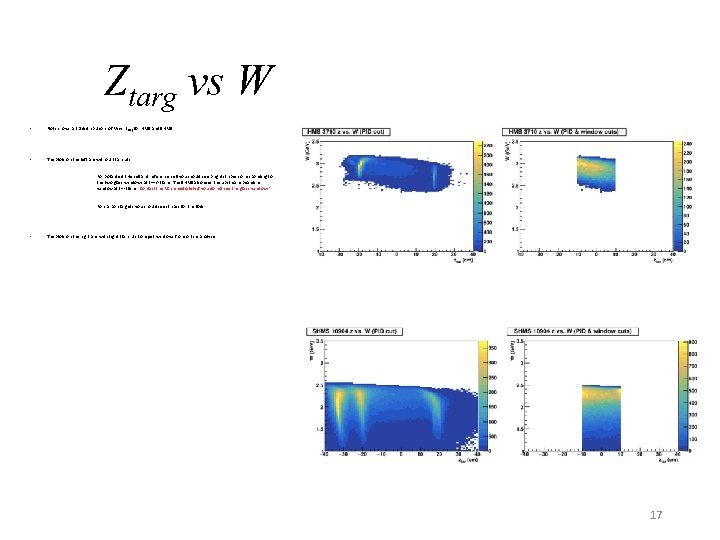
Ztarg vs W • Plots shows a 2 D distributions of W vs. ztarg for HMS and SHMS • The plots on the left are without ztar cuts • For polarized 3 He cell and reference cell you should see bright stripes corresponding to the two glass windows at z=+/-20 cm. The SHMS also sees the upstream beamline window at z=-35 cm. Contact the RC immediately if you do not see the glass windows! For carbon targets you should see stripes for the foils The plots on the right are with tight ztar cuts to reject windows from online analysis 17
glass windows Ztarg for polhe 3 and/or Ref cell beamline window 18
Ztarg for no target 19
Ztarg for carbon optics (2 foils) Carbon optics Carbon holes Carbon foils -20. 0 cm -13. 34 cm -6. 67 cm 0 cm 6. 67 cm 13. 34 cm 20. 0 cm 20
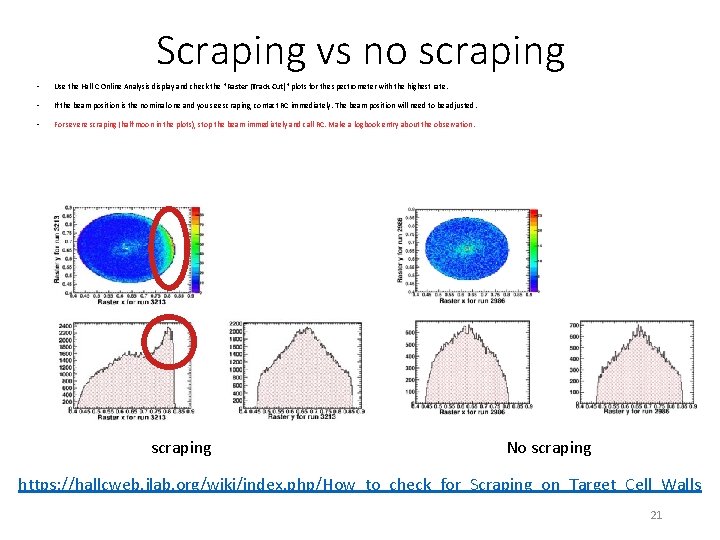
Scraping vs no scraping • Use the Hall C Online Analysis display and check the "Raster (Track Cut)" plots for the spectrometer with the highest rate. • If the beam position is the nominal one and you see scraping, contact RC immediately. The beam position will need to be adjusted. • For severe scraping (half moon in the plots), stop the beam immediately and call RC. Make a logbook entry about the observation. scraping No scraping https: //hallcweb. jlab. org/wiki/index. php/How_to_check_for_Scraping_on_Target_Cell_Walls 21